
GITNUXSOFTWARE ADVICE
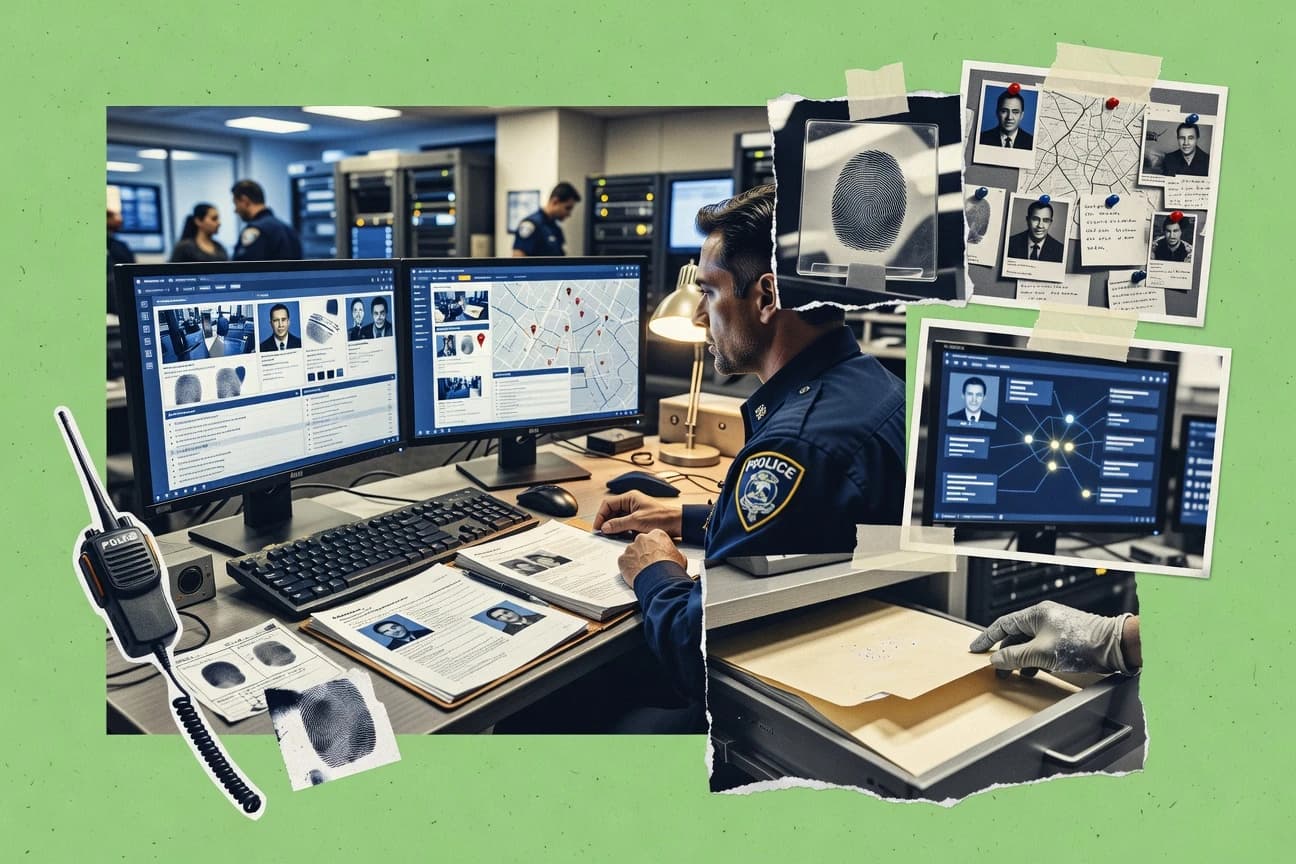
Public Safety CrimeTop 10 Best Police Database Software of 2026
Ranked roundup of police database software for crime data management, comparing Tyler Technologies, New World, eAgent, and CentralSquare tools.

How we ranked these tools
Core product claims cross-referenced against official documentation, changelogs, and independent technical reviews.
Analyzed video reviews and hundreds of written evaluations to capture real-world user experiences with each tool.
AI persona simulations modeled how different user types would experience each tool across common use cases and workflows.
Final rankings reviewed and approved by our editorial team with authority to override AI-generated scores based on domain expertise.
Score: Features 40% · Ease 30% · Value 30%
Gitnux may earn a commission through links on this page — this does not influence rankings. Editorial policy
Tyler Technologies - New World is the best fit for police teams that need controlled incident-to-case workflows with integration-heavy justice sharing, while eAgent is the practical choice for small and rural records teams focused on configurable evidence association when budgets are tight.
Editor’s top 3 picks
Three quick recommendations before you dive into the full comparison below — each one leads on a different dimension.
Tyler Technologies - New World
Workflow configuration with audit trail visibility across records and external interface interactions.
Built for fits when police teams need controlled incident-to-case workflows plus integration-heavy justice sharing..
eAgent
Editor pickObject-level linkage that keeps booking photos and evidence items attached through later case review.
Built for fits when records teams need configurable incident-to-case workflows with strong evidence association..
CentralSquare Technologies
Editor pickEvidence association with case records supports audit-friendly investigation linkage across the lifecycle.
Built for fits when agencies need shared records and evidence workflows with API integrations and strong access controls..
Comparison Table
Tyler Technologies - New World
enterprisePublic safety division providing Enterprise CAD, Enterprise Records, and mobile field reporting for public safety agencies.
Workflow configuration with audit trail visibility across records and external interface interactions.
Tyler Technologies - New World centers on incident and case lifecycle management, including report creation, docket handling, and linking records to investigation artifacts. The integration story typically emphasizes interface connectivity for partner systems and a structured automation surface for operational workflows tied to records outcomes. Governance is handled through role-based access controls, configurable workflow states, and interface audit trail visibility used to trace changes and external interactions.
A practical tradeoff is that workflow customization and interface enablement often require deliberate configuration work and departmental governance so automation rules stay consistent across incident types. The best fit shows up when a department needs a single records workflow backbone that routes from intake through case management while maintaining controlled partner integrations for inquiries, notifications, and information exchange.
- +End-to-end incident and case workflow design supports investigation continuity
- +Interface and message-based exchange supports partner system integration at scale
- +Administrative controls include audit trail visibility for interface and workflow actions
- +Configuration options support department-specific process variations across report types
- –Workflow customization can require sustained governance to prevent cross-type inconsistencies
- –Deep configuration choices can slow early adoption for small teams
- –Some investigation linkage steps may rely on consistent user practice
- –Integration outcomes depend on careful partner mapping for consistent data exchange
Police records and case management teams
Convert incident reports into dockets
Fewer handoff errors
IT and integration administrators
Connect justice partners for inquiries
More reliable data exchange
Show 2 more scenarios
Command staff and governance leads
Standardize access and workflow controls
Stronger operational control
Uses permissioning and audit visibility to manage who can change workflows and records outcomes.
Investigations supervisors
Maintain investigation continuity across records
Faster case progression
Supports consistent linkage of case activity so follow-up work stays connected to originating reports.
Best for: Fits when police teams need controlled incident-to-case workflows plus integration-heavy justice sharing.
eAgent
SMBLaw enforcement records and dispatch software tailored for small and rural police departments.
Object-level linkage that keeps booking photos and evidence items attached through later case review.
eAgent fits agencies that need structured incident reporting and case dockets in one workflow surface, with consistent object relationships across people, events, and associated artifacts. The system’s configuration model supports how forms and statuses move through incident and case stages, which helps standardize outcomes across shifts. Evidence handling is organized so evidence items can stay linked to the incident or booking context for later review and export.
A key tradeoff is that deeper automation and external system connectivity typically depend on disciplined configuration and interface mapping work. eAgent works well when a records team owns the workflow design and expects to enforce consistent capture rules for booking, evidence, and follow-up tasks.
- +Consistent object linking for incident-to-evidence and booking context
- +Workflow configuration supports controlled incident and case status progression
- +Field interview tracking uses structured steps for follow-up actions
- +Exports support records reviews and FBI-style rap sheet formatting workflows
- –External integrations require careful mapping of identifiers and fields
- –Complex workflows need governance discipline to prevent status drift
- –UI speed can drop with large case histories and dense attachments
Records management analysts
Standardize incident capture and case dockets
Fewer inconsistent case records
Investigations supervisors
Track follow-ups from field interviews
More complete investigation threads
Show 2 more scenarios
Evidence coordinators
Maintain evidence chain association
Cleaner evidence review cycles
Evidence objects remain associated to the incident and booking context for later retrieval.
CJIS liaison teams
Support criminal history query workflows
Faster identity lookups
Query outputs can be formatted for rap-sheet style review during case updates.
Best for: Fits when records teams need configurable incident-to-case workflows with strong evidence association.
CentralSquare Technologies
enterprisePublic safety suite covering records management, computer-aided dispatch, and field reporting for law enforcement agencies.
Evidence association with case records supports audit-friendly investigation linkage across the lifecycle.
CentralSquare Technologies supports end-to-end incident-to-evidence handling by connecting case records with evidence and investigative artifacts, including booking and identity resolution paths. The product’s integration surface is built around APIs and message-based connectivity patterns used to move events between systems without manual reentry. Governance features like role-based access and audit trails help agencies control who can query, edit, or export records and when changes occur.
A practical tradeoff appears in deployments that require custom field-level workflows or complex data enrichment, because those changes often need structured configuration and interface mapping work. CentralSquare fits best for agencies consolidating records and evidence workflows into one operational model, where automated linkage between case dockets and evidence intake reduces investigator handoffs.
- +Incident and case records link directly to evidence for investigation continuity.
- +Role-based access and audit trails support controlled viewing and edits.
- +API-driven integrations support dispatch-to-record and external system connectivity.
- +Configurable investigative workflows reduce dependence on manual rekeying.
- –Custom workflow changes require careful configuration and interface mapping.
- –Complex query behavior depends on correctly maintained indexing and reference data.
- –Deep identity and booking configuration can add administrative overhead.
- –Interface extensions often require coordinated releases with connected systems.
Records and evidence managers
Unify incident dockets with evidence intake
Fewer missed associations
Integration teams
Connect CAD, booking, and external systems
Lower reentry workload
Show 1 more scenario
Detective units
Trace investigative artifacts through case views
Faster case build
Case-centric views help investigators follow linked artifacts from intake through ongoing investigation work.
Best for: Fits when agencies need shared records and evidence workflows with API integrations and strong access controls.
Cyrun
SMBLaw enforcement records management and dispatch software for police departments.
Identity-centric record linking that connects booking, criminal history query results, and case activity in one workflow.
Cyrun is a police database software focused on identity-centric records workflows for law enforcement users.
The system centers on criminal history query behavior, warrant status visibility, and incident-linked person records for day-to-day investigation work.
It also supports evidence and case association workflows through configurable records linking and export-ready data structures for reporting.
Cyrun’s distinct value is how it connects search, booking identity, and case activity into a single operational query path for staff.
- +Identity-driven search flow reduces time spent switching record screens.
- +Warrant status and notification fields support investigator follow-up work.
- +Configurable records linking helps keep incident, person, and case associations aligned.
- +Export formats support downstream reporting and evidence indexing operations.
- –Integration depth depends on external connectors for dispatch-to-RMS message bus patterns.
- –Some governance controls for interface audit trail require careful configuration discipline.
Best for: Fits when agencies need identity-first record search with strong warrant and case linking for investigations.
Spillman Technologies
enterprisePublic safety software for CAD, records management, and mobile data used by police and fire agencies.
Identity and booking references that carry through case processing to reduce duplicate person entries
Spillman Technologies supports police records workflows with incident, booking, and case processing designed for law enforcement teams. The system emphasizes information linking across the full lifecycle, including identity resolution and case-related references.
Spillman also provides integration points for external systems and reporting outputs used for compliance-driven extracts and analytics. Administration features focus on controlled access, audit visibility, and operational configuration for multi-user environments.
- +Strong incident-to-case referencing for consistent downstream workflows
- +Booking and identity resolution support reduces duplicate person records
- +Audit-oriented configuration helps track operational changes across users
- +Integration options support external messaging and data exchange workflows
- –Requires governance discipline to keep data linking consistent across agencies
- –Complex configuration can slow initial rollout for incident workflows
- –Some advanced reporting formats rely on admin setup rather than self-serve builders
- –Evidence and chain-of-custody workflows can feel admin-heavy depending on deployment choices
Best for: Fits when agencies need deep incident and case linkage with controlled access and audit visibility.
PMAM
SMBLaw enforcement software including records management and case tracking for police departments.
Cross-linking of incident, person, and attachment records designed for investigative retrieval workflows.
PMAM targets police records operations that need controlled access to incident data plus fast retrieval for follow-up actions. The solution centers on incident and case workflow tracking, with support for associating people, events, and attachments needed for investigative continuity.
PMAM also supports data exchange for external systems, including standardized outputs for reporting and data sharing. Admin controls focus on user roles, audit logging expectations, and governance steps that fit agency compliance requirements.
- +Incident workflow tracking with investigator-oriented retrieval
- +Attachments and case linkages support investigation continuity
- +External data exchange options support departmental integrations
- +Role-based access patterns support controlled internal usage
- –Configuration depth can require governance discipline for consistent workflows
- –Integration documentation can be limiting for complex dispatch-to-RMS event flows
- –Limited visibility into chain-of-custody mechanics without careful setup
- –Analytics depth for hot-spot and NIBRS mapping can require supplemental work
Best for: Fits when agencies need controlled incident-to-case tracking and external data exchange without heavy custom development.
Column Public Safety
enterpriseCloud-based records management and computer-aided dispatch system for police and fire departments.
Timeline-style navigation that follows person-to-incident relationships across contacts and investigation steps.
Column Public Safety is a police database product built around incident, person, and event record workflows that map directly to public safety reporting. Its distinct angle is the focus on structured links between bookings, contacts, and investigations so users can move through a timeline without losing context.
Column also supports integration and data exchange for records and sharing needs, including interfaces for queries and downstream reporting outputs. Admin features prioritize controlled access, with audit-focused governance behaviors aimed at reducing unauthorized record handling.
- +Structured cross-linking between persons, incidents, and outcomes
- +Event-driven workflows support consistent incident reporting completion
- +Integration-oriented interfaces for data exchange and criminal history queries
- +Access controls and audit-oriented governance support controlled record handling
- –Requires workflow design and field configuration discipline before go-live
- –Some advanced analysis needs depend on external reporting workflows
- –Complex multi-unit deployments can increase admin overhead
- –Evidence and chain-of-custody depth may require tighter process mapping
Best for: Fits when agencies want tightly linked person and incident records with governance controls.
Axon Evidence
enterpriseDigital evidence management and records platform tightly integrated with body-worn cameras and Tasers.
Chain-of-custody tracking stays linked to digital evidence handling actions throughout the evidence lifecycle.
Axon Evidence is the evidence and case workflow system tied to Axon body-worn video and related incident capture, with organization and playback built around digital evidence timelines. It provides ingestion, labeling, and chain-of-custody handling across common law-enforcement artifacts, then connects evidence to case management and reporting workflows.
Administration centers on role-based access, audit logging, and configurable retention policies for managed oversight. For agencies that already run Axon capture tools, it reduces the handoffs needed to keep booking photos, interviews, and other attachments attached to investigations.
- +Evidence organization and playback use a timeline view tied to Axon capture events
- +Chain-of-custody records track evidence handling actions over time
- +Role-based access plus audit logs support evidence governance workflows
- +Retention controls reduce the risk of inconsistent deletion across custodians
- –Depth of CAD to RMS message bus integration depends on agency configuration choices
- –Some investigative workflow steps require careful alignment with the connected RMS
Best for: Fits when agencies already use Axon capture devices and need evidence timelines with governance controls.
Superion
enterprisePublic safety and administration software including records management, dispatch, and mobile field reporting.
Interface audit trail that records who changed what and when across the records workflow.
Superion records-focused software supports police organizations with incident intake, case workflows, and records functions built for day-to-day report handling. The suite is designed to connect police operations to downstream storage and retrieval workflows used by investigators, analysts, and records staff.
Superion also provides interfaces and configuration options used to connect external systems for queries, notifications, and data exchange. Admin tooling supports governance needs such as permissioning controls and auditability for record changes and user activity.
- +Incident-to-case workflow reduces re-entry during report lifecycle
- +Configuration options support jurisdiction-specific forms and workflow steps
- +Interface audit trail helps track record edits and related events
- +Tools for evidence and booking linkages support investigation continuity
- –Depth of CAD-to-RMS message bus integration varies by agency implementation
- –Requires disciplined configuration governance to avoid inconsistent workflows
- –Some advanced analytics depend on surrounding reporting configurations
- –Integration throughput can bottleneck during high-volume query periods
Best for: Fits when a police agency needs end-to-end report and case workflows with strong integration and audit control.
Omnigo Software
enterprisePublic safety, security, and law enforcement records management with dispatch and reporting modules.
Message-based connectivity design for dispatch-to-RMS style workflows that reduces manual re-entry between systems.
Omnigo Software targets police records and evidence workflows with configurable modules for incident intake, case activity, and booking artifacts. Its distinct angle is integration-first operations, with a focus on message-based connectivity for dispatch-to-RMS style flows and cross-system lookups.
Administration centers on role-based access controls, audit logging, and retention-aware configuration so agencies can govern who edits what and how long records persist. The product also supports exports and reporting patterns that align with common justice reporting needs and docket-style case management.
- +Integration-focused messaging support for dispatch-to-RMS style connectivity
- +Role-based access controls with audit trail logging for record changes
- +Configurable incident, case, and booking workflow states
- +Export and reporting outputs support common operational and oversight needs
- –Limited public detail on depth of CJIS interface coverage for NLETS and NCIC
- –Evidence chain-of-custody modeling depends on careful configuration of intake and association rules
- –Admin configuration work can be substantial before workflows match local practices
- –Automation and API surface documentation is thinner than seen in the top two vendors
Best for: Fits when agencies need configurable incident-to-case workflows with integration-oriented connectivity and strong access governance.
Conclusion
After evaluating 10 public safety crime, Tyler Technologies - New World stands out as our overall top pick — it scored highest across our combined criteria of features, ease of use, and value, which is why it sits at #1 in the rankings above.
Use the comparison table and detailed reviews above to validate the fit against your own requirements before committing to a tool.
How to Choose the Right police database software
Police database software in this guide is evaluated on workflow configuration control, end-to-end incident-to-case continuity, and how reliably records teams can keep evidence and booking context linked as cases move across systems. Tyler Technologies New World, eAgent, and CentralSquare Technologies represent the category’s integration-heavy records-to-evidence and incident-to-case patterns.
Other tools in scope show different strengths across object linking, identity-first search, and audit traceability during records edits. Cyrun focuses on identity-centric linking for warrant status and case follow-up, while Axon Evidence emphasizes chain-of-custody tracking tied to digital evidence handling actions.
Police database software for controlled incident-to-case workflows, evidence linkage, and audit traceability
Police database software centralizes incident reporting workflows and case records while preserving controlled linkages across bookings, evidence items, and investigative steps. These systems typically support message-based exchanges that reduce manual re-entry between dispatch, records, and partner applications, with Tyler Technologies New World highlighting interface and message-based exchange for partner integration.
Core workflow behavior depends on how each platform models linkages and revisions across the lifecycle, because a change to a case status or an evidence association needs a traceable path. eAgent focuses on object-level linkage that keeps booking photos and evidence items attached through later case review, while CentralSquare Technologies ties incident and case records directly to evidence for audit-friendly investigation continuity.
Key evaluation criteria for police database software workflows
Police database software lives or dies on incident-to-case continuity, because records edits and evidence associations must remain traceable from initial reporting through investigation steps. The most reliable platforms keep workflow changes governed so links do not silently drift between incident records, case dockets, booking context, and evidence items.
Incident-to-case workflow configuration with audit trail visibility
Tyler Technologies New World supports workflow configuration that surfaces audit trail visibility across records and external interface interactions. Superion adds an interface audit trail that records who changed what and when across the records workflow.
Evidence and booking object linking that survives later case review
eAgent keeps booking photos and evidence items attached through later case review using object-level linkage. CentralSquare Technologies links incident and case records directly to evidence for investigation continuity.
Identity-first linking for warrant status and investigation follow-up
Cyrun connects booking, criminal history query results, and case activity in an identity-centric workflow for faster warrant and case linking. Spillman carries identity and booking references through case processing to reduce duplicate person entries.
Chain-of-custody timelines tied to evidence handling actions
Axon Evidence keeps chain-of-custody records linked to digital evidence handling actions over time. CentralSquare supports evidence association with case records that supports audit-friendly investigation linkage across the lifecycle.
Integration depth for dispatch-to-RMS style message exchange
Omnigo Software uses message-based connectivity design for dispatch-to-RMS style workflows that reduces manual re-entry between systems. Axon Evidence and Cyrun both flag CAD to RMS message-bus depth as dependent on agency configuration choices or external connectors.
How to choose police database software for controlled linkages
Selection should start with the specific linkage failure risk for the agency, because the core differences show up in what the system treats as the source of truth. Tyler Technologies New World and Superion focus on governed workflow revisions and audit traceability during records and interface interactions, while eAgent and CentralSquare focus on maintaining object or evidence associations across case review steps.
Pick the audit model that matches governance capacity
If governance teams need audit trail visibility tied to workflow and external interface interactions, Tyler Technologies New World aligns workflows with audit trail visibility across records and message exchanges. If audit control needs to capture who changed what and when across the records workflow, Superion’s interface audit trail supports that model.
Validate whether evidence links survive later edits and review
If the records process must preserve attachments from booking context through later case review, eAgent’s object-level linkage design is built for consistent incident-to-evidence and booking context. If evidence must be directly tied at the incident and case record level for audit-friendly investigation continuity, CentralSquare Technologies links incident and case records directly to evidence.
Choose identity-centric vs record-centric navigation based on investigator work patterns
If investigators work from warrants and identity lookups and need case and booking context to appear from a single identity-led flow, Cyrun prioritizes identity-driven search and warrant status and notification fields for follow-up. If the agency’s problem is duplicate persons and inconsistent identity carrythrough, Spillman emphasizes booking and identity resolution that reduces duplicate person entries.
Confirm the integration path for dispatch-to-RMS event flows
If dispatch-to-RMS style connectivity must minimize manual re-entry, Omnigo Software is structured around message-based connectivity for dispatch-to-RMS style workflows. If CAD to RMS message-bus depth must be proven without heavy interpretation, Axon Evidence and Cyrun both highlight that integration depth depends on agency configuration choices or external connectors.
Assess whether chain-of-custody needs drive the evidence model
If the agency relies on evidence timeline playback tied to digital capture events, Axon Evidence keeps evidence timelines tied to Axon capture events and maintains chain-of-custody records across the evidence lifecycle. If evidence association must remain audit-friendly across lifecycle stages using case-linked evidence, CentralSquare Technologies supports evidence association with case records.
Stress-test workflow configurability against rollout scope
If teams expect complex workflow customization but can staff continuous governance, Tyler Technologies New World enables controlled incident-to-case workflow design with integration-heavy justice sharing. If rollout starts with complex workflows but governance bandwidth is limited, eAgent and CentralSquare both require careful mapping and configuration discipline to avoid status drift or inconsistent workflow changes.
Who police database software is built for in real deployments
Police database software buyers should map product design to operational risk, because evidence association consistency and audit traceability vary sharply across vendors. Teams with multi-system workflows and partner exchanges usually need interface and workflow audit visibility, while evidence-heavy agencies need chain-of-custody timelines that stay connected through evidence handling actions.
Records and investigations teams running controlled incident-to-case workflows
Tyler Technologies New World supports end-to-end incident and case workflow design with interface and message-based exchange supports for partner integration at scale.
Agencies that must preserve booking photos and evidence attachments through review
eAgent maintains consistent object linking for incident-to-evidence and booking context so attachments remain tied during later case review.
Investigations units that work warrant follow-up from identity-led search
Cyrun uses identity-centric record linking that connects booking, criminal history query results, and case activity with warrant status and notification fields.
Evidence operations teams that need chain-of-custody timelines tied to handling actions
Axon Evidence tracks chain-of-custody over time and ties evidence organization and playback to Axon capture events.
Agencies integrating dispatch-to-RMS message exchanges with reduced manual re-entry
Omnigo Software is built for dispatch-to-RMS style message-based connectivity that targets fewer manual re-entry steps between systems.
Common pitfalls when implementing police database software
Most implementation failures come from treating workflow configuration like a one-time setup and not like a controlled process. Several platforms emphasize that workflow changes or interface mapping require sustained governance discipline to prevent link drift, inconsistent status progression, or misaligned integration outcomes.
Allowing workflow customization without governance controls
Tyler Technologies New World can deliver strong audit visibility across records and interface interactions, but workflow customization can require sustained governance to prevent cross-type inconsistencies.
Launching without validating identifier mapping for external integrations
eAgent’s external integrations require careful mapping of identifiers and fields, and complex workflows need governance discipline to prevent status drift.
Assuming evidence links will carry forward without testing later review edits
CentralSquare Technologies supports evidence association with case records for audit-friendly continuity, but custom workflow changes require careful configuration and interface mapping to keep links accurate.
Overestimating dispatch-to-RMS integration depth without an agency-specific configuration plan
Axon Evidence and Cyrun both flag that CAD to RMS message-bus depth depends on agency configuration choices or external connectors, which can surface late integration gaps.
Ignoring chain-of-custody modeling requirements in evidence operations
Axon Evidence offers chain-of-custody tracking tied to digital evidence handling actions, so evidence intake and association rules must align with the connected RMS to avoid timeline mismatches.
How We Selected and Ranked These Tools
We evaluated Tyler Technologies New World, eAgent, and CentralSquare Technologies on workflow configuration control, incident-to-case continuity, and evidence or booking context linkage across records revisions. Features carried 40% of the weighting, while ease and value each carried 30% by scoring configuration usability and rollout friction reflected in each tool’s strengths and constraints.
Tyler Technologies New World earned the top rank by combining workflow configuration control with audit trail visibility across records and external interface interactions, plus integration-heavy message exchange behavior for partner system integration at scale. eAgent and CentralSquare ranked next because they kept evidence and booking context attached through later review using object-level linkage or direct evidence association with case records.
Frequently Asked Questions About police database software
How do Tyler Technologies New World and Superion handle incident-to-case workflow governance?
Which tools provide API-centric integration patterns between dispatch, RMS, and justice partners?
How does eAgent keep booking photos and evidence linked after case activity changes?
When an agency needs identity-first search across warrants and criminal history results, where does Cyrun fit?
What breaks if an evidence workflow does not support chain-of-custody actions through the digital evidence lifecycle?
How do CentralSquare Technologies and Spillman Technologies differ in evidence association auditability?
Which platform is built for timeline navigation that follows person-to-incident relationships for investigations?
How do admin controls and audit logs compare across Superion and Tyler Technologies New World?
When departments need exports for reporting and external lookups during investigations, how do PMAM and Cyrun support that workflow?
What governance discipline matters most when agencies configure role-based access and retention policies in Omnigo Software?
Tools reviewed
Primary sources checked during evaluation.
Referenced in the comparison table and product reviews above.
- Public Safety CrimeTop 10 Best Fingerprint Database Software of 2026
- Legal Justice SystemTop 10 Best Criminal Defense Law Software of 2026
- Education LearningTop 10 Best School Database Software of 2026
- Data Science AnalyticsTop 10 Best Database Query Software of 2026
- Data Science AnalyticsTop 10 Best Database Reports Software of 2026
Keep exploring
Comparing two specific tools?
Software Alternatives
See head-to-head software comparisons with feature breakdowns, pricing, and our recommendation for each use case.
Explore software alternatives→In this category
Public Safety Crime alternatives
See side-by-side comparisons of public safety crime tools and pick the right one for your stack.
Compare public safety crime tools→