
GITNUXSOFTWARE ADVICE
Business FinanceTop 10 Best Minute Taking Software of 2026
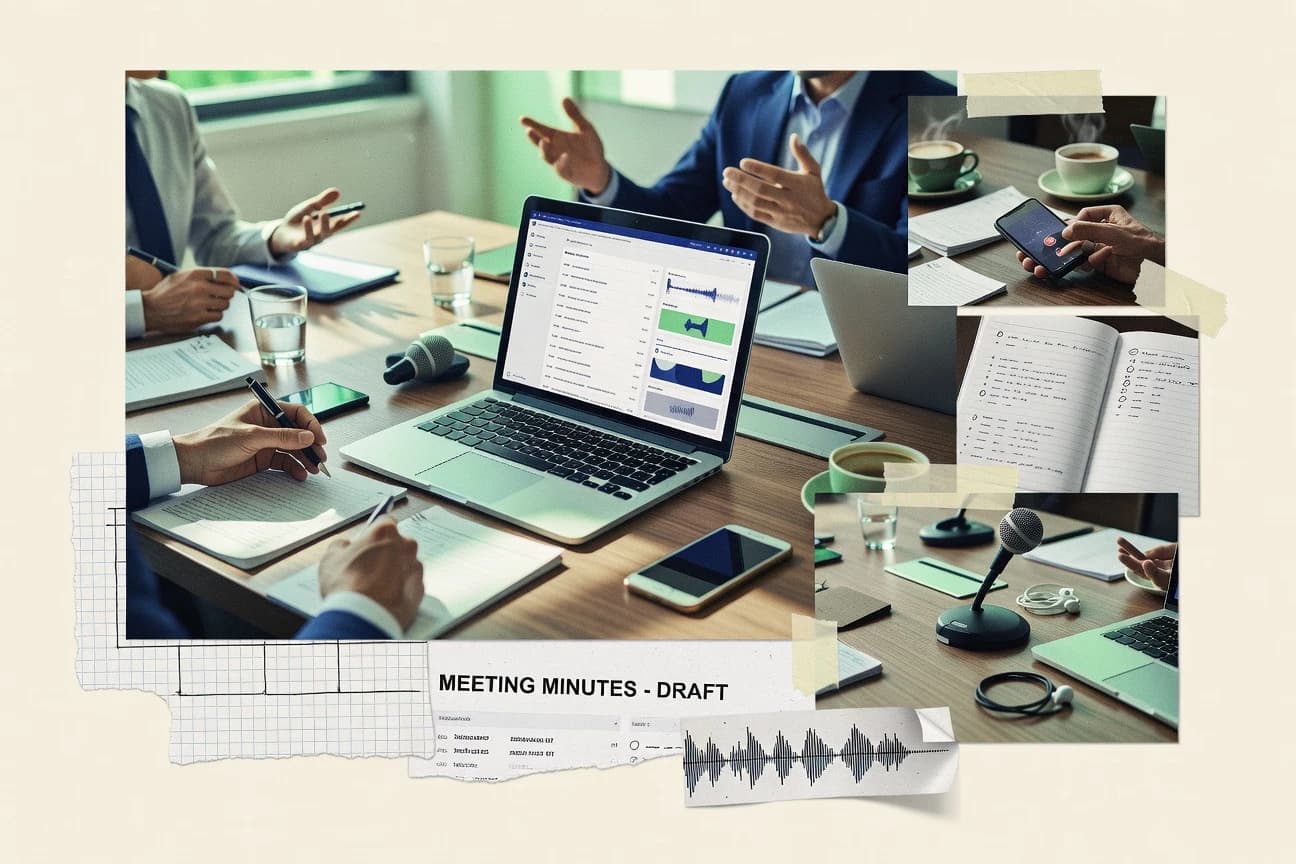
Top 10 minute taking software ranked for meeting notes. Compare Minutes.io, Otter.ai, and Fireflies.ai for teams and workflows.

How we ranked these tools
Core product claims cross-referenced against official documentation, changelogs, and independent technical reviews.
Analyzed video reviews and hundreds of written evaluations to capture real-world user experiences with each tool.
AI persona simulations modeled how different user types would experience each tool across common use cases and workflows.
Final rankings reviewed and approved by our editorial team with authority to override AI-generated scores based on domain expertise.
Score: Features 40% · Ease 30% · Value 30%
Gitnux may earn a commission through links on this page — this does not influence rankings. Editorial policy
Minutes.io is the best fit when you need repeatable, timestamp-traceable minutes that stay easy to export, whereas Avoma works better for sales and customer-facing teams that want meeting recordings turned into minutes plus action tracking from every call.
Editor’s top 3 picks
Three quick recommendations before you dive into the full comparison below — each one leads on a different dimension.
Minutes.io
Timestamped transcript to structured minutes conversion with dedicated action items and decision log sections.
Built for fits when teams need repeatable minutes templates with timestamped traceability and export-ready documents..
Otter.ai
Editor pickInstant transcript-to-summary generation with speaker-linked context that accelerates minutes drafting and review.
Built for fits when teams need fast transcript-driven minutes drafts without heavy governance requirements..
Fireflies.ai
Editor pickReal-time style timestamp alignment links transcript segments to generated decisions and action items.
Built for fits when teams need repeatable minutes generation and review across many meetings..
Comparison Table
Minutes.io
SMBMinutes.io creates structured meeting minutes with attendees, decisions, and action items.
Timestamped transcript to structured minutes conversion with dedicated action items and decision log sections.
Minutes.io is built around timestamped notes that stay traceable to what was said in the meeting. The core workflow starts from an agenda or outline, captures content as the meeting runs, and then extracts action items and decisions into dedicated minutes sections. Minutes review is supported through in-document editing and commenting, and the resulting minutes can be exported for broader sharing.
A key tradeoff is that Minutes.io’s structure depends on consistent source quality from transcription, so low audio clarity increases cleanup time in action items and decisions. Minutes.io fits best for recurring meetings where teams repeatedly need minutes templates, searchable archives, and reliable export formatting for stakeholders.
- +Timestamped transcript capture keeps minutes traceable to statements.
- +Action items and decision log sections reduce manual minutes reshaping.
- +Agenda-first drafting helps standardize meeting notes across teams.
- +Export formats support straightforward sharing with non-editors.
- –Transcription quality directly affects the accuracy of extracted actions.
- –Minutes review workflows rely on user discipline for final edits.
Project managers
Weekly status meetings with actions
Faster assignment and follow-up
Operations teams
Decision documentation for governance
Cleaner decision traceability
Show 2 more scenarios
Customer success managers
Client calls with searchable notes
Less time finding prior commitments
Creates a searchable meeting archive that links notes to what was said.
Sales enablement teams
Recurring enablement sessions
More consistent internal documentation
Standardizes minutes structure across sessions using agenda-driven capture and consistent exports.
Best for: Fits when teams need repeatable minutes templates with timestamped traceability and export-ready documents.
Otter.ai
SMBOtter.ai transcribes meetings and produces searchable summaries with action items.
Instant transcript-to-summary generation with speaker-linked context that accelerates minutes drafting and review.
Otter.ai is oriented around meeting transcription, speaker identification, and rapid post-meeting summaries that can be reviewed and edited before distribution. Transcript search helps find specific decisions, questions, and action items by phrase across past recordings. Export features support taking notes out of the transcription workspace into documents for minutes review and wider circulation. Collaboration is geared toward working in the transcript and summary outputs rather than managing formal motion tracking or attendance registers inside the app.
A tradeoff appears for organizations that require strict meeting governance features like quorum tracking, voting records, or an auditable decision log tied to approval workflow steps. Otter.ai works best when users can accept lighter structure and then apply templates or a separate process for formal minutes and decision records. Teams that run ad hoc internal meetings benefit most because the transcription-to-notes loop is fast.
- +Speaker-aware transcripts with strong search across prior meetings
- +Quick summary generation reduces time spent rewriting minutes drafts
- +Export-friendly notes for distributing meeting outcomes
- +Calendar and video integrations cut friction to start recordings
- –Limited coverage for formal minutes governance like quorum and voting records
- –Action items quality depends on meeting audio clarity and speaking structure
- –Complex workflows require external tooling for approvals and audit trails
Product and engineering teams
Weekly planning and decision capture
Faster minutes review and alignment
Customer success teams
Call notes for account action items
More consistent next steps
Show 2 more scenarios
Project management teams
Status meetings with recurring agendas
Reduced manual note taking
Use integrations to capture meetings and create draft minutes for stakeholders.
Operations teams
Cross-functional sync documentation
Better meeting documentation continuity
Export transcript-based notes for distribution and post-meeting reference.
Best for: Fits when teams need fast transcript-driven minutes drafts without heavy governance requirements.
Fireflies.ai
SMBFireflies.ai records meetings, generates transcripts and summaries, and tracks action items.
Real-time style timestamp alignment links transcript segments to generated decisions and action items.
Fireflies.ai automatically generates meeting summaries, decisions, and action items from speech-to-text, then attaches timestamps to the transcript for fast verification. The minutes output is designed for collaboration with review steps before sharing, which helps teams avoid publishing errors from the first draft. Search across past meetings supports locating specific topics and speakers without manually scrubbing recording timelines.
A notable tradeoff is that deep customization of minutes formatting and governance can require careful configuration of workflows and templates. Fireflies.ai fits best when teams want consistent meeting minutes generation across many calls and need repeatable exportable records for follow-up.
- +Timestamped transcription makes minutes review faster than summary-only notes
- +Action items and decisions are generated in minutes-ready structure
- +Searchable meeting archive supports quick retrieval of past discussions
- +Export formats support straightforward sharing in common document workflows
- –Minutes formatting customization is limited compared with manual template builders
- –Speaker labeling can degrade when audio quality or overlap increases
- –Automation can require template and workflow discipline across teams
- –Advanced approval chains are harder to implement than simple review steps
Product teams
Weekly planning minutes with action items
Faster post-meeting execution
Sales enablement teams
Pipeline calls with searchable recap notes
Reduced recap time
Show 2 more scenarios
Customer success teams
Support reviews with shared minutes
More consistent case documentation
Produces review-ready transcripts and exported minutes for internal escalation workflows.
Operations teams
Cross-functional sync with approval review
Lower publish error rates
Helps teams generate and review meeting records before distributing decisions to stakeholders.
Best for: Fits when teams need repeatable minutes generation and review across many meetings.
Avoma
enterpriseAvoma combines meeting recording, transcription, summaries, agendas, and conversation workflows.
Minutes generation that stays grounded in speaker-attributed transcripts with timestamped action items and decision traceability.
Avoma turns recorded calls into structured meeting minutes with speaker-attributed transcripts and timestamped notes. The workflow pairs action items and decisions with reviewable artifacts inside a collaboration workspace, so minutes can be iterated after the meeting ends.
Strong integration depth for conferencing and CRM-style systems supports automated capture from live meetings into a searchable archive. Avoma is distinct in how it ties speech-to-text to minutes generation and follow-up tracking in one continuous flow.
- +Speaker-attributed transcripts feed timestamped minutes without manual rework
- +Action items and decision logs stay linked to the source moment
- +Searchable meeting archive improves retrieval across large call volumes
- +Exportable minutes and notes support document handoff to teams
- –Approval workflows require disciplined ownership for clean decision history
- –Meeting governance settings need careful setup to avoid access mismatches
- –Advanced minute formatting can require template tuning per meeting type
- –Deep custom automation is limited to what the exposed API supports
Best for: Fits when sales and customer-facing teams need minutes generation plus action tracking from every recorded call.
BoardPro
vertical specialistBoardPro organizes board agendas, minutes, resolutions, actions, and meeting records.
Agenda item mapping that turns minutes into an action-ready, board-oriented record rather than freeform notes.
BoardPro captures meeting minutes inside a board-focused workspace that ties notes to agenda items and follow-up actions.
It supports structured minutes fields and templates so minutes stay consistent across recurring meetings.
Collaboration features let participants add and revise notes, while exports support sharing minutes outside the workspace.
- +Agenda-linked minutes structure reduces orphaned notes
- +Minutes templates keep recurring meetings consistent
- +Collaboration supports review and edits during the meeting cycle
- +Export outputs minutes for external circulation
- –Speech-to-text and speaker identification are not the primary workflow emphasis
- –Automation depth for minutes routing is limited compared with more programmable systems
- –Complex governance setups require clear meeting ownership practices
- –API and extensibility surface is not extensive for custom integrations
Best for: Fits when teams need board-style meeting minutes with consistent templates and action tracking.
MeetingBooster
SMBMeetingBooster supports agendas, live meeting notes, decisions, and action tracking.
Template-based minutes capture that outputs structured attendee, decision, and action item sections from transcription.
MeetingBooster targets teams that need meeting minutes plus action tracking from a single workflow. It combines speech-to-text driven note capture with meeting-specific templates and structured fields for attendees, decisions, and action items.
Export support turns captured minutes into shareable documents for circulation and storage. Governance centers on review and approval steps so finalized minutes stay consistent across repeated meetings.
- +Minutes templates keep recurring meetings consistent
- +Speech-to-text output reduces manual transcription work
- +Action items are structured enough to assign and track
- +Document export supports routine distribution workflows
- –Approval and review flows add steps for fast meetings
- –Searchable meeting archive depth is limited for large orgs
- –Speaker identification quality varies with audio clarity
- –Customization beyond templates feels constrained
Best for: Fits when teams want structured minutes, action items, and review steps without building a custom workflow.
MeetingKing
SMBMeetingKing organizes agendas, minutes, decisions, and assigned tasks for team meetings.
Minutes templates that ingest transcription output into a structured minutes draft for faster review and approval.
MeetingKing targets minute taking with a structured workflow that turns meeting content into consistent meeting minutes and action tracking.
It supports transcription-based capture, then maps output into a minutes template so headings, attendees, and follow-ups stay in a predictable format.
The system also emphasizes collaboration around draft minutes and controlled approvals before publishing to a searchable archive.
Export options like DOCX and PDF help standardize how finalized minutes leave the workspace.
- +Template-driven minutes keep attendee, decisions, and action items consistently formatted
- +Speech-to-text capture reduces manual retyping for long meetings
- +Draft and review flow supports internal collaboration before minutes are finalized
- +DOCX and PDF exports standardize sharing across departments
- –Transcription accuracy depends on audio quality and meeting audio setup
- –Advanced governance features like fine-grained audit trails are not as prominent as in larger suites
- –Agenda and quorum workflows require disciplined template usage
- –API and automation depth are limited compared with transcription-first enterprise tooling
Best for: Fits when teams need consistent minutes templates with transcription and exports for recurring internal reviews.
Minuteory
SMBAI minute taking software that records, transcribes, and generates summaries with action items and accountability tracking.
Configurable minutes templates tied to structured action items for consistent outputs across recurring meeting types.
Minuteory is a minute-taking tool built around a meeting capture workflow that turns live notes into structured minutes. It supports configurable minutes templates, task-style action items, and a review-ready document output for sharing and recordkeeping.
Meeting transcription and searchable archives make it easier to revisit what was said and what decisions were recorded. Document export formats and collaboration for review help teams move from capture to approval without rebuilding minutes manually.
- +Minutes templates reduce reformatting for recurring meeting types
- +Action items stay attached to the minutes so follow-up is trackable
- +Transcription and searchable archive help locate prior discussion quickly
- +Exported documents support consistent distribution for stakeholders
- –Template configuration can take time before consistent outputs appear
- –Annotation and review controls feel lighter than full governance suites
- –Attachment depth for large artifacts is limited during meeting capture
- –Automation options around workflows are narrower than general work management tools
Best for: Fits when teams need structured minutes output with action items and transcription-linked search across recurring meetings.
adam.ai
SMBMeeting management platform with agenda, minutes, decisions, and action item tracking in one workflow.
Minutes generation that keeps action items and decisions tied to transcript timestamps for defensible review.
adam.ai captures meeting notes from transcripts and links them to structured outcomes such as action items and decisions. The workflow emphasizes minute taking with timestamped context so notes tie back to what was said during the session.
It supports collaboration through shared editing and exporting notes for document review cycles. Its governance and automation depend on how teams configure templates and how meeting artifacts are routed for review and approval.
- +Transcript-linked minute structure preserves timestamped evidence for each item
- +Action items and decisions can be extracted into a reviewable workflow
- +Export formats support minutes review in common document pipelines
- +Templates reduce repeated effort across recurring meeting types
- –Template configuration takes more setup than one-click minute generation
- –Speaker attribution accuracy can drift on noisy recordings
- –Advanced approval workflow controls are limited for complex governance
- –Search across meeting archives depends on how notes were generated
Best for: Fits when teams need transcript-grounded minutes with extracted tasks and decisions for recurring meetings.
Panorama
enterpriseGovernance software that auto-generates meeting minutes with AI and tracks action items and decisions.
Agenda-driven minute structure maps discussion to sections so action items and decisions stay traceable.
Panorama is a minute taking workflow built around live transcription, structured notes, and action items captured during meetings. It supports agenda-driven sessions so minutes can reflect discussion order, while searchable archives help teams find prior decisions.
The system adds meeting governance features like review and approval steps so minutes do not stay in a draft state. It also provides exports for sharing minutes outside the workspace, including document formats teams can attach to records.
- +Agenda-linked minutes reduce manual reformatting after a meeting
- +Transcription capture shortens the gap between speaking and written notes
- +Action items are separated from narrative notes for faster assignment
- +Exported minutes support offline circulation and record keeping
- –Approval workflow can add friction for teams that review minutes ad hoc
- –Customization depth is limited for teams needing custom decision and motion fields
- –Search coverage depends on how notes and transcripts are segmented
- –Integrations for meeting recordings and calendar workflows are not the primary focus
Best for: Fits when teams want transcription-backed minutes with agenda structure and action items.
Conclusion
After evaluating 10 business finance, Minutes.io stands out as our overall top pick — it scored highest across our combined criteria of features, ease of use, and value, which is why it sits at #1 in the rankings above.
Use the comparison table and detailed reviews above to validate the fit against your own requirements before committing to a tool.
How to Choose the Right minute taking software
Minute taking software turns recorded meeting audio into minutes-ready documents with timestamped traceability, action items, and decision logs. This guide covers Minutes.io, Otter.ai, Fireflies.ai, Avoma, BoardPro, MeetingBooster, MeetingKing, Minuteory, adam.ai, and Panorama, with each tool mapped to how minutes drafting and review actually work.
The dominant differentiators across these tools are transcript-to-structure conversions and how tightly extracted items stay grounded in the source timestamps. Some tools prioritize speed to a first minutes draft while others emphasize repeatable minutes templates and export-ready formatting for recurring meetings.
Minute taking software that converts meeting recordings into minutes-ready action items and decision records
Minute taking software captures meeting transcription and converts it into structured minutes outputs such as attendee sections, decisions, and action items, often with transcript-linked evidence. Minutes.io is built around timestamped transcript capture that converts directly into structured minutes with dedicated action item and decision log sections for review and export-ready documents.
Otter.ai focuses on instant transcript-to-summary generation with speaker-linked context to accelerate minutes drafting without heavy governance steps. Across the category, the practical question is how much of the minutes structure is generated in the tool versus produced through manual formatting and editor discipline after the draft appears.
Minute-to-structure conversion and review traceability
Minutes only become decision records when transcript evidence stays linked to extracted items, and that linkage drives faster review and fewer disputes. Minutes.io, Fireflies.ai, and adam.ai all center transcript-to-structured outputs that tie decisions and action items back to timestamped statements.
Timestamped transcript to structured minutes
Minutes.io converts a timestamped transcript into minutes-ready sections that include a dedicated decision log and action items. Fireflies.ai aligns transcript segments to generated decisions and action items in minutes-ready structure, and adam.ai keeps decisions and action items tied to transcript timestamps for defensible review.
Decision log and action item extraction
Minutes.io generates a decision log and action items as first-class minutes sections, which reduces manual reshaping during minutes review. Otter.ai and MeetingBooster also produce structured minutes drafts, but action item quality in Otter.ai depends on meeting speaking clarity while MeetingBooster adds review steps for fast meetings.
Speaker-aware drafting and searchable archives
Otter.ai uses speaker-linked transcripts to generate minutes drafts with context that improves search across prior meetings. Avoma focuses on speaker-attributed transcripts with timestamped action items and decision traceability, while MeetingKing, Minuteory, and Panorama lean more on template-driven consistency than heavy governance.
Template and agenda mapping for repeatable outputs
BoardPro uses agenda item mapping to turn minutes into a board-oriented action-ready record and keeps recurring meetings consistent with templates. Panorama maps discussion into agenda-driven sections to keep action items and decisions traceable, while MeetingBooster and MeetingKing output structured attendee, decision, and action item sections through template-based capture.
Governance support for approval and governance workflows
Tools in this set vary in how much governance exists beyond a draft, since approval workflows can add steps or require disciplined ownership. Otter.ai and BoardPro limit formal minutes governance like quorum and voting records, while Avoma and Minutes.io place decision traceability into the minutes structure and can surface governance friction through workflow requirements.
Choose by minutes workflow control depth, not transcription speed
The fastest drafting tool is only useful if the minutes structure stays reviewable, because the extracted decisions and action items become the audit trail your team actually uses. Minutes.io favors repeatable timestamped minutes structure with decision logs and action items, while Otter.ai favors quick transcript-to-summary minutes drafts for review with lighter formal governance.
Select the evidence model for review
Pick a tool that grounds extracted decisions and action items in timestamped transcript segments when review defensibility matters. Minutes.io generates timestamped transcript-based minutes with decision log sections, Fireflies.ai links transcript segments to generated decisions and action items, and adam.ai ties extracted items to transcript timestamps.
Decide whether governance is a draft-step or a policy workflow
If the team needs quorum, voting records, and formal governance coverage, eliminate tools that explicitly focus on drafting speed with limited formal governance. Otter.ai and BoardPro show limited coverage for formal minutes governance like quorum and voting records, while Avoma emphasizes speaker-attributed action items and decision traceability but still requires disciplined ownership for clean decision history.
Match the structure generator to recurring meeting formats
If recurring minutes must follow consistent templates, choose agenda or template-driven tools that keep attendee and decision fields consistent across meetings. BoardPro and MeetingKing emphasize template-based attendee, decisions, and action items formatting, while Minuteory focuses on configurable minutes templates tied to structured action items for recurring meeting types.
Choose based on how much customization and control the workflow needs
If meeting leaders need controlled custom decision or motion fields, deprioritize tools that limit customization depth. Panorama keeps agenda-linked traceability but flags limited customization depth for teams needing custom decision and motion fields, while Fireflies.ai limits minutes formatting customization versus manual template builders.
Validate transcription accuracy against real meeting audio conditions
Transcription quality directly controls how accurate extracted action items and decisions become, so test with the team’s microphones and room setups. Minutes.io limits extraction accuracy when transcription quality drops, MeetingKing states transcription accuracy depends on audio quality and meeting audio setup, and adam.ai notes speaker attribution can drift on noisy recordings.
Assess how review workload shifts after the draft
If the organization expects minimal manual reshaping, pick tools that output decision logs and action items in minutes-ready structure. Minutes.io reduces manual minutes reshaping by providing action item and decision log sections, while MeetingBooster and MeetingKing may add review steps that slow fast meeting cycles.
Who should use minute taking software and what outcomes it targets
Teams that produce repeated meetings and must convert discussion into decisions need structured minutes outputs that preserve evidence for review. Tools in this guide separate drafting speed from traceable structure, so the best fit depends on whether the team prioritizes defensible decisions or quick drafts.
Operations teams running recurring internal syncs
MeetingBooster and MeetingKing keep recurring minutes consistent with attendee, decisions, and action items sections, which reduces reformatting after the meeting.
Board and governance-focused groups
BoardPro builds board-oriented minutes through agenda item mapping and templates so minutes become action-ready records rather than freeform notes.
Customer-facing teams recording calls for follow-up
Avoma links speaker-attributed transcripts to timestamped action items and decision traceability so sales and customer teams can track outcomes from recorded calls.
Legal, compliance, and teams that need timestamp-grounded defensibility
Minutes.io and adam.ai tie extracted decisions and tasks back to timestamped transcript evidence, which supports defensible review when teams challenge specific outcomes.
Large org teams that rely on deep search across many meetings
Otter.ai emphasizes strong search across prior meetings with speaker-aware transcripts, while MeetingBooster notes limited archive depth for large orgs.
Common buyer pitfalls when selecting minute taking software
Buyers often treat transcription accuracy as a standalone metric, but extracted action items and decision logs inherit any audio and speaker confusion. Other failures come from mismatching review governance needs with tools that mostly generate drafts.
Buying for speed and discovering governance gaps after deployment
Otter.ai and BoardPro can draft quickly, but Otter.ai has limited coverage for formal minutes governance like quorum and voting records and BoardPro limits automation depth for minutes routing.
Overtrusting extracted actions without validating audio quality
Minutes.io warns that transcription quality directly affects the accuracy of extracted actions, and MeetingKing states transcription accuracy depends on audio quality and meeting audio setup.
Choosing a template tool without planning the review owner workflow
Avoma’s approval workflows require disciplined ownership for clean decision history, and Minutes review workflows in Minutes.io rely on user discipline for final edits.
Assuming template customization will match bespoke board formats
Fireflies.ai notes limited minutes formatting customization compared with manual template builders, and Panorama limits customization depth for teams needing custom decision and motion fields.
Ignoring the setup time needed for consistent templates
Minuteory notes template configuration can take time before consistent outputs appear, and adam.ai states template configuration takes more setup than one-click minute generation.
How We Selected and Ranked These Tools
We evaluated how each tool turns meeting recordings into minutes-ready structure, then measured how strongly extracted decisions and action items stay grounded in transcript timestamps. We weighted features and ease/value heavily, with features accounting for 40% of the ranking and ease/value accounting for 30% each.
Minutes.io received the highest ranking because it pairs timestamped transcript capture with dedicated action item sections and a decision log designed for review and export-ready documents. We also compared how each system shifts the workload into review steps, since some tools add approval friction or depend on disciplined edits for clean decision histories.
Frequently Asked Questions About minute taking software
How do Minutes.io and Otter.ai differ in how they turn meetings into usable minutes?
Which tools generate action items and decision logs as first-class outputs, not just summaries?
How does Fireflies.ai handle real-time timestamp alignment compared with other transcription-first minute workflows?
When should teams use Avoma instead of a general meeting transcript tool for minutes review?
What breaks if meeting governance is missing when using template-driven tools like MeetingKing and Minuteory?
Which integration and automation paths support fewer copy-and-paste steps during capture and review?
How do exports differ when teams need DOCX or PDF for recordkeeping and distribution?
How do BoardPro and Panorama support agenda-to-minutes traceability?
Where do security controls and access governance typically diverge between tools like BoardPro and transcript-first tools?
Tools reviewed
Primary sources checked during evaluation.
Referenced in the comparison table and product reviews above.
- Business FinanceTop 10 Best Meeting Minute Software of 2026
- Business FinanceTop 10 Best Stock Taking Software of 2026
- Business FinanceTop 10 Best Time Record Software of 2026
- Communication MediaTop 10 Best Meeting Minutes Transcription Software of 2026
- Business FinanceTop 10 Best Meeting Planner Software of 2026
Keep exploring
Comparing two specific tools?
Software Alternatives
See head-to-head software comparisons with feature breakdowns, pricing, and our recommendation for each use case.
Explore software alternatives→In this category
Business Finance alternatives
See side-by-side comparisons of business finance tools and pick the right one for your stack.
Compare business finance tools→