
GITNUXSOFTWARE ADVICE
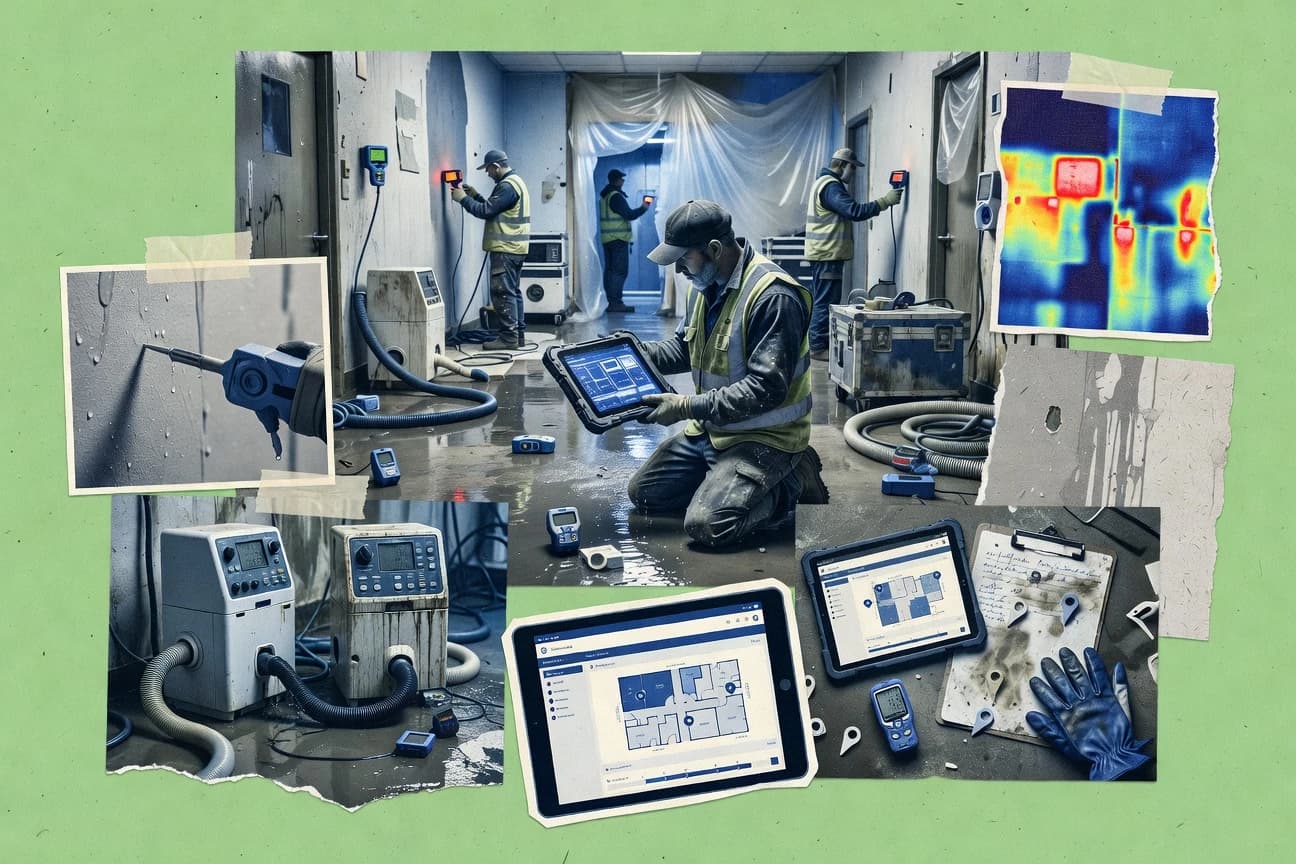
Construction InfrastructureTop 10 Best Water Restoration Software of 2026
Top 10 water restoration software ranking with evaluation criteria and tool tradeoffs for crews, admins, and insurers using XactRestore, Albiware, CleanClaims.

How we ranked these tools
Core product claims cross-referenced against official documentation, changelogs, and independent technical reviews.
Analyzed video reviews and hundreds of written evaluations to capture real-world user experiences with each tool.
AI persona simulations modeled how different user types would experience each tool across common use cases and workflows.
Final rankings reviewed and approved by our editorial team with authority to override AI-generated scores based on domain expertise.
Score: Features 40% · Ease 30% · Value 30%
Gitnux may earn a commission through links on this page — this does not influence rankings. Editorial policy
XactRestore is the best fit for restoration teams that need standardized, claim-ready documentation backed by Xactimate-focused estimating from field capture to adjuster-ready reports, while Albiware works better if crews want repeatable drying-log discipline and insurance-facing packets.
Editor’s top 3 picks
Three quick recommendations before you dive into the full comparison below — each one leads on a different dimension.
XactRestore
Loss documentation workflow ties drying log updates to structured evidence and authorization steps in one job timeline.
Built for fits when restoration teams need standardized, claim-ready documentation from field capture to adjuster-ready reports..
Albiware
Editor pickDrying plan execution tied to a daily job diary so progress updates carry the same evidence context for later claims review.
Built for fits when crews need repeatable documentation plus drying log discipline for insurance-facing packets..
CleanClaims
Editor pickClaim record structure that keeps photo evidence, quantities, and drying notes aligned for adjuster review.
Built for fits when restoration teams need consistent, claim-ready documentation with repeatable room-level estimating..
Comparison Table
XactRestore
enterpriseVerisk restoration job management software with Xactimate integration, field documentation, and AI-assisted estimating.
Loss documentation workflow ties drying log updates to structured evidence and authorization steps in one job timeline.
XactRestore focuses on the operational chain from job intake through drying log updates, equipment tracking, and daily job diary capture. The system is designed for repeatable job documentation using guided task capture and consistent work authorizations. Room-level estimation support and structured photo documentation help keep evidence aligned to the stated scope and progress. This workflow fit is most visible in jobs that require tight coordination between technicians, project managers, and claim stakeholders.
A tradeoff is that the workflow is more prescriptive than free-form documentation systems, which increases the need for consistent field behavior and naming conventions. The tool fits best when the organization needs standardized loss documentation for recurring residential or commercial water losses and wants fewer manual handoffs. It is less suitable when teams rely on fully custom estimation logic or operate without defined authorization and documentation steps.
- +Prescriptive job workflow links intake, drying logs, and evidence in one record
- +Structured room-by-room scope capture reduces documentation mismatch
- +Photo documentation and daily diary support claim-friendly loss timelines
- +Operational tracking for drying progress and equipment histories
- –Prescriptive documentation flow requires strict field adherence
- –Integration depth beyond core export workflows can require implementation work
- –Customization for highly irregular job scopes can be limited
- –Admin governance over templates and authorizations adds operational overhead
Restoration project managers
Weekly job progress and evidence review
Fewer revisions to loss narratives
Field operations leads
Technician documentation compliance
More uniform job records
Show 2 more scenarios
Claims operations teams
Adjuster-facing documentation packet creation
Faster adjuster turnaround cycles
Organizes structured job evidence and reporting materials for downstream review.
Estimating and sales ops
Repeatable scope documentation
Reduced scope and evidence drift
Keeps room-level scope and documentation aligned to the stated work plan.
Best for: Fits when restoration teams need standardized, claim-ready documentation from field capture to adjuster-ready reports.
Albiware
vertical specialistAlbiware manages restoration jobs, scheduling, estimates, documents, payments, and customer communications.
Drying plan execution tied to a daily job diary so progress updates carry the same evidence context for later claims review.
Albiware fits teams that manage both documentation and operational drying steps, because the workflow ties job intake, authorization tracking, and daily progress logs into one sequence. The room-level estimating structure supports consistent cost capture and room-by-room scope entry, which reduces rework when adjuster questions arrive mid-project. Photo and file evidence attachments can be associated to job milestones so loss documentation stays aligned with drying plan progress.
A key tradeoff is that the most repeatable results depend on clean job templates and consistent field tagging during data capture. Albiware works best on projects where technicians can follow the same drying log cadence and supervisors can review evidence for completeness before claim submission. The approach can feel slower for ad hoc jobs that do not follow a repeatable room scope.
- +Room-by-room estimating fields keep scope consistent across technicians
- +Daily job diary updates align drying progress with attached evidence
- +Job intake to documentation package follows a guided workflow sequence
- +Export-oriented claims documentation handoff reduces manual assembling
- –Quality depends on disciplined template setup and consistent field tagging
- –Less suitable for one-off projects with no repeatable room scope
- –Evidence-heavy jobs can increase time spent on photo organization
- –Workflow depth adds steps for teams needing only basic intake
Residential restoration supervisors
Standardize room scope and daily documentation
Fewer missing items during review
Commercial water loss project managers
Track progress across multi-room jobs
Cleaner loss documentation packets
Show 1 more scenario
Restoration dispatch teams
Guide intake through work authorization steps
Less post-dispatch document chasing
Configured workflows connect job intake to documentation readiness before field execution.
Best for: Fits when crews need repeatable documentation plus drying log discipline for insurance-facing packets.
CleanClaims
vertical specialistCleanClaims supports restoration claims processing, job documentation, estimating, and contractor communication.
Claim record structure that keeps photo evidence, quantities, and drying notes aligned for adjuster review.
CleanClaims organizes each restoration job into a documentation-first workflow that ties photos, notes, and measurements to a single claim record. The tool focuses on emergency response dispatch follow-through and turns field entries into claim-friendly documentation that can be shared with adjusters. Room-by-room estimating and standardized claim line items reduce manual rework when preparing insurance claim documentation.
A tradeoff exists because the system expects users to follow its job-structure conventions for photos, quantities, and notes. CleanClaims fits best when a team runs repeatable residential water loss or commercial water loss processes and needs consistent loss documentation for daily job diary and drying log entries.
- +Documentation-first job records link field notes to claim deliverables
- +Room-by-room estimating workflow reduces adjuster back-and-forth
- +Drying plan documentation stays consistent across the drying log
- +Export-ready outputs support standardized insurance line items
- –Strong dependence on consistent data entry patterns to keep reports clean
- –Authorization workflows can feel rigid for nonstandard job approvals
- –Automation depth is limited when processes vary widely across crews
- –Integration coverage depends on external systems rather than built-in connectors
Restoration operations managers
Standardize claim documentation across crews
Fewer missing-document disputes
Field technicians
Capture drying log evidence quickly
Faster daily job diary updates
Show 2 more scenarios
Claims coordinators
Prepare standardized line items
Cleaner adjuster submissions
Claims coordinators generate room-by-room estimating outputs that match standardized insurance line items for submission.
Dispatch teams
Track response to claim record
Reduced job-file mismatches
Dispatch can ensure job intake details and follow-on work authorization are attached to the correct job file.
Best for: Fits when restoration teams need consistent, claim-ready documentation with repeatable room-level estimating.
DASH
vertical specialistDASH provides restoration business management software for scheduling, estimating, production, and reporting.
Daily job diary capture that stays linked to drying plan changes and photo documentation for export-ready closeout packets.
DASH is built around a job record that connects emergency response dispatch information to ongoing drying documentation and final submission artifacts.
Core workflows emphasize structured job notes, photo documentation, and room-level estimating inputs that remain tied to the job timeline.
Teams can run drying plan updates and daily job diary entries inside the same operational context to reduce rekeying between field work and claim packages.
- +Job timeline links intake, drying progression, and closeout artifacts in one record
- +Field notes and daily job diary entries stay associated to the correct drying plan
- +Export-oriented claim documentation workflow reduces manual reformatting
- +Supports adjuster communication context without separating job history
- –Room-by-room estimating requires consistent configuration to avoid mismatches
- –Automation depth depends on how workflows are modeled during setup
- –Equipment monitoring fields can become cluttered without disciplined templates
- –API and integration surface appears more limited than general-purpose systems
Best for: Fits when restoration teams need a single job record from dispatch to claim-ready documentation without frequent spreadsheets.
Next Gear Solutions
vertical specialistNext Gear Solutions provides restoration management software for job tracking, production, and financial processes.
Job workflow automation that generates drying-log and equipment-placement tasks from a single intake record.
Next Gear Solutions runs water mitigation job intake and drying documentation workflows that track field progress from first notification through completion artifacts. The system centers on room-by-room estimating support and drying plan capture so teams can produce consistent loss documentation.
Automation features focus on repeatable task generation for daily job diary entries and equipment placement updates used during drying log reviews. Integration options emphasize claims-management style paperwork outputs that support adjuster-facing deliverables.
- +Room-by-room estimating capture helps standardize documentation for mitigation work
- +Drying plan workflows reduce missed steps during multi-day drying jobs
- +Drying log updates align equipment placement and daily job diary entries
- +Authorization and work authorization flows fit adjuster-oriented document review
- –Advanced claims-management integrations depend on external document export mapping
- –Moisture mapping workflows can require tighter field discipline for consistent readings
- –Equipment monitoring detail can be shallow for highly instrumented drying rigs
- –Audit log visibility may lag when field edits occur outside planned check-in steps
Best for: Fits when crews need repeatable drying plan and diary documentation with adjuster-ready outputs.
RestoreSuite
vertical specialistMobile documentation and job management tool for property damage restoration contractors.
Drying log and equipment activity tracking that stays linked to each day’s field diary entries.
RestoreSuite targets water mitigation and reconstruction teams that need job intake, documentation, and field tracking in one workflow. It focuses on end-to-end job records with equipment and drying progress logs, plus photo and form capture for loss documentation.
Teams can route work from authorization through daily diary entries and job closeout packets without rebuilding the same spreadsheets for each property. Admin oversight centers on controlled user access, consistent templates, and standardized export-ready outputs for claims workflows.
- +End-to-end job record supports intake, progress notes, and closeout documentation
- +Drying and equipment activity logging reduces missing entries across daily visits
- +Template-driven forms standardize field documentation for multi-property operations
- +Built-in photo capture keeps evidence tied to job timeline items
- –API availability and automation endpoints are not clearly evidenced for third-party systems
- –Room-by-room estimating depth may require external estimating tooling for accuracy
- –Reporting customization options can feel constrained for complex portfolio views
- –Role separation is limited if separate dispatcher and estimator governance is required
Best for: Fits when crews need standardized job documentation and drying logs with consistent templates.
Xcelerate
vertical specialistWater damage restoration software with real-time job tracking, moisture logs, and equipment management.
Photo documentation and estimating scope stay synchronized, so room-level evidence maps to claim-ready line items.
Xcelerate centers on job-centric restoration workflows that connect field work, loss documentation, and insurer-facing outputs in a single operational flow. The system supports room-by-room estimating and drying workflow tracking with job diaries and photo documentation tied to specific scopes.
It also targets adjuster communications through export-ready claim artifacts, including insurance line items aligned to standardized estimating practices. Automation focus shows up in recurring task checklists and equipment progress records that reduce manual status updates.
- +Job intake to estimating flow keeps scope, photos, and notes linked
- +Room-by-room estimating supports consistent documentation across crew work
- +Drying log tracking helps maintain equipment placement accountability
- +Exports are structured for insurer-facing documentation workflows
- –Limited evidence of deep API and automation extensibility
- –Equipment monitoring depth may lag dedicated equipment management tools
- –Workflow configuration requires discipline to prevent missed steps
- –Fewer native integrations than multi-system dispatch-first vendors
Best for: Fits when restoration teams need job-linked documentation and structured estimating without heavy customization work.
ECodeFX
vertical specialistWater mitigation software with structured daily drying logs, moisture mapping, and adjuster-ready documentation packages.
Job intake and daily documentation are organized around authorization-ready, structured field notes for claim-facing records.
ECodeFX is a water restoration workflow system built for job intake through drying documentation. It emphasizes loss documentation capture with field-ready checklists and structured job notes that map to work authorization and insurance reporting needs.
The solution supports room-by-room job data collection and generates drying log style records for daily job diaries. Integration and automation depend on the available API and export formats, which determine whether insurance claim handoff and accounting sync can be automated end-to-end.
- +Structured job notes support consistent daily drying log entries
- +Room-level capture helps maintain loss documentation and estimating accuracy
- +Field checklist workflow reduces missed steps during emergency response
- +Authorization-oriented record keeping supports clearer claim documentation trails
- –Automation depth depends heavily on the available API surface and export options
- –Standard integrations may require custom configuration for accounting and claims tools
- –Higher-detail moisture mapping output can be labor-intensive without templates
- –Governance controls for distributed crews are limited without disciplined role setup
Best for: Fits when restoration teams need structured room-by-room documentation and drying logs across field and office workflows.
Cotality
enterpriseEnterprise restoration management suite with Mitigate module for water mitigation, CRM, and claims validation.
Daily job diary capture tied to drying workflow state so field updates stay aligned with loss documentation.
Cotality focuses on water restoration job execution with digital intake, structured work documentation, and drying workflow tracking. The system centers on standardized loss documentation so crews can capture room-level evidence and daily job diary notes consistently.
Cotality also supports insurance-facing deliverables through structured records that can be organized for adjuster and customer review. Automation and reporting are oriented around keeping field updates aligned with estimating and loss documentation timelines.
- +Structured daily job diary capture to reduce missing field notes
- +Room-level documentation workflow supports consistent loss evidence
- +Drying workflow tracking aligns updates with equipment placement
- +Exportable job records help package insurance-facing documentation
- –Narrow visibility into equipment monitoring compared with dedicated tracking suites
- –Workflow setup requires disciplined configuration across locations
- –Limited clarity on API depth for custom integrations and automation
- –Reporting templates can lag behind highly customized estimating processes
Best for: Fits when restoration teams need standardized field documentation tied to drying workflow tracking.
Lever360
SMBRestoration job management platform combining software, IICRC training, and certification in one system.
Single job timeline that connects intake data, attachment uploads, and daily field notes for adjuster-ready progress history.
Lever360 is a water restoration workflow system built for firms that need consistent job intake, documentation, and field progress tracking across multiple technicians. It supports structured job records that tie loss documentation, drying plan updates, and daily work notes to a single job thread.
The product also targets insurance-ready reporting workflows by organizing attachments and work history for adjuster communication. Automation controls focus on moving tasks forward through repeatable steps rather than replacing scheduling or estimation systems.
- +Job records keep intake details and work notes in one timeline
- +Attachment handling supports loss documentation for ongoing claims conversations
- +Repeatable job steps reduce variation between crews
- +Field-friendly logging makes daily job diary updates easier
- –Moisture mapping and room-by-room estimating workflows are not its main focus
- –External accounting and claims-management hookups need deliberate integration planning
- –Customization for edge-case processes can require extra configuration work
- –Equipment monitoring depth depends on what integrators or add-ons are available
Best for: Fits when restoration teams want centralized job intake and daily documentation threads with repeatable workflow steps.
Conclusion
After evaluating 10 construction infrastructure, XactRestore stands out as our overall top pick — it scored highest across our combined criteria of features, ease of use, and value, which is why it sits at #1 in the rankings above.
Use the comparison table and detailed reviews above to validate the fit against your own requirements before committing to a tool.
How to Choose the Right water restoration software
Water restoration software in this guide covers job intake, drying log discipline, and claim-ready loss documentation across tools including XactRestore, Albiware, and DASH. The standout solutions focus on keeping photos, room-by-room scope capture, and authorization steps aligned inside a single job record.
Automation and integration behavior vary sharply between XactRestore’s prescriptive workflow linking structured evidence to timeline updates and RestoreSuite’s end-to-end job record focus. Governance depth also differs, with some platforms leaning on consistent field tagging patterns across daily job diary entries.
Water restoration software for job intake, drying logs, and claim-ready loss documentation
Water restoration software manages water mitigation workflows that connect room-level estimating to drying plan execution and daily job diary updates. These systems centralize photo documentation and structured evidence so progress history can be exported as adjuster-ready claim packets.
XactRestore ties loss documentation workflow steps directly to drying log updates and authorization steps within a structured job timeline. DASH similarly maintains a job timeline that links intake, drying plan changes, and photo documentation for closeout packets without relying on spreadsheets.
Water restoration workflow features to keep evidence, scope, and claim packets aligned
Strong water restoration software connects job intake, drying log updates, and claim-ready documentation inside a single job record so field work stays consistent from first capture to adjuster-ready closeout. XactRestore ties loss documentation workflow steps directly to drying log updates and authorization steps within a structured job timeline, which reduces evidence gaps when jobs run across multiple days.
Job timeline linkage from intake to drying changes
XactRestore keeps intake, drying log updates, and evidence in one record with prescriptive workflow steps, while DASH maintains a daily job diary that stays linked to drying plan changes and photo documentation for closeout packets.
Room-by-room scope capture for estimating consistency
Albiware uses room-by-room estimating fields to keep scope consistent across technicians, while CleanClaims uses room-by-room estimating to reduce adjuster back-and-forth with consistent claim-ready quantities and evidence alignment.
Drying plan execution tied to daily job diary evidence
Albiware ties drying plan execution to a daily job diary so progress updates carry the same evidence context for later claims review. RestoreSuite links drying and equipment activity tracking to each day’s field diary entries to reduce missing log items across visits.
Authorization-ready documentation structures
XactRestore ties structured evidence and authorization steps into the same loss documentation timeline, while ECodeFX organizes daily documentation around authorization-ready structured field notes.
Automation and equipment activity depth
Next Gear Solutions generates drying-log and equipment-placement tasks from a single intake record, while Cotality focuses on drying workflow state alignment but offers narrower visibility into equipment monitoring than dedicated tracking suites.
Decide by workflow control depth and how automation is represented in the job record
Water restoration teams usually choose based on whether the software models the work as a controlled job workflow or as a document-first system where teams maintain consistency through disciplined data entry. XactRestore uses a prescriptive documentation flow that links intake, drying logs, and evidence to authorization steps, while CleanClaims emphasizes a claim record structure that aligns photos, quantities, and drying notes for adjuster review.
Map job evidence into one timeline, then check how drying changes propagate
If the workflow requires drying changes to update the same evidence context used for closeout, XactRestore’s structured job timeline and DASH’s daily job diary linkage reduce spreadsheet reconciliation. If evidence must remain consistent across days, Confirm the product keeps drying plan changes associated to the same record that stores photos and field notes.
Choose room-level scope capture as the unit of consistency
Teams that need consistent room scope across technicians should compare Albiware’s room-by-room estimating fields with CleanClaims’ room-by-room estimating workflow built for claim deliverables. If the job mix includes many one-off scenarios, Albiware’s reliance on template setup and field tagging discipline may demand more upfront governance than operators expect.
Pick automation that generates tasks, not only documentation pages
Next Gear Solutions automates drying-log and equipment-placement task generation from a single intake record, which reduces missed steps on multi-day drying jobs. RestoreSuite captures standardized job documentation with drying and equipment activity tracking tied to daily field diaries, but RestoreSuite’s API availability and automation endpoints are not clearly evidenced for third-party system control.
Set up authorization workflows around how the product enforces approval states
XactRestore integrates authorization steps directly into the prescriptive loss documentation workflow, while CleanClaims uses authorization workflows that can feel rigid for nonstandard job approvals. For organizations that handle frequent exceptions, ECodeFX’s structured authorization-ready notes may require custom process definition so approval states stay usable for the office team.
Verify configuration risk for room-by-room estimating and evidence tagging
DASH can require consistent configuration to keep room-by-room estimating from mismatching drying artifacts, and Cotality requires disciplined configuration across locations to keep daily job diary capture aligned with workflow state. If training bandwidth is limited, prioritize workflows that reduce how often technicians must manage evidence tagging and template differences.
Audit integration depth where claims or accounting systems depend on exports
XactRestore is strong for core export workflows tied to loss documentation and authorization steps, but integration depth beyond export can require implementation work. Next Gear Solutions notes that advanced claims-management integrations depend on external document export mapping, so teams should evaluate whether existing claims workflows can map cleanly to the product’s exported closeout artifacts.
Which restoration teams should use which workflow style
Water restoration firms should align software selection with how crews document losses and how offices assemble adjuster-ready packets. Tools that keep job evidence, drying logs, and authorization steps tied together reduce rework when mitigation timelines extend across multiple daily visits.
Restoration teams producing standardized insurance-facing packets
XactRestore fits organizations that need prescriptive documentation linking intake, drying logs, structured evidence, and authorization steps inside one job timeline. Albiware also fits teams that need repeatable room scope capture paired with drying log discipline for insurance-facing deliverables.
Crews that rely on daily field documentation and photo evidence continuity
DASH keeps daily job diary capture associated with drying plan changes and photo documentation for export-ready closeout packets. RestoreSuite supports end-to-end job record capture with drying and equipment activity logging tied to each day’s field diary entries.
Offices that need claim record structure with repeatable room-level estimating
CleanClaims focuses on claim record structure that aligns photo evidence, quantities, and drying notes for adjuster review. Its room-by-room estimating workflow is designed to reduce adjuster back-and-forth when reports must stay consistent across jobs.
Operations that want job-driven task automation from intake
Next Gear Solutions generates drying-log and equipment-placement tasks from a single intake record, which reduces reliance on technicians to remember multi-day steps. This is paired with room-by-room estimating capture to standardize mitigation documentation.
Organizations with uneven job types and limited capacity for template governance
Albiware can require strict template setup and consistent field tagging patterns, which can hurt outcomes for one-off projects without repeatable room scope. CleanClaims can also feel rigid on authorization workflows for nonstandard job approvals.
Common implementation and workflow mistakes in water restoration software
Mistakes usually happen when teams treat drying logs as free-form notes instead of controlled record items tied to evidence and authorization states. Errors also appear when room-level scope templates are not configured to match how technicians actually document each loss.
Failing to enforce consistent room-level estimating fields across technicians
Albiware’s room-by-room estimating depends on disciplined template setup and consistent field tagging, and DASH notes that room-by-room estimating requires consistent configuration to avoid mismatches.
Separating evidence capture from the timeline that drives authorization-ready exports
XactRestore prevents drift by linking loss documentation workflow steps to drying log updates and authorization steps in one timeline, while Lever360 centralizes a single job timeline that connects intake data, attachment uploads, and daily field notes.
Assuming automation exists for equipment tracking and integrations without validating the automation surface
RestoreSuite’s API availability and automation endpoints are not clearly evidenced for third-party systems, and Xcelerate reports limited evidence of deep API and automation extensibility for extending workflows.
Underestimating the configuration workload for authorization-ready workflows
CleanClaims can feel rigid for nonstandard job approvals, and Cotality’s workflow setup requires disciplined configuration across locations to keep daily job diary capture aligned with drying workflow state.
Using room scope workflows that do not match the evidence discipline needed for claim review
CleanClaims ties photos and drying notes to claim record structure for adjuster review, but it depends on consistent data entry patterns to keep reports clean. Xcelerate keeps photo documentation and estimating scope synchronized, which can still require data consistency to avoid misalignment.
How We Selected and Ranked These Tools
We evaluated each platform on workflow control depth from intake through drying-log updates and closeout artifacts, on feature coverage tied to room-by-room estimating discipline and daily job diary traceability, and on ease of execution for field capture and office review. Features accounted for 40% of the ranking, ease accounted for 30%, and value accounted for 30%. XactRestore separated itself with a prescriptive job workflow that links intake, drying logs, evidence, and authorization steps inside one structured job timeline, which directly reduces documentation mismatch risk during claim packet assembly.
Frequently Asked Questions About water restoration software
Which tool keeps loss documentation and authorization steps linked in a single job timeline?
How do drying plan changes propagate into daily job diary entries and export-ready documentation?
When a team needs room-by-room estimating outputs for insurer line items, which workflows map best to claims artifacts?
What breaks if a field team enters drying updates without structured evidence capture?
Which platform offers the cleanest path from emergency dispatch intake to claim-ready documentation without spreadsheet rekeying?
How do automation and task generation differ across job diary workflows in these tools?
Which tool is most suitable when daily drying logs and equipment activity must stay synchronized to the same day’s field diary entries?
How do API-first integration expectations affect insurance claim handoff and accounting sync?
Which option is better for multi-technician environments that need centralized job intake and consistent documentation threads?
Tools reviewed
Primary sources checked during evaluation.
Referenced in the comparison table and product reviews above.
- Construction InfrastructureTop 10 Best Restoration Management Software of 2026
- Utilities PowerTop 10 Best Water Management Software of 2026
- Transportation LogisticsTop 10 Best Water Delivery Software of 2026
- Construction InfrastructureTop 10 Best Stormwater Inspection Software of 2026
- Environment EnergyTop 10 Best Wastewater Treatment Software of 2026
Keep exploring
Comparing two specific tools?
Software Alternatives
See head-to-head software comparisons with feature breakdowns, pricing, and our recommendation for each use case.
Explore software alternatives→In this category
Construction Infrastructure alternatives
See side-by-side comparisons of construction infrastructure tools and pick the right one for your stack.
Compare construction infrastructure tools→