
GITNUXSOFTWARE ADVICE
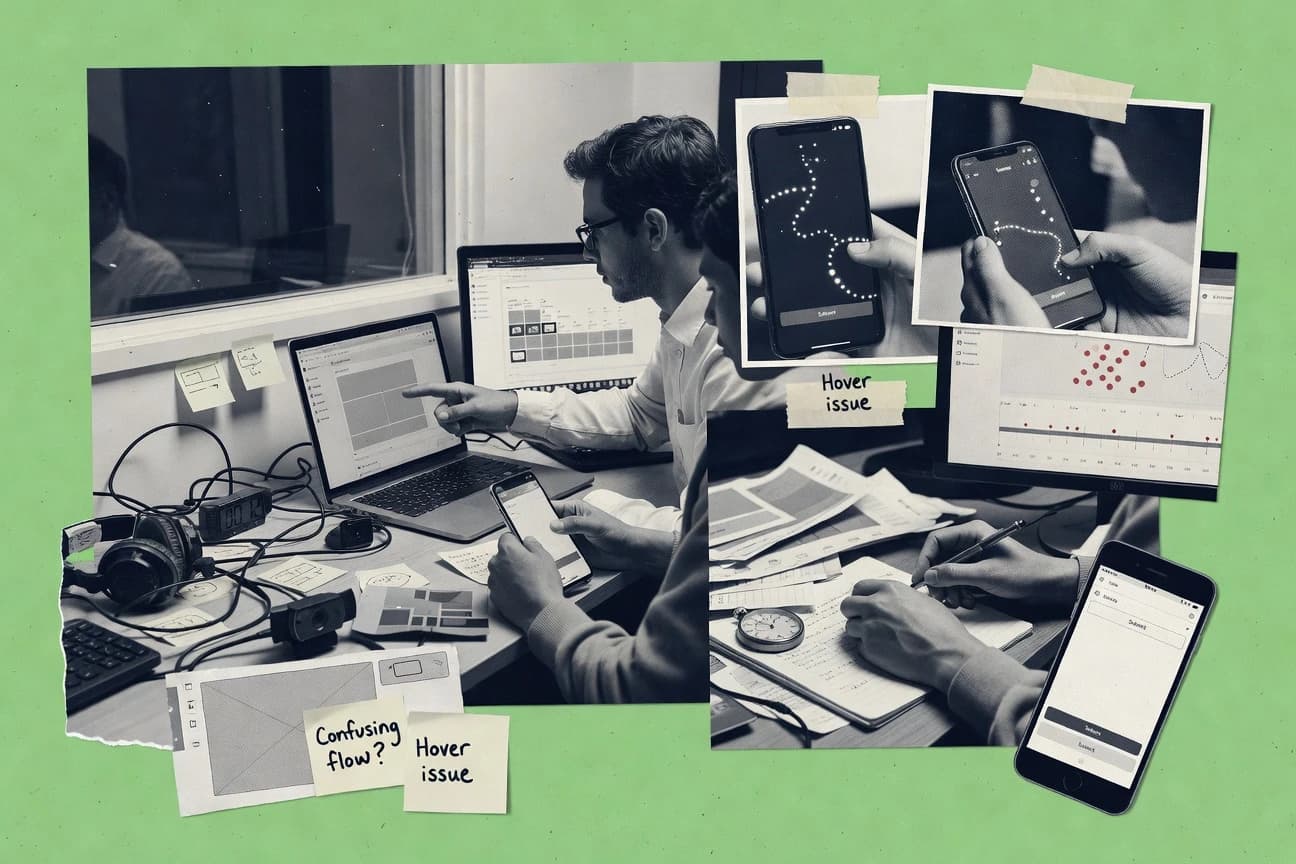
Technology Digital MediaTop 10 Best Usability Test Software of 2026
Top 10 usability test software ranking for UX teams, comparing Loop11, Maze, and UserTesting with tradeoffs and key features.

How we ranked these tools
Core product claims cross-referenced against official documentation, changelogs, and independent technical reviews.
Analyzed video reviews and hundreds of written evaluations to capture real-world user experiences with each tool.
AI persona simulations modeled how different user types would experience each tool across common use cases and workflows.
Final rankings reviewed and approved by our editorial team with authority to override AI-generated scores based on domain expertise.
Score: Features 40% · Ease 30% · Value 30%
Gitnux may earn a commission through links on this page — this does not influence rankings. Editorial policy
Loop11 is the best fit for UX teams running recurring moderated remote usability studies who need consistent evidence-to-findings continuity, whereas UserTesting works better when you’re balancing both moderated and unmoderated tests for reliable task-based insight.
Editor’s top 3 picks
Three quick recommendations before you dive into the full comparison below — each one leads on a different dimension.
Loop11
Timestamped evidence plus structured debrief workflow links moderator notes to session recordings in a single study artifact.
Built for fits when UX teams run recurring moderated remote usability studies and need evidence-to-findings consistency..
Maze
Editor pickFindings can be turned into issue entries with severity and attached evidence from each task run.
Built for fits when UX teams need moderated prototype testing plus structured findings for cross-team prioritization..
UserTesting
Editor pickModerated usability sessions pair facilitator guidance with recorded task performance in a single evidence trail.
Built for fits when UX teams run recurring remote usability tests and need evidence-to-findings continuity..
Comparison Table
Loop11
SMBUnmoderated usability testing tool for live websites and prototypes with task-based metrics.
Timestamped evidence plus structured debrief workflow links moderator notes to session recordings in a single study artifact.
Loop11 is designed around task-based remote usability testing workflows where moderators can follow a facilitator guide and capture timestamped evidence while participants interact. The session experience ties recordings to notes and debrief structure, which helps UX teams compare observations across sessions without rebuilding context. Loop11 also supports reusable test assets such as scripts and templates, which reduces drift across consecutive studies.
A tradeoff is that advanced automation and deep integration depend on the available API and available hooks, so teams needing custom participant provisioning may need process workarounds. Loop11 fits best when a UX team runs repeated moderated studies and needs consistent evidence capture plus a repeatable debrief cadence.
- +Task-guided moderated sessions connect evidence to structured debrief notes
- +Reusable test scripts reduce inconsistency across studies
- +Exports package findings for stakeholder review without manual cleanup
- +Team collaboration features support shared session review workflows
- –Custom participant provisioning automation can require extra engineering effort
- –Highly customized reporting formats may need manual post-processing
UX research teams
Moderated remote usability with task scripts
More decision-ready findings
Product design teams
Prototype testing with evidence capture
Fewer cycles to revisions
Show 1 more scenario
UX operations teams
Standardized study operations at scale
Lower operational drift
Reusable templates enforce consistent session structure and reduce onboarding time for new moderators.
Best for: Fits when UX teams run recurring moderated remote usability studies and need evidence-to-findings consistency.
Maze
SMBRapid prototype and product testing platform with automated usability metrics.
Findings can be turned into issue entries with severity and attached evidence from each task run.
Maze is a strong fit for remote usability work because it runs task-based sessions against interactive prototypes and records participant evidence for later review. Teams can convert observations into structured findings, then track severity to keep prioritization consistent across research cycles. Reporting supports side-by-side evidence review, which reduces the churn of switching between raw recordings and notes.
A key tradeoff is that deep metric-level analysis depends on what Maze captures during sessions rather than exporting a full raw event model for custom analytics. Maze works best when the goal is decision-making from moderated sessions and consolidated findings, not when teams need a highly customized data pipeline for every metric. For usage, teams with recurring test plans can standardize scripts and findings so follow-up studies stay comparable.
- +Task-based testing sessions against interactive prototypes with clear participant evidence
- +Findings repository supports issue-oriented review with severity for prioritization
- +Repeatable test setup reduces variation across multi-study cycles
- +Exports support sharing evidence with product and design stakeholders
- –Custom usability metric extraction is limited by session capture granularity
- –Advanced reporting customization takes more manual organization
- –Moderated workflows add facilitator overhead for lean schedules
- –External workflow integration can require additional setup for enterprise governance
Product design teams
Prototype validation for key user tasks
Faster prioritization of UX fixes
UX researchers
Repeatable usability studies cadence
Comparable insights over time
Show 2 more scenarios
Product managers
Evidence-led requirements alignment
Reduced debate on UX changes
Review task evidence and severity-ranked findings to align scope and acceptance criteria with UX risk.
Design systems teams
Cross-flow usability regression checks
Targeted fixes for recurring friction
Use structured findings to track which interaction patterns repeatedly fail across different prototype variations.
Best for: Fits when UX teams need moderated prototype testing plus structured findings for cross-team prioritization.
UserTesting
enterpriseOn-demand human insight platform for moderated and unmoderated usability testing.
Moderated usability sessions pair facilitator guidance with recorded task performance in a single evidence trail.
UserTesting supports both moderated and unmoderated remote usability testing, with participant flows that reduce scripting drift during task execution. Sessions produce video evidence, participant answers, and facilitator notes when moderation is enabled, which helps teams connect observed behavior to qualitative takeaways. Findings can be organized for repeated review across cycles, which supports a persistent usability test repository.
The main tradeoff is that deeper automation for developer workflows depends on integration choices and a narrower API footprint than research platforms built around custom data pipelines. UserTesting works well when UX needs recurring remote testing with standardized scripts and evidence review, such as validating checkout task success and identifying friction points across releases.
- +Panel-based recruiting reduces scheduling friction for remote sessions
- +Moderated usability sessions collect facilitator context alongside recordings
- +Findings workflow keeps evidence attached to task outcomes
- +Scripted tasks standardize execution across participants
- –Automation depth for data exports can be limited for custom pipelines
- –Findings organization can feel constrained for large multi-study programs
UX research teams
Validate onboarding task flow
Clear friction points and fixes
Product teams
Assess checkout usability changes
Prioritized release usability actions
Show 1 more scenario
Design operations teams
Standardize usability testing scripts
More consistent study outputs
Reusable session templates help teams run consistent tasks across studies with shared evidence review.
Best for: Fits when UX teams run recurring remote usability tests and need evidence-to-findings continuity.
Userlytics
SMBRemote usability testing platform with picture-in-picture recordings and transcriptions.
Facilitator-ready session setup with task-level evidence links, so findings stay traceable to each prompt.
Userlytics delivers remote usability test workflows built around structured tasks, facilitator guidance, and evidence capture. The system supports recording-based sessions plus moderated and unmoderated study execution so UX teams can choose the level of interaction.
Findings can be organized into a consistent repository and exported for stakeholder review, which reduces manual transcription work. Configuration centers on test scripts, participant inputs, and reporting outputs rather than custom engineering.
- +Structured test scripts keep tasks, prompts, and artifacts tied to outcomes
- +Moderated and unmoderated execution supports both live and asynchronous studies
- +Findings repository reduces scatter across recordings, notes, and screenshots
- +Exports support evidence sharing without relying on screen-watching alone
- –Script and reporting configuration takes more setup than simpler test tools
- –Governance controls for large teams are less granular than enterprise workflows need
Best for: Fits when UX teams need consistent test scripts and evidence packaging across moderated and unmoderated runs.
PlaybookUX
SMBUnmoderated usability testing with AI-powered transcript analysis and templated tasks.
Script-to-session workflow that preserves the same task protocol from test plan to exported findings.
PlaybookUX runs usability tests by turning scripted tasks into shareable test sessions and capturing participant evidence in a centralized workspace. It adds a guided workflow around test planning, evidence review, and findings organization, rather than treating recordings as the only output.
Teams can manage study templates and repeat the same protocol across sessions to reduce variance in task delivery. Reporting focuses on exporting findings and linking observations to the test artifacts used to produce them.
- +Protocol templates keep task wording consistent across repeated sessions
- +Evidence review workflow ties observations to the captured session artifacts
- +Exports support sharing findings outside the tool
- +Test session setup supports a structured script-first workflow
- –Governance features like RBAC and audit logs are not visibly granular in core workflows
- –Automation depth for recruiting and scaling moderated studies is limited
- –Worksheet-based review can be slower than issue-first triage
- –Advanced integrations for analytics and third-party repositories are not a primary strength
Best for: Fits when UX teams need repeatable, script-driven studies with structured evidence review.
Dovetail
SMBQualitative research analysis platform for storing, tagging, and synthesizing usability data.
Evidence-linked findings workflows that persist decisions inside a centralized repository, with integration-driven metadata consistency.
Dovetail is a usability research repository and analysis workspace that turns moderated and unmoderated user sessions into shareable insights.
It organizes evidence around a structured findings workflow, with tagging and evidence links that keep discussions grounded in specific quotes and artifacts.
Dovetail also supports automation through integrations and an API surface for importing research data and pushing findings with consistent metadata.
For UX teams that run repeatable usability programs and need governance over how evidence becomes findings, Dovetail fits the analysis and collaboration layer beyond raw session capture.
- +Findings repository links conclusions to evidence across sessions
- +Configurable tagging and review workflows support consistent synthesis
- +Automation and API support help teams keep findings and metadata in sync
- +Role-based access controls and audit trails help research governance
- –Moderated usability execution depends on upstream tools and workflows
- –Complex research taxonomies take discipline to maintain across teams
- –Bulk import and schema mapping can require careful setup
- –Export formats may need post-processing for custom reporting needs
Best for: Fits when UX teams need governed research synthesis across many usability sessions and stakeholders.
UXArmy
SMBRemote unmoderated usability testing with Asian and global contributor panels.
Moderated test facilitation built around task-based scripts and evidence capture in a single study run.
UXArmy focuses on moderated usability testing workflows where test planning, session facilitation, and evidence capture are handled in one place. The system supports task-driven scripts, remote session setup, and consolidated viewing of recordings and feedback artifacts.
Administration centers on managing participant intake, assigning tests, and maintaining consistent test execution across teams. Automation emphasis is on reusable test artifacts and repeatable runs rather than building custom tooling around raw session data.
- +Moderated test workflow keeps scripts, sessions, and findings in one execution path
- +Reusable test scripts reduce drift between similar studies
- +Evidence review for recordings and notes supports faster synthesis cycles
- +Admin tooling supports test assignment and participant handling at the study level
- –Automation and integrations depend more on workflow configuration than an exposed API surface
- –Granular governance like role-scoped controls and audit log views are limited
- –Exportable reporting support is less flexible for custom metrics pipelines
- –Setup requires careful script formatting to avoid facilitation inconsistencies
Best for: Fits when UX teams run recurring moderated sessions and need consistent scripts and evidence capture across studies.
Optimal Workshop
SMBSuite of UX research tools for card sorting, tree testing, and qualitative research.
Tree Testing and First Click study formats map navigation behavior to decisions, using structured tasks and reporting views tailored to IA research.
Optimal Workshop is a usability test toolset built for task-based research workflows like moderated tests, unmoderated tests, and card sorting. It centralizes test setup through guided templates, then captures evidence like recordings, metrics, and participant responses into shareable report views.
Its distinctive depth is in information-architecture research formats such as Tree Testing and First Click, which support structured navigation decisions alongside broader usability scripts. Automation and reporting focus on repeatable studies, with exportable outputs for synthesis into a findings repository.
- +Tree Testing and First Click formats cover IA decisions with built-in task structure
- +Evidence exports include session-level materials that support artifact-driven reporting
- +Script and facilitator guidance reduce drift across repeat studies
- +Reusable study structures speed planning for multi-team research programs
- –Information-architecture formats can feel narrower than pure UX survey and prototype testing
- –Governance requires deliberate naming and permissions discipline to keep findings tidy
Best for: Fits when UX teams need repeatable task-based and information-architecture research with consistent study artifacts.
Useberry
SMBUX research platform offering unmoderated testing, heatmaps, and session recordings.
Task and evidence mapping to test scripts keeps recordings, participant answers, and findings connected across sessions.
Useberry captures moderated and unmoderated usability test sessions through a script-driven workflow and structured evidence capture. It organizes test plans, tasks, and responses into shareable findings so UX teams can compare sessions without manually correlating artifacts.
The product also supports participant recruitment and automated reporting that reduces time spent assembling test summaries from raw recordings. Governance-focused features include user permissions, exportable reports, and a centralized workspace for evidence storage.
- +Script-first test creation keeps tasks, instructions, and evidence aligned
- +Centralized findings reduce manual correlation across recordings and notes
- +Exportable reports support consistent handoff to stakeholders
- +Moderated and unmoderated workflows fit common UX research cycles
- –Less flexible branching compared with highly custom study scripts
- –Integrations depend on supported endpoints rather than full bespoke automation
- –Finding views can feel crowded once many sessions are active
- –Automation is strongest for standard reporting, not deep analysis modeling
Best for: Fits when UX teams need consistent moderated and unmoderated usability evidence captured from task scripts.
LogRocket
SMBFront-end session replay and product analytics for web applications with error tracking.
Linking session replays to frontend error and network context so UX issues can be diagnosed from firsthand behavior.
LogRocket records real user sessions with session replays and performance context to support usability and UX investigation. The workflow centers on correlating user actions with network, console errors, and frontend state so teams can reproduce friction without building a separate participant test environment.
Usability evidence is packaged inside a shared findings view that links replay evidence to specific user cohorts and time ranges. LogRocket also provides automation hooks for alerting and engineering triage when session patterns match defined criteria.
- +Session replays correlate actions with console errors and failed requests
- +Cohort and time filtering reduces replay hunting during UX debugging
- +Automation triggers connect recurring UX failures to engineering follow-up
- +Shared investigation views support evidence handoff across teams
- –Usability scripting and moderated test facilitation are not the primary focus
- –High replay volume can require careful filtering to control review time
- –Deep usability metrics like SUS or task success are not native scoring views
- –Extensive front end instrumentation can be needed for clean reproduction
Best for: Fits when UX teams need fast evidence capture from production sessions, not separate lab scripts.
Conclusion
After evaluating 10 technology digital media, Loop11 stands out as our overall top pick — it scored highest across our combined criteria of features, ease of use, and value, which is why it sits at #1 in the rankings above.
Use the comparison table and detailed reviews above to validate the fit against your own requirements before committing to a tool.
How to Choose the Right usability test software
Usability test software helps UX teams run moderated and unmoderated studies while keeping participant tasks, session evidence, and findings linked for review. This guide covers Loop11, Maze, and UserTesting alongside eight additional tools that map evidence to outcomes in different workflow shapes.
The comparison emphasizes how evidence capture turns into usable artifacts inside each platform, including how test scripts connect to session recordings and how findings are stored for cross-study prioritization.
Usability test software for moderated and unmoderated UX studies with evidence-to-findings workflows
Usability test software supports task-based testing by coordinating participant execution, capturing recordings and notes, and structuring observations into findings tied to specific tasks. It also standardizes study setup through reusable test scripts so teams can keep task wording and evidence packaging consistent across recurring tests.
Loop11 focuses on timestamped evidence and a structured debrief workflow that links moderator notes to session recordings in a single study artifact. Maze centers on turning findings into issue entries with severity and attaching the evidence from each task run for prioritization, while UserTesting pairs facilitator guidance with a recorded task performance trail to preserve context.
Evidence capture to findings packaging and governance controls
Usability test software has to turn task runs into decisions, not just recordings. Evidence-linked findings workflows reduce the time spent matching a session artifact to the observation that triggered an issue.
Evidence-to-findings linkage inside one study artifact
Loop11 links timestamped evidence to a structured debrief workflow so moderator notes attach to session recordings inside a single study artifact. UserTesting pairs facilitator guidance with a recorded task performance trail to preserve context from prompt to evidence.
Issue-oriented findings repository with severity
Maze turns usability insights into issue entries with severity and attaches evidence from each task run for prioritization. Dovetail persists evidence-linked findings in a centralized repository with configurable tagging and review workflows for governed synthesis.
Script-first protocol consistency across repeated sessions
PlaybookUX preserves the same task protocol from test plan through exported findings so repeated studies keep wording consistent. Useberry maps task and evidence back to test scripts so recordings, participant answers, and findings stay connected across sessions.
Moderated setup consistency for task-level traceability
Userlytics uses facilitator-ready session setup with task-level evidence links so findings stay traceable to each prompt across moderated and unmoderated execution. UXArmy keeps scripts, sessions, and findings in one execution path to reduce drift in recurring moderated work.
Choose by evidence workflow shape: debrief continuity, issue severity, or repository governance
Teams that run recurring moderated sessions need evidence-to-debrief continuity so moderator notes land against the right moment in the session. Loop11 fits this need by connecting timestamped evidence to structured debrief workflow links.
Map the internal review workflow before selecting the tool
If the primary review artifact is a moderated debrief tied to exact timestamps, Loop11 fits because moderator notes link to session recordings in a single study artifact. If the primary artifact is an issue list for prioritization, Maze fits because it stores findings as issue entries with severity and evidence per task run.
Decide whether study scale needs governed synthesis or quick execution
If multiple stakeholders synthesize across many usability sessions, Dovetail supports evidence-linked findings with configurable tagging and review workflows. If the team focus is fast repeatability of task scripts with consistent evidence review, PlaybookUX emphasizes a script-to-session workflow that carries the protocol through exported findings.
Pick the script control philosophy based on how teams change tasks
If task wording must stay consistent across recurring studies, PlaybookUX uses protocol templates to keep task wording stable across repeated sessions. If tasks come from a script-first setup that must keep instructions tied to outcomes, Useberry keeps recordings and findings aligned through task scripts.
Align moderated context capture with recruiting and scheduling reality
If panels and scheduling friction are a dominant constraint for remote moderated work, UserTesting supports panel-based recruiting and moderated sessions that collect facilitator context alongside recordings. If moderated and unmoderated runs must share the same task-level traceability packaging, Userlytics provides structured test scripts with evidence packaging tied to prompts.
Confirm automation depth against custom integration needs
If custom participant provisioning automation matters for recurring moderated studies, Loop11 may require extra engineering effort for custom provisioning automation. If automation depth for exports into custom pipelines is a must, UserTesting can feel limited for advanced custom export workflows.
Use evidence density to anticipate reviewer workload
If production evidence includes high replay volume, LogRocket requires careful filtering because replay hunting can dominate review time. If reviewer time depends on task-based session structure rather than production replays, Maze and Loop11 focus on task-based evidence attached to findings.
Teams that need evidence integrity, repeatable protocols, and review-ready outputs
UX teams need usability test software that preserves the link between participant intent, observed behavior, and the finding that drives prioritization. The right tool depends on whether the team’s workflow centers on debrief continuity, issue severity, or repository governance.
UX teams running recurring moderated remote studies
Loop11 supports timestamped evidence and a structured debrief workflow that links moderator notes to session recordings in one study artifact. UXArmy similarly preserves scripts and evidence capture across the moderated execution path with reusable test scripts.
Product teams that triage UX issues with severity
Maze converts findings into issue entries with severity and attaches evidence from each task run for prioritization. Dovetail adds governance-oriented synthesis through evidence-linked findings with configurable tagging and review workflows.
Organizations standardizing test scripts across many studies
PlaybookUX preserves a script-to-session protocol so exported findings reflect consistent task wording. Useberry keeps tasks, instructions, and evidence aligned through script-first test creation tied to centralized findings.
Teams balancing moderated context with panel recruiting constraints
UserTesting supports panel-based recruiting to reduce scheduling friction for remote sessions while pairing facilitator guidance with recorded task performance for context. Userlytics supports consistent task-level traceability across moderated and unmoderated execution using structured test scripts.
UX debugging teams using production behavior evidence
LogRocket links session replays to frontend error and network context so UX issues can be diagnosed from firsthand behavior rather than separate lab scripts. This fits teams that need evidence capture from production workflows instead of script-driven usability sessions.
Common usability test software pitfalls that break evidence-to-decision workflows
The most common failures come from treating recordings as the deliverable instead of treating structured evidence as the input to findings. Another common failure is underestimating how much governance and configuration discipline the workflow demands across teams and studies.
Using evidence that cannot be tied back to a debrief decision or a specific task outcome
Loop11 is designed to connect timestamped evidence to a structured debrief workflow so moderator notes land against session recordings. Maze and UserTesting also preserve evidence context by attaching findings to task runs or pairing facilitator guidance with recorded performance.
Over-optimizing report formatting before validating review workflows
Loop11 can require manual post-processing for highly customized reporting formats. Maze can require more manual organization for advanced reporting customization.
Assuming automation and exports will cover bespoke integration needs without extra work
UserTesting can feel limited for automation depth in custom data export pipelines. Loop11 can require extra engineering effort for custom participant provisioning automation.
Running governance-heavy workflows without establishing consistent naming and tagging discipline
Dovetail supports configurable tagging and review workflows, but complex research taxonomies require discipline to maintain. Optimal Workshop also requires deliberate naming and permissions discipline to keep findings tidy.
Choosing a production replay tool for study scripting needs
LogRocket is centered on session replays tied to frontend error and network context, not on usability scripting and moderated facilitation. Teams that need repeatable task protocols should prioritize PlaybookUX or Loop11 instead.
How We Selected and Ranked These Tools
We evaluated Loop11, Maze, and UserTesting plus seven additional usability test software options by comparing evidence packaging into findings and how each workflow supports moderated or unmoderated sessions. Features accounted for 40% of the ranking because transcript-level traceability from task prompts to stored findings determines how quickly teams can review and act.
Ease and value each contributed 30% because setup friction and daily usability affect whether scripted studies stay consistent. Loop11 ranked highest because timestamped evidence plus a structured debrief workflow links moderator notes directly to session recordings inside a single study artifact.
Frequently Asked Questions About usability test software
How do Loop11 and UserTesting differ in evidence capture for moderated remote sessions?
Which tool best supports moderated prototype testing tied to a design workflow, Maze or Loop11?
What breaks if an automation workflow needs issue-ready findings rather than raw session review in Maze or Userlytics?
How do Dovetail and LogRocket handle linking evidence to decisions for distributed stakeholders?
When should a team choose moderated facilitation built into the study run, UXArmy or PlaybookUX?
Which platform provides integration and an API surface for pushing findings into other systems, Dovetail or UserTesting?
How do admin controls differ across Loop11 and Useberry for managing recurring study templates and access?
What data migration problems show up when moving from raw recordings into a structured findings workflow in Dovetail or Optimal Workshop?
Which tool offers distinct study formats for information architecture research alongside usability scripts, Optimal Workshop or Maze?
Tools reviewed
Primary sources checked during evaluation.
Referenced in the comparison table and product reviews above.
- Technology Digital MediaTop 10 Best Test Data Management Software of 2026
- Technology Digital MediaTop 10 Best User Experience Testing Software of 2026
- Technology Digital MediaTop 10 Best Web Site Search Software of 2026
- Business FinanceTop 10 Best Usage Tracking Software of 2026
- Technology Digital MediaTop 10 Best Automated Web Testing Software of 2026
Keep exploring
Comparing two specific tools?
Software Alternatives
See head-to-head software comparisons with feature breakdowns, pricing, and our recommendation for each use case.
Explore software alternatives→In this category
Technology Digital Media alternatives
See side-by-side comparisons of technology digital media tools and pick the right one for your stack.
Compare technology digital media tools→