
GITNUXSOFTWARE ADVICE
HR In IndustryTop 10 Best Time And Attendance Software of 2026
Top 10 time and attendance software ranked with side-by-side payroll and employee tracking features for Homebase, Toggl Track, Clockify.

How we ranked these tools
Core product claims cross-referenced against official documentation, changelogs, and independent technical reviews.
Analyzed video reviews and hundreds of written evaluations to capture real-world user experiences with each tool.
AI persona simulations modeled how different user types would experience each tool across common use cases and workflows.
Final rankings reviewed and approved by our editorial team with authority to override AI-generated scores based on domain expertise.
Score: Features 40% · Ease 30% · Value 30%
Gitnux may earn a commission through links on this page — this does not influence rankings. Editorial policy
Homebase is the best fit for multi-location managers who need consistent, payroll-ready time capture, whereas ADP Workforce Now suits enterprises with tightly controlled timecard workflows feeding payroll, and Toggl Track is a strong cheaper entry when distributed teams mainly need approved timesheets with syncing support.
Editor’s top 3 picks
Three quick recommendations before you dive into the full comparison below — each one leads on a different dimension.
Homebase
Mobile punch with GPS location stamping supports on-site verification tied to each time entry.
Built for fits when multi-location managers need consistent time capture, exception review, and payroll-ready timecards..
Toggl Track
Editor pickAPI plus webhooks for pushing time entries and pulling attendance-related data into external payroll workflows.
Built for fits when distributed teams need approved timesheets with project coding and API-based payroll sync..
Clockify
Editor pickPolicy-based time controls combined with an approval workflow that surfaces timecard exceptions for faster payroll fixes.
Built for fits when mid-size teams need controlled time entries plus manager approval workflows for payroll..
Comparison Table
Homebase
SMBFree employee scheduling and time tracking for hourly teams.
Mobile punch with GPS location stamping supports on-site verification tied to each time entry.
Homebase is built around daily labor capture, then routes that data into approval workflows for timesheet exception handling. Attendance rules such as grace windows and rounding policies apply at the point of time capture, and the timecard view highlights missing punches and out-of-policy events. Labor costing stays practical through pay code mapping so managers can correct timecard exceptions before payroll processing.
A tradeoff appears in automation depth for complex collective bargaining agreement logic and multi-site labor distribution needs. Homebase fits teams that need schedule adherence checks, quick exception resolution, and a clear admin workflow rather than deep custom pay rule engines. It is a strong fit when managers review timecards in a predictable cadence and payroll needs consistent time data with fewer manual corrections.
- +Timesheet approvals with exception visibility for faster manager signoff
- +Rounding and grace window rules applied to captured punches
- +Pay code mapping supports labor costing corrections before payroll
- +Mobile punch workflows include location stamping for on-site verification
- –Complex collective bargaining agreement pay rules require more manual handling
- –Some advanced automation depends on integration coverage with payroll targets
- –High-granularity labor distribution setups take careful configuration discipline
Operations managers
Review daily exceptions before payroll
Fewer payroll corrections
Labor planning teams
Enforce attendance rules against schedules
More consistent schedule adherence
Show 2 more scenarios
Payroll admins
Map time to pay codes
Reduced manual timecard rework
Pay code mapping supports corrected timecards that convert cleanly into payroll labor totals.
Multi-site HR teams
Standardize governance across locations
Lower variance in approvals
Admin workflows and approval routing maintain consistent time capture rules across locations.
Best for: Fits when multi-location managers need consistent time capture, exception review, and payroll-ready timecards.
Toggl Track
SMBTime tracking tool with attendance monitoring capabilities.
API plus webhooks for pushing time entries and pulling attendance-related data into external payroll workflows.
Toggl Track fits teams that need time capture discipline plus project and cost reporting in the same workflow. Timesheet entry supports review and approval workflows, while reporting focuses on aggregations that work for payroll review and internal labor visibility. The system also supports capture quality controls through tracked activities, consistent coding, and audit-friendly histories of entries and changes.
A tradeoff is that it emphasizes time tracking workflows more than strict on-site labor controls like badge terminals and biometric clock deployments. Toggl Track works well for hybrid teams that want accurate timecard data from mobile or manual entry, then push structured totals into payroll or attendance processes through integrations and API-driven sync.
- +Approval workflows connect time entry to payroll review
- +API and webhooks support automated sync with HR and payroll systems
- +Project and client coding supports labor reporting
- +Role-based access separates data entry from signoff
- –Limited depth for strict facility attendance controls
- –Clock-style policy handling needs careful configuration for edge cases
- –Labor distribution and job costing workflows may require setup discipline
- –Advanced compliance timelines often depend on integrations
HR and payroll ops
Sync approved timecards to payroll
Fewer manual timecard edits
Professional services teams
Time capture tied to clients
More accurate labor reporting
Show 2 more scenarios
Operations managers
Review timesheets for exceptions
Reduced late corrections
Approval queues and entry history support targeted review before payroll cutoff.
IT and systems admin
Provision users and sync updates
Consistent governance at scale
Role-based access and API endpoints support controlled onboarding and data synchronization.
Best for: Fits when distributed teams need approved timesheets with project coding and API-based payroll sync.
Clockify
SMBFree time tracker with attendance and timesheet features.
Policy-based time controls combined with an approval workflow that surfaces timecard exceptions for faster payroll fixes.
Clockify is a time and attendance solution that connects daily punches and timesheets to payroll-ready reporting using pay code mapping and labor distribution views. Teams can apply clock rounding rules and grace periods to reduce timecard noise while still tracking exceptions when an entry violates policy. Report exports and templates support recurring payroll processes, and managers get an approval workflow for submitted time.
A tradeoff appears in governance depth for highly regulated payroll setups that require granular RBAC, audit log reporting, and bespoke policy enforcement across many locations. Clockify fits best when an organization needs consistent time entry controls plus a predictable approval pipeline for weekly or biweekly timecards.
- +Timesheet approval workflow helps standardize payroll signoff
- +Rounding and grace period rules reduce small timecard discrepancies
- +Pay code mapping supports payroll-oriented reporting and reconciliation
- +Labor allocation reporting links time to projects and cost structure
- –Deep multi-location governance needs disciplined configuration work
- –Kiosk and biometric deployments are not the primary experience
- –Automations beyond approvals require administrator setup
- –Complex scheduling and attendance scoring need careful process design
Payroll operations teams
Resolve timecard exceptions before processing
Fewer rework cycles
Project accounting teams
Track labor distribution by job
Cleaner job costing
Show 2 more scenarios
Operations managers
Enforce attendance rules consistently
More consistent timecards
Clock rounding rules and grace periods standardize employee punches across shifts and teams.
HR administrators
Manage approval queues for time
Reduced manual chasing
Timesheet approval workflow routes submissions to managers and flags policy breaks for follow-up.
Best for: Fits when mid-size teams need controlled time entries plus manager approval workflows for payroll.
ADP Workforce Now
enterpriseHR and payroll platform with integrated time and attendance.
Timecard change tracking tied to approval outcomes, so audits show who edited and why.
ADP Workforce Now pairs time and attendance with payroll data structures, so timecards feed directly into pay processing without separate normalization. It supports schedule and timecard workflows that include exception handling, approvals, and audit trails for changes.
The system is designed for multi-location organizations that need controlled badge or mobile punch capture and consistent processing rules across sites. For enterprises, its integration surface supports HR and payroll ecosystems through configuration, API-based connectivity, and automated data exchange.
- +Timecard exception and approval workflow supports controlled edits
- +Integration with ADP payroll reduces duplicate mapping steps
- +Audit log captures changes for time entry and workflow decisions
- +Scales across locations with consistent time processing rules
- –Configuration depth can require governance to avoid inconsistent rules
- –Mobile and kiosk setup can add operational overhead per deployment
- –Complex multi-entity labor rules can lengthen time-to-configure
- –Advanced custom reporting often depends on deeper system access
Best for: Fits when enterprises need controlled timecard workflows tied tightly to payroll processing.
TimeCamp
SMBTime tracking software for attendance and productivity.
TimeCamp task-level tracking tied to reporting that supports automated timesheet exports for payroll processing.
TimeCamp runs time tracking and timecard collection with automated payroll-ready exports. Its core workflow combines manual entry, project and task tracking, and approvals for timesheets.
Admins can configure reporting dimensions, time rounding rules, and attendance policies while employees can clock in through web and mobile. The system also supports integrations and an API surface for pulling time data into payroll and HR processes.
- +Project-based time tracking with task granularity for chargeable work
- +Timesheet approval workflow supports manager review and lock periods
- +Configurable time rounding and grace periods for policy alignment
- +API access and integrations for sending time data to payroll systems
- –Policy setup requires careful governance across roles and locations
- –Advanced labor distribution and allocation logic can add configuration overhead
Best for: Fits when organizations need time tracking with approvals and payroll exports plus an integration or API path.
Hubstaff
SMBTime tracking with activity monitoring and attendance.
Activity and time capture reporting paired with manager-focused timesheet approval workflow.
Hubstaff serves teams that need time tracking with clear activity-based reporting and an approval-ready workflow for timesheets. The core system combines employee time capture, scheduled and actual attendance views, and role-based administration for managing teams and compliance workflows. Hubstaff also supports job and project allocation for labor distribution style reporting and provides integrations and an automation-friendly API surface for connecting HR and payroll processes.
- +Timesheet approval workflow supports exceptions and manager review
- +Project and job allocation reporting helps with labor distribution
- +API and webhooks support custom integrations and automation
- +RBAC-style admin controls separate manager and employee capabilities
- –Advanced attendance policies like strict meal enforcement need careful setup
- –Some attendance governance features depend on how the organization configures policies
Best for: Fits when teams need timesheet approvals plus project allocation reporting with integration via API.
Deputy
SMBEmployee scheduling and time attendance software.
Deputy’s timecard exception workflows route specific attendance problems to the right manager role with an approval trail.
Deputy focuses on managing time attendance and scheduling under one workflow so attendance edits and shift context stay linked. It supports mobile time tracking with GPS location stamps, shift-based attendance rules, and timecard exception handling that routes items to managers for review.
Deputy’s extensibility centers on an admin configuration model plus integrations that connect punches, schedules, and payroll-ready time data. It is also built around governance controls like role-based access and audit visibility for changes to time entries.
- +Time edits stay tied to shift context for clearer approvals
- +GPS-stamped mobile punches reduce manual location disputes
- +Role-based permissions help separate employee, manager, and admin access
- +Audit visibility shows who changed punches and time entries
- –Clock policy behavior depends on configuration details across locations
- –Complex labor mapping workflows can require ongoing admin attention
Best for: Fits when mid-size and multi-location teams need time tracking plus approval workflows tied to schedules.
BambooHR
SMBHR software with time tracking features for SMBs.
Timesheet approval workflows operate directly against BambooHR employee records, so HR status and time decisions stay synchronized.
BambooHR combines HR data management with time tracking so managers can connect employee records, time entries, and approvals from one system. Its attendance workflows focus on timesheet submission and approval routing, plus exception handling for late entries and missed punches. BambooHR also supports leave records and time-off requests tied to employee profiles, which helps keep payroll-relevant inputs aligned with HR statuses.
- +Employee profiles and time approvals stay linked in one workflow
- +Timesheet approval routing provides clear manager ownership
- +Leave request and time tracking reduce mismatched HR versus payroll inputs
- +Audit-friendly record trails support governance over edits
- –Advanced labor distribution and job costing allocation needs extra setup
- –Attendance enforcement options depend heavily on how punches feed timesheets
- –API depth for time events is less extensive than specialist time tools
- –Geofencing and kiosk-style mobile punch controls require careful configuration
Best for: Fits when HR-led teams need a unified place for time approvals and leave records without heavy scheduling complexity.
TimeDoctor
SMBTime tracking with productivity monitoring for remote teams.
Automated idle detection ties inactivity segments to time reports for faster timecard exception review.
TimeDoctor captures employee work time with automated idle detection and activity tracking, then generates time reports for timecard review. It supports schedules and attendance views alongside timesheet approval workflows used for payroll input. TimeDoctor also includes geofencing for mobile punches and admin configuration for pay-code mapping and reporting periods.
- +Idle detection helps flag inactive time for timecard review
- +Geofenced mobile punches improve location-based attendance evidence
- +Timesheet approval workflow supports structured payroll signoff
- +Detailed web and app activity reports improve audit trails for disputes
- –High admin configuration effort is needed for accurate pay-code mapping
- –Automation and tracking depth may conflict with privacy policies in some teams
- –Rounding and exception handling can require careful policy setup
- –Advanced labor allocation patterns may need workflow tailoring
Best for: Fits when teams need strong activity context for timecard exceptions and location-stamped mobile punches.
Workyard
vertical specialistTime tracking and workforce management for construction.
Mobile time punches include GPS-based validation to support attendance at specific job sites.
Workyard targets field and shift-based operations with time and attendance built around location-based activity, mobile check-ins, and task-aware scheduling. It supports employee time capture with role-based controls for approvals, along with reporting for labor visibility.
Administration focuses on attendance rules configuration and exception handling so timecards can be corrected before payroll processing. Workyard’s appeal is strongest when scheduling, time capture, and governance need to align across multiple job sites.
- +Mobile time capture with geolocation stamps for site-based verification
- +Workflow for timecard review that supports exception flagging and correction
- +Role-based administration for controlling who can approve timecards
- +Reporting connects scheduling and actual attendance for variance tracking
- –Clock precision depends on consistent device location and kiosk policies
- –More advanced labor rules require disciplined configuration across pay groups
- –Integration depth with payroll systems can be limited for edge-case mappings
- –Large exception queues can slow approvals without tight manager ownership
Best for: Fits when multi-site teams need mobile time capture plus approval workflows tied to scheduling and attendance rules.
Conclusion
After evaluating 10 hr in industry, Homebase stands out as our overall top pick — it scored highest across our combined criteria of features, ease of use, and value, which is why it sits at #1 in the rankings above.
Use the comparison table and detailed reviews above to validate the fit against your own requirements before committing to a tool.
How to Choose the Right time and attendance software
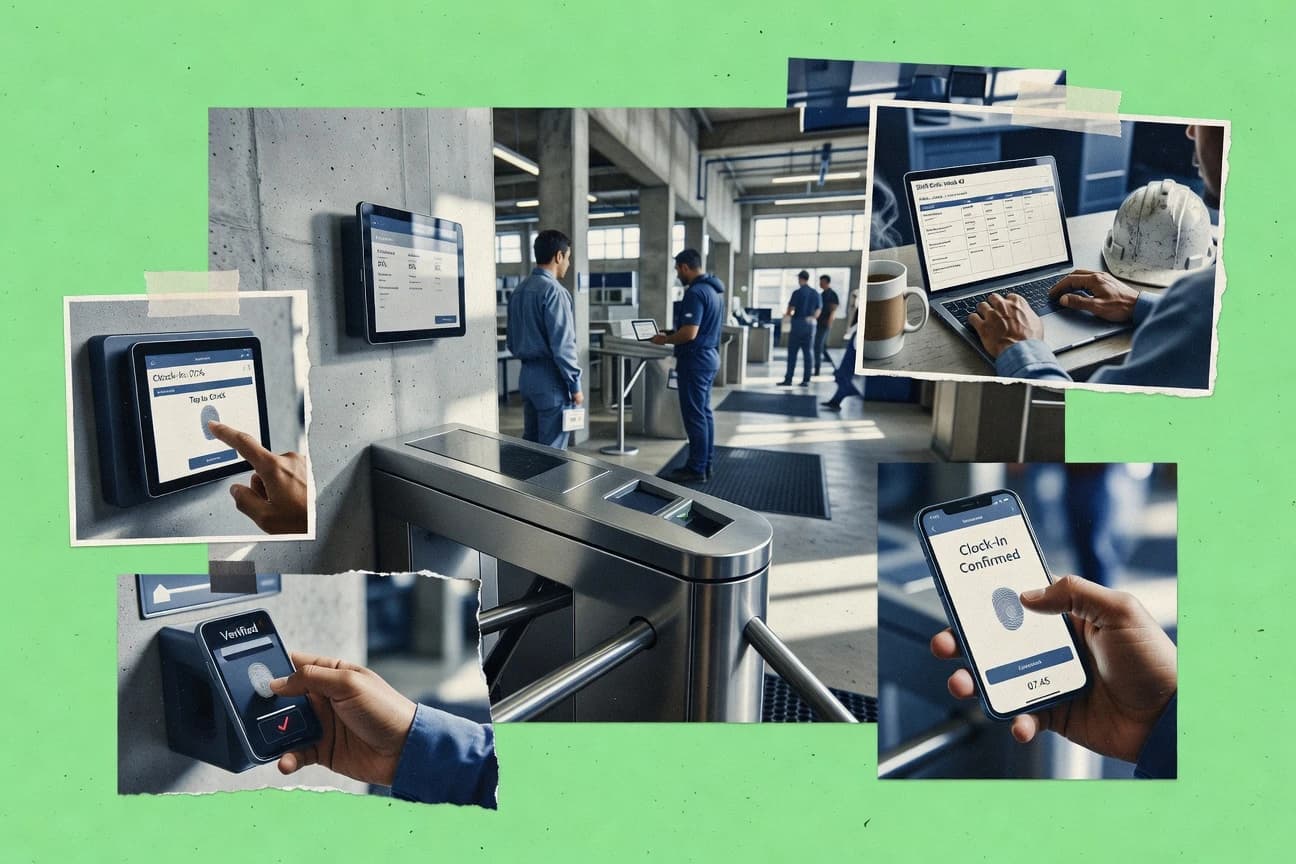
Time and attendance software manages badge punch or mobile punch capture, applies rounding and grace window rules, and routes timesheet approvals into payroll-ready timecards across shifts and locations.
This guide covers Homebase, Toggl Track, Clockify, ADP Workforce Now, TimeCamp, Hubstaff, Deputy, BambooHR, TimeDoctor, and Workyard to show how each tool handles exception flagging, admin governance, and integration or API automation for payroll and employee tracking.
Time and attendance software for clocking, approvals, and payroll-ready timecards
Time and attendance software records employee time from mobile GPS punch, kiosk check-in, badge swipe terminal, or other clock interfaces, then converts those raw punches into timecards with pay code mapping and clock rounding rules.
These tools also enforce attendance workflows such as timesheet approval workflows, timecard exception flagging, and retroactive pay adjustment handling paths, which determine which manager can edit time and what gets logged for audit trails. Homebase pairs GPS-stamped mobile punches with rounding and grace window rules plus exception-visible approvals, while Clockify emphasizes policy-based time controls that surface timecard exceptions so payroll teams can fix discrepancies before signoff.
Time capture, policy enforcement, and approval controls that drive payroll-ready timecards
Time and attendance software must turn clock events from badge swipe terminals, kiosks, and mobile GPS punches into timecards with rounding and grace window rules that payroll can process without rework. The strongest tools also attach exceptions to an approval workflow so managers and payroll teams can fix discrepancies before final signoff.
GPS and mobile punch evidence tied to each time entry
Homebase supports mobile punch with GPS location stamping so on-site verification is tied to each time entry. Deputy and Workyard also pair mobile punches with GPS-based validation, which reduces manual location disputes for multi-site teams.
Timesheet approval workflow with exception visibility for payroll fixes
Clockify surfaces timecard exceptions inside its approval workflow so payroll teams can correct issues faster. ADP Workforce Now logs timecard change tracking tied to approval outcomes to show who edited and why.
API and automation surface for pushing or pulling time data
Toggl Track provides an API plus webhooks so external payroll workflows can push time entries and pull attendance-related data. Homebase adds automation through integration coverage with payroll targets, while Hubstaff pairs a manager approval workflow with API-based integration for project allocation reporting.
Policy-based time controls that standardize rounding and grace handling
Clockify uses policy-based time controls combined with approvals to reduce small timecard discrepancies. Homebase applies rounding and grace window rules to captured punches, which helps standardize outcomes across managers reviewing exceptions.
Project, task, and labor distribution reporting for payroll mapping
TimeCamp connects task-level tracking to automated timesheet exports for payroll processing and supports project granularity. Hubstaff adds project and job allocation reporting for labor distribution and complements its approval workflow with integration via API.
HR record alignment for approval routing and employee context
BambooHR runs timesheet approval workflows directly against BambooHR employee records so HR status and time decisions stay synchronized. This tight coupling reduces gaps that can appear when time approvals are routed without current HR context.
Choose by governance depth, automation needs, and how location and exception rules must work
The right tool depends on how time edits, exceptions, and audit trails move from clock capture into manager approvals and payroll processing. A good fit also matches deployment reality such as multi-location governance, kiosk or biometric expectations, and the data exchange path to payroll and HR systems.
Map clock evidence to the locations where work happens
If mobile punches must prove on-site presence, Homebase, Deputy, and Workyard use GPS-stamped mobile punches tied to each time entry or job site validation. If the organization expects kiosk and biometric clock deployments as the primary experience, Homebase and other tools may require extra operational planning because kiosk and biometric deployments are not emphasized as the primary experience in this set.
Define the exception workflow that payroll can close quickly
If payroll needs timecard exceptions routed into manager review, Clockify and Deputy route timecard exception handling through approval workflows that surface specific problems to the right manager role. If the organization requires audit visibility into who edited and why, ADP Workforce Now ties timecard change tracking to approval outcomes.
Decide whether automation will be API-driven or configuration-driven
If payroll and HR require automated synchronization via API and webhooks, Toggl Track supports pushing time entries and pulling attendance-related data using its API plus webhooks. If the organization expects operational control through policy configuration, Clockify and Homebase apply rounding and grace window rules at the captured punch level and through policy controls.
Match reporting granularity to payroll mapping needs
If payroll depends on task or chargeable work exports, TimeCamp provides project-based time tracking with task granularity and supports automated timesheet exports. If labor distribution needs job allocation reporting paired with approvals, Hubstaff adds project and job allocation reporting that complements manager review.
Align approvals with HR ownership when employee status drives routing
If HR wants approval routing and time decisions to remain synchronized with employee records, BambooHR connects timesheet approvals directly to its employee profiles. If time approvals must be tied to schedule context, Deputy’s shift-context edits and GPS-stamped punches reduce manual location disputes during approvals.
Who benefits most from these time and attendance software workflows
Time and attendance software fits teams where clock events must be transformed into policy-compliant timecards and where exceptions must be routed with clear ownership. The biggest gains come from matching the tool’s approach to location evidence, approval workflows, and automation needs across payroll and HR systems.
Multi-location managers running consistent approvals across sites
Homebase supports mobile punch GPS location stamping and rounding and grace window rules tied to captured punches, which reduces location disputes during manager review. Deputy also reduces manual location disputes through GPS-stamped mobile punches paired with shift-context edits and approval trails.
HR-led teams that need time approvals attached to employee records
BambooHR keeps timesheet approval workflows operating directly against BambooHR employee records so HR status and time decisions stay synchronized. This reduces routing errors when employee details change between shifts.
Distributed teams that must push and pull time data through external payroll systems
Toggl Track provides an API plus webhooks that support automated sync with HR and payroll systems. Hubstaff complements this with manager-focused timesheet approvals and project allocation reporting via API integrations.
Payroll teams that need faster closure of timecard exceptions
Clockify surfaces timecard exceptions inside a policy-based time control and approval workflow so payroll fixes can happen before signoff. ADP Workforce Now records timecard exception and approval workflow actions tied tightly to ADP payroll to reduce duplicate mapping steps.
Operations teams that need evidence-backed inactivity and exception review
TimeDoctor uses automated idle detection that ties inactivity segments to time reports so timecard exception review can focus on suspect segments. It also uses geofenced mobile punches to provide location-based attendance evidence during approval.
Common pitfalls when selecting and configuring time and attendance software
Most failures happen when policy rules do not match the real clock behavior at each location or when exception workflows lack clear ownership for payroll closure. Other failures come from overbuilding governance or automation without defining the mapping between time entries, pay codes, and exports.
Using complex collective bargaining or pay rules without planning for manual handling
Homebase can require more manual handling when collective bargaining agreement pay rules are complex, which can slow exception resolution. Organizations with strict union pay rules should validate end-to-end handling of those rules inside the approval workflow.
Treating clock-style policy handling as a checkbox instead of a configuration project
Toggl Track’s clock-style policy handling needs careful configuration for edge cases, which can create rounding or grace anomalies if time events differ from test scenarios. Teams should test policy edge cases for shift boundaries and late arrivals.
Relying on mobile GPS validation without controlling device and location accuracy
Workyard notes that clock precision depends on consistent device location and kiosk policies, which can break attendance evidence if devices vary widely. Teams should standardize device settings and location capture practices for the roles that clock in.
Underestimating governance effort for multi-location rule consistency
Clockify warns that deep multi-location governance needs disciplined configuration work, which can cause inconsistent rules across locations. Organizations should plan a governance owner and configuration workflow before rolling out multiple sites.
Skipping pay code mapping and pay adjustments test coverage
TimeDoctor reports high admin configuration effort is needed for accurate pay-code mapping, which can block correct payroll outcomes if mapping is incomplete. Teams should test pay-code mapping end to end through the timecard exception review workflow and retroactive pay adjustment handling paths.
How We Selected and Ranked These Tools
We evaluated Homebase, Toggl Track, Clockify, ADP Workforce Now, TimeCamp, Hubstaff, Deputy, BambooHR, TimeDoctor, and Workyard using features at 40%, ease and workflow handling at 30%, and value at 30%. Features focused on time capture evidence like Homebase mobile punch GPS location stamping, policy enforcement like Clockify’s policy-based time controls, and approval workflows that surface timecard exceptions.
Ease and workflow handling focused on how approvals route exception visibility into payroll-ready timecards and how admin setup supports multi-location operations. Value weighed how directly each tool reduces payroll fixes through integration and automation, which set Homebase apart with GPS-stamped mobile punches tied to each time entry plus exception-visible timesheet approvals and rounding and grace window rules.
Frequently Asked Questions About time and attendance software
How do Homebase and Deputy handle GPS-verified mobile punches for on-site attendance?
Which tools support payroll-ready exports and time data automation through APIs or webhooks?
How do Clockify and ADP Workforce Now surface timecard exceptions during approvals?
When is it necessary to map pay codes, and how do TimeDoctor and Homebase implement it?
Which platforms connect time entry and scheduling so attendance edits keep shift context intact?
What breaks if a team needs audit-grade visibility into timecard edits, and which tool covers that gap?
How do timesheet approval workflows differ between BambooHR and Hubstaff for employee and manager roles?
How do rounding and grace periods get configured across Clockify and TimeCamp, and what is the operational effect?
Which tool fits teams that need job or project allocation visible in labor reports rather than only attendance tracking?
Tools reviewed
Primary sources checked during evaluation.
Referenced in the comparison table and product reviews above.
- HR In IndustryTop 10 Best Time And Attendance HR Software of 2026
- HR In IndustryTop 10 Best Enterprise Time And Attendance Software of 2026
- HR In IndustryTop 10 Best Time Attendance And Payroll Software of 2026
- HR In IndustryTop 10 Best Employee Time And Attendance Software of 2026
- Construction InfrastructureTop 10 Best Construction Time And Attendance Software of 2026
Keep exploring
Comparing two specific tools?
Software Alternatives
See head-to-head software comparisons with feature breakdowns, pricing, and our recommendation for each use case.
Explore software alternatives→In this category
HR In Industry alternatives
See side-by-side comparisons of hr in industry tools and pick the right one for your stack.
Compare hr in industry tools→