
GITNUXSOFTWARE ADVICE
Construction InfrastructureTop 10 Best Roadway Design Software of 2026
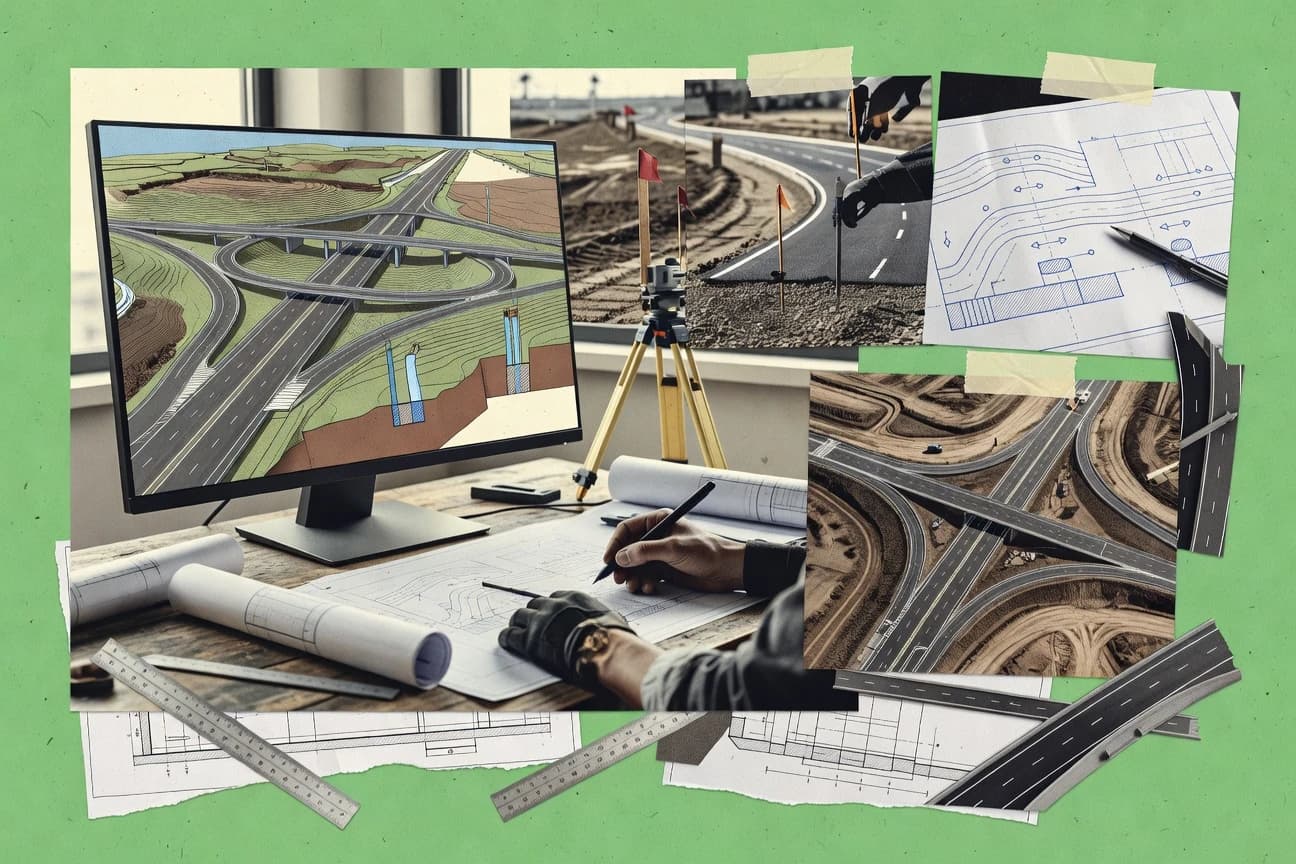
Top 10 roadway design software tools ranked by capabilities and tradeoffs for highway and road projects, including Softree RoadEng and CGS Labs Plateia.

How we ranked these tools
Core product claims cross-referenced against official documentation, changelogs, and independent technical reviews.
Analyzed video reviews and hundreds of written evaluations to capture real-world user experiences with each tool.
AI persona simulations modeled how different user types would experience each tool across common use cases and workflows.
Final rankings reviewed and approved by our editorial team with authority to override AI-generated scores based on domain expertise.
Score: Features 40% · Ease 30% · Value 30%
Gitnux may earn a commission through links on this page — this does not influence rankings. Editorial policy
Softree RoadEng is the standout pick for roadway teams that need corridor-driven production with repeatable section assembly through design revisions, whereas Bentley OpenRoads Designer fits highway groups working in MicroStation-style, enterprise corridor regeneration and intersection workflows.
Editor’s top 3 picks
Three quick recommendations before you dive into the full comparison below — each one leads on a different dimension.
Softree RoadEng
Corridor generation ties section rules to alignment geometry and profile geometry for automated updates across edits.
Built for fits when roadway teams need corridor-driven production and repeatable section assembly across revisions..
Civil Site Design
Editor pickTemplate-based roadway assembly that generates corridor elements from reusable definitions tied to stationing across iterations.
Built for fits when transportation teams iterate corridor alternatives with repeatable section conventions and plan sheet consistency..
CGS Labs Plateia
Editor pickParameter-driven intersection and interchange design logic designed for repeatable roadway production workflows.
Built for fits when roadway teams standardize templates and need repeatable corridor and junction deliverables..
Comparison Table
Softree RoadEng
vertical specialistRoad and site design software for horizontal and vertical alignment optimization, earthwork balancing, and corridor modeling.
Corridor generation ties section rules to alignment geometry and profile geometry for automated updates across edits.
RoadEng’s core workflow builds corridors from alignment geometry and profile geometry, then applies cross-section modeling rules to generate continuous roadway surfaces. Superelevation and related transition controls connect to the corridor outputs, so section properties change consistently with stationing and geometry edits. The deliverables focus on roadway design production tasks like cross-section generation and quantity outputs rather than general-purpose modeling.
A key tradeoff is that RoadEng’s strengths concentrate on road corridor production, so intersection design and interchange design depth may require supplementary workflows for highly customized geometry. RoadEng fits situations where a roadway design team needs fast iteration on alignment and profile changes while keeping section assembly rules controlled across many stations.
- +Template-based corridor assembly keeps cross-sections consistent across stationing edits
- +Superelevation transitions propagate through corridor surfaces and section outputs
- +Quantities outputs reflect the same geometry edits used for roadway modeling
- +Exchange-friendly deliverables support civil design file exchange workflows
- –Intersection and interchange detailing can feel constrained without specialized templates
- –Complex projects may require stricter configuration governance to avoid rule conflicts
- –Automation relies on prepared section templates rather than ad hoc drafting
Roadway design engineers
Iterate corridor revisions from alignment edits
Faster design iteration cycles
Transportation CAD teams
Standardize templates for roadway assembly
Lower drafting variation risk
Show 2 more scenarios
Civil quantity estimators
Recompute earthwork with geometry changes
More consistent cost estimates
Quantity outputs track the corridor geometry used for the section assembly.
Project coordinators
Coordinate roadway deliverables via exchange
Fewer coordination reworks
RoadEng supports civil design file exchange so roadway deliverables stay aligned with geometry edits.
Best for: Fits when roadway teams need corridor-driven production and repeatable section assembly across revisions.
Civil Site Design
vertical specialistRoadway design add-on for Civil 3D, BricsCAD, and AutoCAD providing alignment, corridor, and surface modeling tools.
Template-based roadway assembly that generates corridor elements from reusable definitions tied to stationing across iterations.
Civil Site Design fits teams producing repeated roadway alternatives that share grading and geometry patterns across multiple corridors. Template-based roadway assembly helps standardize superelevation transition behavior and cross-section generation across iterations. Corridor modeling ties plan and profile views to stationing so sheet output stays consistent during alignment geometry edits.
A practical tradeoff is that template-driven assembly is fastest when designs follow the same section and component conventions. Teams with highly bespoke corridor logic or unusual drainage structures may spend time creating or adapting templates. This setup is best when multiple alternatives need controlled variation rather than fully custom logic each run.
- +Template-based roadway assembly standardizes repetitive corridor components
- +Corridor modeling keeps plan and profile views aligned to stationing
- +Superelevation transition logic updates through geometry edits consistently
- +Sheet output supports controlled iteration across roadway alternatives
- –Template setup takes governance discipline to avoid inconsistent corridor logic
- –Drainage customization is less efficient than corridor geometry edits
- –Advanced intersection variations may require extra manual detailing
Roadway design leads
Iterate corridor alternatives with consistent sheets
Faster alternative turnaround
Intersection design engineers
Produce intersection plan and profile sets
Reduced re-drafting
Show 2 more scenarios
CADD drafters and survey processors
Maintain geometry control across revisions
Lower revision churn
Geometry editing updates corridor outputs while keeping cross-section locations stable for downstream review sets.
Consulting project managers
Standardize designs across multiple corridors
More predictable deliverables
Reusable roadway component templates enforce consistent assembly rules between corridors and project phases.
Best for: Fits when transportation teams iterate corridor alternatives with repeatable section conventions and plan sheet consistency.
CGS Labs Plateia
vertical specialistRoadway design software for alignment, corridor, and intersection modeling built on AutoCAD, BricsCAD, and Civil 3D.
Parameter-driven intersection and interchange design logic designed for repeatable roadway production workflows.
Plateia is suited for production teams that assemble roadway and junction geometry from repeatable templates, then refine parameters as design intent changes. It handles horizontal alignment geometry, profile geometry, and stationing-driven outputs to keep corridor and cross-section results consistent. The workflow supports typical roadway outputs like cut-and-fill volumes and drainage-ready geometry handoff for downstream contributors.
A tradeoff appears in template-heavy automation that can slow down atypical geometry when a project deviates from the template’s assumptions. Plateia fits best when a portfolio of similar highway designs needs consistent corridor generation, intersection design, and repeatable deliverables across multiple projects.
- +Template-based roadway assembly reduces repeated drafting effort
- +Corridor modeling links alignment and profile changes to sections
- +Cut-and-fill volumes follow corridor updates with fewer manual steps
- +Intersection and interchange patterns support parameter-driven production
- –Template customization takes time for projects outside standard patterns
- –Model transfer workflows depend on correctly mapped external datasets
- –Advanced design checks require extra workflow discipline across contributors
Highway design production teams
Repeat corridor updates across revisions
Fewer rework loops.
Regional civil design consultants
Template-based junction standardization
More consistent outputs.
Show 2 more scenarios
Multidisciplinary design coordinators
Civil model transfer for handoff
Cleaner handoffs.
Export roadway geometry for downstream uses in multidisciplinary file exchange.
Public works project engineers
Earthwork quantity production
Faster quantity updates.
Generate cut-and-fill quantities aligned to corridor-driven cross-sections.
Best for: Fits when roadway teams standardize templates and need repeatable corridor and junction deliverables.
Bentley OpenRoads Designer
enterpriseParametric roadway modeling application built on the MicroStation platform for 3D road design and drainage.
Template-based corridor assembly with parametric regeneration that keeps cross-sections, superelevation, and related corridor components synchronized during design edits.
Bentley OpenRoads Designer brings corridor-based roadway design into a coordinated modeling workflow built around Bentley civil engineering conventions. Core capabilities include horizontal and profile geometry authoring, superelevation and transition modeling, and template-based roadway assembly with assemblies that regenerate as inputs change.
The software supports intersection and interchange design workflows, along with drainage-oriented modeling outputs tied to corridor elements. Exchange and coordination with other Bentley civil tools and common infrastructure formats helps keep design changes consistent across civil design files and related models.
- +Strong corridor template regeneration for iterative roadway design
- +Detailed superelevation and transition modeling tied to alignment and crossfall logic
- +Intersection and interchange construction workflows integrated into civil modeling
- +Good data exchange support for civil file handoff and model coordination
- –Workflow depth is high and training time is significant
- –Some advanced automation depends on enterprise configuration discipline
- –Large models can slow regeneration during frequent geometry edits
- –Interoperability depends on matching conventions across receiving tools
Best for: Fits when highway teams need corridor regeneration, geometry control, and intersection workflows with Bentley-style civil data.
OpenRoads Designer
enterpriseRoadway design software for corridor modeling, terrain, drainage, and plan production.
Template-based roadway assemblies generate consistent corridor geometry and grading outcomes from repeatable design components.
OpenRoads Designer creates and edits highway and roadway civil design models with corridor-based assemblies, alignment geometry, and profile geometry tied to stationing. The tool supports intersection design workflows and produces construction-ready deliverables with coordinated geometry, surfaces, and earthwork outputs.
Integration-focused civil file exchange is supported for common infrastructure formats used across design teams, including LandXML and OpenRoads data exchange. Automation is delivered through configurable templates and rule-driven modeling behaviors rather than standalone scripting alone.
- +Corridor modeling ties geometry, profiles, and assembly components to stationing
- +Template-based roadway assembly accelerates repetitive lane and shoulder variants
- +Intersection and roundabout workflows connect to corridor context for grading
- +LandXML and OpenRoads data exchange fit multi-team civil file exchange
- –Rule setup for superelevation transitions can require careful configuration discipline
- –Automation options rely more on configuration and workflows than a broad API surface
- –Model change impacts can be hard to trace across complex assemblies
- –Extensive geometry cases need disciplined naming and project standards
Best for: Fits when civil design teams need corridor-driven roadway modeling, intersection design, and civil file exchange across disciplines.
Keysoft Solutions KeySIGN
vertical specialistTraffic sign design and placement software for highway and roadway signing projects running on AutoCAD and BricsCAD.
Stationing-based roadway template assembly links alignment geometry edits to regenerated corridor cross-sections quickly.
Keysoft Solutions KeySIGN is a roadway design software package used for alignment-driven civil design workflows. Its core capabilities center on horizontal and profile geometry generation tied to stationing, plus roadway cross-section modeling for template-based assembly.
KeySIGN supports template-driven production of design deliverables such as typical sections and corridor outputs, and it fits teams that need repeatable roadway modeling runs. KeySIGN is distinct in how it organizes roadway geometry and section templates into a single production workflow rather than splitting work across separate tools.
- +Template-based cross-section assembly reduces repetitive roadway drafting
- +Geometry changes propagate through dependent sections and corridor outputs
- +Works well for corridor-style production based on stationing
- +Exports civil design file exchange outputs for downstream workflows
- –Automation coverage for intersection design workflows appears limited
- –Sight distance analysis workflow support is not emphasized
- –LandXML and OpenRoads data exchange coverage may require validation
- –Advanced interchange design steps can demand manual cleanup
Best for: Fits when teams need repeatable corridor production from alignments and typical templates within a single workflow.
Autodesk Civil 3D
enterpriseCivil engineering design software for corridors, alignments, profiles, and grading with dynamic model updates.
Civil 3D corridors regenerate plan surfaces, cross-sections, and quantities from template-based roadway parts.
Autodesk Civil 3D is a roadway design workflow built around corridor modeling, alignment and profile geometry, and template-based roadway assembly. The software ties stationing, superelevation modeling, and earthwork quantities to corridor regeneration, which helps keep design edits consistent across plan, profile, and cross-sections.
Civil design file exchange supports LandXML and interoperability patterns used in corridor-driven processes. Automation comes through the Civil 3D API and its .NET extensibility model, which supports custom add-ins for repetitive roadway engineering tasks.
- +Corridor-driven design keeps surfaces, alignments, and sections synchronized
- +Superelevation transition modeling is integrated into corridor assembly
- +Civil 3D API enables custom add-ins for roadway automation
- +LandXML civil design exchange supports corridor data handoff
- –Model regeneration can be slow on large corridor networks
- –Add-in development requires .NET skills and careful configuration
- –Some roadway analytics require specialized extensions
- –Template assembly settings can be fragile across standards
Best for: Fits when corridor-based roadway modeling needs strong API extensibility and repeatable assemblies.
12d Model
vertical specialistCivil and surveying software for road design, terrain modeling, and drainage network analysis.
Template-driven roadway assembly with corridor regeneration keeps section geometry, earthwork quantities, and dependent outputs aligned after edits.
12d Model focuses on end-to-end roadway design modeling in a single civil workflow, pairing alignment, profile, and cross-section drafting with quantities and design checks. The software supports corridor modeling and template-based roadway assembly so standard road structures can be reused across alignments and station ranges.
12d Model also targets cross-discipline exchange with commonly used civil and infrastructure file formats and geometry handoff needs. Automation is centered on repeatable modeling rules, so changes to geometry propagate through dependent sections and outputs.
- +Template-based roadway assembly reduces repeat section rework across station ranges
- +Corridor modeling propagates design changes to dependent cross-sections and quantities
- +Geometry outputs stay consistent for civil design file exchange between teams
- +Repeatable modeling rules support higher throughput on standard road types
- –Complex corridor edits can require careful regeneration sequencing
- –Intersection and interchange detailing often needs deeper workflow setup than corridors
- –Automation coverage favors roadway primitives more than highly customized downstream data
- –Large projects can feel sensitive to model structure and naming discipline
Best for: Fits when teams need corridor-based roadway production with repeatable templates and geometry-driven quantities.
Carlson Civil
SMBCivil design suite with road design, site grading, and hydrology modules running on AutoCAD or IntelliCAD.
Template-based roadway assembly that drives cross-sections and station outputs from alignment and profile geometry.
Carlson Civil performs core roadway design tasks by connecting alignment geometry to stationing-driven profile work and cross-section production.
Template-based roadway assembly reduces rework when creating typical sections, including consistent superelevation transition handling across stations.
The toolset emphasizes civil file exchange and CAD-adjacent drafting control so teams can keep deliverables tied to edited geometry.
The automation model favors interactive production steps, which can limit throughput for highly standardized projects compared with API-driven pipelines.
- +Template-based roadway assembly keeps typical sections consistent across corridors
- +Alignment edits propagate to profile and station-driven outputs with fewer manual steps
- +Civil design file exchange supports CAD-adjacent workflows without heavy conversion
- +Stationing and geometry reporting are practical for layout-scale roadway production
- –Automation relies more on interactive CAD steps than scripted, API-first workflows
- –Governance controls and multi-user administration tools are limited for large teams
- –Earthwork quantity and cut-and-fill checking can require extra validation passes
- –Some drainage and surface refinements are less streamlined than full corridor ecosystems
Best for: Fits when roadway teams need template-based assembly inside a geometry-first CAD workflow.
Transoft Solutions AutoTURN
vertical specialistVehicle swept path analysis software for verifying road geometry, intersection layouts, and turning movement adequacy.
Vehicle-tracking studies that generate turning envelopes from roadway geometry to support clearance-relevant design review cycles.
Transoft Solutions AutoTURN focuses on swept-path and turning-movement studies, with vehicle-tracking that supports roadway and intersection design checks. It supports corridor and intersection workflows by turning geometric inputs into automated path envelopes and clearance-relevant outputs.
AutoTURN’s strengths show up when design teams need repeatable vehicle scenarios across multiple curb return, roundabout, and interchange configurations. Its value is strongest when outputs feed civil design review cycles where consistent vehicle configurations matter.
- +Vehicle swept-path outputs that support repeatable multi-vehicle scenario comparisons
- +Clear visualization of tracking envelopes for intersection and roundabout geometry review
- +Workflow fits roadway design iterations where geometry changes require re-checking paths
- +Practical export of results for downstream civil design review
- –Limited coverage for broader roadway modeling tasks outside vehicle turning analysis
- –Scenario setup can become time-consuming for large batches of turning cases
- –Geometric interoperability depends on the surrounding civil design file exchange workflow
- –Advanced customization requires setup discipline to keep vehicle and track settings consistent
Best for: Fits when teams need systematic swept-path and clearance checks across intersection and interchange design iterations.
Conclusion
After evaluating 10 construction infrastructure, Softree RoadEng stands out as our overall top pick — it scored highest across our combined criteria of features, ease of use, and value, which is why it sits at #1 in the rankings above.
Use the comparison table and detailed reviews above to validate the fit against your own requirements before committing to a tool.
How to Choose the Right roadway design software
This buyer's guide covers roadway design software used for corridor modeling, template-based roadway assembly, earthwork quantity workflows, and intersection or interchange production. Coverage includes Softree RoadEng, Civil Site Design, CGS Labs Plateia, Bentley OpenRoads Designer, OpenRoads Designer, Keysoft Solutions KeySIGN, Autodesk Civil 3D, 12d Model, Carlson Civil, and Transoft Solutions AutoTURN.
The guide explains how to evaluate template and corridor regeneration behavior, how superelevation transitions and station-linked outputs stay consistent during edits, and when vehicle swept-path checking should be handled outside core roadway modeling. Each section points to concrete capabilities found in these tools so selection decisions map to production outcomes.
Corridor-driven roadway design tools that regenerate plan, section, drainage, and quantities from geometry edits
Roadway design software centers on alignment geometry and profile geometry inputs that drive corridor modeling and cross-section modeling through template-based roadway assembly. These tools solve the production problem of keeping plan surfaces, cross-sections, and cut-and-fill quantities consistent after roadway edits across stationing.
Teams typically use corridor-centric authoring and iteration workflows to generate plan and profile outputs, then refine junction details such as intersections and interchanges. For example, Softree RoadEng ties corridor generation to alignment and profile geometry for automated updates, and Autodesk Civil 3D regenerates plan surfaces, cross-sections, and quantities from template-based roadway parts.
Evaluation points that determine whether corridors and assemblies stay consistent under iteration
Roadway projects rarely stay fixed. Most selection criteria should focus on whether corridor templates regenerate correctly when alignment and profile geometry changes.
Integration depth matters when the tool must participate in a civil design file exchange workflow across disciplines. That exchange constraint shows up in how each tool handles formats such as LandXML and OpenRoads data exchange, and in how much automation exists beyond template configuration.
Template-based corridor assembly tied to stationing
Corridor templates that generate assemblies from reusable definitions tied to stationing reduce rework when typical sections and lane or shoulder variants change. Softree RoadEng and Civil Site Design both emphasize template-based corridor assembly that keeps cross-sections consistent across stationing edits.
Parametric corridor regeneration that keeps dependent outputs synchronized
Regeneration quality determines whether plan surfaces, cross-sections, and related corridor components remain consistent after geometry edits. Bentley OpenRoads Designer and OpenRoads Designer both focus on template-based corridor assembly that regenerates cross-sections and grading outcomes from repeatable components.
Superelevation transition logic propagating through corridor outputs
Superelevation errors often appear after corridor edits, so transition logic that propagates through corridor surfaces and section outputs reduces manual correction. Softree RoadEng and Civil Site Design both state that superelevation transitions update through geometry edits consistently.
Earthwork quantities driven by the same corridor geometry
Cut-and-fill outcomes need to reflect the same corridor edits that affect geometry, cross-sections, and grading. Softree RoadEng and Autodesk Civil 3D both connect quantities output to corridor regeneration behavior instead of treating earthwork as a separate manual calculation step.
Repeatable intersection and interchange generation using parameter-driven logic
Intersection and interchange detailing can multiply production steps, so parameter-driven workflow reduces repeated drafting for common patterns. CGS Labs Plateia and Transoft Solutions AutoTURN both support intersection and interchange-focused workflows, where Plateia emphasizes parameter-driven junction design logic and AutoTURN adds vehicle tracking for clearance validation.
Automation surface and extensibility beyond interactive CAD steps
Automation depth affects turnaround time on standard road types and complex revision cycles, especially when multiple contributors create consistent variants. Autodesk Civil 3D provides a Civil 3D API and .NET extensibility for custom roadway automation, while Carlson Civil relies more on interactive CAD steps and has limited API-first governance controls.
Pick a corridor regeneration philosophy, then align it with intersection work and automation needs
Start by choosing the regeneration philosophy that matches the revision cadence of the roadway program. Softree RoadEng, Civil Site Design, and CGS Labs Plateia emphasize template-based assembly that regenerates cross-sections from alignment geometry and profile geometry inputs.
Then determine how much intersection and interchange work should be produced inside the roadway tool versus validated with downstream studies. Plateia and OpenRoads Designer target intersection design workflows within corridor production, while Transoft Solutions AutoTURN specializes in swept-path and turning-movement checks that feed clearance-relevant review cycles.
Match the corridor template regeneration behavior to the edit workflow
If roadway production requires corridor-driven updates across revisions, start with Softree RoadEng or Bentley OpenRoads Designer because both tie corridor generation to alignment and profile geometry and regenerate dependent corridor outputs. If the workflow is corridor-first with geometry tied to stationing for plan and profile consistency, Civil Site Design and OpenRoads Designer also align geometry and assembly behavior to stationing-driven iteration.
Decide whether intersection work needs parameter-driven production or separate validation
If intersections and interchanges must be generated repeatably from design parameters, choose CGS Labs Plateia or OpenRoads Designer because both emphasize repeatable junction deliverables connected to corridor context. If the priority is clearance validation and turning envelope comparisons under geometry changes, keep core modeling in the corridor tool and run scenario comparisons in Transoft Solutions AutoTURN for swept-path outputs.
Confirm superelevation transitions remain correct during stationing edits
If superelevation accuracy is a dominant revision driver, prioritize tools that explicitly describe superelevation transition propagation through corridor surfaces and section outputs. Softree RoadEng and Civil Site Design both describe transitions updating consistently through geometry edits and section outputs.
Evaluate automation and extensibility based on team engineering capacity
If custom automation is needed for repetitive roadway engineering tasks, Autodesk Civil 3D supports Civil 3D API and .NET extensibility so teams can build add-ins for corridor and assembly workflows. If the team prefers a single desktop environment where standard road structures are reused through repeatable modeling rules, 12d Model and Carlson Civil focus automation around template or rule-based regeneration rather than API-first extensibility.
Plan for the civil design file exchange workflow early
If the roadway process depends on moving models between design tools, select based on explicit exchange support like LandXML and OpenRoads data exchange. OpenRoads Designer and Autodesk Civil 3D both support LandXML and interoperability patterns used in corridor-driven processes, while Keysoft Solutions KeySIGN and Softree RoadEng also support exchange-friendly deliverables for downstream civil design workflows.
Stress-test complex assemblies with governance and naming discipline requirements
Complex projects can create rule conflicts in template-driven systems, so teams should map how configuration governance will be handled. Softree RoadEng notes stricter configuration governance for complex projects, and Carlson Civil states governance controls and multi-user administration tools are limited for large teams.
Which roadway design tool fits each production style and delivery responsibility
Roadway design software fits teams that need corridor-driven regeneration and template-based assembly rather than one-off drafting. Tool fit depends on whether corridor production must stay consistent across many revisions and whether intersection or clearance validation is part of the same workflow.
The best matches below reflect the stated best-for targets for each tool, not a generic feature checklist.
Roadway production teams that need repeatable corridor and cross-section assembly across revisions
Softree RoadEng is a fit because it focuses on corridor generation that ties section rules to alignment geometry and profile geometry for automated updates across edits. Civil Site Design and Keysoft Solutions KeySIGN also fit teams doing template-driven corridor production with stationing-linked regenerated outputs.
High-standardization transportation teams iterating corridor alternatives with plan and sheet consistency
Civil Site Design fits because sheet output supports controlled iteration across roadway alternatives with corridor modeling linked to stationing. OpenRoads Designer fits when corridor-driven roadway modeling must also support intersection design workflows and deliver civil file exchange across disciplines.
Junction-heavy projects that require repeatable intersection and interchange production logic
CGS Labs Plateia fits because it uses parameter-driven intersection and interchange design logic for repeatable roadway production workflows. Bentley OpenRoads Designer fits highway teams needing corridor regeneration and integrated intersection or interchange workflows inside Bentley-style civil modeling conventions.
Teams that need vehicle clearance and turning envelopes as a repeatable intersection validation loop
Transoft Solutions AutoTURN fits teams that must re-check geometry changes by generating turning envelopes and tracking envelopes from roadway geometry. This is most effective when core geometry production comes from a corridor tool and AutoTURN runs consistent vehicle scenario comparisons.
Teams already structured around specific desktop CAD workflows and geometry-first production
Carlson Civil fits organizations that keep roadway production inside a geometry-first CAD environment with template-based assembly driving cross-sections and station outputs. 12d Model fits teams needing end-to-end roadway design modeling in one civil workflow where geometry-driven quantities and design checks follow corridor regeneration.
Pitfalls that cause corridor inconsistency, slow revisions, or incomplete junction outcomes
The most frequent issues across these tools come from template governance, regeneration sequencing, and treating intersection and clearance validation as the same workflow. Template-driven systems reduce rework when templates are correctly configured, but rule conflicts can create repeated corrections.
Another recurring problem is expecting broad roadway modeling coverage from tools that specialize in vehicle tracking and turning movement studies. AutoTURN improves clearance evidence for intersection and interchange design review cycles, but it does not replace corridor modeling or drainage-oriented modeling tasks in tools like OpenRoads Designer or 12d Model.
Treating template setup as a one-time step for all corridor variants
Civil Site Design and Softree RoadEng both tie corridor assembly logic to reusable definitions, and both describe governance discipline as necessary to avoid inconsistent corridor logic or rule conflicts. Template setup should be treated as a controlled configuration process when typical sections change across alternatives.
Expecting intersection detailing automation to match corridor automation without workflow planning
Softree RoadEng and 12d Model both indicate intersection and interchange detailing can demand deeper workflow setup than corridor regeneration. For junction-heavy work, pair CGS Labs Plateia or OpenRoads Designer with parameter-driven junction production logic, and reserve AutoTURN for clearance validation when needed.
Separating earthwork quantities from corridor geometry edits
If earthwork outcomes are calculated out of sync with corridor regeneration, cut-and-fill results drift from the actual modeled geometry. Softree RoadEng and Autodesk Civil 3D keep quantities tied to corridor regeneration behavior, so teams should avoid downstream manual recalculation loops.
Choosing a tool for broad automation while team skills only support interactive CAD workflows
Autodesk Civil 3D can require .NET skills for add-in development, so API-first expectations can slow delivery when that skill set is not available. Carlson Civil and Keysoft Solutions KeySIGN focus automation around template-based production within CAD workflows, which reduces reliance on API development.
Assuming vehicle swept-path studies can replace roadway corridor geometry production
Transoft Solutions AutoTURN provides turning envelopes and clearance-relevant outputs, but it is limited for broader roadway modeling outside vehicle turning analysis. Corridor geometry should be produced and regenerated in tools like OpenRoads Designer or Bentley OpenRoads Designer before running AutoTURN scenario batches for consistent vehicle configurations.
How We Selected and Ranked These Tools
We evaluated these ten roadway design tools on features used in corridor modeling and template-based roadway assembly, ease of use for producing and iterating designs, and value for maintaining consistent outputs across revisions. Features carried the most weight in the overall rating, while ease of use and value each contributed heavily to the final score. Editorial scoring focused on what each tool does in production workflows such as corridor regeneration from alignment geometry and profile geometry, station-linked assembly, and how intersection or vehicle tracking support is integrated.
Softree RoadEng separated from lower-ranked tools because its corridor generation ties section rules to alignment geometry and profile geometry for automated updates across edits, which improves revision consistency. That capability lifted the features and value outcomes because corridor-driven updates directly reduce manual rework when cross-sections and quantities must stay aligned.
Frequently Asked Questions About roadway design software
How does corridor regeneration differ between Softree RoadEng, OpenRoads Designer, and Autodesk Civil 3D?
Which tool supports template-based roadway assembly tied to stationing for repeatable section conventions?
What breaks if a workflow depends on specific intersection or interchange logic rather than general corridor editing?
How do teams handle earthwork quantity alignment with stationing when corridor templates change?
When do integrations and civil file exchange formats become a deciding factor for interchange workflows?
Which tools provide extensibility through an API or add-in model for automation of roadway tasks?
How do SSO and RBAC requirements usually affect software selection when multiple roles edit roadway models?
What common data-migration problems appear when moving alignment and profile definitions between tools like OpenRoads Designer and Civil Site Design?
Where does swept-path analysis fit relative to corridor modeling for roundabouts and interchanges?
Tools reviewed
Primary sources checked during evaluation.
Referenced in the comparison table and product reviews above.
- Construction InfrastructureTop 10 Best Structural Design Software of 2026
- Business FinanceTop 10 Best Road Maps Software of 2026
- Construction InfrastructureTop 10 Best House Building Design Software of 2026
- Transportation LogisticsTop 10 Best Transportation Route Planning Software of 2026
- Construction InfrastructureTop 10 Best Landscape Architecture Software of 2026
Keep exploring
Comparing two specific tools?
Software Alternatives
See head-to-head software comparisons with feature breakdowns, pricing, and our recommendation for each use case.
Explore software alternatives→In this category
Construction Infrastructure alternatives
See side-by-side comparisons of construction infrastructure tools and pick the right one for your stack.
Compare construction infrastructure tools→