GITNUXSOFTWARE ADVICE
Consumer RetailTop 8 Best Retail Audit Software of 2026
Ranked review of retail audit software for store teams, with feature comparisons, use cases, and notes on VisitBasis, YOOBIC, and GoAudits.

How we ranked these tools
Vendors set the topic, but our editors set the inclusion criteria and the evaluation framework before research starts.
AI search agents find sources, extract figures with provenance, and aggregate written reviews. They also transcribe video reviews and podcasts.
Framework: Features 40% · Ease 30% · Value 30%
Gitnux may earn a commission through links on this page — this does not influence rankings. Editorial policy
VisitBasis is the best fit when retail teams run repeat store audits and need photo-backed issue escalation, whereas YOOBIC suits teams scaling repeatable, corrective-action workflows across many locations with managed actions and analytics.
Editor’s top 3 picks
Three quick recommendations before you dive into the full comparison below — each one leads on a different dimension.
VisitBasis
Audit-to-action workflow that ties photo-backed findings to assigned corrective steps and follow-up.
Best for: Fits when retail teams run repeat store audits and need photo-backed issue escalation.
YOOBIC
Editor pickBuilt-in evidence-linked corrective action routing keeps exceptions connected to the original audit findings.
Best for: Fits when retailers need repeatable store audit workflows with photo evidence and managed corrective actions.
GoAudits
Editor pickWorkflow-driven audits that connect each store visit to issue escalation and corrective-action assignment.
Best for: Fits when retailers need repeatable store audits with evidence, scoring, and action routing.
Comparison Table
VisitBasis
vertical specialistVisitBasis supports mobile retail audits, merchandising visits, surveys, and field team management.
Audit-to-action workflow that ties photo-backed findings to assigned corrective steps and follow-up.
VisitBasis organizes field audits around configurable tasks and evidence collection, which suits store audit programs that rely on repeatable scoring and photo documentation. The system also supports issue tracking from audit findings, so action owners can see what failed, where, and with what evidence.
A key tradeoff is that advanced automation depends on how audits are mapped to workflow templates, so teams with irregular audit formats often need more configuration time. VisitBasis works best when an organization runs frequent store and merchandising checks with consistent criteria across stores.
- +Guided mobile audits with structured scoring and evidence capture
- +Issue escalation links findings to corrective action tasks
- +Central review of audit results for district and area oversight
- +Configurable checklists that support consistent audit execution
- –Complex audit variants require upfront workflow template mapping
- –Offline field capture support depends on app configuration
- –Large multi-program rollouts need careful template governance
- –Deep integrations require additional implementation effort
District managers
Review store audit exceptions
Faster exception triage
Retail operations
Run weekly merchandising compliance audits
More consistent compliance
Show 1 more scenario
Field audit supervisors
Escalate recurring issues
Higher fix-rate
Convert repeated audit failures into corrective action tasks for responsible owners.
Best for: Fits when retail teams run repeat store audits and need photo-backed issue escalation.
YOOBIC
enterpriseYOOBIC supports frontline retail execution through audits, task management, communication, and analytics.
Built-in evidence-linked corrective action routing keeps exceptions connected to the original audit findings.
YOOBIC fits retailers that run recurring field audits and need consistent evidence capture across locations, with mobile reps submitting check results that managers can review. The core loop ties each inspection to captured media, scoring inputs, and next-step actions for exceptions. The biggest operational advantage is reducing back-and-forth because findings can be routed to task owners directly from the audit flow.
A key tradeoff is that teams get better results when audit forms and scoring rules are designed up front, since that structure drives what managers see and how exceptions escalate. YOOBIC works best when store-level workflow volume is steady and when field representatives can follow a standardized checklist with photo requirements.
- +Audit forms map cleanly to mobile capture and manager review
- +Photo evidence is tied to findings for faster dispute resolution
- +Exception handling routes corrective tasks to responsible owners
- +Central visibility helps track completion and action status
- –Audit scoring needs careful upfront design to avoid misclassification
- –Complex multi-program workflows can require extra configuration effort
- –Data alignment with external merchandising systems may need integration work
- –Large teams may need governance for role boundaries and permissions
District and area managers
Review field audits with proof
Faster review and follow-up
Field audit teams
Run consistent store checklists
Higher audit consistency
Show 1 more scenario
Retail operations owners
Track exception resolution across stores
Measurable compliance improvement
Operations teams monitor exceptions and corrective action status to close gaps detected in store checks.
Best for: Fits when retailers need repeatable store audit workflows with photo evidence and managed corrective actions.
GoAudits
SMBGoAudits provides digital checklists, inspections, corrective actions, and audit reporting.
Workflow-driven audits that connect each store visit to issue escalation and corrective-action assignment.
GoAudits organizes retail execution checks as templated tasks that field representatives can complete on a mobile audit app with photo capture and location-aware submissions. Audit templates can be reused across stores, which reduces variation between merchandising audits and compliance checklists. Results roll up into store-level reporting that supports review by district managers and issue escalation workflows.
A notable tradeoff is that GoAudits relies on disciplined template design to keep audit scoring and corrective-action logic consistent across regions. It fits teams that already standardize their checklist categories and corrective-action taxonomy, then need repeatable execution at store scale.
- +Audit templates with photo evidence for store-level proof
- +Task assignment tied to store visits and follow-up actions
- +Scoring and exception reporting built around audit outcomes
- +Audit result rollups support district manager reviews
- –Scoring logic depends on upfront checklist and weighting design
- –Extensibility and integration depth may require IT coordination
- –Large regions can create admin overhead for template governance
- –Offline and edge-case capture behavior depends on deployment setup
District manager teams
Review store audit exceptions
Faster exception triage
Retail compliance owners
Standardize checklist compliance evidence
More consistent audit proof
Show 1 more scenario
Merchandising operations teams
Track corrective actions after visits
Clear ownership for fixes
Merchandising teams assign corrective actions from audit outcomes to responsible roles per store.
Best for: Fits when retailers need repeatable store audits with evidence, scoring, and action routing.
Opterus
enterpriseStore execution and task management platform with built-in retail audit capabilities.
Corrective action tracking that stays linked to audit outcomes, including audit history and escalations by store and owner.
Opterus is a retail audit workflow system designed around store-level checklists and mobile field execution. It supports structured audit templates with scoring, photo evidence capture, and corrective-action follow-up tied to audit results.
- +Checklist templates with scoring support consistent audit comparisons across stores
- +Photo evidence capture links findings to corrective action workflows
- +Exception reporting highlights repeated issues by store, route, or manager area
- +Audit history and task assignment make escalations traceable end to end
- –Complex weighted scorecards require careful configuration of audit templates
- –Retailer system integration and API use can add build effort for custom workflows
Best for: Fits when retail teams need scored field audits with photo evidence and governed corrective actions across many store routes.
Repsly
vertical specialistField teams use Repsly for retail visits, audits, task management, and execution reporting.
Corrective action workflow turns store audit findings into assigned follow-ups with documented audit history.
Repsly runs retail store audits for field teams, capturing checklist results plus photo evidence for merchandising and compliance checks. Its mobile workflow supports store-level issue logging with corrective action steps and team follow-up, so audits translate into tasks instead of static reports.
- +Mobile audit checklists with photo evidence for field verification
- +Corrective action workflow links store findings to assignments
- +Retailer system integration supports automated inputs and exports
- +Configurable audit structures for different merchandising visit types
- –Complex scoring and weighting can require careful setup discipline
- –Advanced reporting depends on the audit structure defined up front
- –Large multi-region deployments can increase admin workload
- –Offline capture behavior needs explicit process planning for edge cases
Best for: Fits when retail field teams need audit checklists with photo evidence and action tracking.
FORM
enterpriseFORM provides retail execution workflows for audits, merchandising, compliance, and field operations.
Audit templates that link question responses to evidence and downstream actions within a single audit-to-fix workflow.
FORM is a retail audit workflow tool used by field teams that need structured store-level checklists and consistent photo evidence capture. Its core strength is configurable question flows and scoring so audits produce comparable results across districts and regions.
- +Configurable checklist logic supports repeatable audits across store networks
- +Photo evidence capture is tied to specific questions for cleaner QA review
- +Task assignment and corrective action tracking reduce audit findings aging
- +Exports support feeding retail execution reports and exception lists
- –Complex scoring and branching needs careful upfront configuration
- –Governance and role controls can require operational discipline from admins
Best for: Fits when retail ops teams need checklist-driven audits with evidence and corrective actions in one workflow.
Trax
enterpriseTrax combines retail audits, shelf analytics, image recognition, and execution management.
Computer vision guided audit capture that turns shelf and display observations into evidence-backed findings for review.
Trax differentiates with an audit workflow grounded in retail computer vision and on-image evidence capture rather than checklist-only execution.
- +Evidence-first audits link findings to photo capture for faster dispute resolution.
- +Retail computer vision reduces manual effort for merchandising and compliance checks.
- +Exception reporting helps district managers focus on stores with recurring deviations.
- +Field representative workflows support store-level issue logging and escalation.
- –Visual auditing requires careful site conditions to avoid false positives.
- –Automation depth depends on integration scope with retailer systems.
- –Admin governance controls can require setup discipline across many teams.
- –Scoring and weighting flexibility may lag tools built around custom scorecards.
Best for: Fits when retailers need photo-evidence audits with vision-assisted detection across many store locations.
StayinFront
enterpriseStayinFront provides retail execution software for audits, sales visits, merchandising, and compliance.
Weighted audit scoring tied to exception reporting that routes only high-impact issues to escalation.
StayinFront is retail audit software used to standardize store execution checks and turn field findings into corrective action workflows. It centers on structured store-level auditing with mobile photo evidence capture and scoring that supports exception reporting across a district.
- +Field audits support photo evidence capture tied to store findings
- +Weighted audit scoring supports exception reporting for prioritization
- +Corrective action workflows connect issues to assigned owners
- +Admin tooling supports repeatable audit templates for consistent execution
- –Template customization can require disciplined governance to stay consistent
- –Complex audit programs can slow onboarding for new field representatives
- –Some retail system integration depends on integration configuration effort
- –Offline capture usefulness varies by mobile configuration choices
Best for: Fits when retail ops teams run frequent store execution audits and need scoring plus corrective action workflows.
Conclusion
After evaluating 8 retail audit software, VisitBasis stands out as our overall top pick — it scored highest across our combined criteria of features, ease of use, and value, which is why it sits at #1 in the rankings above.
Use the comparison table and detailed reviews above to validate the fit against your own requirements before committing to a tool.
How to Choose the Right Retail Audit Software
Retail audit software coordinates store-level field workflows that turn checklist answers and photo evidence into scored findings, corrective actions, and documented follow-up. This guide covers VisitBasis, YOOBIC, GoAudits, Opterus, Repsly, FORM, Trax, and StayinFront.
Each tool in this list links store visits to issue escalation and task assignment using audit templates that map questions to evidence capture. The differences show up in how corrective actions stay tied to the original findings, how scoring logic is governed, and how much automation and integration effort is required for multi-program rollout.
Retail Audit Software for store execution evidence, scoring, and corrective-action workflows
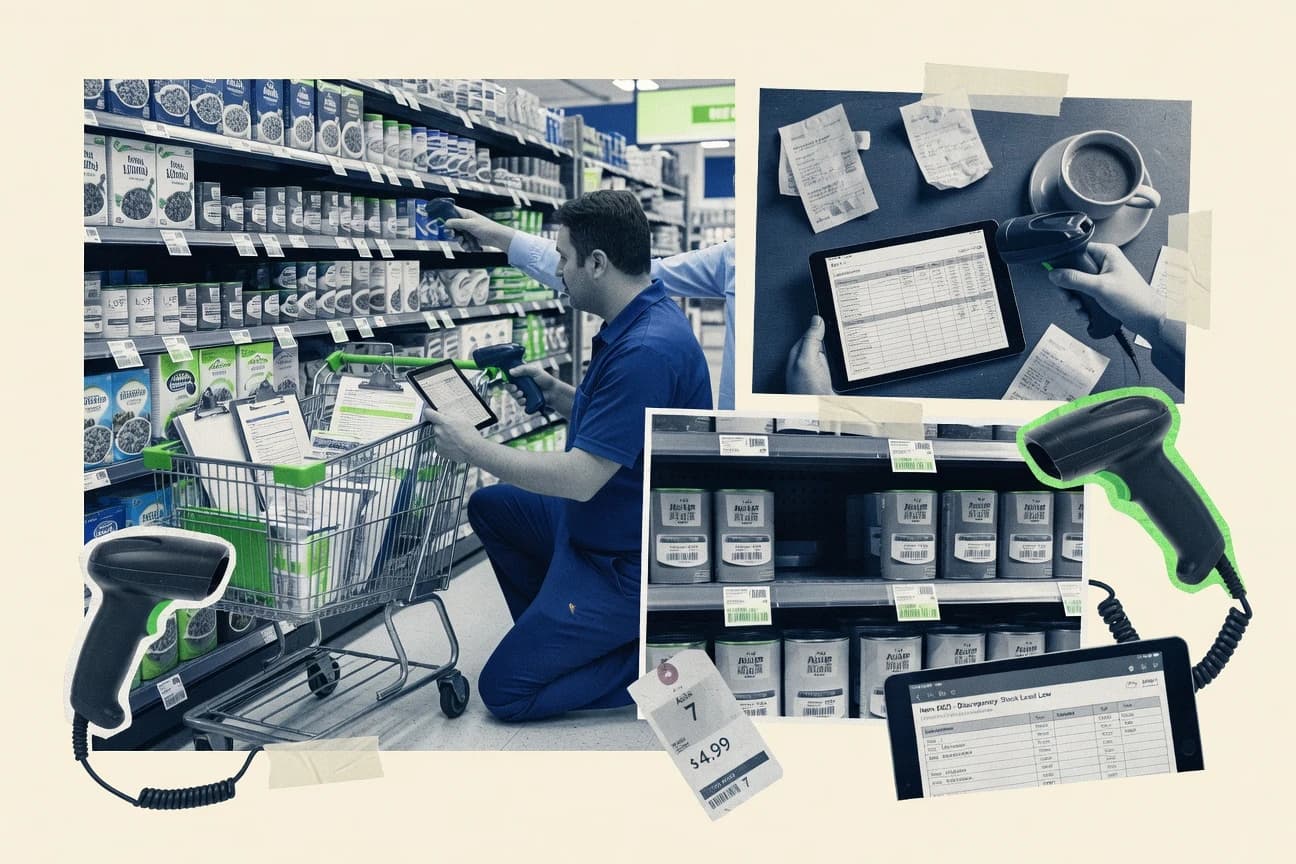
Retail audit software supports field audit capture with structured checklists and photo evidence so store teams can produce reviewable findings tied to a specific visit. It also routes those findings into corrective action workflows with audit history, escalation logic, and store-level follow-up.
VisitBasis focuses on audit-to-action routing that links photo-backed findings to assigned corrective steps and follow-up, so evidence stays attached to the work queue. StayinFront emphasizes weighted audit scoring paired with exception reporting to route only high-impact issues into escalation while keeping the broader audit program anchored to store findings.
Retail Audit Software capabilities that determine evidence quality and corrective-action throughput
Retail audit software must turn checklist answers and photo evidence into findings that can be reviewed, scored, and escalated without breaking the audit-to-fix chain. The winner is the tool that keeps photo evidence attached to the finding and then routes corrective work with clear ownership and follow-up.
Audit-to-action routing that preserves evidence-to-work linkage
VisitBasis ties photo-backed findings to assigned corrective steps and follow-up so evidence stays attached to the work queue. YOOBIC keeps exceptions routed to corrective action while preserving the link back to the original audit findings.
Workflow-driven store visit templates with evidence capture
GoAudits uses workflow-driven audit templates that connect each store visit to issue escalation and corrective-action assignment. FORM links question responses to evidence and downstream actions within one audit-to-fix workflow.
Corrective action history and escalations linked to store routes
Opterus maintains corrective action tracking with audit history and escalations by store and owner. Repsly produces a documented audit history that connects store findings to assigned follow-ups.
Weighted scoring and exception reporting for prioritization
StayinFront pairs weighted audit scoring with exception reporting that routes only high-impact issues to escalation. Trax focuses less on scoring depth and more on evidence-backed findings generated from shelf and display observations.
Computer vision assisted audit capture for merchandising and compliance checks
Trax uses computer vision guided audit capture to turn shelf and display observations into evidence-backed findings for review. This approach reduces manual interpretation load compared with fully checklist-only capture.
Governed consistency for multi-program rollout and repeatable results
FORM and Opterus both require careful upfront configuration for branching and weighted scorecards to keep results consistent across stores. VisitBasis and GoAudits also rely on template design to make scoring and escalation repeatable over repeated visits.
How to choose Retail Audit Software based on routing depth, scoring governance, and integration effort
The fastest path to a correct choice starts with the corrective-action model. Teams that need every audit finding to become a traceable task should prioritize evidence-linked routing and structured follow-up.
Pick an evidence-to-workflow model that matches the corrective-action lifecycle
Choose VisitBasis when store audits must feed directly into assigned corrective steps while keeping photo evidence attached to the work. Choose YOOBIC when the organization needs built-in evidence-linked corrective action routing that keeps exceptions connected to the originating audit findings.
Choose workflow templates that reflect how store visits become issues
Choose GoAudits when store visits must follow repeatable templates that connect evidence, store-level proof, task assignment, and follow-up actions. Choose FORM when audits must include configurable checklist logic that ties each question response to evidence and downstream actions in one workflow.
Decide how scoring drives escalation volume and how much template discipline is acceptable
Choose StayinFront when weighted audit scoring must drive exception reporting that routes only high-impact issues to escalation. Choose Opterus or Repsly when corrective actions must stay linked to scored audit outcomes with audit history across store owners and routes.
Select for governance complexity if multiple audit programs share scoring and routing
Choose tools that minimize governance burden if many managers will manage templates or scoring rules across regions. FORM and Opterus both require careful upfront configuration for complex scoring and branching so governance discipline affects rollout speed.
Use computer vision when merchandising and compliance evidence needs automation at capture time
Choose Trax when merchandising observations and photo-evidence capture should be guided by computer vision to produce evidence-backed findings. Validate that site conditions will not create false positives because visual auditing requires careful capture conditions.
Plan integration effort based on extensibility and automation surface
Choose GoAudits or Opterus when integration depth or API-driven workflows will be handled by IT because extensibility can require coordination. Choose VisitBasis or YOOBIC when the goal is audit-to-action routing that works with structured templates and manager review without heavy bespoke workflow engineering.
Who Retail Audit Software buyers should target based on rollout model and field workflow structure
Retail audit software is a fit for teams that run recurring store visits and need audit findings to become corrective actions with evidence that can be reviewed. The tools vary most in how they manage workflow templates, scoring logic, and escalation volume across districts.
Retail operations leaders running repeat store audits with photo-backed corrective actions
VisitBasis and YOOBIC connect photo evidence to assigned corrective steps while keeping exceptions routed back to the originating findings.
Field audit managers who need templated workflows and consistent issue escalation
GoAudits and FORM emphasize audit templates that tie store visits to evidence, scoring, task assignment, and follow-up in a repeatable structure.
Compliance and merchandising teams that want prioritized exception routing from weighted scoring
StayinFront focuses on weighted scoring paired with exception reporting that routes only high-impact issues into escalation workflows.
Merchandising teams looking for capture-time automation using visual evidence guidance
Trax uses computer vision guided audit capture to reduce manual interpretation when shelf and display observations are photographed for evidence.
Organizations managing corrective action accountability across store owners and escalations
Opterus and Repsly keep corrective actions tied to audit outcomes with audit history and escalation paths that support accountability.
Common mistakes that break retail audit scoring consistency and audit-to-fix traceability
Most failures come from template design that does not reflect how audits are actually performed on store visits. They also come from scoring logic that is configured once but not governed across programs and regions.
Configuring scoring and escalation rules without a checklist weighting plan
VisitBasis, GoAudits, and Repsly all require careful upfront design so scoring logic does not misclassify issues. A short pilot with real store photos prevents escalation rules from drifting across templates.
Allowing complex branching or weighted scorecards to roll out without governance discipline
Opterus and FORM both need careful configuration of audit templates for consistent audit comparisons. Template governance should define who can change scoring rules and how those changes affect existing programs.
Separating photo evidence from corrective action workflows in process design
VisitBasis, YOOBIC, and GoAudits tie photo evidence to findings so disputes and escalations remain traceable. Process designs that re-key findings in separate systems break the evidence-to-work linkage these tools are built to preserve.
Using computer vision capture in conditions that create visual noise
Trax requires careful site conditions to avoid false positives in visual auditing. Store teams should standardize lighting, camera angle, and shelf staging to keep computer vision outputs stable.
Overestimating onboarding speed for multi-program rollout with deep workflow customization
StayinFront and GoAudits can slow onboarding when audit programs expand and template customization is heavy. Rollout planning should stage programs in the order that fixes the highest exception categories first.
How We Selected and Ranked These Tools
We evaluated retail audit software on evidence-linked audit-to-action routing, workflow-driven template design, and corrective-action traceability using photo-backed findings. We weighted features at 40% because stores need checklist answers, evidence capture, scoring, and escalation to work together for each store visit.
We weighted ease and value at 30% each based on how straightforward audit templates are to configure for scoring and follow-up. VisitBasis set the ranking pace by tying photo-backed findings to assigned corrective steps and follow-up while keeping issue escalation connected to the evidence-bearing audit output.
Frequently Asked Questions About Retail Audit Software
How do VisitBasis, YOOBIC, and GoAudits connect store audit findings to corrective actions?
Which tools support retailer system integration and API-based automation for audit data synchronization?
When teams need photo evidence capture with structured checklists, how do YOOBIC and FORM differ in audit configuration?
What breaks if a retailer uses a checklist-only audit tool when its main need is computer vision detection?
How do StayinFront and Opterus handle audit scoring and exception reporting for manager escalation?
How do administrative controls and audit trails differ between Repsly and StayinFront?
What should field teams standardize to avoid inconsistent scoring across districts when using Opterus and VisitBasis?
Which tool is more suitable for training district managers to validate store visits faster using evidence review?
Where does extensibility matter most when scaling audit workflows beyond a single team?
Tools reviewed
Primary sources checked during evaluation.
Referenced in the comparison table and product reviews above.
Funding and competing interests
This study was co-funded by several of the vendors assessed in it. No single vendor funded it. Funders could propose the market studied.
They had no role in selecting vendors, setting or weighting criteria, analysing data or drawing conclusions, and they received the same factual-accuracy check as every other vendor assessed.
Market definition, inclusion rules and criteria weights were fixed by an editor before research began and did not change afterwards. Editorial process →
- Consumer RetailTop 10 Best Retail Software of 2026
- Business FinanceTop 10 Best Audit Tools Software of 2026
- Supply Chain In IndustryTop 10 Best Supply Chain Audit Software of 2026
- Telecommunications ConnectivityTop 10 Best Telecom Audit Software of 2026
- Consumer RetailTop 10 Best Retail Price Optimization Software of 2026
Keep exploring
Comparing two specific tools?
Software Alternatives
See head-to-head software comparisons with feature breakdowns, pricing, and our recommendation for each use case.
Explore software alternatives→In this category
Consumer Retail alternatives
See side-by-side comparisons of consumer retail tools and pick the right one for your stack.
Compare consumer retail tools→