
GITNUXSOFTWARE ADVICE
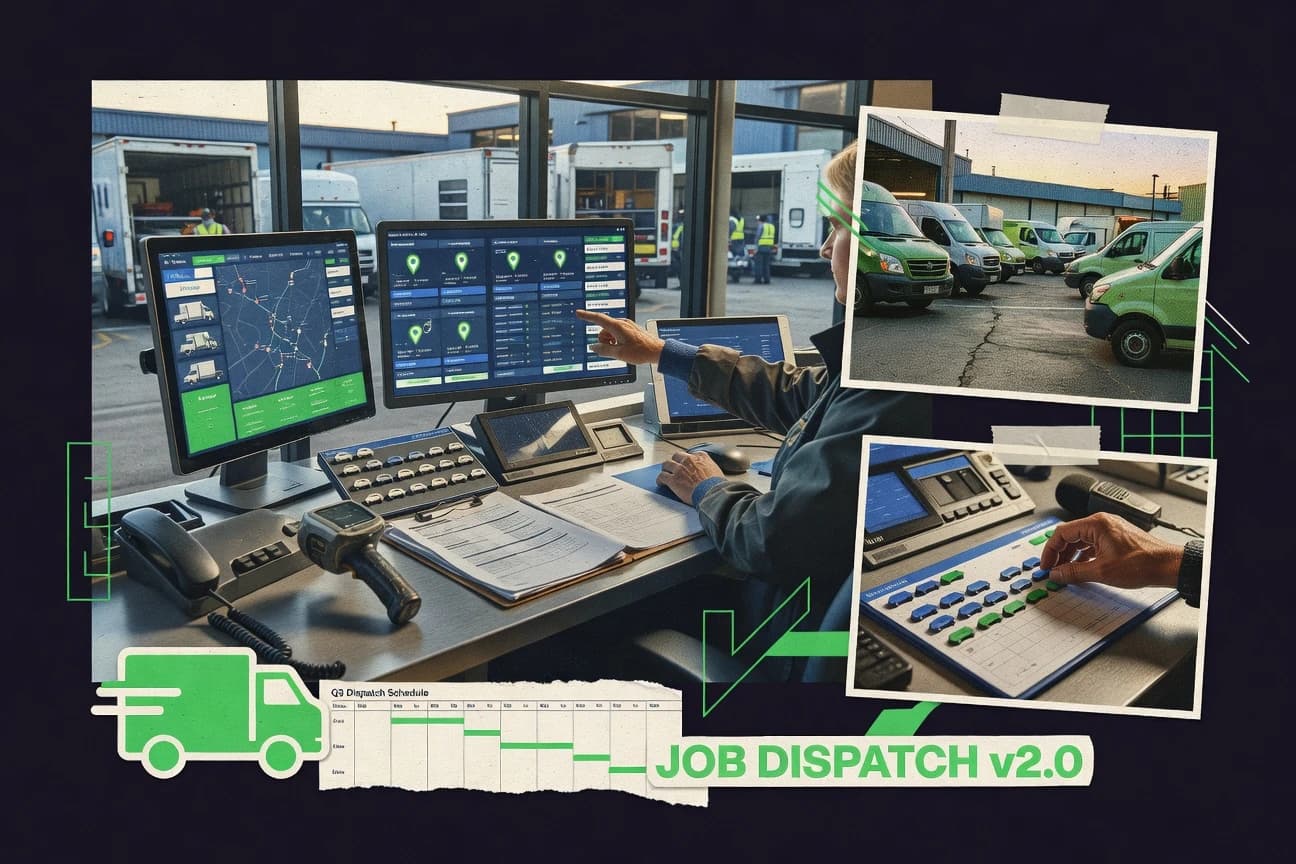
Transportation LogisticsTop 10 Best Job Dispatch Software of 2026
Ranked list of the top job dispatch software with editor notes and tradeoffs, covering simPRO, ServiceTitan, and FieldEdge for field teams.

How we ranked these tools
Core product claims cross-referenced against official documentation, changelogs, and independent technical reviews.
Analyzed video reviews and hundreds of written evaluations to capture real-world user experiences with each tool.
AI persona simulations modeled how different user types would experience each tool across common use cases and workflows.
Final rankings reviewed and approved by our editorial team with authority to override AI-generated scores based on domain expertise.
Score: Features 40% · Ease 30% · Value 30%
Gitnux may earn a commission through links on this page — this does not influence rankings. Editorial policy
If you need job scheduling and dispatch built for trade contractors with controlled work orders and repeatable mobile execution, simPRO is the best fit, whereas ServiceTitan suits multi-tech teams that want dispatch control and deep operational integrations for field delivery.
Editor’s top 3 picks
Three quick recommendations before you dive into the full comparison below — each one leads on a different dimension.
simPRO
Configurable job status workflow and dispatch planning that propagate updates from technician execution back to back-office scheduling.
Built for fits when field service dispatch teams need controlled work orders, mobile execution, and repeatable scheduling rules..
ServiceTitan
Editor pickEnd-to-end field service workflow that keeps dispatch, job status, and mobile completion capture in sync.
Built for fits when multi-tech service firms need dispatch control, mobile job execution, and deep integrations..
FieldEdge
Editor pickOperational status workflow tied to dispatch decisions keeps job state, assignment, and technician execution synchronized.
Built for fits when dispatch teams need repeatable technician assignment and mobile job closure control..
Comparison Table
simPRO
vertical specialistsimPRO manages job scheduling, dispatch, quoting, inventory, projects, and financial workflows for trade contractors.
Configurable job status workflow and dispatch planning that propagate updates from technician execution back to back-office scheduling.
simPRO is built around work order management tied to dispatch planning, with configurable job status workflows and appointment tracking for service calls. Dispatch boards and scheduling views support technician assignment based on operational constraints like availability windows and service territories. The technician mobile app feeds progress back to dispatch through status updates, time capture, and field proof workflows.
A common tradeoff is that configuration effort rises when dispatch rules need strict governance across many service types and sites. simPRO fits teams that run high volumes of recurring service or mixed emergency and scheduled work, where consistent job data and standardized field checklists reduce rework.
- +Dispatch workflow stays connected to job lifecycle with status and documentation updates
- +Technician mobile workflows support field execution and back-office time capture
- +Multi-site operations support consistent dispatch planning with shared work structures
- +Automation reduces manual rebooking work during status changes
- –Rule-heavy scheduling setups require disciplined configuration and testing
- –Mobile field data capture needs training to keep job records consistent
- –Some dispatch edge cases depend on how job types and statuses are modeled
- –Integration depth varies by external system and may require implementation support
Operations dispatch teams
Daily assignment and status-driven rebooking
Fewer missed appointments
Field service managers
Recurring preventive maintenance scheduling
Higher maintenance compliance
Show 2 more scenarios
Service company with multiple sites
Territory-based dispatch across regions
More predictable workload balance
Regional dispatch plans align technician assignments to site rules and job documentation requirements.
Customer service operations
Customer notifications for field progress
Fewer service call follow-ups
Teams send arrival and job progress updates tied to job status and proof events.
Best for: Fits when field service dispatch teams need controlled work orders, mobile execution, and repeatable scheduling rules.
ServiceTitan
enterpriseServiceTitan provides dispatch, scheduling, fleet coordination, and operational management for commercial and residential contractors.
End-to-end field service workflow that keeps dispatch, job status, and mobile completion capture in sync.
ServiceTitan supports work order management with structured job records, technician assignment workflows, and a dispatch board view for day-to-day scheduling. The mobile workforce app ties job status updates to technician execution, so dispatch changes reflect in-progress work without manual rekeying. Automation and integration depth are a core theme, with API access and integration options that connect scheduling and job updates to downstream systems.
A key tradeoff is operational complexity for teams that need custom dispatch logic beyond standard scheduling rules. ServiceTitan fits usage situations where dispatch outcomes must stay consistent across a service territory with multiple job types and where customer-facing notifications and completion capture are required.
- +API integration options for syncing dispatch and job status
- +Dispatch workflows that drive consistent work order updates
- +Technician mobile execution that reflects back to scheduling
- +Customer communication tied to job lifecycle events
- –Scheduling workflows can require structured setup to stay consistent
- –Complex dispatch rules increase admin workload for new job types
- –Dispatch board usage depends on data cleanliness in customer and job records
- –Integration projects often require engineering effort for edge cases
Operations managers
Reduce scheduling churn across job types
Fewer reschedules, cleaner job flow
Dispatch coordinators
Run same-day assignments within territories
Higher on-time job coverage
Show 1 more scenario
Systems and integration teams
Connect dispatch to external systems
Less manual data syncing
Integration teams use API connections to push work order and status updates into downstream business systems.
Best for: Fits when multi-tech service firms need dispatch control, mobile job execution, and deep integrations.
FieldEdge
vertical specialistFieldEdge supports dispatch, scheduling, billing, customer management, and technician operations for contractors.
Operational status workflow tied to dispatch decisions keeps job state, assignment, and technician execution synchronized.
FieldEdge is built around operational dispatching with a technician assignment flow that connects job requests to a live dispatch board view. The system tracks job progress with status updates and supports mobile execution for technicians working from the field. FieldEdge can notify customers about appointment changes and capture completion artifacts after service visits. It is a strong fit for organizations that need repeatable assignment decisions and consistent job state transitions across shifts.
A tradeoff is that advanced planning scenarios depend on how service territories and technician eligibility are configured, which can add upfront setup work. Teams that already have a defined service territory model and technician skill rules will see faster ramp time when dispatch changes must match technician constraints. FieldEdge is a better choice when dispatch accuracy matters more than building custom work order workflows from scratch.
- +Dispatch board updates stay aligned with technician job status changes
- +Assignment rules reduce manual rework when jobs surge
- +Customer appointment updates support fewer missed visits
- +Mobile completion capture supports faster job closure cycles
- –Skill and territory eligibility needs careful configuration before scaling
- –Deep scheduling customization is limited compared with bespoke dispatch builds
- –Complex quoting and billing workflows may require external systems
- –Extensive spreadsheet-style operations may feel constrained inside dispatch views
Field service dispatch teams
Daily routing with live job state
Fewer stale assignments
Service managers in multi-territory ops
Technician eligibility by service area
Lower reschedule rates
Show 2 more scenarios
Operations teams running appointment-heavy work
Rescheduling with customer notifications
Fewer customer no-shows
Appointment changes in dispatch can trigger customer updates tied to technician availability shifts.
Supervisors coordinating shift coverage
Backfill and surge dispatch
Higher throughput under surge
Job assignment and status transitions support fast backfill when crews go offline.
Best for: Fits when dispatch teams need repeatable technician assignment and mobile job closure control.
Zuper
vertical specialistZuper provides scheduling, dispatch, work orders, customer management, and mobile workforce tools.
Rule-based dispatch with automated reassignment triggers when technician availability or job status changes.
Zuper is dispatch and workforce automation software centered on assigning field jobs to the right technician with rules-driven scheduling and live updates. Its core workflow combines an operations dashboard for dispatchers with a technician-facing mobile experience for job status changes and service execution.
Zuper focuses on automation of assignment logic, notifications, and appointment windows, then feeds outcomes back into the dispatch board for near-real-time visibility. The software also provides an API surface for integrating job and workforce data with existing systems.
- +Automation-driven technician assignment reduces manual dispatch work
- +Dispatch board updates reflect technician status changes quickly
- +API supports integrations for jobs, dispatch events, and workforce data
- +Service workflows include mobile capture for checklists and proof
- –Complex routing and availability rules need careful setup to avoid misassignments
- –Advanced configurations can require iterative tuning of assignment policies
- –Some technician workflow steps depend on well-defined job templates
- –Integration projects take time if source systems lack clean job states
Best for: Fits when field operations need rule-based dispatch automation with mobile job execution and system integrations.
DispatchTrack
vertical specialistDispatchTrack plans delivery routes, dispatches drivers, and provides real-time delivery visibility.
API-driven job provisioning that allows dispatch queues to be created and updated from external work order and CRM systems.
DispatchTrack manages job dispatch by mapping service requests to technicians through a dispatch board workflow and automated assignment rules. It supports field-service scheduling with appointment windows, job status updates, and technician coordination designed for same-day and recurring work.
DispatchTrack also provides integration hooks such as an API for system-to-system job creation, updates, and data sync. Admin controls focus on operational governance across users, jobs, and assignment changes rather than just viewing dispatch information.
- +Dispatch board workflow speeds technician assignment and rescheduling
- +Appointment window support helps control technician availability ranges
- +Job status workflow keeps dispatch decisions grounded in real progress
- +API supports job data sync between dispatch and external systems
- –Advanced automation setups require careful configuration of assignment rules
- –Route optimization coverage is limited compared with route-planning specialists
- –Multi-location governance needs disciplined territory setup and role design
- –Reporting depth lags tools that provide richer dispatch analytics
Best for: Fits when dispatch teams need controlled scheduling workflows plus an API-backed job sync to outside systems.
BigChange
mid-marketMobile workforce platform combining dispatch scheduling, route planning, job management, and GPS tracking.
Digital proof of service that ties captured visit outcomes back into the dispatch job lifecycle for office traceability.
BigChange targets job dispatch teams that need work order handling tied to technician execution in the field. Scheduling and dispatch are built around appointment-based workflows with live job status updates and technician assignment changes reflected back to the office.
The system also supports operational traceability through digital proof of service and captured job outcomes, which helps reduce manual follow-ups after completion. BigChange is positioned for organizations that want dispatch controls plus field task completion in a single operational loop.
- +Field job completion data feeds directly into office job status workflow
- +Dispatch decisions stay aligned to appointment windows and real job progress
- +Digital proof of service reduces rework from missing visit evidence
- +Technician-facing task capture supports consistent service checklist execution
- –Complex dispatch rules require careful configuration to avoid assignment churn
- –Automation depth depends on integration patterns rather than native rule chaining
- –Advanced routing and travel logic can feel limited compared with dedicated routing tools
- –Some governance controls need process alignment to keep job audit trails clean
Best for: Fits when dispatch teams need appointment-led work order execution with field proof of service and status feedback.
Skedulo
enterpriseMobile workforce scheduling and dispatch platform with skill-based assignment and route optimization.
Rule-driven dispatch decisions that re-evaluate technician-job matches using live inputs like availability and routing context.
Skedulo pairs a dispatch board experience with automated scheduling rules so job assignments can change as technician availability and travel conditions update. It supports technician mobile workflows for job status updates, checklists, and proof of service capture linked back to work orders.
Skedulo also provides an API and integration surface that connects dispatch decisions to adjacent systems like CRM, inventory, and analytics. The result is a dispatch and work execution loop built around operational configuration and rules rather than manual assignment only.
- +Dispatch and scheduling rules update assignments as availability and routing inputs change
- +Technician mobile workflow supports job status updates and field documentation capture
- +Integration API supports syncing work orders, technician data, and events to external systems
- +Admin configuration tools for service territories and assignment behavior reduce manual dispatch work
- –Advanced automation requires careful rule configuration across territories, skills, and constraints
- –Some enterprise governance controls are harder to validate without deeper API and admin setup
- –Offline field behavior and edge-case connectivity handling require process validation in pilots
- –Complex route and optimization outcomes can be sensitive to master data quality
Best for: Fits when mid-size field service teams need rule-driven dispatch with field documentation tied to work orders.
Zoho FSM
SMBDispatch console with Gantt and calendar views, work order management, and skill-based technician assignment.
Dispatch board plus assignment rules that push job status updates from technician execution back into centralized work orders.
Zoho FSM combines work order management with dispatch automation and a technician mobile experience for field service teams. Scheduling can be driven from assignment rules and a dispatch board workflow, and service updates can flow back into job status for customer communication and internal tracking.
The solution also supports integrations through Zoho’s ecosystem APIs and webhooks so systems like CRM and inventory can stay in sync. Admin controls for users and roles sit within the broader Zoho identity and permission model.
- +Dispatch board workflow supports technician assignment visibility
- +Technician mobile app handles job updates and work progress capture
- +Zoho ecosystem integrations help connect service, CRM, and inventory records
- +Automation rules reduce manual rework across job status transitions
- –Route planning depth depends on integration of external maps or add-ons
- –Offline mobile access can require deliberate device and settings rollout
- –Reporting coverage can be uneven across scheduling and field execution views
- –Complex multi-entity setups need careful governance to avoid assignment errors
Best for: Fits when field service teams want dispatch automation with Zoho integrations and a mobile-first job workflow.
Accruent Field
enterpriseCloud-native FSM with intelligent auto-scheduling, dispatch console, mobile workflows, and offline access.
Configurable job status workflow that drives technician mobile updates and keeps work order records dispatch-aligned.
Accruent Field dispatches and schedules field work orders with a technician-facing mobile workflow tied to back-office scheduling operations. The solution emphasizes configurable job status flows, field updates, and proof of service capture to keep dispatch boards and job records aligned.
Accruent Field also supports service territories and assignment rules to control which technicians receive which work. For governance and system integration, it is built to connect with other enterprise systems and to operate under controlled administrative configurations.
- +Mobile job workflow keeps dispatch changes and field updates synchronized
- +Configurable job status progression supports structured work-order governance
- +Service territory based assignment reduces mismatched technician dispatch
- +Integration orientation supports enterprise system connectivity
- –Scheduling configuration takes more admin effort than lighter dispatch tools
- –Dispatch board usability depends on how workflows are configured
- –Offline and field-edge behaviors can require deployment planning
- –Advanced routing and optimization may need tighter process design
Best for: Fits when dispatch teams need technician mobile job execution plus controlled job status workflows.
FSManage
SMBReal-time dispatch and work order platform with scheduling, inventory, CRM, and invoicing in one system.
Dispatch board scheduling with job lifecycle status workflow ties assignment, updates, and completion into one operational loop.
FSManage is a dispatch-focused system built around work order handling, technician assignment, and a daily dispatch board view. Scheduling and job status updates stay centered on field workflows instead of document-heavy back office tasks.
Automation is driven by assignment rules and job lifecycle triggers that reduce manual rework between dispatch and technicians. Integration options matter for operations that need data to flow into accounting, routing, and mobile tools for technician check-in and job completion.
- +Dispatch board workflows align with daily technician assignment cycles
- +Job status workflow updates track service call progress from dispatch to completion
- +Assignment rules reduce repetitive re-keying across work orders
- +Field-centric configuration keeps operations aligned to service call handling
- –Skill-based dispatch depth can feel limited for complex multi-skill scenarios
- –Real-time route optimization is not a dispatch engine core feature in reviews
- –External integration coverage depends on API work rather than built-in connectors
- –Multi-location provisioning requires careful setup to avoid assignment mistakes
Best for: Fits when dispatch teams need a job lifecycle view with assignment automation and mobile job completion tracking.
Conclusion
After evaluating 10 transportation logistics, simPRO stands out as our overall top pick — it scored highest across our combined criteria of features, ease of use, and value, which is why it sits at #1 in the rankings above.
Use the comparison table and detailed reviews above to validate the fit against your own requirements before committing to a tool.
How to Choose the Right job dispatch software
Job dispatch software coordinates technician assignment and scheduling updates from the dispatch board to technician execution so work order progress stays consistent. This guide covers simPRO, ServiceTitan, FieldEdge, Zuper, DispatchTrack, BigChange, Skedulo, Zoho FSM, Accruent Field, and FSManage.
Each tool in this list maps dispatch decisions to a job status workflow, often pushing updates from mobile completion back into back-office scheduling. simPRO emphasizes configurable status and dispatch planning that propagate technician execution updates to centralized scheduling, while ServiceTitan focuses on keeping dispatch, job status, and mobile completion capture in sync via integration options.
Job dispatch software for work-order lifecycle scheduling, technician assignment, and dispatch board execution
Job dispatch software manages how service calls move from dispatch planning to technician execution, using a dispatch board workflow and a job lifecycle status model to keep assignments aligned with real progress. Many systems also handle appointment window control and automated reassignment triggers when technician status changes.
simPRO stands out with a configurable job status workflow and dispatch planning that propagate updates from technician execution back to back-office scheduling. DispatchTrack differentiates with API-driven job provisioning that lets dispatch queues be created and updated from external work order and CRM systems, which is useful when dispatch needs to sync job queues programmatically.
Dispatch-board workflow controls that keep job status and execution synchronized
Job dispatch software succeeds when dispatch decisions flow into technician execution and then return back as updated job status in the same operational loop. This category is won or lost on whether the dispatch board reflects technician execution outcomes and whether the job lifecycle state stays consistent across back office and mobile work.
The strongest tools in this list tie dispatch outcomes to a configurable job status workflow or rule-driven reassignment so work order records move forward without manual reconciliation. simPRO and ServiceTitan emphasize this end-to-end synchronization, while FieldEdge and Skedulo focus on keeping job state aligned with dispatch decisions and live execution inputs.
Job status workflow propagation from mobile execution to back-office scheduling
simPRO uses a configurable job status workflow and dispatch planning that propagates updates from technician execution back to back-office scheduling. ServiceTitan keeps dispatch, job status, and mobile completion capture in sync through API integration options for dispatch and job status.
API-driven job provisioning and external work-order or CRM syncing
DispatchTrack provides API-driven job provisioning that lets dispatch queues be created and updated from external work order and CRM systems. This supports programmatic queue updates when dispatch needs to stay aligned to upstream systems.
Rule-based reassignment tied to technician availability and job state changes
Zuper uses automated reassignment triggers when technician availability or job status changes, which reduces manual dispatch work. Skedulo re-evaluates technician-job matches using live inputs like availability and routing context to adjust assignments as conditions change.
Dispatch board alignment with technician status workflow and job closure control
FieldEdge ties operational status workflow decisions to dispatch so job state, assignment, and technician execution stay synchronized. Accruent Field also emphasizes configurable job status progression that drives technician mobile updates while keeping work order records dispatch-aligned.
Appointment-window control as a constraint for dispatch execution
DispatchTrack includes appointment window support to control technician availability ranges during scheduling. BigChange aligns dispatch decisions to appointment windows and real job progress so office traceability stays consistent with field outcomes.
Field proof-of-service capture that feeds office job status
BigChange provides digital proof of service that ties captured visit outcomes into the dispatch job lifecycle for office traceability. This helps completion outcomes flow directly into the office job status workflow tied to dispatch decisions.
A dispatch-software selection framework for workflow control, automation depth, and integration surface
The first selection fork should separate tools built around controlled job status workflow governance from tools that optimize assignment decisions via automation rules. simPRO and Accruent Field emphasize structured job status progression and status-driven synchronization, while Zuper and Skedulo emphasize rule-driven reassignment based on changing operational inputs.
The second fork should separate dispatch systems that integrate through documented APIs and external provisioning from systems that lean more on built-in dispatch board workflows and mobile execution. DispatchTrack is differentiated by API-driven job provisioning, while Zoho FSM and FSManage focus more on centralized dispatch board workflow loops tied to technician assignment and status updates.
Select the operational loop: status governance or live rule re-evaluation
If the dispatch team needs controlled state transitions that propagate back from technician execution, simPRO and Accruent Field fit better because both emphasize configurable job status workflows tied to technician mobile updates. If dispatch needs assignments to change continuously based on live matching inputs, Skedulo and Zuper fit better because they re-evaluate technician-job matches and trigger automated reassignment when availability or job status changes.
Map integration needs to the API and provisioning surface
If job queues must be created and updated from external work order and CRM systems, DispatchTrack is the closest match because job provisioning is API-driven. If dispatch execution and job status need deep integration patterns but job creation is not the primary driver, ServiceTitan offers API integration options for syncing dispatch and job status.
Confirm rule complexity tolerance for new job types and surge conditions
If dispatch can support rule-heavy configuration work, Zuper and Skedulo can handle complex dispatch rules, but both require careful setup to avoid misassignments or churn. If dispatch needs faster change management as job types expand, FieldEdge and FSManage emphasize dispatch board workflows tied to technician status workflow and daily assignment cycles.
Validate scheduling and routing expectations against route optimization scope
If route planning and route optimization coverage is a must-have, avoid assuming full coverage in DispatchTrack and FSManage because route optimization is called out as limited in reviews for both. If the dispatch team relies more on assignment rules plus appointment window control than on route-planning depth, DispatchTrack and FieldEdge better match the described coverage.
Check mobile execution feedback quality and how it updates office records
If field job completion must produce office traceability through captured outcomes, BigChange stands out because it ties digital proof of service into the dispatch job lifecycle. If technicians need structured job closure control that stays aligned with dispatch board decisions, FieldEdge and Skedulo both emphasize technician job status updates and field documentation tied to work orders.
Assess admin governance discipline requirements for scheduling consistency
If scheduling workflows must remain consistent across structured rules, ServiceTitan can require structured setup so dispatch stays consistent as rules scale. If a team expects to invest in disciplined configuration and testing for rule chaining, simPRO can provide strong workflow propagation because status and dispatch planning are configured to propagate updates back to centralized scheduling.
Who job dispatch software is built for and what each team gets from it
Job dispatch software best fits teams where dispatch decisions must stay consistent with technician execution and job status workflow updates. It also fits organizations that need appointment windows, assignment rules, and mobile completion data to close the loop between scheduling and real progress.
Different tools in this set emphasize different operational shapes, such as status-governed scheduling, rule-based reassignment, or API-driven provisioning. simPRO and ServiceTitan match dispatch teams that want tight synchronization, while DispatchTrack and Zuper match teams that need external queue syncing or automated reassignment triggers.
Multi-tech service firms that require dispatch control with mobile completion capture
ServiceTitan supports dispatch workflows that drive consistent work order updates and keeps dispatch, job status, and mobile completion capture in sync. This helps firms manage technician assignment across multiple jobs while maintaining consistent status updates.
Dispatch teams that must govern job status states and propagate updates back to centralized scheduling
simPRO fits when dispatch teams need configurable job status workflow and dispatch planning that propagates technician execution updates back to back-office scheduling. Accruent Field also fits when controlled job status workflows are required for dispatch-aligned work order records.
Operations groups that need automated reassignment based on technician availability and job state changes
Zuper is built for rule-based dispatch automation with reassignment triggers that react to technician availability and job status changes. Skedulo supports rule-driven decisions that re-evaluate technician-job matches using live inputs.
Teams syncing dispatch queues from external work order and CRM systems
DispatchTrack fits organizations that need API-driven job provisioning so dispatch queues can be created and updated from external systems. This reduces manual queue entry when upstream systems are the source of truth.
Appointment-led dispatch teams that need visit outcomes mapped to job lifecycle for office traceability
BigChange fits appointment-led execution where dispatch decisions align with appointment windows and real job progress. Its digital proof of service feeds captured visit outcomes back into the dispatch job lifecycle for office traceability.
Common job dispatch selection and rollout pitfalls
The biggest failures in job dispatch rollouts happen when teams underestimate how much configuration discipline is required to keep dispatch logic and job status progression aligned. Another failure mode is assuming route optimization depth exists when the dispatch engine is primarily built for workflow synchronization and assignment logic.
This list includes tools that require disciplined scheduling setups, tools that have limited route optimization coverage, and tools where rule chaining depth depends on integration patterns. Selecting against these failure modes prevents misassignments, churn, and inconsistent job records.
Buying a rules-heavy dispatch tool without budgeting time for testing job status transitions and scheduling rules
simPRO and Zuper both depend on configured workflows and rules to stay consistent, so scheduling configuration discipline and testing reduce churn and misassignments. Training also matters for mobile field data capture so technician updates stay consistent with job records.
Assuming route optimization coverage is built into a dispatch board even when reviews flag limited routing depth
DispatchTrack is described with limited route optimization coverage, so route planning teams should not treat it as a route-planning specialist. FSManage is also described as not having real-time route optimization as a dispatch engine core feature.
Skipping governance checks for complex dispatch rule setups when new job types are added
ServiceTitan can require structured setup so dispatch workflows stay consistent as rules expand, and complex dispatch rules can increase admin workload for new job types. Skedulo and Zuper can also require careful rule configuration across territories, skills, and constraints to avoid assignment instability.
Choosing a status workflow tool but failing to validate technician mobile feedback paths to office records
FieldEdge and Skedulo both emphasize dispatch board alignment with technician job status updates and field documentation capture, so rollout should validate that mobile closure reliably updates office workflow. BigChange should also be validated for proof-of-service capture so office traceability stays tied to job lifecycle state.
How We Selected and Ranked These Tools
We evaluated simPRO, ServiceTitan, FieldEdge, Zuper, DispatchTrack, BigChange, Skedulo, Zoho FSM, Accruent Field, and FSManage on feature depth, dispatch workflow control, and how reliably job status updates return from technician execution to the dispatch board. Features accounted for 40% of scoring, and ease and value each accounted for 30% of scoring.
simPRO ranked first because its configurable job status workflow and dispatch planning propagate updates from technician execution back to back-office scheduling while keeping dispatch workflow connected to the job lifecycle. This status-to-scheduling propagation, combined with technician mobile workflow support for field execution and back-office time capture, drove simPRO’s strongest category fit.
Frequently Asked Questions About job dispatch software
Which job dispatch systems provide an API for job provisioning and job updates?
How do these tools keep dispatch status synchronized with technician mobile execution?
When a dispatcher changes an assignment on the dispatch board, where do updates propagate and what must be reworked?
What breaks if a job dispatch workflow lacks a configurable job status model?
How do service territories and appointment windows affect technician assignment accuracy?
Which systems connect job status and completion to customer notifications and field proof of service?
How do admin controls and RBAC work when multiple dispatchers and managers share scheduling access?
What security and identity features matter when the dispatch system connects to enterprise tools through integrations?
Which tools handle offline technician mobile access and what workflow risk appears without it?
Tools reviewed
Primary sources checked during evaluation.
Referenced in the comparison table and product reviews above.
- Transportation LogisticsTop 10 Best Dispatch Trucking Software of 2026
- Transportation LogisticsTop 10 Best Cloud Based Dispatch Software of 2026
- Transportation LogisticsTop 10 Best Dispatch And Routing Software of 2026
- Transportation LogisticsTop 10 Best Nemt Dispatching And Billing Software of 2026
- Transportation LogisticsTop 10 Best Transit Scheduling Software of 2026
Keep exploring
Comparing two specific tools?
Software Alternatives
See head-to-head software comparisons with feature breakdowns, pricing, and our recommendation for each use case.
Explore software alternatives→In this category
Transportation Logistics alternatives
See side-by-side comparisons of transportation logistics tools and pick the right one for your stack.
Compare transportation logistics tools→