
GITNUXSOFTWARE ADVICE
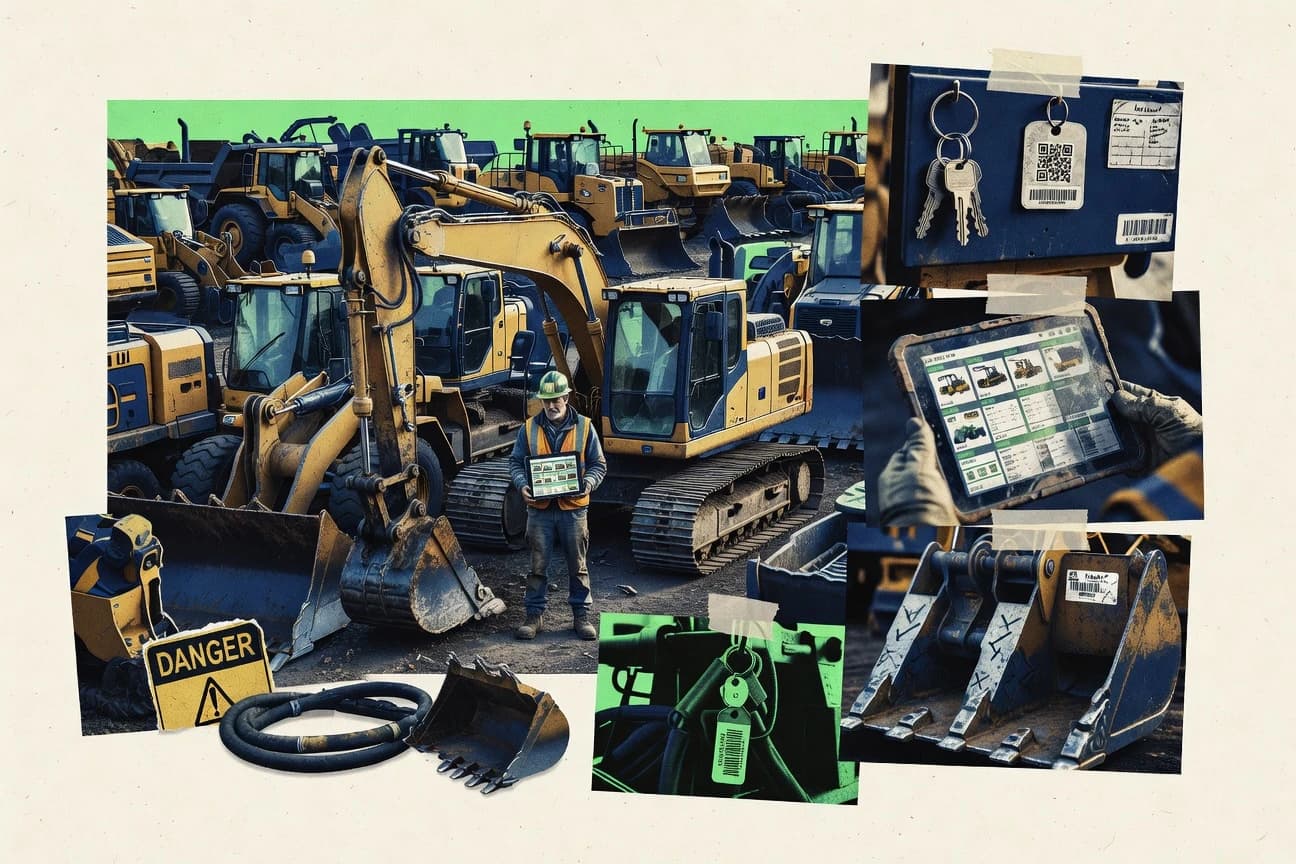
Construction InfrastructureTop 10 Best Heavy Equipment Inventory Software of 2026
Ranked roundup of heavy equipment inventory software for contractors, with side-by-side comparisons of HCSS Equipment360, Tenna, Gearflow and others.

How we ranked these tools
Core product claims cross-referenced against official documentation, changelogs, and independent technical reviews.
Analyzed video reviews and hundreds of written evaluations to capture real-world user experiences with each tool.
AI persona simulations modeled how different user types would experience each tool across common use cases and workflows.
Final rankings reviewed and approved by our editorial team with authority to override AI-generated scores based on domain expertise.
Score: Features 40% · Ease 30% · Value 30%
Gitnux may earn a commission through links on this page — this does not influence rankings. Editorial policy
HCSS Equipment360 is the best fit when maintenance workflows and yard transfers must keep a controlled equipment register with auditability, whereas Tenna suits multi-yard teams that need repeated, mobile-verified inventory updates backed by photos.
Editor’s top 3 picks
Three quick recommendations before you dive into the full comparison below — each one leads on a different dimension.
HCSS Equipment360
Equipment movement events integrate with maintenance status and inspection history to keep inventory state aligned to field activity.
Built for fits when maintenance workflows and yard transfers must update a controlled equipment register with auditability..
Tenna
Editor pickMobile equipment verification links records to specific visits with photo and inspection evidence for audit trails.
Built for fits when multi-yard teams need repeated, mobile verified inventory updates with photo-backed audit evidence..
Gearflow
Editor pickYard operational states are tied directly to check-in and check-out events, so asset availability reflects movement history.
Built for fits when multi-yard teams must enforce repeatable custody and maintenance-ready availability workflows..
Comparison Table
HCSS Equipment360
enterpriseEquipment management software connects construction assets with maintenance, costs, and operational records.
Equipment movement events integrate with maintenance status and inspection history to keep inventory state aligned to field activity.
Equipment360 centralizes equipment master data with make-model-year attributes and serial number fields, then connects those records to operational records like inspections and maintenance status. The system is designed to support multi-yard inventory with explicit equipment movements, including transfer and check-in or check-out style events that preserve an audit trail. Automation centers on keeping downstream work order activity consistent with inventory state rather than just producing reports.
A clear tradeoff is that inventory setup depends on disciplined master data and consistent classification of equipment and attachments before the workflows become reliable. The tool fits when a maintenance and operations team already uses structured work orders and needs inventory status to update as assets move between yards.
- +Inventory events stay consistent with maintenance status and inspection history
- +Serialized asset tracking supports make-model-year and serial number fields
- +Multi-yard transfer and check-in workflows reduce mismatched location records
- +Admin governance supports structured equipment classification across fleets
- –Reliable results require careful initial equipment master and attachment setup
- –Complex yard and workflow configurations increase time-to-adoption for new teams
- –Bulk edits can be slow for very large fleet registers with many attributes
- –Integration depth depends on the maintenance workflow shape already in place
Equipment managers
Track yard transfers with audit trail
Fewer location mismatches
Maintenance operations
Tie assets to maintenance status
Cleaner availability decisions
Show 2 more scenarios
Fleet admin teams
Manage serialized asset records
Accurate equipment master
Maintain make-model-year attributes and serial number tracking for consistent fleet inventory across yards.
Field supervisors
Coordinate inspections with inventory state
Better inspection follow-up
Associate inspection records with specific equipment to prevent outdated operational details from persisting.
Best for: Fits when maintenance workflows and yard transfers must update a controlled equipment register with auditability.
Tenna
vertical specialistConstruction fleet management software tracks heavy equipment, attachments, utilization, and maintenance.
Mobile equipment verification links records to specific visits with photo and inspection evidence for audit trails.
Tenna centers on a mobile check-in and check-out style workflow that lets teams verify equipment presence during yard operations and remote site work. Equipment records can be structured with core identifiers and categorical fields, then validated with photos and inspection-style notes captured on mobile devices. The admin experience supports managing users and controlling which teams can view or modify inventory records, which matters for multi-yard organizations.
A concrete tradeoff is that Tenna is not positioned as a deep work-order and maintenance scheduling suite, so organizations that rely on CMMS-native PM calendars may need integrations or a separate system. Tenna fits best when inventory accuracy depends on repeated physical verification across multiple yards, fleets, or job sites, and when teams need audit trails tied to specific verification events.
- +Mobile inventory verification connects asset records to real site checks
- +Photo and note capture supports inspection-style proof during audits
- +Multi-user governance supports restricting who can update which assets
- +Equipment identifiers support serial-level tracking for fidelity
- –Does not cover full CMMS preventive maintenance scheduling workflows
- –Complex integrations need careful process mapping to avoid duplicate sources
- –Reporting depth can lag specialized inventory and depreciation platforms
- –Extensive custom fields require disciplined master-data management
Operations and yard managers
Verify equipment before loading and dispatch
Fewer dispatch errors and missing assets
Fleet inventory coordinators
Maintain accurate asset master across sites
Up-to-date fleet inventory records
Show 1 more scenario
Asset compliance teams
Prove condition during equipment audits
Audit-ready inventory verification
Inspection-style notes and photos support evidence-based review of physical status.
Best for: Fits when multi-yard teams need repeated, mobile verified inventory updates with photo-backed audit evidence.
Gearflow
vertical specialistEquipment marketplace and inventory management platform for construction equipment fleets.
Yard operational states are tied directly to check-in and check-out events, so asset availability reflects movement history.
Gearflow fits fleets and multi-yard operations that need fast asset status changes when equipment is received, assigned, or returned. Equipment master records can track serialized assets, and the UI is organized around moving units through operational states rather than maintaining spreadsheets. It also supports maintenance status and inspection records so planners can see whether a unit is ready for the next assignment.
A key tradeoff is that deep customization relies on configuration discipline and consistent tag or serial entry, since process accuracy depends on the quality of asset master data. Gearflow works best when teams already have defined yard workflows for custody transfer and want fewer manual steps between receiving, maintenance updates, and dispatch.
- +Configurable check-in and check-out workflows for yard custody movements
- +Serialized asset records with make-model-year and serial number capture
- +Maintenance status and inspection records linked to each equipment record
- +Attachment tracking keeps tooling visibility aligned to the owning unit
- –Process accuracy depends on consistent serial and tag data entry
- –Integration depth can require planning around existing maintenance and work order flows
- –Multi-yard transfers need careful configuration to avoid status drift
- –Advanced reporting often reflects configured fields rather than ad hoc analysis
Equipment rental operations
Control unit custody between sites
Fewer missed handoffs
Fleet maintenance planners
Confirm maintenance status before dispatch
More reliable scheduling
Show 2 more scenarios
Parts and attachment coordinators
Track attachments with each unit
Less downtime during setup
Record attachment associations so tooling stays aligned during equipment transfers.
Asset controllers
Maintain accurate acquisition and disposal history
Cleaner inventory records
Keep equipment records consistent with serial level detail for audit and lifecycle tracking workflows.
Best for: Fits when multi-yard teams must enforce repeatable custody and maintenance-ready availability workflows.
Wynne Systems
enterpriseEnterprise rental management software for heavy equipment rental companies with inventory and fleet tracking.
Configured yard workflows tie equipment identity to check-in and transfer steps with status outcomes.
Wynne Systems targets heavy equipment asset register and fleet inventory workflows with structured equipment records and yard operations support. It focuses on controlling how equipment gets created, tracked, and moved through checks and status changes, which supports multi-yard inventory handling.
The system also supports operational visibility through maintenance and related activity history tied to specific equipment identities. Admin setup and process configuration are central to keeping inventory data consistent across locations and users.
- +Strong equipment record structure for consistent asset register entries
- +Yard movement workflows support check-in and transfer tracking across locations
- +Activity and maintenance history stay linked to the specific equipment identity
- +Admin configuration helps standardize statuses and operational steps
- –Integration and automation surface is narrower than tools built around telematics feeds
- –Advanced workflows require careful configuration to avoid inconsistent status use
- –Component-level tracking depth is limited compared with systems designed for parts catalogs
- –Reporting customization needs more admin effort than spreadsheet-style exports
Best for: Fits when maintenance-led equipment operations need consistent inventory status and transfer records across yards.
RentalResult
vertical specialistRental management software for equipment rental companies handling heavy machinery inventory and dispatch.
Meter-based maintenance linking that records usage context directly on each equipment’s historical timeline.
RentalResult logs heavy equipment inventory items into a centralized catalog and supports yard-level assignment so equipment status stays trackable across locations. It organizes acquisition and disposal records alongside usage fields like hour meter and odometer so maintenance triggers can be tied to real utilization.
The workflow focuses on operational check-in and check-out so dispatch and asset custody changes are recorded without spreadsheet handoffs. RentalResult also supports maintenance and inspection history tied back to the specific equipment records to keep compliance artifacts connected to each serial item.
- +Equipment record history ties maintenance events to each tracked serial asset
- +Check-in and check-out workflow reduces custody tracking errors
- +Meter-based usage fields support utilization-informed maintenance decisions
- +Multi-location assignment supports multi-yard inventory visibility
- –Automation depth for bulk transfers between yards can require manual batch work
- –Serialized asset entry requires careful upfront mapping of make-model-year fields
Best for: Fits when mid-size rental yards need serialized equipment history with meter-based upkeep tracking.
Informer by CSSI
vertical specialistAsset tracking and inventory management software for heavy equipment dealers and rental companies.
Configurable inventory lifecycle workflows that tie check-in and check-out actions to equipment status, inspections, and maintenance history.
Informer by CSSI is designed for heavy equipment inventory workflows that need more than a static asset register. It supports serialized asset tracking around an equipment master, with structured fields for make, model, year, and serial number.
The tool focuses on inventory visibility across yards through equipment movement and status handling tied to acquisition and disposal events. Operational control comes from configurable procedures that connect check-in and check-out actions to ongoing maintenance and inspection records.
- +Equipment master records support make, model, year, and serial number alignment
- +Equipment transfer workflows maintain inventory state across locations
- +Inspection and maintenance status stay connected to the same tracked asset
- +Configurable check-in and check-out workflows reduce manual updates
- –Barcode scanning and RFID workflows depend on external capture processes
- –Cross-system automation requires a dedicated integration effort
- –Multi-yard reporting can require tailored configuration for consistent views
- –Meter readings and utilization dashboards are limited versus telematics-first systems
Best for: Fits when fleet inventory teams need serialized asset control plus yard transfers and maintenance linkage.
Equipment Trader Pro
vertical specialistInventory listing and management platform for heavy equipment dealers to track and market machinery stock.
Inventory-to-listing field mapping that keeps condition and availability consistent across published equipment pages.
Equipment Trader Pro centers inventory management around listing-ready equipment data, not just internal records.
It supports make-model-year and serial-number capture flows aligned to how used-equipment sellers catalog assets.
The workflow emphasis is on converting stored inventory into active listings and maintaining consistent condition and availability details.
For teams focused on yard inventory visibility and sales-channel accuracy, it ties master asset entry to ongoing marketplace operations.
- +Listing-oriented inventory fields reduce rework between yard records and live ads
- +Strong support for make model year and serial number capture during intake
- +Condition and availability workflow aligns with what buyers see on published listings
- +Transfer-style handling supports keeping inventory counts aligned across locations
- –Automation depth for maintenance records and work order linkage is limited
- –Serialized tracking and components tracking require disciplined data entry
- –Multi-yard inventory workflows can feel manual for high transfer throughput
- –API and integration surface are not clearly positioned for custom fleet data pipelines
Best for: Fits when equipment teams need marketplace-accurate inventory records without heavy custom integrations.
Point of Rental
vertical specialistRental software manages equipment inventory, reservations, contracts, work orders, and fleet activity.
Availability status updates directly from rental transaction events, reducing manual reconciliation between yard stock and circulation.
Point of Rental targets rental fleet inventory with a workflow built around assets, rentals, and yard operations rather than generic cataloging. The system tracks equipment at the serial level, supports make-model-year identification, and connects usage and availability status to rental transactions.
Inventory control covers attachments and consumable inventory handling linked to specific jobs. Reporting focuses on stock movement and operational availability so teams can reconcile what is on hand versus what is in circulation.
- +Serial-level tracking keeps rental inventory aligned with physical units
- +Make-model-year fields improve asset matching during transfers and check-ins
- +Rental workflow ties availability status to active equipment assignments
- +Attachments can be managed alongside the parent equipment unit
- –Multi-yard support may require disciplined location setup for accurate stock counts
- –Deeper automation for meter reading and work orders depends on integration approach
- –Barcode and RFID workflows are limited if scanning is not part of the daily flow
- –Extensibility for custom fields can feel constrained for complex equipment hierarchies
Best for: Fits when rental operations need serial tracking with check-in and availability workflows across a controlled fleet.
Asset Panda
enterpriseConfigurable asset management software tracks equipment ownership, locations, condition, and maintenance.
Asset Panda ties inspections and maintenance history directly to serialized units and their custody changes.
Asset Panda manages a heavy equipment asset register with make, model, and serial-number level tracking. It supports inspection records, asset work history, and check-in or check-out workflows that connect equipment custody to operational events.
Asset Panda also covers fleet inventory structure with locations, assignments, and attachment handling for manuals and photos. Automation and integrations focus on keeping yard or field updates consistent across teams and systems using an API.
- +Serial-number and make-model fields fit equipment master maintenance workflows.
- +Inspections and work history create traceable maintenance status over time.
- +Check-in and check-out workflows support custody and transfer events.
- +Attachment support keeps manuals, photos, and documents tied to assets.
- –Complex setups can require careful configuration to match yard processes.
- –Inventory views can feel limited for high-volume multi-yard operations.
- –Advanced automation often depends on API-driven integration work.
- –Some governance needs rely on disciplined user role management.
Best for: Fits when equipment teams need serial-level tracking plus inspections and custody events across multiple sites.
MCS Rental Software
vertical specialistRental management software controls equipment availability, movements, maintenance, and customer transactions.
Built-in check-in and check-out flow that updates availability status per unit within the rental workflow.
MCS Rental Software is a rental-operations inventory system built around tracking equipment through the rental lifecycle and maintaining an accurate fleet record across locations. Core capabilities include equipment records with make, model, and year details plus serialized tracking fields, along with check-in and check-out workflows that support availability status.
The system also supports maintenance tracking and inspection-style recordkeeping tied to each unit so fleets can move with current maintenance status. Management controls focus on multi-location inventory handling for yards and transfers rather than generic asset lists.
- +Rental lifecycle check-in and check-out workflows keep unit status current
- +Serialized unit fields support tracking per machine for faster reconciliation
- +Maintenance and inspection records are tied to equipment for operational follow-through
- +Multi-location handling supports yard-level stock visibility and transfers
- –Automation is limited for custom inventory rules beyond standard workflows
- –Reports can require setup discipline to stay consistent across locations
- –Integrations beyond core rental and inventory flows are not clearly exposed
- –Extending fields for specialized attachments can add configuration effort
Best for: Fits when rental companies need consistent equipment status updates across multiple yards.
Conclusion
After evaluating 10 construction infrastructure, HCSS Equipment360 stands out as our overall top pick — it scored highest across our combined criteria of features, ease of use, and value, which is why it sits at #1 in the rankings above.
Use the comparison table and detailed reviews above to validate the fit against your own requirements before committing to a tool.
How to Choose the Right heavy equipment inventory software
Heavy equipment inventory software manages serialized asset records, yard movements, and inspection-linked evidence so inventory state stays aligned with field activity. This guide covers HCSS Equipment360, Tenna, Gearflow, Wynne Systems, RentalResult, Informer by CSSI, Equipment Trader Pro, Point of Rental, Asset Panda, and MCS Rental Software.
The standout differences appear in how each tool drives inventory state from check-in and check-out workflows, whether it ties equipment history to maintenance status or photo-verified inspections, and how much automation can be pushed through integrations. The guide focuses on integration depth, automation and API surface, and governance controls like configuration discipline and audit traceability.
Heavy equipment inventory software for serialized yard control, transfers, and audit-ready asset history
Heavy equipment inventory software maintains an equipment master with serialized identifiers like make-model-year and serial number, then records custody changes through check-in and check-out workflows. Core workflows track where equipment is located, whether availability status reflects movement history, and how inspections and maintenance context attach to each unit.
HCSS Equipment360 connects equipment movement events to maintenance status and inspection history so inventory state matches field activity. Tenna centers mobile equipment verification that links records to specific visits using photo and inspection evidence for audit trails, while Gearflow ties yard operational states directly to check-in and check-out events to keep availability aligned with custody.
Key evaluation criteria for heavy equipment inventory state
Inventory software for heavy equipment succeeds when it makes asset state flow from custody events and evidence, not when it relies on periodic manual reconciliation. The tools in this set differ most in how check-in and check-out actions update availability, inspection visibility, and maintenance context.
The practical impact shows up during yard transfers and audits when equipment identity, serial capture, and workflow configuration determine whether the equipment register matches what crews did in the field. HCSS Equipment360 ties movement events to maintenance status and inspection history, while Tenna links mobile verification to specific visits using photo and inspection evidence.
Movement-driven inventory state with audit context
HCSS Equipment360 integrates equipment movement events with maintenance status and inspection history so the inventory state follows field activity. Gearflow ties yard operational states directly to check-in and check-out events so asset availability reflects movement history.
Mobile verification that links checks to evidence
Tenna records mobile equipment verification tied to specific visits using photo and inspection evidence for audit trails. RentalResult builds a meter-based equipment timeline that links usage context directly to each equipment’s historical timeline.
Serialized intake and equipment identity consistency
Gearflow supports serialized asset records with make-model-year and serial number capture to maintain equipment identity across yard custody. Equipment Trader Pro maps intake fields to listing output so make model year and serial number capture stays consistent from intake to published condition and availability pages.
Configurable custody workflows across locations
Informer by CSSI provides configurable inventory lifecycle workflows that tie check-in and check-out actions to equipment status, inspections, and maintenance history. Wynne Systems uses configured yard workflows to connect equipment identity to check-in and transfer steps with status outcomes.
Maintenance linkage depth tied to meters or maintenance history
RentalResult links meter-based maintenance context onto each equipment historical timeline to support meter-aware upkeep. Asset Panda ties inspections and maintenance history directly to serialized units and their custody changes to keep traceable status over time.
Integration and automation surface for cross-system workflows
HCSS Equipment360’s inventory state stays consistent with maintenance status and inspection history, which reduces drift across related workflows. Tenna does not cover full CMMS preventive maintenance scheduling workflows, so teams relying on CMMS schedules may need separate processes for complete coverage.
How to choose heavy equipment inventory software for yard control and maintenance alignment
The decision starts with which system should be the source of inventory truth once equipment moves. Some tools drive inventory state directly from check-in and check-out workflows tied to yard custody, while others anchor inventory proof in mobile verification visits.
The second decision is how tightly maintenance status and inspection history need to attach to each serial unit as equipment transfers. HCSS Equipment360 targets controlled equipment register alignment with auditability, while Tenna focuses on photo-backed audit evidence for repeated site checks.
Pick the state driver: custody events or verified site visits
Select Gearflow when the yard needs asset availability to track custody with configurable check-in and check-out workflow states. Select Tenna when the audit trail must be anchored to specific visits with photo and inspection evidence that link mobile verification to real site checks.
Match maintenance linkage requirements to the tool’s timeline model
Choose HCSS Equipment360 when movement events must update maintenance status and inspection history so the register stays aligned with field activity. Choose RentalResult when meter-based maintenance context must attach to each serialized equipment’s historical timeline for meter-aware upkeep decisions.
Evaluate how equipment identity data flows from intake to operations
Choose Equipment Trader Pro when intake mapping must keep condition and availability consistent across published equipment pages without heavy custom integration work. Choose Informer by CSSI when serialized asset control and yard transfers must stay tied to equipment status, inspections, and maintenance history through lifecycle workflows.
Plan for governance in serial and attachment setup before rolling out
Select HCSS Equipment360 when the team can invest in careful initial equipment master and attachment setup because reliable results depend on that setup. Select Informer by CSSI when the team can run barcode scanning and RFID capture via external capture processes because those workflows depend on external data capture.
Test multi-yard throughput with real transfer and batch scenarios
Select Wynne Systems when yard movement workflows need configured check-in and transfer tracking across locations with status outcomes driven by equipment identity. Select RentalResult when batch transfers between yards can be handled manually because bulk transfer automation depth can require manual batch work.
Who heavy equipment inventory software is for
This category fits organizations that must keep serialized asset records and yard custody events aligned so inspections, maintenance context, and availability status do not drift. The strongest fits come from teams that run repeatable check-in and check-out workflows or require mobile verification evidence during audits.
The tool set also diverges between maintenance-led operations that tie movement to maintenance status and rental or multi-yard teams that need quick availability updates from transaction and meter timelines.
Multi-yard equipment operators with inspection-linked maintenance workflows
HCSS Equipment360 is designed so equipment movement events integrate with maintenance status and inspection history, keeping the controlled equipment register aligned to field activity. Wynne Systems also supports yard movement workflows with configured check-in and transfer steps tied to status outcomes.
Field teams that need audit-ready proof for repeated inventory checks
Tenna links mobile equipment verification to specific visits using photo and inspection evidence so audits can trace verification back to site checks. Equipment Panda and Asset Panda also tie inspections to serialized units, but Tenna’s emphasis stays on visit evidence rather than deeper workflow linkage.
Rental fleets that rely on meter-based or transaction-driven upkeep context
RentalResult records meter-based maintenance linking on each equipment’s historical timeline so usage context rides along with the serial unit. Point of Rental updates availability status directly from rental transaction events to reduce reconciliation between yard stock and circulation.
Maintenance-led inventory teams that need lifecycle workflows across custody
Informer by CSSI ties check-in and check-out actions to equipment status, inspections, and maintenance history through configurable inventory lifecycle workflows. Gearflow ties yard operational states directly to check-in and check-out events so maintenance-ready availability reflects custody movement history.
Common pitfalls when deploying heavy equipment inventory software
Most failures come from mismatched workflow responsibility and missing data capture discipline. The category depends on accurate serial and tag data entry, and it depends on teams configuring yard locations and attachment or identifier records before field operations begin.
When teams treat inventory updates as periodic data cleanup instead of movement-driven workflow outcomes, availability status diverges from real custody, and audits expose inconsistent history links.
Entering serial and tag data inconsistently, which breaks custody and maintenance continuity
Gearflow depends on consistent serial and tag data entry so asset availability and history remain accurate. Asset Panda and RentalResult also require serialized asset entry mapping so equipment master fields align with maintenance and custody workflows.
Overestimating automation coverage for maintenance scheduling and work order linkage
Tenna does not cover full CMMS preventive maintenance scheduling workflows, so maintenance schedules may still require separate handling. Equipment Trader Pro has limited automation depth for maintenance records and work order linkage, which can force manual coordination for maintenance processes.
Under-designing yard workflow configuration and location setup for multi-yard accuracy
Point of Rental multi-yard support can require disciplined location setup for accurate stock counts. Wynne Systems and Informer by CSSI rely on configured yard workflows and lifecycle configuration, so inconsistent status outcomes happen when teams reuse statuses without clear governance.
Assuming barcode scanning or RFID workflows work without capture infrastructure
Informer by CSSI requires barcode scanning and RFID workflows that depend on external capture processes. That dependency can create gaps in inventory verification if capture devices and processes are not standardized before rollout.
How We Selected and Ranked These Tools
We evaluated how movement-driven inventory state is produced through check-in and check-out workflows, how serialized equipment identity is captured with make-model-year and serial number fields, and how inspection and maintenance history are linked to inventory state. Features counted 40% of the ranking, while ease and value each counted 30%, which weighted adoption friction and operational payoff.
HCSS Equipment360 separated itself through equipment movement events that integrate with maintenance status and inspection history, plus serialized asset tracking that supports make-model-year and serial number fields. Tenna ranked high on audit evidence by linking mobile equipment verification to specific visits with photo and inspection evidence, while Gearflow ranked high when yard operational states needed to mirror custody movement history through check-in and check-out events.
Frequently Asked Questions About heavy equipment inventory software
How do these tools keep fleet inventory aligned with real yard movement events?
Which tool is better for multi-yard teams that need repeated mobile verification with audit evidence?
What breaks if equipment lifecycle events are not connected to maintenance and inspection records?
How are serialized assets handled during check-in and check-out workflows?
When should attachment tracking be required for heavy equipment inventory control?
What integrations and APIs are typically needed to automate inventory updates across systems?
How do admin controls and RBAC-style governance prevent unauthorized changes to serialized inventory?
How should a data migration be structured when moving an equipment master and historical inspections into inventory software?
Where does marketplace-oriented inventory data fit compared to yard and maintenance execution?
Tools reviewed
Primary sources checked during evaluation.
Referenced in the comparison table and product reviews above.
- Construction InfrastructureTop 10 Best Heavy Construction Estimating Software of 2026
- Facilities Property ServicesTop 10 Best Office Equipment Inventory Software of 2026
- Equipment Rental LeasingTop 10 Best Heavy Equipment Rental Software of 2026
- Construction InfrastructureTop 10 Best Construction Equipment Tracking Software of 2026
- Construction InfrastructureTop 10 Best Elevator Inventory Software of 2026
Keep exploring
Comparing two specific tools?
Software Alternatives
See head-to-head software comparisons with feature breakdowns, pricing, and our recommendation for each use case.
Explore software alternatives→In this category
Construction Infrastructure alternatives
See side-by-side comparisons of construction infrastructure tools and pick the right one for your stack.
Compare construction infrastructure tools→