GITNUXSOFTWARE ADVICE
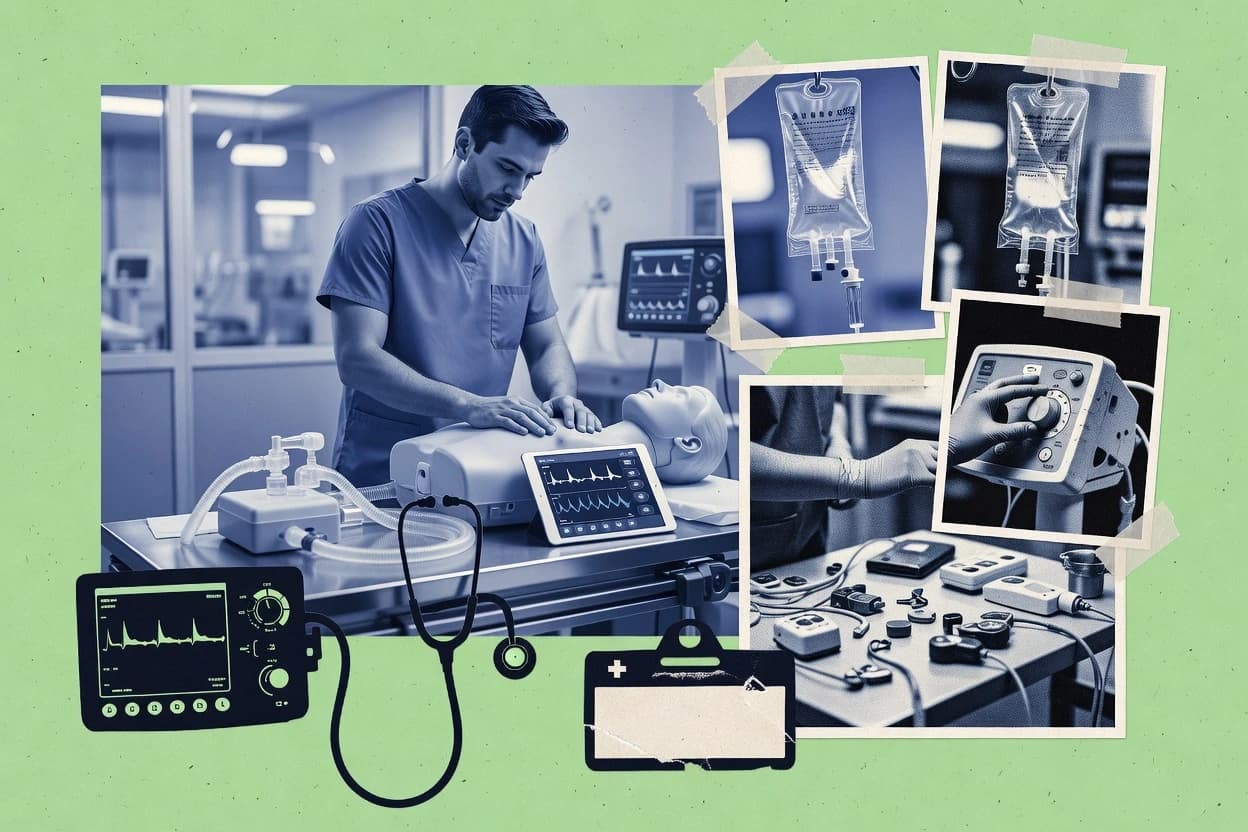
Science ResearchTop 10 Best Healthcare Simulation Software of 2026
Compare healthcare simulation software tools for medical training labs, with Surgical Science, Body Interact, and Simio options and tradeoffs.

How we ranked these tools
Vendors set the topic, but our editors set the inclusion criteria and the evaluation framework before research starts.
Agents extract product evidence with provenance, then collect written reviews and transcribe video reviews and podcasts.
Framework: Features 40% · Ease 30% · Value 30%
Gitnux may earn a commission through links on this page — this does not influence rankings. Editorial policy
Surgical Science is the best pick for surgical training centers that need scenario delivery and instructor-led debrief workflows because it tightly ties each run to structured feedback cycles for repeat practice, whereas Body Interact suits nursing education teams since its guided debrief flow turns facilitator prompts into consistent post-encounter feedback artifacts.
Editor’s top 3 picks
Three quick recommendations before you dive into the full comparison below — each one leads on a different dimension.
Surgical Science
Instructor facilitation and debrief workflow ties scenario runs to structured feedback cycles for surgical sessions.
Best for: Fits when surgical training centers need scenario delivery and debrief workflows built for repeat practice.
Body Interact
Editor pickGuided debrief workflow that turns facilitator prompts into consistent post-encounter feedback artifacts.
Best for: Fits when nursing education teams want consistent screen-based encounters plus guided debriefing across multiple groups.
Simio
Editor pickScenario execution driven by discrete-event process modeling lets healthcare training reflect queues, capacity, and timing constraints.
Best for: Fits when teams need discrete-event, operationally realistic clinical workflows for training and what-if staffing scenarios.
Comparison Table
Surgical Science
enterpriseMedical simulation systems for surgical training, endovascular training, and procedure rehearsal.
Instructor facilitation and debrief workflow ties scenario runs to structured feedback cycles for surgical sessions.
Surgical Science focuses on surgical training workflows that center on scenario delivery, debriefing, and repeatable practice rather than generic e-learning content. The core capabilities include a simulation learning management layer tied to surgical skills practice, plus tools for instructor-led facilitation and structured feedback cycles.
Scenario authoring and assessment flow support faculty review during the session and after the session, which fits multi-station training events. Integration options matter for healthcare IT environments, especially when simulation activity needs to map to external learning and record systems.
- +Workflow-first design for instructor-led debrief and structured feedback
- +Scenario management supports repeat practice across training cohorts
- +Assessment flow supports measurable progress across training runs
- +Simulation session structure fits center-based schedules and facilitation
- –Scenario setup requires disciplined faculty and content governance
- –Extensibility depends on integration work for external systems
- –High-volume recording and annotation workflows need configuration
- –Some evaluation features may require add-on modules for coverage
Best for: Fits when surgical training centers need scenario delivery and debrief workflows built for repeat practice.
Body Interact
vertical specialistVirtual patient simulation software for clinical reasoning, assessment, and healthcare education.
Guided debrief workflow that turns facilitator prompts into consistent post-encounter feedback artifacts.
Body Interact is a screen-based simulation workflow tool aimed at healthcare training teams that need consistent scenario pacing and educator-led debriefing. Its core value shows up in how scenarios are run, how facilitator prompts guide learners through decision points, and how outcomes can be reviewed after sessions. The strongest fit signals are teams that standardize instruction across multiple cohorts and want the debrief process to be more structured than free-form notes.
A tradeoff appears around high-fidelity integrations since the simulation center stack often depends on external recording, manikin telemetry, or EHR simulation systems for data depth. Body Interact fits well when the training goal centers on clinical reasoning, communication, and adherence to encounter protocols using the screen-based interaction layer.
- +Facilitator-led scenario flow keeps sessions consistent across cohorts
- +Structured debrief steps reduce variation in feedback delivery
- +Learner outcome capture supports follow-up review after runs
- +Screen-based interaction supports repeatable standardized encounters
- –Limited manikin-telemetry depth compared with device-driven simulation setups
- –Advanced integrations need middleware work to match EHR and analytics stacks
- –Scenario authoring requires more setup than templates-only workflows
- –Multi-camera recording features are not the primary focus of the system
Nursing educators
Standardized patient encounter practice
More consistent coaching after sessions
Clinical skills centers
Cohort scheduling and repeat runs
Lower variance between instructors
Show 2 more scenarios
Simulation faculty
Formative assessment with rubrics
Faster formative feedback loops
Use structured checkpoints during the encounter and review outcomes afterward.
Program directors
Competency tracking across modules
Clearer readiness checkpoints
Aggregate encounter performance signals to support competency review and remediation planning.
Best for: Fits when nursing education teams want consistent screen-based encounters plus guided debriefing across multiple groups.
Simio
enterpriseFlexible simulation for healthcare facility design.
Scenario execution driven by discrete-event process modeling lets healthcare training reflect queues, capacity, and timing constraints.
Simio supports healthcare simulation using an interactive, screen-based modeling workflow for building discrete-event clinical scenarios. Healthcare teams use it to define patient flows, resources, and timing in a way that supports repeatable runs and scenario variants.
Simio’s automation surface favors programmatic scenario generation and integration patterns tied to model configuration and execution. For simulation programs that need operational realism such as staffing, queues, and throughput, Simio’s process modeling orientation can fit more naturally than pure authoring tools.
- +Discrete-event control supports queues, resource contention, and timing realism
- +Scenario variants can be generated through model configuration and execution parameters
- +Screen-based modeling reduces dependency on 3D or VR build pipelines
- +Run repeatability supports formative cycles with consistent system conditions
- –Scenario authoring for bedside realism may require extra design effort
- –Clinical content libraries like standardized scenario packages are not a primary fit
- –Multi-camera debrief recording workflows are not the core focus
- –Deep healthcare EHR simulation depends on external integration work
Best for: Fits when teams need discrete-event, operationally realistic clinical workflows for training and what-if staffing scenarios.
SimX
vertical specialistVirtual reality medical simulation platform for clinical training, team training, and scenario authoring.
Event-sequenced scenario sessions tie facilitator controls to step-level performance capture for consistent debrief alignment.
SimX fits simulation teams that run frequent screen-based or immersive training sessions and need repeatable delivery for faculty facilitation. Scenario setup supports event sequencing and session control, which makes it easier to run the same clinical pathway for different trainee groups. Performance tracking is organized around observable steps, so faculty can align feedback with what the trainee did during the scenario.
- +Scenario session control supports consistent facilitation across repeated cohorts
- +Event-based tracking aligns feedback with concrete trainee actions
- +Facilitator console supports structured debrief workflows
- +Scenario templating supports repeatable standardized encounters
- –Advanced automation needs disciplined scenario modeling before reuse
- –Integration depth may require engineering time for complex EHR workflows
- –Faculty adoption can slow if assessment steps are not standardized
- –Content iteration is slower when many session events must be reworked
Simulation center educators
Repeat standardized encounters for cohorts
More consistent debrief feedback
Clinical faculty teams
Debrief based on observed actions
Clearer formative assessment
Show 1 more scenario
Medical education program managers
Scale training across locations
Reduced variation between sites
Reusable scenario configurations support consistent session delivery for recurring interprofessional education blocks.
Best for: Fits when a simulation center needs repeatable scenario delivery and step-level performance tracking for faculty-led debriefs.
Oxford Medical Simulation
vertical specialistScreen-based and VR clinical simulation software for hospitals, universities, and nursing programs.
Faculty facilitation console with objective-linked playback and action-by-action performance mapping for each scenario run.
Oxford Medical Simulation fits simulation teams that need consistent scenario execution across cohorts because it centralizes scenario steps, timing, and evaluation checkpoints. The authoring and facilitation workflow supports pre-brief structure and a repeatable debrief sequence tied to the learning objectives. A concrete strength is scenario reusability for multiple runs with the same objective set, reducing variance between sessions.
- +Scenario authoring keeps event timing and evaluation steps in one workflow
- +Facilitator controls support consistent pre-briefing and structured debrief flow
- +Objective-aligned scoring reduces evaluator-to-evaluator variation
- +Interoperability supports HL7 FHIR style integration paths for learner and record data
- –Deep EHR simulation fidelity can require more integration work than expected
- –Complex branching logic can increase authoring time for multi-step encounters
- –Advanced reporting depends on export and reporting configuration
- –Governance for scenario changes needs disciplined version control by faculty admins
Simulation center educators
Run standardized encounters with consistent evaluation
More consistent results across cohorts
Clinical training program leads
Track competency progress across multiple sessions
Clearer competency trend reporting
Show 2 more scenarios
EHR integration and LMS admins
Connect simulation outcomes to learning records
Reduced manual data handling
Admins route learner and performance signals to downstream systems using interoperability connectors.
Interprofessional education coordinators
Assess team actions in structured encounters
Role-based performance feedback
Teams evaluate role-specific actions within a single scenario run using objective checkpoints.
Best for: Fits when simulation centers standardize screen-based encounters and need repeatable scoring tied to objectives.
FlexSim Healthcare
enterprise3D healthcare patient flow simulation.
Discrete-event process modeling that visualizes patient routing, queue dynamics, and capacity utilization in animated runs.
FlexSim Healthcare drives patient and resource flows through a simulation model to test operational scenarios before they run in facilities. The workflow centers on scenario authoring, animated execution, and performance reporting for throughput, utilization, and queue behavior.
- +Discrete-event models quantify queues, utilization, and throughput under changing demand
- +Scenario branching supports operational “what-if” testing across routes and resource rules
- +Animated execution helps validate logic and spot bottlenecks during runs
- +Reporting outputs support process-level comparisons across scenario sets
- –Training-oriented content flows like debriefing and scoring are not the core focus
- –Advanced model building needs scripting or heavy configuration discipline
- –FHIR, HL7, or EHR simulation hooks are not inherent to typical workflows
- –No standardized scenario library for AHA BLS ACLS PALS content is implied by the core model
Best for: Fits when operational simulation training needs measurable throughput and queue outcomes for facility process decisions.
GigXR
emerging enterpriseExtended reality training platform with healthcare simulation applications for anatomy and clinical learning.
Instructor-controlled scenario progression paired with event timeline capture designed specifically for debrief workflows.
GigXR is a healthcare simulation software focused on running screen-based simulation scenarios with consistent student experience from start through debrief. Scenario playback and faculty facilitation workflows are built around repeatable encounters, including guided timing and instructor-controlled progression. Assessment output is designed to support debriefing and formative feedback by capturing scenario events and learner performance signals during the run.
- +Scenario run control for faculty with clear stage progression
- +Event capture supports structured debrief walkthroughs
- +Repeatable encounters improve standardization across cohorts
- +Formative signals help track learner performance over sessions
- –Scenario authoring depth limits highly customized clinical logic
- –Integration depth for EHR simulation and standards may require add-ons
- –Advanced analytics and rubric customization feel constrained
- –Multi-center rollout needs stronger governance and audit tooling
Best for: Fits when teams need repeatable screen-based simulation delivery with instructor-led facilitation and debrief-ready event capture.
VirtaMed
enterpriseSurgical simulation systems for endoscopy, gynecology, urology, orthopedics, and skills training.
Timeline-based virtual patient scenario execution with structured performance scoring for consistent, faculty-led debriefing.
VirtaMed focuses on simulation workflows for healthcare training that combine virtual patient encounters with scenario-driven assessment. The tool supports scenario authoring, timed event progression, and structured debriefing so faculty can run consistent sessions across cohorts.
- +Scenario engine supports event timelines and branching encounter flows
- +Faculty workflow emphasizes repeatable runs with structured debriefing
- +Learner performance capture supports objective scoring during encounters
- +Integration paths support EHR-style documentation and interoperability needs
- –Advanced configuration takes time to align scoring with local rubrics
- –Scenario authoring depth can slow iterative changes during pilot runs
- –Multi-facility rollout requires deliberate training for admins and faculty
- –Some recording and annotation workflows depend on external capture setups
Best for: Fits when teams need repeatable virtual patient encounters with structured assessment and faculty-led debriefing.
Laerdal SimMan
enterprisePatient simulation platform for nursing, EMS, hospital, and medical education training.
Manikin physiology state synchronization with scenario timing so learner responses drive course progression and debrief evidence.
Laerdal SimMan is a manikin-based simulation offering with software control for physiology-driven scenarios and clinical timing. It centers on scenario playback and faculty facilitation workflows that align debrief activities with what learners did during the case.
- +Physiology-driven case control that keeps learner actions tied to clinical state
- +Event and timeline recording for debrief alignment with what occurred in the scenario
- +Scenario authoring workflows designed for repeated use in scheduled training
- +Interoperability paths support moving simulation outcomes into broader learning environments
- –Scenario setup requires careful equipment and scenario configuration to avoid timing drift
- –Integration depth depends on connected systems and may require implementation work
- –Advanced customization takes more coordination than UI-only scenario changes
- –Debrief capture workflows can be resource-heavy during multi-camera sessions
Best for: Fits when simulation centers need consistent manikin-linked scenario replay and structured debrief evidence across recurring courses.
InSimu
vertical specialistVirtual patient and diagnostic simulation platform for medical learning and clinical decision practice.
Timeline-based event capture that maps learner actions to timed scenario states for structured faculty debriefing.
InSimu runs screen-based healthcare simulation scenarios and records learner actions for faculty debriefing. The core workflow centers on scenario authoring, timed events, and rubric-based assessment tied to each simulation attempt.
- +Screen-based scenario playback keeps results repeatable across rooms and cohorts
- +Event-driven timelines support structured debriefing tied to learner steps
- +Rubric-based scoring links performance outcomes to specific decision points
- +Instructor facilitation tools reduce the need for manual notes during runs
- –Healthcare simulation fidelity depends on how scenarios and decision logic are modeled
- –Integrations can require extra work when connecting to external LMS or EHR simulators
- –Advanced automation needs careful scenario configuration to avoid brittle branching
- –Large scenario libraries can become harder to govern without strict naming conventions
Best for: Fits when programs need repeatable screen-based encounters with rubric scoring and faculty-led debriefing.
Conclusion
After evaluating 10 healthcare simulation software, Surgical Science stands out as our overall top pick — it scored highest across our combined criteria of features, ease of use, and value, which is why it sits at #1 in the rankings above.
Use the comparison table and detailed reviews above to validate the fit against your own requirements before committing to a tool.
How to Choose the Right Healthcare Simulation Software
This buyer’s guide covers Oxford Medical Simulation, SimX, Body Interact, Laerdal SimMan, InSimu, VirtaMed, Surgical Science, GigXR, FlexSim Healthcare, and Simio for healthcare simulation software use cases ranging from screen-based encounters to manikin-linked scenario timing and discrete-event operational training.
Each tool card emphasizes how scenario run control, event timeline capture, and faculty facilitation workflows shape throughput, scoring repeatability, and debrief alignment across repeated cohorts.
Oxford Medical Simulation is highlighted for its objective-linked playback with action-by-action performance mapping, while SimX is highlighted for event-sequenced scenario sessions that tie facilitator controls to step-level performance capture.
Evaluation signals for healthcare simulation scenario workflows and evidence capture
These tools succeed when scenario run control, evidence capture, and debrief workflow connect into a single repeatable loop across cohorts. The biggest differences show up in how each platform ties learner actions to the scenario timeline, debrief artifacts, and scoring structure used by faculty.
Objective-linked debrief playback tied to each scenario step
Oxford Medical Simulation links facilitator playback to action-by-action performance mapping for each scenario run, which keeps debrief evidence aligned to objectives.
Event-sequenced session control that anchors feedback to step performance
SimX uses event-sequenced scenario sessions that connect facilitator controls to step-level performance capture for consistent debrief alignment.
Guided debrief workflow that standardizes feedback output across cohorts
Body Interact focuses on a guided debrief workflow that turns facilitator prompts into consistent post-encounter feedback artifacts.
Manikin physiology state synchronization with scenario timing
Laerdal SimMan differentiates by synchronizing manikin physiology state with scenario timing so learner responses drive course progression and debrief evidence.
Timeline-based event capture that maps actions to timed scenario states
InSimu and VirtaMed both use timeline-based event capture and structured performance scoring, but VirtaMed emphasizes a virtual patient scenario engine with branching encounter flows.
Discrete-event process modeling for throughput and queue training
FlexSim Healthcare and Simio use discrete-event process modeling to animate patient routing, queues, and capacity utilization for operational what-if training rather than clinical bedside realism.
Select by workflow philosophy: clinical fidelity, facilitation control, or operational process modeling
Healthcare simulation platforms in this set split into three dominant workflow philosophies: manikin-linked physiology control, screen-based encounter event timelines with faculty facilitation, and discrete-event operational modeling. A tool choice becomes predictable when the facility selects the evidence loop that matches its training goals, then tests whether scenario modeling supports that loop without excessive rework.
Match the run-control source to the training evidence needed
If scenario timing must be driven by manikin physiology state, Laerdal SimMan supports learner actions that change the course progression and debrief evidence through physiology synchronization. If evidence must come from facilitator-controlled step capture and event sequencing for debrief alignment, SimX and Oxford Medical Simulation focus on event-sequenced session control tied to step-level performance capture.
Choose the timeline model that fits the content life cycle
If screen-based scenarios must record learner actions into replayable evidence with structured debrief walkthroughs, InSimu emphasizes timeline-based event capture and screen-based scenario playback for repeatability across rooms. If virtual patient encounters need branching encounter flows with structured performance scoring, VirtaMed provides a scenario engine built around event timelines and branching flows.
Pick a debrief standardization approach tied to facilitator behavior
If debrief quality must be standardized through guided facilitator prompts that generate consistent feedback artifacts, Body Interact provides a guided debrief workflow focused on reducing variation. If debrief evidence must link to objective-aligned playback with action-by-action performance mapping per run, Oxford Medical Simulation provides the objective-linked playback and action mapping that faculty can reuse across cohorts.
Decide whether clinical storytelling or operational throughput is the primary training target
If the training target is queue outcomes, routing decisions, and utilization under changing demand, FlexSim Healthcare and Simio center the workflow on discrete-event process modeling with measurable throughput and queue dynamics. If the target is scenario delivery with instructor-led facilitation and debrief-ready event capture for clinical or screen-based encounters, GigXR and Surgical Science focus more on scenario progression and debrief workflows than on operational process animation.
Test authoring time under the scenario complexity expected in production
If the scenario model must include complex branching and step-level scoring logic across many encounters, Oxford Medical Simulation and SimX can support that alignment but may increase authoring time when branching logic expands. If scenario authoring must be iterated quickly during pilots, VirtaMed flags that advanced configuration alignment with local rubrics can slow iterative changes during pilot runs.
Confirm integration workload against the connected systems in the training center
If healthcare simulation fidelity must include deep EHR simulation, Oxford Medical Simulation cautions that deep EHR simulation fidelity can require more integration work than expected. If the environment depends on connecting to external LMS or EHR simulators, InSimu notes that integrations can require extra work when connecting to external systems for learning management or simulator interoperability.
Who benefits most from these Healthcare Simulation Software workflow types
Simulation teams get the best adoption when platform mechanics match how faculty run debriefs and how learning evidence gets stored and replayed. The strongest fits in this list depend on whether the primary fidelity driver is manikin physiology, screen-based event timelines, or discrete-event operational queues.
Simulation centers standardizing screen-based encounters across rooms
Oxford Medical Simulation supports repeatable scoring tied to objectives through its faculty facilitation console and objective-linked playback with action-by-action performance mapping. SimX also fits centers that need repeatable scenario delivery with step-level performance tracking tied to event-sequenced sessions.
Nursing and allied health programs that require consistent debrief output across cohorts
Body Interact is designed around a guided debrief workflow that turns facilitator prompts into consistent post-encounter feedback artifacts. InSimu supports repeatability through screen-based scenario playback paired with timeline-based event capture for faculty-led rubric scoring and structured debriefs.
Clinical skills labs using manikin physiology to drive learner-dependent progression
Laerdal SimMan fits teams that want scenario timing synchronized to manikin physiology state so learner responses control course progression and debrief evidence. This approach supports structured debrief evidence tied to what changed in the manikin-driven clinical state.
Virtual patient training teams building branching encounters and structured assessment
VirtaMed supports timeline-based virtual patient scenario execution with structured performance scoring and branching encounter flows. This aligns with teams that need repeatable virtual patient runs and step-aligned debrief evidence for faculty facilitation.
Operational simulation groups focused on routing, queues, and capacity utilization
FlexSim Healthcare and Simio support discrete-event operational training that measures queues, utilization, and throughput under changing demand. This fit targets facility process decisions rather than clinical content libraries and bedside realism.
Common buying pitfalls in healthcare simulation scenario systems
Mistakes usually start during scenario validation and show up as debrief evidence mismatch, slow authoring iteration, or integration delays after purchase. The most costly errors come from choosing a platform for the wrong fidelity driver or assuming event capture can be retrofitted without modeling changes.
Overestimating how quickly complex branching clinical logic can be authored for reuse
Oxford Medical Simulation flags that complex branching logic can increase authoring time for multi-step encounters. SimX warns that advanced automation needs disciplined scenario modeling before reuse.
Assuming debrief consistency will come automatically without aligning facilitator workflow to captured evidence
Body Interact reduces variation by standardizing facilitator prompts into consistent feedback artifacts, but it also uses limited manikin-telemetry depth versus device-driven simulation setups. InSimu emphasizes timeline-based debrief alignment, so teams should validate that their rubric steps map cleanly to the captured learner actions.
Choosing manikin-linked physiology simulation when the facility’s primary scenario runs are screen-based encounters
Laerdal SimMan is built around synchronizing manikin physiology state with scenario timing, which is a tight fit when manikin-driven progression is required. If scenarios do not rely on physiology state changes, teams may spend effort on equipment and scenario configuration that does not serve the core evidence loop.
Buying an operational discrete-event model for clinical bedside training deliverables
FlexSim Healthcare and Simio focus on discrete-event process modeling that quantifies queues, utilization, and throughput rather than core clinical bedside realism. These tools are weaker fits when training requires clinical content libraries built around standardized patient encounters and rubric-driven clinical debrief steps.
Under-scoping integration work when external EHR simulation, LMS interoperability, or simulator connectivity is required
Oxford Medical Simulation notes that deep EHR simulation fidelity can require more integration work than expected. InSimu also notes that integrations can require extra work when connecting to external LMS or EHR simulators.
How We Selected and Ranked These Tools
We evaluated Oxford Medical Simulation, SimX, Body Interact, Laerdal SimMan, InSimu, VirtaMed, Surgical Science, GigXR, FlexSim Healthcare, and Simio on scenario run control, event or physiology-driven evidence capture, and faculty debrief workflow depth. Features carried 40% of the score and ease and value each carried 30%.
Oxford Medical Simulation ranked first because its faculty facilitation console ties objective-linked playback to action-by-action performance mapping for each scenario run, which creates direct evidence traceability from trainee actions to debrief scoring. The ranking also favored tools that support repeatable scenario delivery through timeline sequencing or synchronized state control, which reduces variability when multiple cohorts run the same encounters.
Frequently Asked Questions About Healthcare Simulation Software
How do Oxford Medical Simulation and SimX differ in scenario control during a live training session?
Which tool is better for structured debrief artifacts generated from facilitator prompts?
How does Laerdal SimMan handle physiology state synchronization compared with screen-based tools?
What breaks if event timeline capture is missing or inconsistent in VirtaMed and GigXR?
Which integration patterns matter most for HL7 FHIR workflows and learning record handoff?
How do scenario authoring and reuse workflows differ between SimX and Oxford Medical Simulation?
Where does FlexSim Healthcare fall short compared with healthcare manikin or virtual patient simulation tools?
When should surgical simulation teams choose Surgical Science over general screen-based encounter platforms?
How does RBAC and audit-style tracking show up in VirtaMed compared with simpler facilitation-only setups?
What technical learning management outputs and interoperability gaps appear when using Simio for clinical training scenarios?
Tools reviewed
Primary sources checked during evaluation.
Referenced in the comparison table and product reviews above.
Funding and competing interests
This study was co-funded by several of the vendors assessed in it. No single vendor funded it. Funders could propose the market studied.
They had no role in selecting vendors, setting or weighting criteria, analysing data or drawing conclusions, and they received the same factual-accuracy check as every other vendor assessed.
Market definition, inclusion rules and criteria weights were fixed by an editor before research began and did not change afterwards. Editorial process →
- Science ResearchTop 10 Best Business Simulation Software of 2026
- Science ResearchTop 10 Best Big Data Simulation Software of 2026
- Science ResearchTop 10 Best Biology Simulation Software of 2026
- Science ResearchTop 10 Best 3D Simulation Services of 2026
- Healthcare MedicineTop 10 Best Cloud Computing Healthcare Services of 2026
Keep exploring
Comparing two specific tools?
Software Alternatives
See head-to-head software comparisons with feature breakdowns, pricing, and our recommendation for each use case.
Explore software alternatives→In this category
Science Research alternatives
See side-by-side comparisons of science research tools and pick the right one for your stack.
Compare science research tools→