
GITNUXSOFTWARE ADVICE
Construction InfrastructureTop 10 Best Fire Door Inspection Software of 2026
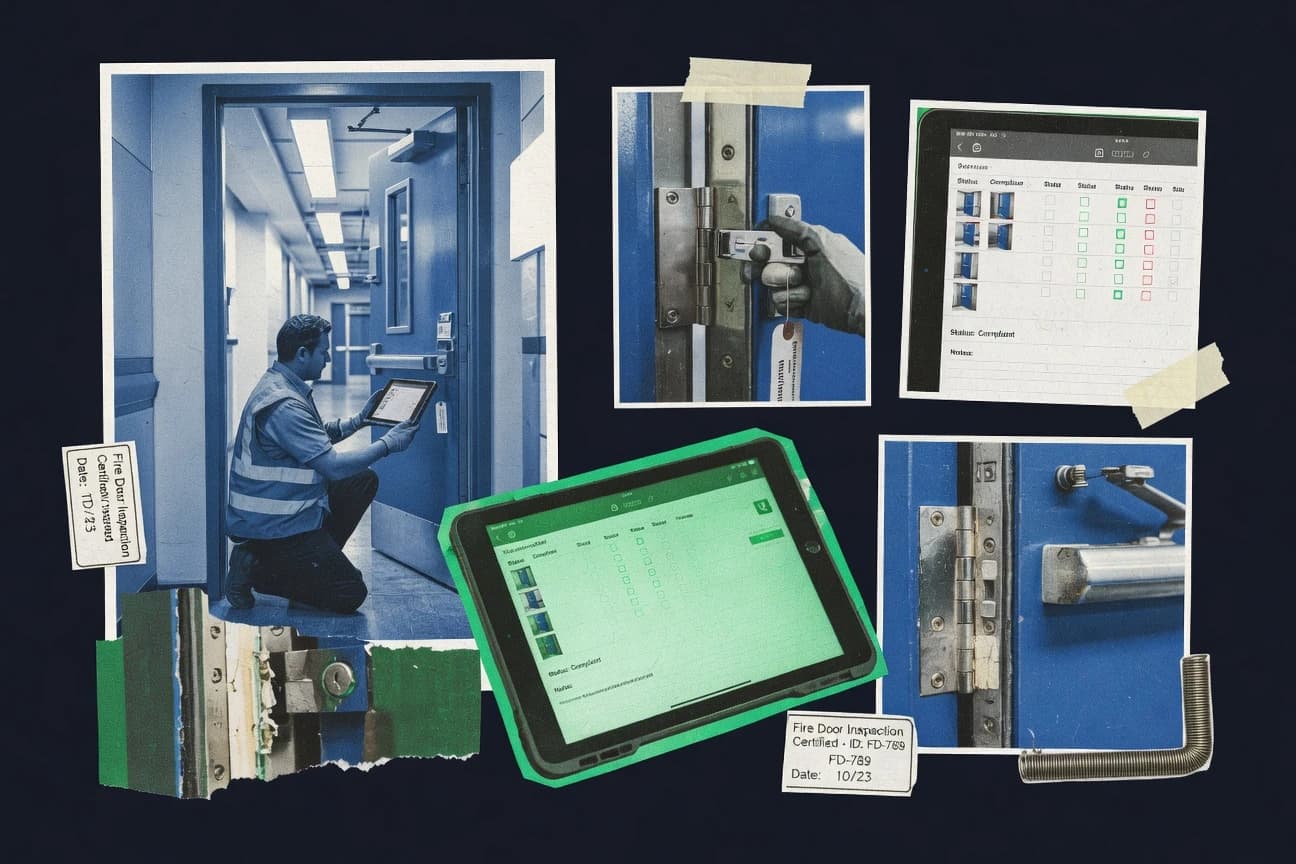
Ranked list of fire door inspection software options with evaluation notes for compliance teams, comparing Inspectly360, Joyfill, and Lumiform.

How we ranked these tools
Core product claims cross-referenced against official documentation, changelogs, and independent technical reviews.
Analyzed video reviews and hundreds of written evaluations to capture real-world user experiences with each tool.
AI persona simulations modeled how different user types would experience each tool across common use cases and workflows.
Final rankings reviewed and approved by our editorial team with authority to override AI-generated scores based on domain expertise.
Score: Features 40% · Ease 30% · Value 30%
Gitnux may earn a commission through links on this page — this does not influence rankings. Editorial policy
Inspectly360 is the best fit overall for fire safety teams that want repeatable, evidence-led inspections with offline rounds and tracked corrective actions, while Joyfill works better if you’re running consistent checklist-based reporting across many fire door assets on a simpler platform.
Editor’s top 3 picks
Three quick recommendations before you dive into the full comparison below — each one leads on a different dimension.
Inspectly360
Inspection report exports preserve door-set identity with linked photographic evidence and tracked remedial action status.
Built for fits when fire safety teams need repeatable inspections, evidence, and tracked corrective actions..
Joyfill
Editor pickEvidence is captured in the field and remains linked to the inspection record for audit trail continuity.
Built for fits when facilities and inspection teams need consistent, evidence-led reporting across many fire door assets..
Lumiform
Editor pickPhoto evidence is directly linked to inspection findings to support nonconformance review and corrective action follow-up.
Built for fits when facilities teams need recurring inspections with photo evidence and managed closure across multiple sites..
Comparison Table
Inspectly360
vertical specialistFire door inspection audit software with AI photo review, QR-tagged assets, offline rounds, and multi-standard alignment.
Inspection report exports preserve door-set identity with linked photographic evidence and tracked remedial action status.
Inspectly360 provides an asset register workflow where each fire door entry links to a door-set and an inspection checklist, then collects photographic evidence and inspector responses during the inspection. Inspection frequency scheduling ties recurring visits to the fire door schedule, so teams can track what is due and what is overdue within the same system. The inspection output is designed for document handoff by producing exportable inspection reports that include condition assessment results and defect classifications.
A tradeoff appears in teams that need highly customized defect taxonomies because complex classification rules may require deliberate configuration before inspectors can enter consistent defect types. Inspectly360 fits sites where a competent person or responsible person needs centralized oversight and a single corrective action log that ties findings to remedial actions.
- +Scheduled inspections stay linked to the correct door-set identity
- +Photographic evidence capture attaches directly to inspection outcomes
- +Exports produce consistent inspection reports for premises record keeping
- +Remedial actions follow findings through a tracked status flow
- –Deep customization of defect classification needs careful upfront configuration
- –Multi-site governance requires disciplined inspection naming and tagging
- –Bulk data migration for large asset registers may be time-consuming
- –Some advanced reporting filters can feel restrictive for bespoke dashboards
Fire safety compliance managers
Centralize inspection oversight across estates
Fewer missed inspections
Facilities operations supervisors
Track defects into corrective action logs
Clearer defect ownership
Show 2 more scenarios
Contract inspection teams
Standardize checklist completion in the field
More consistent reports
Capture condition assessments and defect classifications with consistent checklist structure each visit.
Responsible persons for buildings
Produce inspection records on demand
Faster record retrieval
Export complete inspection reports with evidence and defect outcomes for internal audits.
Best for: Fits when fire safety teams need repeatable inspections, evidence, and tracked corrective actions.
Joyfill
SMBInspection forms and workflow platform supporting fire door inspection checklists with mobile capture and report generation.
Evidence is captured in the field and remains linked to the inspection record for audit trail continuity.
Joyfill covers the core loop of inspection checklist completion, door-set identification, photographic evidence capture, and report generation for later review. It is designed to keep defect notes and evidence attached to the inspection record rather than as scattered attachments. The governance layer emphasizes accountability through inspector and responsible person attribution plus an inspection history per asset.
A practical tradeoff is that Joyfill relies on configured inspection workflows and form structure to match each site’s inspection frequency and defect classification approach. That setup work pays off when the same inspection checklist and photo requirements repeat across sites. It is less efficient for teams that must run highly one-off inspection formats that change every job.
- +Photo-first evidence capture linked to each inspection outcome
- +Inspection history keeps defect notes tied to the same door-set
- +Export-ready inspection reports reduce manual reformatting work
- +Clear assignment fields support inspector and responsible person accountability
- –Checklist and classification setup is required before consistent use
- –Complex cross-site reporting needs workflow planning to avoid rework
- –Admin controls can feel limited for highly customized governance
- –Automation is strongest for standard inspections, not frequent variants
Fire door inspection contractors
Repeat checks across multi-site portfolios
Fewer spreadsheet cleanups
Facilities managers
Review findings and track remedial progress
Improved corrective action follow-up
Show 1 more scenario
Quality and compliance teams
Audit-ready inspection evidence retention
Cleaner evidence trails
Inspection history and attribution support audits by keeping who inspected and what was found in one place.
Best for: Fits when facilities and inspection teams need consistent, evidence-led reporting across many fire door assets.
Lumiform
SMBGeneral inspection platform with fire door checklist templates, offline mobile capture, corrective action routing, and audit trail.
Photo evidence is directly linked to inspection findings to support nonconformance review and corrective action follow-up.
Lumiform’s field workflow centers on capturing inspection results on mobile devices, attaching photographic evidence to specific inspection findings, and standardizing how inspectors record condition and defects. Reporting supports review of inspection outcomes, trend views across a door-set population, and exportable inspection outputs for responsible persons and facilities teams. The data captured per inspection is designed to carry forward into remedial action tracking so repeat defects can be managed rather than lost between survey cycles.
A tradeoff appears in checklist and defect setup effort before rollout, because accurate defect classification depends on front-loaded configuration. Lumiform fits sites that already maintain a door asset list and need inspection execution plus closure tracking over time, rather than ad hoc one-off surveys.
- +Mobile capture ties photo evidence to specific inspection findings
- +Configurable checklist workflow supports repeatable recurring inspections
- +Remedial action tracking keeps nonconformance items moving to closure
- +Audit trail supports traceable inspector and responsible person activity
- –Accurate defect classification requires upfront configuration work
- –Advanced analytics depend on consistent checklist data entry discipline
- –Bulk updates across a large multi-site door register can be operationally heavy
Facilities maintenance managers
Manage recurring inspections across premises
Fewer unresolved nonconformances
Fire door inspection teams
Standardize how inspectors record defects
More comparable inspection outcomes
Show 2 more scenarios
Compliance and governance leads
Provide traceability for audit requirements
Stronger audit-ready records
Review an audit trail of who inspected, what was recorded, and which actions were assigned and completed.
Multi-site operations teams
Run the same process across locations
Cross-site visibility
Apply consistent workflows across sites so inspection frequency and outcomes can be compared at scale.
Best for: Fits when facilities teams need recurring inspections with photo evidence and managed closure across multiple sites.
SafetyCulture
SMBMobile inspection software with configurable fire door inspection checklists.
Configurable inspection templates with role-gated action workflows that keep findings, remediation tasks, and audit trail connected.
SafetyCulture is used to run standardized fire door inspection workflows with mobile capture, offline support, and photo evidence in each record. Inspection outcomes can be structured around defects, assigned remediation actions, and traced through a corrective action log tied to specific premises and assets.
The work order and checklist engine supports recurring inspection schedules so inspectors can follow the same process across sites. Admin controls include role-based access, audit logs for field changes, and templated inspections that reduce variation between inspectors.
- +Mobile offline inspections with photo capture reduces field rework
- +Recurring inspections keep fire door schedule adherence consistent across sites
- +Remedial action tasks link directly to inspection findings
- +Audit logs track edits to inspection records
- –Fire door tag data needs careful template design to stay consistent
- –Extensive customization increases governance effort for multi-team deployments
- –Export formats require validation for downstream compliance workflows
- –Automation depth depends on rules built into each template
Best for: Fits when multi-site teams need mobile checklists, photo evidence, and managed follow-up actions without custom tooling.
GoCanvas
SMBMobile forms and workflow software for field inspections, including fire door checks.
Form templates with conditional logic and guided data entry for defect categories during field inspections.
GoCanvas replaces paper fire door inspection sheets with mobile forms that capture condition checks, defect notes, and photo evidence in the field. Its workflow engine routes completed inspections for review and supports recurring inspection activity tied to an asset inventory.
GoCanvas stores inspection outputs as structured records that export into report formats for handover to site stakeholders. For teams that need controlled rollouts, it provides user access management and audit-friendly change visibility across submitted forms.
- +Mobile form builder supports guided checks and required fields per inspection step
- +Photo attachments keep inspection context for defect classification and evidence review
- +Workflow routing moves inspections through review and signoff steps
- +Structured submissions enable repeatable exportable inspection records
- –Fire door tag and door-set mapping often needs custom configuration to match asset reality
- –Complex inspection frequency rules may require multiple templates and workflow branches
- –Integration depth for external fire risk systems depends on available connectors and custom builds
- –High-volume photo-heavy inspections can create slower sync behavior for field devices
Best for: Fits when fire door teams need mobile checklists with review workflows and evidence capture across many premises.
InspectPoint
vertical specialistInspection software for fire protection and life safety contractors.
Evidence-bound inspection records that keep annotated inspection photographs tied to defect classification and remedial actions.
InspectPoint manages a fire door inspection workflow centered on recurring site checks and recorded evidence for each door-set. It supports structured inspection checklists, condition assessment entries, and defect classification with documented remedial action tracking.
The system also generates inspection report exports and links photographic evidence to the specific inspection record. Admin governance focuses on keeping inspector records and inspection history tied to door-set identification over time.
- +Inspection checklists map directly to recorded condition assessment outcomes
- +Photographic evidence stays linked to the inspection record for audit trail continuity
- +Remedial action tracking records what was assigned and what changed after inspection
- +Door-set identification supports consistent history across inspection frequencies
- –Advanced automation and workflow branching are limited compared with deeper EHS/workorder systems
- –Corrective action log structures can require disciplined data entry to avoid duplicates
- –Extensive attachment review and annotation can feel slower on small screens
- –Integration depth may be narrower for systems needing fire risk assessment or CRM syncing
Best for: Fits when facilities teams need consistent fire door inspections with evidence capture and exportable reports.
Fulcrum
API-firstConfigurable field data collection software for inspection and compliance programs.
Offline-first field data capture that syncs checklists and photo evidence into consistent inspection records after reconnecting.
Fulcrum is a mobile-first inspection workflow tool that turns fire door surveys into structured field data. It supports checklist-driven inspections with photo capture for door-set identification and condition assessment.
The solution emphasizes offline field collection, then syncs inspection results into a central set of records for reporting and export. Its distinct strength for fire door work is configurable forms that align inspection evidence with remedial action tracking steps.
- +Offline collection keeps inspections moving during connectivity gaps
- +Configurable forms map evidence to each door-set and defect outcome
- +Photo attachments reduce ambiguity in condition assessment records
- +Exportable inspection records help produce repeatable inspection reports
- –No native fire-door taxonomy means defect classification needs custom setup
- –Audit trail depth depends on how fields and status transitions are modeled
- –Bulk changes to many assets require careful workflow design
- –Long-form tags and annotations need disciplined inspector data entry
Best for: Fits when teams need mobile-first fire door inspections with checklists and photo evidence synced to a central record set.
Fire Door App
vertical specialistFire door inspection app and door register with QR tags, repeat-visit history, and BS 8214-aligned reporting.
Linked photographic evidence attached per inspection finding, with changes carried through to remedial action tracking and exported reports.
Fire Door App is an inspection workflow tool for managing fire door checks and reporting, with a focus on repeatable site visits and evidence capture. It supports creating inspection checklists, recording condition assessment outcomes, and attaching photographic evidence to individual inspection records.
The system tracks remedial actions through to closure and keeps an audit trail of what changed and when. Fire Door App also supports exporting inspection reports for responsible person and premises records.
- +Checklist-driven inspections reduce missed items during site visits
- +Photo attachments stay linked to specific inspection findings
- +Remedial actions can be tracked from identification to closure
- +Inspection exports support document packs for audits and internal records
- –Door-set identification and asset register setup can be time-consuming
- –Automations beyond inspection scheduling are limited
- –API and third-party integrations are not clearly positioned for deep integration
- –Governance controls for large multi-site teams appear less granular
Best for: Fits when building teams need structured fire door inspections with evidence capture and remedial tracking across a defined asset list.
KomplyOS
vertical specialistNFPA 80 compliant fire door inspection software with deficiency workflow, photo documentation, and AHJ-ready reports.
Inspection outputs tie annotated photographic evidence to each defect classification and remedial action entry in a single audit trail.
KomplyOS manages fire door inspection workflow records from inspection scheduling through defect and remedial action tracking.
It supports fire door asset register entries that link door-set identification, condition assessment results, and photographic evidence.
Inspections generate audit trail output suitable for inspection report export.
The system also supports inspector qualification fields tied to the responsible person workflow to keep inspection authorship traceable.
- +End-to-end inspection record capture from checklist to nonconformance logs
- +Photo evidence stays attached to the specific inspection finding
- +Corrective action tracking links remedial actions to inspection outcomes
- +Audit trail output supports defensible inspection report export
- –More configuration is needed to align tagging and defect classifications
- –Reporting coverage can require manual cleanup for multi-site exports
- –Automation depth depends on how workflows are mapped during setup
- –Some inspector qualification fields are harder to reuse across locations
Best for: Fits when facilities teams need structured inspection records with photo-linked findings and remedial follow-up across multiple premises.
Zutec
enterpriseConstruction compliance platform with fire door audit module featuring QR scanning, photographic evidence, and Building Safety Act compliance.
Asset-linked inspection history that ties each inspection checklist outcome to corrective remedial actions and exported records.
Zutec is a fire door inspection workflow tool used to manage door-set identification, inspection schedules, and evidence capture across a premises. The system centers on structured inspection checklists and condition assessment with defect classification and remedial action tracking.
Zutec supports inspection reports export workflows and keeps inspection history tied to the asset register so audit trails stay navigable. For teams running recurring rounds, it maps inspector outputs to a repeatable inspection checklist process.
- +Inspection checklist execution supports consistent condition assessment across rounds
- +Asset-linked inspection history keeps remedial actions traceable to prior findings
- +Photo evidence attachment helps correlate defects with annotated inspection photographs
- +Exported inspection reports fit common record-keeping workflows
- –Complex workflows can need administrator guidance to keep door-set identification consistent
- –Annotation depth in photographs can be limiting for highly detailed defect narratives
- –Remedial action tracking is less suited to multi-owner corrective-action processes
- –Automation coverage for external systems can be narrow without integration support
Best for: Fits when property teams need recurring fire door inspection checklists with evidence capture and report exports.
Conclusion
After evaluating 10 construction infrastructure, Inspectly360 stands out as our overall top pick — it scored highest across our combined criteria of features, ease of use, and value, which is why it sits at #1 in the rankings above.
Use the comparison table and detailed reviews above to validate the fit against your own requirements before committing to a tool.
How to Choose the Right fire door inspection software
Fire door inspection software is used to run repeatable fire door inspection workflow cycles that attach photographic evidence to each inspection finding and keep remedial action tracking traceable to the same door-set identity. Inspectly360 leads this buyer set with inspection report exports that preserve door-set identity while linking photographic evidence to tracked remedial action status. SafetyCulture and Lumiform also fit common inspection teams that need mobile capture and recurring inspections with evidence tied to findings and follow-up.
Because these tools often drive compliance outputs through checklists, evidence capture, and closure workflows, buyers tend to focus on how inspection records link to door-set identity, how defects are classified, and how audit trail continuity is maintained across rounds. The selection below compares Inspectly360, Joyfill, Lumiform, SafetyCulture, GoCanvas, InspectPoint, Fulcrum, Fire Door App, KomplyOS, and Zutec.
Fire door inspection software for checklist-led asset inspections, evidence capture, and remedial action audit trails
Fire door inspection software digitizes fire door schedule execution by pairing inspection checklists with inspection findings, defect classification, photographic evidence, and corrective action log steps in one inspection record. Inspectly360 is built around inspection report exports that preserve door-set identity with linked photographic evidence and tracked remedial action status, which keeps nonconformance review and closure tied to the right asset. Lumiform also links mobile photo evidence directly to inspection findings so teams can manage corrective action follow-up from the same evidence set.
In this category, the practical difference for buyers is whether the workflow keeps evidence attached to the defect classification and whether exported inspection reports maintain asset identity and remedial status across inspection rounds. SafetyCulture emphasizes configurable inspection templates with role-gated action workflows so findings, remediation tasks, and the audit trail stay connected without custom tooling, while Joyfill focuses on photo-first field capture that remains linked to the inspection record.
Door-set identity, evidence linkage, and remedial closure controls
Fire door inspection software must keep inspection outcomes tied to the correct door-set identity so repeat checks do not drift across assets. That linkage matters because exported inspection reports, nonconformance reviews, and corrective action follow-up all rely on the same identity across rounds.
Evidence-to-finding linkage that preserves audit trail continuity
Inspectly360 attaches photographic evidence to inspection outcomes while tracking remedial action status in the exported record. Lumiform ties mobile photo capture directly to inspection findings so corrective action follow-up stays attached to the same evidence set.
Inspection history that preserves defect notes and inspection context
Joyfill keeps inspection history so defect notes remain tied to the same door-set across rounds. Zutec ties each inspection checklist outcome to corrective remedial actions and exported records so prior findings stay traceable.
Export structures that keep door-set identity linked to remedial status
Inspectly360 inspection report exports preserve door-set identity with linked photographic evidence and tracked remedial action status. InspectPoint produces exportable reports where annotated inspection photographs remain tied to defect classification and remedial actions.
Checklist-driven workflows that reduce missed items during field visits
SafetyCulture uses configurable inspection templates with role-gated action workflows that connect findings, remediation tasks, and audit trail. Fire Door App uses checklist-driven inspections that reduce missed items during site visits and keep photo attachments linked to findings.
Configuration discipline for defect classification and tagging
Lumiform and Inspectly360 both require upfront configuration work to keep defect classification accurate during recurring use. KomplyOS and GoCanvas both need alignment work so tagging and door-set mapping match real asset tagging practices.
Choose by workflow depth, governance controls, and how inspections map to assets
The key decision is whether inspection records preserve the full chain from door-set identification to inspection findings to remedial closure in a single traceable record. The second decision is whether governance and workflow design reduce the risk of duplicate work and inconsistent outcomes across multi-site teams.
Verify door-set identity survives exports and stays linked to photos and remedial status
Select Inspectly360 when inspection report exports must preserve door-set identity with linked photographic evidence and tracked remedial action status. Select Joyfill or Lumiform when inspection history and mobile photo capture must remain linked to the inspection record for consistent audit trail continuity.
Pick the workflow style that matches field operations and connectivity constraints
Choose SafetyCulture when mobile offline inspections with photo capture and recurring fire door schedule adherence must run with role-gated action workflows. Choose Fulcrum when offline-first collection is required so checklists and photo evidence sync into consistent inspection records after reconnecting.
Decide how much defect classification customization the team can govern
Choose Inspectly360 when a team can invest in upfront configuration so deep defect classification matches internal defect taxonomy. Choose Lumiform when configurable checklist workflows must support repeatable recurring inspections but classification accuracy work still needs to be planned.
Map your asset register reality to the tool’s door-set identification setup
Choose GoCanvas when guided field entry with required steps helps standardize defect categories, even if door-set mapping requires custom configuration. Choose Fire Door App when a defined asset list supports setup, because door-set identification and asset register setup can be time-consuming.
Separate inspection scheduling from follow-up automation expectations
Choose SafetyCulture when managed follow-up actions must connect to findings without custom tooling beyond configured templates. Choose InspectPoint or KomplyOS when the main priority is evidence-bound inspection records and exportable reporting, while deeper workflow branching is not the primary target.
Teams that get the most value from traceable, evidence-led fire door inspections
Fire door inspection software fits teams that run repeat inspection rounds and need photographic evidence tied to defect classification and remedial closure. It also fits teams that manage multiple premises where inconsistent door-set identification can break corrective action traceability.
Fire safety teams running recurring rounds across many doors
Inspectly360 supports repeatable inspections by preserving door-set identity through export records that link photographic evidence with tracked remedial action status.
Facilities teams standardizing mobile evidence capture and follow-up
Lumiform and SafetyCulture both connect mobile photo evidence to inspection findings so corrective action follow-up stays tied to the same evidence set across sites.
Multi-site inspection programs that must control who can change remediation outcomes
SafetyCulture uses role-gated action workflows so findings, remediation tasks, and audit trail stay connected while inspectors execute mobile checklists.
Operations teams that experience connectivity gaps during inspections
Fulcrum and SafetyCulture both support offline-first or offline inspections so checklist execution and photo capture can continue and then sync back into consistent inspection records.
Property teams that need consistent inspection exports tied to asset history
Zutec provides asset-linked inspection history where inspection checklist outcomes tie to corrective remedial actions and exported records.
Common failure points when implementing fire door inspection software
Misalignment between door-set identification, defect classification, and evidence attachment causes inspection records to lose traceability during remedial review. Another common failure point is inconsistent checklist data entry that undermines defect outcomes and complicates cross-site exports.
Treating defect classification as ad hoc instead of a governed configuration
Inspectly360 and Lumiform both require careful upfront configuration so defect classification stays accurate across recurring inspections.
Allowing door-set naming or tagging to vary between inspectors and sites
Inspectly360 flags multi-site governance as a discipline issue tied to disciplined inspection naming and tagging so exports preserve door-set identity.
Starting photo-first capture without enforcing checklist setup for consistent outcomes
Joyfill requires checklist and classification setup before consistent use, and complex cross-site reporting needs workflow planning to avoid rework.
Overestimating inspection workflow branching when corrective action automation is expected
InspectPoint notes that advanced automation and workflow branching are limited compared with deeper EHS or workorder systems.
Building corrective action logs without field discipline that avoids duplicates
InspectPoint warns that corrective action log structures can require disciplined data entry to avoid duplicates.
How We Selected and Ranked These Tools
We evaluated Inspectly360, Joyfill, Lumiform, SafetyCulture, GoCanvas, InspectPoint, Fulcrum, Fire Door App, KomplyOS, and Zutec on evidence linkage, inspection record traceability, and export suitability for door-set identity and remedial closure. Features scored 40% of the total because each tool’s inspection record structure determined whether photographic evidence stayed attached to findings and remedial actions.
Ease and value each scored 30% because field execution speed and ongoing configuration effort shaped whether teams could maintain consistent defect classification and tagging. Inspectly360 ranked highest because inspection report exports preserve door-set identity with linked photographic evidence and tracked remedial action status, and that export-level linkage reduces breaks between inspection rounds.
Frequently Asked Questions About fire door inspection software
How does Inspectly360 ensure door-set identity stays consistent across inspections and exports?
Which tool is better for field-first capture where photos and findings must remain traceable end to end?
How does offline capture work in Fulcrum and SafetyCulture for fire door inspections?
What changes when an organization needs role-based access and audit logs for inspector edits?
How does GoCanvas handle inspection form logic for defect categorization and guided entry?
When does Lumiform's manager-grade reporting matter in a recurring inspection workflow?
What breaks if teams need annotated inspection photographs to map to specific defects and remedial steps?
How does KomplyOS connect inspection scheduling, asset register entries, and inspector qualification fields?
Which tool best supports repeatable rounds where asset-linked history must remain navigable for audit trail review?
Tools reviewed
Primary sources checked during evaluation.
Referenced in the comparison table and product reviews above.
- Construction InfrastructureTop 10 Best Fire Alarm Estimating Software of 2026
- Construction InfrastructureTop 10 Best Commercial Building Inspection Software of 2026
- Emergency DisasterTop 10 Best Fire Protection Software of 2026
- Business FinanceTop 10 Best Fire Risk Assessment Software of 2026
- SecurityTop 10 Best Safety Audit Software of 2026
Keep exploring
Comparing two specific tools?
Software Alternatives
See head-to-head software comparisons with feature breakdowns, pricing, and our recommendation for each use case.
Explore software alternatives→In this category
Construction Infrastructure alternatives
See side-by-side comparisons of construction infrastructure tools and pick the right one for your stack.
Compare construction infrastructure tools→