
GITNUXSOFTWARE ADVICE
Manufacturing EngineeringTop 10 Best Equipment Inspection Software of 2026
Ranked roundup of equipment inspection software with side-by-side comparison notes, including Limble CMMS, InspectAll, and Fulcrum for maintenance teams.

How we ranked these tools
Core product claims cross-referenced against official documentation, changelogs, and independent technical reviews.
Analyzed video reviews and hundreds of written evaluations to capture real-world user experiences with each tool.
AI persona simulations modeled how different user types would experience each tool across common use cases and workflows.
Final rankings reviewed and approved by our editorial team with authority to override AI-generated scores based on domain expertise.
Score: Features 40% · Ease 30% · Value 30%
Gitnux may earn a commission through links on this page — this does not influence rankings. Editorial policy
Limble CMMS is the best fit if you want checklist-based equipment inspections that automatically link findings to corrective actions with an audit trail across assets, whereas Fulcrum works better when field teams need flexible mobile inspection evidence without heavy back-office changes.
Editor’s top 3 picks
Three quick recommendations before you dive into the full comparison below — each one leads on a different dimension.
Limble CMMS
Inspection findings can be routed into corrective action work using severity and defect codes, keeping the evidence and history connected.
Built for fits when teams need checklist inspections with linked corrective actions and audit trail across many assets..
InspectAll
Editor pickFinding-level evidence capture with photo and video attachments that persist inside versioned inspection records.
Built for fits when multi-site inspection teams need consistent findings, evidence, and corrective actions..
Fulcrum
Editor pickOffline-ready form submissions with evidence attachments keep inspection throughput high when connectivity is unreliable.
Built for fits when field teams need checklist enforcement and evidence capture without heavy back-office remodeling..
Comparison Table
Limble CMMS
SMBMaintenance management software with equipment inspection checklists and PM workflows.
Inspection findings can be routed into corrective action work using severity and defect codes, keeping the evidence and history connected.
Limble CMMS supports checklist-based inspection forms with defect codes and severity grading so each inspection produces consistent inspection findings report content. Each completed inspection becomes a versioned inspection record tied to an asset, with audit trail visibility into what changed across revisions. Photo and file evidence attachments work at the individual inspection level, which helps when regulators or internal quality teams need to verify the physical state at the time of inspection.
A practical tradeoff is that more specialized governance, like deep document control lifecycle workflows, can require configuration effort beyond the default inspection-to-CAPA path. Limble CMMS fits teams that run recurring safety checks, calibration touchpoints, or compliance walkdowns across many assets and need corrective action tracking that stays linked to the originating inspection.
- +Checklist inspections produce consistent findings with defect codes and severity
- +Evidence attachments link directly to inspection outcomes
- +Corrective action workflows stay tied to the originating asset inspection
- +Automated inspection reminders reduce missed scheduled checks
- –More complex document control lifecycle needs extra configuration
- –Advanced hierarchy reporting depends on how assets and groups are modeled
- –Large attachment volumes can slow review in busy audit cycles
- –Custom inspection fields require careful template management
Facilities and EHS teams
Run recurring safety walkdowns
Fewer missed inspections
Quality and compliance teams
Track nonconformance from inspections
Faster containment and follow-up
Show 2 more scenarios
Maintenance supervisors
Coordinate inspections across asset classes
Clear ownership by asset group
Asset register grouping lets teams schedule and review inspections by location and equipment category.
Operations managers
Audit inspection history for reviews
Stronger audit traceability
Versioned inspection records and audit trail support regression checks during internal audits.
Best for: Fits when teams need checklist inspections with linked corrective actions and audit trail across many assets.
InspectAll
SMBInspection management software for equipment, safety, and compliance audits.
Finding-level evidence capture with photo and video attachments that persist inside versioned inspection records.
InspectAll is a fit for teams that need versioned inspection records with repeatable inspection form definitions and consistent severity grading across sites. Evidence capture for photo and video attachments connects directly to each inspection finding, which reduces follow-up questions during nonconformance review. The defect code taxonomy and checklist templates reduce variance when multiple inspectors complete the same inspection work order.
A tradeoff appears in governance depth because long asset hierarchies and highly customized document control lifecycle workflows require upfront configuration of templates and form fields. InspectAll works well when inspection volume is steady and teams want corrective action tracking tied to specific findings rather than generic tickets. It is less suitable when inspection teams need highly custom offline-first measurement logs and calibration records workflows without platform configuration time.
- +Checklist templates enforce repeatable inspection form completion across teams
- +Defect code taxonomy keeps findings consistent for inspection findings reports
- +Photo and video evidence attaches directly to each finding
- +Corrective action tracking is linked to specific inspection outcomes
- –Complex asset hierarchy setup needs planning to avoid template sprawl
- –Advanced governance workflows rely on configuration rather than built-in templates
- –Offline-first workflows for measurement logs depend on device behavior and setup
- –Highly bespoke defect workflows require form and taxonomy customization
Maintenance operations teams
Preventive maintenance checklist with evidence
Faster maintenance defect resolution
Quality assurance teams
Nonconformance workflow from inspections
Clear audit trail for QA
Show 1 more scenario
Facility managers
Multi-site inspection governance
Lower variation between sites
Template-driven inspection forms keep severity grading consistent across locations.
Best for: Fits when multi-site inspection teams need consistent findings, evidence, and corrective actions.
Fulcrum
enterpriseField data collection platform supporting custom equipment inspection workflows.
Offline-ready form submissions with evidence attachments keep inspection throughput high when connectivity is unreliable.
Fulcrum is a fit for equipment inspection programs that require consistent checklists, photo or video evidence capture, and time-stamped inspection records from the field. Form templates can enforce required fields and conditional questions, which reduces incomplete submissions when technicians work without stable connectivity.
A key tradeoff is that deeper compliance-grade requirements like strict versioned inspection history and complex approval chains depend on how forms and workflows are modeled in Fulcrum. Fulcrum works well when inspections originate in the field and the main need is reliable capture plus centralized review of findings rather than heavy back-office ERP integration.
- +Mobile capture supports offline field completion with later sync
- +Conditional inspection forms reduce missing checklist fields
- +Evidence attachments stay tied to each inspection record
- +Defect logging and follow-up steps link findings to resolution
- –Complex approval governance needs careful workflow configuration
- –Deep asset hierarchy mapping is harder than custom app layers
- –Export formats can require template alignment to match reports
- –High-volume throughput depends on media attachment behavior
Maintenance operations managers
Standardize recurring equipment checks
Fewer incomplete work orders
Field technicians
Inspect and document in remote sites
Reliable data capture
Show 1 more scenario
Quality teams
Track defects to corrective follow-up
Tighter compliance traceability
Logs findings and attaches evidence so nonconformances can be reviewed and assigned actions.
Best for: Fits when field teams need checklist enforcement and evidence capture without heavy back-office remodeling.
Cheqroom
SMBEquipment check-in and checkout system with condition inspection tracking.
Structured defect coding tied to inspection findings so corrective actions can inherit severity context.
Cheqroom is an equipment inspection work order solution built around mobile execution and centralized inspection records. It supports checklist templates with photo and attachment evidence captured during each inspection step.
Cheqroom also provides defect coding and severity grading so inspection findings can be translated into corrective action follow-up. Admin roles and audit trail visibility help teams maintain compliance traceability across repeat inspections.
- +Mobile inspection capture with structured checklist steps
- +Defect coding and severity grading for consistent findings
- +Photo and attachment evidence stored with inspection outcomes
- +Audit trail visibility for compliance traceability
- –Limited evidence workflows for multi-stage CAPA chains
- –Integration depth depends on export and manual alignment
- –Advanced configuration requires careful governance of templates
Best for: Fits when field teams need repeatable inspection checklists with evidence capture and consistent findings coding.
GoCanvas
SMBMobile forms platform widely used for equipment and safety inspections.
Conditional checklist logic that drives dynamic inspection questions during mobile capture.
GoCanvas enables field teams to complete equipment inspection forms on mobile and submit versioned inspection records for back-office review. The workflow supports checklist templates with conditional logic, photo attachments, and structured inspection findings that map to defect code taxonomies.
Inspections can be routed into corrective action tracking workflows with status updates visible to supervisors. Integration is centered on API access and automated data exports into systems used for asset register maintenance and reporting.
- +Mobile inspection capture with attachment support for evidence trails
- +Conditional questions support checklist template branching without custom app work
- +API access enables automated ingestion into inspection findings and reporting systems
- +Form submissions maintain versioned inspection records for review history
- –Extending complex defect code taxonomy often requires careful form design
- –Governance needs disciplined template control to avoid inconsistent findings
Best for: Fits when field teams need mobile inspection checklists with evidence capture and API-driven reporting.
Device Magic
SMBMobile forms platform supporting equipment inspections with pre-filled data and barcode scanning.
Tight linkage between inspection findings and corrective actions so follow-up work is traceable to the exact record and evidence.
Device Magic is an equipment inspection work order system built for teams that need repeatable field checks with evidence capture. It focuses on configurable inspection forms, inspection findings, and photo attachments tied to each completed record.
The workflow supports corrective action tracking so defects and follow-up work stay connected to the originating inspection. Admin controls center on managing inspection templates and keeping historical inspection records available for compliance traceability.
- +Configurable inspection forms with photo evidence per completed work record
- +Corrective action tracking tied to inspection findings
- +Field-first workflow that reduces rework during asset checks
- +Inspection history supports traceability for recurring compliance reviews
- –Limited visibility into multi-site reporting without additional setup
- –Defect code taxonomy and severity rules need careful template design
- –API and automation hooks are not clearly documented for deep integrations
- –Asset hierarchy modeling is narrower than full asset register frameworks
Best for: Fits when field teams need inspection forms, evidence capture, and follow-up actions tied to each work order.
FTMaintenance
enterpriseAsset management system with equipment inspection routines, meter-based triggers, and compliance documentation.
Evidence attachments are tied directly to each inspection record so review teams can validate findings without searching external folders.
FTMaintenance is an equipment inspection work management tool built around repeatable inspection forms and evidence capture. It supports creating checklist-based inspection templates, assigning inspections, and recording findings with photos and attachments.
The app then generates inspection findings reports and routes follow-up actions as corrective work is identified. For teams that need traceability across repeated inspections, FTMaintenance focuses on keeping inspection records consistent over time through reusable configuration.
- +Checklist templates speed repeat inspections across the same asset types
- +Photo and file attachments connect evidence to inspection outcomes
- +Findings reports compile inspection results into reviewable documentation
- +Workflow supports corrective action follow-up from inspection outcomes
- –Limited visibility into cross-site asset hierarchy and rollups
- –Defect code taxonomy needs careful up-front configuration for consistency
- –Automation depends on manual assignment and does not fully self-trigger
- –Integration surface is not positioned for external systems at high throughput
Best for: Fits when field teams need checklist-driven inspections with evidence and corrective action tracking.
ToolSense
vertical specialistAsset management software for equipment tracking, maintenance scheduling, inspections, and utilization.
Inspection results include structured, versioned records with an audit trail tied to corrective action status.
ToolSense is equipment inspection software focused on turning inspection checklists into repeatable work orders with evidence capture. It supports inspection templates, versioned inspection records, and structured findings that feed corrective action workflows.
The product is positioned for teams that need audit trail visibility across inspectors, assets, and repeated inspections. Integration and automation rely on its API and export mechanisms for pushing inspection data into existing systems.
- +Template-driven inspections with evidence attachments for each finding
- +Versioned inspection records improve traceability across repeated checks
- +Corrective action workflow ties defects to follow-up ownership
- +API supports bidirectional data exchange for inspections and results
- –Asset hierarchy setup can be time-consuming for complex plants
- –Defect code taxonomy requires careful upfront standardization
- –Reporting depth depends on configured findings and fields
- –Automation throughput can lag when large photo batches upload
Best for: Fits when maintenance teams need repeatable inspection checklists with evidence and corrective actions.
Inspect2GO
vertical specialistMobile inspection app builder with configurable equipment checklists, defect coding, and API integration for compliance reporting.
Evidence-first inspections where photo attachments and defect severity stay linked to versioned inspection records.
Inspect2GO creates mobile equipment inspection forms with photo evidence capture and structured defect reporting for field teams. Inspections can be organized into reusable checklist templates so inspectors repeat the same steps across sites and asset groups.
Captured findings support severity grading and follow-up documentation for corrective action handoff. Inspect2GO emphasizes audit traceability through versioned inspection records and an evidence-first inspection history.
- +Mobile-first inspection capture with consistent checklist templates
- +Photo evidence attachments tied to each inspection finding
- +Severity grading and defect codes improve reporting consistency
- +Versioned inspection history supports audit traceability
- –Limited visibility into complex asset hierarchies compared with top tiers
- –Automation and workflow customization options are less granular than leaders
- –Role controls and audit log coverage feel basic for large governance needs
- –Offline capture and sync behavior can slow deployments during rollout
Best for: Fits when field teams need photo-backed checklist inspections with consistent defect coding and audit trails.
Inspectivity
vertical specialistAsset integrity software for inspections, findings, risk scoring, and corrective actions.
Defect-to-corrective-action workflow ties inspection findings to closure steps with evidence retention on each record.
Inspectivity is equipment inspection software focused on turning field checks into auditable inspection records. It supports configurable inspection checklists and structured capture of inspection findings with evidence attachments such as photos.
Inspection outcomes can be routed into defect and corrective action workflows so teams track closure and follow-ups instead of ending with a form submission. For organizations with compliance expectations, Inspectivity is designed around traceable histories that connect each completed inspection to the underlying asset and checklist configuration.
- +Checklist templates standardize inspection form content across teams
- +Evidence attachments add context for each finding and closure decision
- +Defect and corrective action workflows connect results to resolution
- +Inspection history supports traceability for compliance reviews
- –Advanced automation and orchestration depend on workflow configuration depth
- –Complex defect code taxonomies require careful upfront setup discipline
- –Reporting breadth is limited compared with tools that specialize in analytics dashboards
- –Integrations are not typically strong when a site needs deep ERP and CMMS bidirectionality
Best for: Fits when mid-market maintenance teams need consistent field checklists, evidence capture, and corrective action tracking.
Conclusion
After evaluating 10 manufacturing engineering, Limble CMMS stands out as our overall top pick — it scored highest across our combined criteria of features, ease of use, and value, which is why it sits at #1 in the rankings above.
Use the comparison table and detailed reviews above to validate the fit against your own requirements before committing to a tool.
How to Choose the Right equipment inspection software
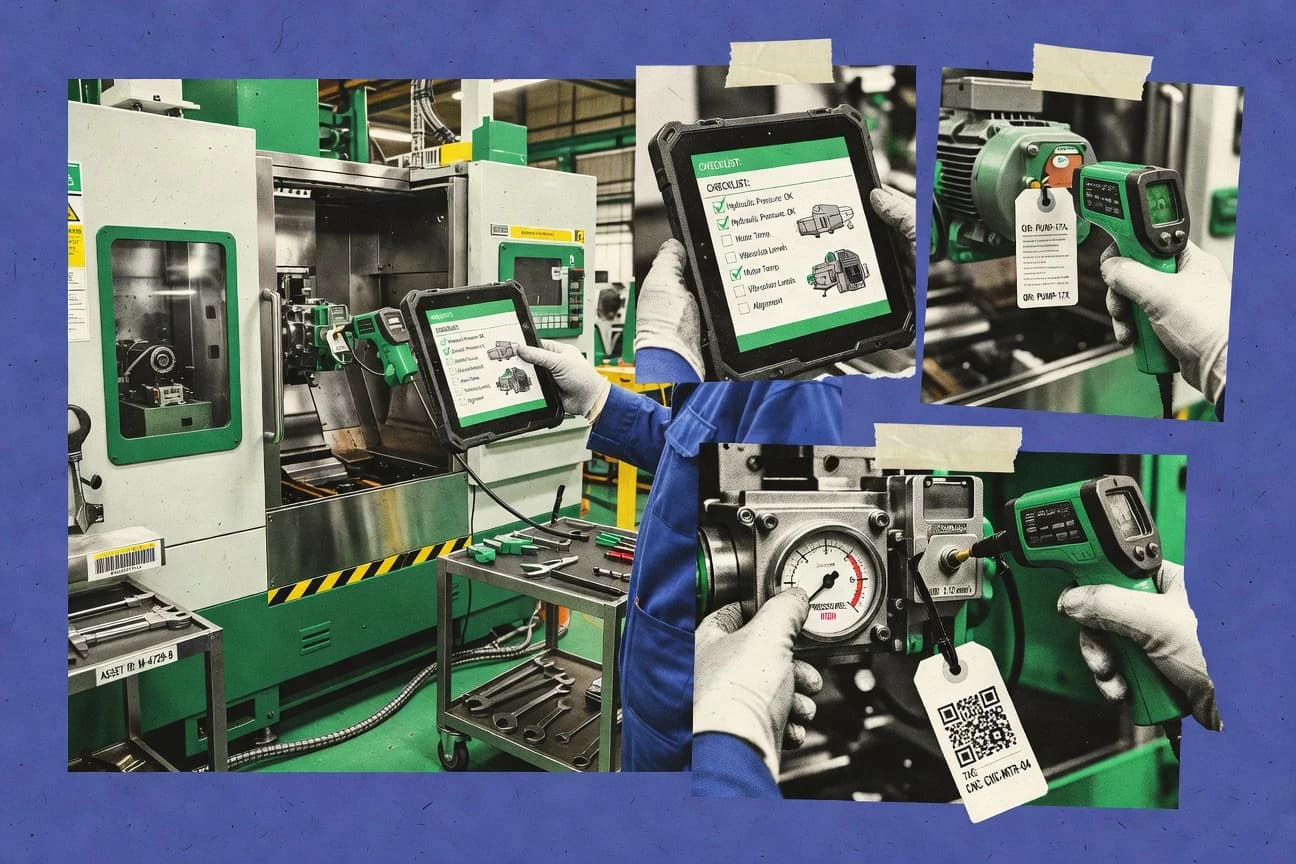
Equipment inspection software manages checklist-driven inspection work orders across assets, and it ties findings to evidence so teams can generate an inspection findings report with traceability. This guide covers Limble CMMS, InspectAll, Fulcrum, Cheqroom, GoCanvas, Device Magic, FTMaintenance, ToolSense, Inspect2GO, and Inspectivity.
Across these tools, the differentiator is how inspection records handle evidence attachments and versioned history, then connect those records to corrective action tracking. Limble CMMS links inspection outcomes to corrective action work through severity and defect codes, while InspectAll persists photo and video evidence inside versioned inspection records.
Equipment inspection software for checklist work orders, evidence capture, and corrective action traceability
Equipment inspection software structures inspections as checklist templates that produce inspection form outputs, then records findings with defect code taxonomy and severity grading. Tools like Limble CMMS route finding-level outcomes into corrective action work using severity and defect codes so the evidence and history stay connected.
These platforms also manage inspection record integrity through versioned inspection records and audit trail behavior tied to corrective action status. InspectAll emphasizes finding-level evidence capture with photo and video attachments that persist inside versioned inspection records, while Fulcrum focuses on offline-ready form submissions so field teams keep inspection throughput when connectivity is unreliable.
Inspection record traceability, evidence handling, and corrective-action routing
Equipment inspection software succeeds when each inspection finding carries evidence attachments and preserves versioned history so regulatory audit readiness does not depend on external folders. This guide evaluates how findings become inspection findings reports with defect severity context and how those findings trigger corrective action tracking back to the exact inspection record.
Finding-level evidence that stays inside versioned inspection records
InspectAll persists photo and video attachments inside versioned inspection records so evidence remains attached to the specific finding outcome. Inspect2GO also keeps photo evidence tied to each inspection finding while preserving the inspection record version history.
Corrective action routing that inherits severity and defect codes
Limble CMMS routes inspection outcomes into corrective action work using severity and defect codes so evidence and history remain connected across records. Device Magic ties inspection findings to corrective actions so follow-up decisions trace back to each completed work record.
Offline-ready capture with later synchronization for inspection throughput
Fulcrum supports offline-ready form submissions with evidence attachments so field capture continues when connectivity is unreliable. Fulcrum also reduces missing fields through conditional inspection forms that enforce checklist logic on mobile capture.
Conditional checklist logic that reduces missing or irrelevant inputs
GoCanvas uses conditional checklist logic to drive dynamic inspection questions during mobile capture without custom app work. Fulcrum uses conditional inspection forms to reduce missing checklist fields and limit back-office cleanup.
Defect code taxonomy that keeps inspection findings consistent across teams
InspectAll provides defect code taxonomy that keeps findings consistent for inspection findings reports across teams. Cheqroom pairs structured defect coding with inspection findings so corrective actions inherit severity context.
Versioned inspection records with audit trail tied to corrective-action status
ToolSense includes structured, versioned inspection records with an audit trail tied to corrective action status. ToolSense also uses template-driven inspections with evidence attachments for each finding.
Match inspection workflows to evidence, governance, and hierarchy depth
The second fork is operational reality. Field capture needs offline-ready evidence attachments for low-connectivity sites, while multi-site rollups need careful asset hierarchy modeling to avoid reporting gaps.
Define whether corrective actions must inherit severity and defect context from findings
If corrective action work must carry severity and defect codes tied to the original inspection outcome, Limble CMMS is built for finding-to-action routing using severity and defect codes. If the priority is a tight trace back from each work order to the finding and evidence, Device Magic focuses corrective action tracking tied to inspection findings.
Test evidence behavior under change and rework using versioned inspection records
If teams must retain photo and video evidence inside versioned inspection records as findings change, InspectAll and ToolSense keep evidence and audit trail connected to record history. If evidence retention must remain linked at the inspection finding level for photo-backed checklists, Inspect2GO keeps evidence tied to each inspection finding.
Select for field connectivity constraints before mapping governance workflows
If connectivity is unreliable, Fulcrum supports offline-ready form submissions with later sync while still capturing evidence attachments. If governance workflows will be configured heavily for approvals, validate that the workflow complexity matches the approval governance capability during configuration tests.
Choose conditional checklist logic when checklist content varies by conditions
If inspection questions change based on prior answers and the goal is to reduce missing inputs on mobile, GoCanvas implements conditional checklist logic during capture. If conditional enforcement should reduce missing checklist fields without heavy back-office remodeling, Fulcrum uses conditional inspection forms.
Plan asset hierarchy modeling effort against reporting needs
If advanced hierarchy rollups and cross-site reporting matter, validate that asset hierarchy setup does not become a template-sprawl risk during onboarding. If hierarchy depth is complex, InspectAll warns that advanced governance workflows rely on configuration and advanced hierarchy setup needs planning.
Standardize defect coding early to avoid inconsistent findings reports
If consistent inspection findings report outputs require a shared defect code taxonomy, InspectAll and Cheqroom center that standardization in their structured defect coding workflows. If defect code taxonomy is adopted late, Inspections often produce inconsistent severity and defective findings during repeated checks.
Which teams fit each equipment inspection software pattern
Teams should also choose based on whether corrective actions must trace directly back to the exact inspection record and whether offline-ready mobile capture is required.
Maintenance and reliability teams running checklist inspections across many assets
Limble CMMS fits teams that need checklist inspections with linked corrective actions and audit trail across many assets with severity and defect routing from findings.
Multi-site inspection programs that need evidence consistency across locations
InspectAll fits multi-site inspection teams that need consistent findings, evidence capture, and corrective actions with photo and video attachments persisted inside versioned inspection records.
Field operations that inspect in low-connectivity environments
Fulcrum fits field teams that need offline-ready form submissions and later synchronization so evidence attachments do not stall inspection throughput when connectivity drops.
Quality and compliance teams that treat inspection findings as traceable evidence artifacts
ToolSense fits teams that require structured, versioned inspection records with an audit trail tied to corrective action status so compliance traceability follows record history.
Teams standardizing defect codes and severity grading for repeatable reporting
Cheqroom fits teams that need structured defect coding tied to inspection findings so corrective actions inherit severity context for consistent inspection findings reports.
Common selection and rollout pitfalls for inspection evidence and workflows
Teams also misjudge governance complexity by treating approvals and CAPA chains as configuration chores rather than workflow design work tied to versioned inspection records.
Assuming photo attachments remain traceable after edits and re-approvals.
Test how evidence persists inside versioned inspection records in tools like InspectAll and ToolSense before committing to evidence-backed inspection processes.
Choosing a tool for checklist capture but underestimating corrective action inheritance requirements.
If corrective actions must inherit severity and defect context from findings, Limble CMMS and Device Magic align directly with finding-to-action traceability.
Underplanning asset hierarchy setup for multi-site reporting and rollups.
InspectAll flags that advanced hierarchy setup needs planning to avoid template sprawl and advanced governance workflows depend on configuration choices.
Delaying defect code taxonomy standardization until multiple teams are already submitting findings.
InspectAll and Cheqroom emphasize defect code taxonomy and structured defect coding so standardize defect codes early to keep findings consistent for inspection findings reports.
Overbuilding approval and CAPA governance workflows without validating workflow configuration depth.
Fulcrum cautions that complex approval governance needs careful workflow configuration so run governance scenario tests early during configuration.
How We Selected and Ranked These Tools
We evaluated checklist-driven inspection record behavior with evidence attachments and versioned history as the baseline requirement for inspection findings reports with traceability. Features accounted for 40% of the scoring and ease/value accounted for 30% each, so the strongest scores went to tools that kept evidence and corrective-action routing tightly connected.
Limble CMMS separated itself by routing inspection outcomes into corrective action work using severity and defect codes, while checklist inspections produced consistent findings with defect codes and severity and evidence attachments linked directly to inspection outcomes. InspectAll ranked highly because it keeps photo and video evidence persisted inside versioned inspection records while maintaining a defect code taxonomy that supports consistent inspection findings report outputs.
Frequently Asked Questions About equipment inspection software
How do Limble CMMS, InspectAll, and ToolSense keep inspection history versioned for audit trail use?
Which tools support structured defect code taxonomy and severity grading from the inspection form?
How do GoCanvas and InspectAll move inspection data into back-office systems using integrations and exports?
What SSO and security controls are typically expected across equipment inspection platforms like Device Magic and Inspectivity?
When connectivity is unreliable, how do Fulcrum and Inspect2GO differ in field capture and submission behavior?
Where does asset hierarchy or asset register support differ between Limble CMMS and FTMaintenance?
What breaks if corrective action routing is not tied to the exact inspection record in Device Magic and Inspectivity?
How do inspection form templates and checklist logic support reduce rework across GoCanvas and Cheqroom?
How does admin governance differ when configuring templates and audit visibility in Cheqroom versus ToolSense?
Tools reviewed
Primary sources checked during evaluation.
Referenced in the comparison table and product reviews above.
- Manufacturing EngineeringTop 10 Best 3D Inspection Software of 2026
- Manufacturing EngineeringTop 10 Best Equipment Repair Tracking Software of 2026
- Manufacturing EngineeringTop 10 Best Equipment Control Software of 2026
- Equipment Rental LeasingTop 10 Best Equipment Work Order Software of 2026
- Transportation VehiclesTop 10 Best Vehicle And Equipment Maintenance Software of 2026
Keep exploring
Comparing two specific tools?
Software Alternatives
See head-to-head software comparisons with feature breakdowns, pricing, and our recommendation for each use case.
Explore software alternatives→In this category
Manufacturing Engineering alternatives
See side-by-side comparisons of manufacturing engineering tools and pick the right one for your stack.
Compare manufacturing engineering tools→