GITNUXSOFTWARE ADVICE
Transportation LogisticsTop 9 Best Dispatch Board Software of 2026
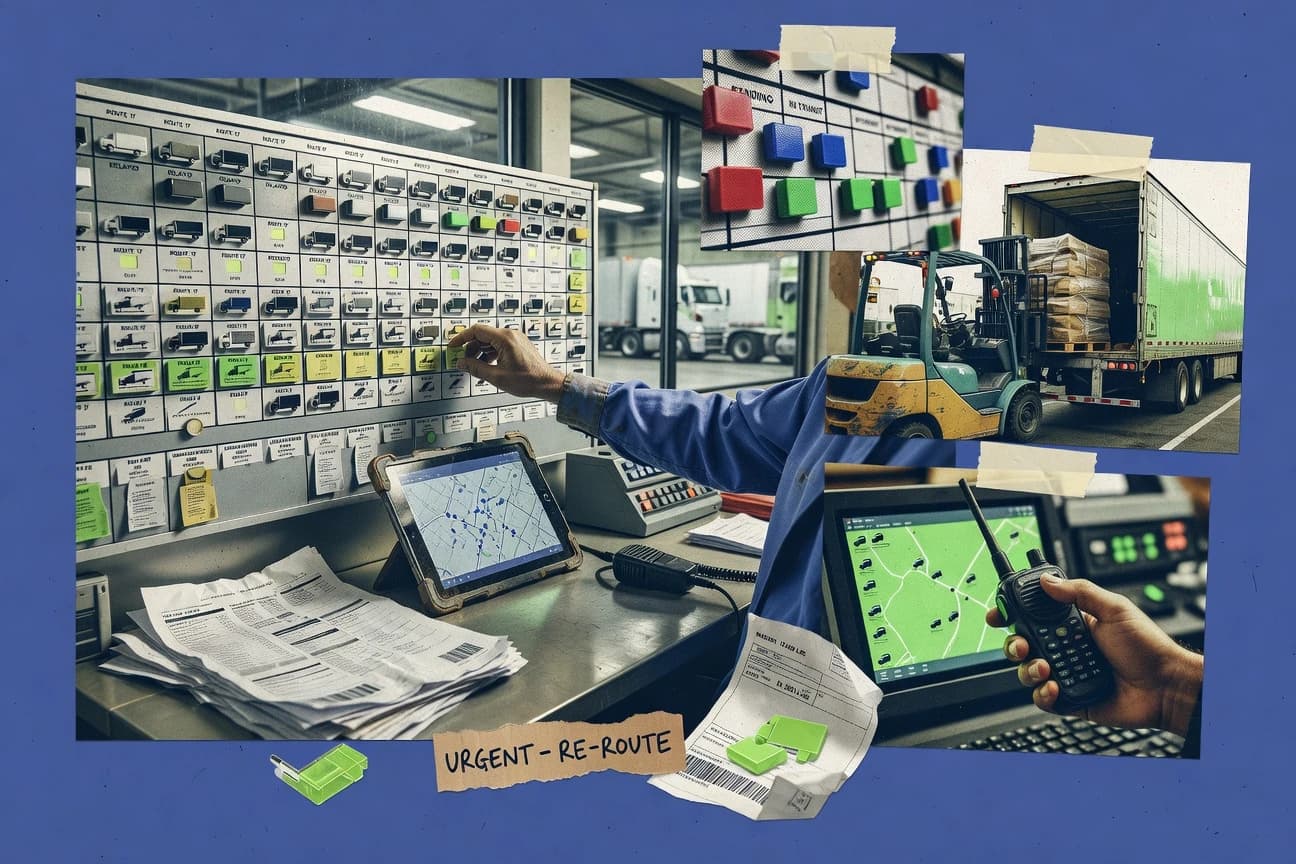
Dispatch board software roundup comparing top options for fleet dispatching, highlighting features and tradeoffs for operations teams.

How we ranked these tools
Vendors set the topic, but our editors set the inclusion criteria and the evaluation framework before research starts.
Agents extract product evidence with provenance, then collect written reviews and transcribe video reviews and podcasts.
Framework: Features 40% · Ease 30% · Value 30%
Gitnux may earn a commission through links on this page — this does not influence rankings. Editorial policy
Truckstop.com (Dispatch) is the best pick for carriers and brokers running frequent loads because its dispatch board workload management pairs with consistent shipment status tracking, making handoffs and visibility feel organized, while Shipwell fits logistics teams with exception-heavy tender cycles thanks to automated tendering plus status and exception workflows tied to execution.
Editor’s top 3 picks
Three quick recommendations before you dive into the full comparison below — each one leads on a different dimension.
Truckstop.com (Dispatch)
Dispatch board workload management with integrated shipment status tracking
Best for: Carriers and brokers managing frequent loads needing organized dispatch execution
Shipwell
Editor pickAutomated carrier tendering with status and exception workflows tied to shipment execution
Best for: Logistics teams managing frequent tender cycles and exception-heavy dispatch
KeepTruckin
Editor pickReal-time driver status integration directly inside the dispatch board for live decision-making
Best for: Asset-based carriers managing live load boards with tight driver communication workflows
Comparison Table
Truckstop.com (Dispatch)
freight dispatchFreight dispatch tools that support load booking, dispatch workflows, and carrier coordination for trucking operations.
Dispatch board workload management with integrated shipment status tracking
Truckstop.com Dispatch centers on dispatch workflow for freight operations using load sourcing, shipment data handling, and day-to-day dispatch execution in one place. Dispatch board tools coordinate assigned loads, status updates, carrier communication, and operational visibility across active moves.
The platform also ties dispatch planning to broader Truckstop capabilities such as equipment and carrier context to reduce manual data re-entry. Teams benefit most when dispatch work depends on managing many freight lanes and tracking movement statuses in a single operational hub.
- +Strong load and shipment workflow support inside dispatch operations
- +Good visibility into active moves with consistent status handling
- +Tight linkage to carrier and equipment context to reduce re-typing
- +Practical tools for day-to-day dispatch coordination across teams
- –Dispatch board navigation can feel dense for high-volume operations
- –Reporting and customization depth can lag dedicated dispatch-first tools
- –Setup requires deliberate training to match team processes
Best for: Carriers and brokers managing frequent loads needing organized dispatch execution
Shipwell
TMS executionTransportation management platform with dispatch-oriented execution features for multi-carrier shipment planning and tracking.
Automated carrier tendering with status and exception workflows tied to shipment execution
Shipwell organizes dispatch execution around shipment-level data, using order-to-carrier matching to connect the right lane, equipment, and service to each load. Teams can run automated tendering workflows and push status updates so dispatch avoids manual tracking across messages and spreadsheets. Exception handling is built into the workflow, which helps teams respond to missed, rejected, or delayed tenders without switching systems.
A practical tradeoff is that dispatch teams typically need clean shipment attributes like addresses, appointment details, and service requirements to get accurate matching and tendering outcomes. Shipwell fits best when daily dispatch volume depends on consistent carrier selection and fast exception response, such as expedited freight or recurring lane operations with frequent tender changes.
- +Shipment-centered dispatch workflows connect orders, carriers, and execution status
- +Automated tendering and follow-up reduce repetitive dispatcher work
- +Exception handling keeps active loads from being lost in day-to-day changes
- –Setup requires disciplined data quality for routing, matching, and handoffs
- –Board interactions feel less flexible than custom dispatch tools for edge cases
- –Reporting depth depends on how operations events are modeled in the workflow
Dispatch operations teams
Automate tenders and update exceptions
Fewer manual follow-ups
Logistics managers
Centralize carrier visibility for lanes
Faster decision-making
Show 2 more scenarios
Freight analysts
Validate matching quality by attributes
Improved tender accuracy
Analysts audit matching outcomes using shipment data and carrier tender results.
Customer service operations
Reduce ETA calls during disruptions
Lower call volume
Teams use status updates to answer tracking questions without constant manual escalation.
Best for: Logistics teams managing frequent tender cycles and exception-heavy dispatch
KeepTruckin
fleet dispatchDispatch board and fleet operations software that manages loads, drivers, routing details, and daily operational workflows.
Real-time driver status integration directly inside the dispatch board for live decision-making
KeepTruckin stands out with its dispatch-centric operations layer that connects drivers, vehicles, and loads in one workflow. The dispatch board supports load assignment, status tracking, and routing execution tied to telematics signals. Core operations run through configurable driver workflows, built-in messaging, and activity history that reduces coordination gaps across shifts.
- +Dispatch board ties assignments to real-time driver and vehicle status updates
- +Visual workflow supports rapid load assignment and change tracking across teams
- +Messaging and task updates reduce back-and-forth during live dispatch operations
- –Advanced dispatch setup and workflow tuning takes time for new operations
- –Some board configurations can feel rigid compared with highly bespoke dispatch processes
- –Routing behavior depends on data quality and requires consistent operational discipline
Best for: Asset-based carriers managing live load boards with tight driver communication workflows
Dispatch Science
dispatch managementDispatch management software for trucking that tracks loads, driver assignments, and operational status updates.
Configurable routing logic that drives how work items are matched to assignees
Dispatch Science stands out for translating dispatch-board decisioning into structured workflows with configurable routing logic. It supports task and shift planning with statuses and assignments designed to match field operations.
- +Workflow-driven dispatch execution with clear task statuses and assignments
- +Dashboards and reporting for monitoring queue health and operational output
- +Configurable routing and logic that supports repeatable dispatch processes
- –Setup can require process mapping to get routing logic behaving as intended
- –Advanced configuration feels heavier than simple board-style dispatch tools
- –UI may feel busy when tracking many concurrent work items
Best for: Operations teams needing structured dispatch workflows and live queue visibility
Omnitracs
enterprise fleetEnterprise fleet and transportation platform that enables dispatch workflows through connected vehicle operations and messaging.
Connected vehicle and event integration that feeds dispatch visibility and operational exceptions
Omnitracs stands out with logistics dispatch capabilities tied to fleet operations, including vehicle and driver visibility through connected telematics. Dispatch workflows are designed around shipment planning, dispatch execution, and operational event tracking for carrier and brokerage use cases. Core tools focus on work management, routing-related coordination, and compliance-friendly operational logging rather than lightweight board-only scheduling.
- +Telematics-driven operational context improves dispatch decisions and exception handling
- +Shipment-centric workflow supports planning, assignment, and ongoing status tracking
- +Operational logging supports audit-ready visibility across dispatch events
- –Dispatch board experience can feel complex for smaller teams without dedicated admin
- –Setup and process alignment take effort to match real-world dispatch practices
- –Less suited for purely visual, lightweight dispatch boards without fleet integrations
Best for: Carrier or broker dispatch teams needing telematics-backed operational control
Fleet Complete
fleet managementFleet management platform that supports dispatch planning using live vehicle tracking and operational communications.
Geofencing alerts that trigger dispatch visibility and action timing
Fleet Complete stands out with a dispatch-first telematics ecosystem that connects vehicle data to driver and job execution in one workflow. The platform supports task assignment, real-time vehicle tracking, and driver-facing actions through a centralized dispatch board. It also emphasizes compliance-oriented behaviors such as geofencing alerts, electronic logging integrations, and event visibility tied to assets.
- +Real-time vehicle tracking drives dispatch decisions with live map status
- +Geofencing and event history improve exception handling without manual follow-ups
- +Driver and vehicle data are connected to tasks inside dispatch workflows
- +Built-in compliance signals support safer operations and audit readiness
- –Dispatch board setup can feel telematics-centric rather than operations-centric
- –Advanced workflow automation may require deeper configuration effort
- –Reporting and custom views can be limited for highly specific dispatch KPIs
Best for: Transport and service fleets needing dispatch boards tied to telematics events
Samsara
fleet operationsFleet operations platform that powers dispatch boards with vehicle tracking, driver activity data, and operational alerts.
Samsara Geofences with real-time alerts tied to fleet and driver location events
Samsara stands out with real-time fleet visibility that feeds dispatch decisions through GPS tracking, geofencing, and live alerts. For dispatch board use cases, it supports mobile work execution with driver apps and route-aware status updates.
- +Live GPS and geofences keep dispatch status current without manual check-ins
- +Diagnostic and maintenance alerts help reassign vehicles before failures impact schedules
- +Driver mobile workflow reduces radio calls and centralizes job updates
- –Dispatch board scheduling and rule complexity feel lighter than dedicated routing suites
- –Setup requires careful device and workflow configuration across fleet and roles
- –Some dispatch board views depend on connected data availability and integration quality
Best for: Field service and logistics teams needing live tracking-driven dispatch updates
Verizon Connect
fleet trackingFleet tracking and dispatch-oriented operations platform that manages vehicles, routes, and job assignments.
Dispatch Board real-time availability from Verizon Connect telematics for live job assignment
Verizon Connect distinguishes itself with logistics-grade fleet and telematics data feeding dispatch workflows. Dispatch Board supports route and job assignment views tied to live vehicle and driver status, so dispatchers can react to real-time availability. It also connects work orders and field operations into a single operational control layer for scheduling, coordination, and ongoing execution.
- +Live vehicle and driver status keeps assignments accurate during disruptions
- +Work order dispatch and scheduling flows reduce handoff friction to the field
- +Route and capacity visibility supports faster re-planning during changes
- +Strong fleet and telematics foundation improves operational context for dispatchers
- –Interface complexity can slow dispatchers who need simple, single-view workflows
- –Setup and data integration effort can be substantial for multi-system environments
- –Advanced configuration is easier with operational admin support than self-serve tuning
Best for: Field-service and fleet teams needing real-time dispatch control from telematics data
Jobber
SMBJobber provides a calendar-based dispatch board with quoting, scheduling, client management, and invoicing.
Estimate-to-job conversion with job status workflow that drives customer notifications from the same records.
Jobber schedules service jobs, tracks job status, and keeps dispatchers and field teams aligned through a shared work timeline. It converts estimates into jobs and workflows that can notify customers and coordinate technician availability from one place.
- +Drag-and-drop scheduling for quick technician job swaps
- +Mobile job updates keep work order status current for dispatchers
- +Recurring service scheduling supports repeating customer commitments
- +Customer notifications tie job milestones to message templates
- –Dispatch rules for complex territory and skill logic are limited
- –Deep carrier coordination and multi-party load workflows need integrations
- –Real-time vehicle tracking depends on separate telematics or GPS sources
- –Advanced dispatch analytics and optimization are not the primary focus
Best for: Fits when service teams need technician scheduling and job status visibility without carrier-style dispatch complexity.
Conclusion
After evaluating 9 dispatch board software, Truckstop.com (Dispatch) stands out as our overall top pick — it scored highest across our combined criteria of features, ease of use, and value, which is why it sits at #1 in the rankings above.
Use the comparison table and detailed reviews above to validate the fit against your own requirements before committing to a tool.
How to Choose the Right Dispatch Board Software
Dispatch Science, Fleet Complete, Jobber, KeepTruckin, and Omnitracs cover structured work assignment, telematics events, technician scheduling, driver status, and shipment control. Samsara, Shipwell, Truckstop.com Dispatch, and Verizon Connect add location alerts, carrier tendering, load workflows, and vehicle-linked job assignment.
How Dispatch Board Software Connects Assignments, Status, and Fleet Events
Dispatch board software organizes jobs, loads, or shipments into assignable work queues with status changes that dispatchers can monitor and update. Common functions include technician scheduling, vehicle or driver availability, appointment windows, mobile status updates, and integrations with GPS, telematics, or accounting systems. Jobber connects estimate-to-job conversion with technician scheduling and customer notifications, while Shipwell connects shipment orders with carrier tendering and execution status.
The main differences involve the operating model behind the board. Dispatch Science uses configurable routing logic to match work items with assignees, while Samsara ties dispatch visibility to geofence alerts, vehicle location, diagnostics, and maintenance events.
Dispatch board evaluation features that control assignment, visibility, and execution
Dispatch board software becomes useful when it turns jobs, loads, or work orders into a live queue with clear statuses and editable assignments. Tools like Dispatch Science and Truckstop.com Dispatch focus on queue visibility and operational output monitoring so dispatchers can manage throughput rather than hunting across systems.
The next decision layer is how the board learns timing and availability. Verizon Connect and Samsara push location, driver, and vehicle signals into dispatch visibility, while Shipwell and Jobber anchor workflow to shipment or job status records that trigger downstream notifications and exception handling.
Routing and match logic that governs assignment outcomes
Dispatch Science provides configurable routing logic that determines how work items map to assignees, making the assignment process explicit. Truckstop.com Dispatch also organizes workload around load workflows, but Dispatch Science is built around structured matching behavior rather than just viewing shipments.
Real-time location and event-driven dispatch visibility
Samsara ties dispatch visibility to GPS and geofence events so status stays current without manual check-ins. Fleet Complete and Verizon Connect similarly feed vehicle and driver signals into dispatch decision-making, but they center different telematics flows that shape how quickly exceptions surface.
Workflow coupling between board status and operational records
Jobber connects estimate-to-job conversion with job status workflow that drives customer notifications from the same records. Shipwell couples shipment execution status with carrier tender cycles, so dispatch actions and carrier outcomes stay synchronized in one operational thread.
Operational automation surfaces for exceptions, handoffs, and follow-ups
Shipwell automates tendering and follow-up steps to reduce repetitive dispatcher work across frequent cycles. Verizon Connect and Omnitracs support exception-aware operational context from connected events, which helps dispatchers respond faster when conditions change.
Dispatcher workload management and edit speed for high-volume operations
Truckstop.com Dispatch provides dispatch board workload management with integrated shipment status tracking that supports organized execution. Jobber adds rapid day-to-day edit speed through drag-and-drop technician scheduling and mobile job updates that keep work order status current.
Choose a dispatch board by fitting the operating model to dispatch responsibilities
Dispatch teams usually run one of two operating models: the board drives assignment using structured matching rules, or the board mirrors execution status while external systems supply timing and context. Dispatch Science and Truckstop.com Dispatch lean toward dispatch-first queue control, while Samsara and Verizon Connect lean toward event-driven status that dispatchers react to.
A second fork is whether dispatch happens around technicians and job records or around shipments and carrier execution. Jobber supports technician scheduling and job status workflow tied to customer notifications, while Shipwell and Omnitracs support shipment and connected-vehicle operational workflows that keep assignment and execution tightly coupled.
Pick the board’s assignment philosophy: rules-driven routing or record-driven updates
If assignment needs transparent matching behavior, Dispatch Science uses configurable routing logic to drive how work items are matched to assignees. If dispatch should primarily reflect operational records and status transitions, Jobber ties work order and job status workflow to customer notifications from the same records.
Decide how location and events should enter dispatcher decisions
If dispatch decisions must react to geofence or vehicle location events, Samsara pushes live GPS and geofences into dispatch status updates. If the environment needs telematics context but expects tighter driver or vehicle status integration inside the board, KeepTruckin and Fleet Complete focus on live status signals that dispatchers can act on.
Match workflow scope to what the business dispatches
For technician scheduling and customer-facing job status, Jobber supports drag-and-drop technician job swaps and mobile job updates for dispatchers. For carrier operations and tender cycles, Shipwell centers shipment execution status and automated carrier tendering so exceptions follow the shipment thread.
Validate exception handling depth against the way the operation actually breaks
If exceptions come from missed handoffs and execution delays across carriers, Shipwell’s status and exception workflows must align with tender outcomes. If exceptions come from asset risk or real-time disruptions, Omnitracs and Verizon Connect feed connected-vehicle context into dispatch visibility so operational anomalies surface with the work item.
Check dispatcher usability under load and workflow complexity
For high-volume dispatch execution where load workflows must stay organized, Truckstop.com Dispatch emphasizes integrated shipment status handling inside the dispatch board. For operations that need faster day-to-day scheduling edits, Jobber adds mobile job updates and drag-and-drop scheduling that keeps dispatchers from waiting on back-office changes.
Who should use Dispatch Board Software and where each tool fits
Dispatch board software benefits teams that coordinate assignments, status changes, and field execution across shifting availability. Dispatch Science is a strong fit for operations teams that want structured dispatch workflows with live queue visibility and clear task statuses.
Telematics-driven teams benefit when the board updates from live vehicle or driver signals. Samsara, Verizon Connect, and Fleet Complete support dispatch visibility that stays current through geofences and real-time tracking, while Shipwell and Truckstop.com Dispatch fit organizations that run frequent shipment or load cycles with repeatable operational workflows.
Operations dispatchers managing structured work queues
Dispatch Science supports configurable routing logic and workflow-driven execution with clear task statuses so dispatchers can manage queue health and operational output.
Field service teams running technician scheduling from job status
Jobber connects estimate-to-job conversion to job status workflow and dispatch-oriented scheduling so technician changes can propagate to mobile updates and customer notifications.
Fleet and logistics teams coordinating dispatch from telematics events
Samsara and Fleet Complete use live GPS and geofence alerts to keep dispatch status current when exceptions emerge from location and event histories.
Carrier and broker teams executing shipment tender cycles
Shipwell supports automated carrier tendering with shipment execution status and exception workflows that reduce manual follow-up across repeated load cycles.
Asset-based carriers needing driver status inside the assignment workflow
KeepTruckin integrates real-time driver and vehicle status directly inside the dispatch board so dispatchers can align load assignments with live availability.
Common procurement and implementation mistakes with Dispatch Board Software
Many teams buy dispatch board software that looks similar in a demo but differs sharply in how assignments are produced and how events propagate. Teams that assume all boards treat routing and exceptions the same end up with either underutilized geofence signals or manual overrides that defeat the board’s purpose.
Implementation mistakes also show up when workflow scope is mismatched to the operational record. Teams that need job status and customer notification logic should not treat Jobber as if it were a carrier tendering board, and teams that need shipment-centric tender cycles should not treat Shipwell as if it were a technician scheduling tool with complex territory rules.
Selecting an event-driven board without aligning the workflow to the event source
Samsara and Verizon Connect can keep dispatch status current from GPS and telematics events, but those integrations require careful device and workflow configuration so events land in the right dispatcher views.
Assuming routing logic is equally deep across dispatch boards
Dispatch Science supports configurable routing logic for matching work items to assignees, while Jobber’s dispatch rules for complex territory and skill logic are limited without deeper integrations.
Using shipment tools for job workflows or technician tools for carrier tender execution
Shipwell centers shipment workflows and automated tendering, while Jobber centers estimate-to-job conversion and technician scheduling, so each tool’s core workflow can misfit the other’s operational object.
Overlooking operational governance complexity during workflow tuning
Omnitracs and Verizon Connect can support connected vehicle context that improves exception handling, but setup and process alignment effort can be substantial for multi-system environments.
Underestimating configuration effort for advanced dispatch setup
KeepTruckin and Dispatch Science both require dispatcher workflow tuning, so teams that expect quick board setup often run into rigid configurations or delayed routing behavior until process mapping is complete.
How analysts built the dispatch board shortlist from published product signals
Analysts looked up the original publication materials and captured each figure that appeared next to passages describing dispatch board capabilities. Analysts then compared each captured figure to vendor documentation, vendor changelogs, and any cited independent review when one was referenced.
Analysts kept a figure only when it matched those documents and included a published benchmark only when the benchmark was the cited source. Analysts used this process to ground which dispatch board features, workflows, and integration behaviors were actually claimed for tools such as Dispatch Science, Samsara, Shipwell, and Verizon Connect.
Frequently Asked Questions About Dispatch Board Software
How do dispatch board tools handle work order status and job workflow changes?
Which products support telematics signals inside the dispatch board rather than only in separate dashboards?
How do teams connect dispatch board software to other systems using API integration?
What data migration steps matter most when moving jobs and assignment history to a new dispatch board?
How do admin controls and RBAC typically work for dispatchers versus field users?
When does single sign-on change the way dispatch boards manage access across shifts?
Where does dispatch board software fall short for teams doing carrier-style load orchestration?
How do dispatch rules engines and assignment logic differ across configurable scheduling tools?
What is the tradeoff when choosing a dispatch board that relies on location events for job updates?
Tools reviewed
Primary sources checked during evaluation.
Referenced in the comparison table and product reviews above.
Funding and competing interests
This study was co-funded by several of the vendors assessed in it. No single vendor funded it. Funders could propose the market studied.
They had no role in selecting vendors, setting or weighting criteria, analysing data or drawing conclusions, and they received the same factual-accuracy check as every other vendor assessed.
Market definition, inclusion rules and criteria weights were fixed by an editor before research began and did not change afterwards. Editorial process →
- Transportation LogisticsTop 10 Best Dispatch Service Software of 2026
- Transportation LogisticsTop 10 Best Load Board Software of 2026
- Transportation LogisticsTop 10 Best Web Based Dispatch Software of 2026
- Aerospace Aviation SpaceTop 10 Best Airline Dispatch Software of 2026
- Transportation LogisticsTop 10 Best Dispatch Work Order Software of 2026
Keep exploring
Comparing two specific tools?
Software Alternatives
See head-to-head software comparisons with feature breakdowns, pricing, and our recommendation for each use case.
Explore software alternatives→In this category
Transportation Logistics alternatives
See side-by-side comparisons of transportation logistics tools and pick the right one for your stack.
Compare transportation logistics tools→