
GITNUXSOFTWARE ADVICE
Construction InfrastructureTop 10 Best Construction Equipment Asset Management Software of 2026
Discover top 10 construction equipment asset management software to optimize operations – explore now for expert insights and comparisons.

How we ranked these tools
Core product claims cross-referenced against official documentation, changelogs, and independent technical reviews.
Analyzed video reviews and hundreds of written evaluations to capture real-world user experiences with each tool.
AI persona simulations modeled how different user types would experience each tool across common use cases and workflows.
Final rankings reviewed and approved by our editorial team with authority to override AI-generated scores based on domain expertise.
Score: Features 40% · Ease 30% · Value 30%
Gitnux may earn a commission through links on this page — this does not influence rankings. Editorial policy
Editor’s top 3 picks
Three quick recommendations before you dive into the full comparison below — each one leads on a different dimension.
Asset Panda
Barcode-powered mobile equipment check-in and check-out with custody history
Built for construction firms needing mobile asset custody, maintenance workflows, and audit reporting.
eMaint
Editor pickPreventive maintenance scheduling with equipment-specific triggers and service history.
Built for construction fleets needing traceable PM, work orders, and parts workflows.
UpKeep
Editor pickRecurring preventive maintenance work orders with configurable checklists
Built for contractors and service teams managing preventive maintenance across equipment fleets.
Comparison Table
Asset Panda
asset trackingTracks construction equipment assets with barcode or QR scanning, configurable workflows, preventive maintenance, and real-time check-in and check-out.
Barcode-powered mobile equipment check-in and check-out with custody history
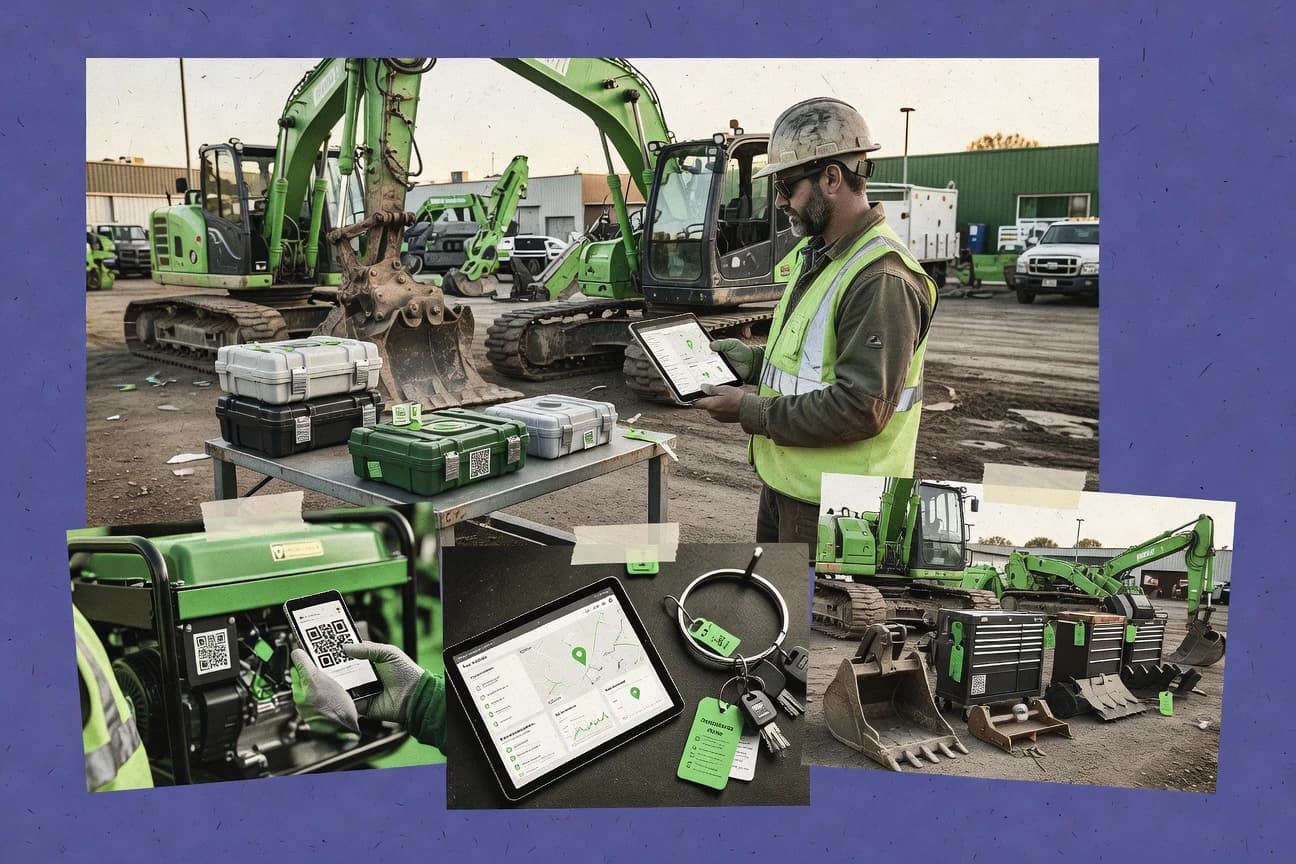
Asset Panda stands out with field-ready asset tracking built around barcode scanning and mobile check-ins. It supports real-time visibility of construction equipment locations, custody, and utilization across multiple job sites.
The system combines maintenance scheduling, inspection workflows, and audit-ready reporting for fleet accountability. It also manages consumables and service history tied to individual assets and work orders.
- +Mobile barcode scanning for fast asset check-in and check-out
- +Maintenance and inspection workflows link directly to specific equipment
- +Detailed audit trails and reporting for compliance-ready accountability
- +Supports multi-location tracking for distributed job sites
- –Advanced configuration takes time to tailor to complex fleets
- –Reporting customization can require admin effort for new views
- –Some workflows feel rigid without process tuning
Best for: Construction firms needing mobile asset custody, maintenance workflows, and audit reporting
eMaint
CMMSManages equipment maintenance and asset lifecycle with computerized maintenance management system capabilities, inspections, work orders, and reporting.
Preventive maintenance scheduling with equipment-specific triggers and service history.
eMaint stands out for turning equipment and fleet maintenance into a structured work-management system with asset records at the center. It supports preventive maintenance scheduling, work orders, service histories, and standard operating workflows for field and shop teams.
The platform also adds inventory and purchasing workflows, so technicians can request parts and managers can track usage tied to specific assets. For construction equipment asset management, it emphasizes traceability through inspection checklists, audit trails, and configurable maintenance rules rather than only spreadsheets or static CMMS checklists.
- +Strong preventive maintenance scheduling tied to detailed asset records
- +Work orders and service histories support clear equipment lifecycle traceability
- +Inventory and parts requests connect maintenance work to procurement needs
- +Inspection checklists and audit trails improve compliance documentation
- –Setup and workflow configuration require effort to match construction processes
- –Advanced reporting can feel heavy without a dedicated admin
- –Mobile and field experience can lag simpler CMMS tools for quick tasks
Best for: Construction fleets needing traceable PM, work orders, and parts workflows
UpKeep
maintenanceRuns maintenance work orders and equipment asset tracking with mobile-first inspections, preventive schedules, and audit-ready reporting.
Recurring preventive maintenance work orders with configurable checklists
UpKeep stands out for handling recurring work orders and asset maintenance workflows using configurable checklists and scheduled routes. It supports equipment and spare parts tracking, preventive maintenance scheduling, and technician task management that align with day-to-day construction fleet operations.
The system emphasizes mobile execution for field inspections, photo capture, and work order completion tied to specific assets. Reporting and dashboards help teams review maintenance history and compliance activities across locations.
- +Strong recurring preventive maintenance and work order scheduling for fleets
- +Mobile checklists and photos support field inspections and fast task completion
- +Asset and parts tracking links maintenance activity to inventory needs
- +Maintenance history reporting supports audits and operational reviews
- –Setup of workflows and templates can take time for multi-location teams
- –Limited depth for advanced enterprise asset management compared to top platforms
- –Reporting customization is less flexible than highly specialized CMMS tools
Best for: Contractors and service teams managing preventive maintenance across equipment fleets
Fiix
CMMSCentralizes equipment asset management and maintenance execution with work orders, preventive maintenance, and analytics for operational performance.
Preventive maintenance scheduling with work orders linked to asset records and histories
Fiix stands out for connecting maintenance planning, work management, and asset tracking in one workflow built for industrial and equipment-heavy operations. It supports preventive maintenance scheduling, condition-based tasks, and mobile-friendly work orders so field teams can update assets during repairs.
It also provides reporting and dashboards around downtime, maintenance history, and asset performance. Fiix is strongest when you need structured maintenance execution tied directly to equipment records rather than just basic inventory tracking.
- +Strong preventive maintenance scheduling tied to specific equipment assets
- +Work order workflows support collaboration between planners and field technicians
- +Maintenance history and reporting help track downtime and recurring failures
- +Mobile-friendly updates reduce delays between site work and system records
- –Setup of asset hierarchies and maintenance templates takes focused admin work
- –Advanced customization can require process discipline and careful data modeling
- –Reporting depth depends on how well assets, failures, and labor are structured
- –Integration options may require additional effort for complex enterprise ecosystems
Best for: Mid-size contractors managing fleet assets and preventive maintenance across multiple sites
MaintainX
field maintenanceDigitizes equipment inspections and maintenance plans for mobile teams with work management, asset records, and structured checklists.
Mobile offline maintenance task execution with photo-ready work order documentation
MaintainX stands out with field-first maintenance workflows that connect work orders, inspections, and task schedules to equipment assets. It supports mobile task completion with offline-capable execution, plus centralized asset hierarchies, preventive maintenance plans, and recurring checklists.
The platform also tracks maintenance history, labor and parts costs, and compliance-oriented inspection results for heavy equipment fleets. Strong integrations extend data capture from service events and IoT signals, while reporting helps operations and maintenance teams spot recurring failures.
- +Mobile-first work orders with fast task capture for field technicians
- +Robust preventive maintenance scheduling tied to equipment assets
- +Maintenance history with cost tracking for labor and parts
- +Inspection and checklist workflows support compliance-style documentation
- –Initial setup of asset structure and preventive schedules takes time
- –Advanced reporting requires configuration to match custom KPIs
- –Role-based governance can feel complex for multi-location fleets
Best for: Construction fleets managing preventive maintenance, inspections, and service histories
Axxerion
enterprise maintenanceProvides maintenance and asset management for industrial and field operations with equipment hierarchies, work orders, and inventory integration features.
Workflow-driven inspection and maintenance checklists tied directly to each equipment asset
Axxerion focuses on managing construction equipment assets across their full lifecycle, including inspections, maintenance, and utilization tracking. It provides workflow-driven checklists and tasks so field teams can record condition and downtime events consistently.
The system supports document control tied to assets and maintenance activity, which helps standardize compliance evidence. It also includes reporting to analyze maintenance history and operational performance across fleets.
- +Lifecycle coverage links assets, inspections, and maintenance records in one workflow
- +Checklist and task workflows standardize field reporting
- +Document control ties compliance files to specific assets and activities
- +Fleet reporting highlights maintenance history and downtime patterns
- –Setup and configuration take time to model fleet workflows correctly
- –Reporting flexibility can feel limited without deeper admin configuration
- –Mobile use depends on well-defined workflows for consistent data capture
Best for: Construction contractors managing fleet maintenance with standardized inspections and task workflows
IBM Maximo Application Suite
enterprise EAMDelivers enterprise asset and maintenance management using configurable asset structures, work management, and enterprise reporting for construction operations.
Asset maintenance management with configurable work orders and preventive maintenance planning
IBM Maximo Application Suite stands out for its depth of enterprise asset and maintenance management combined with workflow automation for field and operations teams. It covers work order management, preventive maintenance planning, asset hierarchies, and inventory and procurement processes tied to service delivery.
For construction equipment asset management, it supports downtime tracking, service histories, technician scheduling, and configurable service processes across multiple sites. Integration is a core strength through IBM components and open APIs that connect equipment, safety, and finance systems used by contractors and equipment operators.
- +Strong work order and preventive maintenance capabilities for equipment fleets
- +Detailed asset hierarchy and service history support audit-ready lifecycle management
- +Inventory and procurement workflows reduce parts shortages during repairs
- +Configurable workflows for technicians and operations across multiple sites
- –Setup and configuration can take significant time for equipment-specific processes
- –User experience complexity rises with highly customized workflows
- –Advanced capabilities often require skilled admin support to run smoothly
Best for: Construction equipment operators needing enterprise maintenance, inventory, and workflow automation
Infor EAM
EAM enterpriseSupports enterprise asset management with maintenance planning, asset hierarchies, and operational analytics for large construction organizations.
Configurable asset hierarchies and preventive maintenance work order execution
Infor EAM stands out for its tight fit with enterprise asset-intensive operations that need deep maintenance workflows and rigorous lifecycle control. It supports preventive maintenance planning, work order execution, spares management, and reliability processes tied to asset hierarchies.
The platform also integrates with broader Infor enterprise applications for inventory, purchasing, and operational reporting. For construction equipment asset management, it delivers strong billable maintenance history and configurable asset structures for fleets and field locations.
- +Strong preventive maintenance planning with detailed work order workflows
- +Robust asset hierarchy supports fleets, locations, and equipment classes
- +Good maintenance history for compliance reporting and lifecycle analysis
- +Integrates well with Infor inventory and purchasing processes
- –Setup and configuration for construction fleets takes significant effort
- –User experience can feel heavy for field teams needing quick tasks
- –Advanced reliability and analytics require stronger admin ownership
- –Pricing tends to favor large enterprises over small equipment operators
Best for: Large contractors needing enterprise-grade maintenance and equipment lifecycle control
Nexvia
equipment maintenanceManages equipment, inspection schedules, and fleet-related maintenance workflows with cloud dashboards for contractors and field teams.
Maintenance scheduling with history-backed reminders linked directly to each equipment asset
Nexvia stands out for connecting construction equipment records to daily operational workflows through a centralized asset register. It supports asset life tracking with scheduled maintenance, inspection history, and service reminders tied to equipment utilization.
The system also supports procurement-to-asset processes with document storage and operational reporting for fleet visibility. Teams use Nexvia to reduce downtime by routing repair and maintenance actions to the right equipment and responsible parties.
- +Centralized equipment asset register with maintenance schedules and reminders
- +Workflow-driven maintenance actions connect asset history to current work
- +Document storage supports service records and operational documentation
- –User experience can feel setup-heavy for teams managing large fleets
- –Reporting depth depends on careful configuration of asset and maintenance fields
- –Limited out-of-the-box automation for complex multi-site approval workflows
Best for: Construction fleets needing maintenance scheduling and equipment history in one system
AssetTiger
SMB asset trackingTracks business assets using checklists, maintenance reminders, and audit trails to support equipment management across teams.
Maintenance scheduling tied directly to tracked construction equipment asset records
AssetTiger stands out with its construction-focused approach to managing equipment and assets across locations and project teams. It centers on asset tracking, depreciation-ready records, and maintenance scheduling workflows tied to equipment usage.
The platform also supports user access controls and reporting to help operations and finance track utilization and downtime drivers. Asset data organization works best when teams keep consistent asset records and planned maintenance intervals.
- +Construction equipment oriented asset records with maintenance scheduling workflows
- +Multi-user access supports shared oversight across operations and finance
- +Reporting helps track asset status and maintenance progress for fleets
- –Setup can require disciplined asset data entry to avoid inaccurate tracking
- –Limited advanced fleet optimization compared with top purpose-built CMMS suites
- –Workflow depth for complex approvals and integrations can feel constrained
Best for: Construction teams needing equipment tracking and maintenance scheduling without heavy customization
Conclusion
After evaluating 10 construction infrastructure, Asset Panda stands out as our overall top pick — it scored highest across our combined criteria of features, ease of use, and value, which is why it sits at #1 in the rankings above.
Use the comparison table and detailed reviews above to validate the fit against your own requirements before committing to a tool.
How to Choose the Right Construction Equipment Asset Management Software
This buyer’s guide covers how to choose Construction Equipment Asset Management Software using specific capabilities from Asset Panda, eMaint, UpKeep, Fiix, MaintainX, Axxerion, IBM Maximo Application Suite, Infor EAM, Nexvia, and AssetTiger. It focuses on the equipment custody, preventive maintenance, inspection documentation, and workflow automation features that show up repeatedly across these platforms. You will also get pricing expectations, common buying mistakes, and tool-specific guidance for each decision step.
What Is Construction Equipment Asset Management Software?
Construction Equipment Asset Management Software tracks construction equipment records, their locations, custody history, and maintenance execution so operators can reduce downtime and improve audit-ready compliance. Most tools centralize equipment assets and connect them to inspections, preventive maintenance schedules, and work orders with traceable service history. Asset Panda illustrates the “asset-first” pattern with barcode or QR scanning for check-in and check-out and custody histories. IBM Maximo Application Suite illustrates the enterprise pattern with configurable asset hierarchies, preventive maintenance planning, inventory and procurement workflows, and open API integration.
Key Features to Look For
The fastest way to narrow the right tool is to match your operating model to the specific capabilities each platform delivers in the field and in reporting.
Mobile equipment check-in and check-out with custody history
Asset Panda is built for barcode-powered mobile equipment check-in and check-out with custody history so job sites can quickly register who has each machine. This feature directly supports distributed crews and audit-ready accountability for equipment handoffs.
Preventive maintenance scheduling with equipment-specific triggers
eMaint provides preventive maintenance scheduling with equipment-specific triggers tied to detailed asset records and service history. Nexvia also delivers maintenance scheduling with history-backed reminders linked directly to each equipment asset, which helps keep recurring service on track.
Work orders linked to asset records and maintenance execution
Fiix connects preventive maintenance scheduling to work orders linked to asset records and histories so planners and technicians operate from the same equipment context. IBM Maximo Application Suite extends this pattern with configurable work orders and preventive maintenance planning across enterprise workflows.
Recurring preventive maintenance work orders with configurable checklists
UpKeep excels at recurring preventive maintenance work orders with configurable checklists and scheduled routes so teams can execute repeatable tasks consistently. MaintainX and Axxerion also emphasize checklist-driven field execution, with MaintainX adding mobile-first task capture and Axxerion standardizing workflow-driven inspection and maintenance checklists.
Field inspection documentation with photos and mobile execution
MaintainX supports mobile-first execution with offline-capable maintenance task completion and photo-ready work order documentation for evidence capture at the machine. UpKeep also supports mobile checklists and photo capture for field inspections tied to specific assets.
Enterprise-ready asset hierarchies plus inventory and procurement integration
IBM Maximo Application Suite and Infor EAM both support strong asset hierarchy management and extend maintenance execution into inventory, purchasing, and procurement tied to service delivery. eMaint and Infor EAM also connect parts requests and spares management to maintenance work so technicians do not stall on shortages.
How to Choose the Right Construction Equipment Asset Management Software
Pick the tool by mapping your daily field workflows and your maintenance governance needs to the platform strengths that are already built into these products.
Start with your equipment custody and location workflow
If your crews need fast check-in and check-out at each job site, choose Asset Panda because it uses barcode-powered mobile scanning and maintains custody history. If custody is secondary and your priority is maintenance execution tied to the equipment record, choose Fiix or MaintainX because both center work orders and preventive maintenance on specific assets.
Define the maintenance model you run each week
Choose eMaint when your maintenance program relies on equipment-specific preventive maintenance triggers and detailed service history for traceability. Choose UpKeep when you run recurring preventive work orders with scheduled routes and configurable checklists for day-to-day fleet execution.
Confirm how technicians capture evidence during repairs and inspections
Choose MaintainX when mobile execution needs offline-capable completion and photo-ready work order documentation at the machine. Choose Axxerion when you want workflow-driven inspection and maintenance checklists that standardize field reporting and reduce inconsistent condition capture.
Match reporting depth to your compliance and operational KPIs
Choose Fiix or IBM Maximo Application Suite when you need reporting around downtime and maintenance history that depends on well-structured assets, failures, and labor. Choose Asset Panda if audit-ready reporting and detailed audit trails for equipment custody and utilization are central to your governance model.
Decide how much enterprise integration you need versus field simplicity
Choose IBM Maximo Application Suite or Infor EAM when integration and procurement workflows are mandatory because both platforms support deeper enterprise processes with APIs and Infor system integration patterns. Choose AssetTiger or Nexvia when you want maintenance scheduling and equipment history in one system without heavy customization, since both are designed around centralized records and scheduled reminders.
Who Needs Construction Equipment Asset Management Software?
Construction equipment asset management software fits teams that must coordinate distributed equipment, track maintenance execution, and produce evidence-based service history for operations and finance.
Contractors that need mobile custody control across multiple job sites
Asset Panda is the strongest fit because barcode-powered mobile check-in and check-out create custody history and real-time visibility of equipment locations. AssetTiger also fits teams that want equipment tracking and maintenance scheduling without heavy customization, but it does not emphasize fast barcode custody capture as directly as Asset Panda.
Fleets that run preventive maintenance programs tied to detailed asset records
eMaint is built for preventive maintenance scheduling with equipment-specific triggers and service history for lifecycle traceability. Nexvia also fits because it provides maintenance scheduling with history-backed reminders linked to each equipment asset.
Teams that need technician work order execution with inspections and evidence capture
MaintainX is a strong choice because it supports mobile offline maintenance task execution and photo-ready work order documentation. UpKeep fits recurring fleet maintenance because it pairs configurable checklists with mobile photo capture and work order completion tied to assets.
Large enterprises that require inventory and procurement tied to maintenance execution
IBM Maximo Application Suite fits organizations that need enterprise maintenance management plus inventory and procurement workflows with configurable automation and strong integration. Infor EAM fits large contractors that require robust asset hierarchy control and spares and materials tracking that ties into maintenance execution.
Common Mistakes to Avoid
Most buying failures in this category come from mismatches between how your fleet works and how the software models workflows, assets, and approvals.
Buying only for asset tracking and ignoring maintenance workflow structure
AssetTiger and Nexvia can work well for scheduling and equipment history, but teams that need work order traceability and preventive execution tied to asset records should prioritize Fiix or eMaint. eMaint and Fiix emphasize preventive maintenance scheduling tied to equipment assets and work order histories, which is the backbone of lifecycle accountability.
Underestimating configuration effort for asset hierarchies and templates
Fiix, eMaint, IBM Maximo Application Suite, and Infor EAM all require focused admin work to set up asset hierarchies and maintenance templates for construction fleets. If you cannot dedicate time to workflow and data modeling, Asset Panda and UpKeep are often easier starting points when you tune workflows to match your process rather than rewriting everything.
Expecting highly flexible reporting without governance on data fields
Asset Panda can require admin effort to build new reporting views for customization, and Axxerion reporting flexibility can feel limited without deeper configuration. Fiix and IBM Maximo Application Suite report best when you structure assets, failures, and labor in a consistent way so dashboards reflect real equipment performance and downtime drivers.
Forgetting mobile execution constraints like offline work and evidence capture needs
MaintainX specifically supports offline-capable maintenance task execution and photo-ready documentation, which prevents missed evidence when crews lose connectivity. UpKeep supports mobile checklists and photos, but field teams with frequent offline conditions should evaluate MaintainX against your site connectivity realities.
How We Selected and Ranked These Tools
We evaluated Asset Panda, eMaint, UpKeep, Fiix, MaintainX, Axxerion, IBM Maximo Application Suite, Infor EAM, Nexvia, and AssetTiger using four rating dimensions. We looked at overall product capability, features delivered for equipment-centric maintenance workflows, ease of use for field technicians and operations teams, and value based on how much operational work the software can replace. Asset Panda separated itself with barcode-powered mobile equipment check-in and check-out plus custody history, which directly solves equipment handoff and audit-ready accountability for distributed job sites. Lower-ranked tools in this set often delivered fewer workflow depths or required more disciplined setup so they could match complex fleet processes.
Frequently Asked Questions About Construction Equipment Asset Management Software
Which tool is best for mobile equipment check-in and custody history on active job sites?
What software should a contractor choose if they want preventive maintenance driven by asset-specific rules instead of basic spreadsheets?
Which platform is strongest for recurring preventive maintenance using configurable checklists?
Which option best handles offline-capable maintenance task execution in the field?
What software is ideal when you need documentation control tied to inspections and maintenance activity?
Which tools connect maintenance work to inventory and procurement workflows for parts requests?
How do pricing and free-plan availability differ across the top options?
If we manage assets across multiple sites and want enterprise workflow automation, which platform fits best?
What should we expect if we need asset hierarchies and spares management with rigorous lifecycle control?
What is the fastest way to get started with equipment tracking and scheduled maintenance without heavy customization?
Tools reviewed
Primary sources checked during evaluation.
Referenced in the comparison table and product reviews above.
- Construction InfrastructureTop 10 Best Construction Equipment Software of 2026
- Business FinanceTop 10 Best Asset Management Systems Software of 2026
- Equipment Rental LeasingTop 10 Best Rental Asset Management Software of 2026
- Non Profit Public SectorTop 10 Best Public Works Asset Management Software of 2026
- Data Science AnalyticsTop 10 Best Asset Management Database Software of 2026
Keep exploring
Comparing two specific tools?
Software Alternatives
See head-to-head software comparisons with feature breakdowns, pricing, and our recommendation for each use case.
Explore software alternatives→In this category
Construction Infrastructure alternatives
See side-by-side comparisons of construction infrastructure tools and pick the right one for your stack.
Compare construction infrastructure tools→