
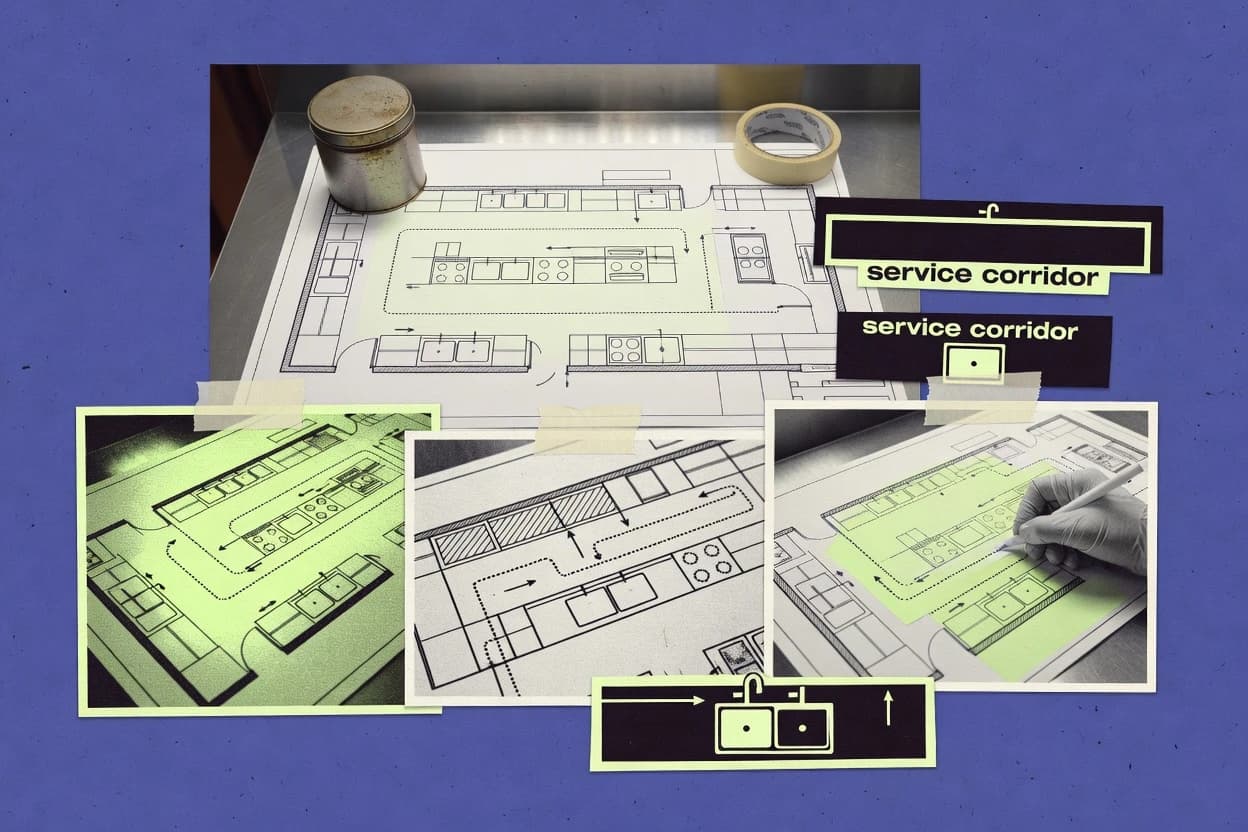
GITNUXSOFTWARE ADVICE
Construction InfrastructureTop 10 Best Commercial Kitchen Floor Plan Software of 2026
Rank 10 commercial kitchen floor plan software tools and compare AutoCAD, SketchUp, Revit, plus KitchenDraw and Planner 5D for plan makers.

How we ranked these tools
Core product claims cross-referenced against official documentation, changelogs, and independent technical reviews.
Analyzed video reviews and hundreds of written evaluations to capture real-world user experiences with each tool.
AI persona simulations modeled how different user types would experience each tool across common use cases and workflows.
Final rankings reviewed and approved by our editorial team with authority to override AI-generated scores based on domain expertise.
Score: Features 40% · Ease 30% · Value 30%
Gitnux may earn a commission through links on this page — this does not influence rankings. Editorial policy
KitchenDraw is the best pick if designers need fast, repeatable 2D kitchen layout revisions and DWG handoffs, while AutoCAD is a better choice when you’re a CAD team that needs precision and custom automation. If budget matters, nanoCAD works for plan-only layouts with quick redlines.
Editor’s top 3 picks
Three quick recommendations before you dive into the full comparison below — each one leads on a different dimension.
KitchenDraw
KitchenDraw’s kitchen equipment placement workflow minimizes manual CAD drawing when building repeatable layouts.
Built for fits when kitchen designers need fast, repeatable 2D layout revisions and DWG handoffs..
ConceptDraw DIAGRAM
Editor pickStencil-driven layout composition with exportable CAD formats for iterative kitchen plan redlines.
Built for fits when teams need quick 2D kitchen layout drawings and CAD handoff..
Planner 5D
Editor pickReal-time 3D visualization updates while placing kitchen fixtures and equipment.
Built for fits when teams need fast kitchen layout visualization and CAD handoff for later detailing..
Comparison Table
KitchenDraw
SMBKitchen and bathroom planning software with 3D visualization and multi-catalog support used by designers internationally.
KitchenDraw’s kitchen equipment placement workflow minimizes manual CAD drawing when building repeatable layouts.
KitchenDraw focuses on kitchen floor planning tasks such as equipment layout, zone thinking for BOH and FOH separation, and faster iteration than CAD-first workflows. The software workflow supports importing existing drawings when teams already have a baseline and then refining layouts with kitchen equipment placement. DWG export helps teams share layouts with AutoCAD users and consultants who expect CAD-native exchange.
A key tradeoff is that KitchenDraw prioritizes kitchen planning constructs and exports, so projects needing deep BIM authoring or full MEP coordination usually still route through Revit or CAD drafting. It fits best when kitchen designers and operators need frequent layout revisions, clearance checks, and spec handoffs without requiring a full modeling pipeline.
- +Kitchen-focused placement workflow reduces time spent arranging equipment
- +DWG export supports consultant review in common CAD toolchains
- +Import-and-edit pattern speeds iteration from existing baseline drawings
- +Clear plan canvas enables quick layout comparisons across revisions
- –Limited BIM depth for full 3D model authoring compared to Revit-centric teams
- –Advanced MEP routing and equipment schedules require external processes
Kitchen design firms
Iterate layouts for multiple facility bids
Faster bid-ready layout cycles
Restaurant operators
Plan renovations with existing drawing baselines
Lower revision churn during planning
Show 1 more scenario
MEP coordination leads
Hand off kitchen layouts to CAD drafting
Reduced re-drafting of kitchen geometry
Leads use KitchenDraw exports as the coordination starting point for downstream CAD work.
Best for: Fits when kitchen designers need fast, repeatable 2D layout revisions and DWG handoffs.
ConceptDraw DIAGRAM
SMBBusiness diagramming software with food service floor plan solutions for kitchen and restaurant layouts.
Stencil-driven layout composition with exportable CAD formats for iterative kitchen plan redlines.
ConceptDraw DIAGRAM fits kitchen layout work where speed and repeatable drawing templates matter more than a native 3D model. The editor supports layered drawing and consistent symbol placement, which helps when building cross-contamination zoning and circulation callouts on a 2D floor plan. DWG export and DXF import allow handoff to CAD tooling for detailing and compliance redlines.
A tradeoff is limited depth for kitchen-specific engineering deliverables compared with Revit-based workflows, especially when coordinating MEP routing or generating equipment schedules from structured data. It is a good fit when teams must produce wall, door, aisle, and equipment placements quickly for health department compliance review overlays, then pass the layout to another tool for final CAD polish.
- +Diagram-first UI makes kitchen layout iterations fast
- +DWG export and DXF import support CAD handoff workflows
- +Template-style stencils speed up repeat equipment placement
- +Layered drawing supports clear BOH and FOH annotations
- –Limited automation for equipment schedules from structured data
- –No native 3D BIM model coordination for MEP workflows
- –Compliance overlays require manual placement and review steps
Kitchen design ops teams
Draft BOH layouts for review cycles
Faster review turnaround for layouts
Architectural CAD drafters
Convert concept sketches to CAD
Cleaner transfer into CAD
Show 1 more scenario
Health compliance reviewers
Overlay spacing and zoning notes
Clear, repeatable review markups
Create consistent annotations on top of the 2D floor plan for review notes.
Best for: Fits when teams need quick 2D kitchen layout drawings and CAD handoff.
Planner 5D
SMB2D and 3D floor planning software that can be used for basic restaurant and kitchen layout mockups.
Real-time 3D visualization updates while placing kitchen fixtures and equipment.
Planner 5D is built around a cloud-based floor plan editor with fast room and object placement, then an integrated 3D view for visual checks of cabinet, fixture, and circulation layout. The ecosystem includes a content library used for quick furnishing and equipment placement, which reduces time spent drawing fixtures from scratch. CAD handoff is supported through DWG and DXF export, which is useful when commercial kitchen layouts must be refined in AutoCAD or other CAD tools.
A key tradeoff is limited construction-grade modeling for regulatory computations, because it focuses on layout and visualization rather than detailed compliance overlays and engineering-grade constraints. The best usage situation is early-stage BOH and FOH boundary planning and client review where speed and visual clarity matter more than a tightly governed BIM data model.
- +Drag-and-drop object placement speeds early kitchen layout iterations
- +Integrated 3D view helps validate sightlines and spacing visually
- +DWG and DXF export supports CAD handoff for downstream work
- +Library-based fixtures reduce manual drawing effort
- –Limited engineering-grade constraint handling for compliance workflows
- –Automation and API access are minimal compared with CAD and BIM stacks
- –Geometry editing depth is not comparable to AutoCAD for complex CAD sets
- –Exhaust and MEP coordination workflows are not built for rough-in modeling
Commercial kitchen designers
Client-ready layout reviews in hours
Faster design sign-off cycles
Renovation project managers
BOH and FOH boundary planning
Clearer stakeholder alignment
Show 1 more scenario
CAD detailers
Kickstart DWG-based kitchen drawings
Reduced draft time
Export DWG or DXF from Planner 5D for refinement in CAD workflows and drawing sets.
Best for: Fits when teams need fast kitchen layout visualization and CAD handoff for later detailing.
AutoCAD
enterpriseProfessional CAD software used for precise commercial kitchen floor plans and construction documentation.
AutoLISP and .NET add-ins can programmatically generate and update drawing entities for spacing and layout rules.
AutoCAD is a 2D CAD layout tool used to draft commercial kitchen floor plans with precise measurements, layers, and annotation. It supports DWG-centric workflows with tools for orthographic layout, dimensioning, and repeatable plan templates using blocks.
AutoCAD can import and export common CAD formats, which helps move kitchen layouts between design teams and downstream reviewers. For automation, it exposes extensibility through AutoLISP and .NET add-ins that can generate equipment placements, spacing checks, and drawing components.
- +DWG-first drafting supports exact kitchen plan geometry and annotation control
- +Blocks and templates speed repeat layouts for stations, lines, and service zones
- +AutoLISP and .NET add-ins enable placement automation and custom validation scripts
- +Batch-friendly DWG export workflows support multi-drawing review sets
- –No native equipment schedule generator without add-ins or external tooling
- –Health department review overlays require manual mapping to site standards
- –3D coordination is not native at a BIM-model level without other Autodesk tools
- –Consistency depends on layer standards, which need governance discipline
Best for: Fits when drawing-heavy kitchen floor plans need CAD precision and custom automation.
Cedreo
SMBHome and building design software with floor plan and interior layout tools useful for kitchen space planning.
Equipment placement workflow that converts a drag-and-drop layout into documentation-style outputs for kitchen teams.
Cedreo turns commercial kitchen planning into a diagram-first workflow where users place equipment and generate floor-plan deliverables without starting from a full CAD sketch. The editor supports a drag-and-drop equipment library and produces specification-style outputs that help teams align BOH and FOH boundaries during early layout iterations.
For handoff, Cedreo includes file export and import paths that fit mixed toolchains where kitchen design work overlaps with DWG-based documentation. Cedreo is best treated as a guided layout and documentation layer rather than a replacement for deep CAD or BIM authoring.
- +Drag-and-drop equipment library accelerates kitchen layout iterations
- +Guided planning workflow keeps BOH and FOH layout decisions consistent
- +Export and import paths support mixed CAD toolchains
- +Instant visual changes reduce cycle time during equipment swaps
- –Limited depth for MEP coordination compared with CAD or BIM tools
- –Aisle clearance checks need external validation for health code review
- –Spec outputs can lag behind advanced equipment subcomponent schedules
- –Complex renovation baselines often require careful import cleanup
Best for: Fits when teams need guided commercial kitchen floor planning with quick equipment swaps and practical deliverables for review.
ProKitchen Software
vertical specialistKitchen and bath design software offering both residential and commercial kitchen layout tools with built-in appliance libraries.
Kitchen-specific layout workflow that prioritizes equipment placement and zone boundaries over BIM-grade modeling depth.
ProKitchen Software is a commercial kitchen floor plan tool aimed at fast layout work with equipment and zone planning. It focuses on 2D floor plan building, placement of standard kitchen fixtures, and generating deliverables tied to kitchen planning tasks.
The workflow centers on visual arrangement and documentation outputs like drawings and spec-style sheets for review cycles. Compared with CAD-grade systems such as AutoCAD and Revit, it trades deep BIM and modeling breadth for a tighter kitchen-specific planning loop.
- +Kitchen-first drag-and-drop library supports quick equipment placement
- +2D layout workflow reduces drafting overhead for layout iterations
- +Deliverable outputs support handoff for in-house review cycles
- +Built-in zone and boundary planning fits typical health review needs
- –Limited interoperability for complex MEP coordination compared with CAD tools
- –Advanced 3D/BIM modeling workflows are not the primary focus
- –Cross-trade constraints like exhaust and utility routing need manual handling
- –Large projects can feel constrained without deeper CAD tooling
Best for: Fits when teams need repeatable 2D kitchen layouts and documentation without full BIM production.
AutoCAD
enterpriseIndustry-standard 2D and 3D CAD platform widely used for commercial kitchen layout and equipment placement.
DWG-first workflows with strong drawing automation hooks for standards enforcement across large plan sets.
AutoCAD delivers kitchen layout work through DWG-native drafting, which keeps linework, layers, and annotation tightly controlled for production drawings.
For coordination, AutoCAD supports exchange formats like DWG export and DXF import, which helps align kitchen layouts with other design tools.
Kitchen-specific workflows like equipment schedules and compliance overlays require custom standards, scripts, or add-on tooling rather than out-of-the-box modules.
Automation and extensibility can reduce repetitive drafting, but governance depends on block libraries, naming conventions, and layer configuration discipline.
- +DWG-native drafting supports high-precision kitchen plan geometry and annotation control
- +Blocks and templates let teams standardize doors, equipment outlines, and labeling
- +DWG export and DXF import support coordination with other trades and tools
- +Extensibility via scripting and APIs supports automation of repetitive drawing steps
- –No native kitchen compliance checklist workflow for health department review
- –Equipment schedule generation requires add-on processes or manual data linking
- –3D BIM and family-driven equipment logic is limited compared with BIM-first tools
- –Automation depends on setup of libraries, naming rules, and annotation conventions
Best for: Fits when CAD teams need fast 2D floor plan output and format control for kitchen coordination.
Configura CET Designer
enterpriseCommercial space-planning platform with dedicated modules for kitchen and foodservice equipment layout.
Equipment placement drives spec-linked outputs tied to the equipment library, reducing documentation drift during layout changes.
Configura CET Designer focuses on commercial kitchen floor plan work where equipment placement and compliance-oriented constraints drive layout changes. It provides a drag-and-drop equipment library and generates practical kitchen planning outputs such as spec-linked documentation and DWG export for handoff.
The workflow favors fast iteration in a CAD-like editor rather than BIM authoring, which keeps typical kitchen layout tasks closer to 2D deliverables. Automation and governance depth are lighter than heavyweight CAD ecosystems, so teams usually need clear standards for library content and review steps.
- +Drag-and-drop equipment library speeds up layout iterations against real equipment footprints
- +DWG export supports downstream CAD workflows without forcing a separate conversion step
- +Spec-linked documentation reduces mismatches between placed equipment and generated paperwork
- +Editor workflow fits common kitchen zoning reviews with quick visual checks
- –Limited BIM-centric tooling makes MEP coordination weaker than Revit workflows
- –API and automation hooks are not geared for deep custom pipelines
- –Cross-project governance features like RBAC and audit logs are not a strong focus
- –Health-code overlay and clearance logic can require manual verification for edge cases
Best for: Fits when teams need fast kitchen equipment layouts and CAD handoff, with light automation requirements.
DraftSight
SMB2D drafting software with DWG compatibility used for commercial kitchen floor plan creation.
DWG and DXF-centric drafting with block and dimension tooling tailored for repeatable equipment and annotation layouts.
DraftSight is a desktop 2D CAD tool for drafting commercial kitchen floor plans in DWG and DXF formats. It supports layers, blocks, hatches, and dimensioning workflows needed for walls, equipment outlines, and clearance annotations. DraftSight also fits into broader kitchen layout pipelines by exporting DWG and DXF for review in downstream tools like Revit or plan markup systems.
- +Solid DWG and DXF drafting workflow for 2D kitchen layouts
- +Block reuse speeds repeatable equipment placement and labeling
- +Mature layer, dimension, and annotation controls for clearance marking
- +Works well with existing CAD standards through file-based handoff
- –Limited end-to-end kitchen compliance tooling compared with BIM-centric options
- –No native 3D model coordination for BOH and MEP rough-in checks
- –Automation is mostly command-based rather than API-driven
- –Cloud-style multi-user editing is not its core deployment mode
Best for: Fits when teams need reliable 2D kitchen layouts and CAD handoff without building 3D BIM coordination.
nanoCAD
SMBAffordable 2D and 3D CAD software with native DWG support for floor plan drafting.
Strong DWG-first drafting workflow with reliable DXF import for reusing external floor plan sources.
nanoCAD supports commercial kitchen floor planning through a 2D CAD workflow with layers and blocks that align with typical plan-view review cycles.
It provides DWG export for downstream integration with standard CAD toolchains and DXF import for bringing in outside survey or vendor layouts.
nanoCAD does not provide kitchen-specific object intelligence for equipment schedules or automatic compliance overlays, so those steps usually remain manual.
Teams that need Revit family compatibility or schedule-linked workflows often find nanoCAD insufficient compared with BIM-first tools.
- +DWG export supports plan handoffs to downstream CAD and review tools
- +DXF import helps reuse vendor or survey drawings without re-digitizing
- +Blocks and layers make consistent appliance and zoning layouts manageable
- +2D drafting workflow matches plan-first kitchen design reviews
- –No native equipment schedule generation tied to objects and elevations
- –Limited built-in compliance checks for aisle width and pathway rules
- –Automation and API surface are not oriented around spec or cut-sheet exports
- –MEP coordination requires manual overlay work in separate CAD steps
Best for: Fits when plan-only kitchen layouts need DWG handoffs, quick redlines, and CAD layer-based zoning.
Conclusion
After evaluating 10 construction infrastructure, KitchenDraw stands out as our overall top pick — it scored highest across our combined criteria of features, ease of use, and value, which is why it sits at #1 in the rankings above.
Use the comparison table and detailed reviews above to validate the fit against your own requirements before committing to a tool.
How to Choose the Right commercial kitchen floor plan software
Commercial kitchen floor plan software determines how kitchen teams place equipment, turn layouts into documentation, and hand off files into DWG or other CAD toolchains. This guide covers KitchenDraw, AutoCAD, SketchUp, and Revit alongside other proven options built around equipment libraries and kitchen-focused drafting workflows.
The selection criteria focus on how each tool handles repeatable 2D layout revisions, whether it supports structured equipment-to-drawing outputs, and how far automation and integration reach into compliance workflows and downstream CAD coordination. Each included tool review shows what the workflow feels like in day-to-day BOH and FOH planning, then maps those behaviors to file exports and schedule-generation limits.
Commercial kitchen floor plan software for DWG handoffs and equipment-first documentation
Commercial kitchen floor plan software is used to draft or configure 2D kitchen layouts for equipment placement, then package those layouts for consultant review through CAD file exports like DWG or DXF. KitchenDraw emphasizes a kitchen equipment placement workflow that reduces manual CAD drawing effort while still delivering DWG handoffs for common consultant toolchains.
AutoCAD represents the drafting-heavy end of the market with DWG-first precision and automation hooks such as AutoLISP and .NET add-ins that can generate and update drawing entities for spacing and layout rules. Tools like Planner 5D focus more on real-time 3D visualization updates during placement, while CAD-centric toolchains often require external processes for compliance overlays and engineering-grade constraint handling.
Commercial kitchen floor plan software features that affect DWG handoffs
The fastest kitchen layout updates come from workflows that reduce manual drafting while keeping output compatible with consultant review, especially when DWG export is the handoff format. Kitchen teams also need equipment placement workflows that keep BOH and FOH decisions consistent, then translate those placements into documentation-quality outputs without rework in a CAD-only toolchain.
Kitchen-focused equipment placement that minimizes redraws
KitchenDraw uses a kitchen equipment placement workflow that reduces manual CAD drawing effort for repeatable 2D revisions, then exports DWG for consultant review. Cedreo also uses drag-and-drop equipment placement with guided planning that keeps BOH and FOH layout decisions consistent, but it relies on external validation for aisle clearance checks.
DWG-native drafting control with automation hooks
AutoCAD supports DWG-first drafting with blocks and templates for stations, service zones, doors, equipment outlines, and labeling. AutoCAD also offers AutoLISP and .NET add-ins that programmatically generate and update drawing entities for spacing and layout rules.
Diagram-first 2D iteration with CAD-format interchange
ConceptDraw DIAGRAM uses a stencil-driven layout composition that supports iterative kitchen plan redlines, then exports CAD formats for handoff. It pairs DWG export and DXF import to support redlining workflows, while equipment schedule automation from structured inputs is limited.
Real-time 3D visualization during placement
Planner 5D updates its real-time 3D visualization as fixtures and equipment are placed, which helps validate spacing visually during early iterations. It trades off engineering-grade constraint handling and offers minimal automation and API access compared with CAD and BIM stacks.
Spec-linked documentation output from a managed equipment library
Configura CET Designer drives equipment placement to produce spec-linked outputs tied to the equipment library, which reduces documentation drift when layouts change. It exports DWG for downstream CAD workflows without forcing a separate conversion step, while deep MEP coordination and deep custom pipeline automation are limited.
2D drafting reliability for block reuse and handoff formats
DraftSight provides DWG and DXF-centric drafting with block and dimension tooling for repeatable equipment and annotation layouts. nanoCAD offers a DWG-first drafting workflow with reliable DXF import for reusing external plan sources, while it lacks native equipment schedule generation tied to objects and elevations.
How to choose commercial kitchen floor plan software for equipment-first documentation
The choice depends on whether the workflow starts with guided equipment placement, diagram-first composition, or CAD-grade drafting that relies on external processes for compliance and schedules. Teams also need to match how output is produced to how consultants will consume it, which usually centers on DWG or DXF handoffs and the amount of structured data retained from the placement steps.
Start from equipment placement workflow speed, then check DWG export suitability
If the goal is rapid 2D layout revision with fewer manual drawing edits, KitchenDraw fits because its kitchen-focused placement workflow is designed to minimize manual CAD work and then deliver DWG handoffs. If guided deliverables and quick equipment swaps matter more than deep 3D coordination, Cedreo provides a workflow that keeps BOH and FOH layout decisions consistent while still producing review-ready outputs.
If CAD teams need standards enforcement across plan sets, choose an automation-first drafting tool
AutoCAD fits when the kitchen floor plan process requires DWG-native precision plus programmable generation and updates using AutoLISP and .NET add-ins. This step favors teams that can maintain standards through blocks, templates, and custom tooling instead of relying on native kitchen compliance checklists.
If iterative redlines and stencils are the workflow, choose diagram-first CAD interchange
ConceptDraw DIAGRAM fits when the team iterates quickly using stencil-driven layout composition and needs DWG export and DXF import for CAD handoff. This path is best when equipment schedule generation can be handled outside the tool because structured-data-to-schedule automation is limited.
If early spacing validation depends on visual feedback, prioritize 3D placement visibility
Planner 5D fits when real-time 3D visualization updates during placement reduce rework later in the drawing process. This step favors teams that accept limited engineering-grade constraint handling and lower automation and API access than CAD and BIM-oriented stacks.
If spec-linked documentation must stay aligned to equipment swaps, pick a library-driven output model
Configura CET Designer fits when equipment placement must stay tied to spec-linked outputs tied to its equipment library to reduce documentation drift. This path is better when the workflow emphasizes layout-to-documentation integrity over deep MEP coordination and deep API-driven custom pipeline automation.
If the project is plan-only drafting, pick a DWG and DXF tool that matches the handoff depth
DraftSight fits when the team wants reliable DWG and DXF-centric 2D drafting with block reuse for equipment placement and annotation. nanoCAD fits when reuse of external floor plan sources through DXF import matters and DWG export is the primary handoff, while schedule generation and compliance checks remain limited.
Who commercial kitchen floor plan software fits best
Commercial kitchen floor plan software fits teams that repeatedly update equipment layouts and then deliver DWG or DXF outputs for consultant review and downstream drafting. The strongest fit depends on whether the team owns CAD automation, needs guided documentation outputs, or relies on 3D visualization for early spacing decisions.
Kitchen design shops standardizing repeatable equipment layouts
KitchenDraw supports repeatable 2D layout revisions with a kitchen equipment placement workflow that minimizes manual CAD drawing effort and then exports DWG for review. ProKitchen Software also prioritizes kitchen-first equipment placement and zone boundaries through a 2D workflow that reduces drafting overhead, but it limits complex MEP coordination interoperability.
CAD-heavy teams that enforce standards through code and custom drafting logic
AutoCAD supports DWG-first precision and custom automation using AutoLISP and .NET add-ins that can generate and update drawing entities for spacing and layout rules. It pairs well with teams that can manage compliance mapping and equipment schedules outside the native workflow.
Consultant-facing teams that require fast diagram redlines with CAD handoff formats
ConceptDraw DIAGRAM uses a diagram-first UI for stencil-driven layout iterations and provides DWG export and DXF import for CAD handoff. This suits workflows where equipment schedule derivation can be handled externally because native automation for equipment schedules from structured data is limited.
Teams validating spacing before engineering-grade coordination
Planner 5D provides real-time 3D visualization updates during kitchen fixture and equipment placement to reduce visual spacing errors early. This supports iterative validation workflows even though constraint handling and API and automation access are minimal compared with CAD and BIM stacks.
Kitchen documentation teams that must prevent spec drift during layout changes
Configura CET Designer connects equipment placement to spec-linked outputs tied to the equipment library to keep documentation aligned when layouts change. This fits documentation workflows that prioritize equipment-to-output integrity over deep MEP coordination and deep custom pipeline automation.
Common pitfalls when buying commercial kitchen floor plan software
Many buyers overestimate how much of the compliance and engineering workflow is native to kitchen floor plan drafting tools. Other buyers underestimate how much external processing is required for equipment schedules, MEP routing, and compliance overlays when the workflow is primarily 2D CAD drafting or library-driven documentation.
Choosing a kitchen-focused layout tool and assuming it can produce engineering-grade compliance and schedules from the placement objects
KitchenDraw and ConceptDraw DIAGRAM both support DWG or CAD-format handoffs but they do not provide structured equipment schedule automation from managed data. Kitchens that need schedule outputs and compliance mapping should plan external processes before committing to a tool.
Relying on real-time 3D visualization for correctness without validating constraint logic and automation depth
Planner 5D can update 3D visualization in real time during placement, but it has limited engineering-grade constraint handling for compliance workflows. Teams that require constraint-based rule enforcement should test an engineering-grade drafting or BIM pipeline rather than depending on visual spacing only.
Selecting a DWG or DXF drafting tool and expecting native kitchen compliance checklists
AutoCAD focuses on CAD precision and standards automation hooks, while it lacks a native kitchen compliance checklist workflow for health department review. nanoCAD and DraftSight also emphasize drafting handoff formats and block reuse, but compliance tooling and schedule generation remain limited.
Assuming library-driven layouts will automatically solve MEP coordination
Configura CET Designer improves spec linkage to reduce documentation drift, but MEP coordination remains weaker than Revit workflows. Cedreo also emphasizes guided equipment placement while aisle clearance checks need external validation for health code review.
How We Selected and Ranked These Tools
We evaluated KitchenDraw, AutoCAD, and the other category tools on equipment-first workflow throughput and on how reliably placements translate into consultant-ready outputs. Features scored highest because KitchenDraw’s kitchen-focused equipment placement workflow reduces manual drawing effort while still delivering DWG handoffs.
Ease and value were measured by how quickly teams can revise 2D kitchen layouts and reuse templates, blocks, or equipment libraries without creating rework. KitchenDraw ranked first because it combines repeatable 2D layout revision speed with DWG export that aligns with common consultant CAD toolchains.
Frequently Asked Questions About commercial kitchen floor plan software
How do AutoCAD and DraftSight differ for DWG-based kitchen floor plan handoffs?
When does a kitchen team choose a kitchen-specific 2D editor like KitchenDraw instead of a general CAD tool?
Which tools support automated layout rule checks through extensibility rather than manual spacing edits?
How do equipment library workflows affect turnaround when BOH and FOH boundaries change?
What breaks if a team standardizes on 3D visualization only and delays CAD-grade documentation?
When are DWG exports sufficient and when does DXF import matter for cross-tool coordination?
How do teams manage file formats when some stakeholders require DXF or DWG while others need diagram-style layouts?
What security and access controls should be assessed for commercial kitchen floor plan projects?
How does data migration typically work when moving existing DWG plans into a new kitchen layout workflow?
Tools reviewed
Primary sources checked during evaluation.
Referenced in the comparison table and product reviews above.
- Top 10 Best Architecture Render Software of 2026
- Top 10 Best Construction Measuring Software of 2026
- Top 10 Best Electrical Inspection Software of 2026
- Top 10 Best Hvac Ductwork Design Software of 2026
- Top 10 Best Painter Business Software of 2026
- Top 10 Best Builder Management Software of 2026
- Top 10 Best Heavy Civil Estimating Software of 2026
- Top 10 Best Electrical Management Software of 2026
- Top 10 Best Foundation Construction Software of 2026
- Top 10 Best Home Building Software of 2026
- Top 10 Best Home Builder CRM Software of 2026
- Top 10 Best Home Construction Software of 2026
- Top 10 Best Home Remodeling Estimating Software of 2026
- Top 10 Best Construction Inventory Software of 2026
- Top 10 Best Hvac Bid Software of 2026
- Top 10 Best Construction Plan Software of 2026
- Top 10 Best Plumbing Field Service Software of 2026
- Top 10 Best Plumbing Invoicing Software of 2026
- Top 10 Best Small Construction Company Software of 2026
- Top 10 Best Subcontractor Payment Software of 2026
Keep exploring
Comparing two specific tools?
Software Alternatives
See head-to-head software comparisons with feature breakdowns, pricing, and our recommendation for each use case.
Explore software alternatives→In this category
Construction Infrastructure alternatives
See side-by-side comparisons of construction infrastructure tools and pick the right one for your stack.
Compare construction infrastructure tools→