GITNUXSOFTWARE ADVICE
Death Care Funeral ServicesTop 10 Best Cemetery Management Software of 2026
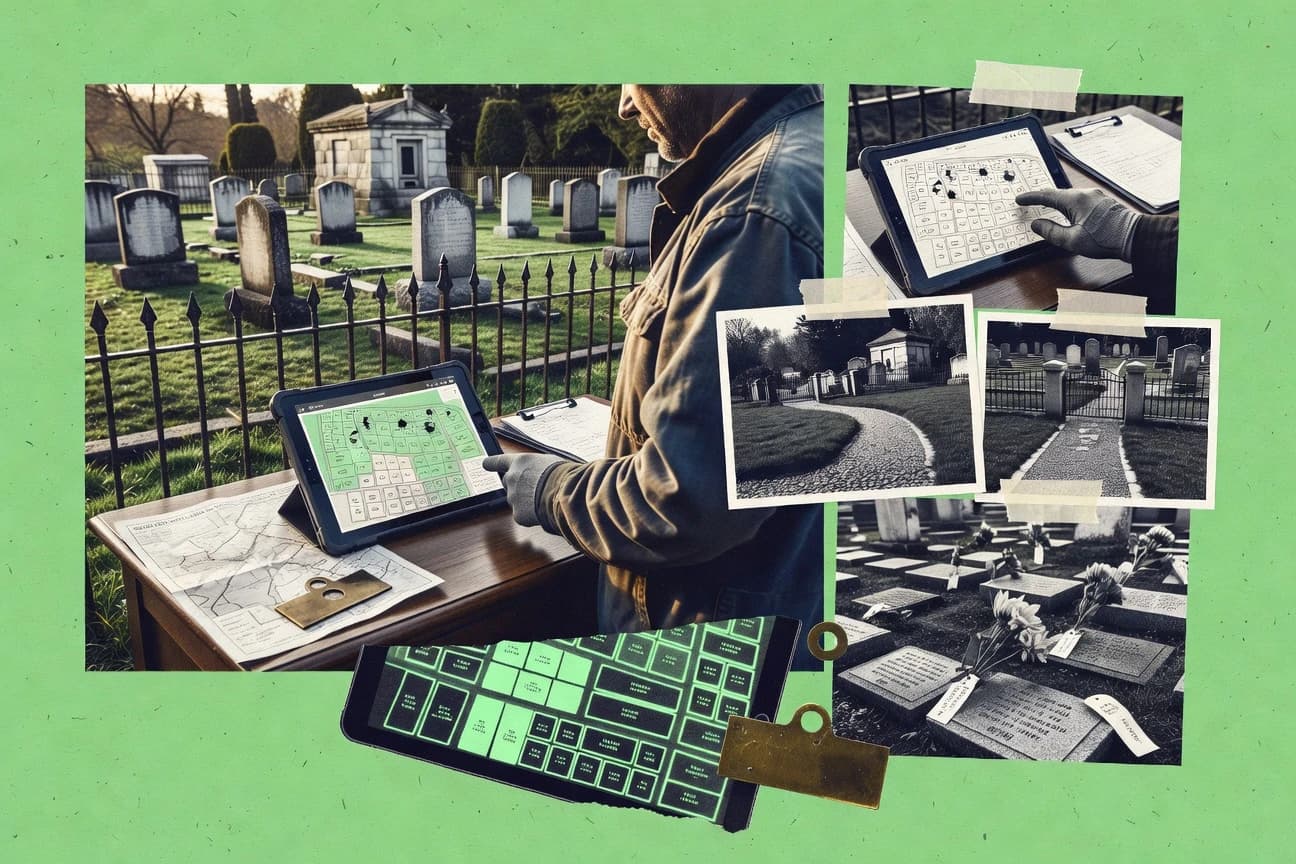
Ranked comparison of top cemetery management software, covering Cemiterra, Cemify, and Grave Discover with features and tradeoffs for teams.

How we ranked these tools
Gitnux editors write the brief first: the topic, the inclusion rules, and the frame for what belongs.
Agents extract product evidence with provenance, then collect written reviews and transcribe video reviews and podcasts.
Framework: Features 40% · Ease 30% · Value 30%
Gitnux may earn a commission through links on this page — this does not influence rankings. Editorial policy
Cemeterra is the best pick if cemetery teams need map-based plot records and quick access to grave ownership, while Cemify is a strong alternative when you want visual plot administration with public genealogy-style access.
Editor’s top 3 picks
Three quick recommendations before you dive into the full comparison below — each one leads on a different dimension.
Cemeterra
Interactive cemetery map linking individual spaces to ownership, interment, and memorial records.
Best for: Fits when cemetery teams need map-based records and fast access to grave ownership information.
Cemify
Editor pickInteractive map editor links plot geometry, resident details, ownership data, and public search pages.
Best for: Fits when cemetery teams need visual plot administration with public genealogy access.
Grave Discover
Editor pickClickable map markers connect grave locations to administrative records and public memorial profiles.
Best for: Fits when cemeteries need searchable public records linked to accurate visual maps.
Comparison Table
Cemeterra
SMBWeb-based cemetery management for plot records, burial history, work orders, and QR memorial pages.
Interactive cemetery map linking individual spaces to ownership, interment, and memorial records.
Cemeterra links mapped cemetery spaces with searchable records, allowing staff to locate graves without relying on disconnected spreadsheets or paper files. The interface supports daily record lookup, ownership administration, and historical research from a shared system.
The main tradeoff is its narrower emphasis on cemetery operations than on accounting or funeral-home coordination. Cemeterra suits municipal and private cemetery teams that need dependable map-based record access during office inquiries, genealogy requests, and site visits.
- +Interactive map connects physical spaces with digital records
- +Centralized ownership and interment history
- +Useful for genealogy and public record inquiries
- +Clear fit for municipal cemetery offices
- –Accounting workflows are not the central focus
- –Funeral-home coordination features may be limited
- –Large migrations require careful record preparation
- –Advanced integrations may need vendor involvement
Municipal cemetery departments
Answering grave location inquiries
Faster records service
Private cemetery operators
Managing available burial spaces
Fewer allocation errors
Show 2 more scenarios
Genealogy researchers
Researching historical cemetery records
More accurate family research
Searchable records help researchers connect names and memorial information with specific cemetery locations.
Cemetery field staff
Checking records onsite
Improved field accuracy
Map-based access gives workers a direct reference for identifying spaces during inspections and maintenance visits.
Best for: Fits when cemetery teams need map-based records and fast access to grave ownership information.
Cemify
vertical specialistModern cemetery and crematory management software with online mapping.
Interactive map editor links plot geometry, resident details, ownership data, and public search pages.
Municipal cemeteries, private operators, and multi-location teams can use Cemify to centralize burial records, plot assignments, ownership documents, and contact information. The map editor gives staff a visual way to locate spaces and update plot details without relying on separate spreadsheets or static diagrams. Public search pages can support genealogy requests and reduce routine lookup work for office staff.
Cemify’s main tradeoff is limited visible documentation about API access, advanced integrations, and custom automation. The product fits offices replacing paper files or disconnected spreadsheets with a searchable system that also gives families and researchers controlled access to cemetery information.
- +Interactive map editor connects plot locations with detailed resident and ownership records
- +Public genealogy pages reduce repetitive cemetery record requests
- +Centralized documents keep deeds, certificates, and plot files with related records
- +Hosted access supports distributed cemetery administration
- –Public API documentation is limited
- –Complex accounting workflows may require external systems
- –Large historical imports may need structured data preparation
- –Advanced automation controls are less visible than core record functions
Municipal cemetery departments
Replacing paper cemetery files
Faster record retrieval
Private cemetery operators
Managing multiple cemetery sections
More accurate plot administration
Show 1 more scenario
Genealogy research offices
Handling public cemetery searches
Fewer routine inquiries
Searchable online pages let researchers locate names and memorial information without contacting staff for every request.
Best for: Fits when cemetery teams need visual plot administration with public genealogy access.
Grave Discover
vertical specialistCemetery management and grave mapping software with public search portal.
Clickable map markers connect grave locations to administrative records and public memorial profiles.
Grave Discover links mapped locations to individual burial records, memorial profiles, and searchable cemetery information. Its public portal can reduce staff involvement in routine genealogy requests while preserving a separate administrative workspace. The map-centered design gives cemetery teams a visual way to review occupied and available spaces.
The main tradeoff is narrower operational coverage than systems built around accounting, maintenance dispatch, or funeral-home integrations. Grave Discover fits a cemetery digitizing paper records and publishing searchable information for families, researchers, and visitors.
- +Interactive cemetery mapping connects locations with detailed records
- +Public search reduces repetitive genealogy inquiries
- +Separate public and administrative views support controlled information sharing
- +Map-centered navigation helps staff verify plot locations visually
- –Operational maintenance workflows receive less emphasis than mapping and public search
- –Advanced accounting integrations are not a central product strength
- –Large historical imports may require careful data cleanup
- –Complex cemetery ownership rules may need custom configuration
Municipal cemetery departments
Digitizing legacy cemetery records
Centralized searchable records
Private cemetery operators
Answering location inquiries
Fewer routine inquiries
Show 1 more scenario
Genealogy researchers
Finding burial locations
Faster grave identification
Searchable records and visual location references help researchers identify graves across managed cemetery sites.
Best for: Fits when cemeteries need searchable public records linked to accurate visual maps.
CemSites
vertical specialistCloud-based cemetery management platform for mapping, records, and sales.
Interment status tied to plot availability, then reused across memorialization and monument installation workflows.
CemSites is a cemetery management software system focused on managing burial records, grave availability, and ongoing cemetery operations. Core workflows center on interment data capture tied to plot and space reservation status so staff can plan and record interments consistently.
- +Interment workflow links burial records to live plot and reservation status
- +Memorialization and monument installation tracking supports work coordination
- +Hosted SaaS deployment reduces local IT overhead for day-to-day use
- +Role-based access supports admin separation between data entry and oversight
- –GIS cemetery mapping depth may be limited for cemeteries needing advanced spatial analysis
- –Data migration and initial setup can take time when records are inconsistent
- –Extensibility via API calls may not cover every custom field used by niche processes
- –Advanced automation requires careful configuration across multiple operational roles
Best for: Fits when cemetery staff need consistent interment scheduling, records, and memorial tracking without heavy custom development.
CemeteryFind
vertical specialistCemetery mapping and management software for burial records, locations, and public access.
Interment-linked memorialization and monument installation tracking keeps completion status tied to the correct burial record.
CemeteryFind supports cemetery teams with interment record management tied to grave ownership records and lot-level plot availability. The workflow centers on capturing burial and interment details, then linking those records to the physical inventory the cemetery maintains.
- +Interment records link directly to grave ownership and plot availability
- +Memorialization and monument installation updates stay attached to the correct interment
- +Lot inventory workflows reduce manual reconciliation of occupied and available spaces
- +Hosted deployment shape fits recurring operations without local IT hosting work
- –GIS cemetery mapping depth and advanced spatial queries are limited for complex layouts
- –API and automation surface are not documented at a level suitable for high-throughput integrations
- –Role-based access and governance controls need clearer boundaries for multi-department teams
- –Data migration tools require more manual preparation for legacy deed and certificate histories
Best for: Fits when mid-size cemeteries need interment record links to lot inventory and memorialization tracking.
Spirare
vertical specialistCemetery and cremation management software for inventory and records.
Mapping-linked burial space selection that drives interment record entry and reduces manual cross-referencing.
Spirare is a cemetery management software option that focuses on managing burial and interment records alongside day-to-day cemetery operations. It supports cemetery mapping workflows for locating burial spaces and coordinating interment scheduling.
- +Cemetery mapping workflows tie directly to interment record creation
- +Interment scheduling supports operational throughput for recurring services
- +Admin controls cover staff roles and record-level governance needs
- +API and imports support migration from existing burial data
- –Deep GIS-like workflows require consistent cemetery layout setup
- –Automation coverage is lighter for custom monument workflows
- –Some integrations rely on mapping fields during data migration
- –Reporting granularity depends on how core templates are configured
Best for: Fits when cemetery operators need mapping-linked interment scheduling with controlled record governance and an API for integrations.
NewComer
vertical specialistFuneral home and cemetery management software by FSI.
Interment record processing links scheduling details to memorialization fields used for ongoing monument and memorial documentation.
NewComer provides cemetery management workflows focused on burial and interment record handling tied to operational tasks. The system is built around interment scheduling, grave or lot availability tracking, and memorialization data capture for ongoing cemetery administration.
- +Interment scheduling tied to cemetery records reduces re-entry during processing
- +Memorialization tracking supports monuments and ongoing event documentation
- +Lot and grave availability workflows support day-to-day plot management
- +Deed and certificate record handling supports ownership documentation continuity
- –Integration options and API surface depend on setup for each target system
- –Automation depth for back-office accounting and reporting can be limited
- –Some governance controls require careful configuration across staff roles
- –Cemetery GIS style mapping workflows may be constrained for complex layouts
Best for: Fits when cemetery offices need interment and record workflows plus operational scheduling with staff-led data entry.
PlotBox
enterpriseCloud software for cemetery operations, records, mapping, sales, and customer administration.
Availability controls linked directly to interment scheduling reduce plot conflicts during day-to-day booking.
PlotBox is a cemetery management software focused on practical workflow coverage for field and office teams. It supports burial records handling, lot and plot availability tracking, and interment scheduling in one operational workspace.
- +Interment scheduling stays connected to underlying burial and plot details
- +Lot availability management reduces double-booking risk
- +Memorialization and related documentation support common ongoing workflows
- +Public record views can reduce staff data lookups
- –Advanced integrations depend on configuration effort and integration work
- –Role separation and audit logging controls are not comprehensive for every governance need
- –Complex mausoleum or niche workflows may require manual process adjustments
- –Large cemeteries with heavy change volume can feel slower for bulk operations
Best for: Fits when cemetery staff need connected records, availability, and scheduling with limited customization.
webCemeteries
enterpriseFull-featured cemetery management platform with mapping, CRM, payment processing, and work orders.
Interment and memorialization tracking are tied to specific plot and record entries, keeping event history attached to the burial.
webCemeteries manages cemetery records and day-to-day workflows through a web-based operations system. The core modules track interment and grave ownership information, support plot and space status, and document memorialization events.
- +Centralized burial and ownership record updates across cemetery entities
- +Workflow screens align with interment and memorialization documentation steps
- +Plot and space availability status helps reduce double-booking errors
- +Web access supports field and office collaboration during events
- –Automation and escalation rules for interment scheduling are limited
- –Fewer governance controls for multi-office deployments than advanced enterprise systems
- –External system connectivity is not detailed enough to replace core integration middleware
- –Complex reporting requires more manual filtering than template-driven reporting tools
Best for: Fits when a single cemetery or multi-site team needs structured interment and ownership records with operational calendars.
CIMS Cemetery Software
enterpriseCemetery software for GIS smart maps, records management, and finances across three product tiers.
End-to-end lifecycle tracking links interment details to memorialization and monument installation steps.
CIMS Cemetery Software is a cemetery management system aimed at recording and administering burial activity end to end. Core modules cover interment records, grave ownership and plot availability tracking, and memorialization recordkeeping.
- +Interment and grave space reservation records support day-to-day scheduling workflows
- +Memorialization and monument installation tracking ties lifecycle steps to each burial
- +Cemetery operations calendar workflows support recurring staff tasks like inspections
- +Role-based access supports separation between records entry and administrative functions
- –Cemetery mapping and GIS workflows need careful configuration to match field processes
- –Bulk data migration can require structured import preparation to avoid record linkage gaps
- –Automation depth depends on setup work for consistent naming and status rules
- –Reporting and export flexibility can feel limited for highly customized management views
Best for: Fits when cemetery staff need structured interment records, plot availability, and memorial workflows with controlled access.
Conclusion
After evaluating 10 cemetery management software, Cemeterra stands out as our overall top pick — it scored highest across our combined criteria of features, ease of use, and value, which is why it sits at #1 in the rankings above.
Use the comparison table and detailed reviews above to validate the fit against your own requirements before committing to a tool.
How to Choose the Right Cemetery Management Software
Cemetery management software keeps burial records, interment scheduling, and memorialization steps linked to the correct plot or grave space. This guide covers Cemeterra, Cemify, Grave Discover, CemSites, CemeteryFind, Spirare, NewComer, PlotBox, webCemeteries, and CIMS Cemetery Software.
Cemeterra focuses on an interactive cemetery map that connects physical spaces to ownership, interment history, and memorial records. Cemify emphasizes an interactive map editor tied to public genealogy pages. Grave Discover connects clickable map markers to administrative records and public memorial profiles.
CemSites ties interment status to plot availability and then reuses that status across memorialization and monument installation workflows. Spirare links mapping-linked burial space selection to interment record creation and scheduling throughput for recurring services.
Cemetery Management Software for interment scheduling, plot availability, and memorial workflows
Cemetery management software manages burial and interment records while controlling how plot availability and grave space reservation flow into day-to-day scheduling. It also tracks memorialization and monument installation progress so completion status stays attached to the correct burial record.
Cemeterra applies this lifecycle model through an interactive cemetery map that links spaces to ownership, interment, and memorial records. CemSites applies it by reusing interment status derived from plot availability across memorialization and monument installation tracking, which supports coordinated work execution without custom development.
The best deployments also reduce repetitive public record requests by pairing internal records with public search pages and map-linked public memorial profiles, as seen in Cemify and Grave Discover.
Interment-linked records, interactive mapping, and governance controls
Cemetery management software has to keep interment records attached to the right plot or grave space so staff can schedule services, process paperwork, and update memorialization without re-entry errors. CemSites and CemeteryFind both tie interment status or memorialization completion back to plot or grave linked records so lifecycle updates land on the correct burial entry.
Map-to-record linkage for ownership, interment, and memorial profiles
Cemeterra links an interactive cemetery map to ownership, interment history, and memorial records so staff and search users can move from space to lifecycle details. Cemify and Grave Discover also use interactive map publishing, but Grave Discover focuses on clickable markers tied to administrative records and public memorial profiles.
Interment status that feeds memorialization and monument workflows
CemSites derives interment workflow status from plot availability and then reuses that status for memorialization and monument installation tracking. CemeteryFind keeps completion status tied to the correct burial record by anchoring interment-linked memorialization and monument installation tracking to the underlying interment entry.
Mapping-driven burial space selection that creates scheduling throughput
Spirare uses mapping-linked burial space selection to drive interment record entry and reduce manual cross-referencing during scheduling. PlotBox also connects scheduling to underlying burial and plot details, but it emphasizes availability controls to prevent plot conflicts during booking.
Public genealogy style pages tied to plot administration
Cemify publishes public genealogy pages connected to plot geometry and resident and ownership records so repetitive record requests drop. Cemeterra and Grave Discover also support public memorial browsing, but they anchor public access through ownership and administrative record linkage rather than a geometry-first editor workflow.
Operational governance for multi-office record handling
webCemeteries centralizes burial and ownership record updates across cemetery entities and provides workflow screens aligned with interment and memorialization documentation steps. PlotBox has role separation and audit logging gaps for governance needs, while webCemeteries lists fewer governance controls for multi-office deployments than advanced enterprise systems.
A decision flow for mapping depth, workflow coupling, and integration expectations
Start by choosing how the cemetery team wants to select and update burial spaces. Cemeterra and Cemify center operations around interactive map linkage into ownership and public access, while CemSites and CemeteryFind center operations around interment status and lifecycle coupling across memorialization and monument work.
Select the workflow anchor: map-first publishing versus interment-status-first lifecycle tracking
If staff and public users must move from physical spaces to ownership, interment, and memorial pages, Cemeterra and Cemify fit map-first administration with record linkage. If staff must guarantee that interment scheduling drives memorialization and monument installation status, CemSites and CemeteryFind fit interment-status-first workflow coupling.
Choose how plot availability becomes an operational control
For day-to-day booking that must prevent double-booking through availability controls, PlotBox links availability controls directly to interment scheduling. For recurring service throughput where mapping selection reduces manual cross-referencing, Spirare ties burial space selection to interment record creation and scheduling throughput.
Validate public access requirements against API and search linkage design
If the cemetery needs public genealogy style search pages tied to plot geometry and resident and ownership records, Cemify and Grave Discover align with public search and map-marker publishing. If external systems rely on high-throughput integration, limited public API documentation in Cemify and limited emphasis on advanced accounting integrations in Grave Discover are risks to plan around.
Stress-test governance for multi-office and controlled access workflows
For multi-site record governance where consistent updates across cemetery entities matter, webCemeteries offers centralized burial and ownership record updates aligned to documentation steps. If governance requires comprehensive RBAC and audit logging controls, PlotBox flags that role separation and audit logging controls are not comprehensive for every governance need.
Plan migration effort when burial layouts and existing records are inconsistent
CemSites calls out that data migration and initial setup can take time when records are inconsistent, which matters when plot availability and interment status must be accurate before staff relies on it. CIMS Cemetery Software also warns that bulk migration can require structured import preparation to avoid record linkage gaps, which affects linkage between interment details and memorialization steps.
Who cemetery teams should match to each software profile
Cemetery operations differ in how staff enter interment records and how the public finds burial information. The strongest fits come from matching the team’s workflow anchor to the product’s linkage and scheduling behavior.
Cemetery teams that staff map browsing during intake
Cemeterra fits teams that need interactive map navigation that links spaces to ownership, interment history, and memorial records so staff can find the right burial entry quickly.
Cemetery staff that administer plots with geometry and public search pages
Cemify fits teams that need a visual plot administration flow where the interactive map editor connects plot geometry with resident details, ownership data, and public genealogy pages.
Operations teams that run memorialization and monument work as a lifecycle
CemSites fits teams that need interment status derived from plot availability and reused across memorialization and monument installation tracking so work coordination stays consistent. CemeteryFind fits similar lifecycle needs by tying memorialization and monument completion status to the correct burial record.
Cemetery operators that require mapping-linked scheduling throughput for recurring services
Spirare fits operators who need mapping-linked burial space selection that drives interment record creation and reduces manual cross-referencing during scheduling.
Single cemetery or multi-site teams that want structured event history attached to entries
webCemeteries fits teams that want interment and memorialization tracking attached to plot and record entries with centralized burial and ownership record updates across cemetery entities.
Common Cemetery Management Software pitfalls that break day-to-day workflows
Many failures come from selecting a tool for mapping or scheduling screens without confirming how lifecycle links behave under real staff workflows. The map view also cannot compensate for weak linkage between interment records, plot availability, and memorialization updates.
Choosing a map-first product without verifying lifecycle status reuse into memorialization and monument installation
Cemeterra and Grave Discover emphasize map linkage and public memorial profiles, so the cemetery must confirm whether memorialization and monument installation tracking stays anchored to the correct interment lifecycle step. CemSites and CemeteryFind more explicitly reuse interment status for memorialization and monument workflows.
Underestimating the migration work needed to preserve plot and interment record linkages
CemSites flags that data migration and initial setup can take time when records are inconsistent, and CIMS Cemetery Software warns bulk data migration can require structured import preparation to avoid record linkage gaps. A migration plan must include cleanup and linkage validation before staff depends on reservation and lifecycle workflows.
Assuming full integration readiness because public pages exist
Cemify and Grave Discover support public search pages, but Cemify states that public API documentation is limited and Grave Discover notes advanced accounting integrations are not a central product strength. External system throughput needs documented automation and API surface quality before committing.
Ignoring governance and audit requirements for multi-office deployments
PlotBox lists role separation and audit logging controls as not comprehensive for every governance need, and webCemeteries lists fewer governance controls for multi-office deployments than advanced enterprise systems. Multi-office teams should confirm audit log coverage and access separation before data entry scales.
How We Selected and Ranked These Tools
We evaluated cemetery management software using feature depth, operational ease, and value alignment across interment records, plot availability, memorialization tracking, and monument installation workflow coupling. Features counted 40% of the scoring because products like CemSites and CemeteryFind connect interment status to memorialization and monument tracking in a workflow-specific way.
Ease and value each counted 30% because map-linked entry and record navigation directly affect daily throughput, which Cemeterra delivered with interactive map linkage from spaces to ownership, interment history, and memorial records. Cemeterra earned the top position because its interactive cemetery map ties individual spaces to ownership, interment, and memorial records while maintaining high feature and ease scores for staff navigation.
Frequently Asked Questions About Cemetery Management Software
How do Cemeterra and Cemify handle cemetery mapping linked to burial records?
Which system gives stronger public discovery through memorial pages and clickable map locations?
How does Spirare support interment scheduling tied to mapping and governed record entry?
When migrating from spreadsheets or older cemetery systems, what data transfer paths help reduce rekeying?
What breaks if plot availability status is updated without updating interment scheduling and event history?
How do API and integrations differ between Cemeterra, Spirare, and Cemify?
Which tools support role-based access and admin governance for staff workflows?
How do cemetery operations calendars and inspections fit into daily work tracking?
Which system is better suited for consistent interment processing tied to monument and memorial documentation?
Tools reviewed
Primary sources checked during evaluation.
Referenced in the comparison table and product reviews above.
- Death Care Funeral ServicesTop 10 Best Cemetery Software of 2026
- Death Care Funeral ServicesTop 10 Best Cemetery Mapping Software of 2026
- Death Care Funeral ServicesTop 10 Best Cremation Software of 2026
- Agriculture FarmingTop 10 Best Garden Management Software of 2026
- Senior Care Aging ServicesTop 10 Best Nursing Home Management Software of 2026
Keep exploring
Comparing two specific tools?
Software Alternatives
See head-to-head software comparisons with feature breakdowns, pricing, and our recommendation for each use case.
Explore software alternatives→In this category
Death Care Funeral Services alternatives
See side-by-side comparisons of death care funeral services tools and pick the right one for your stack.
Compare death care funeral services tools→