
GITNUXSOFTWARE ADVICE
Regulated Controlled IndustriesTop 10 Best Cannabis Grow Software of 2026
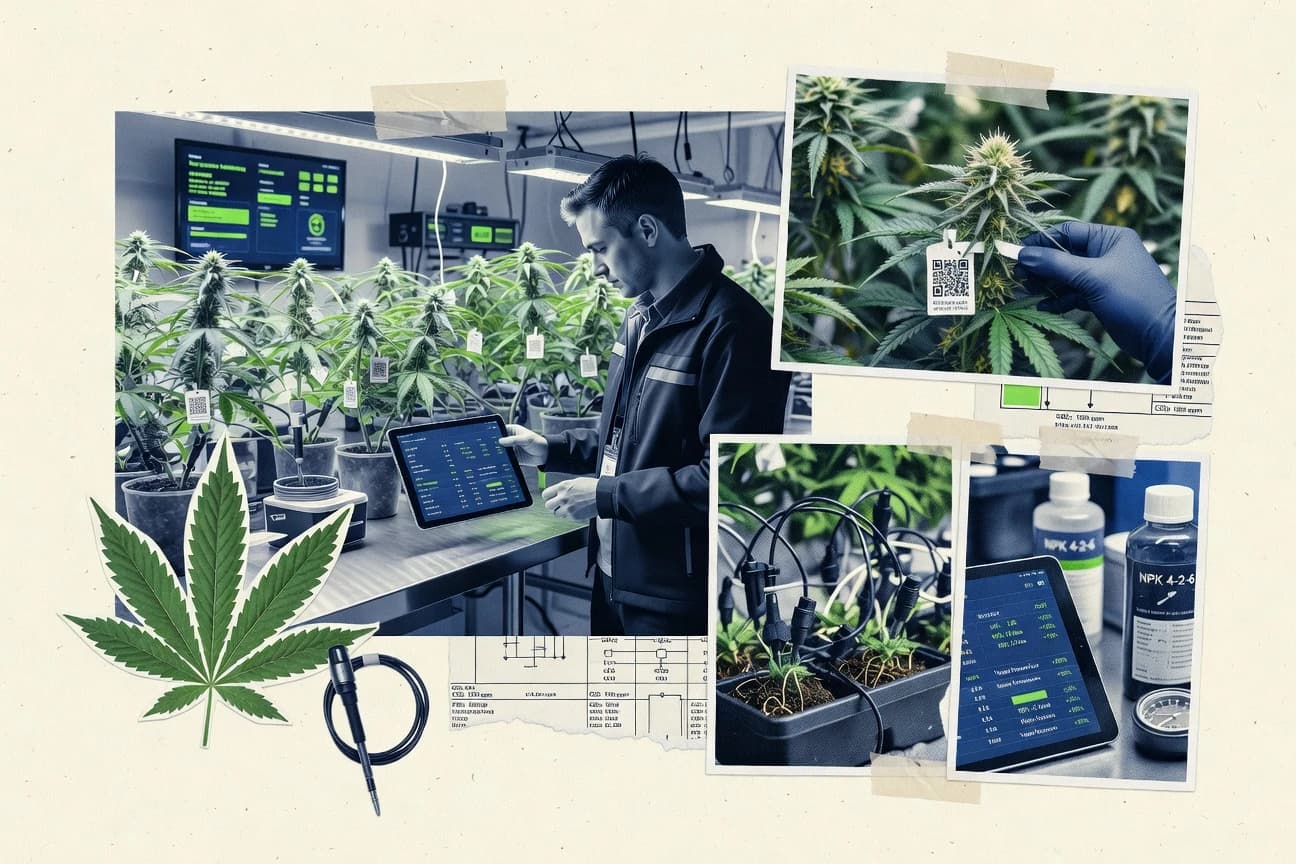
Top 10 ranking of cannabis grow software tools for cultivation planning, tracking, and reporting, with notes on GrowFlow, Trym, and Cultivera.

How we ranked these tools
Core product claims cross-referenced against official documentation, changelogs, and independent technical reviews.
Analyzed video reviews and hundreds of written evaluations to capture real-world user experiences with each tool.
AI persona simulations modeled how different user types would experience each tool across common use cases and workflows.
Final rankings reviewed and approved by our editorial team with authority to override AI-generated scores based on domain expertise.
Score: Features 40% · Ease 30% · Value 30%
Gitnux may earn a commission through links on this page — this does not influence rankings. Editorial policy
Choose GrowFlow as the best fit for multi-room teams that need SOP-driven batch records and traceable plant lineage with API syncing, and go with 365 Cannabis when you want controlled daily recordkeeping with tasking in an enterprise-style ERP rather than end-to-end seed-to-sale automation.
Editor’s top 3 picks
Three quick recommendations before you dive into the full comparison below — each one leads on a different dimension.
GrowFlow
Stage-gated cultivation workflows that generate electronic batch records tied to plant and harvest identifiers.
Built for fits when multi-room teams need SOP-driven batch records and traceable plant lineage with API syncing..
Trym
Editor pickAudit-grade change history tied to plant and batch records, surfaced in daily workflow views.
Built for fits when operations need plant-to-harvest traceability with controlled edits..
Cultivera
Editor pickSOP-driven cultivation work orders that convert recurring steps into executed task history by batch.
Built for fits when teams want SOP-driven work orders with audit trail records across batches..
Comparison Table
GrowFlow
vertical specialistCannabis software manages cultivation, manufacturing, inventory, compliance, and retail operations.
Stage-gated cultivation workflows that generate electronic batch records tied to plant and harvest identifiers.
GrowFlow is built around cultivation workflow execution, starting from plant onboarding to stage-specific task plans and checklists for each batch. It maintains traceable links between plant identifiers, propagation events, and downstream harvest records, which helps with lot genealogy and electronic batch records. Regulatory compliance reporting is addressed through batch packaging of records rather than only ad hoc exports. The audit trail is organized at the record level so corrections are traceable during cultivation and closeout.
A tradeoff is that GrowFlow requires deliberate workflow configuration to match internal SOPs, especially for stage gates and work orders across rooms. It fits when teams need consistent electronic batch records across many growers or sites and want automation that syncs plant and batch data into other operational systems.
- +Task-based SOP workflows linked to batch and plant records
- +Lot genealogy fields connect propagation events to harvest batches
- +Audit trail on cultivation and closeout edits
- +API support for syncing plant and batch data into other systems
- –Workflow setup needs governance to avoid stage gate drift
- –Complex room permissions can require careful initial configuration
- –Advanced reporting depends on consistent batch data hygiene
- –Some facility sensor workflows rely on external integration patterns
Cultivation ops managers
Run room schedules with stage gates
Fewer missed tasks
Compliance and QA leads
Close harvest batches with traceable edits
Faster batch closeout
Show 2 more scenarios
Data and systems teams
Sync plant and batch data via API
Reduced manual data entry
API endpoints support automation for moving identifiers and operational events to other tools.
Propagation leads
Track clones through harvest routing
Clean harvest traceability
Lineage links propagation events to downstream batches for lot genealogy continuity.
Best for: Fits when multi-room teams need SOP-driven batch records and traceable plant lineage with API syncing.
Trym
vertical specialistCannabis cultivation software supports plant tracking, task management, inventory, and compliance.
Audit-grade change history tied to plant and batch records, surfaced in daily workflow views.
Trym centers on plant and batch traceability so staff can record recurring grow tasks with consistent context. The workflow view helps translate cultivation work into ordered tasks that align with harvest scheduling and harvest batch records. Role-based access controls restrict room-level work and record edits, and Trym keeps an audit trail of changes for compliance workflows.
A tradeoff is that Trym works best when teams adopt its prescribed workflow structure for plants and batches rather than running fully custom spreadsheets. It fits operations that already have a process map for propagation, vegetative work, and harvest records and want those steps captured consistently for reporting.
- +Plant-level activity tracking keeps grow history consistent
- +Audit trail records record edits for traceability workflows
- +RBAC supports controlled access by role and operational scope
- +Integration hooks reduce duplicate data entry across systems
- –Workflow customization requires structured alignment to templates
- –Bulk data migration can be slower when formats vary
- –Advanced reporting depends on data captured during the workflow
- –Sensor telemetry coverage is limited without specific integrations
Cultivation managers
Run room workflows with traceable edits
Fewer documentation gaps at harvest
Compliance coordinators
Reconcile records across harvest batches
Cleaner regulatory documentation review
Show 2 more scenarios
Ops system integrators
Sync grow data to external tools
Reduced manual rekeying
Use API-based integration patterns to pass structured grow events and updates.
Section leads
Limit edits to authorized room roles
Controlled data integrity
Apply RBAC so only designated roles can edit plant and batch statuses.
Best for: Fits when operations need plant-to-harvest traceability with controlled edits.
Cultivera
vertical specialistCannabis compliance and cultivation management software serving licensed growers and processors.
SOP-driven cultivation work orders that convert recurring steps into executed task history by batch.
Cultivera’s day-to-day model centers on work orders, task assignments, and completion history linked to cultivation batches so teams can run recurring cultivation cycles with consistent documentation. The software supports lot genealogy through batch-level tracking and keeps plant identity aligned with later harvest batch records. Automation comes from configurable templates for recurring activities and standard operating procedures applied during the grow lifecycle.
A key tradeoff is that deeper automation and accurate room-level execution depend on disciplined tag and batch creation before work starts. Cultivera fits teams that already run structured cultivation SOPs and want execution logs that reduce manual status chasing during harvest scheduling and batch closeout.
- +Work-order execution history links team actions to batch status
- +Batch-centered workflow reduces mismatches between tasks and records
- +Configurable SOP steps support consistent recurring cultivation runs
- +Audit trail style activity logs support operational review
- –Strong accuracy depends on upfront tag and batch governance discipline
- –Room-level permissioning granularity is not detailed enough for every org design
- –Sensor telemetry workflows are limited without separate integrations
- –Data export coverage may require extra formatting for regulator templates
Cultivation operations leads
Run SOP-based recurring grow tasks
Fewer missed steps in cycles
Compliance managers
Close harvest batches with traceability
Cleaner batch documentation handoffs
Show 2 more scenarios
Facility managers
Coordinate room execution and permissions
Reduced cross-room coordination issues
Control task routing by room context while preserving execution timestamps per batch.
Propagation coordinators
Track propagation through plant identity
Tighter lot-to-plant traceability
Keep plant tagging consistent from propagation to later vegetative and flowering steps.
Best for: Fits when teams want SOP-driven work orders with audit trail records across batches.
365 Cannabis
enterpriseCannabis ERP built on Microsoft Dynamics covering cultivation, manufacturing, and distribution.
Plant and batch workflow records that drive cultivation work orders and historical traceability across crop changes.
365 Cannabis is a cannabis grow software focused on day-to-day cultivation operations and site administration for grow teams. It supports plant and batch workflows with tasking and records that map to typical vegetative, flowering, and harvest operations.
The system emphasizes operational control through structured inputs, audit-friendly history, and controlled access for roles involved in cultivation work. Integration is most realistic through exports and targeted connectivity rather than deep sensor-to-workflow automation.
- +Cultivation workflows stay tied to plant and batch records
- +Role-based access supports separation of duties across staff
- +Task and SOP-style operations reduce handoffs during crop changes
- +Audit-oriented activity history supports operational traceability
- –Sensor telemetry and environmental automation integration are limited
- –Workflow customization needs careful setup to match internal SOPs
- –Reporting breadth lags tools with stronger seed-to-sale depth
- –API automation surface appears narrower than category leaders
Best for: Fits when grow teams need controlled daily recordkeeping with tasking, not end-to-end seed-to-sale automation.
Aroya
vertical specialistCrop-steering software manages irrigation, climate data, plant measurements, and cultivation decisions.
Harvest batch records keep wet and dry weight reconciliation tied to plant-level history for continuous lot genealogy.
Aroya captures cultivation workflows around plant-level tagging and batch traceability so growing teams can generate consistent electronic batch records. The system centers on day-to-day work order execution, harvest scheduling, and reconciliation of wet and dry weights tied back to specific harvest batches.
Aroya also supports regulatory-oriented documentation workflows through batch and lot lineage records that reduce manual handoffs between cultivation and compliance reporting. For teams that need extensibility, Aroya offers an API surface for pulling operational data into external systems and pushing configuration changes for ongoing runs.
- +Plant and batch traceability ties harvest records to traceable lineage
- +Work-order execution supports routine cultivation task planning and completion
- +Wet and dry weight reconciliation stays attached to harvest batch entries
- +API supports integrations that move cultivation data between systems
- –Room-level permission controls need disciplined setup before teams scale
- –Environmental logging depth depends on how sensor feeds are wired externally
- –Advanced reporting requires more configuration than basic batch views
- –Migration from spreadsheets can take time due to tag and batch mapping
Best for: Fits when mid-size grows need plant-level tagging, harvest batch records, and automation-friendly integrations.
GoBMS
SMBCannabis cultivation software with bidirectional Metrc sync, strain library, plant tracking, and yield analytics.
Recurring work automation tied to plant and batch lifecycle events for fewer manual steps.
GoBMS targets cannabis grow teams that need cultivation tracking tied to operational workflows, plant movements, and scheduled work across rooms or batches. It supports task and recordkeeping around propagation, vegetative and flowering stages, and harvest documentation while keeping plant-level history in one place.
The product differentiates through automation hooks for recurring actions and an admin-focused approach to managing operational consistency. GoBMS is best evaluated on how well its batch and plant records map to internal procedures and whether its configuration supports day-to-day throughput without manual rework.
- +Plant-level history reduces spreadsheet reconciliation after transfers
- +Task scheduling supports consistent SOP execution across grow work
- +Batch records keep harvest and outcome documentation in one trail
- +Automation reduces repeat data entry for routine cultivation steps
- –Room-level permission controls need careful configuration for multi-team sites
- –Data entry workflows can feel slower during high-volume propagation days
- –Limited reporting depth for yield forecasting workflows compared to niche tools
- –API and integration documentation are harder to evaluate without direct access
Best for: Fits when teams need plant and batch recordkeeping tied to repeatable grow work.
Harvestry
enterpriseUnified cannabis operating system combining cultivation tasking, environmental monitoring, compliance sync, and financials.
Workflow-linked batch records that keep harvest documentation synchronized with scheduled cultivation tasks.
Harvestry is a cannabis grow operations system designed around cultivation workflows rather than generic task lists. It tracks plants and lots across propagation through harvest, then ties records to scheduled work so grow logs stay consistent with what teams do in rooms.
The system supports audit-style history for key events and provides reporting outputs for cultivation oversight and reconciliation. Harvestry also offers an API layer for integrations such as sensor telemetry feeds and downstream seed-to-sale or inventory systems.
- +Room-aligned work order tracking reduces mismatches between schedules and entries
- +Event history supports audit-style review of cultivation changes
- +API integration helps connect grow logs to external inventory and compliance systems
- +Batch-focused tracking keeps harvest and reconciliation tied to the same lineage
- –Configuration depth is high for facilities with multiple zones and parallel rooms
- –Reporting breadth is weaker for advanced yield modeling than dedicated analytics tools
- –Strain and mother plant library management feels less granular than specialized genetics tools
- –Sensor integration setup requires disciplined mapping of telemetry fields to cultivation entities
Best for: Fits when teams need workflow-driven cultivation records with strong traceability across batches and rooms.
Flourish
enterpriseAll-in-one seed-to-sale platform covering cultivation, manufacturing, inventory, and retail for vertically integrated cannabis operations.
Work-order driven cultivation execution that ties scheduled tasks to batch records and documented status changes.
Flourish is cultivation management software aimed at cannabis growers who need structured plant and process tracking beyond simple spreadsheets. Its core workflow focus includes cultivation work orders, plant tagging, and batch-level records that support seed-to-sale traceability practices.
Flourish also emphasizes operational logs that help reconcile harvest outcomes to scheduled activities and documented changes. Integration options center on moving data in and out of the system to keep cultivation and compliance records consistent.
- +Batch-focused cultivation records map work to outcomes
- +Plant tagging supports consistent tracing across changes
- +Work order workflows reduce missed steps during operations
- +Export-friendly record handling supports reconciliation workflows
- –Regulatory reporting depth depends heavily on configured processes
- –Automation controls feel less granular than systems built for labs
- –Advanced integrations require stronger coordination than basic CSV workflows
- –Permissioning granularity can lag when multiple facility roles coexist
Best for: Fits when mid-size grows need work-order tracking and batch records with practical export support.
PlanaCan
SMBCultivation management software for commercial cannabis grows with scheduling, labor analytics, and SOP templates.
SOP-driven cultivation work orders connect operational tasks to batch outcomes in one audit trail.
PlanaCan is cannabis grow software that tracks cultivation workflows from plant tagging through harvest batch records. It focuses on tasking and structured documentation so rooms and plants stay aligned with work orders and SOP steps.
The system supports batch and lot history so teams can trace material movement and outcomes across stages. Its automation and integrations center on keeping cultivation data current instead of relying on manual spreadsheet reconciliation.
- +Plant-to-harvest workflow mapping reduces missed steps across rooms
- +Batch history supports traceability from cultivation work through harvest records
- +Automation keeps cultivation tasks and documentation synchronized
- +Structured work orders support repeatable SOP-driven execution
- –Limited visibility into facility-wide trends compared with sensor-first tools
- –Room-level permissions need careful configuration to avoid overexposure
- –Data export coverage for cultivation analytics is narrower than planning suites
- –Complex stage logic requires more admin setup than form-based tools
Best for: Fits when mid-size cultivation teams need SOP-aligned work orders tied to batch records and traceability.
Elevated Signals
vertical specialistGMP-compliant manufacturing execution system with real-time production data for cannabis processors and producers.
Room-scoped cultivation work orders that tie tasks to tagged plants and batch context for consistent SOP execution.
Elevated Signals targets cannabis operators that need structured cultivation records plus operational follow-through across rooms, stages, and work orders.
The system centers on plant tagging, batch and lot genealogy, and cultivation workflows that produce electronic batch records and harvest batch documentation.
It also supports integrations and exports for connecting cultivation data to downstream reporting and inventory processes.
Administrative controls focus on controlled access to rooms and operational tasks so teams can run the same SOPs with consistent audit trails.
- +Strong plant tagging and batch genealogy for lot-level traceability
- +Cultivation work orders connect tasks to specific rooms and stages
- +Electronic batch record workflows reduce missing harvest documentation
- +Exportable cultivation records fit reconciliation and reporting pipelines
- –Room-level permission setup requires careful mapping to real facility zones
- –Some advanced reporting needs workarounds for custom regulatory formats
- –Workflow changes can be harder to roll out across many rooms
- –Automation depth depends on how external systems ingest exported data
Best for: Fits when mid-size grows need lot-level traceability with room-scoped workflows and audit trails.
Conclusion
After evaluating 10 regulated controlled industries, GrowFlow stands out as our overall top pick — it scored highest across our combined criteria of features, ease of use, and value, which is why it sits at #1 in the rankings above.
Use the comparison table and detailed reviews above to validate the fit against your own requirements before committing to a tool.
How to Choose the Right cannabis grow software
Cannabis grow software manages daily cultivation records by linking plant and batch identifiers to stage or room workflows, then turning work steps into electronic batch records. This guide covers GrowFlow, Trym, Cultivera, 365 Cannabis, Aroya, GoBMS, Harvestry, Flourish, PlanaCan, and Elevated Signals. The differences show up in how each tool ties work orders to batch state, how edits are audited, and how room permissions are implemented for multi-team operations.
Several platforms also emphasize automation surfaces through repeatable lifecycle triggers or API syncing expectations, while others focus on operational recordkeeping and controlled change history. GrowFlow is a standout for stage-gated workflows that generate electronic batch records tied to plant and harvest identifiers. Trym is a standout for audit-grade change history tied to plant and batch records that surfaces in daily workflow views.
Cannabis grow software for plant, batch, and SOP workflow execution
Cannabis grow software is cultivation management software that records plant tagging, batch history, and executed cultivation work so traceability stays consistent from stage transitions to harvest batch documentation. Tools like GrowFlow tie stage-gated cultivation workflows to electronic batch records tied to plant and harvest identifiers. Trym focuses on audit-grade change history linked to plant and batch records, which supports controlled edits during day-to-day operations.
In day-to-day use, these systems connect task execution to batch state so teams can document what happened, when it happened, and which batch or plant the entry affected. Some tools also drive recurring SOP steps into executed task history by batch to reduce mismatch between scheduled work and recorded outcomes. Room-level permissions and workflow governance determine whether multi-room teams can run parallel work without drifting off the intended stage gates or SOP templates.
Workflow-to-batch linkage, audit trails, and room permission controls
Cannabis grow software should tie cultivation work to plant and batch identifiers so records stay consistent as stages change across rooms. Tools like GrowFlow and Harvestry focus on stage or workflow-linked batch records that keep documentation synchronized with what teams actually do on the floor.
For governance, edit history matters because cultivation teams make corrections after sampling, transfers, and tagging changes. Trym emphasizes audit-grade change history tied to plant and batch records, while Cultivera and 365 Cannabis connect SOP execution to batch status with an audit trail that tracks who executed tasks for which batch.
Stage-gated workflows that generate electronic batch records
GrowFlow generates electronic batch records from stage-gated cultivation workflows tied to plant and harvest identifiers. Harvestry keeps harvest documentation synchronized with scheduled cultivation tasks using workflow-linked batch records.
Audit-grade change history tied to plant and batch identifiers
Trym records audit-grade change history linked to plant and batch records and surfaces changes in daily workflow views. Cultivera links SOP work-order execution history to batch status while maintaining audit trail records across batches.
SOP-driven work orders that convert recurring steps into executed history
Cultivera turns recurring cultivation steps into executed task history by batch through SOP-driven work orders. 365 Cannabis drives cultivation work orders and historical traceability across crop changes using plant and batch workflow records.
Lot genealogy and harvest batch records for plant-to-harvest traceability
GrowFlow includes lot genealogy fields that connect propagation events to harvest batches through stage and plant identifiers. Aroya anchors harvest batch records with wet-weight and dry-weight reconciliation tied to plant-level history for continuous lot genealogy.
Room-aligned work tracking with operational separation of duties
Harvestry aligns work order tracking to rooms to reduce mismatches between schedules and entries. 365 Cannabis implements role-based access for separation of duties across staff so daily recordkeeping stays controlled.
Pick by workflow philosophy: stage gating, audit-first edits, or room-scoped execution
Teams should choose cannabis grow software based on how cultivation work enters the system. GrowFlow centers stage-gated execution that generates electronic batch records tied to plant and harvest identifiers, while Trym centers controlled edits with audit-grade change history tied to plant and batch records.
Next, buyers should evaluate how permissions map to facility structure. Several tools include room-level permissioning, but some describe granular facility control more clearly than others, which affects parallel teams running independent zones without stage gate drift or permission overexposure.
Select the workflow anchor: stage gates versus audit-first change control
Choose GrowFlow if the core requirement is stage-gated cultivation workflows that generate electronic batch records tied to plant and harvest identifiers. Choose Trym if the core requirement is audit-grade change history tied to plant and batch records surfaced in daily workflow views for controlled edits.
Map SOP work orders to batch state or to workflow schedules
Choose Cultivera if SOP-driven cultivation work orders must convert recurring steps into executed task history by batch with an audit trail that links team actions to batch status. Choose Harvestry if harvest documentation must stay synchronized with scheduled cultivation tasks through workflow-linked batch records.
Validate traceability depth for propagation to harvest
Choose GrowFlow to capture lot genealogy fields that connect propagation events to harvest batches via plant and batch identifiers. Choose Aroya when harvest batch records must support wet-weight and dry-weight reconciliation tied to plant-level history for continuous lot genealogy.
Confirm room permission design fits the actual facility layout
Choose 365 Cannabis when role-based access is required for separation of duties and controlled daily recordkeeping across crop changes. Choose Elevated Signals when room-scoped work orders must tie tasks to tagged plants and batch context for consistent SOP execution across rooms.
Plan for data movement speed when migrating existing records
If existing formats vary and migration speed matters, evaluate Trym because bulk data migration can be slower when formats vary. If recordkeeping already starts as plant-level tagging and work orders, evaluate GoBMS because recurring work automation ties to plant and batch lifecycle events to reduce manual steps.
Set expectations for reporting depth versus operational documentation
Choose Harvestry if workflow-driven cultivation records and event history matter more than advanced yield modeling because reporting breadth is weaker than dedicated analytics tools. Choose Flourish when practical export support and work-order driven batch records matter more than deep regulatory reporting automation.
Who should buy cannabis grow software built for plant-to-batch traceability
Cannabis grow software fits teams that must connect day-to-day cultivation work to plant and batch identifiers so audit-style traceability remains consistent from stage transitions to harvest batches. Many growers also rely on work orders to prevent missed steps across rooms and stages.
The best fit depends on team structure and how changes get managed. GrowFlow and Cultivera match multi-room SOP execution needs tied to batch state, while Trym matches operations that need controlled edits with audit-grade change history surfaced in daily workflow views.
Multi-room cultivation operations with SOP-driven execution
GrowFlow and Cultivera connect task execution to plant and batch records so stage transitions and recurring SOP steps stay aligned across batches. Room permissions and stage gate governance are central to avoiding drift when multiple rooms run in parallel.
Teams that must prove controlled edits across plant-to-harvest records
Trym stores audit-grade change history tied to plant and batch records and surfaces edits in daily workflow views for traceability workflows. This supports controlled edits when tags, batch attributes, or workflow steps need correction.
Grow teams that require harvest reconciliation tied to lot genealogy
Aroya centers harvest batch records that keep wet-weight and dry-weight reconciliation tied to plant-level history for continuous lot genealogy. GrowFlow also supports lineage by connecting propagation events to harvest batches through lot genealogy fields.
Facility owners with complex zoning and parallel room workflows
Harvestry emphasizes room-aligned work order tracking but configuration depth is high for multi-zone facilities. Elevated Signals uses room-scoped work orders tied to tagged plants and batch context to keep SOP execution consistent across rooms.
Common pitfalls when buying cannabis grow software
Buyers often pick a tool that documents work but then underestimate how much governance is required to keep stage gates, templates, and room permissions consistent. Several platforms explicitly call out configuration and governance discipline needs for workflow accuracy or room permission design.
Another common mistake is assuming reporting depth matches operational documentation. Some tools focus on batch records and work-order execution history, while others explicitly note weaker reporting breadth for advanced yield modeling or deeper regulatory reporting needs depending on configured processes.
Assuming stage-gated workflows will stay accurate without governance over workflow setup
GrowFlow requires governance to avoid stage gate drift when workflow setup is not controlled. Harvestry also relies on configuration depth for multi-zone facilities, which can create mismatches if room and zone rules are not mapped correctly.
Overlooking permission design complexity for multi-team or multi-room sites
Cultivera notes room-level permissioning granularity is not detailed enough for every org design, which can block certain separation-of-duties models. GoBMS and Aroya both warn that room-level permission controls need disciplined setup before teams scale.
Choosing workflow-first tools without checking how much reporting depth matches yield modeling needs
Harvestry states reporting breadth is weaker for advanced yield modeling than dedicated analytics tools. Flourish flags that regulatory reporting depth depends heavily on configured processes, which can shift work to internal procedures.
Underestimating migration friction when importing varied data formats
Trym warns that bulk data migration can be slower when formats vary, which impacts rollout timelines. Tools like GoBMS and 365 Cannabis emphasize work tied to plant and batch lifecycle events or workflow records, which still requires clean identifiers to prevent reconciliation errors.
How We Selected and Ranked These Tools
We evaluated cannabis grow software tools by weighting features at 40% and ease plus value at 30% each. GrowFlow ranked highest because stage-gated cultivation workflows generate electronic batch records tied to plant and harvest identifiers and because its lot genealogy fields connect propagation events to harvest batches.
Trym ranked highly because audit-grade change history ties directly to plant and batch records and is surfaced in daily workflow views for controlled edits. We also compared how each tool ties work orders to batch state and how room permissions and workflow setup affect multi-room execution, since these factors determine traceability consistency under real operations.
Frequently Asked Questions About cannabis grow software
How do GrowFlow and Trym differ in plant-to-harvest traceability implementation?
Which tools provide an API surface for integrating cultivation data with other systems?
How does role-based access control differ between Trym and Elevated Signals?
When teams migrate existing cultivation logs, which tools support preserving lineage and history?
What breaks if work orders are not configured to match SOP steps in Cultivera and PlanaCan?
How do GrowFlow and Harvestry handle audit evidence for batch and harvest documentation?
Which tool is better suited for wet-weight and dry-weight reconciliation tied to harvest batches?
When a facility needs room-scoped permissions and task execution, how does 365 Cannabis compare with Elevated Signals?
What tradeoff appears when integration is limited to exports instead of deep workflow automation, as in 365 Cannabis?
Tools reviewed
Primary sources checked during evaluation.
Referenced in the comparison table and product reviews above.
- Regulated Controlled IndustriesTop 10 Best Cannabis Management Software of 2026
- Regulated Controlled IndustriesTop 10 Best Cannabis Seed To Sale Software of 2026
- Agriculture FarmingTop 10 Best Cultivation Management Software of 2026
- Regulated Controlled IndustriesTop 10 Best Cannabis Dispensary Software of 2026
- Regulated Controlled IndustriesTop 10 Best Cannabis Tracking Software of 2026
Keep exploring
Comparing two specific tools?
Software Alternatives
See head-to-head software comparisons with feature breakdowns, pricing, and our recommendation for each use case.
Explore software alternatives→In this category
Regulated Controlled Industries alternatives
See side-by-side comparisons of regulated controlled industries tools and pick the right one for your stack.
Compare regulated controlled industries tools→