
GITNUXSOFTWARE ADVICE
HR In IndustryTop 10 Best Biometric Time Clock Software of 2026
Explore the top biometric time clock software solutions for accurate employee tracking. Find the best fit for your business—compare features today.

How we ranked these tools
Core product claims cross-referenced against official documentation, changelogs, and independent technical reviews.
Analyzed video reviews and hundreds of written evaluations to capture real-world user experiences with each tool.
AI persona simulations modeled how different user types would experience each tool across common use cases and workflows.
Final rankings reviewed and approved by our editorial team with authority to override AI-generated scores based on domain expertise.
Score: Features 40% · Ease 30% · Value 30%
Gitnux may earn a commission through links on this page — this does not influence rankings. Editorial policy
Editor’s top 3 picks
Three quick recommendations before you dive into the full comparison below — each one leads on a different dimension.
Kronos Workforce Dimensions
Comprehensive audit trails for biometric time edits, approvals, and exception resolutions
Built for enterprises needing biometric time clocks with audit controls and payroll-ready workflows.
UKG Pro
Editor pickConfigurable attendance and compliance rules tied directly to biometric time clock punches
Built for uK firms needing biometric time tracking plus full HR and scheduling workflows.
Inforce Workforce Management
Editor pickBiometric time clocking with punch audit trails linked to employee identity and exceptions
Built for organizations needing biometric punch accuracy with shift-driven attendance governance.
Comparison Table
Kronos Workforce Dimensions
enterpriseProvides enterprise workforce management with biometric time and attendance workflows and centralized payroll-ready time tracking.
Comprehensive audit trails for biometric time edits, approvals, and exception resolutions
Kronos Workforce Dimensions stands out with enterprise-grade time and attendance capabilities built around biometric capture workflows. It supports clocking via biometric devices, role-based approval, and audit trails that track every adjustment to hours.
The solution also integrates with payroll and HR processes through standard workforce management integrations. It is designed for organizations that need strict compliance, multi-site scheduling, and consistent timekeeping rules.
- +Strong biometric clocking support tied to configurable attendance rules
- +Detailed audit trails for time edits, approvals, and exception handling
- +Handles multi-site timekeeping with role-based workflows and controls
- –Implementation and administration are heavier than simple stand-alone time clocks
- –User training is often required for exceptions, schedules, and approval flows
- –Costs rise with enterprise integrations and required device deployment
Best for: Enterprises needing biometric time clocks with audit controls and payroll-ready workflows
UKG Pro
enterpriseDelivers HR and workforce management with time and attendance support that integrates with biometric devices for accurate clock-ins.
Configurable attendance and compliance rules tied directly to biometric time clock punches
UKG Pro stands out for combining biometric time and attendance with enterprise workforce management and HR in one suite. It supports clock-in and clock-out workflows that can use biometric device integrations for identity verification.
Managers get visibility into exceptions, schedules, and compliance-relevant attendance rules through configurable workflows. The solution fits organizations that also need payroll, HR records, and long-term workforce planning alongside the time clock.
- +Enterprise-grade integration between biometric time capture and HR workflows
- +Configurable attendance rules supports complex schedules and exception handling
- +Manager views for time exceptions reduce manual follow-up
- +Centralized employee data supports audit-ready attendance history
- –Biometric setup can require careful device and workflow configuration
- –User experience can feel heavy compared with single-purpose time clock tools
- –Administrative changes may involve configuration work across multiple modules
Best for: UK firms needing biometric time tracking plus full HR and scheduling workflows
Inforce Workforce Management
time-attendanceEnables biometric time clocks and labor compliance reporting with role-based attendance management and scheduling integrations.
Biometric time clocking with punch audit trails linked to employee identity and exceptions
Inforce Workforce Management focuses on biometric time clocking with on-site identity capture and employee check-in and check-out. It supports role-based attendance workflows with shift management, scheduling, and exception handling for missed punches and time edits.
It also includes reporting for labor totals, variances, and audit trails tied to biometric activity. The platform is geared toward operational timekeeping rather than only employee self-service.
- +Biometric check-in workflow that reduces buddy punching and time theft
- +Shift and scheduling tools support structured attendance rules
- +Time punch audit trails tie edits and exceptions to accountable activity
- +Attendance reporting highlights labor totals and irregular patterns
- –Setup complexity increases when integrating multiple locations and devices
- –Admin configuration is required to handle exceptions and edited punches
- –UI can feel less streamlined for managers compared with pure SaaS clocks
Best for: Organizations needing biometric punch accuracy with shift-driven attendance governance
Deputy
cloud-timeclockProvides shift scheduling and time tracking that can be paired with biometric hardware to manage attendance at the point of clock-in.
Role-based manager approvals for clock-in and timecard exceptions
Deputy stands out for unifying employee scheduling, time tracking, and biometric-style clocking workflows in one system. It supports kiosk and mobile check-in with manager approval and audit trails that work alongside biometric devices for attendance capture.
You also get automated rules for shifts, break compliance, and exception handling that reduce manual payroll corrections. Deputy’s time data is centralized for payroll exports and reporting with clear policies and role-based access controls.
- +Strong scheduling plus time tracking in one workflow
- +Kiosk-style check-in supports biometric attendance use cases
- +Automated approvals and audit trails reduce payroll edits
- +Role-based permissions support controlled manager oversight
- –Biometric device setup can require careful configuration
- –Advanced rules take time to tune for complex labor policies
- –Reporting depth can feel limited versus dedicated analytics tools
- –Timezone and multi-location setups may need extra admin attention
Best for: Multi-location teams needing biometric-style attendance with scheduling and approvals
Tanda
SMB-schedulingCombines employee scheduling with attendance tracking and supports integrations that enable biometric time capture for multiple locations.
Shift-based approvals with exception workflows for biometric and mobile clock-ins
Tanda stands out for combining biometric time clocks with payroll-ready timesheets in one attendance workflow. It supports multiple clocking options, including mobile clock-ins and device-based checks, with configurable shift rules and timesheet approvals.
Reports and audit trails help managers validate attendance patterns and resolve exceptions like missed punches. It fits teams that want automated attendance handling rather than building custom clocking logic.
- +Biometric-ready time capture with shift rules and exception handling
- +Timesheets include approvals and audit trails for missed punches
- +Strong reporting for attendance trends and compliance checks
- –Setup of shift schedules and rules can take time
- –Advanced configuration feels less straightforward than simpler clocks
- –Value drops for small teams needing only basic punch tracking
Best for: Retail and hospitality teams using biometric clocks with shift-based approvals
Time Doctor
verificationUses employee time tracking with computer-based verification options that can complement biometric clock workflows for accurate records.
Idle detection and productivity monitoring tied to tracked time and reports
Time Doctor stands out with time tracking that ties employee activity to automated productivity insights and detailed reports. It supports kiosk-style check-in workflows for attendance and can capture biometric-like verification via device and rule-based approvals rather than dedicated fingerprint hardware.
Core capabilities include web and desktop tracking, screenshots, idle detection, task and project reporting, and manager dashboards for attendance compliance. It is commonly used when biometric clocks need to drive ongoing time accountability across distributed teams.
- +Automated time tracking with task-level and project-level reporting
- +Screenshots and idle detection strengthen attendance and productivity visibility
- +Manager dashboards provide fast auditing of time usage and attendance patterns
- +Works well for distributed teams using browser and desktop tracking
- –Does not provide dedicated fingerprint or facial biometric clock hardware
- –Setup and policy configuration can be heavy for small teams
- –Screenshot-based monitoring can create adoption and privacy friction
- –Attendance accuracy depends on users following check-in and activity rules
Best for: Teams needing time accountability workflows without dedicated biometric hardware
GoTo Resolve
verificationSupports remote workforce verification workflows that can pair with biometric time clock setups for time validation at check-in.
Remote support workflow that helps resolve biometric device or access issues quickly
GoTo Resolve is distinguished by pairing remote support with a biometric time clock experience inside a single GoTo workflow. As a biometric time clock solution, it supports employee check-in and check-out using supported biometric devices and tracks attendance records for payroll export.
It also centralizes administrative visibility so managers can review activity, troubleshoot issues, and resolve access or sync problems without switching tools. The core value is reduced time lost to attendance conflicts and device support tasks.
- +Combines biometric time tracking with GoTo support workflows
- +Centralized attendance records support payroll export processes
- +Manager visibility reduces back-and-forth on check-in issues
- –Biometric device support depends on compatible hardware options
- –Advanced workforce analytics need tighter integration with payroll systems
- –Time clock setup can require more admin work than simple badge tools
Best for: Teams needing biometric time clocks plus rapid remote support handling
ZKTeco Time Attendance Software
device-softwareOffers time and attendance software for ZKTeco biometric terminals with configurable rules, reports, and device management.
Biometric punch processing tightly integrated with ZKTeco time clock terminals
ZKTeco Time Attendance Software stands out for pairing with ZKTeco biometric terminals, which streamlines badge enrollment and attendance capture using the same ecosystem. The core suite supports time clock functions like punch collection, attendance rules, shift scheduling, and exception handling for late arrivals and absences.
It also targets operational reporting with common audit views that help HR reconcile attendance against assigned schedules. Deployment is geared toward organizations that need reliable on-prem style data capture paired with centralized timekeeping workflows.
- +Strong compatibility with ZKTeco biometric terminals for consistent enrollment and punch capture
- +Supports schedule rules and exception handling for late, early, and missed punches
- +Provides attendance reports for reconciliations and audit trails across employees and shifts
- +Centralized timekeeping workflow reduces manual punch corrections for supervisors
- –Setup and configuration can feel complex for teams without HR timekeeping experience
- –User experience depends heavily on how terminals and software are integrated
- –Advanced requirements like complex labor compliance workflows may need customization
- –Reporting depth can be limited compared with specialized HR platforms
Best for: Organizations standardizing on ZKTeco devices for structured shift-based attendance
Suprema BioStar 2
device-softwareDelivers biometric time and attendance and access control management with integration-ready attendance reporting for Suprema devices.
Attendance calculation engine for policy-driven work schedules and compliance reporting
Suprema BioStar 2 stands out with its biometric-focused access and attendance platform design around Suprema hardware. It supports time clock workflows using biometric readers, plus scheduled shifts and attendance policies that generate audit-ready records.
The system also provides centralized administration for users, devices, and reporting across multiple sites. Compared with generic time clock apps, it requires more infrastructure because it depends on compatible Suprema biometric devices and server configuration.
- +Strong biometric integration with Suprema readers for reliable attendance capture
- +Configurable attendance rules support shifts, schedules, and policy-based calculations
- +Centralized administration and reporting for multi-site deployment
- –Deployment complexity increases because it relies on biometric devices and infrastructure
- –Admin setup and tuning take time for accurate attendance outcomes
- –Cost rises when you add compatible hardware and licenses for multiple doors
Best for: Organizations standardizing attendance on Suprema biometric hardware for multi-site control
ZKTeco Attendance Management System
budget-deviceProvides biometric attendance management for compatible terminals with clocking configuration, reconciliation, and standard attendance reports.
Biometric time clock hardware integration with attendance management and punch reporting
ZKTeco stands out for pairing biometric devices with attendance software that targets in-person time capture. The system supports common workflows like punch collection, employee management, and attendance reporting tied to physical terminals.
It is especially suited for organizations that want tighter hardware-software integration than generic scheduling tools. The feature set focuses on accurate time and attendance records rather than broader HR suites.
- +Strong biometric-to-record workflow using ZKTeco time clock hardware
- +Attendance reports support operational review of punches and summaries
- +Central employee management helps keep device and roster aligned
- –Deployment complexity increases when multiple terminals and locations are involved
- –Scenarios needing HR workflows beyond attendance may require extra systems
- –Customization and integrations can depend on implementation support
Best for: Organizations running biometric time clocks across one or more sites
Conclusion
After evaluating 10 hr in industry, Kronos Workforce Dimensions stands out as our overall top pick — it scored highest across our combined criteria of features, ease of use, and value, which is why it sits at #1 in the rankings above.
Use the comparison table and detailed reviews above to validate the fit against your own requirements before committing to a tool.
How to Choose the Right Biometric Time Clock Software
This buyer’s guide section helps you evaluate biometric time clock software options like Kronos Workforce Dimensions, UKG Pro, and Suprema BioStar 2 for identity-verified clock-ins, audit-ready attendance records, and payroll-ready workflows. It also covers operational-focused systems like Inforce Workforce Management and Deputy, plus hardware-centric platforms like ZKTeco Time Attendance Software and ZKTeco Attendance Management System. You will use the guide to match your site footprint, approval workflow needs, and compliance expectations to the right tool from the top options reviewed here.
What Is Biometric Time Clock Software?
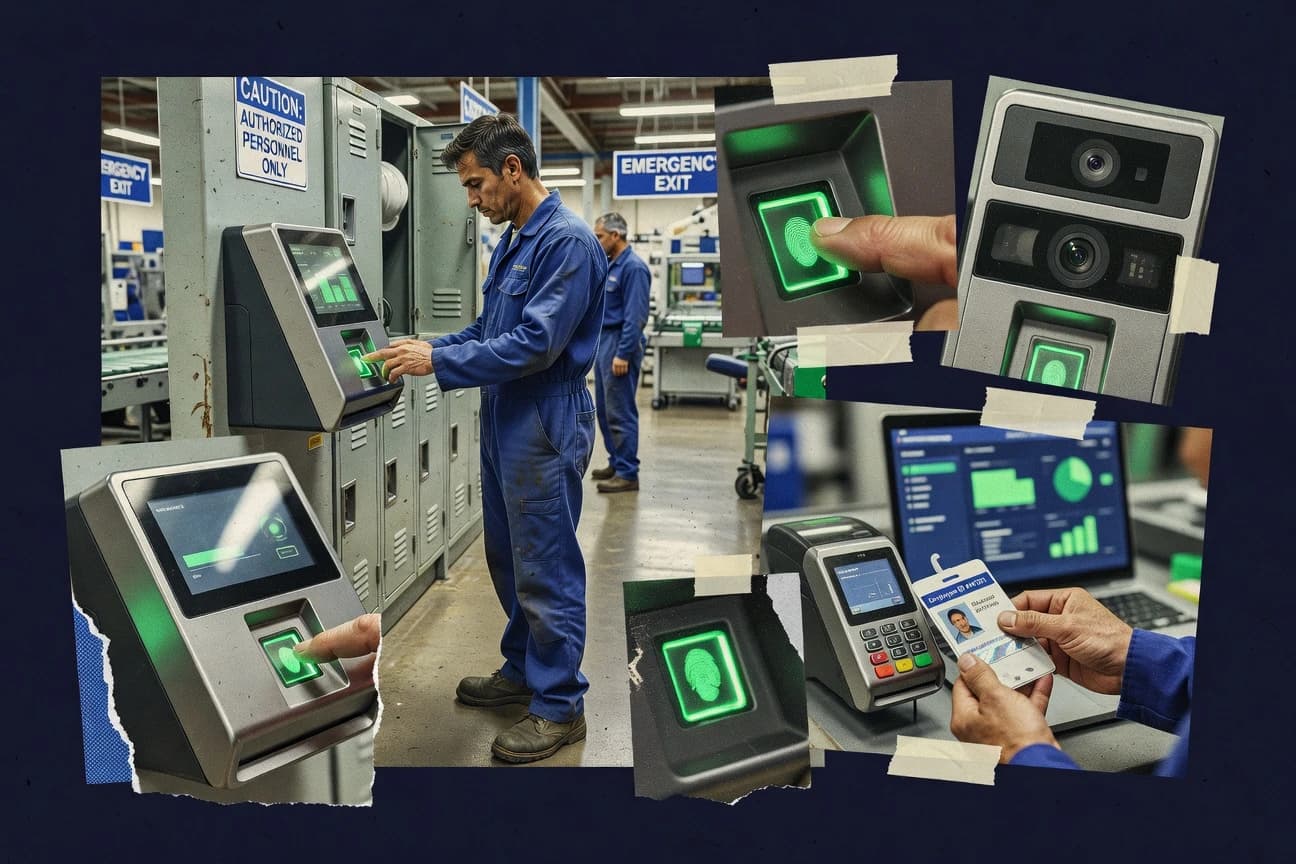
Biometric time clock software records employee clock-in and clock-out events using biometric capture tied to identity verification at the point of attendance. It solves buddy punching and time theft by enforcing biometric capture workflows and linking time punches to accountable employees. It also reduces payroll rework through attendance rules, exception handling, and audit trails for edits, approvals, and missed punches. Tools like Kronos Workforce Dimensions and UKG Pro show how biometric punch capture can connect to centralized workforce management, HR workflows, and payroll-ready time tracking.
Key Features to Look For
These features determine whether biometric time capture stays accurate, auditable, and manageable across shifts, sites, and approvals.
Audit trails for biometric time edits, approvals, and exceptions
Look for audit trails that track every time change, approval decision, and exception resolution tied to biometric punches. Kronos Workforce Dimensions delivers comprehensive audit trails for biometric time edits, approvals, and exception handling, while Inforce Workforce Management ties punch edits and exception outcomes to accountable biometric activity.
Configurable attendance and compliance rules tied to biometric punches
Your system needs attendance policies that calculate and validate punches against schedules and compliance rules. UKG Pro excels with configurable attendance and compliance rules tied directly to biometric time clock punches, and Suprema BioStar 2 provides an attendance calculation engine for policy-driven work schedules and compliance reporting.
Role-based workflows for clock-in approval and timecard exceptions
Biometric systems often require exception handling for missed punches, late arrivals, and edits, so approvals must be controlled by role. Deputy stands out with role-based manager approvals for clock-in and timecard exceptions, and Tanda adds shift-based approvals with exception workflows for biometric and mobile clock-ins.
Shift scheduling and exception handling with structured governance
If your workforce relies on shift patterns, the time clock must support scheduling plus rule-based exception handling. Inforce Workforce Management combines biometric check-in workflows with shift management, scheduling, and exception handling for missed punches and time edits.
Multi-site administration and centralized employee and device management
Multi-location deployments need centralized administration so you can manage users, devices, and reporting across sites. Kronos Workforce Dimensions and Suprema BioStar 2 both provide multi-site controls with centralized administration, while ZKTeco Time Attendance Software targets structured deployments around ZKTeco terminals and centralized timekeeping workflows.
Hardware ecosystem integration for enrollment and punch reliability
The biometric experience depends on tight hardware-software integration so enrollments and punch capture remain consistent. ZKTeco Time Attendance Software integrates tightly with ZKTeco biometric terminals for biometric punch processing, and Suprema BioStar 2 requires compatible Suprema biometric readers to deliver reliable attendance capture.
How to Choose the Right Biometric Time Clock Software
Pick a tool by matching its biometric workflow, approval model, and deployment complexity to your operating reality.
Start with your biometric workflow and exception model
Decide whether your biggest risk is buddy punching, payroll disputes, or missed-punch exceptions that require managerial review. If you need audit-grade traceability for edits and approvals, Kronos Workforce Dimensions and Inforce Workforce Management focus on detailed audit trails linked to biometric activity. If you run approvals at the point of clock-in and on timecard exceptions, Deputy and Tanda provide role-based manager approval and shift-based exception workflows.
Match attendance rules to your scheduling complexity
Choose a system that can calculate attendance against your actual shift schedules and compliance rules. UKG Pro provides configurable attendance and compliance rules tied directly to biometric punches, and Suprema BioStar 2 emphasizes a policy-driven attendance calculation engine for compliance reporting. If your environment is structured around operational shift governance, Inforce Workforce Management supports shift-driven attendance governance with exception handling.
Plan for the impact of device and infrastructure dependencies
Biometric tools often require careful device deployment, server setup, and admin tuning to behave correctly. Suprema BioStar 2 adds deployment complexity because it relies on compatible Suprema biometric devices and server configuration, while ZKTeco Time Attendance Software depends on ZKTeco terminal integration for consistent enrollment and punch capture. If you want a tool built to work with a broader HR and workforce workflow instead of a hardware-first model, UKG Pro and Kronos Workforce Dimensions can reduce the likelihood of a purely terminal-centric implementation.
Validate reporting depth for payroll and operational reconciliation
Confirm the reporting you need for payroll export versus the reporting you need for manager oversight and irregular-pattern investigation. Kronos Workforce Dimensions and UKG Pro support payroll-ready time tracking tied to enterprise HR and workforce management workflows, while Inforce Workforce Management highlights labor totals and irregular attendance patterns. If your focus is operational reconciliation against assigned schedules, ZKTeco Time Attendance Software includes attendance reports for HR reconciliation and audit views.
Test administrator experience for exceptions, multi-site control, and user training
Run an internal workflow simulation for missed punches and time edits so you see where users and admins will struggle. Kronos Workforce Dimensions and UKG Pro require heavier implementation and administration for enterprise integrations and exception flows, while ZKTeco systems can feel complex when teams lack HR timekeeping experience. If your rollout includes multi-location device management, Deputy and Suprema BioStar 2 both require admin attention for configuration and accurate attendance outcomes.
Who Needs Biometric Time Clock Software?
Biometric time clock software fits organizations that need identity-verified attendance with controlled approvals and auditable exception handling.
Enterprises needing strict audit controls and payroll-ready timekeeping
Kronos Workforce Dimensions fits because it provides comprehensive audit trails for biometric time edits, approvals, and exception resolutions and supports payroll-ready centralized workforce management workflows. UKG Pro also fits enterprises that want biometric punch capture tied directly to configurable attendance and compliance rules plus HR and scheduling workflows.
Organizations standardizing on Suprema biometric hardware for multi-site control
Suprema BioStar 2 fits teams that want biometric attendance capture built around Suprema readers and a policy-driven attendance calculation engine. It also fits multi-site administrators because it provides centralized administration and reporting for users, devices, and compliance outcomes.
Operational teams running shift governance and reducing time theft through biometric check-in
Inforce Workforce Management fits because it reduces buddy punching with biometric check-in workflows and includes punch audit trails tied to employee identity and exceptions. It also fits organizations that use shift scheduling tools and need labor totals plus variance and irregular-pattern reporting.
Retail and hospitality teams that rely on shift-based approvals and exception workflows
Tanda fits retail and hospitality needs because it combines biometric-ready capture with shift rules and timesheet approvals that include audit trails for missed punches. Deputy fits multi-location teams that need manager approvals for clock-in and timecard exceptions alongside scheduling and role-based permissions.
Common Mistakes to Avoid
The most common failures come from mismatch between biometric exception handling, scheduling complexity, and the admin effort required to keep attendance accurate.
Choosing a tool without audit-ready exception traceability
If you need to defend time edits and approvals, prioritize Kronos Workforce Dimensions and Inforce Workforce Management because they provide detailed audit trails tied to biometric activity. Tools that focus only on punch collection without strong audit and exception accountability can increase payroll disputes when edits happen.
Underestimating biometric device and configuration effort
Biometric deployments require careful setup, so plan for admin configuration time with Suprema BioStar 2 and ZKTeco Time Attendance Software because they depend on compatible biometric devices and terminal integrations. Deputy and UKG Pro also require careful biometric device setup and workflow configuration for accurate attendance outcomes.
Overbuilding approvals when your workforce uses simple shift governance
If your environment needs structured shift-driven attendance rather than complex multi-module HR workflows, Inforce Workforce Management keeps the focus on shift and attendance governance with exception handling. Kronos Workforce Dimensions and UKG Pro can be heavier administrative lifts when you only need operational biometric punch control.
Expecting analytics depth without the right reporting model
Deputy’s reporting depth can feel limited versus dedicated analytics tools even though it supports attendance trends and exception reasons. Time Doctor provides analytics like idle detection and productivity monitoring tied to tracked time, but it does not provide dedicated fingerprint or facial biometric clock hardware.
How We Selected and Ranked These Tools
We evaluated each biometric time clock solution on overall capability, features depth, ease of use, and value fit for the biometric time clock workflow. We used how each tool handles biometric punch capture, attendance rules, and exception approvals as the core differentiators. Kronos Workforce Dimensions separated itself by combining biometric clocking workflows with comprehensive audit trails for biometric time edits, approvals, and exception resolutions while also supporting enterprise workforce management and payroll-ready time tracking. Tools like Suprema BioStar 2 and UKG Pro also scored strongly on policy-driven attendance and compliance workflows, while lower-ranked options like ZKTeco Attendance Management System and Time Doctor either constrained biometric hardware scope or shifted focus away from dedicated fingerprint or facial clock hardware.
Frequently Asked Questions About Biometric Time Clock Software
How do Kronos Workforce Dimensions and UKG Pro handle biometric punch auditing when employees edit time?
Which platforms are best for shift-based missed punch and exception resolution using biometric devices?
What is the difference between Deputy and dedicated biometric terminal suites when capturing check-in and approvals?
Which solution is strongest for multi-site administration and centralized device management?
Can biometric time clock software integrate cleanly with payroll and HR systems?
What are the technical requirements to deploy ZKTeco and Suprema biometric ecosystems compared with server-based time clock apps?
How do Time Doctor and Deputy support time accountability without relying on dedicated fingerprint hardware?
Which products help managers troubleshoot biometric device access or sync problems quickly?
Which tools are most appropriate for operational teams that need accurate labor totals and variance reporting?
What should teams do first to get started with a biometric time clock workflow in these systems?
Tools reviewed
Primary sources checked during evaluation.
Referenced in the comparison table and product reviews above.
- HR In IndustryTop 10 Best Time Clock Software of 2026
- Employment WorkforceTop 10 Best Biometric Time Attendance Software of 2026
- HR In IndustryTop 10 Best Cloud Based Time Clock Software of 2026
- Construction InfrastructureTop 10 Best Construction Time Clock Software of 2026
- SecurityTop 10 Best Biometric Fingerprint Software of 2026
Keep exploring
Comparing two specific tools?
Software Alternatives
See head-to-head software comparisons with feature breakdowns, pricing, and our recommendation for each use case.
Explore software alternatives→In this category
HR In Industry alternatives
See side-by-side comparisons of hr in industry tools and pick the right one for your stack.
Compare hr in industry tools→