
GITNUXSOFTWARE ADVICE
HR In IndustryTop 10 Best Cloud Based Time Clock Software of 2026
Top 10 ranking of cloud based time clock software for teams, with feature comparisons and tradeoffs across tools like UKG and Deputy.

How we ranked these tools
Core product claims cross-referenced against official documentation, changelogs, and independent technical reviews.
Analyzed video reviews and hundreds of written evaluations to capture real-world user experiences with each tool.
AI persona simulations modeled how different user types would experience each tool across common use cases and workflows.
Final rankings reviewed and approved by our editorial team with authority to override AI-generated scores based on domain expertise.
Score: Features 40% · Ease 30% · Value 30%
Gitnux may earn a commission through links on this page — this does not influence rankings. Editorial policy
UKG is the best fit for HR and payroll teams that need controlled approvals, audit-ready capture, and rule-driven time across locations, whereas Deputy is the smarter alternative for multi-location SMBs wanting manager-reviewed time exceptions before payroll export.
Editor’s top 3 picks
Three quick recommendations before you dive into the full comparison below — each one leads on a different dimension.
UKG
Built-in manager approval workflow for attendance exceptions that gates time changes before pay period closeout.
Built for fits when HR and payroll teams need controlled approvals, audit trails, and rule-driven time capture across locations..
Deputy
Editor pickManager approval workflows for attendance exceptions that prevent unreviewed punches from reaching payroll.
Built for fits when multi-location teams need manager-reviewed time exceptions before payroll export..
Clockify
Editor pickREST API and webhooks for time entry synchronization and off-cycle correction automation.
Built for fits when teams need cloud clocking plus manager approval and API-driven time syncing for payroll closeout..
Comparison Table
UKG
enterpriseEnterprise workforce management suite including time and attendance, scheduling, and HR.
Built-in manager approval workflow for attendance exceptions that gates time changes before pay period closeout.
UKG uses a managed workflow that starts with device or kiosk clock in and clock out, then routes exceptions for manager decision before pay period closeout. It provides rule-based time rounding, overtime calculations, and break enforcement so time entries align with policy. Location and verification support is designed for attendance capture at authorized locations, including geofenced rules for clock events. Audit trail coverage is built for incident export needs by capturing who changed time, when it changed, and which fields were affected.
A key tradeoff is that deeper configuration of pay rules, approval routing, and exception handling increases governance workload for HR and payroll admins. UKG fits organizations that already run UKG HR or workforce workflows and need consistent time approval governance across multiple roles and locations. It also works well when payroll must receive time data on a predictable closeout cycle with controlled off-cycle corrections.
- +Manager approval workflow routes attendance exceptions before pay period closeout
- +Rule-based time rounding and break enforcement reduce policy drift
- +Audit trail captures change details for time edits and approvals
- +Time data integration supports payroll closeout exports and imports
- –Configuring rounding, overtime, and exception rules needs disciplined admin governance
- –Complex approval routing can add operational overhead for multi-location teams
- –Some integrations depend on established workforce system patterns
- –Offline clock sync reconciliation adds extra edge-case handling for kiosk deployments
HR operations teams
Approve exception-based time corrections
Fewer post-close payroll disputes
Payroll administrators
Standardize pay-period closeout data
More consistent payroll runs
Show 1 more scenario
Multi-location supervisors
Review attendance for distributed sites
Tighter attendance control
Uses access-controlled enforcement points and review queues to manage time approvals across sites.
Best for: Fits when HR and payroll teams need controlled approvals, audit trails, and rule-driven time capture across locations.
Deputy
SMBCloud workforce management platform combining employee scheduling, time clock, and task management.
Manager approval workflows for attendance exceptions that prevent unreviewed punches from reaching payroll.
Deputy delivers a cloud time clock workflow built around shift execution and manager approval. Employees clock in via web and mobile experiences, and managers can review exceptions such as missing punches and rule-based discrepancies before pay period closeout. Setup can be centralized at the admin level for devices and locations, but every site that needs strict verification must align on configuration choices to avoid inconsistent enforcement.
A common tradeoff is that deeper automation depends on configuring approval routing and exception rules, which requires ongoing governance as teams and roles change. Deputy works well when a manager review step is non-negotiable, such as multi-location restaurants that want exception visibility before payroll export. Teams that need fully offline time capture and later reconciliation for remote job sites may find the offline story less complete than the top vendors dedicated to disconnected operations.
- +Manager approval workflows for attendance exceptions reduce payroll cleanup
- +Device and location configuration supports consistent enforcement at clock points
- +Shift-linked time entry views help reconcile schedules against punches
- +Strong integration paths for attendance and payroll system exports
- –Exception automation needs careful rule setup and continued governance
- –Offline reconciliation support can lag vendors focused on disconnected sites
- –Biometric integrations are not as broad as kiosk-only specialists
- –Complex org structures may require more admin effort to keep roles aligned
Restaurant operations managers
Approve missing punches before payroll
Fewer payroll corrections
Retail workforce coordinators
Standardize clock rules across stores
More consistent attendance data
Show 2 more scenarios
HR and payroll teams
Reduce off-cycle time entry fixes
Lower off-cycle adjustments
Workflows surface attendance issues early so payroll can import cleaner time records at period end.
Multi-site shift schedulers
Reconcile schedules against punches
Faster exception resolution
Shift-linked reporting helps compare planned hours to actual punches and identify discrepancies faster.
Best for: Fits when multi-location teams need manager-reviewed time exceptions before payroll export.
Clockify
SMBCloud time tracker with clock-in functionality, timesheets, and reporting for teams.
REST API and webhooks for time entry synchronization and off-cycle correction automation.
Clockify covers core attendance needs with clock in/out workflows, device-based check-ins, and team visibility into who is working. Time capture can be guided by rules such as time rounding and break enforcement, and it can be adjusted through off-cycle corrections when policies require exceptions. Reporting provides operational visibility across date ranges for approvals, audits of changes, and payroll-ready exports.
The main tradeoff is that Clockify governance depends on deliberate configuration of projects, approvals, and editing rules to prevent inconsistent time entry behavior. It fits best when a team wants managed timekeeping with centralized reporting and then needs integration through API and webhooks to push or pull time entries during closeout.
- +Clock in/out flows integrate with project-based time tracking
- +Manager approval workflows support controlled edits and signoff
- +Rule-based rounding and break enforcement reduce manual cleanup
- +REST API and webhooks support time data synchronization
- –Consistent governance requires careful setup of approvals and permissions
- –Geofence and kiosk-style controls require specific hardware and policy design
- –Time rounding behavior can increase correction workload when rules are misaligned
- –Complex payroll mappings may need additional transformation outside the tool
Operations managers
Approve exception edits during busy weeks
Faster month-end signoff
HR and payroll teams
Export time for pay period closeout
Less payroll rework
Show 2 more scenarios
Software integration teams
Sync time entries to internal systems
Lower operational overhead
REST API and webhooks support automated creation, updates, and reconciliation of time data.
Project-based service teams
Track billable work by activity
Cleaner utilization reporting
Project and activity tagging keeps reports aligned with client and cost tracking needs.
Best for: Fits when teams need cloud clocking plus manager approval and API-driven time syncing for payroll closeout.
Workforce.com
vertical specialistCloud workforce management combines time clocks, scheduling, attendance, and payroll workflows.
Manager approval workflow that routes exception-based time corrections into review before hours finalize.
Workforce.com is a cloud-based time clock system that focuses on kiosk-style check in and mobile friendly employee clock actions. It supports manager approval workflows for time entries, including review of exceptions such as missed punches and schedule variance.
Admin controls include user access management and audit-focused reporting for time changes. Workforce.com also supports integrations for time and attendance data exchange, including exports for downstream payroll processing.
- +Manager approval workflow for time corrections and exception handling
- +Kiosk and mobile clock flows for distributed teams
- +Audit-focused reporting that tracks edits and approval status
- +Integration oriented exports that fit common payroll closeout steps
- –Limited visibility into complex rules without careful configuration governance
- –Geofence and biometric options are not consistently a native fit
- –Exception coverage can require more admin work during process rollouts
- –Reporting flexibility can lag behind highly custom payroll calculations
Best for: Fits when mid-size organizations need approval-driven time corrections plus kiosk and mobile clock in/out.
Gusto Time Tracking
SMBOnline employee time tracking connects clock-ins, approvals, schedules, and payroll.
Time entry review and approval that flows directly into Gusto pay period closeout workflow.
Gusto Time Tracking provides an employee clock in and out flow tightly connected to Gusto payroll. Managers can review time entries in an approval workflow before pay period closeout.
The system also supports exception handling for missed punches and time entry edits tied to audit records. Its strongest fit is teams already using Gusto for payroll and HR administration.
- +Direct handoff from time entries into Gusto payroll processing
- +Manager approvals for time before pay period closeout
- +Employee self-service clock in and out reduces helpdesk load
- +Audit trail for time edits and approvals supports internal review
- –API and webhook coverage for external timekeeping workflows is limited
- –Kiosk mode and device-specific controls are less detailed than specialist products
- –Advanced attendance rule configuration needs more governance than basic teams expect
- –Off-cycle corrections require process discipline to avoid approval gaps
Best for: Fits when teams using Gusto payroll need approval-based timekeeping without separate systems.
Timesheets.com
SMBOnline time tracking provides employee clock-ins, timesheets, approvals, and payroll reporting.
Webhook event delivery for time entry and workflow changes enables near-real-time automation.
Timesheets.com targets teams that need a cloud time clock with structured attendance capture and admin-managed approvals. Its core workflow centers on employee time entries, manager review, and export-ready payroll data.
The product also supports integrations and automation hooks for pulling schedules and pushing time results into downstream HR and payroll systems. Governance is handled through role-based access and audit-friendly reporting of time activity and changes.
- +Approval workflow supports manager review before time is finalized
- +CSV payroll export format fits common payroll ingestion patterns
- +REST API and webhook event delivery support automation beyond the UI
- +Role-based access restricts who can approve, edit, and export
- –Geofence time tracking and location verification are not described as native
- –Offline mode sync reconciliation for kiosks and field devices is not documented
- –Device fingerprinting attendance is not a clearly defined built-in capability
- –Automation setup requires careful configuration of rules and workflows
Best for: Fits when mid-size organizations need manager approvals and API-driven payroll exports.
actiTIME
SMBCloud time tracking supports employee attendance, project hours, leave, and reporting.
Approval workflow tied to time entry edits with audit visibility for off-cycle corrections.
actiTIME is a cloud time clock product built around employee time tracking workflows and managerial oversight, with setup tailored to recurring work patterns. It supports manager approval for time entries, attendance exception handling, and pay period closeout exports designed for downstream payroll processing.
The system also provides role-based access controls for who can clock, edit, or approve, plus audit-oriented change visibility for corrections. Integration options are centered on CSV time entry exports and REST-based integration points for pulling and pushing time data.
- +Manager approval workflow for time entries reduces unauthorized edits.
- +Attendance exception handling supports off-cycle corrections without breaking pay cycles.
- +Role-based access control separates clocking, editing, and approval duties.
- +CSV export format supports practical payroll system import workflows.
- –REST API coverage is stronger for time data than for full scheduling sync.
- –Geofence time tracking requires external device or tooling rather than native kiosk verification.
- –Advanced rounding and break enforcement need careful configuration across teams.
- –Webhook event delivery is limited compared with systems that offer full event streams.
Best for: Fits when midsize teams need approval-gated timekeeping plus reliable CSV payroll exports.
Rippling Time & Attendance
enterpriseTime and attendance connects employee records, scheduling, payroll, and workforce policies.
Rippling’s attendance exception approvals run inside the same admin workflows as employee management, linking identity to time edits.
Rippling Time & Attendance combines time clocking with workforce administration inside a single Rippling system. It supports employee self-service clock in and out, manager review of exceptions, and device and location checks for attendance events.
The product builds clock-ready workforces using Rippling user provisioning and can push and pull time entries through its integration surface for payroll workflows. Configuration centers on account-level policies for rounding, break enforcement, and pay period closeout behavior.
- +Tightly integrated onboarding and employee lifecycle reduce manual timekeeping setup
- +Manager exception workflow ties approvals to specific time entries
- +Location and device signals help reduce buddy punching with enforcement-point controls
- +Admin controls support rule configuration for rounding and break compliance
- –Richer workflows depend on disciplined configuration of policies and approval paths
- –Hardware options for kiosk setups can limit edge deployments by device readiness
- –Offline reconciliation requires careful testing for shift changes and delayed network recovery
- –Complex payroll mapping can take more integration work than CSV-only flows
Best for: Fits when organizations want time clocking tied to HR-driven identity, approvals, and payroll sync policies.
7shifts
vertical specialistRestaurant workforce software combines scheduling, time clocks, labor compliance, and payroll integrations.
Manager approval workflow for attendance exceptions that ties adjustments back to specific time punches and the pay period closeout.
7shifts provides a cloud time clock for shift-based teams with kiosk-style clock in and out plus employee self-service time capture. Manager approval workflows handle attendance exceptions and schedule-driven adjustments, and it supports shift scheduling integration for aligning rosters with time entries.
The system centralizes time punches for pay period closeout with CSV payroll export formats and correction flows for off-cycle changes. Administration tools focus on enforcing break rules and access control at the point of attendance capture.
- +Attendance exception workflows route fixes through managers
- +Shift scheduling integration keeps time entries aligned to rosters
- +Employee self-service clock in/out reduces manual punch handling
- +CSV payroll export format supports downstream payroll processing
- –Limited configurability for granular rounding rules versus some competitors
- –Offline mode sync reconciliation is not as transparent as in enterprise kiosks
- –Audit trail immutability coverage can feel thin for compliance-heavy teams
- –SSO SAML and SCIM user provisioning sync depend on specific setup paths
Best for: Fits when shift-based teams need manager approvals for time edits with kiosk-style clocking and payroll export.
Connecteam
SMBA mobile workforce platform provides employee clock-in, GPS controls, scheduling, and payroll exports.
In-app manager workflows tie attendance exceptions to approval steps alongside employee updates.
Connecteam combines cloud time clock with employee communications and mobile-first clocking for distributed teams that need both attendance capture and day-to-day messaging in one workspace. Attendance data supports manager review workflows, attendance exceptions handling, and shift-related operational steps that reduce off-cycle correction churn.
The product includes exportable time records for payroll workflows and an automation surface for integrating other HR and payroll systems. Connecteam also supports access controls for enforcement points so managers can govern who can clock, correct, and approve changes.
- +Mobile-first clock in/out supports distributed work without separate kiosk hardware.
- +Manager approval workflow covers exception handling before time entries lock.
- +Time exports support downstream payroll formatting and pay period closeout needs.
- +Automation and integration options reduce manual re-keying of attendance.
- –Advanced workforce rules need careful configuration to avoid inconsistent rounding.
- –Geofence and device-based verification depend on specific deployment choices.
- –Complex approval chains require disciplined role setup to prevent approval bottlenecks.
- –Offline sync reconciliation is limited for high-frequency location verification use.
Best for: Fits when distributed teams need mobile clocking plus approval-driven exception handling.
Conclusion
After evaluating 10 hr in industry, UKG stands out as our overall top pick — it scored highest across our combined criteria of features, ease of use, and value, which is why it sits at #1 in the rankings above.
Use the comparison table and detailed reviews above to validate the fit against your own requirements before committing to a tool.
How to Choose the Right cloud based time clock software
Cloud based time clock software centralizes clock in and clock out for mobile and kiosk use, then gates attendance exceptions through manager approval steps before pay period closeout. This buyer guide covers UKG, Deputy, Clockify, Workforce.com, Gusto Time Tracking, Timesheets.com, actiTIME, Rippling Time & Attendance, 7shifts, and Connecteam.
The differentiators across these tools concentrate on approval workflow control depth, rule-based rounding and break enforcement, and automation surfaces like REST API and webhooks for time entry synchronization and off-cycle corrections. The evaluation also checks how each system supports location-based enforcement at the clock point, and how reliably it reconciles offline activity for distributed locations.
Cloud based time clock software with approval-gated attendance exceptions and API-driven payroll handoff
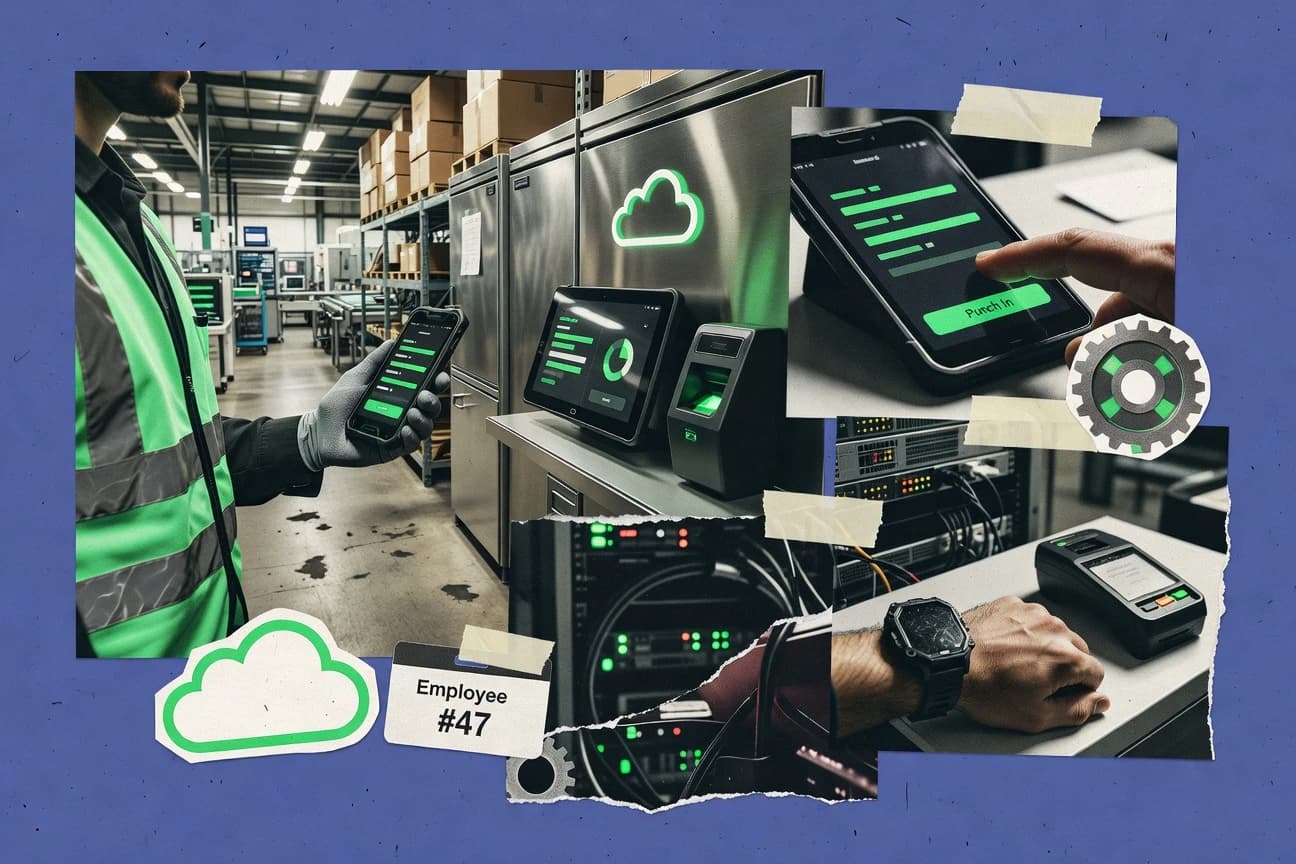
Cloud based time clock software captures employee time through mobile clock in/out, time clock kiosk flows, and employee self-service clock entry screens, then applies policy controls during review and finalization. Many systems route attendance exceptions into manager approval workflow steps so unreviewed punches do not reach payroll export.
UKG emphasizes manager approval workflows for attendance exceptions that gate time changes before pay period closeout, pairing that control with rule-based time rounding and break enforcement. Clockify focuses on automation surfaces for syncing time entries and handling off-cycle corrections through REST API and webhooks, which supports API-driven time entry synchronization into downstream payroll workflows.
Approval workflow governance, rounding controls, and automation surfaces for cloud time clocking
Cloud time clock software becomes usable at scale only when attendance exceptions pass through an explicit manager approval workflow before pay period closeout. UKG, Deputy, Workforce.com, and 7shifts all gate time changes through manager review so corrections do not silently reach payroll export.
Manager approval workflows for attendance exceptions before pay period closeout
UKG routes attendance exceptions through manager approval workflows that gate time changes before pay period closeout. Deputy, Workforce.com, and 7shifts use manager review steps to prevent unreviewed punches and exception edits from reaching payroll export.
Rule-based rounding and break enforcement
UKG applies rule-based time rounding and break enforcement to reduce policy drift across locations. Deputy also includes rounding and break-related enforcement, which helps keep overtime calculations and exception outcomes consistent.
API and webhook automation for time entry synchronization and corrections
Clockify provides a REST API and webhooks for time entry synchronization and off-cycle correction automation. Timesheets.com focuses on webhook event delivery for near-real-time automation around time entry and workflow changes.
Payroll handoff formats and export workflows
Timesheets.com includes a CSV payroll export format designed for common payroll ingestion patterns. actiTIME also provides reliable CSV payroll exports while tying approval workflows to time entry edits for off-cycle corrections.
Device and location configuration at the clock point
Deputy supports device and location configuration that helps consistent enforcement at clock points across multi-location teams. Workforce.com also supports kiosk and mobile clock flows, but geofence and biometric options are not consistently a native fit.
HR identity linkage and integrated admin workflows
Rippling Time & Attendance runs attendance exception approvals inside the same admin workflows used for employee management. This design ties identity to time edits and reduces separate setup steps for onboarding and lifecycle alignment.
Choose based on approval design depth and automation reach into payroll closeout
The primary fork is whether attendance exceptions must block time changes from reaching pay period closeout until a manager review step completes. UKG and Deputy implement approval-driven exception gating, while Clockify and Timesheets.com target automation with API or webhooks that can carry reviewed time entries into downstream systems faster.
Map exception handling to manager gating requirements
If the business requires time edits for attendance exceptions to stop before pay period closeout, UKG and Deputy match the approval-first workflow shape. If exception routing must also align with kiosks and mobile clock flows, Workforce.com and 7shifts add manager review while supporting kiosk-style clocking.
Pick the automation path for time entry sync and off-cycle corrections
If payroll closeout depends on automated time entry synchronization and off-cycle corrections via integration events, Clockify provides a REST API and webhooks for that job. If the integration team relies on event delivery for workflow changes, Timesheets.com webhook event delivery supports near-real-time automation around approvals and time entry updates.
Validate rounding and break enforcement coverage for policy drift risk
If the organization needs rule-based time rounding and break enforcement to stay consistent across locations, UKG pairs those controls with governance-heavy configuration for rounding, overtime, and exception rules. If rounding governance needs to be lighter but still controlled, Deputy focuses on manager-reviewed exceptions plus device and location configuration at clock points.
Confirm payroll export format fit and correction workflow needs
If the payroll process ingests CSV, Timesheets.com provides a CSV payroll export format and actiTIME provides reliable CSV exports paired with approval workflows for off-cycle corrections. If timekeeping must plug into Gusto’s existing pay period closeout workflow, Gusto Time Tracking routes time entry review and approval directly into Gusto payroll processing.
Check whether identity linkage reduces setup friction
If onboarding and employee lifecycle management should connect directly to attendance exception approvals, Rippling Time & Attendance ties approvals to HR-driven identity and specific time entries. If identity linkage is less critical than kiosk and mobile clocking, Connecteam and Workforce.com focus on manager workflows alongside distributed clock in/out.
Teams that get measurable control from approval-gated cloud time clocking
Managers and HR operations teams benefit most when the time system blocks unreviewed attendance exceptions from reaching payroll export. UKG and Deputy provide manager approval workflows that gate time changes before pay period closeout, which helps reduce payroll cleanup cycles.
Multi-location employers managing exception volume
Deputy supports device and location configuration that helps consistent enforcement at clock points, while manager approval workflows prevent unreviewed exceptions from reaching payroll export.
HR and payroll teams that require approval-first closeout
UKG routes attendance exceptions through manager approval workflows that gate time changes before pay period closeout and pair that control with rule-based rounding and break enforcement.
Operations teams with kiosk and mobile clock in/out for distributed staff
Workforce.com and Connecteam combine manager approval workflows with kiosk and mobile clock in/out, which keeps exception handling centralized even when workers clock remotely.
IT teams building automated time entry synchronization
Clockify offers REST API and webhooks for time entry sync and off-cycle correction automation, while Timesheets.com focuses on webhook event delivery for workflow changes.
Employers standardizing around Gusto payroll processing
Gusto Time Tracking routes time entry review and approval into Gusto pay period closeout workflows, which reduces the need for separate payroll handoff mapping.
Common failure modes in cloud time clock deployments and how to prevent them
Many deployments fail when approval routing is under-specified or when rounding and exception rules are not governed with clear admin ownership. UKG and Deputy both include rule-based rounding and manager approval workflows, so weak governance creates inconsistent outcomes across locations and overtime calculations.
Configuring rounding and exception rules without admin governance ownership
UKG’s rule-based time rounding and exception gating before pay period closeout require disciplined setup of rounding, overtime, and exception rules. Deputy also needs careful rule setup so exception automation does not drift across locations.
Assuming offline reconciliation and kiosk behavior is equally transparent across tools
Deputy notes that offline reconciliation support can lag vendors focused on disconnected sites, which can delay exception handling for kiosks. 7shifts also says offline sync reconciliation is not as transparent as in enterprise kiosks.
Building payroll sync automation around missing or thin integration coverage
Clockify supports a REST API and webhooks for time entry synchronization and off-cycle corrections, which fits API-driven payroll closeout automation. Gusto Time Tracking has limited API and webhook coverage for external timekeeping workflows, which increases the risk of manual payroll cleanup.
Over-relying on geofence or biometric enforcement without verifying native fit
Workforce.com states geofence and biometric options are not consistently a native fit, so verification may require extra deployment choices. Connecteam ties geofence and device-based verification to specific deployment decisions, so enforcement can vary if the device setup is inconsistent.
How We Selected and Ranked These Tools
We evaluated UKG, Deputy, Clockify, Workforce.com, Gusto Time Tracking, Timesheets.com, actiTIME, Rippling Time & Attendance, 7shifts, and Connecteam using feature coverage, ease of use, and value fit. Features accounted for 40% of the ranking because approval-first attendance exception gating, rounding and break enforcement, and automation surfaces for time entry synchronization determine operational throughput.
Ease and value each accounted for 30% because setup complexity around approvals, rounding rules, permissions, and device or location configuration affects day-to-day administration. UKG ranked highest because its built-in manager approval workflow gates time changes before pay period closeout while pairing that control with rule-based rounding and break enforcement.
Frequently Asked Questions About cloud based time clock software
How do UKG and Deputy handle manager approval for attendance exceptions before hours finalize?
Which tools support REST API integrations for syncing time entries into payroll systems?
How does SCIM user provisioning sync and SSO provisioning work in cloud timekeeping systems?
When do audits and tamper-evident logs become relevant for off-cycle corrections?
What breaks if break rules and schedule variance enforcement are misconfigured for kiosk or mobile clocking?
How do data exports and time entry import templates support payroll closeout workflows?
Which products are better for employee self-service clock in/out combined with manager-managed exception routing?
How do devices and location controls affect geofence or location-based verification at the enforcement point?
What tradeoff appears when choosing a system that relies on CSV payroll exports versus API-driven payroll sync?
Tools reviewed
Primary sources checked during evaluation.
Referenced in the comparison table and product reviews above.
- HR In IndustryTop 10 Best Time Clock Software of 2026
- Business FinanceTop 10 Best Cloud Based Time Tracking Software of 2026
- Customer Experience In IndustryTop 10 Best Cloud Based Client Management Software of 2026
- Employment WorkforceTop 10 Best Business Time Clock Software of 2026
- HR In IndustryTop 10 Best Small Business Time Clock Software of 2026
Keep exploring
Comparing two specific tools?
Software Alternatives
See head-to-head software comparisons with feature breakdowns, pricing, and our recommendation for each use case.
Explore software alternatives→In this category
HR In Industry alternatives
See side-by-side comparisons of hr in industry tools and pick the right one for your stack.
Compare hr in industry tools→