
GITNUXSOFTWARE ADVICE
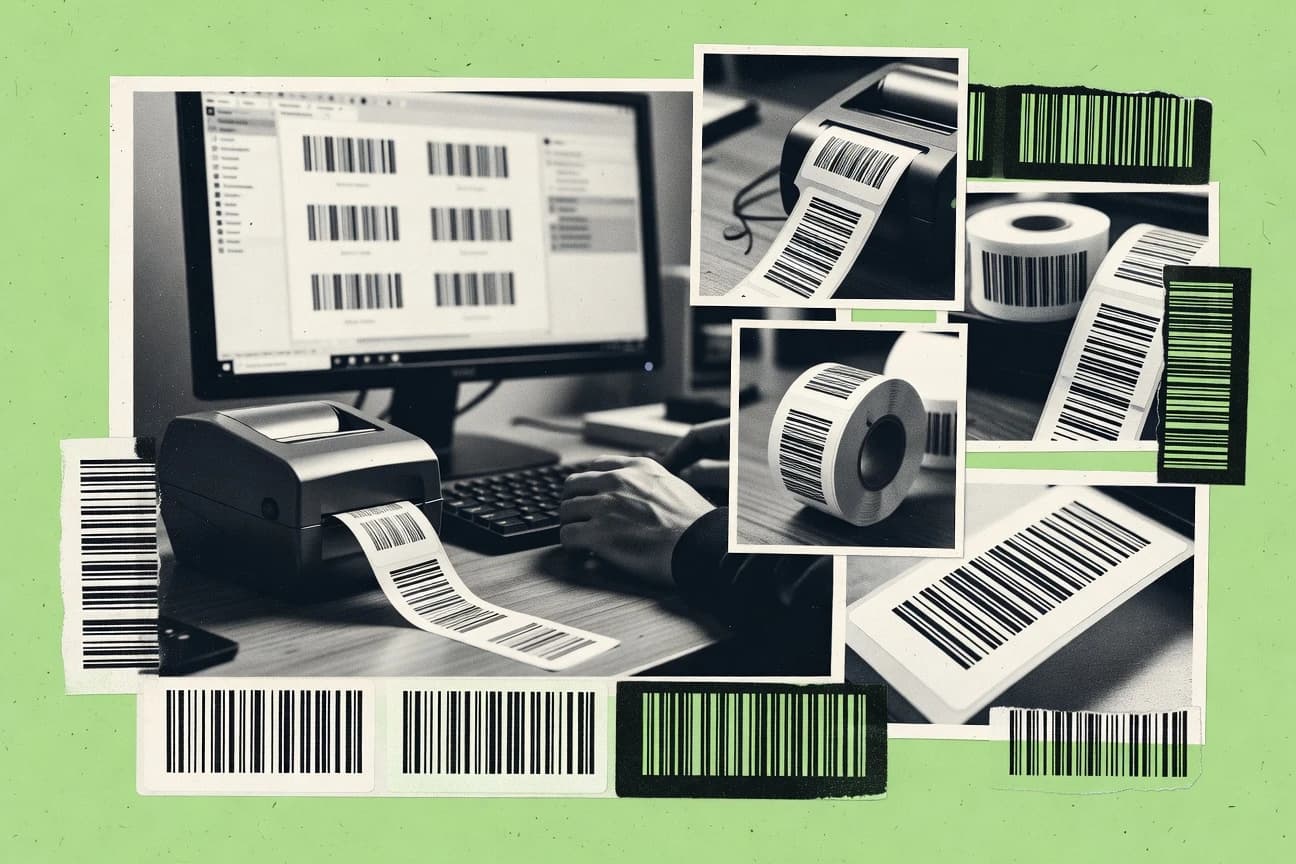
Art DesignTop 10 Best Barcode Creator Software of 2026
Ranked roundup of Barcode Creator Software, comparing TEC-IT, BarcodeTools, and IDAutomation for generating barcodes with clear criteria and tradeoffs.

How we ranked these tools
Core product claims cross-referenced against official documentation, changelogs, and independent technical reviews.
Analyzed video reviews and hundreds of written evaluations to capture real-world user experiences with each tool.
AI persona simulations modeled how different user types would experience each tool across common use cases and workflows.
Final rankings reviewed and approved by our editorial team with authority to override AI-generated scores based on domain expertise.
Score: Features 40% · Ease 30% · Value 30%
Gitnux may earn a commission through links on this page — this does not influence rankings. Editorial policy
Editor’s top 3 picks
Three quick recommendations before you dive into the full comparison below — each one leads on a different dimension.
Online Barcode Generator by TEC-IT
On-the-fly barcode standard handling with format-aware data encoding
Built for teams generating accurate barcodes quickly for labels and documents.
BarcodeTools
Editor pickRapid barcode generation with configurable text-to-barcode setup for immediate export
Built for operations teams needing reliable, fast barcode generation for labels and documents.
IDAutomation Barcode Generator
Editor pickSymbology-specific encoding with built-in content validation for scan reliability
Built for operations and QA teams creating scan-ready barcodes for documents and labels.
Comparison Table
Online Barcode Generator by TEC-IT
web-generatorGenerates many common 1D and 2D barcode symbologies online with downloadable barcode images suitable for design workflows.
On-the-fly barcode standard handling with format-aware data encoding
Online Barcode Generator by TEC-IT distinguishes itself with a web-based barcode creation flow focused on producing scannable, standards-aligned 1D and 2D barcodes. The core workflow lets users choose a barcode type, enter or import data, and render an image for printing or embedding.
Export options typically support common raster outputs and generated graphics that work in typical document and label pipelines. Built-in validation and format rules help reduce errors when encoding structured codes.
- +Strong coverage for multiple 1D and 2D barcode formats
- +Clear input-to-render workflow for quickly generating scannable codes
- +Built-in encoding rules that reduce malformed output risks
- +Good fit for labels, packing slips, and document embedding
- –Customization depth can feel limited for complex label layouts
- –Batch generation and bulk workflows are less compelling than dedicated tools
Warehouse labeling coordinators
Generate pallet and bin label barcodes
Fewer mislabels in scanning
E-commerce product data teams
Produce barcode images for SKUs
Consistent barcode production
Show 2 more scenarios
Small business office staff
Create event badges with QR codes
Quicker badge check-in
Encodes attendee data into 2D codes for fast check-in and controlled access workflows.
Manufacturing QA documentation staff
Render traceability barcodes on work orders
Improved traceability accuracy
Validates structured content formats so batch and serial information encodes correctly.
Best for: Teams generating accurate barcodes quickly for labels and documents
BarcodeTools
web-generatorCreates barcode graphics for multiple symbologies and exports images for print and layout work in art design projects.
Rapid barcode generation with configurable text-to-barcode setup for immediate export
BarcodeTools stands out with barcode generation focused on practical output formats for labels and documents. It supports generating common 1D barcode types and exporting results for direct reuse in print and digital workflows.
The tool centers on configuring barcode content and presentation options so files can be produced quickly without heavy design work. Overall, it fits teams that need fast, repeatable barcode creation with dependable rendering.
- +Generates standard 1D barcodes with straightforward input configuration
- +Exports usable barcode outputs for label and document workflows
- +Quick rendering supports iterative changes to barcode data
- –Limited label-layout tooling compared with full design suites
- –Fewer advanced customization controls than specialized packaging software
- –Barcode verification and grading options are not prominent
Warehouse labeling teams
Generate item barcodes for bin labels
Faster label production cycles
Retail operations coordinators
Produce shelf tag barcodes in batches
Consistent shelf labeling accuracy
Show 2 more scenarios
QA and inventory analysts
Create verification barcodes for scans
Reduced scan validation time
BarcodeTools supports predictable barcode generation for testing scan workflows.
Small business admin staff
Format barcodes for shipped packages
More reliable shipment labeling
BarcodeTools generates barcode outputs without requiring separate design tooling.
Best for: Operations teams needing reliable, fast barcode generation for labels and documents
IDAutomation Barcode Generator
componentsProvides barcode generation tooling and downloadable barcode components for producing scannable barcode images and labels.
Symbology-specific encoding with built-in content validation for scan reliability
IDAutomation Barcode Generator stands out for letting users generate multiple barcode symbologies with configurable size and text options. The tool supports common linear and 2D formats, and it produces exportable barcodes suitable for labels and document workflows.
Core output formats include vector-friendly and print-oriented image formats, which helps preserve sharp edges at different sizes. It also emphasizes validation for the generated barcode content so encoded values render reliably for scanning.
- +Broad symbology coverage for common linear and 2D barcode types
- +Parameter controls for barcode size and appearance without extra tooling
- +Export outputs that support clean printing and readable edges
- –Workflow is geared toward generation over full label layout automation
- –Limited batch and templating capabilities compared with label-focused tools
- –Configuration can feel technical for users needing minimal settings
Label designers and print operators
Generate barcodes for SKU labels
Fewer misprints, faster label runs
Inventory and warehouse teams
Create scan-ready shipping barcode batches
Reliable scans at dock
Show 2 more scenarios
Document and forms operations
Add barcodes to compliance forms
Consistent document scanning
Exportable output fits form workflows and preserves barcode readability in generated documents.
E-commerce catalog administrators
Generate product identifiers across formats
Standardized identifiers across products
Configurable text and symbology settings support barcode creation for different product packaging needs.
Best for: Operations and QA teams creating scan-ready barcodes for documents and labels
Morovia Barcode Generator
componentsGenerates barcodes and provides add-ons and components for creating barcode images and label-ready outputs.
Symbology variety with configurable output for accurate barcode label production
Morovia Barcode Generator stands out by focusing on barcode creation with broad symbology support and document-ready exports. It can generate standard barcode types from input data and render them for printing or embedding in other workflows.
The tool also supports batch-style generation patterns suited for repetitive catalog labeling tasks. Output customization options help control layout and format for practical barcode creator needs.
- +Supports multiple barcode symbologies for common business labeling needs
- +Generates exportable barcode graphics suitable for print and digital documents
- +Customizes size and appearance controls to match labeling constraints
- –Advanced formatting options can feel overwhelming for quick one-off labels
- –Live preview workflows require more iteration than minimalist generators
- –Integration and automation features are limited for code-free pipelines
Best for: Teams producing printed or document-based barcodes with frequent symbology switching
TEC-IT Barcode Software
desktop-softwareDelivers barcode creation software for generating symbologies and preparing barcode assets for printing and packaging workflows.
Symbology-aware barcode generation tuned for scan reliability and standard compliance
TEC-IT Barcode Software stands out for its code-compliant barcode generation across many symbologies with strong print-ready output. The tool supports label-oriented workflows with export formats suited for direct printing and integration into documents. It also focuses on automated, repeatable barcode creation rather than manual drawing, which helps for large datasets and standardized layouts.
- +Broad barcode symbology coverage with standards-focused generation
- +Print-ready output supports high-quality production workflows
- +Good fit for batch barcode creation from structured data
- +Reliable sizing and formatting controls for consistent scanning
- –Setup and configuration can feel technical for simple use cases
- –Advanced formatting workflows require time to master
- –Layout customization is less visual than dedicated label design tools
Best for: Operations and developers generating compliant barcodes for production labels
Online Barcode Maker by BarcodesInc
web-generatorGenerates barcode images for common symbologies with sizing and output options that fit graphic design usage.
Instant preview and format switching for generating Code 128 and QR codes fast
Online Barcode Maker by BarcodesInc focuses on quick barcode generation in a web workflow with multiple common symbologies. It supports entering or importing data, choosing formats like Code 128 and QR, and exporting barcodes as image files suitable for labels and prints.
The interface emphasizes fast previews and straightforward customization for size and layout. It also handles common barcode labeling needs without requiring external barcode libraries or design software.
- +Generates common barcode types like Code 128 and QR quickly in-browser
- +Provides immediate visual previews to validate barcode output
- +Exports barcodes as image files for label and document workflows
- +Simple data entry flow reduces setup time for new barcodes
- –Limited advanced design controls for label templates and typography
- –No built-in batch labeling tools for large catalog generation
- –Customization options can feel shallow for strict print production needs
Best for: Small teams creating occasional barcodes for documents and simple labels
GoQR.me
qr-generatorCreates QR codes and barcode-like codes with downloadable images for embedding in print and design layouts.
Instant preview generation for multiple barcode formats from entered content
GoQR.me is a web-based barcode creator centered on fast generation of multiple barcode formats from user-entered data. The tool provides straightforward controls for content and sizing, plus immediate image previews suitable for quick exports. It focuses on producing scannable one-off and batch-ready barcodes without requiring desktop installs or specialized integrations.
- +Quickly generates common 1D and 2D barcode types from plain text input
- +Provides immediate preview so output issues are visible before exporting
- +Simple sizing and rendering controls support clear, scan-friendly results
- –Limited advanced options for label layout and print-ready templates
- –Not designed for complex workflows like variable data at scale
- –Fewer interoperability features for enterprise integrations and automation
Best for: Small businesses needing simple, scannable barcodes with minimal setup
ZXing Barcode Generator
libraryUses the ZXing codebase to generate barcode images through library integration for design tool pipelines.
Symbology coverage via the ZXing core barcode generation engine
ZXing Barcode Generator stands out for using the mature ZXing barcode library to render barcodes from many symbologies. It supports generating common 1D and 2D codes from input text and saving results as image files.
It is a code-first barcode creator that can be embedded into scripts or applications that already handle file output. Compared with GUI-first barcode tools, it trades interactive convenience for predictable, programmatic control over barcode parameters.
- +Broad symbology support from the ZXing codebase
- +Scriptable generation suitable for automated pipelines
- +Consistent rendering for repeatable barcode outputs
- –GUI usage is limited since it is primarily developer oriented
- –Configuration details can be difficult without barcode knowledge
- –Batch customization needs code changes rather than simple forms
Best for: Developers automating barcode creation in apps, scripts, or batch jobs
Datalabels QR Barcode Generator
label-focusedGenerates barcode images for packaging and label workflows including QR codes and other common barcode types.
Quiet-zone and QR sizing controls for improving scan performance on printed labels
Datalabels QR Barcode Generator stands out for producing scannable QR codes from labeling-focused inputs like text and URLs. It supports customizing quiet-zone and QR sizing so codes remain readable on different label layouts. The generator focuses on quick exports for printing and labeling workflows rather than offering broad barcode symbology coverage.
- +Simple QR creation from text and links without complex configuration
- +Quiet-zone and size controls help maintain scan reliability on labels
- +Exports fit common label and document workflows
- –Limited to QR output with no broad 1D or specialty symbology options
- –Customization depth for branding and templates is minimal
- –Bulk generation and automation options are not prominent
Best for: Label teams needing fast QR codes for documents and physical product tags
Batch Purifier QR Code Generator
qr-generatorGenerates QR codes with customization controls and exports images for graphic design and print projects.
Batch Purifier bulk input cleanup before generating QR codes
Batch Purifier QR Code Generator stands out for generating many QR codes in a single workflow using bulk input and a cleanup step. Core capabilities focus on QR code creation from structured data, with batch generation intended for high-volume labeling tasks.
The tool emphasizes QR output rather than broad support for other barcode symbologies like Code 128 or EAN. It works best for producing scannable identifiers at scale with minimal manual per-code editing.
- +Bulk QR generation supports high-volume labeling workflows
- +Purifier step helps normalize or clean data before rendering
- +Straightforward controls for QR content and output
- –Limited barcode symbology scope beyond QR codes
- –Bulk workflow can require strict input formatting discipline
- –Fewer advanced layout controls than dedicated design tools
Best for: Operations teams generating many QR labels without custom code
Conclusion
After evaluating 10 art design, Online Barcode Generator by TEC-IT stands out as our overall top pick — it scored highest across our combined criteria of features, ease of use, and value, which is why it sits at #1 in the rankings above.
Use the comparison table and detailed reviews above to validate the fit against your own requirements before committing to a tool.
How to Choose the Right Barcode Creator Software
This buyer's guide covers how teams pick barcode creation software for generating scan-ready 1D and 2D codes for labels and documents. Included tools are TEC-IT Online Barcode Generator, BarcodeTools, IDAutomation Barcode Generator, Morovia Barcode Generator, TEC-IT Barcode Software, BarcodesInc Online Barcode Maker, GoQR.me, ZXing Barcode Generator, Datalabels QR Barcode Generator, and Batch Purifier QR Code Generator.
The guide focuses on integration depth, the barcode data model, automation and API surface, plus admin and governance controls. Each evaluation criterion ties to concrete behaviors shown across these tools such as standards-aware encoding in TEC-IT Online Barcode Generator and symbology-specific validation in IDAutomation Barcode Generator.
Barcode creator software that generates standards-aligned codes for print and automated workflows
Barcode creator software turns structured content into scannable barcode graphics for printing, embedding, and downstream document pipelines. The practical problems it solves are malformed output risk, inconsistent sizing and quiet-zone handling, and slow generation for repeated labels.
Online Barcode Generator by TEC-IT focuses on an input-to-render flow for standards-aligned 1D and 2D barcodes, while ZXing Barcode Generator centers on scriptable generation using the ZXing codebase. BarcodeTools and IDAutomation Barcode Generator both target operations and QA workflows that need reliable exportable assets for documents and labels.
Evaluation criteria for barcode encoding, generation automation, and operational control
Barcode creation fails in specific ways, including invalid symbology-specific encoding, missing quiet-zone or sizing constraints, and limited batch throughput for repeated identifiers. Tools that address these failure modes also determine how much automation and governance can be applied to production label generation.
Integration depth matters because barcode images often land inside label templates, packing slip PDFs, or app flows, not just in a standalone download. Automation and API surface matter because bulk generation and variable data workflows require programmable provisioning and repeatable rendering, which is why ZXing Barcode Generator is evaluated as code-first.
Standards-aware, format-aware encoding rules
Online Barcode Generator by TEC-IT provides on-the-fly barcode standard handling with format-aware data encoding, which reduces the chance of generating content that scans poorly. TEC-IT Barcode Software also emphasizes symbology-aware barcode generation tuned for scan reliability and standard compliance.
Symbology-specific content validation
IDAutomation Barcode Generator includes built-in content validation designed to keep encoded values reliable for scanning. This is a direct fit for operations and QA teams that need fewer reprints caused by invalid content.
Batch generation patterns for repetitive label data
Morovia Barcode Generator supports batch-style generation patterns suited for repetitive catalog labeling tasks. Batch Purifier QR Code Generator adds a bulk input and cleanup step before QR rendering, which targets high-volume labeling workflows.
Quiet-zone and sizing controls that preserve scan readability on print labels
Datalabels QR Barcode Generator includes quiet-zone and QR sizing controls that keep codes readable across label layouts. IDAutomation Barcode Generator also offers parameter controls for barcode size and appearance, which supports consistent scanning at different print scales.
Integration depth through scriptable generation engines
ZXing Barcode Generator uses the ZXing barcode library to generate images in a way that supports embedding into scripts or applications that already handle file output. This code-first approach supports predictable rendering in automated pipelines where GUI interaction is a bottleneck.
Automation readiness and operational workflow fit
Online Barcode Maker by BarcodesInc provides instant preview and format switching for Code 128 and QR, which reduces iteration time for small label runs. BarcodeTools delivers rapid barcode generation with configurable text-to-barcode setup for immediate export, which supports iterative operations workflows when deep layout automation is not required.
Decision framework for matching barcode generation capabilities to production workflows
Start by matching symbology breadth and encoding behavior to the types of identifiers that must scan correctly. Then validate automation fit by checking whether the tool operates as a code-first generator like ZXing Barcode Generator or as a GUI-first generator that emphasizes previews and exports.
Finally, map operational controls to governance needs by selecting tools that minimize invalid content output via validation and standards-aware encoding, because fewer mistakes means fewer reprints and fewer downstream corrections. Admin and governance controls in this set are mainly reflected through configuration discipline and the ability to enforce consistent generation rules at scale.
List the required symbologies and decide whether QR-only output is acceptable
If QR and common 1D symbologies are both required, Online Barcode Generator by TEC-IT and IDAutomation Barcode Generator cover multiple 1D and 2D formats with encoding validation. If the workflow is QR-only for product tags or document links, Datalabels QR Barcode Generator and Batch Purifier QR Code Generator focus on QR output with quiet-zone or bulk cleanup behaviors.
Match encoding reliability to the risk of invalid content
For QA-heavy environments where invalid data must be blocked before rendering, choose IDAutomation Barcode Generator because it includes symbology-specific encoding with built-in content validation. For standardized production label content where format-aware encoding rules reduce malformed output risk, choose Online Barcode Generator by TEC-IT or TEC-IT Barcode Software.
Select the generation workflow that fits throughput expectations
For repetitive catalog or batch labeling tasks, Morovia Barcode Generator supports batch-style generation patterns. For high-volume QR label generation with a cleanup step, Batch Purifier QR Code Generator adds a purifier step before bulk rendering.
Confirm print readability controls for your label stock and layout constraints
For QR workflows that vary by label templates, Datalabels QR Barcode Generator provides quiet-zone and QR sizing controls. For label printing that needs consistent scan edges across scales, IDAutomation Barcode Generator offers parameter controls for barcode size and appearance.
Evaluate integration depth by choosing GUI exports or code-first embedding
If barcode generation must run inside automated app flows or scripts, choose ZXing Barcode Generator because it is designed for programmatic control over barcode parameters and file output. If the workflow is document or label production with fast export from an operator UI, choose BarcodeTools, Online Barcode Maker by BarcodesInc, or Online Barcode Generator by TEC-IT for quick input-to-render loops.
Audience-fit guidance for barcode creation tool selection
Barcode creator tools suit teams that produce scannable codes for shipping, packaging, retail tags, and document workflows. The best fit depends on whether barcode content is one-off and operator-driven or batch-driven from structured datasets.
Selection also depends on the operational risk tolerance for invalid output, because tools with validation and standards-aware encoding reduce reprint and QA cycles. Admin and governance needs show up as configuration discipline, repeatability, and how consistently the tool enforces encoding rules.
Teams generating scan-ready 1D and 2D barcodes for labels and documents
Online Barcode Generator by TEC-IT is a strong match because it provides an input-to-render flow with on-the-fly barcode standard handling and format-aware data encoding. IDAutomation Barcode Generator also fits because it includes built-in validation intended to preserve scan reliability for encoded values.
Operations teams that need fast exportable barcode assets for recurring label runs
BarcodeTools is suited for operations teams that need reliable, fast barcode generation with configurable text-to-barcode setup and immediate export. Online Barcode Maker by BarcodesInc supports quick Code 128 and QR generation with instant preview for iterative changes.
Developers automating barcode generation in apps and scripts
ZXing Barcode Generator fits developer workflows because it uses the ZXing barcode library and is oriented around scriptable generation with predictable rendering. This approach matches batch jobs where barcode parameters are driven by code rather than GUI forms.
Packaging and label teams producing QR-only identifiers at scale
Datalabels QR Barcode Generator targets QR labeling with quiet-zone and QR sizing controls to keep codes readable on printed labels. Batch Purifier QR Code Generator matches high-volume QR creation by providing bulk input plus a purifier step to normalize data before rendering.
Operations and developers generating compliant barcodes for production labels
TEC-IT Barcode Software supports standards-focused generation with print-ready output and batch barcode creation from structured data. TEC-IT Online Barcode Generator also aligns when format-aware encoding rules are needed for accurate, scannable codes.
Common barcode creation pitfalls and how to avoid them with the right tool
Barcode failures usually come from encoding mistakes, missing sizing constraints, or selecting a tool that is not aligned to batch throughput. Another frequent issue is choosing a QR-only generator for workflows that require 1D symbologies like Code 128 or EAN.
Correcting these mistakes usually means switching to tools with validation, quiet-zone controls, or batch-style rendering workflows. The tools that avoid these pitfalls provide consistent encoding rules and scan-focused rendering behaviors.
Choosing a QR-only generator for mixed 1D and 2D barcode requirements
Datalabels QR Barcode Generator and Batch Purifier QR Code Generator focus on QR output and do not provide broad 1D or specialty symbology coverage. For mixed symbology needs, choose Online Barcode Generator by TEC-IT or IDAutomation Barcode Generator instead.
Skipping validation when encoded content quality is inconsistent
Morovia Barcode Generator supports batch label production but it does not emphasize built-in content validation in the same way as IDAutomation Barcode Generator. IDAutomation Barcode Generator is better when invalid data would otherwise trigger reprints because it performs symbology-specific encoding with built-in content validation.
Ignoring quiet-zone and size tuning for printed label materials
Datalabels QR Barcode Generator adds quiet-zone and QR sizing controls designed to improve scan reliability on labels. BarcodeTools and Online Barcode Maker by BarcodesInc can be used for export, but they do not put quiet-zone control at the center of their stated capabilities.
Using a GUI-first tool for automated pipeline throughput
Online Barcode Generator by TEC-IT and BarcodeTools emphasize input-to-render and export workflows rather than code-first integration. ZXing Barcode Generator fits scripted generation and predictable rendering for automated pipelines where operators cannot be the bottleneck.
Expecting full label layout automation from barcode generators that focus on images
BarcodeTools and Online Barcode Maker by BarcodesInc concentrate on generating barcode graphics and exporting for layout work rather than deep label-template design. If layout customization depth becomes critical, avoid assuming label-design features and instead pick tools like TEC-IT Barcode Software that focus on print-ready barcode asset generation tuned for production label workflows.
How We Selected and Ranked These Tools
We evaluated each barcode creator tool on feature coverage for barcode types and rendering controls, ease of using those controls for operator tasks, and value for repeatable production use. We then produced an overall ranking as a weighted average where features carries the most weight at 40 percent while ease of use and value each account for 30 percent. We scored within the provided tool descriptions and capabilities, including stated support for standards-aware encoding, validation behaviors, batch patterns, and how tools fit into export or automation workflows.
Online Barcode Generator by TEC-IT separated itself by providing on-the-fly barcode standard handling with format-aware data encoding, which lifted it most on the feature coverage and rendering reliability factors that the scoring emphasizes.
Frequently Asked Questions About Barcode Creator Software
Which barcode creator options support standards-aligned encoding and validation for fewer scan failures?
What’s the practical difference between GUI-first generators and code-first generators for automation?
Which tools handle batch creation for high-volume label workflows without per-code manual editing?
Which generator is better when the workflow needs precise QR sizing and quiet-zone control for print labels?
For organizations that need to generate multiple symbologies with controlled dimensions, which tool fits best?
Which tool best matches a developer workflow that already has a file-rendering pipeline and wants barcode output as images?
When comparing TEC-IT, BarcodeTools, and IDAutomation, which one is strongest for handling structured data formats without custom encoding logic?
What admin controls and audit logging capabilities are typically required for team-wide barcode generation governance?
Which options support extensibility for integration through an API or embedding, and which are primarily standalone exports?
Tools reviewed
Primary sources checked during evaluation.
Referenced in the comparison table and product reviews above.
- Top 10 Best Craft Design Software of 2026
- Top 10 Best Cover Design Software of 2026
- Top 10 Best Cosplay Design Software of 2026
- Top 10 Best Cosmetic Label Design Software of 2026
- Top 10 Best Cosmetic Label Software of 2026
- Top 10 Best Corporate Presentation Software of 2026
- Top 10 Best Corkboard Software of 2026
- Top 10 Best Copy Editing Software of 2026
- Top 10 Best Cool Photo Editing Software of 2026
- Top 10 Best Contractor Design Software of 2026
- Top 10 Best Construction Animation Software of 2026
- Top 10 Best Concert Visuals Software of 2026
- Top 10 Best Concert Lighting Design Software of 2026
- Top 10 Best Conceptual Design Software of 2026
- Top 10 Best Concept Art Software of 2026
- Top 10 Best Computerized Embroidery Software of 2026
- Top 10 Best Commercial Space Design Software of 2026
- Top 10 Best Commercial Photography Software of 2026
- Top 10 Best Commercial Landscape Design Software of 2026
- Top 10 Best Commercial Design Software of 2026
Keep exploring
Comparing two specific tools?
Software Alternatives
See head-to-head software comparisons with feature breakdowns, pricing, and our recommendation for each use case.
Explore software alternatives→In this category
Art Design alternatives
See side-by-side comparisons of art design tools and pick the right one for your stack.
Compare art design tools→