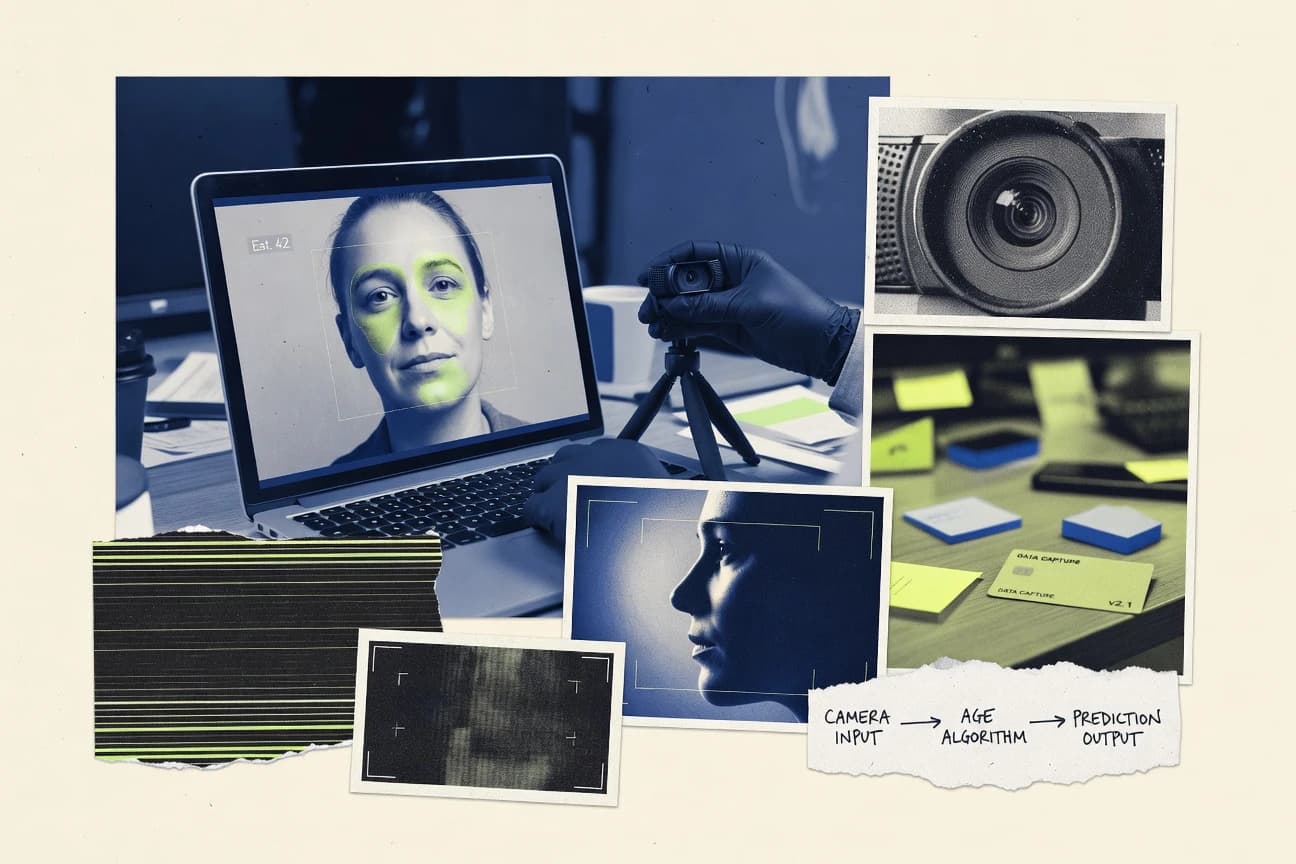
GITNUXSOFTWARE ADVICE
AI In IndustryTop 10 Best Age Estimation Software of 2026
Editorial roundup comparing age estimation software options and how tools like Yoti Age Estimation fit real-world screening, research, and compliance needs.

How we ranked these tools
Vendors set the topic, but our editors set the inclusion criteria and the evaluation framework before research starts.
Search agents gather the source set and the review record, including transcriptions of video reviews and podcasts.
Framework: Features 40% · Ease 30% · Value 30%
Gitnux may earn a commission through links on this page — this does not influence rankings. Editorial policy
Yoti Age Estimation is the best pick for teams needing API-driven age-group checks for eligibility and risk because its age-group outputs are designed to plug into policy rules with confidence signals, whereas Cognitec FaceVACS fits enterprises that want repeatable pipeline control since it orchestrates consistent age estimation output generation within existing processing flows.
Editor’s top 3 picks
Three quick recommendations before you dive into the full comparison below — each one leads on a different dimension.
Yoti Age Estimation
Age-group decision outputs are designed to plug directly into eligibility and policy rules with confidence signals.
Best for: Fits when teams need API-driven age-group checks for eligibility and risk workflows on web and mobile channels.
Cognitec FaceVACS
Editor pickProduction-oriented pipeline orchestration that ties face region handling to age estimation output generation for consistent automation.
Best for: Fits when teams need repeatable face age estimation results integrated into an existing processing pipeline with strong operational control.
Deepware
Editor pickAge-group prediction outputs designed for direct downstream classification and decision logic integration.
Best for: Fits when product teams need age-group predictions integrated into existing CV pipelines with repeatable API calls.
Comparison Table
Yoti Age Estimation
specialistFacial age estimation helps determine whether a person is above a selected age threshold.
Age-group decision outputs are designed to plug directly into eligibility and policy rules with confidence signals.
Yoti Age Estimation focuses on age-group classification from facial images, mapping face cues into discrete age bands for downstream checks. The offering is built for production integration with Yoti services that handle face capture, model inference, and confidence outputs for policy decisions.
It supports workflow automation where age estimates feed risk scoring, eligibility rules, and consent gating across web and app channels. Integration depth is centered on API-driven usage rather than manual analysis tools.
- +API integration design supports age estimation as a policy input
- +Age-group outputs fit eligibility rules without custom binning
- +Confidence-oriented results reduce ambiguity when decisions need thresholds
- +Model inference fits web and app workflows using submitted face media
- –Best performance depends on consistent face capture quality and framing
- –Age-group granularity may not match custom ranges without extra logic
- –Limited control over model internals limits calibration tuning per tenant
- –Requires governance around data handling and retention for facial inputs
Compliance and age assurance teams
Automate age-range eligibility checks
Fewer manual age checks
Digital product operations
Gate content by age confidence
Lower policy violations
Show 1 more scenario
Risk and fraud analysts
Feed age signals into scoring
More consistent risk inputs
App and web events incorporate age-group estimates as one input to risk scoring models.
Best for: Fits when teams need API-driven age-group checks for eligibility and risk workflows on web and mobile channels.
Cognitec FaceVACS
enterpriseFaceVACS provides facial analysis capabilities that include demographic and age estimation functions.
Production-oriented pipeline orchestration that ties face region handling to age estimation output generation for consistent automation.
Cognitec FaceVACS is tailored for face age estimation workflows that need tight control over ingestion, detection, and downstream biometric inference outputs. It processes facial imagery to deliver apparent age outputs in an automated pipeline that can be integrated into existing computer vision systems.
The solution is built around production deployment needs like repeatable batch processing, integration into larger ML stacks, and operational handling of face regions rather than generic age screenshots. Governance is addressed through configurable processing steps and predictable outputs that support monitoring and review in age-group classification use cases.
- +Configurable age estimation pipeline with consistent outputs for automated use cases
- +Integration-friendly interfaces for connecting face detection and age inference stages
- +Operational workflow support for batch processing and repeatable inference runs
- +Clear face-region handling reduces ambiguity versus whole-image inference
- –Not designed for rapid ad hoc inference without engineering integration work
- –Requires careful input quality control to avoid unstable face-region crops
- –Age-group output calibration work is needed for sensitive demographic reporting
- –Video stream processing depth is limited compared with dedicated real-time suites
Identity and compliance teams
Support KYC age-range decisions
Consistent age-range inputs
Workplace security teams
Standardize enrollment face capture
More consistent enrollment data
Show 2 more scenarios
Security operations teams
Screen for watchlist age-related signals
Review-ready search results
Age-linked face outputs support matching and follow-up for gallery or managed watchlist reviews.
Border checkpoint agencies
Improve identity matching consistency
More consistent checkpoint matching
Checkpoint workflows use consistent identity matching outputs during biometric processing at controlled points.
Best for: Fits when teams need repeatable face age estimation results integrated into an existing processing pipeline with strong operational control.
Deepware
API-firstAI model platform offering face age estimation among its vision capabilities.
Age-group prediction outputs designed for direct downstream classification and decision logic integration.
Deepware provides an API surface that can be wired into face detection and facial alignment steps so age-group classification stays consistent across batch and real-time jobs. The service workflow supports standard computer vision ingestion patterns where images or frames are sent for facial image analysis and age-group inference in one call. Deepware is also positioned for governance needs that come with biometric inference deployments, since production teams often require traceable request results tied to their own IDs.
A practical tradeoff is that accuracy depends on input quality because age-group classification degrades when faces are small, low resolution, or poorly aligned. Deepware fits best when an engineering team already owns face extraction and wants age estimation outputs integrated quickly into an existing decision system. It is less ideal for teams that need full turnkey face preprocessing and policy controls without building surrounding pipeline components.
- +API-first workflow supports repeatable age-group inference
- +Batch-friendly design matches back-office image processing
- +Integration patterns fit existing CV pipelines and IDs
- +Outputs are structured for downstream classification use
- –Age-group accuracy drops with small or misaligned faces
- –Deepware requires surrounding pipeline for face preprocessing
- –Governance needs may require extra logging on the caller side
- –Real-time throughput needs sizing based on input volume
Retail media ops
Age-group tagging for ad targeting
Faster audience setup
KYC workflow engineers
Age verification via age-group inference
More consistent triage
Show 2 more scenarios
Computer vision platform teams
Batch age estimation for moderation
Reduced manual review
Runs age-group inference across uploads and stores results with request identifiers.
Analytics teams
Demographic trend reporting by age-group
Actionable cohort insights
Converts facial image analysis results into grouped metrics for dashboards.
Best for: Fits when product teams need age-group predictions integrated into existing CV pipelines with repeatable API calls.
Sightcorp DeepSight
vertical specialistComputer vision software analyzes facial demographics, including estimated age ranges.
Built-in face alignment integrated with age inference, returning per-face structured results from a single media request.
Sightcorp DeepSight is built around a computer vision inference workflow that couples face detection and alignment with age-group classification or apparent age prediction for each detected face. The product fit is strongest when an application needs consistent preprocessing for raw uploads and webcam-style frames. Integration depth is a key signal because the same request can carry media inputs and return structured results suitable for downstream policy decisions.
- +Face alignment plus age inference reduces sensitivity to crop variance.
- +Consistent age-group outputs are returned per detected face in media.
- +API-oriented processing supports batch and near real-time pipelines.
- +Structured responses map cleanly to downstream decisioning rules.
- –Occlusion and profile angles can lower age-group accuracy.
- –Tuning preprocessing thresholds requires testing across input sources.
- –High frame-rate video ingestion can stress latency budgets.
Identity risk analysts
Age-based policy checks on uploads
Fewer manual reviews
Mobile app engineering teams
Real-time webcam age-group signals
Faster moderation routing
Show 2 more scenarios
Content operations teams
Batch age labeling for media libraries
Automated tagging at scale
Analyzes stored images and clips to attach age-group tags per detected face.
Computer vision QA teams
Calibration tests across camera types
More predictable deployments
Compares age-group outputs across controlled input sets to quantify accuracy drift by feed quality.
Best for: Fits when teams need API-driven age inference with consistent face preprocessing for uploaded media and short streams.
Luxand FaceSDK
enterpriseFace detection and recognition SDK providing age and gender estimation.
SDK integration focused on on-device style processing with age estimation outputs for app-side decisioning.
Luxand FaceSDK is built for embedding age estimation into applications through an SDK integration path rather than a pure endpoint-based flow. Core deliverables revolve around processing a facial image or a frame sequence and returning apparent age prediction or age-group style results for downstream logic. It supports practical computer vision deployment shapes, including image upload style processing and video stream analysis from camera capture.
- +SDK integration supports local face processing and direct embedding
- +Age estimation outputs plug into custom UI and workflow logic
- +Works for both image input and frame sequence processing
- +Suitable for controlled latency and throughput pipelines
- –Limited centralized governance features compared with cloud-native stacks
- –Results require calibration work to hit consistent age-group accuracy
- –Video workflows demand careful frame handling for stable outputs
Mobile and desktop app teams
On-device age-group tagging during capture
Lower round-trip latency
Computer vision product engineers
Batch scoring of user images
Consistent downstream labeling
Show 2 more scenarios
In-person retail system integrators
Realtime signage with camera input
Faster customer personalization
Frame analysis produces age-group outputs to select age-appropriate experiences.
Video capture pipeline owners
Stabilized predictions over short clips
More stable age decisions
Video stream analysis supports aggregating face-based age predictions over time.
Best for: Fits when teams need local integration for age-group prediction inside an app.
TellMyAge API
API-firstAge and gender estimation from a single face photo with sub-500ms response.
Age estimation exposed as a prediction API that returns structured results ready for age-group classification pipelines.
TellMyAge API focuses on face age estimation delivered as a straightforward prediction API for apparent age use cases. The service is designed for image upload workflows where detected faces are scored into age groups or age estimates.
- +Clear HTTP API response format for face age estimation outputs
- +Works well for automated pipelines that run batch image analysis
- +Consistent end-to-end flow from input image to age prediction result
- +Simple integration path for adding age-group labeling to products
- –Limited guidance for high-volume throughput planning and batching strategy
- –No built-in video stream analysis workflow for continuous inference
- –Less control over model behavior than platforms exposing multiple model variants
- –Bias evaluation support for demographic slices is not a first-class interface
App developers
Classify user faces by apparent age
Automated age labeling
Computer vision data teams
Run batch age inference jobs
Batch-ready age metrics
Show 1 more scenario
Content trust teams
Feed age signals to moderation rules
Faster policy decisions
Age predictions become an input feature to moderation and eligibility policies.
Best for: Fits when teams need automated face age estimation from still images inside an existing application stack.
Innovatrics Age Estimation
enterpriseBiometric age estimation from a selfie using in-house AI algorithms developed over 20 years.
End-to-end face preprocessing with age inference, minimizing pose and crop sensitivity through its alignment stage.
Innovatrics Age Estimation focuses on facial image analysis that outputs apparent age or age-group classification from captured faces. The product is built for integration into identity and analytics pipelines where consistent inference on still images and video-derived frames matters.
- +Age prediction is tied to face detection and alignment for steadier inputs
- +Supports batch and operational inference flows for images and extracted frames
- +Designed for integration with identity and access systems that need consistency
- +Model behavior can be configured for inference pipelines and output formats
- –Tuning for demographic bias evaluation requires careful dataset alignment
- –Operational setup depends on surrounding face-processing components
- –Fine-grained control over model variants and outputs can be limited
- –Throughput can be constrained by frame extraction and face localization steps
Identity verification teams
Add age-group outputs to KYC flows
More consistent age checks
Analytics platform engineers
Process frames into age distributions
Reliable age trends
Show 1 more scenario
Biometric workflow integrators
Integrate age estimation into pipelines
Lower integration friction
Configuration-oriented inference helps align outputs with biometric workflow requirements.
Best for: Fits when teams need repeatable age-group classification inside existing facial analytics pipelines.
Microsoft Azure AI Vision Face API
API-firstCloud-based face analysis API providing age estimation among other facial attributes.
Apparent age prediction is returned per detected face with face geometry data for direct mapping to image regions.
Microsoft Azure AI Vision Face API analyzes uploaded face images through an API workflow that includes face detection and facial landmark extraction. It supports apparent age prediction to derive age-group classifications for downstream UI, search, and risk scoring, with results returned alongside face bounding boxes.
- +Age prediction output arrives with face bounding boxes for straightforward alignment
- +REST API responses include confidence signals that support output filtering
- +SDK integration fits typical Azure app authentication and request patterns
- +Facial landmark extraction improves consistency for age analytics pipelines
- –Age inference depends on detected face quality and reliable face alignment
- –Batch use for large datasets needs custom client-side concurrency control
- –No native end-to-end pipeline for liveness or presentation attack detection
- –Video stream analysis requires building the ingestion and frame sampling layer
Application developers
Label faces with age-group tags
Cleaner age tagging
Risk scoring teams
Use age signals in fraud models
Better decision inputs
Show 1 more scenario
Search and discovery teams
Index media by age-related signals
More usable search filters
App pipelines store age outputs from face images to enable filtering and search by age group.
Best for: Fits when a development team needs age-group classification from detected faces via an API and wants tight Azure integration.
Pixicular Age Detection API
API-firstAge detection API returning per-face age range and confidence score from uploaded images.
Single-purpose age estimation responses designed for direct integration into age-group classification code.
Pixicular Age Detection API provides face age estimation via an API call that returns an apparent age prediction for each detected face in an image or frame. The differentiator is its tight focus on age output rather than a broad vision suite, which keeps the API surface narrow for production integration.
- +Narrow API scope focused on age estimation outputs
- +Face-to-age inference workflow fits event-driven pipelines
- +Straightforward integration shape for REST-based systems
- +Supports batch and near real-time processing patterns
- –Limited coverage of end-to-end biometric governance controls
- –Age-group mapping logic must be implemented by the integrator
- –No built-in liveness or presentation attack detection signals
- –Bias evaluation and calibration tooling are not part of the API response
Live-stream apps
Show real-time age estimates
Real-time age labeling
Image processing pipelines
Run batch age classification
Repeatable batch outputs
Show 1 more scenario
Computer vision engineers
Feed age outputs into policies
Automated policy inputs
Age predictions for detected faces plug into age-group classification rules and event processing.
Best for: Fits when teams need quick age inference from faces in images with minimal vision feature sprawl.
Facemint Face Detection API
API-firstFace detection API returning per-face age, gender, emotion, and landmarks from images and video.
Age-group classification returned with face detection results in a single inference API call.
Facemint Face Detection API performs face detection and facial image analysis with an age-group classification output that can be used for face age estimation workflows. The API focuses on converting uploaded images into structured results that downstream systems can consume for apparent age prediction. It supports typical developer integration patterns for computer-vision pipelines, where face bounding boxes and age-related outputs need to be produced consistently from bulk or real-time requests.
- +Straightforward API integration for face detection with age-group output
- +Structured response payload supports automated downstream workflows
- +Works well for batch inference using image upload patterns
- +Clear computer-vision inference step that can be embedded into apps
- –Age output is limited to age-group classification rather than fine-grained age
- –No native liveness or presentation-attack detection is covered in the core workflow
- –Video stream analysis depends on an external frame extraction pipeline
- –Model calibration controls for demographic accuracy are not expressed as configurable features
Platform developers
Integrate age grouping into uploads
Consistent age grouping
Real-time monitoring teams
Estimate age during live captures
Faster real-time decisions
Show 1 more scenario
Computer vision pipeline builders
Generate age signals for rules
Rule-ready age data
Structured results enable downstream classification logic and rule-based gating using apparent age signals.
Best for: Fits when teams need automated age-group labels from face images inside existing face detection pipelines.
Conclusion
After evaluating 10 age estimation software, Yoti Age Estimation stands out as our overall top pick — it scored highest across our combined criteria of features, ease of use, and value, which is why it sits at #1 in the rankings above.
Use the comparison table and detailed reviews above to validate the fit against your own requirements before committing to a tool.
Frequently Asked Questions About Age Estimation Software
How do Azure AI Vision Face API and Yoti Age Estimation differ in what the API returns for age-group decisions?
When is Sightcorp DeepSight the better fit than TellMyAge API for high-variation inputs from video frames?
Which tool fits a cloud-native RBAC and audit-log requirement for age estimation workflows?
How should teams compare Luxand FaceSDK and Innovatrics Age Estimation for on-device throughput and latency control?
What breaks if a system ignores alignment before age inference when using Cognitec FaceVACS or Innovatrics Age Estimation?
How do batch inference and automation workflows differ between Deepware and Pixicular Age Detection API?
What integration effort changes when choosing Facemint Face Detection API instead of Microsoft Azure AI Vision Face API?
How should a data migration plan be structured when switching from TellMyAge API to Sightcorp DeepSight or Cognitec FaceVACS?
What tradeoff appears when selecting a narrow API like Pixicular Age Detection API versus a broader preprocessing pipeline like Deepware?
Tools reviewed
Primary sources checked during evaluation.
Referenced in the comparison table and product reviews above.
How to Choose the Right Age Estimation Software
Options separate on whether age outputs are consistent with your inputs and whether you can control how the system scores. Look hardest at Model update frequency, Dataset coverage fit, Output format and confidence, Human override workflow, and Bias checks.
Model update frequency
Why it matters
Model update frequency affects how stable age estimation is as the vendor improves accuracy and fixes failure cases. If updates come late or without notes, results can drift between runs.
How to check
Ask what changed in the most recent release and whether older models are still available. Run the same sample images through two versions (or two timestamps) and compare the output consistency and confidence values.
Dataset coverage fit
Why it matters
Dataset coverage fit matters because age estimation can behave differently across skin tones, ages, and image quality. A mismatch usually shows up as systematic over- or under-estimation.
How to check
Request example outputs or evaluation notes for the same age ranges and image conditions you plan to use. In the demo, test images that match your real capture conditions, including low light, different angles, and varied background complexity.
Output format and confidence
Why it matters
Output format and confidence determines whether you can interpret results and set decision thresholds responsibly. Clear confidence helps you route uncertain cases for review or re-capture.
How to check
Check whether outputs include age value, a confidence score or uncertainty measure, and the unit/range. Try setting a threshold in the UI or config, then observe how many cases fall below it on your test set.
Human override workflow
Why it matters
A human override workflow matters when you need auditability and corrective action for low-confidence or edge cases. It also reduces rework when predictions are wrong but still useful.
How to check
Use the demo to flag one case, enter a corrected age (or decision), and see what gets saved. Confirm whether corrected outcomes can be exported with the original prediction and confidence.
Bias checks and reporting
Why it matters
Bias checks and reporting matter because age estimation can show unequal error rates across demographic groups or image conditions. Transparent reporting tells you what risks to expect before rollout.
How to check
Ask what bias evaluation the vendor provides (and on what data) and whether they report subgroup performance. In the demo or docs, look for any statement about error patterns by group or image quality, then compare it to your own sample mix.
Error handling for input quality
Why it matters
Error handling for input quality is critical because age estimation often fails silently on blurry, occluded, or extreme angle inputs. Good behavior lets you detect failures and recover without corrupting decisions.
How to check
Feed a small set of intentionally hard cases (blur, occlusion, heavy makeup, extreme close-ups) and confirm the system returns a clear failure/low-confidence outcome. Verify whether the tool suggests re-capture criteria or at least marks outputs as unreliable.
Red flags
- Predictions shift after updates without clear release notes or version control
- Confidence values are missing, inconsistent, or impossible to use for routing
- System reports strong accuracy but avoids showing failure behavior on hard inputs
Fit by situation
- If you expect frequent model changes, prioritize Model update frequency to avoid output drift.
- If your images vary by environment or age ranges, prioritize Dataset coverage fit to reduce systematic bias.
- If you need reviewable decisions for uncertain cases, prioritize Human override workflow.
Funding and competing interests
This study was co-funded by several of the vendors assessed in it. No single vendor funded it. Funders could propose the market studied.
They had no role in selecting vendors, setting or weighting criteria, analysing data or drawing conclusions, and they received the same factual-accuracy check as every other vendor assessed.
Market definition, inclusion rules and criteria weights were fixed by an editor before research began and did not change afterwards. Editorial process →
- Top 10 Best Mle Software of 2026
- Top 10 Best ML Software of 2026
- Top 10 Best Adaptive Technology Software of 2026
- Top 10 Best Adaptive Planning Software of 2026
- Top 10 Best Adaptive Project Management Software of 2026
- Top 10 Best Adaptive Software of 2026
- Top 10 Best Adaptation Software of 2026
- Top 10 Best Adaptability Software of 2026
- Top 10 Best Adaptable Software of 2026
- Top 10 Best Mind Software of 2026
- Top 10 Best Mind Reading Software of 2026
- Top 10 Best Mind Map Project Management Software of 2026
- Top 10 Best Accounting AI Software of 2026
- Top 10 Best Accounting Automation Software of 2026
- Top 10 Best Mice Software of 2026
- Top 10 Best Acceleration Software of 2026
- Top 10 Best Accelerator Software of 2026
- Top 10 Best A.I Software of 2026
- Top 10 Best Mic Controller Software of 2026
- Top 10 Best Methodology Software of 2026
Keep exploring
Comparing two specific tools?
Software Alternatives
See head-to-head software comparisons with feature breakdowns, pricing, and our recommendation for each use case.
Explore software alternatives→In this category
AI In Industry alternatives
See side-by-side comparisons of ai in industry tools and pick the right one for your stack.
Compare ai in industry tools→