
GITNUXSOFTWARE ADVICE
Automotive ServicesTop 10 Best Vehicle Diagnostic Software of 2026
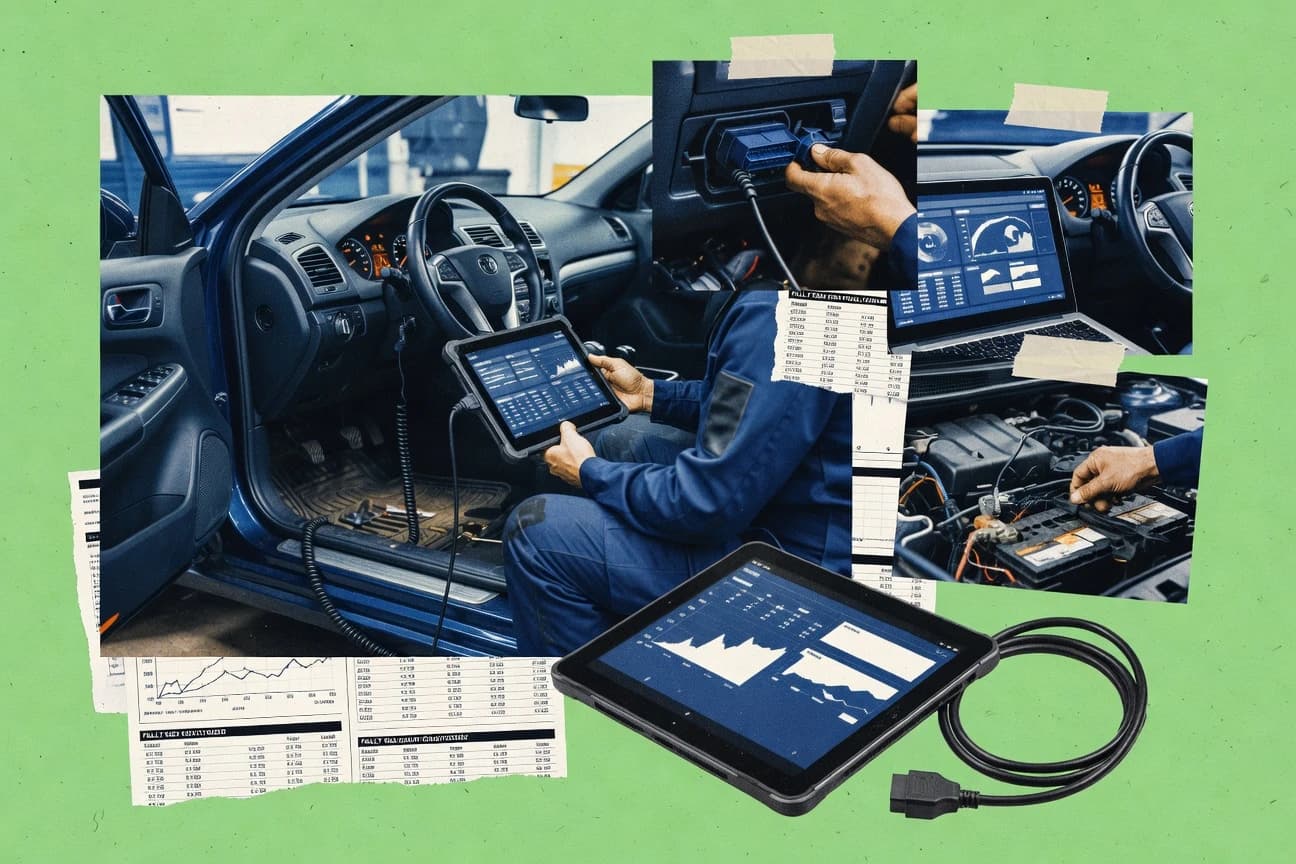
Top vehicle diagnostic software ranking with side-by-side tool notes for repairs, including FORScan, OBDWiz, and CarDAQ J2534.

How we ranked these tools
Core product claims cross-referenced against official documentation, changelogs, and independent technical reviews.
Analyzed video reviews and hundreds of written evaluations to capture real-world user experiences with each tool.
AI persona simulations modeled how different user types would experience each tool across common use cases and workflows.
Final rankings reviewed and approved by our editorial team with authority to override AI-generated scores based on domain expertise.
Score: Features 40% · Ease 30% · Value 30%
Gitnux may earn a commission through links on this page — this does not influence rankings. Editorial policy
FORScan is the best fit for a workshop that needs OEM-style Ford, Mazda, Lincoln, and Mercury module diagnostics and guided actions from a laptop, whereas OBDWiz suits teams running consistent Windows-based OBD-II scan capture and report exports across many jobs.
Editor’s top 3 picks
Three quick recommendations before you dive into the full comparison below — each one leads on a different dimension.
FORScan
Module-targeted service and configuration workflows that go beyond trouble codes and into bi-directional actions on supported ECUs.
Built for fits when a workshop needs OEM-style Ford module diagnostics and guided service actions from a laptop..
OBDWiz
Editor pickJob-session reporting ties DTC capture, live-data screenshots, and technician notes into a single exportable record.
Built for fits when repair shops need consistent scan capture and report exports across many vehicle jobs..
CarDAQ J2534
Editor pickJ2534 pass-through session handling prioritizes consistent ECU programming connectivity versus full end-to-end scanner UI.
Built for fits when workshops need stable J2534 connectivity for scan plus programming workflows across service bays..
Comparison Table
FORScan
vertical specialistVehicle diagnostic software for Ford, Mazda, Lincoln, and Mercury vehicles.
Module-targeted service and configuration workflows that go beyond trouble codes and into bi-directional actions on supported ECUs.
FORScan handles more than OBD-II trouble codes by exposing manufacturer-specific diagnostics for supported Ford and related platforms, including module identification, freeze-frame capture, and extensive live parameter sets. The feature set includes bi-directional service actions on compatible modules, plus configuration and coding-like workflows for supported functions and ECUs. A key fit signal is the strong alignment to Ford families where module coverage and service workflows are most consistent.
A tradeoff is narrower scope outside the supported vehicle families and interface expectations, which can reduce usable module coverage on non-matching ECUs. Another tradeoff is that safe use of parameter changes and programming-like functions requires careful procedure selection, good vehicle knowledge, and correct adapter support.
- +Deep Ford and related module access beyond standard OBD-II reads
- +Extensive live data sets with module context for pinpoint checks
- +Bi-directional service functions on supported ECUs and configurations
- +VIN-aware workflows reduce manual lookup during diagnostics
- –Module coverage is weaker on unsupported vehicle families and ECUs
- –Safe programming-like actions require disciplined procedure selection
- –Adapter quality and settings strongly affect communication reliability
- –Advanced functions have a steeper learning curve than basic scan tools
Independent Ford repair shops
Diagnose intermittent faults across multiple ECUs
Faster root-cause confirmation
Aftermarket diagnostics technicians
Run bi-directional actuator checks
Reduced diagnostic trial-and-error
Show 1 more scenario
Fleet maintenance teams
Standardize repair workflows by VIN
Lower technician lookup time
Use VIN-aware handling to speed module selection during repeatable troubleshooting tasks.
Best for: Fits when a workshop needs OEM-style Ford module diagnostics and guided service actions from a laptop.
OBDWiz
SMBWindows OBD-II diagnostic software for code reading, data logging, and vehicle monitoring.
Job-session reporting ties DTC capture, live-data screenshots, and technician notes into a single exportable record.
OBDWiz fits garages that run frequent OBD-II diagnostics and need standardized outputs for DTC capture, freeze-frame context, and technician notes that carry into exported reports. The software workflow is built around a session model that keeps the scan results connected to the specific vehicle context, which reduces manual copy-and-paste between steps. Output export is a core capability for documentation and reinspection tracking when vehicles return with new symptoms.
A key tradeoff is that deeper ECU work depends on the scan-tool and vehicle interfaces used, so bi-directional controls and ECU coding are not the primary strength. OBDWiz works best when diagnostics are driven by reading and validating fault codes, reviewing live data for root-cause confirmation, and producing a paper trail for the repair order.
- +Session-based workflow keeps DTCs, live data, and notes tied together
- +Exported diagnostic reports support repeatable documentation for repairs
- +Live-parameter views help confirm suspected faults during troubleshooting
- +Interface-oriented design fits typical workshop diagnostic toolchains
- –Advanced ECU service functions depend heavily on supported scan tooling
- –Remote diagnostics features are not designed for multi-bay supervision workflows
- –Guided, topology-style fault-tree workflows are limited compared with premium systems
- –Deep UDS security gateway style workflows are not positioned as a core focus
Independent repair shops
Document DTC findings for customer approvals
Fewer rework questions at handoff
Multi-bay diagnostics teams
Run repeatable fault validation sessions
More uniform troubleshooting outputs
Show 2 more scenarios
Fleet maintenance planners
Track recurring faults across inspections
Faster pattern-based root-cause checks
Exported sessions help compare findings between visits and symptom reports.
Mobile diagnostic technicians
Generate on-site diagnostic report packets
Reduced admin time after service
Live data and DTC capture feed into a report usable immediately at pickup.
Best for: Fits when repair shops need consistent scan capture and report exports across many vehicle jobs.
CarDAQ J2534
API-firstPass-through diagnostic software and interface technology for OEM vehicle programming.
J2534 pass-through session handling prioritizes consistent ECU programming connectivity versus full end-to-end scanner UI.
CarDAQ J2534 supports the SAE J2534 pass-through model used by third-party diagnostic and ECU programming tools, which helps teams keep the vehicle interface consistent across applications. It works in a host-driven workflow where diagnostic actions occur from the connected PC while the interface handles the physical vehicle sessions. Core capabilities align with workshop needs such as diagnostic trouble codes, freeze-frame data access, and live-data streaming for troubleshooting.
A tradeoff appears in its integration posture. Teams must already have a higher-level diagnostic application or internal tooling that orchestrates J2534 sessions for coding and flashing workflows. CarDAQ J2534 fits best when a workshop already standardizes on a vehicle communication setup and wants stable pass-through connectivity for service events that require ECU reprogramming support.
- +J2534 pass-through orientation supports external diagnostic and programming workflows
- +Consistent host-driven sessions reduce variability in vehicle communication setup
- +Live-data and DTC workflows align with typical repair investigation steps
- +Session-based model fits batch reflash or repeated service events
- –Ease of use depends heavily on the calling diagnostic or programming software
- –Vehicle coverage quality is limited by upstream vehicle interface and application support
- –Bi-directional control depth is constrained to what the connected application requests
- –Workshop standardization is needed to manage adapters and session sequencing
Aftermarket repair shops
Diagnose then reflash specific ECUs
Faster return to service
Fleet and contract service providers
Repeatable repair workflows at scale
Lower session-to-session variability
Show 2 more scenarios
Independent programmers
Integrate with custom reprogramming software
Cleaner integration architecture
Use the J2534-oriented pass-through layer as the transport boundary for proprietary flashing logic.
Workshop integration teams
Build a multi-brand service toolchain
More maintainable tool deployment
Keep vehicle communication consistent while swapping or updating higher-level diagnostic applications.
Best for: Fits when workshops need stable J2534 connectivity for scan plus programming workflows across service bays.
Carly
SMBMobile OBD-II diagnostic, coding, and digital garage app for used car checks.
Guided repair steps that map directly to the active fault symptoms, keeping the technician on one diagnosis path.
Carly (mycarly.com) focuses on guided vehicle diagnostics using a mobile-first workflow and a dedicated hardware interface that connects to the vehicle through the OBD-II port. The core capability centers on reading diagnostic trouble codes, viewing live parameters, and generating structured repair guidance tied to what the vehicle is reporting.
It also supports remote-style workflows by pairing captured vehicle data and diagnostic context with shared troubleshooting steps for faster shop triage. Carly’s strength is operational consistency for everyday diagnostics rather than deep ECU coding tooling.
- +Mobile diagnostic flow keeps scan results and guidance in one sequence
- +Structured DTC and live-data presentation speeds triage during bayside work
- +Vehicle pairing and guided steps reduce reliance on memorized fault trees
- +Exportable diagnostic context helps document customer-facing findings
- –Limited depth for advanced service functions compared with OEM-level tools
- –Bi-directional controls and ECU coding workflows are not the focus
- –Vehicle coverage can be uneven across less common makes and model years
- –Remote collaboration depends on how captured reports are shared
Best for: Fits when shops need fast, repeatable OBD-II diagnostics and guided troubleshooting during daily bay throughput.
ALLDATA Diagnostics
enterpriseCloud-based diagnostic scan tool integrated with ALLDATA repair information and wiring diagrams.
Guided fault isolation flows that connect trouble-code findings to step-by-step repair references and verification documentation within one session.
ALLDATA Diagnostics delivers OEM-aligned diagnostic data and guided troubleshooting workflows that map vehicle identifiers to repair steps and supporting references. The product focuses on shop execution by combining trouble-code interpretation with live-data style parameter guidance and repair verification artifacts.
Vehicle coverage is driven through an integrated identifier workflow and report outputs that can be printed or exported for customer and internal documentation. Administrative controls support multi-technician use with role-based access patterns tied to shop operations.
- +Guided diagnostics tie trouble codes to actionable repair steps
- +Vehicle identifier workflow reduces time spent locating the right references
- +Diagnostic results support shop documentation via exportable reports
- +Works well for repair verification with structured supporting information
- –Some advanced programming and bi-directional workflows depend on connected tools
- –Guided flows can feel constrained for experienced fault-tree approaches
- –VIN lookup and coverage access require consistent data entry discipline
- –Export formats can be restrictive when shops need custom templates
Best for: Fits when shops need OEM-aligned diagnostic guidance and exportable repair documentation across multiple technicians.
AutoEnginuity ScanTool
SMBProfessional Windows PC-based OBD-II diagnostic software with enhanced coverage for 22 brands.
Session-first reporting that turns scan outcomes into consistent, reviewable diagnostic artifacts.
AutoEnginuity ScanTool targets workshop diagnostics with a workflow built around repeatable fault finding and repeatable repair documentation. It focuses on guided scan sessions, interpretation aids for diagnostic trouble codes, and structured export of diagnostic results.
The tooling also supports vehicle communication through supported scan hardware so technicians can collect live data, verify repairs, and capture evidentiary snapshots for later review. Admin visibility for multiple technicians is mostly operational through session and report outputs rather than deep enterprise governance controls.
- +Guided scan flow reduces missed follow-up tests
- +Structured diagnostic reports support consistent repair documentation
- +Hardware passthrough enables live data capture and verification
- +Exportable scan artifacts support customer handoff
- –Coverage depth depends on supported vehicle communication paths
- –Advanced bi-directional workflows are limited compared with OEM tools
- –Setup choices can affect throughput during high-volume bays
- –Audit and RBAC-style governance are not central features
Best for: Fits when workshops need repeatable scan sessions and report exports with standard technician workflows.
OBDeleven
vertical specialistMobile diagnostic and coding app for VAG group vehicles with one-tap adaptations.
In-app ECU coding and supported service functions executed from a mobile session after diagnosis capture.
OBDeleven focuses on mobile diagnostics and configuration actions through an app paired to a vehicle communication interface.
It combines scanning and code workflows with live-data review and in-car ECU coding actions used during service visits.
The approach reduces laptop dependency for many common repairs that need both fault identification and targeted configuration changes.
- +Phone-first workflow reduces setup time for routine scan and code workflows
- +Supports live-data parameter review during active diagnostic sessions
- +Enables guided coding for common ECU configuration changes
- +Exports diagnostic results for customer documentation and internal notes
- –Workshop-scale automation and orchestration across fleets is limited
- –Some ECU coding actions require specific vehicle support and adapter capability
- –Deep coverage for niche modules and network topologies can be inconsistent
- –Bi-directional control depth varies by ECU and vehicle generation
Best for: Fits when a small shop needs fast scan, code reset, and supported ECU coding on frequent same-visit jobs.
OBDTester
SMBUniversal OBD-II diagnostic software with full Mode 1-10 support for Windows and Linux.
Guided diagnostic sessions that map scan findings into stepwise fault-tree style checks.
OBDTester targets workshop vehicle diagnostics with a web-first workflow for reading and analyzing diagnostic trouble codes and live sensor data. The software emphasizes guided diagnostic sessions that turn scan results into structured fault finding steps for technician use.
OBDTester also supports report generation so scan outputs can be shared with customers or moved into internal repair documentation. Scan-tool connectivity and vehicle identification workflows help teams keep diagnostic context aligned to the vehicle being serviced.
- +Guided fault-finding flow reduces time spent interpreting raw scan results
- +Structured diagnostic reports support consistent customer-facing documentation
- +Live-data viewing with DTC context helps confirm fixes during verification drives
- +Vehicle identification helps maintain the right diagnostic context per job
- –Some advanced bi-directional controls may depend on supported vehicle coverage
- –ECU programming workflows can require stronger scan-tool alignment than basic scanning
- –Role separation and audit trail capabilities are limited for multi-user governance
- –Session exports can feel document-centric instead of technician-workflow-centric
Best for: Fits when repair shops need guided DTC-to-diagnosis workflows with exportable job reports.
ZF MultiScan
enterpriseMulti-brand diagnostic software for passenger cars and commercial vehicles with 95% car parc coverage.
Guided ZF diagnostic steps that tie fault presentation to service actions inside the same scan workflow.
ZF MultiScan runs vehicle diagnostics from a ZF-supported scan workflow and focuses on retrieving faults, live parameters, and service-related functions through ZF vehicle interfaces. It supports guided inspection steps tied to ZF diagnostic processes and provides structured diagnostic results that can be reviewed after a scan session.
MultiScan’s aftermarket orientation is shaped by ZF workshop needs, including repeatable workflows for common diagnostic tasks and consistent output for documentation. Diagnostic depth is strongest where ZF systems and supported command sets are the primary scope.
- +Guided diagnostic workflows align with ZF fault-finding steps
- +Structured diagnostic output supports consistent workshop record keeping
- +Service-function access covers ZF-specific diagnostic tasks
- +Workflow repeatability helps reduce variation across technicians
- –Coverage is strongest for ZF vehicle systems and supported command sets
- –Integration and automation options are limited outside the ZF tooling path
- –External report export and formatting controls are constrained by the built-in templates
- –Multi-ECU sessions can feel slower when traversing broader vehicle systems
Best for: Fits when a shop targets ZF transmissions or drive systems and needs consistent guided diagnostics.
PicoScope Automotive
vertical specialistPC-based automotive oscilloscope software for signal-level diagnostics of sensors and actuators.
Integration of PicoScope oscilloscope capture tools into the same diagnostic troubleshooting workflow for signal-to-fault correlation.
PicoScope Automotive pairs PicoScope test hardware with vehicle diagnostic workflows, combining electrical measurements and ECU fault inspection in one troubleshooting loop. The software supports live-data viewing and guided diagnostic tasks through common automotive interfaces, then ties findings back to repeatable electrical tests for fast fault isolation.
Coverage focuses on practical repair use cases where sensor signals, wiring faults, and intermittent behaviors need confirmation beyond code reading. Compared with scan-tool-only tools, PicoScope Automotive is distinct for bringing oscilloscope-grade signal analysis directly into the vehicle diagnostic process.
- +Direct oscilloscope measurements alongside diagnostic fault workflows
- +Better repeatability for intermittent issues using signal captures
- +Strong focus on sensor, actuator, and wiring fault verification
- +Useful report exports for job documentation
- –PC-and-interface setup can be slower than scan-only workflows
- –Advanced electrical interpretation adds training overhead
- –Some ECU service functions depend on supported vehicle protocols
- –Extensive customization can increase workflow configuration time
Best for: Fits when workshop teams need electrical verification tied to DTC work, not code reading alone.
Conclusion
After evaluating 10 automotive services, FORScan stands out as our overall top pick — it scored highest across our combined criteria of features, ease of use, and value, which is why it sits at #1 in the rankings above.
Use the comparison table and detailed reviews above to validate the fit against your own requirements before committing to a tool.
How to Choose the Right vehicle diagnostic software
Vehicle diagnostic software turns vehicle communication, diagnostic trouble code reads, and live-data parameter review into repeatable workshop workflows, and this guide covers FORScan, OBDWiz, CarDAQ J2534, and other leading options. The ten tools in this guide include module-focused diagnostics, session-based report exports, and J2534 pass-through programming workflows.
The selection criteria across the tools prioritize integration depth with scan and programming workflows, automation and consistency in day-to-day bay use, and the operational limits that show up when vehicles fall outside supported paths. FORScan leads the list on overall capability and workshop usability, and PicoScope Automotive adds an oscilloscope measurement workflow for electrical verification tied to diagnostic troubleshooting.
Vehicle diagnostic software for ECU diagnostics, guided troubleshooting, and programming workflows
Vehicle diagnostic software is the tool layer that coordinates diagnosis capture such as DTCs and live data with the workflow steps a shop follows to isolate faults and document repair outcomes. It ranges from guided DTC-to-repair flows like ALLDATA Diagnostics to structured session capture and export workflows like OBDWiz.
Some platforms also support higher-risk service functions that go beyond scan-only reads, including bi-directional actions and ECU coding workflows, where FORScan emphasizes module-targeted service and configuration beyond standard OBD-II reads. Other tools focus on specific integration shapes such as CarDAQ J2534 pass-through session handling to keep programming connectivity consistent when a host application drives the workflow.
Integration depth and automation for repeatable ECU diagnostics
Vehicle diagnostic software lives or dies by how well it keeps scan capture, guided troubleshooting, and any higher-risk service workflow in a single operational loop. FORScan supports module-targeted service and configuration workflows that go beyond standard OBD-II reads, which helps reduce rework when diagnosis must reach specific ECUs.
Module-targeted service workflows for supported ECUs
FORScan targets Ford and related module diagnostics and supported module-context workflows that support bi-directional actions on supported ECUs.
Session-based job reporting that binds evidence to outcomes
OBDWiz creates job-session reporting that ties DTC capture, live-data screenshots, and technician notes into one exportable record.
J2534 pass-through programming session handling
CarDAQ J2534 prioritizes J2534 pass-through session handling to keep ECU programming connectivity consistent when an external host application drives the workflow.
Guided repair steps mapped to active fault symptoms
Carly uses guided repair steps tied to the active fault symptoms so technician guidance stays on one diagnosis path during routine bay throughput.
Guided fault isolation tied to repair steps and verification
ALLDATA Diagnostics connects trouble-code findings to step-by-step repair references and verification documentation in the same guided session.
Repeatable diagnostic artifacts from a guided scan flow
AutoEnginuity ScanTool emphasizes session-first reporting and guided scan flow so teams can standardize follow-up tests and export consistent diagnostic documentation.
Choose by workflow shape: module depth, session reporting, or programming connectivity
The fastest way to avoid mismatches is to pick the workflow shape that matches daily bay reality. Some tools center on module-context actions like FORScan, while others center on session capture and repeatable export like OBDWiz and AutoEnginuity ScanTool.
Start with the highest-risk workflow the shop actually performs
If bi-directional actions and module-targeted service configuration are routine, FORScan provides module-targeted service and configuration workflows beyond standard OBD-II reads. If the shop stays mostly in scan capture, Carly and ALLDATA Diagnostics focus on guided diagnosis paths and exportable repair guidance rather than advanced service-first actions.
Select the evidence lifecycle the team needs after diagnosis
If each job needs a single bundled record that includes DTCs, live-data screenshots, and technician notes, OBDWiz ties those elements into a report-ready job-session export. If the shop needs structured diagnostic reports designed for consistent review, AutoEnginuity ScanTool provides session-first reporting that standardizes follow-up testing artifacts.
Decide whether programming depends on an external host workflow
If ECU programming relies on a host-driven flow that expects stable J2534 pass-through connectivity, CarDAQ J2534 fits the pass-through session handling requirement. If coding actions are expected from a phone-first mobile session after capture, OBDeleven supports in-app ECU coding and supported service functions executed from a mobile workflow.
Match guided troubleshooting style to how technicians work during bay throughput
If technicians want a fault-symptom mapped path with guidance that stays aligned to active symptoms, Carly emphasizes guided repair steps bound to the active fault presentation. If technicians need trouble-code findings linked to repair references and verification documentation, ALLDATA Diagnostics provides guided fault isolation that ties diagnosis to repair steps and verification.
Plan for the vehicle coverage boundaries that each tool admits
If coverage outside supported families becomes a recurring failure point, FORScan indicates weaker module coverage on unsupported vehicle families and ECUs. If guided workflows feel constrained for experienced fault-tree approaches, ALLDATA Diagnostics can limit flexibility compared with more open fault-tree methods.
Add electrical verification only when signal capture is the bottleneck
If intermittent electrical faults require oscilloscope capture tied to diagnostic trouble codes, PicoScope Automotive integrates PicoScope oscilloscope capture into the diagnostic troubleshooting workflow. If the shop prioritizes scan-only speed over electrical setup time, scan-first guided tools like Carly avoid PC-and-interface setup overhead.
Workshops and fleets that need consistent diagnostics capture and documented repair workflows
Vehicle diagnostic software selection matters most when the shop must repeat the same diagnosis evidence chain across technicians and across days. OBDWiz and AutoEnginuity ScanTool both optimize for session-based reporting and structured outputs that technicians can reference later in review or customer communication.
Multi-bay repair shops standardizing scan capture and job documentation
OBDWiz and AutoEnginuity ScanTool both emphasize session reporting and structured exports so each job keeps DTC context and live-data artifacts in a consistent format.
Ford-focused workshops performing module-level service configuration
FORScan provides module-targeted service and configuration workflows with live data tied to module context for pinpoint checks and supported bi-directional actions.
Shops running a separate programming host that requires stable ECU connectivity
CarDAQ J2534 prioritizes J2534 pass-through session handling so the host application controls the scan plus programming sequence across service bays.
Small shops prioritizing fast scan and same-visit ECU coding from a phone
OBDeleven supports a phone-first workflow with in-app ECU coding and live-data parameter review during active diagnostic sessions.
Vehicle diagnostics teams that treat electrical verification as part of fault isolation
PicoScope Automotive integrates PicoScope oscilloscope capture into the troubleshooting workflow so signal-to-fault correlation is built into the diagnostic process.
Common buying mistakes in vehicle diagnostic software deployments
Many mismatches happen when tool selection assumes capabilities that the tool does not prioritize in its workflow design. FORScan supports deeper module actions but has weaker module coverage on unsupported vehicle families and ECUs, which can break workflows on mixed fleets.
Buying for module-depth features while ignoring coverage boundaries
FORScan is strongest when the fleet aligns with supported module access, and module coverage can be weaker on unsupported vehicle families and ECUs.
Assuming advanced ECU service functions will work without supported scan tooling
OBDWiz keeps advanced ECU service functions heavily dependent on supported scan tooling, so plan around tool and adapter compatibility before committing to coding-heavy jobs.
Treating J2534 connectivity as a complete end-to-end solution
CarDAQ J2534 is a pass-through orientation that reduces variability in vehicle communication setup, but ease depends on the calling diagnostic or programming software.
Choosing guided troubleshooting without checking how it matches fault-tree habits
ALLDATA Diagnostics can feel constrained for experienced fault-tree approaches, so teams that rely on open-ended fault exploration may need a less rigid guided workflow.
Overlooking the setup overhead of electrical capture when time is the bottleneck
PicoScope Automotive can be slower than scan-only workflows because PC-and-interface setup is part of the process and electrical interpretation adds training overhead.
How We Selected and Ranked These Tools
We evaluated FORScan, OBDWiz, CarDAQ J2534, Carly, ALLDATA Diagnostics, AutoEnginuity ScanTool, OBDeleven, OBDTester, ZF MultiScan, and PicoScope Automotive using feature depth at 40%, workflow ease at 30%, and value at 30%. Features were weighted toward module-targeted workflows, session-based reporting artifacts, and integration shapes that support repeatable scan, documentation, and higher-risk service steps.
Ease was scored around how quickly technicians can follow guided flows and how much external dependency affects day-to-day usability. FORScan separated itself by combining module-targeted service and configuration workflows with extensive live data sets that include module context for pinpoint checks, which raised overall capability and workshop usability.
Frequently Asked Questions About vehicle diagnostic software
Which tool handles OEM-style bi-directional service actions better than code reading alone?
How do workshop workflows stay consistent across multiple bays when diagnostic jobs repeat?
When is a J2534 pass-through workflow the better choice than a normal scan-session workflow?
How does mobile-first diagnostics affect the speed of daily triage and same-visit fixes?
What breaks if a team expects ZF-specific guided service steps from a non-ZF workflow tool?
How should teams handle VIN-based workflows versus identifier-driven workflows for coverage context?
Which tool is designed to correlate sensor signals with diagnostic faults beyond DTC interpretation?
How do exportable diagnostic artifacts differ between session reporting tools and reporting-from-guides tools?
What security and admin controls matter most when multiple technicians work from the same diagnostic environment?
Tools reviewed
Primary sources checked during evaluation.
Referenced in the comparison table and product reviews above.
- Automotive ServicesTop 10 Best Vehicle Repair Software of 2026
- Business FinanceTop 10 Best Heavy Equipment Diagnostic Software of 2026
- Transportation LogisticsTop 10 Best Vehicle Route Optimization Software of 2026
- Automotive ServicesTop 10 Best Car Servicing Software of 2026
- Automotive ServicesTop 10 Best Mobile Mechanic Software of 2026
Keep exploring
Comparing two specific tools?
Software Alternatives
See head-to-head software comparisons with feature breakdowns, pricing, and our recommendation for each use case.
Explore software alternatives→In this category
Automotive Services alternatives
See side-by-side comparisons of automotive services tools and pick the right one for your stack.
Compare automotive services tools→