
GITNUXSOFTWARE ADVICE
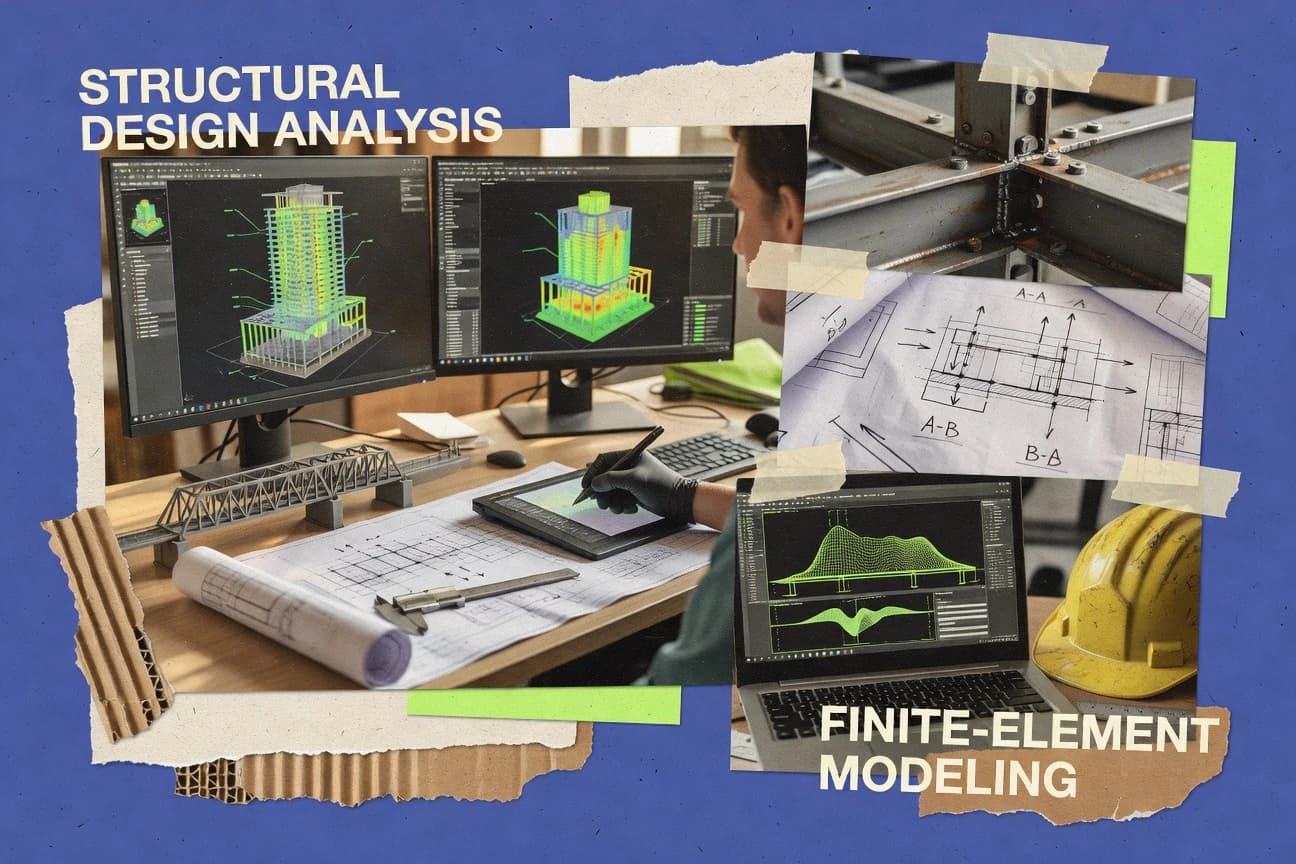
Construction InfrastructureTop 10 Best Structural Design Analysis Software of 2026
Ranked shortlist of structural design analysis software with criteria and tradeoffs for structural engineers, covering SkyCiv Structural 3D and FEM-Design.

How we ranked these tools
Core product claims cross-referenced against official documentation, changelogs, and independent technical reviews.
Analyzed video reviews and hundreds of written evaluations to capture real-world user experiences with each tool.
AI persona simulations modeled how different user types would experience each tool across common use cases and workflows.
Final rankings reviewed and approved by our editorial team with authority to override AI-generated scores based on domain expertise.
Score: Features 40% · Ease 30% · Value 30%
Gitnux may earn a commission through links on this page — this does not influence rankings. Editorial policy
SkyCiv Structural 3D is the best pick for teams iterating frame designs with frequent model reloads and analysis outputs tied to design checks, whereas FEM-Design fits when larger structural engineering groups want standardized building models with automated code-linked design checking.
Editor’s top 3 picks
Three quick recommendations before you dive into the full comparison below — each one leads on a different dimension.
SkyCiv Structural 3D
Design checks generated from the same modeled member properties used for analysis output review.
Built for fits when teams iterate frame designs with frequent model reloads and need analysis outputs tied to design checks..
FEM-Design
Editor pickDesign checking workflow ties code verification outputs directly to the analysis model and its project conventions.
Built for fits when structural engineering teams standardize building models and need automated, code-linked design checking..
SOFiSTiK
Editor pickIntegrated code-driven design checks produced from the same maintained structural model used for analysis.
Built for fits when structural teams run many design iterations and need consistent analysis-to-design outputs..
Comparison Table
SkyCiv Structural 3D
SMBCloud-based structural analysis software for engineers and students.
Design checks generated from the same modeled member properties used for analysis output review.
SkyCiv Structural 3D supports structural analysis tasks such as linear static and modal style workflows within the same modeling environment. Design checking is connected to member properties so steel and reinforced concrete checks can be generated from the modeled frame and sections without re-keying quantities. Model interoperability is practical because geometry and outlines can be brought in via common CAD and BIM exchange formats rather than rebuilding everything by hand. The tool also provides a model review loop through diagrams, response views, and result summaries tied to the same structural elements used to run checks.
A notable tradeoff is that advanced nonlinear, time-history, and response-spectrum style workflows can require external workflows or add-on capability depending on the analysis depth needed. SkyCiv Structural 3D fits best for iterative frame design and team handoffs where models must be reloaded and rechecked quickly, such as office-to-site refinement cycles.
For governance, the main operational concern is managing who can edit and rerun shared models so outputs remain consistent across revisions. Teams get more predictable results when load combinations and design parameter sets are standardized early and reused across projects.
- +Analysis-to-design workflow links member results to steel and concrete checks
- +3D frame modeling reduces the disconnect between load setup and outputs
- +Supports CAD and BIM exchange for faster model handoffs
- +Reusable load cases and combinations reduce iteration rework
- –Complex nonlinear and advanced dynamic workflows may need external process planning
- –Shared-model collaboration requires stronger revision discipline
Structural engineering firms
Iterate steel frame design quickly
Faster design iteration cycles
Reinforced concrete design teams
Check frame members after detailing changes
Reduced re-keying errors
Show 2 more scenarios
BIM coordination teams
Convert BIM exports into analysis-ready models
Shorter model preparation time
Import model geometry from exchange formats and validate loads against the analysis model structure.
Project engineers
Standardize load combinations across revisions
More consistent outputs
Maintain repeatable load case and combination sets so each design run uses consistent definitions.
Best for: Fits when teams iterate frame designs with frequent model reloads and need analysis outputs tied to design checks.
FEM-Design
enterpriseFEM-Design performs three-dimensional structural analysis and design for concrete, steel, timber, and composite systems.
Design checking workflow ties code verification outputs directly to the analysis model and its project conventions.
FEM-Design fits structural teams that build many similar building models and need consistent design-check outputs without manual rework. The tool covers geometry definition, boundary conditions, material and section properties, meshing workflows, and solver runs within one project structure. Design checking for reinforced concrete and steel uses code-focused design workflows that connect directly to analysis results, reducing the need for external spreadsheets.
A practical tradeoff is that advanced custom automation typically depends on how the project model is structured, so inconsistent modeling conventions increase rework during batch operations. FEM-Design works best when a team has standard templates for grids, load cases, and member naming, such as for multi-floor office buildings with recurring structural layouts.
- +Parameter-driven project objects reduce manual edits across similar building models
- +Reinforced concrete and steel design checks run from the same model data
- +Load combination management supports consistent strength and serviceability evaluation
- +Project setup conventions make results extraction faster for repeat submissions
- –Nonstandard modeling conventions complicate reuse of parameterized automation
- –Deep non-linear setups can require more modeling discipline than basic linear jobs
- –Interoperability depends on clean import geometry and member mapping
- –Complex detailing checks may still need supplementary internal QA steps
Structural engineering consultants
Repeat RC building designs from templates
Fewer manual edits per revision
Steel detailing engineering teams
Member design and capacity verification
Cleaner strength-check traceability
Show 1 more scenario
Engineering BIM coordination groups
Exchange geometry with drafting workflows
Reduced coordination mismatch work
Import and export support coordination so structural framing aligns with model authoring outputs.
Best for: Fits when structural engineering teams standardize building models and need automated, code-linked design checking.
SOFiSTiK
enterpriseSOFiSTiK delivers finite element analysis and design tools for concrete, steel, bridges, and construction stages.
Integrated code-driven design checks produced from the same maintained structural model used for analysis.
SOFiSTiK focuses on end-to-end structural study cycles rather than file-only interoperability. It connects geometry import, structural model definition, analysis execution, and design result extraction in one modeling environment. The system also emphasizes model consistency through repeatable definitions for load cases, combinations, boundary conditions, and section properties. This approach fits teams that need repeatable study setups across many design variants.
A tradeoff appears in governance and repeatability when projects rely heavily on bespoke automation or cross-tool BIM coordination, because adoption often depends on standardizing how geometry and properties are mapped into the SOFiSTiK model. SOFiSTiK fits situations where engineers run many iterations for building or bridge schemes and need stable design-check reporting tied to a controlled input model.
- +Tight coupling between analysis setup and design-check result reporting
- +Repeatable load cases and combinations reduce manual re-entry errors
- +Stable workflow for property definitions across steel and reinforced concrete
- +Exchange paths support geometry-driven model reuse across iterations
- –Model setup discipline is required to keep imported geometry consistent
- –Automation depth can require workflow standardization across teams
- –Interface learning curve grows with advanced analysis and design options
- –Interoperability can require mapping work when BIM element properties differ
Structural engineering firms
Rebar and steel checks from one model
Fewer reporting mismatches
Bridge design teams
Stability-focused studies with repeatable loads
Faster design iteration cycles
Show 2 more scenarios
Earthquake engineering groups
Seismic assessment with dynamic response workflows
Consistent seismic reporting
Dynamic studies feed directly into follow-on checks using the same model constraints and properties.
Specialist analysis engineers
Nonlinear analysis for material and geometry effects
Traceable nonlinear variants
Nonlinear modeling iterations reuse the same boundary conditions and section definitions for controlled comparisons.
Best for: Fits when structural teams run many design iterations and need consistent analysis-to-design outputs.
Robot Structural Analysis
enterpriseStructural analysis software integrated with Revit for BIM workflows.
Built-in reinforcement layout and steel member design checks linked directly to analysis results, reducing hand-off between solver and detailing steps.
Robot Structural Analysis from Autodesk focuses on structural analysis workflows driven by load cases, load combinations, and design checks across steel and reinforced concrete. Core modeling supports nodes, members, plates, shells, and boundary conditions with solver runs for linear static and eigenvalue-based studies like modal analysis.
Post-processing includes diagrams for forces, displacements, and results export for coordination with external BIM and drafting tools via common exchange formats. Engineering automation centers on predefined Eurocode and other code-centric check routines and repeatable analysis scenarios tied to model parameters.
- +Code-check workflows for reinforced concrete and steel design are integrated in-model
- +Strong support for member and plate modeling with consistent load case handling
- +Result sets export cleanly for downstream reporting and coordination
- +Modal analysis output supports engineering iteration without manual relabeling
- –Automating large scenario batches takes configuration time in the project templates
- –Some advanced detailing outputs depend on specific design workflows rather than one universal export
- –Model exchange with BIM tools can require pre-checks for units and coordinate systems
- –Large models need careful meshing and solver setting discipline to avoid slow runs
Best for: Fits when teams need end-to-end structural analysis and code checks with repeatable load combinations.
Strand7
SMBFinite element analysis software for structural and mechanical engineering.
Staged construction modeling with repeatable analysis runs helps track time-phased structural response without rebuilding models.
Strand7 performs structural analysis with an end-to-end workflow from model setup through solution and results review. Strand7 is distinct for its iterative load and construction logic that supports staged analysis runs and repeatable scenarios across the same structural model.
Core capabilities include linear static analysis, nonlinear response with material and geometry effects, and common post-processing for stresses, forces, and displacements. Data movement and automation are supported through a scriptable model setup approach and file-based interoperability for exchange with external CAD and BIM tools.
- +Staged analysis workflows support repeating runs on evolving construction states
- +Nonlinear analysis supports material and geometric nonlinearity in one toolchain
- +Scripting-based setup reduces manual repetition for model variations
- +Results post-processing supports beam and connection force extraction
- –Geometry import can require cleanup before meshing and boundary assignment
- –Advanced automation depends on scripting knowledge and repeatable model conventions
- –Some higher-level design checks need external workflows for full code coverage
- –Large models can slow iteration if meshing and solver settings are not tuned
Best for: Fits when engineering teams need repeatable staged structural analysis with nonlinear capability in one solver workflow.
PROKON
SMBPROKON combines structural analysis, member design, connection design, and detailing tools.
Member design check workflows built around iterative load case and combination runs for fast recalculation cycles.
PROKON is a structural design analysis solution focused on engineering workflows for reinforced concrete and steel projects. It supports model-based analysis runs, load combinations, and design checks that map directly to common code-driven deliverables.
The workflow emphasis centers on quickly producing calculation results from parametrized members and sections, then revisiting them when loads or support conditions change. Its automation surface is oriented around repeatable design cases rather than custom model scripting.
- +Code-style design check workflows for RC and steel member sizing
- +Load combination handling geared to recurring design case revisions
- +Calculation output organized for review cycles across multiple scenarios
- +Clear workflow separation between modeling inputs and design result sets
- –Limited support for advanced analysis workflows beyond standard linear use cases
- –Interoperability depends heavily on file exchange rather than deep model synchronization
- –Automation options focus on batch runs instead of custom analysis scripting
- –Complex assemblies can require more manual attention to boundary conditions
Best for: Fits when engineering teams need repeatable code-driven RC and steel member design results from parameterized models.
CalculiX
open-sourceCalculiX is an open-source finite element solver for structural, thermal, and coupled engineering analysis.
Integration with Gmsh-centric meshing and text-based input enables batch parameter studies with minimal manual UI work.
CalculiX is a structural analysis tool built around the CalculiX solver family, with a workflow focused on mesh-driven input and solver execution rather than graphical-only modeling. It supports common FEA tasks like linear static analysis, modal analysis, and nonlinear material or contact workflows in a single toolchain.
The model exchange path with common CAD and BIM formats tends to rely on conversion utilities and intermediate geometry cleanup before meshing. CalculiX distinctiveness comes from how it pairs an accessible input format with an extensible solver stack that many users embed into automated analysis pipelines.
- +Solver-centric workflow keeps analysis reproducible from text inputs
- +Broad support for linear static, modal, and nonlinear solution paths
- +Strong automation fit via scriptable preprocess and batch run steps
- +Community tooling often targets interoperable geometry to mesh steps
- –Meshing and boundary condition setup demand careful preprocessing
- –Limited native GUI coverage compared with commercial FEA suites
- –Model import quality can degrade when geometry is not cleaned
- –Advanced design-code check workflows require external add-ons or effort
Best for: Fits when teams automate FEA runs from controlled input files and accept text-driven preprocessing.
LUSAS
enterpriseLUSAS provides finite element analysis for civil, structural, mechanical, and bridge engineering.
Integrated nonlinear analysis workflow combined with engineering checks and structured report output for consistent iteration.
LUSAS focuses on structural analysis workflows that span linear and nonlinear studies with design-code oriented post-processing. The software supports model creation and result handling for common engineering tasks like load cases, combinations, and detailed checks against structural performance criteria.
Automation is centered on repeatable analysis runs and report outputs that help standardize studies across iterations. LUSAS also targets interoperability needs through exchange options used in broader structural and BIM toolchains.
- +Nonlinear analysis workflows cover advanced behavior beyond linear checks
- +Repeatable batch runs and report generation support study standardization
- +Strong support for reinforced concrete and steel analysis tasks
- +Result management options streamline comparisons across load cases
- –Workflow configuration can be time-consuming for multi-step study setups
- –Some interoperability paths depend on specific exchange file expectations
- –Model building and setup effort rises quickly for complex assemblies
- –Scripting automation has a learning curve compared with GUI-only tools
Best for: Fits when engineers need end-to-end structural analysis plus detailed design-oriented reporting across repeated load studies.
AxisVM
SMBAxisVM provides three-dimensional finite element analysis and design for common building materials.
Batch analysis execution with configurable job setups for running large sets of load combinations consistently.
AxisVM performs structural analysis from model import through linear static calculations, design checks, and results reporting. The workflow is centered on defining load cases and combinations, generating meshes for analysis, and running solver jobs for strength and serviceability evaluations.
AxisVM supports model interoperability via CAD exchanges such as DXF and IFC, which helps reduce rebuild effort when moving between design and analysis environments. Built-in automation covers repeatable batch analysis runs and scripted processing for recurring projects with similar geometry and load patterns.
- +Integrated linear static analysis workflow with load case and combination handling
- +DXF and IFC exchange support reduces geometry rebuild across toolchains
- +Automation for repeatable batch runs on families of similar models
- +Rich structural design checks for common steel and reinforced concrete tasks
- –Setup effort rises with complex boundary conditions and large assemblies
- –Interoperability can require cleanup after DXF imports for reliable meshing
- –Nonlinear and advanced dynamic analysis breadth is not the primary focus
- –Automation depends on learning the platform-specific scripting and job configuration
Best for: Fits when engineering teams need code-style strength and serviceability checks with repeatable analysis runs.
OpenSees
open-sourceOpenSees is an open-source framework for nonlinear structural and earthquake engineering simulation.
Element and material extensibility through scripting lets custom FE formulations plug into the same analysis workflow.
OpenSees is an open-source structural analysis framework built for nonlinear and dynamic finite element modeling workflows. It supports custom element formulations and materials through a scripting interface, so users can extend modeling capability beyond the default library.
The core engine targets tasks like pushover, time-history style analyses, and other nonlinear simulation needs using user-defined boundary conditions and loading. Model setup, execution, and post-processing are typically driven through scripts rather than a click-based modeling GUI.
- +Deep nonlinear modeling support with user-defined elements and materials
- +Scripting-first workflow enables repeatable parameter studies and batch runs
- +Extensible formulation layer for advanced custom FE components
- +Strong fit for research-grade seismic and time-history style analyses
- –Script-driven model building slows teams that need GUI-heavy workflows
- –Nonlinear convergence troubleshooting can dominate time on real projects
- –Interoperability for BIM and CAD exchange is less plug-and-play
- –Large models require careful mesh and solver validation discipline
Best for: Fits when engineering teams need research-grade nonlinear simulation with extensibility over GUI workflows.
Conclusion
After evaluating 10 construction infrastructure, SkyCiv Structural 3D stands out as our overall top pick — it scored highest across our combined criteria of features, ease of use, and value, which is why it sits at #1 in the rankings above.
Use the comparison table and detailed reviews above to validate the fit against your own requirements before committing to a tool.
How to Choose the Right structural design analysis software
Structural design analysis software connects solver runs to code-oriented design checks for reinforced concrete and steel, so teams can trace results back to modeled members instead of re-keying data across workflows.
This guide covers SkyCiv Structural 3D, FEM-Design, SOFiSTiK, Robot Structural Analysis, Strand7, PROKON, CalculiX, LUSAS, AxisVM, and OpenSees, with selection guidance based on analysis-to-design coupling, automation and API surface, and governance controls like repeatable project setup and batch reproducibility.
Structural design analysis software for analysis-to-design checks in structural engineering workflows
Structural design analysis software runs structural analysis cases such as linear static, modal, and nonlinear studies, then produces design-check outputs tied to the same modeled geometry, members, and properties.
SkyCiv Structural 3D and SOFiSTiK emphasize integrated code-driven design checks generated from maintained structural models, so design check reporting stays aligned with the analysis inputs as teams iterate load cases and combinations.
FEM-Design and Robot Structural Analysis take a similar coupling approach by linking reinforced concrete and steel design checks directly to analysis results within the same project conventions, reducing hand-off work between solver output and design verification.
Analysis-to-design coupling, automation surface, and study repeatability
Structural design analysis software matters when analysis outputs stay tied to the same modeled members, sections, and properties used to generate reinforced concrete and steel design checks. SkyCiv Structural 3D, SOFiSTiK, and FEM-Design all connect code-driven checks directly to analysis inputs stored in the same project model, which reduces re-entry errors during iteration.
Integrated design checks generated from maintained model data
SkyCiv Structural 3D generates design checks from the same modeled member properties used for analysis output review, which ties review results to steel and concrete checks. SOFiSTiK also produces integrated code-driven design checks from the structural model it uses for analysis setup and reporting.
Project-convention aware design checking workflows
FEM-Design ties code verification outputs to the analysis model and project conventions, which reduces manual mapping between solver results and design checks. Robot Structural Analysis links reinforced concrete reinforcement layout and steel member design checks directly to analysis results in-model to reduce hand-off between analysis and detailing steps.
Repeatable scenario execution for load combinations and design revisions
AxisVM runs large sets of load combinations through configurable job setups so strength and serviceability checks repeat consistently. PROKON organizes member design check workflows around iterative load case and combination runs to support fast recalculation cycles for recurring design case revisions.
Nonlinear workflow coverage for advanced behavior with study iteration
LUSAS combines an integrated nonlinear analysis workflow with engineering checks and structured report output across repeated load studies. Strand7 supports nonlinear analysis in one toolchain and adds staged construction modeling that repeats analysis runs on evolving construction states without rebuilding models.
Automation and batch preprocessing via scripting or text-driven inputs
CalculiX integrates with Gmsh-centric meshing and text-based input so batch parameter studies run from controlled input files. OpenSees provides scripting-first extensibility with user-defined elements and materials, which supports research-grade nonlinear simulation with repeatable parameter studies.
Geometry and exchange support to reduce rebuild work across toolchains
AxisVM supports DXF and IFC exchange so geometry can move into the analysis workflow with less rebuild work across toolchains. Robot Structural Analysis supports member and plate modeling with consistent load case handling, which reduces geometry mismatches during repeated analysis-to-check runs.
Choose the coupling depth, automation mode, and governance fit for the workflow
Selection should start with where design checking must originate. SkyCiv Structural 3D, FEM-Design, and SOFiSTiK prioritize analysis-to-design coupling by generating code checks from the same structural model and its maintained data for analysis and reporting.
Pick model-linked design checking when design checks must stay traceable to analysis members
Choose SkyCiv Structural 3D, SOFiSTiK, or FEM-Design when reinforced concrete and steel design check outputs must map back to the exact member properties used for analysis output review. SkyCiv Structural 3D links analysis-to-design workflow results through the same modeled member data used for both analysis and design checks.
Pick in-model detailing-linked checks when reinforcement layout and steel detailing outputs are required
Choose Robot Structural Analysis when reinforced concrete reinforcement layout and steel member design checks must be linked directly to analysis results inside the same project environment. Robot Structural Analysis reduces hand-off between the solver and detailing steps by running reinforcement and member design checks from the in-model analysis workflow.
Pick batch job setup when teams run many load combinations across similar boundary conditions
Choose AxisVM when the workflow requires batch analysis execution with configurable job setups that standardize load case and load combination runs. AxisVM supports integrated linear static analysis with load case and combination handling, which helps teams keep strength and serviceability check outputs consistent across batches.
Pick staged nonlinear analysis when construction state changes drive repeated solves
Choose Strand7 when staged construction modeling must drive time-phased structural response without rebuilding models for each construction state. Strand7 supports nonlinear analysis while reusing staged analysis workflows that repeat analysis runs on evolving construction states.
Pick scripting or text-driven preprocessing when repeatability beats GUI authoring
Choose CalculiX when analysis runs should be generated from text-based input with Gmsh-centric meshing for repeatable batch parameter studies. Choose OpenSees when custom FE formulations require element and material extensibility via scripting-first workflow.
Pick workflow standardization tools when multi-step nonlinear studies must output structured reports
Choose LUSAS when a single nonlinear workflow should generate engineering checks and structured report output across repeated load studies. LUSAS supports end-to-end structural analysis plus design-oriented reporting for repeated iteration, which reduces divergence between analysis outputs and report content.
Who benefits from these structural design analysis tools
Teams benefit when the tool matches their required coupling between analysis results and design checks and when their study execution model matches their iteration volume. Engineering groups that standardize reinforced concrete and steel design checking will gain from tools that generate code-driven checks from the same maintained structural model, while research teams will gain from scripting extensibility.
Structural engineering teams running frequent frame and member design iterations
SkyCiv Structural 3D and SOFiSTiK generate integrated code-driven design checks from the same maintained structural model used for analysis, which supports iteration without re-keying design data.
Reinforced concrete and steel design groups that require in-model reinforcement layout linkage
Robot Structural Analysis links reinforcement layout and steel member design checks directly to analysis results in-model, which reduces the hand-off between analysis output and detailing steps.
Firms that execute large numbers of standardized load combinations and want consistent batch runs
AxisVM runs batch analysis execution through configurable job setups to standardize repeated load case and load combination execution for strength and serviceability checks.
Engineers building nonlinear simulations that depend on construction stage changes
Strand7 supports staged construction modeling that repeats nonlinear analysis runs on evolving construction states without rebuilding models.
Research and automation-focused teams that need custom FE formulations and reproducible parameter studies
OpenSees enables deep nonlinear modeling support through user-defined elements and materials with a scripting-first workflow, while CalculiX supports batch parameter studies with text-based input and Gmsh-centric meshing.
Common pitfalls that cause rework in structural design analysis workflows
Many teams underestimate how much workflow coupling and model discipline affect analysis-to-design traceability. Rework often starts when the analysis model is not maintained in the same conventions that drive code checks or when automation scripts and templates are built for one geometry pattern only.
Running design checks from analysis outputs that do not share the same modeled member properties
Choose SkyCiv Structural 3D, FEM-Design, or SOFiSTiK when design checking must use the same modeled member data stored for analysis outputs, because each tool ties code verification reporting back to the maintained model.
Assuming advanced nonlinear and dynamic study automation will match linear workflows without process standardization
SkyCiv Structural 3D and SOFiSTiK can require stronger workflow standardization across teams to keep model imports and automation consistent for complex nonlinear and advanced dynamic workflows.
Importing geometry for meshing without a controlled preprocessing path
CalculiX mesh and boundary assignments depend on careful preprocessing, and AxisVM DXF imports can require cleanup to reliably produce meshing inputs.
Building template automation that does not match the boundary condition complexity of real projects
AxisVM setup effort rises with complex boundary conditions and large assemblies, so teams should validate job configuration patterns against representative boundary condition sets before scaling batch runs.
Expecting full analysis depth when the tool is primarily optimized for standard linear workflows
PROKON is geared toward iterative load case and combination runs for fast recalculation cycles, but its support for advanced analysis workflows beyond standard linear use cases is limited compared with broader nonlinear suites.
How We Selected and Ranked These Tools
We evaluated SkyCiv Structural 3D, FEM-Design, SOFiSTiK, Robot Structural Analysis, Strand7, PROKON, CalculiX, LUSAS, AxisVM, and OpenSees on analysis-to-design coupling, automation surface, and study repeatability. Features carried 40% of the score, and ease and value carried 30% each across workflow execution paths like design checking, batch job runs, staged nonlinear studies, and scripting-driven parameter studies.
SkyCiv Structural 3D ranked highest because its design checks are generated from the same modeled member properties used for analysis output review, which keeps reinforced concrete and steel design verification aligned to analysis inputs during frequent model reload cycles. The scoring also reflected that SkyCiv Structural 3D reduces disconnect between load setup and outputs through 3D frame modeling tied to design-check workflows instead of relying on external re-mapping.
Frequently Asked Questions About structural design analysis software
How do SkyCiv Structural 3D and Robot Structural Analysis keep analysis results tied to design checks for steel and reinforced concrete?
Which tools provide API or automation hooks for repeatable load case setup and batch execution?
When teams need nonlinear workflows like staged construction or contact-heavy behavior, what breaks if the software workflow is not truly time-phased?
How does mesh generation and mesh convergence control differ between CalculiX and tools with integrated modeling front ends like SOFiSTiK?
What data migration and model interoperability issues tend to appear when moving between BIM and analysis tools?
How do FEM-Design and PROKON differ in how they manage load combinations and enforce repeatable code-linked checking?
When can nonlinear and dynamic analysis be a requirement instead of an optional add-on, and where does LUSAS fall short compared with OpenSees?
How do SOFiSTiK and Robot Structural Analysis differ for stability and eigenvalue-based studies like modal analysis?
What administrative control and audit needs usually matter for structural teams running automation across multiple projects, and how do these products handle governance?
Tools reviewed
Primary sources checked during evaluation.
Referenced in the comparison table and product reviews above.
- Construction InfrastructureTop 10 Best Structural Analysis And Design Software of 2026
- Construction InfrastructureTop 10 Best Structural Design And Analysis Software of 2026
- Construction InfrastructureTop 10 Best Structural Design Software of 2026
- Construction InfrastructureTop 10 Best Structural Analysis Software of 2026
- Construction InfrastructureTop 10 Best 3D Structural Analysis Software of 2026
Keep exploring
Comparing two specific tools?
Software Alternatives
See head-to-head software comparisons with feature breakdowns, pricing, and our recommendation for each use case.
Explore software alternatives→In this category
Construction Infrastructure alternatives
See side-by-side comparisons of construction infrastructure tools and pick the right one for your stack.
Compare construction infrastructure tools→