
GITNUXSOFTWARE ADVICE
HR In IndustryTop 10 Best Staff Monitoring Software of 2026
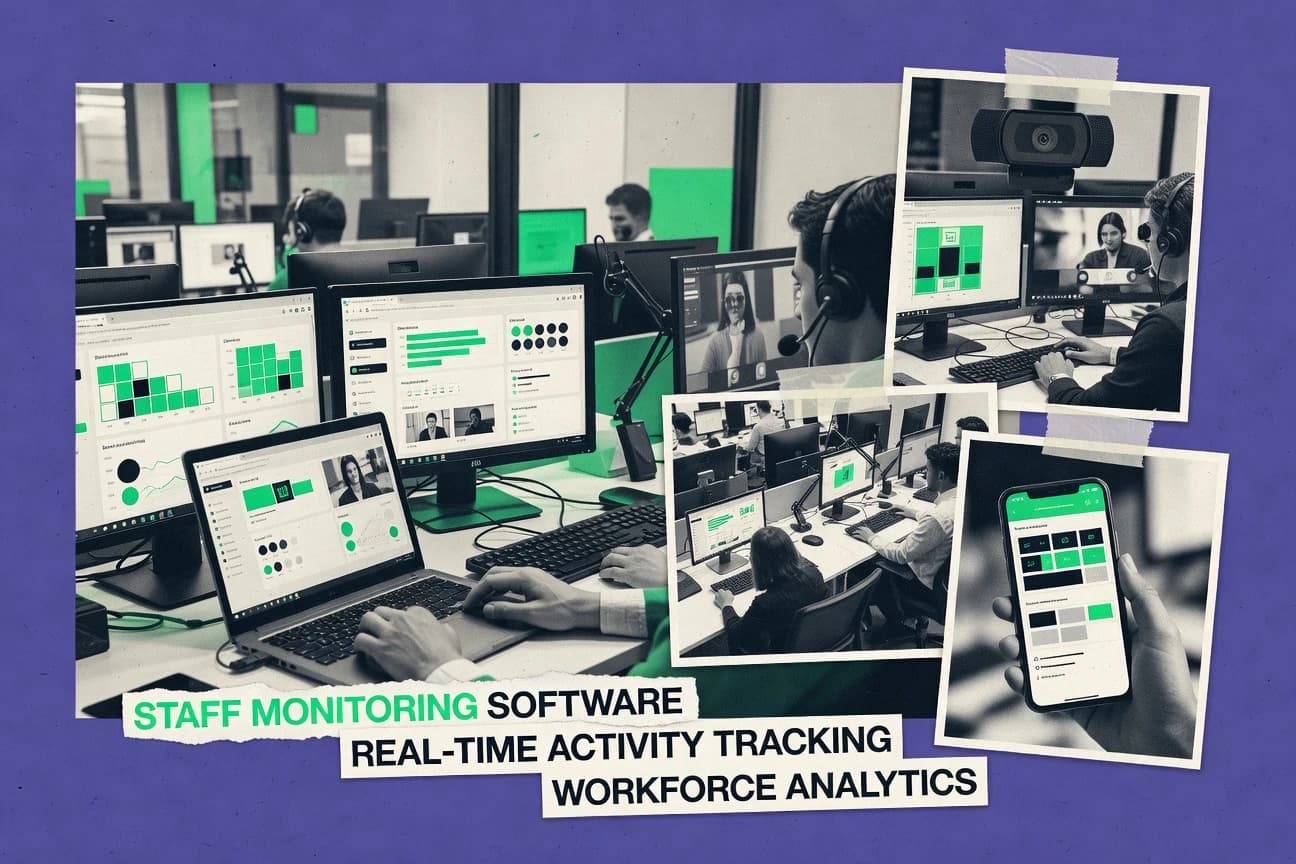
Top 10 staff monitoring software roundup with feature comparisons and ranking criteria, aimed at HR and IT teams evaluating tools like Time Doctor.

How we ranked these tools
Core product claims cross-referenced against official documentation, changelogs, and independent technical reviews.
Analyzed video reviews and hundreds of written evaluations to capture real-world user experiences with each tool.
AI persona simulations modeled how different user types would experience each tool across common use cases and workflows.
Final rankings reviewed and approved by our editorial team with authority to override AI-generated scores based on domain expertise.
Score: Features 40% · Ease 30% · Value 30%
Gitnux may earn a commission through links on this page — this does not influence rankings. Editorial policy
Time Doctor is the best pick for SMBs that need agent-based activity reporting with privacy controls for manager review, while Teramind fits when teams must produce investigation-grade endpoint evidence with policy controls and analytics.
Editor’s top 3 picks
Three quick recommendations before you dive into the full comparison below — each one leads on a different dimension.
Time Doctor
Privacy mode suppression rules for screenshot capture, tied to admin configuration and user scoping.
Built for fits when teams need agent-based activity reporting with privacy controls for manager review..
Teramind
Editor pickBehavior analytics baselines user activity to drive higher-signal alerts and investigations beyond static thresholds.
Built for fits when teams need investigation-grade endpoint evidence with policy controls and analytics..
Insightful
Editor pickConfigurable interval-based screenshot capture tied to session context for reviewable workflow evidence.
Built for fits when teams need agent-based activity evidence and API exports for compliance reporting..
Comparison Table
Time Doctor
SMBEmployee time tracking with web and app usage monitoring plus optional screenshot capture.
Privacy mode suppression rules for screenshot capture, tied to admin configuration and user scoping.
Time Doctor deploys an endpoint agent to capture application-level usage, active work time, and idle periods, then aggregates results into team and individual reports. Monitoring configuration covers screenshot interval settings, inactivity thresholds, and URL monitoring scope where enabled. Privacy controls include a privacy mode that suppresses screenshots for defined conditions and roles, and admin views support governance over which users and groups are monitored.
A tradeoff is that deeper visibility relies on the endpoint agent running on managed machines, which limits coverage for unmanaged or intermittently connected devices unless offline buffering is configured. Time Doctor fits teams that need consistent time-on-task classification and manager review workflows from shared reports, such as customer support and distributed back-office groups.
- +Active minutes tracking aligns reporting to real usage, not just logins.
- +Application usage reporting supports manager reviews by app and time.
- +Configurable screenshot intervals and inactivity thresholds improve report relevance.
- +Privacy mode suppresses screenshot capture for defined conditions.
- –Agent-based coverage excludes unmanaged devices without buffering.
- –Privacy mode rules require careful group scoping to avoid overexposure.
- –Productivity scoring can be noisy for role-based task switching.
- –Granular governance over every monitoring control needs admin discipline.
Customer support operations
Track active work across shared apps
Faster coaching on responsiveness
Remote engineering managers
Measure time-on-task for planning signals
More accurate delivery baselines
Show 2 more scenarios
HR and compliance teams
Maintain monitoring boundaries with privacy mode
Lower exposure risk in reports
Admins enforce screenshot suppression rules and monitored scope to meet internal privacy expectations.
IT operations
Roll out monitoring consistently
Consistent telemetry across teams
Endpoint agents are deployed so reporting works uniformly across managed workstations.
Best for: Fits when teams need agent-based activity reporting with privacy controls for manager review.
Teramind
enterpriseEmployee monitoring and behavior analytics platform with keystroke logging, screen recording, and insider threat detection.
Behavior analytics baselines user activity to drive higher-signal alerts and investigations beyond static thresholds.
Teramind is a staff monitoring solution built around continuous endpoint telemetry and behavior analytics, not just time tracking. Keystrokes, screenshots, and application and URL activity are captured with configurable sampling behavior, and the system groups events into investigations. RBAC and audit logging support internal governance, and policy configuration can be applied across fleets of managed endpoints. The integration story centers on connecting monitored activity to existing security and IT workflows through available APIs and connector options.
A tradeoff appears in the operational workload created by privacy mode controls, consent messaging overlays, and retention governance decisions. Teramind fits teams that must run insider risk and compliance investigations where event timelines and evidence trails matter more than low-friction monitoring. It is also a good fit for organizations that want behavior baselining to reduce alert noise over time rather than relying only on static rules.
- +Event timelines combine keystrokes, app usage, and screenshots for investigations
- +Behavior analytics helps baseline activity and reduce repeat alert noise
- +RBAC and audit logging support internal monitoring governance
- +Configurable capture intervals support tuning signal versus volume
- –Privacy mode and consent overlay require careful rollout planning
- –Agent deployment can add endpoint management overhead for large fleets
- –Initial policy configuration takes time to avoid excessive capture
- –Investigations depend on data retention and storage configuration discipline
Security operations teams
Investigate suspected data exfiltration behavior
Faster evidence collection
IT governance teams
Enforce monitoring policies via RBAC
Stronger internal accountability
Show 2 more scenarios
Compliance managers
Document workforce activity for audits
More defensible investigations
Uses retention and evidence capture to maintain investigation-ready records.
Team leads in ops
Review activity around process handoffs
Clearer incident timelines
Reconstructs what happened during critical work sessions using captured activity artifacts.
Best for: Fits when teams need investigation-grade endpoint evidence with policy controls and analytics.
Insightful
SMBEmployee monitoring and time tracking platform formerly known as Workpuls.
Configurable interval-based screenshot capture tied to session context for reviewable workflow evidence.
Insightful works by deploying an endpoint agent that collects interaction signals and records session-level activity that can be reviewed later. Screenshot capture can be configured with interval-based scheduling, and application usage tracking provides time-on-task classification inputs for productivity scoring. Automation and integration are strengthened by an API designed for exporting monitoring events and building downstream reports.
A key tradeoff is the operational overhead of managing endpoint agent rollout and ongoing configuration across managed machines. Insightful fits best when organizations need repeatable capture configuration plus structured event outputs for compliance workflows.
- +Agent-based collection improves attribution versus browser-only monitoring
- +Interval-based screenshot capture reduces noise while preserving evidence
- +API supports automated exports into existing reporting stacks
- +Configurable endpoint scope helps keep monitoring targeted
- –Agent rollout requires structured device management
- –Fine-grained governance needs careful policy design to avoid overcapture
- –Screenshot evidence increases storage and retention planning needs
- –Some workflows require custom integration work for reporting views
IT operations teams
Standardize agent rollout policies
Consistent monitoring coverage
Compliance and audit teams
Produce reviewable activity evidence
Faster evidence retrieval
Show 2 more scenarios
Security operations teams
Trigger investigations from event exports
Quicker triage cycles
Security teams use API exports to feed monitoring events into case workflows.
Team leads in operations
Spot bottlenecks in application usage
Improved task routing
Leads review time-on-task classifications to identify workflow steps with delays.
Best for: Fits when teams need agent-based activity evidence and API exports for compliance reporting.
Hubstaff
SMBTime tracking software with activity levels, screenshots, and GPS monitoring for field and remote staff.
Built-in offline activity buffering preserves monitoring events during disconnects for later reconciliation.
Hubstaff combines endpoint agent deployment with time tracking features for monitoring remote work, including active time and idle detection. It also supports application usage tracking and scheduled screenshot capture with interval controls.
Admins can manage teams and review activity timelines per user to reconcile work against timesheets. Integration options include webhooks and an API for pulling monitoring and time data into external systems.
- +Configurable screenshot interval controls support consistent capture schedules
- +Active minutes tracking segments idle time and helps spot non-work periods
- +API and webhooks enable automated exports into payroll and project systems
- +Timeline views connect time entries with tracked activity per user
- –Endpoint agent deployment adds rollout work for managed device fleets
- –Screenshot capture is limited to configured intervals rather than event triggers
- –Offline buffering can complicate reconciliation when devices reconnect late
- –Privacy mode toggling relies on user action, which can be missed
Best for: Fits when remote teams need agent-based time tracking plus interval screenshots and API automation.
TimeCamp
SMBTime tracking tool with productivity monitoring and automatic activity categorization.
Project-level time allocation that ties captured activity to billable or work assignments for reporting and exports.
TimeCamp captures employee activity through endpoint agents and generates time logs that can map to projects and clients. It supports application usage tracking and screenshot capture with configurable intervals so admins can tune what gets recorded.
Reporting ties tracked active time to teams, users, and work items, with exports for audits and payroll reconciliation workflows. Admin configuration focuses on monitor scope, reporting views, and automation settings for ongoing collection and review.
- +Project and client time mapping built into tracked activity workflows
- +Configurable screenshot intervals reduce noise while keeping visual context
- +Granular reporting by user, team, and tracked work assignments
- +Automation supports recurring collection and review processes
- –Stealth mode monitoring and silent installer behaviors require strict governance
- –Setup overhead increases when rolling out agents across many endpoints
- –Keystroke-level visibility is not a default focus compared to broader activity tracking
- –Privacy mode toggling adds operational steps for scheduled exceptions
Best for: Fits when teams need agent-based tracking with project time allocation and report exports for review.
CurrentWare
enterpriseEndpoint security and employee monitoring suite including BrowseReporter for activity tracking.
Privacy mode toggling with administrator-managed visibility controls during monitoring sessions.
CurrentWare targets organizations that need agent-based staff monitoring with strong endpoint control and operational governance. The product combines application usage tracking with screenshot capture and active minutes tracking so managers can generate time-on-task style reports.
Endpoint agent deployment supports offline activity buffering so reporting continues through temporary network loss. CurrentWare also provides privacy mode toggling and administrator configuration controls for consent and visibility workflows.
- +Agent-based endpoint telemetry supports consistent monitoring across offline gaps
- +Screenshot capture interval configuration helps tune evidence collection
- +Privacy mode toggling supports regulated visibility workflows
- +Offline activity buffering reduces reporting loss during network interruptions
- –Setup requires careful rollout planning for installer deployment across endpoints
- –Keystroke-level detail depends on agent configuration choices
- –Screenshot volume can increase storage and review workload if intervals are loose
- –Advanced reporting automation needs admin-driven configuration rather than self-serve tools
Best for: Fits when IT needs controlled endpoint monitoring with offline tolerance and configurable screenshot collection for audit-minded reporting.
Kickidler
enterpriseEmployee monitoring software with real-time screen viewing, activity tracking, and disciplinary analytics.
Configurable screenshot interval and retention settings tied to active minutes reporting for audit-style review workflows.
Kickidler focuses on manager workflows that require evidence-backed monitoring instead of only high-level analytics. The endpoint agent captures application usage, active minutes, idle time signals, and screenshot artifacts with interval configuration. Built-in reporting aggregates these signals into reviewable views that can be exported for internal governance.
Admin setup emphasizes endpoint provisioning via a silent installer approach and policy configuration per deployment scope. RBAC limits who can view recorded activity versus who can change monitoring settings. Privacy mode controls and notification overlay behavior require deliberate rollout testing so monitored users see the intended compliance messaging.
- +Screenshot capture scheduling is granular across browsing and app activity.
- +Active minutes tracking pairs with idle time detection for clearer engagement signals.
- +Role-based access controls keep reporting and configuration permissions separated.
- +Reports export cleanly for audits and ongoing manager review cycles.
- –Initial endpoint rollout requires disciplined installer distribution and device inventory.
- –For deep workflow attribution, screenshot-based evidence can be slower than event APIs.
- –High-frequency monitoring increases storage and review volume for admins.
- –Policy tuning for privacy mode needs careful testing before broad rollout.
Best for: Fits when mid-size teams need managed endpoint monitoring with evidence exports and role-governed reporting.
Monitask
SMBEmployee monitoring with screenshot capture, time tracking, and productivity reports.
Offline activity buffering preserves event continuity during connectivity loss without breaking per-user timelines.
Monitask fits staff monitoring use cases with an agent-based endpoint deployment and configurable capture policies. The product supports application usage tracking plus activity timing signals for active minutes and idle behavior, and it can capture screenshots on an interval.
Admin workflows focus on device-to-user assignment and ongoing collection with offline activity buffering so sessions can be continued after connectivity gaps. Reporting outputs center on per-user activity timelines, usage breakdowns, and audit-friendly records for compliance-oriented reviews.
- +Agent deployment supports consistent tracking even when endpoints roam
- +Screenshot capture interval configuration controls data volume and cadence
- +Offline buffering reduces gaps when endpoints lose connectivity
- +User-to-device assignment keeps monitoring scoped per employee
- –Granular policy tuning can require careful governance to avoid over-collection
- –Keystroke capture and forensic replay workflows are not the primary strength
- –Admin reporting granularity can lag behind the depth of raw telemetry
- –Deep automation requires API integration work for nonstandard reporting
Best for: Fits when teams need consistent agent-based activity and screenshot interval control with offline buffering for continuity.
RescueTime
SMBProductivity tracking software with team analytics and detailed attention management reports.
Activity-rule webhooks that emit events from RescueTime scoring and categorization into external workflows.
RescueTime tracks application usage and computer activity to generate active time breakdowns by site and app category.
Desktop and web agents report behavior to productivity dashboards that flag patterns like frequent task switching and time sinks.
The reporting model centers on measured activity and insights, not keystroke or screenshot capture.
Teams can set focus-time boundaries and use automation via webhooks to trigger downstream actions based on activity rules.
- +Application and URL-level activity breakdown with category rollups
- +Actionable focus-time reporting with time and distraction pattern insights
- +Webhook automation supports event triggers from activity rules
- +Works with endpoint agents that run as background telemetry collectors
- –No keystroke logging or screenshot capture for forensic detail
- –Limited governance features for audit-grade staff monitoring workflows
- –Offline buffering can delay reporting continuity during network outages
- –Harder to map activity to structured project codes without extra process
Best for: Fits when teams need behavioral time tracking and automation based on app and site activity.
ManicTime
SMBLocal automatic time tracking software that records computer usage without cloud dependency.
Offline activity buffering that holds captured endpoint activity until connectivity returns.
ManicTime is an employee activity tracking tool built around endpoint agent deployment and automatic time classification.
It records application usage and active periods, then presents detailed reports that map activity to focused work and context switching.
Admin controls support multi-user management and centralized configuration for collection behavior.
ManicTime also provides offline activity buffering so activity captured away from the network can be reviewed later.
- +Automatic active minutes and application usage tracking without manual tagging
- +Offline activity buffering reduces data loss during connectivity gaps
- +Configurable screenshot capture intervals for context when reviewing work
- +Report views break down activity by user, application, and time windows
- –Limited admin governance controls compared with enterprise monitoring suites
- –Deep workflow attribution beyond application context needs additional setup
- –Privacy mode handling requires careful configuration to avoid overexposure
- –Remote device coverage depends on endpoint agent installation and upkeep
Best for: Fits when teams need application-focused activity tracking and reporting with offline tolerance on managed endpoints.
Conclusion
After evaluating 10 hr in industry, Time Doctor stands out as our overall top pick — it scored highest across our combined criteria of features, ease of use, and value, which is why it sits at #1 in the rankings above.
Use the comparison table and detailed reviews above to validate the fit against your own requirements before committing to a tool.
How to Choose the Right staff monitoring software
Staff monitoring software uses endpoint agents or event signals to collect activity records like active minutes, application usage, and interval-based screenshot evidence for manager review. This guide covers Time Doctor, Teramind, Insightful, Hubstaff, TimeCamp, CurrentWare, Kickidler, Monitask, RescueTime, and ManicTime based on how each tool captures evidence, handles offline gaps, and supports investigation workflows.
The largest differences show up in privacy mode controls for screenshot capture, behavior analytics baselines for alert quality, and automation surfaces that export captured activity for downstream reporting. Time Doctor leads the set for privacy mode suppression rules tied to admin configuration and user scoping.
Staff monitoring software that captures endpoint activity, evidence, and audit-ready reporting
Staff monitoring software records how employees use apps and web content, then stores reviewable evidence for compliance, productivity management, and incident investigation. Many deployments combine active minutes tracking with application usage reporting and configurable screenshot interval capture.
Time Doctor is a standout example because it adds privacy mode suppression rules that tie screenshot capture behavior to admin configuration and user scoping. Teramind pushes the investigation workflow further with behavior analytics baselines that model normal activity and raise higher-signal alerts from combined keystrokes, app usage, and screenshot timelines.
Privacy controls, evidence quality, and automation surfaces that change outcomes
Staff monitoring tools diverge most on how screenshot capture is governed, how offline events remain reconstructable, and how evidence becomes usable for manager review. The selection criteria below tie those differences to specific mechanisms like privacy mode suppression rules, offline activity buffering, screenshot interval controls, and investigation workflows that combine multiple evidence types.
Screenshot privacy governance tied to admin scoping
Time Doctor implements privacy mode suppression rules for screenshot capture tied to admin configuration and user scoping, which directly controls what managers can see. CurrentWare provides privacy mode toggling with administrator-managed visibility controls for monitoring sessions.
Evidence quality via behavior analytics baselines and alert signal
Teramind builds behavior analytics baselines to model normal activity and reduce repeat alert noise beyond static thresholds. Time Doctor instead aligns reporting to real usage through active minutes tracking paired with application usage reporting for manager review.
Investigation-ready timelines that merge keystrokes, apps, and screenshots
Teramind combines event timelines with keystrokes, app usage, and screenshots so investigations have a single narrative trail. Insightful focuses on interval-based screenshot capture tied to session context that produces reviewable workflow evidence with less visual volume.
Offline activity buffering for continuity during connectivity loss
Hubstaff includes built-in offline activity buffering that preserves monitoring events during disconnects so later reconciliation stays consistent. Monitask and ManicTime both provide offline activity buffering, with Monitask targeting continuity for agent-based activity timelines and ManicTime targeting application-focused activity retention.
Screenshot capture scheduling that controls evidence volume and cadence
Insightful offers configurable interval-based screenshot capture tied to session context, which keeps capture tied to meaningful workflow phases. Kickidler and Hubstaff both use screenshot interval configuration, with Kickidler adding granular retention settings tied to active minutes reporting and Hubstaff limiting capture to configured intervals rather than event triggers.
Automation and event export hooks for downstream workflows
RescueTime exposes activity-rule webhooks that emit events from scoring and categorization so external workflows can automate around focus time and distraction patterns. Insightful supports API exports for compliance reporting, which shifts monitored records into audit-ready external pipelines.
Pick by evidence workflow, governance model, and integration path
The right staff monitoring software aligns with how evidence is collected, how it is protected, and how it reaches reporting or investigation workflows. These steps separate tools by evidence depth and capture control, then by offline continuity, then by automation and governance requirements that affect operations.
Choose a privacy model that matches how managers should see screenshots
If admin scoping must directly govern screenshot suppression per user group, Time Doctor and CurrentWare provide explicit privacy mode toggling or suppression rules tied to administrative configuration. If investigations need screenshot evidence plus analytics baselines, Teramind supports policy-driven privacy rollout that must be planned to avoid overexposure.
Decide between analytics-driven alerting and evidence-driven review timelines
If the main goal is higher-signal alerts that reduce repeat noise, Teramind’s behavior analytics baselines change the alert quality using user activity baselining. If the goal is manager review with reviewable capture cadence and reduced noise, Insightful’s interval-based screenshot capture tied to session context fits cleaner evidence review.
Validate offline continuity requirements for remote endpoints
If disconnected periods must not create timeline gaps, Hubstaff’s built-in offline activity buffering and Monitask’s offline continuity preserve event records during connectivity loss. If offline tolerance is required but keystroke and forensic replay are not the priority, ManicTime’s offline buffering still preserves application-focused activity until connectivity returns.
Match screenshot capture to the workflow stage and evidence volume budget
If capture needs to be tied to session context and aligned to review workflow, Insightful and Kickidler emphasize interval capture and retention tuning. If capture must follow strict interval controls without event-triggered screenshots, Hubstaff’s configured-interval limitation supports predictable evidence volume.
Select an integration path for reporting and automation
If external automation is needed from app and site activity rules, RescueTime webhooks emit events from scoring and categorization into external workflows. If compliance reporting needs structured exports, Insightful’s API exports shift records into external reporting and review systems.
Align governance depth with fleet size and installer discipline
If endpoint agent rollout demands structured device management and governance, Insightful, Hubstaff, and CurrentWare each describe setup and installer rollout work for managed fleets. If fine-grained governance discipline is not available, prefer tools that explicitly frame privacy scoping and capture rules as admin-controlled configuration like Time Doctor.
Who staff monitoring software fits best
Staff monitoring software fits teams that need auditable activity evidence for manager review, compliance reporting, or incident investigation. The strongest fits depend on whether screenshot privacy must be tightly controlled, whether alerts must be analytics-driven, and whether offline endpoints must keep coherent timelines.
Distributed teams that must reconcile activity during disconnects
Hubstaff provides offline activity buffering that preserves monitoring events during disconnects, which supports later reconciliation for remote employees.
Security and compliance teams running investigation-grade endpoint monitoring
Teramind supports behavior analytics baselines and investigation timelines that merge keystrokes, app usage, and screenshots, which supports higher-signal investigations.
Managers who need app-level usage summaries plus privacy-governed screenshot review
Time Doctor couples active minutes tracking and application usage reporting with privacy mode suppression rules tied to admin configuration and user scoping for controlled screenshot capture.
IT teams that require admin-managed visibility controls
CurrentWare includes privacy mode toggling with administrator-managed visibility controls so IT can constrain what monitoring sessions can reveal.
Operations teams that want automated downstream workflows from time tracking signals
RescueTime sends activity-rule webhooks based on scoring and categorization so external workflows can consume focus time and distraction patterns.
Common ways staff monitoring projects fail
Most failures come from mismatched capture cadence, weak governance around privacy and consent overlays, or incorrect expectations about offline continuity. The pitfalls below map directly to how each tool’s capture and monitoring mechanics behave in real deployments.
Treating screenshot privacy controls as a one-time toggle instead of a scoping process
Time Doctor’s privacy mode suppression rules require careful group scoping so screenshot exposure matches admin intent. Teramind’s privacy mode and consent overlay require rollout planning to avoid overexposure during early deployment.
Assuming screenshot evidence captures event triggers rather than fixed intervals
Hubstaff’s screenshot capture is limited to configured intervals rather than event triggers, which can miss short-lived moments. Insightful and Kickidler focus on interval-based capture tied to session context or retention settings, so governance must define cadence and evidence volume.
Skipping offline continuity requirements for roaming endpoints
Tools without strong offline buffering can break timeline continuity during connectivity loss, which undermines review workflows. Hubstaff, Monitask, and ManicTime each include offline activity buffering so later reconciliation keeps per-user timelines intact.
Overlooking governance and installer overhead when scaling agent-based monitoring
Insightful and Hubstaff both call out structured device management and endpoint agent rollout work for larger fleets. TimeCamp and CurrentWare also describe setup requirements for installer deployment across endpoints, so rollout planning must be part of the project plan.
How We Selected and Ranked These Tools
We evaluated Time Doctor, Teramind, Insightful, Hubstaff, TimeCamp, CurrentWare, Kickidler, Monitask, RescueTime, and ManicTime across feature depth, ease of use, and value. Features counted 40 percent of the score by weighting evidence workflow coverage like screenshot capture interval configuration, event continuity during disconnects, and investigation or analytics mechanisms.
Ease of use counted 30 percent of the score by weighting how directly teams can apply configuration for screenshot scheduling and privacy behavior without creating extra rollout complexity. Value counted 30 percent of the score, and Time Doctor separated itself by combining active minutes tracking with application usage reporting and admin-scoped privacy mode suppression rules for screenshot capture.
Frequently Asked Questions About staff monitoring software
How does Time Doctor handle screenshot privacy compared with CurrentWare’s consent and visibility workflow?
Which tools support investigatory workflows beyond basic activity timelines?
When do offline activity buffers prevent data loss, and which products implement that approach?
What tradeoff appears when choosing keystroke capture and screenshot evidence versus app-usage-only tracking?
Which platforms offer automation hooks for exporting monitoring data into other systems?
How do admin controls differ for rollout and role governance across these tools?
What breaks if screenshot capture intervals are set without session context controls?
How do project and timesheet workflows change between TimeCamp and Hubstaff?
When should organizations choose endpoint monitoring with investigation-grade evidence over productivity scoring dashboards?
Tools reviewed
Primary sources checked during evaluation.
Referenced in the comparison table and product reviews above.
- HR In IndustryTop 10 Best Staff Performance Management Software of 2026
- HR In IndustryTop 10 Best Employee Monitoring Software of 2026
- Employment WorkforceTop 10 Best Staff Recognition Software of 2026
- HR In IndustryTop 10 Best Temporary Staffing Agency Software of 2026
- Technology Digital MediaTop 10 Best Computer Usage Monitoring Software of 2026
Keep exploring
Comparing two specific tools?
Software Alternatives
See head-to-head software comparisons with feature breakdowns, pricing, and our recommendation for each use case.
Explore software alternatives→In this category
HR In Industry alternatives
See side-by-side comparisons of hr in industry tools and pick the right one for your stack.
Compare hr in industry tools→