GITNUXSOFTWARE ADVICE
Environment EnergyTop 10 Best Solar Simulation Software of 2026
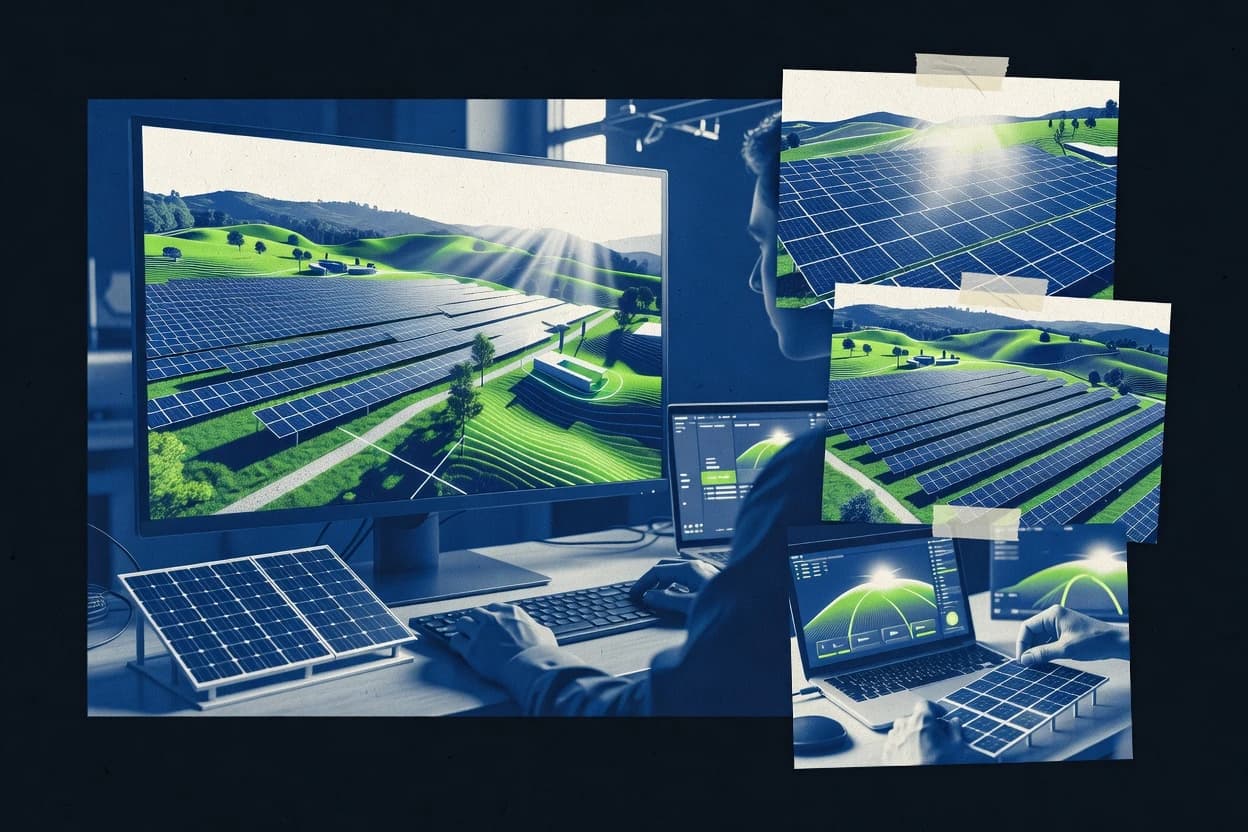
Top 10 ranked solar simulation software tools for PV design and modeling, with notes on PVSOL, SolarGIS, and PVcase for engineers.

How we ranked these tools
Vendors set the topic, but our editors set the inclusion criteria and the evaluation framework before research starts.
Search agents gather the source set and the review record, including transcriptions of video reviews and podcasts.
Framework: Features 40% · Ease 30% · Value 30%
Gitnux may earn a commission through links on this page — this does not influence rankings. Editorial policy
PVcase is the best fit for PV teams that need repeatable, review-ready layout iterations with loss and yield outputs, while OpenSolar works best for proposal teams starting from system layout to documented energy estimates and PlantPredict is a strong alternative when you iterate site shading inputs and need repeatable yield reporting.
Editor’s top 3 picks
Three quick recommendations before you dive into the full comparison below — each one leads on a different dimension.
PVcase
Project-level geospatial terrain and horizon inputs drive shading calculations that update energy yield and loss breakdown together.
Best for: Fits when PV teams need repeatable layout iterations with review-ready loss and yield outputs.
OpenSolar
Editor pickSingle-line diagram export tied to the configured system model reduces documentation mismatches.
Best for: Fits when proposal teams need repeatable PV energy estimates with documentation exports.
PlantPredict
Editor pickProject-centric workflow ties environmental context and configuration changes to scenario yield outputs.
Best for: Fits when teams iterate PV layout and site shading inputs, then need repeatable yield reports.
Comparison Table
PVcase
enterpriseUtility-scale solar plant design and simulation software built on AutoCAD with terrain-aware layout and energy yield modeling.
Project-level geospatial terrain and horizon inputs drive shading calculations that update energy yield and loss breakdown together.
PVcase is built around a single project workspace where layout geometry, component choices, and site context feed energy yield and loss breakdown outputs. Shading analysis is integrated into the modeling workflow, and terrain or horizon information can come from imported geospatial datasets rather than manual vertex entry. Export support covers single-line diagram style artifacts, plus project reports that summarize assumptions and computed results for stakeholder review.
A key tradeoff is dependence on correct upstream geometry and meteorological inputs for accurate yield and shading effects, which makes data preparation part of the workload. PVcase fits teams that need fast iteration on PV layouts and want consistent outputs across many scenarios, such as rooftop variants or revised inverter placement.
- +Integrated shading-to-yield workflow keeps design edits and results synchronized
- +Geospatial imports reduce manual terrain and horizon modeling effort
- +Single-line diagram and report outputs support review-ready documentation
- +String and wire loss calculations reflect DC-side constraints in results
- –Accurate results depend on imported geometry and meteorological input quality
- –Deep module-level power electronics detail can require careful configuration
- –Some advanced study automation steps are harder to reproduce without process discipline
PV design engineers
Rooftop variants with consistent yield reports
Faster iteration cycles
Modeling analysts
Irradiance-driven energy yield studies
Consistent scenario comparisons
Show 2 more scenarios
Electrical design teams
String sizing and DC wiring checks
Fewer rework loops
Teams model string-level electrical behavior and DC wiring losses to reflect inverter operating conditions.
Interconnection support staff
Engineering documentation for reviews
Clearer review submissions
Staff produce single-line style exports and reports that document configuration assumptions and outcomes.
Best for: Fits when PV teams need repeatable layout iterations with review-ready loss and yield outputs.
OpenSolar
SMBFree cloud-based solar design and simulation platform offering system layout, energy modeling, and proposal generation.
Single-line diagram export tied to the configured system model reduces documentation mismatches.
OpenSolar fits teams running recurring PV studies that must stay consistent across proposals, because project templates and standardized input fields reduce drift between models. The modeling workflow connects site inputs, component assumptions, and loss factors into an energy yield estimate that can be regenerated when requirements change. Output artifacts include PVsyst-style reports and single-line diagram export, which helps teams keep documentation aligned with the underlying design assumptions.
A tradeoff appears in automation and extensibility depth, because OpenSolar’s workflow is easier to standardize inside the UI than to orchestrate across systems via a broad API surface. OpenSolar is a strong fit when a team needs consistent study production for multiple customer proposals, or when internal stakeholders require repeatable documentation rather than custom programmatic pipelines.
- +Consistent study generation from reusable project templates
- +Single-line diagram export keeps design documentation aligned
- +Report outputs track modeling inputs through a single workflow
- +Good shade and horizon handling for site-specific assumptions
- –Automation is more UI-driven than API-driven for custom pipelines
- –Advanced modeling customization can require extra setup work
- –Some edge-case engineering checks may need external review
- –Large multi-project models demand careful input governance
Solar proposal engineers
Regenerate studies across many customer sites
Faster proposal turnaround with fewer inconsistencies
Design and engineering teams
Standardize documentation for reviews
Aligned engineering documentation
Show 1 more scenario
Project developers
Compare candidate sites and layouts
Clear yield comparisons
Run shade and horizon assumptions per site to estimate energy yield under different design options.
Best for: Fits when proposal teams need repeatable PV energy estimates with documentation exports.
PlantPredict
enterpriseCloud-based solar energy prediction platform for utility-scale project design, simulation, and bankability reporting.
Project-centric workflow ties environmental context and configuration changes to scenario yield outputs.
PlantPredict fits teams that need PV design simulation without stitching together multiple modeling tools, because the workflow stays centered on project objects rather than standalone calculation files. The application supports geospatial terrain and shade context via 3D terrain mesh and horizon shading inputs, which helps reduce manual effort during site screening. Energy yield estimation is structured around scenario outputs that can be reused across configuration revisions. The reporting output is designed for review cycles where loss explanations and configuration traceability matter.
A tradeoff is that deep plant-level customization depends on how well the available configuration objects map to the specific PV architecture, especially when projects require unusual module-level electronics or nonstandard conductors. PlantPredict works best when the main engineering effort focuses on iterative layout and environmental inputs, then relies on the simulator for repeatable yield deltas across scenarios. It is less ideal when the organization needs full parity with desktop PV modeling packages that expose every calculation knob in the same interface.
- +Scenario-based yield outputs support fast design iteration across configurations
- +3D terrain mesh and horizon shading inputs reduce manual shade modeling work
- +Irradiance data import supports consistent meteorological dataset use
- +Project object workflow improves traceability during revision cycles
- –Advanced architecture edge cases can require workarounds in configuration mapping
- –Some calculation controls are not exposed with the same granularity as desktop tools
Utility project engineering teams
Site screening with repeatable scenarios
Faster shortlist decisions
PV design contractors
Interconnection-ready report generation
Quicker design review cycles
Show 1 more scenario
Program managers for portfolios
Standardized component libraries
More comparable portfolio results
Teams reuse module and inverter configuration objects to keep cross-site assumptions consistent.
Best for: Fits when teams iterate PV layout and site shading inputs, then need repeatable yield reports.
Aurora Solar
enterpriseCloud-based solar design and simulation platform with AI-assisted site modeling and energy production estimation.
Real-time coupling of rooftop geometry changes to shading and production outputs inside the same modeling session.
Aurora Solar targets PV design and simulation workflows with interactive rooftop modeling, 3D shading, and production estimates that stay tied to layout edits. It supports irradiance input workflows and module and inverter behavior needed for energy yield estimation, including losses such as temperature effects and wiring losses.
- +Tight loop between 3D shading inputs and layout edits
- +Energy yield outputs reflect component loss factors and derates
- +Import workflows support moving from CAD and geospatial context into modeling
- +Report outputs align with common PV review expectations
- –Automation and API depth are less visible than in engineering-first competitors
- –Shade modeling fidelity depends on terrain mesh and obstacle detail quality
- –Advanced modeling edge cases require careful assumption management
- –Single-project workflow can slow batch comparisons across many variants
Best for: Fits when solar design teams need interactive layout iteration tied to yield estimates and review-ready reports.
Solargis
enterpriseSolar resource assessment and energy simulation platform providing satellite-based weather data, irradiance modeling, and yield prediction.
GIS-based project geocoding paired with horizon and shading modeling for site-tied irradiance and loss calculations.
Solargis performs PV system modeling with geographic context, combining satellite and GIS-based inputs to build site-specific simulation cases. Its workflow supports energy yield estimation with modeled meteorology, horizon shading, and detailed loss handling for PV design studies.
- +GIS-driven site setup reduces manual geodata cleanup for many studies
- +Horizon and shading modeling supports realistic yield impact assessments
- +Single-line diagram export helps package results for engineering review
- +Loss and derating controls cover common PV performance contributors
- –Complex projects can require careful input normalization before reruns
- –Advanced workflows depend on correct data preparation and import formats
Best for: Fits when teams need repeatable, location-specific PV yield studies with engineering exports for design review.
Polysun
SMBDynamic simulation software for solar thermal, photovoltaic, and heat pump systems with hourly-based energy yield calculation.
Built-in shading workflow tied to modeled obstructions and terrain, feeding energy yield and loss reporting in one cycle
Polysun is used for PV system simulation workflows that combine layout, shading, and energy yield estimation in one modeling environment. It supports irradiance and meteorological inputs, then runs engineering checks and yield calculation against configured system components.
- +Shading modeling workflow matches common PV design iteration needs
- +Irradiance and TMY handling supports repeatable annual yield simulations
- +Report outputs help translate simulation settings into client-facing documentation
- +Component-level configuration supports realistic DC-to-AC ratio checks
- –Complex geometry setup can require more manual effort than simpler tools
- –Automation depth is limited compared with products offering broader API-driven provisioning
- –Workflow granularity can feel heavy for quick single-string studies
- –External CAD and GIS import coverage may lag specialized design suites
Best for: Fits when teams need repeatable PV yield modeling with shading and report outputs, without building custom simulation pipelines.
HOMER
SMBMicrogrid and hybrid power system simulation software that models solar, storage, and generator combinations for off-grid and grid-connected scenarios.
PV output is simulated as part of a coupled generation-storage dispatch model, so system energy flows stay consistent across iterations.
HOMER concentrates on energy system modeling that couples PV generation with storage and dispatch-style operation to estimate energy flows, not just static PV yields. Its simulation workflow supports irradiance and meteorological inputs for energy yield estimation, then routes results through loss accounting to produce time-series outputs for system performance.
- +Time-series PV generation integrated with battery dispatch and energy balances
- +Loss accounting and derating options are applied consistently across simulations
- +Works well for feasibility runs that need PV sizing plus storage operation
- +Exports and reporting focus on system-level performance outcomes
- –Detailed PV layout inputs like AutoCAD DWG import and 3D terrain mesh are not the core workflow
- –Advanced PV modeling depth for module IV curve studies can require careful setup discipline
- –String sizing, shade analysis, and horizon shading are not the primary emphasis compared with dedicated PV tools
Best for: Fits when feasibility studies need PV plus storage dispatch results with repeatable time-series energy outcomes.
SolarEdge Designer
vertical specialistOnline solar design and production simulation platform integrated with SolarEdge inverters and optimizers.
String and inverter configuration validation stays consistent through the design workflow instead of splitting into separate analysis steps.
SolarEdge Designer is a PV simulation workflow centered on SolarEdge hardware, with modeling outputs tied to inverter and module configurations used for design review. It supports layout-level modeling with electrical calculations that include string sizing checks, inverter operating behavior, and loss modeling needed for yield estimates.
- +Tight coupling between modeled strings and SolarEdge inverter operating constraints
- +Shade-driven energy estimates flow from layout to yield outputs without extra reconciliation
- +Design documentation exports align with PV electrical review use cases
- +Inverter and string configuration checks reduce manual cross-walking during revisions
- –Modeling flexibility is narrower for non-SolarEdge module and inverter combinations
- –Geospatial terrain workflows depend more on input formats than built-in mesh authoring
- –Complex loss stacks can require careful parameter management to match reporting expectations
- –Automation depth depends on the project export flow rather than full API control
Best for: Fits when SolarEdge-centric design teams need fast layout-to-energy iteration with electrical configuration checks.
SolarAnywhere
enterpriseSolar irradiance data and PV simulation platform from Clean Power Research.
Shade and irradiance workflow centered on site scene inputs for quick horizon and obstruction impact comparisons.
SolarAnywhere runs PV energy yield simulations by combining a site definition workflow with meteorological inputs and a shade model built from scene geometry.
- +Scenario iteration with geospatial site inputs for fast PV screening
- +Shade setup focuses on horizon and obstructions for yield comparisons
- +Exports simulation outputs used for downstream sizing and feasibility reviews
- +Workflow supports PV energy yield estimation across multiple system options
- –Advanced module electrical modeling can lag behind engineering-first simulators
- –Automation and API-driven scenario generation are limited compared with code-first toolchains
- –Complex string sizing workflows require careful manual parameter management
- –3D terrain and detailed modeling depth can feel constrained for dense layouts
Best for: Fits when teams need repeatable PV yield and shading comparisons from site geometry without deep electrical co-design.
Meteonorm
vertical specialistMeteorological database software generating site-specific irradiance data for solar simulation.
Meteonorm’s meteorological input generation from coordinates supports repeatable site energy studies.
Meteonorm is a meteorological dataset and PV yield simulation tool that focuses on site-specific weather inputs and energy modeling workflows. It provides rapid irradiance and temperature generation from geographic coordinates and long-term records, then feeds those outputs into PV design calculations. The software supports PV performance reporting for energy yield estimation with common loss factors and system configuration inputs.
- +Fast creation of site meteorological inputs from location coordinates
- +Good coverage of PV energy yield reporting with configurable losses
- +Straightforward workflow for running multiple location scenarios
- +Useful for early-stage PV energy estimates before detailed layout work
- –Limited depth for grid-level design checks compared with dedicated CAD workflows
- –Shade analysis and 3D terrain handling are not its primary strength
- –Integration with external PV design tools depends on export and import workflow
- –Less suited to detailed electrical modeling like string-level IV behavior
Best for: Fits when teams need consistent, location-driven irradiance inputs for energy yield estimates.
Conclusion
After evaluating 10 solar simulation software, PVcase stands out as our overall top pick — it scored highest across our combined criteria of features, ease of use, and value, which is why it sits at #1 in the rankings above.
Use the comparison table and detailed reviews above to validate the fit against your own requirements before committing to a tool.
How to Choose the Right Solar Simulation Software
Solar simulation software models PV energy yield by connecting site geometry, environmental inputs, and component loss factors into repeatable design studies. This buyer’s guide covers PVcase, OpenSolar, PlantPredict, Aurora Solar, Solargis, Polysun, HOMER, SolarEdge Designer, SolarAnywhere, and Meteonorm using the capabilities described in their tool cards.
The comparison focuses on how each tool carries changes from layout and shading inputs to yield and loss outputs, and how that workflow supports review-ready exports. Integration depth is grounded in what the tool exposes for automation and pipeline use, not in generic “API support” claims.
Solar Simulation Software for PV layout, shading, and energy-yield modeling workflows
Solar simulation software generates PV system energy yield estimates by combining configured electrical design with site-specific irradiance and shading inputs. Tools like PVcase and PlantPredict tie geospatial terrain and horizon inputs to synchronized yield and loss breakdown outputs so iterative layout edits stay consistent.
Some products center on proposal and documentation consistency, such as OpenSolar using single-line diagram export tied to the configured system model. Others emphasize interactive design feedback, such as Aurora Solar coupling rooftop geometry changes to shading and production outputs within the same modeling session.
Solar simulation workflow depth and handoff controls
Solar simulation software has to carry changes from layout and site geometry into yield and loss outputs without forcing manual reconciliation in later steps. The tools on this list differ most in how tightly they bind shading inputs, environmental inputs, and electrical configuration validation into one repeatable workflow.
Shading-to-yield synchronization with geospatial inputs
PVcase connects project-level geospatial terrain and horizon inputs to shading calculations that update energy yield and loss breakdown in the same iteration loop. Polysun and PlantPredict also tie modeled obstructions or terrain mesh into yield and loss reporting, but Polysun centers that cycle on a built-in shading workflow while PlantPredict builds a scenario-centric workflow around environmental context.
Design documentation alignment via single-line diagram exports
OpenSolar produces single-line diagram export tied to the configured system model so study generation and documentation stay aligned. Aurora Solar and SolarEdge Designer keep the layout-to-yield loop in-session, which reduces handoff friction but does not target the same single-line export workflow focus.
Interactive layout edit feedback coupled to production outputs
Aurora Solar links rooftop geometry changes to shading and production outputs inside the same modeling session so design adjustments can be validated immediately against yield results. SolarEdge Designer similarly validates string and inverter configuration consistently through the design workflow so electrical constraints and shade-driven energy estimates move together.
Scenario repeatability for site-tied modeling
PlantPredict and Solargis both emphasize repeatable yield studies through scenario or GIS-based site setup, where yield outputs track changes in configuration tied to environmental context. SolarAnywhere and Meteonorm support repeatable screening and meteorological input generation from coordinates, but their workflows focus more on site shading comparisons or irradiance input creation than deep electrical co-design.
Choose the workflow philosophy that matches PV deliverables
Tool choice should start with the deliverable shape that the design process needs, because some tools optimize for repeatable loss-and-yield iteration from geospatial inputs while others optimize for proposal-stage documentation exports. The decision steps below map each workflow philosophy to PVcase, OpenSolar, PlantPredict, Aurora Solar, Solargis, Polysun, HOMER, SolarEdge Designer, SolarAnywhere, and Meteonorm using the capabilities shown in their tool cards.
Select geospatial shading as the source of truth or treat shading as a site screening input
Choose PVcase when project-level geospatial terrain and horizon inputs must drive shading calculations that update yield and loss breakdown together for repeated layout iterations. Choose SolarAnywhere when repeatable horizon and obstruction comparisons from site scene inputs matter more than deep module-level co-iteration.
Pick a documentation-first workflow or an engineer-first modeling loop
Choose OpenSolar when single-line diagram export tied to the configured system model must stay synchronized with study generation for proposal deliverables. Choose Aurora Solar when interactive layout edits must instantly reflect in shading and production outputs within the same modeling session.
Decide whether scenario mapping needs to stay configuration-granular
Choose PlantPredict when scenario-based yield outputs must support fast design iteration across configurations tied to 3D terrain mesh and horizon shading inputs. Choose Polysun when a built-in shading workflow needs to feed irradiance and TMY handling into repeatable annual yield simulations without building custom simulation pipelines.
Use GIS geocoding when repeatable site setup dominates the workload
Choose Solargis when GIS-driven site setup should reduce manual geodata cleanup and horizon and shading modeling should support realistic yield impact assessments for site-tied irradiance and loss calculations. Choose Meteonorm when meteorological input generation from coordinates must be quick and consistent for energy yield estimates, with shade analysis and 3D terrain handled elsewhere.
Match electrical constraint validation scope to the inverter and module strategy
Choose SolarEdge Designer when SolarEdge-centric design needs string and inverter configuration validation that stays consistent through the design workflow, because electrical constraints and shade-driven estimates flow from layout to yield without extra reconciliation. Choose HOMER when PV generation must be simulated as part of a coupled generation and storage dispatch model so system energy flows stay consistent across iterations.
Plan automation expectations around API visibility versus UI-driven pipelines
Choose PVcase for workflow synchronization that depends on imported geometry and meteorological input quality, because the iteration loop is only accurate when inputs are clean. Choose OpenSolar when automation needs are more UI-driven and focused on reusable project templates, since advanced modeling customization can require extra setup work compared with engineering-first toolchains.
Who should adopt each Solar Simulation Software workflow
PV teams should match software behavior to how they run design iterations and how they publish results. The tool cards show three distinct operational modes: geospatial shading synchronization, documentation alignment for proposals, and dispatch-aware simulations for PV plus storage feasibility studies.
PV design teams running repeatable layout iteration with terrain and horizon inputs
PVcase fits teams that need project-level geospatial terrain and horizon inputs to drive shading calculations that update yield and loss breakdown together during design edits. PlantPredict and Polysun also support this mode using scenario or built-in shading workflows tied to modeled obstructions and terrain.
Proposal teams that must keep configured designs and documentation consistent
OpenSolar supports proposal workflows by tying single-line diagram export to the configured system model so documentation matches the study model. Aurora Solar can also support fast review-ready reports, but the key advantage described for OpenSolar is the documentation alignment mechanism.
Engineering teams focusing on electrical validation tied to PV layout work
SolarEdge Designer supports SolarEdge-centric design teams where string and inverter configuration validation remains consistent through the design workflow. Aurora Solar supports layout-to-yield interaction with component loss factors and derates reflected in outputs, which can reduce electrical reconciliation steps.
Feasibility teams that must simulate battery dispatch with PV generation time series
HOMER fits feasibility studies that require PV output simulated within a coupled generation-storage dispatch model so energy flows stay consistent across iterations. Its PV layout depth is not the core strength, so it aligns best when dispatch and energy balances drive decisions more than module IV curve micro-detail.
Site screening teams that need fast horizon and irradiance comparisons
SolarAnywhere fits teams that want scenario iteration centered on site scene inputs for horizon and obstruction impact comparisons, which accelerates early yield screening. Meteonorm fits teams that need meteorological input generation from coordinates for consistent energy yield estimates when deep shade analysis is handled in another workflow.
Common pitfalls in solar simulation tool adoption
Solar simulation failures usually come from workflow mismatches rather than missing UI features. The most frequent issue is letting geometry, meteorological inputs, and configuration changes drift into different rerun paths, which breaks synchronized yield and loss outputs.
Using geospatial terrain and meteorological inputs without validating import quality
PVcase and PlantPredict both tie results accuracy to the quality of imported geometry and meteorological inputs, so inaccurate meshes or dirty data propagate into shading and yield outputs. Run geometry and meteorological sanity checks before comparing scenario yield deltas.
Treating layout-to-document handoff as an afterthought
OpenSolar avoids documentation mismatches by tying single-line diagram export to the configured system model, but other tools can require extra reconciliation steps for review deliverables. Align documentation generation steps with the modeling workflow that produced the electrical design.
Expecting deep electrical customization in tools that center interactive shading workflows
Aurora Solar and SolarAnywhere describe tighter loops around shading inputs and yield outputs, while automation and API depth are less visible in engineering-first competitors. If module-level power electronics depth or advanced electrical customization is a hard requirement, validate configuration granularity during setup.
Assuming storage dispatch feasibility can be solved with standard PV layout depth
HOMER centers PV generation inside a coupled generation and storage dispatch model, so detailed CAD-grade layout workflows are not the core workflow described. If the design program depends on module IV curve studies as the primary deliverable, combine HOMER with a PV design tool that emphasizes that depth.
How We Selected and Ranked These Tools
We evaluated the tools using workflow synchronization depth, where PVcase was ranked highest because project-level geospatial terrain and horizon inputs drive shading calculations that update energy yield and loss breakdown together. We weighted features at 40% and combined ease and value at 30% each to reflect how teams iterate and publish results.
We compared documentation alignment behavior using OpenSolar single-line diagram export tied to the configured system model and interactive loop behavior using Aurora Solar real-time coupling of rooftop geometry edits to shading and production outputs. We scored PlantPredict and Solargis on repeatability for site-tied studies, and we scored HOMER on coupled PV plus storage dispatch time-series energy outcomes as the primary differentiator.
Frequently Asked Questions About Solar Simulation Software
How do PVcase and Aurora Solar handle iterative shading updates when the layout changes?
Which tool exports single-line diagram documentation directly from the modeled PV configuration?
Which applications support API-style or integration-first automation for batch studies?
When should a team choose Solargis versus SolarAnywhere for geospatial siting and scene setup?
What breaks if PV modeling relies on PVcase-style project repeatability but changes module electrical data without re-running characterization?
How do HOMER and PV-only tools differ when modeling battery storage coupling and time-series behavior?
Which tools support strong configuration validation for inverter and string sizing checks?
How does data migration typically affect projects moved between PVcase and PlantPredict?
What security controls should be verified before using Solargis or OpenSolar in a shared engineering environment?
Where does SolarAnywhere fall short compared with Polysun for mixed-geometry modeling and obstruction handling?
Tools reviewed
Primary sources checked during evaluation.
Referenced in the comparison table and product reviews above.
Funding and competing interests
This study was co-funded by several of the vendors assessed in it. No single vendor funded it. Funders could propose the market studied.
They had no role in selecting vendors, setting or weighting criteria, analysing data or drawing conclusions, and they received the same factual-accuracy check as every other vendor assessed.
Market definition, inclusion rules and criteria weights were fixed by an editor before research began and did not change afterwards. Editorial process →
- Environment EnergyTop 10 Best Solar Energy Simulation Software of 2026
- Environment EnergyTop 10 Best Solar Panel Simulation Software of 2026
- Environment EnergyTop 10 Best Solar Cell Simulation Software of 2026
- Environment EnergyTop 10 Best Solar Monitoring Services of 2026
- Environment EnergyTop 10 Best Commercial Solar Project Finance Services of 2026
Keep exploring
Comparing two specific tools?
Software Alternatives
See head-to-head software comparisons with feature breakdowns, pricing, and our recommendation for each use case.
Explore software alternatives→In this category
Environment Energy alternatives
See side-by-side comparisons of environment energy tools and pick the right one for your stack.
Compare environment energy tools→