GITNUXSOFTWARE ADVICE
Telecommunications ConnectivityTop 10 Best Sidetone Software of 2026
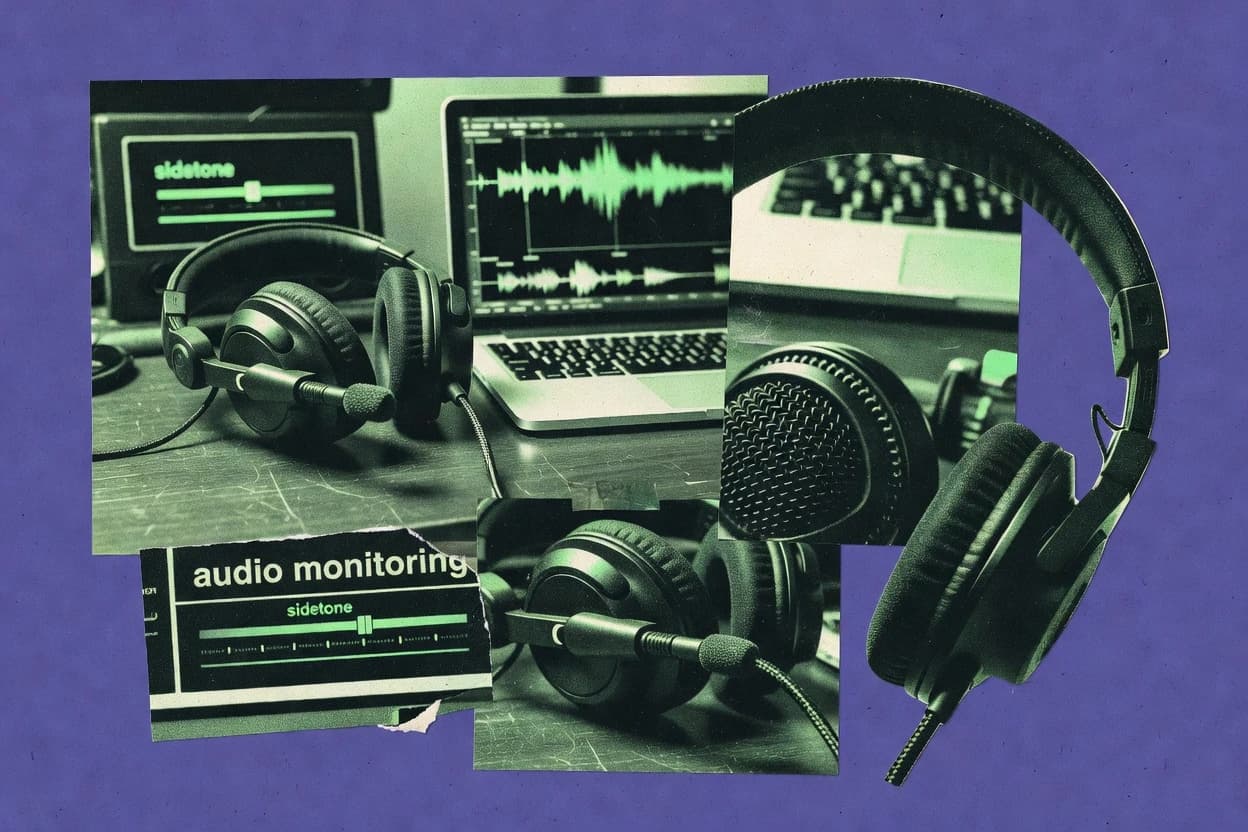
Top sidetone software options for gamers and streamers, covering where each fits and tradeoffs for choosing the right mic monitor.

How we ranked these tools
Vendors set the topic, but our editors set the inclusion criteria and the evaluation framework before research starts.
Agents extract product evidence with provenance, then collect written reviews and transcribe video reviews and podcasts.
Framework: Features 40% · Ease 30% · Value 30%
Gitnux may earn a commission through links on this page — this does not influence rankings. Editorial policy
HyperX NGENUITY is the best pick for VoIP teams that standardize on HyperX headsets because it delivers driver-integrated near-end sidetone gain control without forcing call-side reconfiguration, while Elgato Wave Link fits hosts who want a local monitor mix via virtual device routing.
Editor’s top 3 picks
Three quick recommendations before you dive into the full comparison below — each one leads on a different dimension.
HyperX NGENUITY
Headset driver integration that controls near-end monitoring level from within NGENUITY without adding call-side processing.
Best for: Fits when a VoIP team standardizes on HyperX headsets and needs fast, per-seat sidetone gain control.
Razer Synapse
Editor pickDevice-profile controlled microphone monitoring level using Razer’s headset driver stack.
Best for: Fits when teams standardize on Razer headsets and need consistent monitoring levels in everyday calls.
SteelSeries GG
Editor pickSonar processing chain that can apply mic audio processing inside the monitoring path before sidetone playback.
Best for: Fits when call teams want consistent on-headset mic monitoring on standardized workstations.
Comparison Table
HyperX NGENUITY
gaming peripheral softwarePeripheral software providing sidetone control for HyperX gaming headsets.
Headset driver integration that controls near-end monitoring level from within NGENUITY without adding call-side processing.
HyperX NGENUITY is a headset-focused sidetone control utility built around HyperX driver support and per-device audio behavior. It lets users set microphone monitoring level, tune sidetone gain, and route audio through the Windows endpoint paths the headset driver exposes.
For VoIP workflows, it is most practical when endpoint enumeration is stable and the same headset model drives both near-end monitoring and call audio. Coverage is narrower than SBC or telephony-side monitoring tools because it operates at the headset driver and application-layer audio level rather than at the call control layer.
- +Direct microphone monitoring level control via the headset driver
- +Low-friction sidetone gain tweaks without reconfiguring the VoIP client
- +Good compatibility when teams standardize on specific HyperX headsets
- +Clear device selection for headsets that expose separate audio endpoints
- –Limited sidetone control across non-HyperX headset models
- –Driver-layer monitoring can conflict with virtual audio device routing
- –No API or automation surface for centralized rollout across many seats
- –Limited tooling for auditing or RBAC over sidetone configuration changes
HyperX headset users
Tune sidetone mic monitoring for calls
Device-level monitoring suited
Multi-computer users
Keep sidetone settings available offline
Configured behavior remains accessible
Best for: Fits when a VoIP team standardizes on HyperX headsets and needs fast, per-seat sidetone gain control.
Razer Synapse
gaming peripheral softwareHardware configuration software featuring mic monitoring for Razer headsets.
Device-profile controlled microphone monitoring level using Razer’s headset driver stack.
Synapse installs a headset audio driver that can affect microphone monitoring behavior for supported Razer models, including microphone monitoring level adjustments and per-device audio profiles. Audio endpoint routing is exposed through the Windows audio device layer, so changes typically apply when the selected headset is the active input and output. Configuration is persistent at the device-profile level, which reduces per-app setup when users stay on the same headset.
A key tradeoff is limited coverage outside the Razer headset compatibility set, which makes Synapse a poor fit for mixed-vendor headsets in a single VoIP deployment. It fits best for small VoIP teams that standardize on specific Razer headsets and want consistent monitoring levels during daily calls without building custom audio pipelines.
- +Driver-level monitoring controls for supported Razer headsets
- +Profile persistence reduces retuning between call tools
- +Quick microphone monitoring level adjustment inside one UI
- –Narrow headset compatibility limits rollout across mixed models
- –No API surface for VoIP teams needing automated configuration
Customer support teams
Daily calls on one Razer headset
Less ear fatigue, fewer retunes
VoIP admins at small firms
Standard headset rollout
More predictable call audio
Show 1 more scenario
Audio techs
Investigating monitoring inconsistencies
Faster root-cause narrowing
Techs validate headset driver settings by toggling profiles and checking the active mic device in Windows.
Best for: Fits when teams standardize on Razer headsets and need consistent monitoring levels in everyday calls.
SteelSeries GG
gaming peripheral softwareGaming software suite whose Sonar module provides system-wide sidetone control compatible with any headset.
Sonar processing chain that can apply mic audio processing inside the monitoring path before sidetone playback.
SteelSeries GG is designed around headset audio driver integration and a software monitoring pipeline that can apply processing to the monitored mic signal before it is played to the user. The core operational workflow is selecting the correct input and output devices, then tuning sidetone gain and processing modules inside the GG app. It is best fit for teams that standardize on SteelSeries headsets or whose users accept driver-level audio endpoint changes for local monitoring consistency.
A key tradeoff is that SteelSeries GG is not built as an organization-wide sidetone service with a provisioning API, so scaling governance across mixed hardware requires per-device setup. It fits scenarios where call centers need consistent on-headset microphone monitoring for individual agents using supported headsets and a shared workstation image.
- +Driver-level monitoring path with per-device mic and output routing
- +Sonar processing chain applies EQ and suppression to monitored audio
- +Clear sidetone gain control tied to the monitoring output
- +Works well for consistent agent monitoring in single-workstation deployments
- –No API-based provisioning for fleet-wide sidetone configuration
- –Local driver and endpoint changes can conflict with non-validated headset setups
- –Limited fit for mixed headset fleets needing uniform behavior without per-user tuning
- –Automation for onboarding and configuration is minimal compared to telecom tooling
Customer support ops teams
Reduce headset monitoring fatigue
Lower distraction during high-volume calls
Contact center supervisors
Standardize agent audio behavior
Fewer reports of wrong levels
Show 1 more scenario
VoIP engineers
Local mic monitoring verification
Faster troubleshooting of endpoint mixups
Engineers validate sidetone balance and driver routing without modifying call signaling.
Best for: Fits when call teams want consistent on-headset mic monitoring on standardized workstations.
Elgato Wave Link
audio routingAudio mixing software with a mic monitoring feature that provides sidetone for content creators.
Wave Link’s internal mix and virtual audio device outputs let one host app receive a processed monitored mic while another receives a cleaner mic feed.
Elgato Wave Link differentiates itself by pairing application-layer mic monitoring with an internal mixing console driven by Wave Link’s virtual audio devices. It provides per-channel audio processing and routing so broadcast apps can receive a clean monitored signal without relying on the headset’s built-in sidetone.
- +Virtual audio device outputs separate clean and monitored mic paths
- +Real-time mic monitoring level control with per-source mixing
- +Built-in processing per channel without external audio routing tools
- +Low-friction setup for common headset and USB mic topologies
- –Works locally on the host and does not natively integrate with call platforms
- –Advanced routing still depends on correct audio endpoint enumeration and app selection
- –Latency tuning is limited for teams that need quantified delay budgets
- –Multi-user governance features like RBAC and audit logs are not available
Audio-conscious creators
Insert VST effects into monitored mic
More customizable processing chain
Live production teams
Send talkback cues privately
Private coordination during rehearsals
Show 2 more scenarios
Streamers and podcasters
Stream with gated mic monitoring
Reduced background distraction
Apply gating, suppression, and EQ so the monitored and captured voice is more consistent.
Meeting participants
Limit mic spill during speech
Less background spill
Use noise-gate processing to reduce room and keyboard sounds when speaking.
Best for: Fits when VoIP teams need a local sidetone-style monitor mix for calls without adding hardware.
Corsair iCUE
gaming peripheral softwareEcosystem control software offering sidetone adjustment for Corsair headsets.
iCUE microphone monitoring is controlled through the iCUE audio engine tied to supported Corsair headset endpoints.
Corsair iCUE focuses on endpoint-level microphone monitoring by controlling the headset audio path exposed through its supported Corsair hardware stack. Monitoring settings can be saved per device profile so near-end monitoring level and sidetone gain stay consistent across Windows sessions. The software layer also supports audio processing effects that run in the iCUE audio engine rather than inside the VoIP client’s own microphone path.
- +Sidetone gain tuning is integrated into the headset control driver stack
- +Per-headset profiles keep monitoring levels consistent across sessions
- +Monitoring changes apply quickly without restarting the VoIP application
- +Audio effects run in iCUE’s audio engine for one place to manage
- –Sidetone control coverage depends on iCUE-compatible headset models
- –Advanced governance controls are not designed for multi-user VoIP device fleets
- –No API is provided for automating sidetone policies across endpoints
- –Non-Corsair devices may require fallback to application-level monitoring
Call center supervisors
Standardize sidetone gain on desks
Lower mic complaints
VoIP engineering teams
Reduce per-app audio troubleshooting
Fewer headset support tickets
Show 1 more scenario
Helpdesk technicians
Tune sidetone during onboarding
Faster agent setup
Technicians adjust sidetone gain in iCUE while verifying the headset audio path.
Best for: Fits when VoIP users standardize on Corsair USB headsets and need quick sidetone gain control.
Sound Blaster Command
vertical specialistAudio control suite for Creative Sound Blaster products featuring microphone monitoring and sidetone controls.
Application-layer monitoring and sidetone controls are exposed through the Sound Blaster Command driver UI for per-device mic monitoring level adjustments.
Sound Blaster Command targets Windows PCs that use Sound Blaster headset and speaker hardware, with a driver-first control surface for sidetone gain and monitoring behavior. The software focuses on endpoint routing and per-device audio processing controls, which matters for teams that standardize on headsets across desk phones and VoIP clients.
- +Driver-level mic monitoring controls for Sound Blaster endpoints
- +Per-headset tuning for sidetone gain and monitoring mix
- +Endpoint routing controls help keep VoIP input and output consistent
- +Low-latency audio processing paths depend on the installed driver stack
- –Works best when teams standardize on compatible Sound Blaster hardware
- –No visible API or automation surface for provisioning sidetone profiles
- –Limited governance controls for multi-tenant or role-based headset policies
- –Sidetone curve tuning is less granular than advanced per-channel DSP tools
Helpdesk VoIP rollout teams
Standardize sidetone feel across desk headsets
Lower calls quality complaints
Contact center QA managers
Tune monitoring gain for agents
More consistent agent audio
Show 2 more scenarios
Customer support supervisors
Balance headset monitoring with app audio
Fewer echo related issues
Application effects and endpoint routing options help supervisors reduce echo-like feedback during calls.
Remote work IT administrators
Manage headset behavior on Windows endpoints
Simpler workstation audio administration
Sound Blaster Command provides a driver-side control surface for monitoring behavior without app-specific integration.
Best for: Fits when teams standardize Sound Blaster headsets and need consistent near-end monitoring on Windows PCs.
EPOS Gaming Suite
gaming peripheral softwareAudio software for EPOS and legacy Sennheiser gaming headsets featuring sidetone control.
EPOS driver-based microphone monitoring level adjustments that stay consistent with the headset’s Windows audio endpoint.
EPOS Gaming Suite targets gaming and headset workflows where audio monitoring and sidetone control matter more than enterprise call features. The suite centers on its headset ecosystem with Windows audio endpoint routing, profile-based configuration, and real-time device-level controls for microphone monitoring.
- +Driver-level sidetone gain control tied to EPOS headset audio endpoints
- +Quick profile switching helps standardize microphone monitoring per role
- +Low-friction Windows device routing avoids manual app-by-app tuning
- +Consistent monitoring behavior when headsets stay on the EPOS stack
- –Best compatibility depends on EPOS headset and headset driver support
- –Limited automation and API surface for fleet provisioning and policy enforcement
- –Does not replace VoIP sidetone mixing for non-EPOS USB audio devices
- –Fine-grained sidetone curve tuning and per-app routing are not its core focus
PC esports headset operators
Match play with low-latency mic monitoring
Cleaner comms under headset latency
Call center QA managers
Side-by-side monitoring during headset tests
Repeatable sidetone test results
Show 2 more scenarios
Hybrid gamers and VoIP users
Teams and games on same headset
One control surface for audio
Adjusts microphone monitoring from the EPOS driver to avoid separate VoIP audio tooling.
IT admins for headset fleets
Standardize monitoring profiles fleet-wide
Uniform headset monitoring settings
Applies profile-based configuration so monitored mic levels stay consistent across managed endpoints.
Best for: Fits when VoIP teams need predictable headset microphone monitoring on Windows with EPOS hardware.
Audeze HQ
vertical specialistCompanion application for Audeze gaming headsets providing sidetone level adjustment, EQ presets, and microphone settings.
In-app sidetone gain and monitoring control tied to Audeze headset software support, not a generic audio loopback tool.
Audeze HQ is a desktop sidetone companion that targets Audeze headset users who want controlled near-end monitoring without juggling headset firmware panels. The app handles audio device routing for supported Audeze models, and it provides microphone monitoring level controls tied to the headset software stack.
- +Sidetone gain control lives in one headset-focused dashboard
- +Headset model support reduces trial-and-error with audio endpoint routing
- +Works well for near-end monitoring during conferencing and live calls
- +Driver-level control avoids extra third-party audio middleware
- –Limited automation surface for provisioning across many endpoints
- –RBAC, audit logs, and admin governance controls are not exposed
- –Sidetone behavior depends on supported Audeze headset models
- –No API surface for VoIP softphone integration or call-context gain changes
Frequent video conference users
Dial mic sidetone for meetings
Clearer speech, fewer mic adjustments
Audeze headphone owners
Route sidetone and monitoring correctly
Stable sidetone behavior
Show 2 more scenarios
Remote support teams
Prevent distraction during calls
Lower fatigue during support
Configured microphone monitoring helps teams maintain comfort while speaking for long sessions.
Content creators in loopback sessions
Control monitoring without extra panels
Less setup, better monitoring
Near-end monitoring controls stay tied to the Audeze software stack for consistent recording and live chat.
Best for: Fits when teams standardize on supported Audeze headsets and need consistent sidetone adjustment for users.
HeadsetControl
API-firstOpen-source command-line utility that enables sidetone control and other features for headsets from multiple vendors.
Endpoint mapping rules that automatically steer headset mic and monitoring to the right OS audio devices.
HeadsetControl provides a host-side sidetone controller that targets real-time USB headset audio routing for softphone and browser workflows. The core capability is per-headset audio endpoint enumeration plus automatic selection of the correct input and output devices so microphone monitoring does not land on the wrong driver.
- +Auto-selects audio endpoints to prevent sidetone from using the wrong device
- +Supports headset-specific rules for predictable routing across mixed USB peripherals
- +Local configuration artifacts make sidetone behavior repeatable on new endpoints
- +Low integration friction for VoIP apps that rely on OS audio device selection
- –Achieves sidetone control at the OS layer, not inside the calling application
- –Requires manual setup to map headsets to endpoints when device names vary
- –Works best with compatible headset drivers and consistent USB audio class behavior
Customer support reps
Softphone calls with accurate mic monitoring
Reduced feedback and echo
Contact center supervisors
Standardized sidetone rules across agents
Lower setup variation
Show 2 more scenarios
Remote sales teams
Browser softphone sidetone without wrong driver
More reliable call monitoring
Automatic device enumeration helps ensure microphone monitoring uses the headset endpoint browsers expose.
IT desktop support
Fix sidetone routing after driver changes
Fewer troubleshooting tickets
Local configuration and repeatable routing rules make it easier to restore correct monitoring after updates.
Best for: Fits when VoIP teams need consistent microphone monitoring by headset across many desktops.
Turtle Beach Audio Hub
gaming peripheral softwareHeadset management app with sidetone adjustment for Turtle Beach gaming headsets.
Headset-profile management ties microphone monitoring level and audio EQ together in the same control workflow.
Turtle Beach Audio Hub runs as a headset audio driver companion that applies sidetone gain and monitoring controls for supported Turtle Beach headsets on Windows. It pairs an audio endpoint routing UI with per-device microphone monitoring level adjustments so users can tune near-end monitoring without switching apps.
- +Driver-level sidetone gain control keeps monitoring settings tied to the headset
- +Headset-specific UI reduces per-app audio endpoint reconfiguration during calls
- +EQ and sound profiles apply to the audio path that headset software controls
- +Quick switching between saved audio profiles supports meeting-to-training transitions
- –Windows-focused driver integration limits value for cross-platform VoIP clients
- –Sidetone behavior depends on headset compatibility and may not match unsupported models
- –No documented API or automation surface for centralized configuration across teams
- –Routing and monitoring controls are harder to standardize when headsets differ by model
Remote customer support agents
Tune sidetone during calls in Windows
Better self-hear comfort
Discord and VoIP power users
Route mic monitoring without app switching
Fewer call setup changes
Show 2 more scenarios
Call center QA reviewers
Standardize headset audio for testing
More comparable test recordings
EQ and sound profiles provide consistent headset output across Windows voice tests.
Streaming staff on Windows
Balance sidetone during voice chat
Less headset echo feedback
Sidetone gain and monitoring settings reduce feedback when streaming into VoIP channels.
Best for: Fits when VoIP teams standardize on specific Turtle Beach headsets and want driver-layer sidetone control.
Conclusion
After evaluating 10 sidetone software, HyperX NGENUITY stands out as our overall top pick — it scored highest across our combined criteria of features, ease of use, and value, which is why it sits at #1 in the rankings above.
Use the comparison table and detailed reviews above to validate the fit against your own requirements before committing to a tool.
How to Choose the Right Sidetone Software
Sidetone software controls what users hear in their own headset mic monitoring path during VoIP calls, and this buyer’s guide covers SteelSeries GG, Corsair iCUE, Razer Synapse, HyperX NGENUITY, Turtle Beach Audio Hub, EPOS Gaming Suite, Elgato Wave Link, Sound Blaster Command, HeadsetControl, and Audeze HQ. The set spans driver-level monitoring paths that run before sidetone playback and virtual audio device approaches that split clean and monitored mic streams.
Teams evaluating sidetone software will see that each tool’s differentiator usually comes from where monitoring is applied and how the software handles audio endpoint routing. SteelSeries GG is highlighted for applying processing inside the monitoring chain through its Sonar path, while Elgato Wave Link is highlighted for using internal mix and virtual audio device outputs to route a monitored mic to another host app.
Sidetone Software for headset mic monitoring control and call-ready audio routing
Sidetone software manages near-end monitoring by adjusting sidetone gain, controlling the monitored mic level per headset or endpoint, and routing audio so the right device feeds the call and the right audio returns to the headset. Many options, such as Corsair iCUE and Razer Synapse, implement microphone monitoring level control inside the vendor headset driver stack so tuning persists through the headset profile.
Other tools position sidetone as an application-side signal path using virtual audio device outputs and local routing, which is the core approach in Elgato Wave Link. HeadsetControl focuses on OS-level endpoint mapping rules so sidetone uses the correct headset devices across desktops, which can reduce wrong-device routing errors without entering the call application’s processing loop.
Key Sidetone Software capabilities that determine headset audio behavior
Sidetone software changes what users hear through the monitoring path by combining mic monitoring gain control, audio endpoint routing, and optional signal processing applied before sidetone playback. Those mechanics decide whether monitoring stays consistent across headsets, VoIP clients, and Windows audio routing changes.
For VoIP teams, the decisive differences show up in integration depth and automation surface. SteelSeries GG keeps the monitoring chain inside its Sonar processing path, while Elgato Wave Link splits monitored and clean mic feeds via virtual audio device outputs for app-level routing.
Monitoring path placement and processing control
SteelSeries GG applies a Sonar processing chain inside the monitoring path before sidetone playback, so EQ and suppression can shape what users monitor. EPOS Gaming Suite and HyperX NGENUITY keep control tied to the headset driver stack for mic monitoring level adjustments without inserting call-side monitoring effects.
Audio endpoint routing accuracy for mic and headset
HeadsetControl uses endpoint mapping rules to steer headset mic and monitoring to the right OS audio devices, which reduces wrong-device sidetone routing errors. Elgato Wave Link relies on correct audio endpoint enumeration because its virtual audio device outputs still require the right host app selection for monitored versus clean mic paths.
Automation and governance for multi-desktop rollouts
None of the vendor driver tools in this set expose API-based provisioning for fleet-wide sidetone configuration, which makes large rollouts depend on per-device setup. HeadsetControl also requires manual mapping when device names vary, so it does not remove workstation-by-workstation governance work.
Compatibility coverage tied to specific headset driver stacks
Corsair iCUE ties sidetone gain control to iCUE-compatible Corsair USB headsets and per-headset profiles, so monitoring level consistency comes from headset standardization. Turtle Beach Audio Hub and Razer Synapse similarly centralize control in their headset driver stacks, so mixed headset environments usually require validation for model coverage.
Separation of clean mic and monitored mic for call workflows
Elgato Wave Link creates separate virtual audio device outputs so one host app can receive a cleaner mic while another receives a monitored mic mix. SteelSeries GG can apply mic audio processing inside the monitoring path, but it does not inherently split clean and monitored feeds as a dual-output routing model.
How to choose Sidetone Software for VoIP teams
Choose first by where monitoring control must live in the pipeline. SteelSeries GG is the fit when the monitoring path needs inline processing through Sonar, while Elgato Wave Link is the fit when the call workflow needs separate virtual outputs for clean versus monitored mic paths.
Then choose by rollout model. Driver-centric tools such as Corsair iCUE, Razer Synapse, HyperX NGENUITY, and EPOS Gaming Suite standardize user experience through headset control software, while OS-level routing tools like HeadsetControl focus on getting the right audio endpoints selected for mic monitoring behavior.
Select the control plane: monitoring-chain processing versus routing versus virtual mix
Pick SteelSeries GG when monitoring requires an internal Sonar processing chain that runs before sidetone playback. Pick Elgato Wave Link when one host app needs a clean mic feed and another app needs a monitored mic mix using its internal virtual audio device outputs.
Match the headset fleet to the vendor driver stack
Pick Corsair iCUE or Razer Synapse when the organization standardizes on supported Corsair or Razer USB headsets so sidetone gain tuning stays in the headset control driver stack. Pick HyperX NGENUITY or EPOS Gaming Suite when the headset fleet matches those vendor endpoints so per-seat microphone monitoring level adjustments remain predictable.
Test endpoint routing failures with real desktops and virtual devices
Pick HeadsetControl when the primary failure mode is wrong-device sidetone using the wrong OS audio endpoints across mixed USB peripherals. Pick driver-layer tools like HyperX NGENUITY or Turtle Beach Audio Hub when the failure mode is typically lack of per-headset monitoring gain control rather than wrong endpoint selection.
Set a rollout expectation for automation and admin governance
If workstation provisioning needs API-based configuration, deprioritize tools that only provide local driver configuration UI like Razer Synapse, Corsair iCUE, HyperX NGENUITY, and Audeze HQ because automation surface is not exposed in this set. If the rollout can be handled by consistent device imaging plus local profiles, driver-stack tools become easier to standardize.
Plan for call application integration boundaries
Choose a virtual-audio approach with Elgato Wave Link when VoIP clients must receive a specific monitored mic feed chosen by host app selection. Choose OS endpoint mapping with HeadsetControl when the VoIP client should keep using its normal mic device choice and the sidetone behavior must follow the headset automatically at the OS layer.
Validate conflict scenarios with virtual audio devices
Expect conflicts in setups that rely on virtual audio device routing when using driver-layer monitoring controls, because HyperX NGENUITY calls out driver-layer monitoring conflicts with virtual audio device routing. Validate Turtle Beach Audio Hub and EPOS Gaming Suite with each target headset model and endpoint layout on Windows before wider deployment.
Who Sidetone Software is for in VoIP environments
Sidetone software fits teams that see user-reported discomfort from echo and inconsistent microphone monitoring levels during near-end monitoring. It also fits teams that spend time troubleshooting wrong mic routing or headset selection across mixed USB peripherals.
The right tool depends on whether monitoring control must be processed inside a monitoring chain, applied in a vendor headset driver stack, or enforced through OS endpoint mapping and rules. SteelSeries GG and Elgato Wave Link each represent distinct philosophies for where monitored audio is shaped and routed.
VoIP teams standardizing on one headset vendor for all desks
Corsair iCUE, Razer Synapse, HyperX NGENUITY, EPOS Gaming Suite, and Turtle Beach Audio Hub keep sidetone gain control in the vendor driver stack so per-headset profiles remain consistent across sessions.
Call ops teams running a local audio routing workflow on host PCs
Elgato Wave Link fits because its virtual audio device outputs separate clean versus monitored mic paths so different host apps can select the right input for calling versus monitoring.
IT teams fixing sidetone failures caused by wrong audio endpoint selection
HeadsetControl helps by using endpoint mapping rules to automatically steer headset mic and monitoring to the correct OS audio devices when device names and USB layouts vary.
Workstations that need inline mic processing before users hear themselves
SteelSeries GG fits because its Sonar processing chain applies EQ and suppression inside the monitoring path before sidetone playback.
Studios or teams that require vendor-specific sidetone adjustment in a single headset dashboard
Audeze HQ fits when users need in-app sidetone gain control tied to Audeze headset software support, while still relying on headset model support to reduce trial and error.
Common Sidetone Software pitfalls that create inconsistent user monitoring
Teams often assume sidetone behavior will follow the headset across all call tools and audio routing modes. Many of these products instead tie monitoring behavior to local driver integration, virtual audio device configuration, or endpoint mapping rules that require validation.
Mistakes usually show up as monitoring levels drifting across devices, sidetone sounding wrong after a driver update, or monitoring controls not reaching the calling application because the control point is at the OS layer rather than inside the app’s audio path.
Relying on a headset driver sidetone control in a mixed headset environment
Corsair iCUE and Razer Synapse depend on iCUE-compatible or Razer-supported models, so sidetone gain consistency breaks when headsets fall outside the supported endpoint list.
Assuming OS endpoint mapping fixes monitored audio without validating virtual audio devices
HeadsetControl can steer headset mic and monitoring to the right OS devices, but virtual audio device stacks still require endpoint selection validation inside the VoIP client workflow.
Introducing virtual audio routing and then using driver-layer monitoring controls without conflict testing
HyperX NGENUITY explicitly flags that driver-layer monitoring can conflict with virtual audio device routing, so testing is required for setups that use virtual mixers or split-device pipelines.
Looking for API-driven fleet provisioning when the tool is primarily local UI configuration
SteelSeries GG, Razer Synapse, Corsair iCUE, and Audeze HQ do not provide API-based provisioning in this set, so automation must be handled outside the sidetone tool or via device imaging plus manual profile steps.
Treating virtual audio output tools as drop-in VoIP integrations
Elgato Wave Link provides virtual audio device outputs, but call integration still depends on correct audio endpoint enumeration and host app selection for the monitored versus clean mic paths.
How We Selected and Ranked These Tools
We evaluated SteelSeries GG, Corsair iCUE, Razer Synapse, HyperX NGENUITY, Turtle Beach Audio Hub, EPOS Gaming Suite, Elgato Wave Link, Sound Blaster Command, HeadsetControl, and Audeze HQ on monitoring-path control depth and real rollout friction. Features accounted for 40% of the score because SteelSeries GG’s Sonar processing chain runs inside the monitoring path before sidetone playback, which is a deeper control point than driver-only mic monitoring level changes.
Ease and value each accounted for 30% because driver-centric tools like Corsair iCUE and HyperX NGENUITY keep sidetone gain control close to supported headset endpoints, while HeadsetControl adds endpoint mapping rules that can reduce wrong-device routing but requires manual mapping when device names vary. SteelSeries GG earned the top rank because it uniquely combines driver-level routing with an inline processing chain in the monitoring path, which improves repeatability when teams need consistent monitoring tone rather than only level adjustment.
Frequently Asked Questions About Sidetone Software
How does SteelSeries GG implement per-app sidetone monitoring for VoIP calls on Windows?
Which tool-based approach fits VoIP teams that want headset control tied to hardware endpoints rather than a separate sidetone app?
When does HeadsetControl prevent wrong-device sidetone routing during browser or softphone sessions?
What breaks if a VoIP team relies on driver-level sidetone tools instead of call-layer monitoring controls?
Which tool supports a monitored-mix workflow where one app receives a processed mic feed and another receives a cleaner mic feed?
How does Turtle Beach Audio Hub combine sidetone gain control with audio endpoint routing in one driver layer?
Which tool is best suited for teams standardizing on Sound Blaster headsets across desk phones and VoIP clients?
What security and admin governance limitations appear with local configuration approaches like SteelSeries GG?
How should VoIP teams handle data migration when moving sidetone gain and routing rules to new desktops?
When do extensibility needs favor an external automation path over a headset profile-only approach?
Tools reviewed
Primary sources checked during evaluation.
Referenced in the comparison table and product reviews above.
Funding and competing interests
This study was co-funded by several of the vendors assessed in it. No single vendor funded it. Funders could propose the market studied.
They had no role in selecting vendors, setting or weighting criteria, analysing data or drawing conclusions, and they received the same factual-accuracy check as every other vendor assessed.
Market definition, inclusion rules and criteria weights were fixed by an editor before research began and did not change afterwards. Editorial process →
- Telecommunications ConnectivityTop 10 Best Caller Id Services of 2026
- Telecommunications ConnectivityTop 10 Best Computer Telephony Integration Services of 2026
- Telecommunications ConnectivityTop 10 Best Voip Phone Software of 2026
- Telecommunications ConnectivityTop 10 Best Computer Telephony Integration Software of 2026
- Telecommunications ConnectivityTop 10 Best Sip Server Software of 2026
Keep exploring
Comparing two specific tools?
Software Alternatives
See head-to-head software comparisons with feature breakdowns, pricing, and our recommendation for each use case.
Explore software alternatives→In this category
Telecommunications Connectivity alternatives
See side-by-side comparisons of telecommunications connectivity tools and pick the right one for your stack.
Compare telecommunications connectivity tools→