GITNUXSOFTWARE ADVICE
Art DesignTop 10 Best Ring Designing Software of 2026
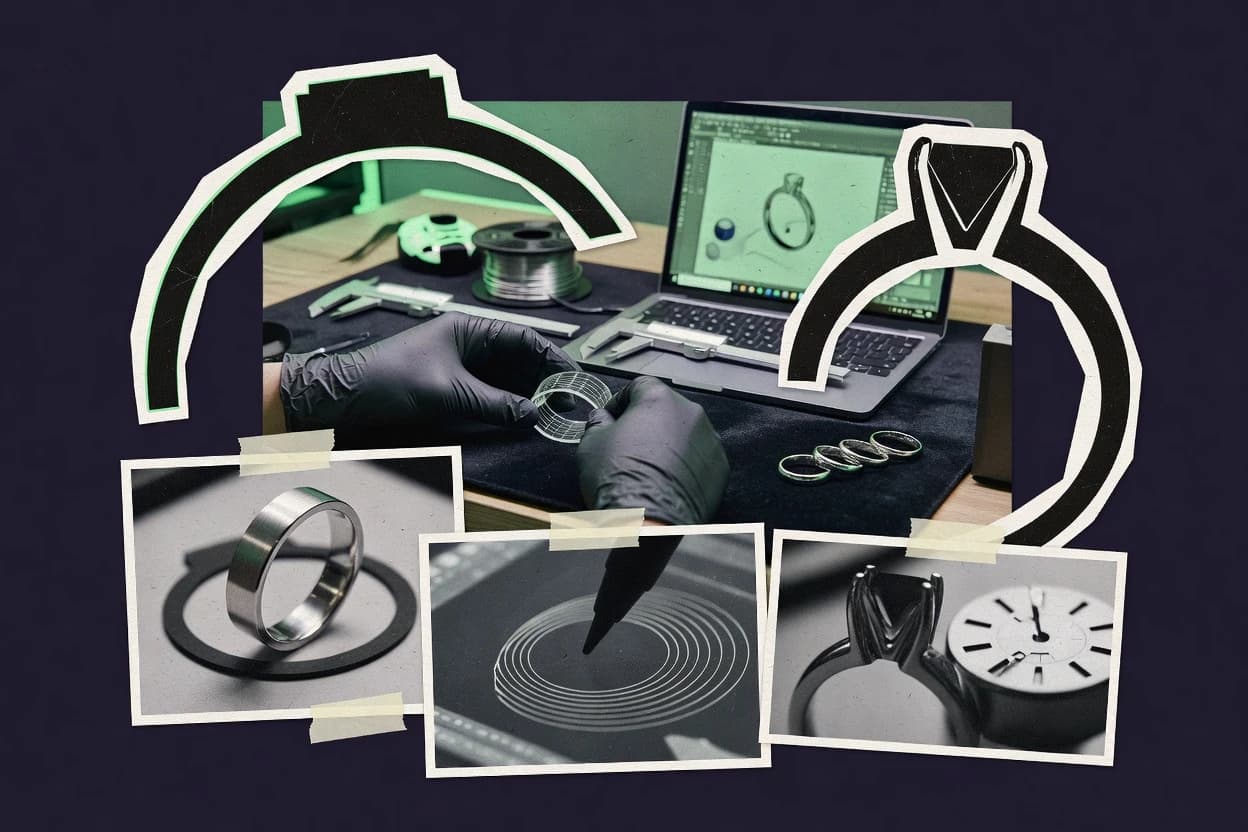
Top 10 ring designing software ranked for makers and jewelers, with tradeoffs across Fusion, Rhino 3D, Blender, ZBrush, and Jewelry CAD Dream.

How we ranked these tools
Gitnux editors write the brief first: the topic, the inclusion rules, and the frame for what belongs.
Agents extract product evidence with provenance, then collect written reviews and transcribe video reviews and podcasts.
Framework: Features 40% · Ease 30% · Value 30%
Gitnux may earn a commission through links on this page — this does not influence rankings. Editorial policy
Rhino 3D is the best fit for shops that need tight CAD control for rings and a clean fabrication handoff, whereas Jewelry CAD Dream is a stronger match if you iterate ring variations quickly with parametric ring and gemstone layouts built in.
Editor’s top 3 picks
Three quick recommendations before you dive into the full comparison below — each one leads on a different dimension.
Rhino 3D
Grasshopper for Rhino enables parametric ring part networks that drive geometry from reusable rules.
Best for: Fits when shops need tight CAD control and fabrication handoff, with optional add-ons for jewelry parts.
ZBrush
Editor pickDisplacement-driven detailing keeps micro-surface texture editable during sculpting.
Best for: Fits when sculpt-first ring design needs photoreal renders and rapid surface iteration.
Jewelry CAD Dream
Editor pickRing design configuration centered on repeatable ring component construction and finger-size scaling.
Best for: Fits when ring variations need faster iteration and reliable export handoffs to CAD-to-CAST workflows.
Comparison Table
Rhino 3D
creative proGeneral-purpose NURBS modeling software widely used as a foundation for custom ring and jewelry design.
Grasshopper for Rhino enables parametric ring part networks that drive geometry from reusable rules.
Rhino 3D is a modeling-first environment for jewelry workflows that need exact curvature control for shank profiles, head and shoulder geometry, and gallery rails. Its geometry kernel supports clean solids and surfaces that export reliably to downstream tools that expect CAD formats. STEP file export and STL export cover both design handoff and mesh-based inspection uses. A large add-on ecosystem supports ring-specific generators for prongs, pavé, and bezel-style features, but those capabilities depend on installed extensions.
A practical tradeoff is that Rhino 3D does not include an opinionated jewelry ring parameter system by default, so ring sizing automation and repeatable libraries often require add-ons or custom scripts. Rhino 3D fits best when a workshop already uses CAD output for CNC milling output or lost-wax casting prep and needs consistent geometry control across variants. One strong usage situation is iterating a master ring design by adjusting control curves, then re-exporting to fabrication while keeping tolerances consistent.
- +NURBS control gives predictable curvature for ring profiles
- +STEP file export supports CAD handoff to fabrication pipelines
- +Add-on ecosystem fills gaps for setting and ring generators
- +Scripting automates repetitive variants without leaving CAD
- –Jewelry-specific parametric ring workflows depend on add-ons
- –Curve and surface workflows require training to avoid bad topology
- –Feature libraries are not standardized across extensions
- –Automation needs script or plugin maintenance as tooling evolves
Independent bench jewelers
Iterate one master ring design
Faster design revisions
Jewelry CAD technicians
Maintain consistent tolerances across variants
Fewer fit issues
Show 2 more scenarios
CNC production teams
Send CAD geometry to CAM
More predictable machining
Export STEP file export for clean downstream importing and machining setup alignment.
Studios building ring libraries
Standardize generated setting layouts
Consistent production outputs
Drive prong, pavé, or bezel-style geometry via generators and regenerate whole collections.
Best for: Fits when shops need tight CAD control and fabrication handoff, with optional add-ons for jewelry parts.
ZBrush
creative proDigital sculpting software used by jewelry designers for organic ring forms and detailed concept modeling.
Displacement-driven detailing keeps micro-surface texture editable during sculpting.
ZBrush excels at head and shoulder modeling through high-resolution sculpting, because brush-driven workflows work directly on the surface rather than on editable sketches. It also supports photorealistic ring rendering workflows using polypaint and built-in materials, and it can produce clean outputs after retopology or decimation. The most direct fit signal is fast creative iteration on complex curvature where traditional prong placement tooling and ring profile libraries matter less.
A clear tradeoff appears when designs require strict CAD controls like finger size scaling, ring tolerance stack-up planning, or STEP-file-based design intent. ZBrush is often used after early sizing decisions, when a maker wants expressive sculpt detail for prototyping or marketing renders, then exports a triangulated mesh for downstream steps.
- +Subdivision sculpting workflow accelerates detailed ring surface work
- +Brush customization supports custom carving styles and repeat motifs
- +Polypaint and materials enable consistent photoreal render passes
- +Decimation and retopology tools help prepare heavy sculpts for output
- –Limited support for parametric sizing edits and tolerance logic
- –Mesh-based exports can complicate CAD-to-CAST handoffs
Jewelry sculpt artists
Carve organic ring heads and shoulders
More design variations faster
Bench jewelers
Wax-model prototyping with rapid revisions
Prototype changes without re-sketching
Show 1 more scenario
Marketing and CAD illustrators
Photoreal ring presentation renders
Faster client-ready visuals
Use polypaint and materials to produce consistent preview renders from sculpted geometry.
Best for: Fits when sculpt-first ring design needs photoreal renders and rapid surface iteration.
Jewelry CAD Dream
vertical specialistParametric jewelry design software with dedicated tools for ring modeling and gemstone layouts.
Ring design configuration centered on repeatable ring component construction and finger-size scaling.
Jewelry CAD Dream is most useful when ring design work follows repeatable construction rules like shank profile changes, head and shoulder shaping, and repeatable layout decisions for gemstones. The tool supports export formats used in common maker pipelines such as STL and 3DM exports for review and handoff into CAD or tooling workflows. Ring variants are handled through size-related adjustments so the same design intent can be reused across finger sizes. This makes it a fit for shops that need faster iteration from a base ring concept to multiple sizing outcomes.
A tradeoff appears in parametric depth compared with general-purpose CAD like Fusion or Rhino, because complex custom geometry often needs more manual work inside the CAD ecosystem. A typical usage situation is creating a wax model prototyping concept from a configured ring design, then exporting the mesh or NURBS-based files for visualization, modification, and production planning. For very bespoke designs with heavy sculpting, the workflow may still require stepping outside ring-specific constraints to finish the design shape.
- +Ring-focused modeling reduces time spent arranging component geometry
- +Exports support common handoff paths like STL and 3DM workflows
- +Reused design intent supports faster ring sizing iterations
- +Component-driven construction helps keep design proportions consistent
- –Parametric control can feel limited for highly sculpted custom work
- –Advanced jewelry details may require external CAD refinement
- –Less suited to non-ring jewelry modeling pipelines
- –Mesh export workflows can lose fine surface intent
Bench jeweler workflow
Prototype ring concepts for wax carving
Faster prototype iteration
Production design team
Create multiple ring sizes from one model
Lower remakes across sizes
Show 2 more scenarios
CAD operator
Handoff ring designs into downstream tooling
Cleaner handoff process
Export ring geometry for review and manufacturing planning in other CAD steps.
Freelance designer
Deliver ring models to collaborators
Quicker client revisions
Generate ring models for collaborator use through standard export formats and quick updates.
Best for: Fits when ring variations need faster iteration and reliable export handoffs to CAD-to-CAST workflows.
MatrixGold
vertical specialistProfessional jewelry design software for custom rings, parametric modeling, and manufacturing output.
Finger size scaling tied to ring geometry constraints reduces proportion drift across size runs.
MatrixGold by gemvision.com focuses on jewelry-first CAD workflows that generate manufacturable ring geometry from reusable modeling logic. It is built around a parametric approach to creating ring components like shanks, heads, and settings, then carrying that geometry into common production handoff formats.
The toolchain supports ring sizing automation via finger size scaling and supports export paths used for wax model prototyping and CAD-to-CAST workflow. MatrixGold also includes a 360-degree jewelry viewer path for reviewing designs after edits.
- +Parametric ring modeling keeps design changes consistent across linked components
- +Finger size scaling helps maintain head and band proportions across sizes
- +Jewelry-specific viewer supports fast visual QA of edited models
- +Export support fits common CAD-to-CAST workflow stages
- –Library-driven workflows can feel restrictive for highly custom geometry
- –Automation relies on setup conventions, which increases training overhead
Best for: Fits when teams need repeatable parametric ring design generation with manufacturable export handoffs.
3Design
vertical specialistDedicated jewelry CAD platform for rings, pavé work, stone settings, and manufacturing preparation.
Library-driven ring assembly that keeps proportions consistent while changing finger size across variants.
3Design is a ring designing software solution focused on parametric jewelry workflows for makers and bench teams. It supports CAD jewelry design tasks with export paths needed for CAD-to-CAST workflows and common fabrication handoff formats.
The core strength is configuration-driven ring building using reusable design elements and sizing logic for consistent outputs. Its user experience favors guided modeling steps over open-ended mesh editing for production-ready ring geometry.
- +Parametric ring building with repeatable profiles and sizing rules
- +Export support geared toward CAD-to-CAST workflow handoff
- +Reusable design elements reduce geometry drift across versions
- +Workflow orientation supports bench-style iteration cycles
- –Guided workflows can feel restrictive for fully custom geometry
- –Automation coverage depends on having the right library components
Best for: Fits when makers need repeatable ring sizing and consistent CAD outputs for casting handoff.
Onshape
SMBCloud CAD platform that can be adapted for ring design with parametric modeling and collaboration features.
Onshape Version Management and API-driven automation support controlled iteration across ring variant generations.
Onshape supports parametric ring modeling in a browser-first CAD workflow, with versioned models that stay shareable for bench iteration and client review. Its core strength is feature history that can scale from ring shank profile changes to head and shoulder edits without breaking downstream geometry.
Onshape also fits CAD-to-CAST prep workflows by exporting standard manufacturing formats like STL, 3DM, and STEP. Teams can extend the modeling workflow through an API and automate ring variants via integrations that drive configuration inputs.
- +Browser-based parametric modeling with persistent feature history
- +Versioning and branching reduce risk when iterating ring variants
- +Exports STL, 3DM, and STEP for downstream CAD-to-CAST workflows
- +API enables automation of configuration-driven ring families
- –Jewelry-specific libraries like pave or gem mapping require extra custom work
- –Ring-rendering workflows depend on external tools rather than native jewelry photorealism
Best for: Fits when ring prototypes need parametric control, versioning, and API-driven variant automation.
Shapr3D
SMBTouch-first 3D CAD software for fast concept development of ring forms on tablet and desktop devices.
Sketch-driven parametric editing combined with touch input keeps ring profile iterations quick without rebuilding the model.
Shapr3D differentiates itself with touch-first 3D modeling that keeps geometry edits fast on iPad and tablets while still supporting pro CAD workflows. It supports parametric modeling for ring design with sketch-driven features, plus direct modeling operations for quick reshaping of ring shanks, heads, and shoulders.
Export targets CAD-to-CAM handoff with STEP file export and common mesh outputs, and it pairs with a 360-degree jewelry viewer for visual checks. The workflow also fits bench iterations because it keeps ring geometry editable without forcing a rigid ring-specific wizard.
- +Touch-first modeling speeds up ring profile and shoulder tweaks during iteration
- +Parametric history supports controlled changes to ring sizing dimensions
- +STEP file export supports CAD-to-CAST handoff for wax and casting pipelines
- +360-degree viewing helps validate proportions before exporting
- –Jewelry-specific generators for settings and claw patterns are limited
- –Ring tolerance stack-up needs manual modeling discipline rather than guided checks
Best for: Fits when makers need fast, editable ring CAD on tablet and must export STEP for production handoff.
Fusion
SMBIntegrated CAD platform for modeling, visualization, and manufacturing workflows that can support ring design.
Fusion timeline-based parametric modeling lets ring variants update through linked sketches and features during export.
Fusion pairs parametric solid modeling with a jewelry-ready production workflow centered on precise sketch-driven geometry and clean downstream exports. It supports STEP file export and STL export for CAD-to-CAST workflows and CNC milling output, while retaining editable history for ring profile and sizing iterations.
Tooling-grade features in Fusion help convert ring design intent into manufacturable surfaces using dedicated modeling and mesh utilities. The result fits shops that need one CAD system for design, iteration, and handoff across multiple manufacturing targets.
- +History-based modeling keeps ring profile edits linked to downstream bodies
- +STEP file export supports clean B-Rep handoff for CAD-to-CAST pipelines
- +Mesh tools support STL export for rapid prototyping and vendor exchange
- +A scripting and API surface fits automation for repeatable modeling steps
- –Jewelry-specific parameter packs like ring sizing automation need custom setup
- –Precise setting workflows rely on manual modeling instead of guided libraries
- –Managing many variants can get slow without disciplined timeline organization
- –Add-on dependencies can complicate a consistent bench to CAD workflow
Best for: Fits when ring makers need parametric iteration plus CAD-to-CAST exports from one modeling system.
FreeCAD
SMBOpen-source parametric CAD software suitable for dimensioned ring models and export workflows.
Feature-based parametric modeling with constraint sketches enables controlled finger-size scaling without rewriting geometry.
FreeCAD turns CAD sketches into parametric solid models using feature-based construction and constraint-driven sketcher workflows. For ring designing, it supports parametric ring shank and head modeling, plus common export paths like STL export and STEP file export for downstream tooling.
Add-on modules and macros can extend the modeling toolchain, and the Part design stack supports reusable features for finger-size scaling. Model-to-cast workflows can be built around exported geometry and external meshing or rendering steps.
- +Parametric feature stack supports repeatable ring shank and head edits
- +STEP file export and STL export support CAD-to-CAST handoffs
- +Sketch constraints can drive consistent geometry for scaling and revisions
- +Macros and add-ons can automate repetitive jewelry modeling steps
- –Jewelry-specific generators for settings and bezels are not built-in
- –Ring tolerance stack-up workflows require manual setup across stages
- –Rendering and viewer workflows are less jewelry-oriented than dedicated CAD
- –Some automation relies on add-ons that vary in maturity
Best for: Fits when makers need parametric control and export-first workflows over jewelry-specific generators.
Clayoo
vertical specialistOrganic modeling software for Rhino that supports jewelry forms and detailed ring development.
Ring sizing automation tied to component parameters maintains proportions across size variants.
Clayoo is a ring-design modeling tool aimed at makers who need faster iteration from idea to production-ready geometry. It focuses on jewelry-specific parametric controls for ring components, then generates consistent ring outcomes from those inputs.
The workflow supports export of CAD geometry for downstream CAD-to-CAST steps and uses format outputs that fit bench tooling pipelines. The strongest fit comes from projects that benefit from repeatable dimensions and library-driven component generation rather than manual mesh tweaking.
- +Component-driven parametric ring modeling keeps design changes consistent
- +CAD export formats support CAD-to-CAST handoff without re-triangulation
- +Ring sizing automation reduces manual scaling errors across variants
- +Library-based heads and shanks speed common style iterations
- –Less flexible for non-ring jewelry forms than general-purpose CAD tools
- –Automation coverage is narrower for custom pave and gallery variants
- –File prep steps can require extra validation before casting
- –Extensibility options are limited for fully custom generators
Best for: Fits when makers want repeatable ring geometry and CAD export for casting workflows without deep CAD modeling overhead.
Conclusion
After evaluating 10 ring designing software, Rhino 3D stands out as our overall top pick — it scored highest across our combined criteria of features, ease of use, and value, which is why it sits at #1 in the rankings above.
Use the comparison table and detailed reviews above to validate the fit against your own requirements before committing to a tool.
How to Choose the Right Ring Designing Software
Ring designing software combines parametric modeling, jewelry-aware construction workflows, and export paths used for CAD-to-CAST production. This guide covers Rhino 3D, ZBrush, Jewelry CAD Dream, MatrixGold, 3Design, Onshape, Shapr3D, Autodesk Fusion, FreeCAD, and Clayoo.
The tools span two distinct workflows. Rhino 3D and Autodesk Fusion focus on timeline or rule-driven CAD updates that carry edits into export-ready geometry. ZBrush and Clayoo emphasize sculpting or component-driven automation that can reduce hands-on CAD overhead during ring iteration.
Ring Designing Software for CAD-to-CAST handoff, parametric sizing, and jewelry setting workflows
Ring designing software is used to model ring geometry with repeatable parameters for finger sizing, shank profiles, and head and shoulder shapes, then export production files for bench work. In this category, Rhino 3D is used for NURBS-focused control that can drive ring part networks through Grasshopper for Rhino, while Autodesk Fusion uses a timeline-based history so ring variants update through linked sketches and features.
Many products also target ring sizing automation by tying size changes to linked components rather than rebuilding each variant. MatrixGold and 3Design use library-driven ring assembly and finger size scaling rules to maintain proportions across size runs, while Onshape adds API-driven automation and version management for generating and iterating ring variants under controlled feature history.
Ring-design evaluation criteria that affect CAD-to-CAST reliability
Ring designing software succeeds when ring size changes propagate through the modeling pipeline instead of forcing rework for each variant. This matters because CAD-to-CAST handoff expects consistent B-Rep bodies that match casting tolerances and wax model checks.
The category also needs ring-aware automation when shops scale production. Tools that connect sizing rules to ring geometry reduce proportion drift across head, shoulder, and shank edits while keeping exports predictable.
Parametric variant updates through linked feature history or rule graphs
Rhino 3D uses Grasshopper for Rhino to drive ring part networks from reusable rules that update geometry automatically. Autodesk Fusion uses a timeline-based parametric model so linked sketches and features update ring variants through export.
Finger-size scaling tied to ring components and constraints
MatrixGold keeps finger size scaling linked to ring geometry constraints so head and band proportions stay consistent across size runs. 3Design assembles rings from library components and applies sizing rules so variants maintain proportions for casting handoff.
Jewelry-ready export for fabrication handoff without re-meshing surprises
Rhino 3D supports STEP file export for CAD handoff into fabrication pipelines that expect B-Rep continuity. Jewelry CAD Dream supports common handoff paths like STL and 3DM workflows for CAD-to-CAST stages that accept triangulated or NURBS formats.
Automation and API surface for generating and iterating ring variants
Onshape supports API-driven automation and version management so ring prototypes can branch, iterate, and be tracked across variant generations. Clayoo applies ring sizing automation tied to component parameters, which shifts repeatability into controlled component edits.
Where sculpt-first workflows fit beside CAD manufacturing constraints
ZBrush supports displacement-driven detailing and editable micro-surface work for rapid sculpt iterations that feed photoreal ring visualization. Blender-style workflows are not included in this set, so sculpting tools here are judged mainly on render iteration capability rather than manufacturable parametric sizing.
How to choose Ring Designing Software by workflow fit and control depth
Ring designing software choices divide by how updates should propagate. Some products keep edits as parametric history or rule graphs that update cleanly before export, while others focus on automation around ring components or on sculpting iteration.
The decision then becomes which parts of the ring workflow must be guided. Jewelry-specific libraries and generators reduce setup time for repeat parts, while general CAD workflows demand topology care and manual discipline for ring tolerance stack-up.
Pick the update engine before comparing features
Choose Rhino 3D if ring updates should be driven by Grasshopper for Rhino rule networks that generate repeatable ring part behavior. Choose Autodesk Fusion if a timeline-based parametric history with linked sketches and features should carry changes into downstream exports.
Match sizing control to production scale
Choose MatrixGold or 3Design if size runs must keep head and band proportions consistent through finger size scaling rules tied to ring assembly. Choose FreeCAD if parametric feature stack control is needed for sizing edits, while jewelry-specific generators must be handled externally.
Decide whether automation comes from jewelry libraries or from component parameters
Choose Jewelry CAD Dream if repeatable ring component construction and finger-size scaling should reduce time spent arranging geometry for export handoffs. Choose Clayoo if ring sizing automation must stay tied to component parameters so proportions remain stable across size variants without deep CAD modeling overhead.
Use API-driven governance when multiple variants need controlled iteration
Choose Onshape when versioning and branching matter for ring prototype iteration and when API-driven automation must generate variants under controlled feature history. Choose Rhino 3D when fabrication handoff depends on STEP export and when topology control can be trained across curve and surface workflows.
Pick sculpting tools only for sculpt-first deliverables
Choose ZBrush when micro-surface texture and displacement-driven detailing must remain editable during sculpting for photoreal renders. Avoid relying on ZBrush as the primary mechanism for parametric sizing edits and tolerance logic because its export path is mesh-based rather than B-Rep-first.
Who ring designers need each type of Ring Designing Software
Ring designers benefit when the software preserves parametric intent from ring profile edits to final production files. Shops also benefit when variant generation reduces manual work for sizing runs and when exports match a predictable CAD-to-CAST handoff expectation.
Different tool types fit different production models, from NURBS rule-driven part networks to component-parameter automation and sculpt-first detailing.
Bench shops and fabrication-focused CAD-to-CAST pipelines that want B-Rep handoff
Rhino 3D supports STEP file export and NURBS control that stays predictable for ring profiles driven by Grasshopper for Rhino rule graphs.
Design teams generating many ring variants from controlled rules and want variant traceability
Onshape combines persistent feature history with versioning and API-driven automation so ring variants can be iterated across branches without losing control.
Makers producing size runs that must preserve head and band proportions
MatrixGold and 3Design center finger size scaling on ring geometry constraints or library-driven assembly so proportion drift does not accumulate across sizes.
Sculpt-first artists and render-heavy workflows that need editable surface detail
ZBrush keeps displacement-driven detailing editable during sculpting and supports custom Brush carving styles for repeat motifs.
Tablet-based iteration workflows that must export STEP for production
Shapr3D uses sketch-driven parametric history with touch input for fast ring profile and shoulder tweaks while still exporting STEP for handoff.
Common ring design software pitfalls that break export and variant repeatability
Ring designing software fails most often when variant edits are made outside the update engine. Manual edits that bypass linked sketches, feature history, or component parameters create geometry mismatches across size runs and complicate casting checks.
Another frequent failure point is treating sculpt tools as parametric manufacturing tools. Mesh-based detailing and limited tolerance logic can lead to CAD-to-CAST handoff delays when B-Rep bodies and controlled constraints are required.
Building ring variants by duplicating geometry instead of updating through a linked parametric system
Rhino 3D should be driven through Grasshopper for Rhino rules so geometry updates propagate automatically, and Fusion should be driven through timeline edits tied to linked sketches and features.
Assuming sculpt-first exports can support tolerance stack-up and sizing logic without rebuild work
ZBrush supports displacement-driven detailing for renders, but its mesh-based exports and limited parametric sizing edits can complicate CAD-to-CAST workflows that expect controlled constraints.
Overestimating jewelry libraries when the generator coverage does not match the shop’s setting complexity
Rhino 3D can require add-ons for jewelry-specific parametric ring workflows, and Fusion often needs manual modeling for precise setting workflows rather than relying on guided libraries.
Using library-driven automation for highly custom geometry without allowing for topology and component edge cases
MatrixGold and 3Design can feel restrictive when geometry deviates from library conventions, which increases the need for manual adjustments that can break proportion consistency if sizing rules are bypassed.
How We Selected and Ranked These Tools
We evaluated each tool on feature coverage for ring design workflows that map to CAD-to-CAST handoff, including parametric variant update behavior, sizing automation, and export practicality. Features accounted for 40% of the score, ease and learning fit accounted for 30%, and value for ring workflow throughput accounted for 30%.
We scored Rhino 3D highest because Grasshopper for Rhino enables parametric ring part networks from reusable rules, and Rhino 3D also includes NURBS control that supports predictable ring profile curvature. We also credited Rhino 3D for STEP file export support, which aligns with fabrication handoff pipelines that need stable B-Rep geometry.
Frequently Asked Questions About Ring Designing Software
How does Rhino 3D handle parametric ring modeling compared with Fusion’s timeline-based workflow?
Which tool is better for sculpt-first wax model prototyping and micro-surface detail, ZBrush or Rhinoceros 3D?
When does Onshape fit ring design handoffs that require versioning and auditability via model history?
What breaks if a ring sizing workflow must keep proportions stable across size variants using MatrixGold vs FreeCAD?
How do Blender and other mesh-first tools differ from Fusion when CAD-to-CAST workflows require STEP file export?
How does Shapr3D support rapid finger size scaling during ring design on a tablet?
What integration and API options matter most for automation in Onshape versus Fusion for ring variant generation?
How do Rhino 3D plugins compare with Jewelry CAD Dream’s component-centered configuration for pave and prong workflows?
When does data migration and export format choice favor FreeCAD over Rhino 3D for ring projects with mixed CAD sources?
Tools reviewed
Primary sources checked during evaluation.
Referenced in the comparison table and product reviews above.
Keep exploring
Comparing two specific tools?
Software Alternatives
See head-to-head software comparisons with feature breakdowns, pricing, and our recommendation for each use case.
Explore software alternatives→In this category
Art Design alternatives
See side-by-side comparisons of art design tools and pick the right one for your stack.
Compare art design tools→