
GITNUXSOFTWARE ADVICE
Education LearningTop 10 Best Reading Assistance Software of 2026
Ranked roundup of reading assistance software for improving reading speed and support needs, covering Helperbird, Speechify, Voice Dream Reader.

How we ranked these tools
Core product claims cross-referenced against official documentation, changelogs, and independent technical reviews.
Analyzed video reviews and hundreds of written evaluations to capture real-world user experiences with each tool.
AI persona simulations modeled how different user types would experience each tool across common use cases and workflows.
Final rankings reviewed and approved by our editorial team with authority to override AI-generated scores based on domain expertise.
Score: Features 40% · Ease 30% · Value 30%
Gitnux may earn a commission through links on this page — this does not influence rankings. Editorial policy
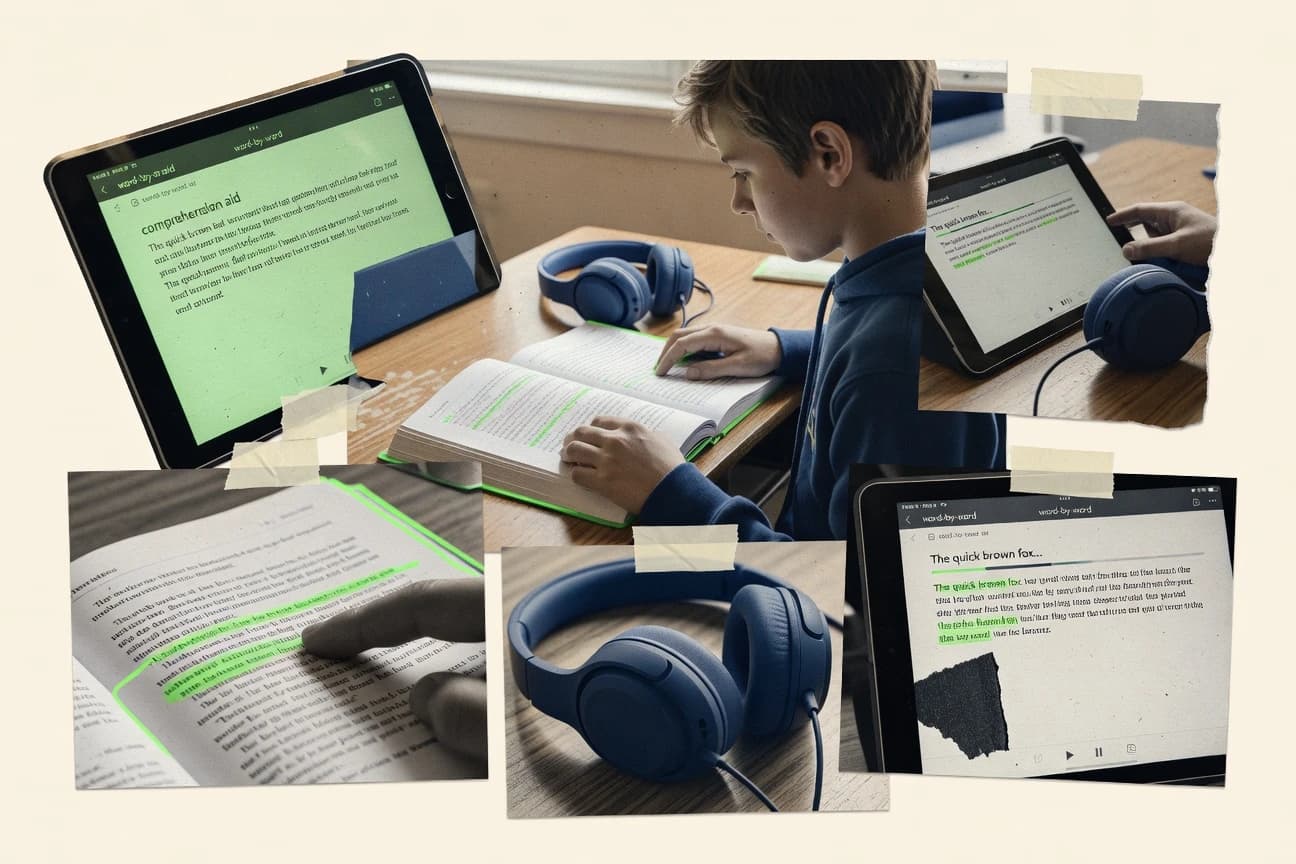
Helperbird is the best fit for schools that need repeatable browser reading sessions with synchronized guidance, whereas Speechify suits individuals who want quick text-to-speech access to printed pages, web content, and documents across multiple devices.
Editor’s top 3 picks
Three quick recommendations before you dive into the full comparison below — each one leads on a different dimension.
Helperbird
Session-level configuration that enforces consistent reading pacing and on-screen guidance across learners.
Built for fits when schools need repeatable browser reading sessions with synchronized guidance..
Speechify
Editor pickCamera Scan converts photographed pages into listenable text inside Speechify's mobile app.
Built for fits when readers need fast access to printed pages, web content, and documents across several devices..
Voice Dream Reader
Editor pickThe pronunciation editor lets readers create custom replacements for names, abbreviations, and specialized vocabulary.
Built for fits when readers need extensive speech, typography, and document-navigation controls for sustained independent reading..
Comparison Table
Helperbird
accessibility specialistBrowser extension providing text-to-speech, dyslexia fonts, tinting, and reading aids for web pages.
Session-level configuration that enforces consistent reading pacing and on-screen guidance across learners.
Helperbird is built for reading assistance sessions that require consistent rendering, synchronized movement across the screen, and predictable playback behavior. Configuration centers on reader-facing display controls and progression behavior, which helps when multiple users need the same experience. Helperbird also supports classroom workflows where staff need to distribute the same reading setup across different learners.
A key tradeoff is that advanced custom learning logic relies more on workflow configuration than on programmable extensions. Helperbird fits best when a school or tutoring program needs a repeatable reading setup for assigned materials and wants staff to manage sessions without building custom reading scripts.
- +Consistent reader experience from one configurable session setup
- +Synchronized highlighting with playback to guide attention
- +Browser-first workflow reduces device-specific setup steps
- +Repeatable materials handling for classrooms and tutoring groups
- –Limited room for custom decoding logic beyond configuration
- –Governance controls feel lighter than enterprise LMS admin tooling
K-12 special education teachers
Run guided reading for assigned passages
Fewer per-student adjustments
Reading intervention tutors
Reuse the same support mode weekly
More time on instruction
Show 1 more scenario
LMS administrators
Distribute accessible reading materials
Lower support workload
Administrators manage repeatable reader behavior so assignments show up with consistent guidance.
Best for: Fits when schools need repeatable browser reading sessions with synchronized guidance.
Speechify
consumerText-to-speech reading app that converts text into natural-sounding audio across devices.
Camera Scan converts photographed pages into listenable text inside Speechify's mobile app.
Speechify accepts PDFs, EPUB files, DOCX files, copied text, web pages, and photographed pages across mobile apps, desktop access, and browser extensions. Camera scanning turns printed handouts and book pages into speech without requiring a separate scanner. Playback includes reading rate control, skip controls, bookmarks, and synchronized highlighting.
The main tradeoff is that page structure, tables, and complex PDFs can produce awkward narration or require correction. A student can scan lecture handouts, listen during a commute, and resume from saved positions across devices.
- +Camera scanning converts printed pages into spoken text.
- +Browser extensions capture articles without manual copy and paste.
- +Speed, voice, and highlighting controls support sustained listening.
- +Cross-device libraries preserve saved documents and playback progress.
- –Complex tables and multi-column PDFs can produce inaccurate reading order.
- –Annotation and comprehension tools are thinner than dedicated study software.
- –Feature coverage differs across web, mobile, and desktop apps.
Students with printed handouts
Listening during daily commutes
More accessible study time
Readers with print disabilities
Listening to imported documents
Reduced visual reading load
Show 2 more scenarios
Mobile knowledge workers
Reviewing reports away from desks
More flexible document review
Professionals can turn saved reports and web articles into audio for hands-free review away from the desk.
Language learners
Repeating difficult passages
Controlled listening practice
Learners can slow narration and replay passages while following the displayed text.
Best for: Fits when readers need fast access to printed pages, web content, and documents across several devices.
Voice Dream Reader
consumerMobile reading app with text-to-speech, customizable voices, and support for multiple document formats.
The pronunciation editor lets readers create custom replacements for names, abbreviations, and specialized vocabulary.
Voice Dream Reader gives users granular control over fonts, spacing, colors, margins, and focus tools. Its pronunciation editor can correct names, technical terms, and irregular words before audio playback. Support for bookmarks, notes, document navigation, and adjustable voices suits students, professionals, and readers processing lengthy material.
The interface exposes more settings than lightweight read-aloud apps, which increases the initial learning curve. Voice Dream Reader fits situations such as reading downloaded course materials during travel, reviewing research papers, or listening to web articles without an internet connection.
- +Pronunciation editor handles names, abbreviations, and specialist vocabulary
- +Detailed controls for fonts, spacing, colors, margins, and reading focus
- +Reads PDFs, EPUB files, web pages, and common office documents
- +Bookmarks and annotations support structured review of long documents
- –Numerous settings create a steeper initial learning curve
- –Some document layouts require cleanup before comfortable speech playback
- –Advanced reading intervention features are limited
- –Cross-device workflows depend on supported storage connections
University students
Listening to assigned research papers
More consistent study sessions
Dyslexic adult readers
Reading digital books independently
Greater reading control
Show 1 more scenario
Mobile professionals
Reviewing documents during travel
Productive offline review
Downloaded files remain available for listening, navigation, bookmarking, and note-taking without continuous connectivity.
Best for: Fits when readers need extensive speech, typography, and document-navigation controls for sustained independent reading.
Ghotit
accessibility specialistReading and writing assistance software designed specifically for users with dyslexia and dysgraphia.
Inline correction and word guidance that targets decoding errors as users read.
Ghotit targets reading assistance with a focus on correcting and explaining text errors during reading, not on audio-only support. The system combines writing-adjacent guidance with reading-friendly rendering, including dyslexia-conscious display controls and adjustable reading rate.
Ghotit also supports phonetic decoding support and synchronized reading behavior for selected content types. Admin and deployment depth depends on how the tool is embedded into a school or workplace workflow rather than on a standalone assessment platform.
- +Error-focused guidance helps readers interpret problematic words in context
- +Dyslexia-friendly display controls reduce visual strain during reading
- +Adjustable reading rate supports pacing for phonetic decoding
- +Phonetic decoding support improves access to unfamiliar terms
- –Best outcomes depend on consistent input quality and supported content types
- –Customization depth can require setup discipline for consistent classroom use
- –Limited visibility into reading progress analytics for administrators
- –Integration breadth for LMS and assistive tech varies by deployment method
Best for: Fits when schools need word-level correction guidance plus dyslexia-friendly reading display for daily literacy work.
ReadSpeaker
enterpriseText-to-speech platform providing web reading integration and digital content accessibility.
Synchronized playback with coordinated text highlighting for classroom and e-learning pacing workflows.
ReadSpeaker delivers reading assistance through text-to-speech and browser-based reading modes that can synchronize spoken output with on-screen text. The offering supports content accessibility patterns such as synchronized text highlighting and reading rate control, plus tools for masking and focus during reading.
Administrative controls cover organization-level configuration and deployment across users, with logging and reporting to support governance. Integration options are geared toward embedding reading assistance into existing sites and learning workflows rather than replacing them.
- +Synchronized text highlighting matches speech playback for timed comprehension
- +Reading rate control and phonetic decoding support improve word-level clarity
- +Central configuration supports consistent experiences across many pages
- +Accessibility-focused viewing controls support masking and focus adjustments
- –Browser extension deployment can add friction for managed devices
- –Customization depth can require administrator time to reach classroom-ready settings
Best for: Fits when organizations need controlled, site-wide reading assistance with synchronized playback and admin-governed settings.
Learning Ally
educationAudiobook and reading support platform for individuals with dyslexia and learning differences.
Audiobook and listening-along learning workflows built around accessible educational content delivery.
Learning Ally provides reading assistance through audiobooks, targeted learning resources, and guided tools for students who need literacy support. It is distinct in how it combines accessible audio with classroom-ready listening and reading workflows rather than only general-purpose text reading controls.
Learning Ally also supports listening-along experiences that help users stay aligned with course materials. For schools and learning programs, governance and delivery typically depend on structured access through supported systems rather than open-ended reader-only customization.
- +Audiobook-first library design for students who benefit from listening support
- +Listening-along workflows that reinforce alignment to assigned materials
- +School-focused delivery model designed for educational program rollout
- +Content access geared toward literacy intervention contexts
- –Fewer direct in-reader display controls than tools focused on customization
- –Library and workflow access can depend on program provisioning rather than self-setup
- –Text rendering and navigation controls are not as granular as reading-specialist apps
- –Synchronized reading features may be limited to supported content types
Best for: Fits when schools need audiobook-centered reading support with structured access for literacy intervention programs.
Bookshare
accessibility specialistAccessible online library providing ebooks with TTS and customizable reading formats for print disabilities.
Account-linked library access to pre-prepared accessible ebooks for reading on multiple device types.
Bookshare differentiates itself as a curated library for accessible digital reading formats rather than a general-purpose reader app. The service provides ebooks designed for accessible reading on computers, tablets, and mobile devices, with reading progress tracking tied to the user account.
Readers can choose from multiple display and navigation options that support different accommodation needs. The main control surface is account-based access to accessible titles, rather than authoring tools or document conversion workflows.
- +Accessible ebook library focused on print disability use cases
- +User account access supports consistent reading progress across devices
- +Device support covers common tablet, phone, and computer reading workflows
- +Title-level curation reduces format handling work for end users
- –Limited customization compared with dedicated reading apps
- –Library access does not replace document conversion for custom materials
Best for: Fits when disability-appropriate ebooks and cross-device reading progress matter more than per-document customization.
AceReader
educationReading improvement software providing speed reading training and comprehension assessment tools.
Timed practice that uses synchronized on-screen highlighting with configurable reading-rate targets for each assignment.
AceReader is reading-assistance software designed for measured reading-rate growth using structured practice activities. It provides synchronized text highlighting and reading rate control to guide focused decoding and fluency work.
It also supports offline reading from assigned passages and tracks progress over sessions for educators. The workflow is centered on repeating assignments and monitoring results rather than relying on real-time coaching alone.
- +Synchronized text highlighting keeps learners aligned during timed reading
- +Reading rate control supports gradual pacing targets across sessions
- +Progress tracking ties practice assignments to outcome changes
- +Offline reading mode supports continuity when networks are unreliable
- –Customization of fonts and overlays is limited compared with broader accessibility suites
- –Best results depend on careful assignment setup and pacing configuration discipline
- –Audiobook-style synchronization features are not a central focus
- –LMS and SIS integration depth is narrower than some learning ecosystems
Best for: Fits when schools need repeatable, timed reading practice with progress tracking for intervention groups.
NaturalReader
consumerText-to-speech software that reads documents, web pages, and ebooks aloud in multiple voices.
Synchronized highlighting follows spoken output inside the reading player for step-by-step tracking.
NaturalReader turns typed text, documents, and web content into spoken audio with adjustable reading rate and voice selection. It also adds synchronized text highlighting and reading support settings like visual focus options for following along during playback.
The tool covers reading workflows across common file types and browser-based usage with a consistent player experience. It targets learners who need both audio support and on-screen guidance while reading at controlled pacing.
- +Reading rate control and voice selection stay available during playback
- +Synchronized text highlighting supports tracking while audio plays
- +Document input works beyond plain text with a consistent reading player
- +Browser-based usage reduces friction for quick reading sessions
- –Advanced accessibility tuning for layout and spacing is limited compared with specialized tools
- –OCR quality varies across low-contrast or complex document scans
- –Integration depth for enterprise learning workflows is thinner than top automation-focused options
- –Multi-user governance features like RBAC and audit logging are not a core focus
Best for: Fits when individuals and small teams need paced audio plus synchronized on-screen tracking for day-to-day reading.
TextAloud
consumerDesktop text-to-speech software that reads documents and articles aloud with configurable voices.
Synchronized word highlighting that follows speech output during playback, improving tracking accuracy for read-along listening.
TextAloud from NextUp converts pasted text and documents into speech and can also read from the clipboard, with synchronized on-screen word highlighting for tracking. It offers reading controls such as rate adjustment and text highlighting styles aimed at steady phrase-level listening.
The workflow centers on a local Windows reading app that pairs text input with a text-to-speech engine and consistent playback controls. For people who need more precise visual tracking while listening, TextAloud focuses on in-app reading behavior rather than browser-first accessibility add-ons.
- +Synchronized word highlighting supports listening to specific text spans
- +Reading rate control and playback settings are available within the reader
- +Local Windows workflow keeps reading responsive during playback
- +Clipboard-driven reading reduces steps between source and playback
- –Windows desktop workflow limits browser-native assistive use
- –Automation and API access are limited compared with integration-first tools
- –Limited coverage of learning-style guidance beyond basic reading settings
- –Advanced LMS and document delivery integrations are not a core focus
Best for: Fits when Windows users need speech playback with tight visual tracking while reading documents or pasted text.
Conclusion
After evaluating 10 education learning, Helperbird stands out as our overall top pick — it scored highest across our combined criteria of features, ease of use, and value, which is why it sits at #1 in the rankings above.
Use the comparison table and detailed reviews above to validate the fit against your own requirements before committing to a tool.
How to Choose the Right reading assistance software
Reading assistance software covers browser and app-based reading support that combines spoken output with synchronized visual tracking, plus document handling via scanning, playback, and correction workflows. This guide covers Helperbird, Speechify, Voice Dream Reader, Ghotit, ReadSpeaker, Learning Ally, Bookshare, AceReader, NaturalReader, and TextAloud based on the concrete capabilities shown in their tool cards.
The key differences show up in how sessions stay consistent and guided in Helperbird, how Camera Scan and browser extensions move printed and web text into speech in Speechify, and how the pronunciation editor and deep typography controls shape long-form reading in Voice Dream Reader. The comparison also separates classroom pacing tools with synchronized highlighting from audiobook-first library access and from Windows-focused read-along players.
Reading assistance software with synchronized highlighting, pacing controls, and document-to-speech workflows
Reading assistance software delivers readable text, spoken text, and on-screen guidance through a reader interface, with tight coupling between audio playback and synchronized highlighting being a recurring baseline capability across the category. Some products focus on timed practice and session consistency, such as Helperbird using session-level configuration to enforce repeatable reading pacing and on-screen guidance.
Other tools prioritize document capture and conversion, such as Speechify turning photographed pages into listenable text through Camera Scan and using browser extensions to capture articles without manual copy and paste. Voice Dream Reader emphasizes user-defined pronunciation and extensive reading display controls, including a pronunciation editor for names, abbreviations, and specialized vocabulary plus fine-grained font, spacing, color, and margin adjustments.
Reading assistance requirements that determine day-to-day effectiveness
Synchronized playback with synchronized word or line highlighting is the baseline expectation because it keeps attention aligned to spoken output during continuous reading. That baseline shows up as highlighted tracking in Helperbird, ReadSpeaker, TextAloud, and NaturalReader, with each tool using slightly different timing and control granularity.
Session-level pacing consistency for classroom or program repeatability
Helperbird enforces repeatable browser reading sessions through session-level configuration so pacing and on-screen guidance stay consistent across learners.
Document capture pathways for printed pages and web articles
Speechify converts photographed pages to listenable text with Camera Scan and uses browser extensions to capture articles without manual copy and paste.
Pronunciation customization for names, abbreviations, and technical terms
Voice Dream Reader uses a pronunciation editor to create custom replacements for names, abbreviations, and specialized vocabulary that fail under default text-to-speech behavior.
Word-level guidance that targets decoding errors during reading
Ghotit provides inline correction and word guidance that targets decoding errors while displaying dyslexia-friendly reading controls.
Managed pacing with synchronized playback and admin-governed settings
ReadSpeaker pairs synchronized text highlighting with reading rate control and phonetic decoding support for timed comprehension workflows that require centralized configuration.
Audiobook-first listening-along workflows tied to educational content delivery
Learning Ally is built around audiobook-centered listening-along programs where alignment to assigned materials depends on library and workflow provisioning.
Choose by workflow shape: guided sessions, capture speed, or customization depth
A correct choice starts with the workflow shape because reading assistance tools optimize different bottlenecks. Helperbird focuses on repeatable sessions with synchronized guidance, Speechify focuses on fast intake from photos and web pages, and Voice Dream Reader focuses on sustained control over pronunciation and display for long-form reading.
If the requirement is repeatable guided instruction, start with session control
Select Helperbird when schools need browser reading sessions that keep pacing and on-screen guidance consistent across multiple learners. Prefer this path when the same assignment rhythm must repeat without each student reconfiguring reading settings.
If the requirement is fast conversion from real-world materials, prioritize capture pathways
Choose Speechify when learners must turn photographed pages into spoken text inside the mobile app using Camera Scan. Use this path when browser extensions must pull in articles for speech without manual copy and paste.
If the requirement is long-form accuracy, prioritize pronunciation customization and display control
Pick Voice Dream Reader when the reading task includes names, abbreviations, and specialty terms that default pronunciation mishandles. Use its pronunciation editor and deep font, spacing, color, and margin controls when comfort and clarity must be tuned for sustained reading.
If the requirement is decoding support during reading, choose error-targeted guidance
Select Ghotit when guidance must respond to decoding errors in context with inline correction and word-level support. This path fits daily literacy work when dyslexia-friendly display controls also need to reduce visual strain.
If the requirement is timed intervention with tracked pacing targets, choose rate-control practice
Use AceReader when timed practice must combine synchronized highlighting with configurable reading-rate targets per assignment. Choose ReadSpeaker when synchronized playback and coordinated highlighting support classroom and e-learning pacing workflows that require admin-governed settings.
If the requirement is listening-along with assigned educational materials, choose audiobook-first library workflows
Select Learning Ally when the program is organized around accessible educational content delivery and listening-along reinforcement. Choose this path when library and workflow access must be provisioned for the program rather than self-configured per document.
Who benefits from specific reading assistance approaches
Reading assistance software fits different support needs based on whether learners need consistent guided pacing, quick intake from printed or web sources, or heavy customization for pronunciation and typography. The right tool follows the constraint that breaks reading first in the target workflow.
K-12 programs that run repeatable guided browser reading sessions
Helperbird fits programs that need consistent reader experience from one configurable session setup with synchronized highlighting that stays aligned to playback.
Learners who need fast text-to-speech from photos and web pages on multiple devices
Speechify supports quick conversion using Camera Scan and reduces friction with browser extensions that capture articles without manual copy and paste.
Students and adults who struggle with name, abbreviation, and technical-term pronunciation
Voice Dream Reader supports custom pronunciation replacements so specialized vocabulary can be handled accurately during reading rather than repeating mispronunciations.
Teams delivering daily decoding support and dyslexia-friendly reading display
Ghotit targets decoding errors through inline correction and word guidance while offering dyslexia-friendly display controls to reduce visual strain.
Listening-along literacy intervention programs built around assigned accessible content
Learning Ally fits audiobook-first workflows where alignment to assigned materials depends on library and program provisioning rather than per-document customization.
Common buying pitfalls that cause underperformance in reading support
Most failures come from choosing by feature list rather than by workflow constraints. Timing alignment, capture accuracy, and customization effort each matter differently depending on whether the tool is used for independent reading, classroom pacing, or intervention practice.
Selecting a scanning or conversion tool without testing complex page layouts
Speechify can mis-handle reading order in complex tables and multi-column PDFs, so a layout test should include those structures before rolling out for academic documents.
Overestimating customization without budgeting configuration time
Voice Dream Reader includes numerous settings and can require cleanup for certain document layouts, so provisioning should include time for initial tuning rather than treating it as plug-and-play.
Assuming error-targeted guidance will work without consistent input and supported content types
Ghotit outcomes depend on consistent input quality and supported content types, so teachers should avoid feeding unsupported or low-quality scans into the workflow.
Using a tool built for repeatable practice without enforcing assignment setup discipline
AceReader and Helperbird rely on configured reading-rate targets or session setup, so intervention groups need assignment configuration procedures that are consistent across teachers and sessions.
Choosing an environment mismatch that limits how the tool reaches the actual reading surfaces
TextAloud focuses on Windows desktop workflow and can limit browser-native assistive use, so deployments for web-heavy reading should validate extension or browser coverage in the target environment.
How We Selected and Ranked These Tools
We evaluated Helperbird, Speechify, Voice Dream Reader, Ghotit, ReadSpeaker, Learning Ally, Bookshare, AceReader, NaturalReader, and TextAloud using feature coverage at 40 percent, ease of use at 30 percent, and value at 30 percent. Feature coverage weighted synchronized highlighting behavior during playback, document intake paths like scanning and extensions, and correction or customization depth such as pronunciation editing and inline word guidance.
Ease of use weighted how quickly a reader could reach comfortable playback with minimal setup, and how often configuration effort blocked productive use. Value weighted how well the tool matched the stated reading workflow, especially timed classroom pacing for Helperbird and synchronized guidance consistency, which set Helperbird apart with session-level configuration that enforces repeatable reading pacing and on-screen guidance.
Frequently Asked Questions About reading assistance software
How does session pacing control work in browser reading workflows for schools?
Which tool best handles photographed text to spoken reading on mobile?
What breaks when a reading program needs dense document navigation and offline use for long texts?
How do pronunciation customization and word-level replacements differ across tools?
Which integration or embedding pattern is best for adding reading support to existing sites?
How do admin controls and audit logging usually show up in enterprise deployments?
When does account-based access to accessible ebooks matter more than per-document customization?
What are common data-migration hurdles when moving accommodations between tools?
How does setup differ for Windows users who need tight word tracking while listening?
Tools reviewed
Primary sources checked during evaluation.
Referenced in the comparison table and product reviews above.
- Education LearningTop 10 Best Speed Reading Software of 2026
- Technology Digital MediaTop 10 Best Remote Assistance Software of 2026
- Education LearningTop 10 Best Electronic Learning Software of 2026
- Legal Professional ServicesTop 10 Best Contract Reading Software of 2026
- Business FinanceTop 10 Best Barcode Reader Software of 2026
Keep exploring
Comparing two specific tools?
Software Alternatives
See head-to-head software comparisons with feature breakdowns, pricing, and our recommendation for each use case.
Explore software alternatives→In this category
Education Learning alternatives
See side-by-side comparisons of education learning tools and pick the right one for your stack.
Compare education learning tools→