
GITNUXSOFTWARE ADVICE
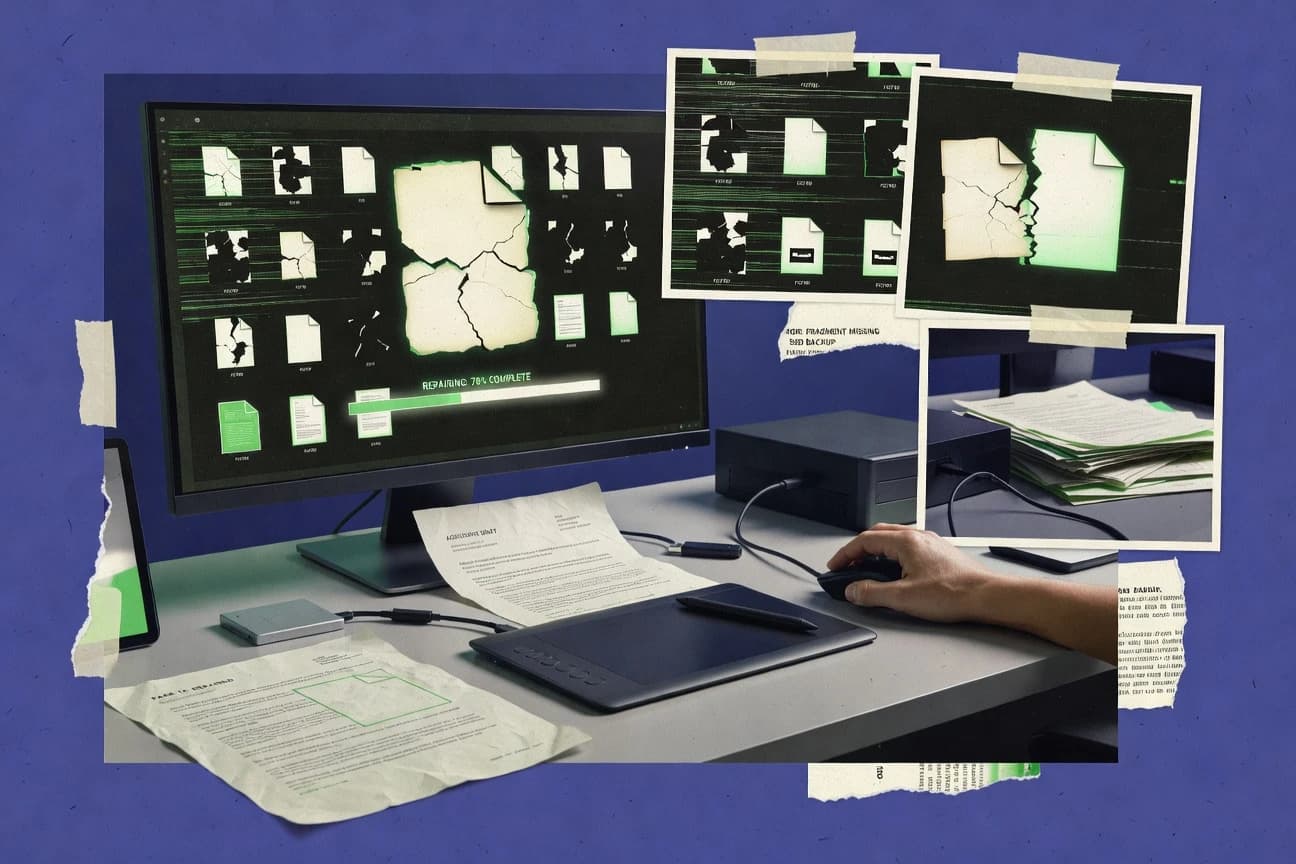
Technology Digital MediaTop 10 Best PDF Repair Software of 2026
Find the top 10 best PDF repair software tools to fix corrupted PDFs easily.

How we ranked these tools
Core product claims cross-referenced against official documentation, changelogs, and independent technical reviews.
Analyzed video reviews and hundreds of written evaluations to capture real-world user experiences with each tool.
AI persona simulations modeled how different user types would experience each tool across common use cases and workflows.
Final rankings reviewed and approved by our editorial team with authority to override AI-generated scores based on domain expertise.
Score: Features 40% · Ease 30% · Value 30%
Gitnux may earn a commission through links on this page — this does not influence rankings. Editorial policy
Editor picks
Three quick recommendations before you dive into the full comparison below — each one leads on a different dimension.
SysTools PDF Repair
Repair corrupted PDFs to restore text, images, and formatting in one recovery workflow
Built for teams needing reliable PDF damage recovery for office and document archives.
Stellar Repair for PDF
Dedicated PDF structure repair for restoring content in damaged or inaccessible files
Built for teams needing reliable PDF recovery workflows for corrupted documents.
Advanced PDF Repair
Repair mode that reconstructs damaged PDF structure to recover readable content
Built for teams needing reliable PDF salvage when corruption breaks viewing.
Related reading
Comparison Table
This comparison table reviews PDF repair software such as SysTools PDF Repair, Stellar Repair for PDF, Advanced PDF Repair, PDF2Go PDF Repair, and PDFTron WebViewer with PDF repair and conversion. You can compare each tool’s repair approach, supported file issues, and how it handles workflows like viewing, conversion, and recovery. Use the side-by-side results to narrow down the best fit for corrupted or unreadable PDFs.
| # | Tool | Category | Overall | Features | Ease of Use | Value |
|---|---|---|---|---|---|---|
| 1 | SysTools PDF Repair Repairs corrupted PDF files by restoring file structure and enabling recovery of embedded text, images, and document content. | repair-focused | 8.6/10 | 8.2/10 | 8.4/10 | 8.0/10 |
| 2 | Stellar Repair for PDF Repairs corrupted and damaged PDFs and recovers viewable documents while preserving as much of the original formatting as possible. | desktop utility | 8.2/10 | 7.9/10 | 8.5/10 | 7.8/10 |
| 3 | Advanced PDF Repair Rebuilds broken PDF files and restores damaged content for successful opening in standard PDF viewers. | repair-focused | 7.4/10 | 7.8/10 | 6.9/10 | 7.2/10 |
| 4 | PDF2Go PDF Repair Runs an online PDF repair workflow that fixes common PDF corruption issues so the file can be reopened and exported. | web repair | 7.4/10 | 7.1/10 | 8.2/10 | 7.6/10 |
| 5 | PDFTron WebViewer with PDF repair and conversion Uses PDF processing engines to sanitize, convert, and repair corrupted PDFs so they can be viewed reliably in a browser. | API-first | 8.2/10 | 8.7/10 | 7.0/10 | 7.8/10 |
| 6 | Apryse Web APIs (formerly PDFTron) PDF processing Provides server APIs to convert and optimize PDF files, which can be used to repair broken documents for consistent rendering. | enterprise API | 8.1/10 | 8.7/10 | 7.4/10 | 7.6/10 |
| 7 | PDFsam Basic repair workflow via re-save Recovers usable content by reprocessing PDFs through splitting and reassembly workflows that can bypass some corruption triggers. | workflow-based | 7.1/10 | 7.4/10 | 7.8/10 | 6.9/10 |
| 8 | qpdf (rebuilds PDF structure) Reconstructs PDF objects and writes a fresh PDF file that often fixes broken cross-reference tables and damaged structure. | open-source | 7.9/10 | 8.3/10 | 6.8/10 | 8.9/10 |
| 9 | Ghostscript (re-saves for repair-style output) Reprocesses PDFs to produce corrected output by interpreting the PDF content stream and writing a cleaned representation. | open-source | 7.3/10 | 7.6/10 | 6.2/10 | 8.4/10 |
| 10 | Poppler utilities (pdfinfo, pdftocairo, and page rendering) Renders pages from damaged PDFs and can be used to regenerate consistent output by converting content into image or other formats. | render-based | 6.8/10 | 7.3/10 | 6.1/10 | 8.6/10 |
Repairs corrupted PDF files by restoring file structure and enabling recovery of embedded text, images, and document content.
Repairs corrupted and damaged PDFs and recovers viewable documents while preserving as much of the original formatting as possible.
Rebuilds broken PDF files and restores damaged content for successful opening in standard PDF viewers.
Runs an online PDF repair workflow that fixes common PDF corruption issues so the file can be reopened and exported.
Uses PDF processing engines to sanitize, convert, and repair corrupted PDFs so they can be viewed reliably in a browser.
Provides server APIs to convert and optimize PDF files, which can be used to repair broken documents for consistent rendering.
Recovers usable content by reprocessing PDFs through splitting and reassembly workflows that can bypass some corruption triggers.
Reconstructs PDF objects and writes a fresh PDF file that often fixes broken cross-reference tables and damaged structure.
Reprocesses PDFs to produce corrected output by interpreting the PDF content stream and writing a cleaned representation.
Renders pages from damaged PDFs and can be used to regenerate consistent output by converting content into image or other formats.
SysTools PDF Repair
repair-focusedRepairs corrupted PDF files by restoring file structure and enabling recovery of embedded text, images, and document content.
Repair corrupted PDFs to restore text, images, and formatting in one recovery workflow
SysTools PDF Repair focuses on repairing damaged or corrupted PDF files and extracting recoverable content when Acrobat-style recovery fails. It includes targeted repair flows for PDFs that open with errors, show blank pages, or fail during document loading. The tool emphasizes usability for common corruption scenarios, with options that aim to preserve images, text, and document structure during repair.
Pros
- Repairs corrupted PDFs and recovers readable text and images
- Handles common failure cases like blank pages and load errors
- Provides dedicated repair workflow for PDF damage patterns
Cons
- Recovery quality can vary across severely malformed PDFs
- Advanced control options are limited compared with specialized repair pipelines
- Licensing costs can be high for occasional one-off repairs
Best For
Teams needing reliable PDF damage recovery for office and document archives
More related reading
Stellar Repair for PDF
desktop utilityRepairs corrupted and damaged PDFs and recovers viewable documents while preserving as much of the original formatting as possible.
Dedicated PDF structure repair for restoring content in damaged or inaccessible files
Stellar Repair for PDF focuses specifically on repairing damaged or inaccessible PDF files rather than offering a broad PDF suite. The tool recovers content by rebuilding internal PDF structure, which helps restore text, images, and pages from corrupted documents. It supports batch style repair workflows so multiple files can be processed in the same session. The experience is centered on repair outcomes, with fewer editing and conversion options than general-purpose PDF toolkits.
Pros
- Targeted PDF repair focuses on restoring broken files, not broad document editing
- Recovers content by repairing PDF structure for better file accessibility
- Batch workflow supports repairing multiple PDFs in one session
Cons
- Repair quality depends on corruption type and may fail on heavily damaged PDFs
- Limited post-repair options compared with full PDF suites
- Paid software costs can be high for occasional repairs
Best For
Teams needing reliable PDF recovery workflows for corrupted documents
Advanced PDF Repair
repair-focusedRebuilds broken PDF files and restores damaged content for successful opening in standard PDF viewers.
Repair mode that reconstructs damaged PDF structure to recover readable content
Advanced PDF Repair focuses on repairing damaged or corrupted PDF files with targeted recovery options rather than general PDF editing. It provides tools to fix structural issues, rebuild content streams, and recover readable text and images from problematic documents. The software is positioned for forensic-style PDF salvage when opening files fails or renders incorrectly. Its value is strongest for repair workflows, not for ongoing PDF creation or annotation tasks.
Pros
- Designed specifically for repairing corrupted or non-opening PDFs
- Targets structural recovery to restore text and images
- Useful for batch-style recovery needs with consistent repair output
Cons
- Repair controls can feel technical compared with general PDF tools
- Not a full replacement for editing, redaction, or form workflows
- Output quality varies by how severely the PDF is damaged
Best For
Teams needing reliable PDF salvage when corruption breaks viewing
More related reading
PDF2Go PDF Repair
web repairRuns an online PDF repair workflow that fixes common PDF corruption issues so the file can be reopened and exported.
One-click PDF repair that attempts structural reconstruction and returns a usable PDF
PDF2Go PDF Repair stands out by combining PDF repair with a broader online PDF toolbox in one workflow. It targets corrupted PDFs by attempting structural fixes and regenerating the file so you can reopen it. The tool includes straightforward upload and download steps with limited controls for repair behavior. It is best suited for quick salvage of damaged documents rather than repeatable, high-volume repair automation.
Pros
- Online PDF repair workflow that restores many broken PDFs quickly
- Simple upload and download flow without local software installation
- Includes complementary PDF utilities alongside repair for common cleanups
Cons
- Repair controls are limited for fine-tuning broken PDF structures
- Not ideal for batch repair because each job is handled via upload
Best For
Individuals and small teams repairing occasional corrupted PDFs fast
PDFTron WebViewer with PDF repair and conversion
API-firstUses PDF processing engines to sanitize, convert, and repair corrupted PDFs so they can be viewed reliably in a browser.
PDFTron WebViewer PDF repair and save workflow inside the browser
PDFTron WebViewer stands out by combining a repair-focused document workflow with an interactive in-browser viewer. It supports PDF parsing, validation, and recovery so damaged files can be opened and saved with fewer failures. It also includes conversion features for moving content to other formats and a WebViewer integration that suits app embedding. The approach is strong for engineering teams building document pipelines, not for one-off manual repair tasks.
Pros
- Web-based viewer with built-in PDF rendering and repair workflow
- Focus on opening damaged PDFs and saving recovered output
- Good fit for embedding into custom applications and portals
- Includes conversion capabilities for downstream document handling
- APIs support automated processing in document pipelines
Cons
- Setup and licensing are developer oriented and not lightweight
- Repair results can vary by corruption type and file quality
- UI-driven repair is less complete than full desktop repair tools
- Complex configuration is often required for best results
Best For
Teams embedding PDF repair and conversion into web apps and document workflows
Apryse Web APIs (formerly PDFTron) PDF processing
enterprise APIProvides server APIs to convert and optimize PDF files, which can be used to repair broken documents for consistent rendering.
PDF repair and recovery API that restores damaged documents for conversion and rendering
Apryse Web APIs delivers PDF repair and recovery through document conversion, text extraction, and sanitation APIs exposed for web and server workflows. It focuses on processing damaged or difficult PDFs by normalizing content and enabling downstream operations like rendering, search, and extraction. The API-first model suits teams that need automated repair inside existing systems rather than a desktop-style repair app. Its capabilities are strongest for programmatic pipelines that convert or re-emit PDFs after fixing structural issues.
Pros
- API-driven repair and recovery built for automated server workflows
- Robust conversion and extraction support after documents are fixed
- High-quality rendering output for repaired pages and annotations
- Works well inside existing apps using web and backend integration
Cons
- Requires engineering effort to integrate and manage API workflows
- Cost can rise quickly with heavy document volumes
- Repair outcomes depend on the PDF corruption type and complexity
- Not designed as a simple desktop repair utility for ad hoc fixes
Best For
Teams embedding PDF repair into automated conversion and extraction pipelines
More related reading
PDFsam Basic repair workflow via re-save
workflow-basedRecovers usable content by reprocessing PDFs through splitting and reassembly workflows that can bypass some corruption triggers.
Repair workflow via re-save to rewrite a corrupted PDF into a repaired output
PDFsam Basic’s repair workflow focuses on restoring problematic PDFs by re-saving them into a cleaner output file. Its re-save option is a practical single-task approach when a document opens but has internal inconsistencies. The workflow also integrates with common PDF handling tasks in the same desktop interface. It is strongest for repair-by-rewrite scenarios and less suited for deeply damaged files that require structural recovery.
Pros
- Re-save repair targets common PDF corruption by rewriting the document
- Desktop workflow keeps files local without requiring upload to a server
- Straightforward job setup with clear input and output selection
Cons
- Repair effectiveness depends on how the PDF is broken
- No advanced forensic controls for deep structural recovery
- Bulk repair workflows are limited compared with dedicated repair suites
Best For
Users needing quick re-save PDF repairs for everyday document issues
qpdf (rebuilds PDF structure)
open-sourceReconstructs PDF objects and writes a fresh PDF file that often fixes broken cross-reference tables and damaged structure.
Structure rebuilding with qpdf’s PDF reconstruction of objects and cross-reference tables
qpdf stands out because it repairs PDFs by rebuilding internal structure rather than only attempting surface edits. It can rewrite broken object cross-references and stream data to produce a cleaner, more standards-compliant PDF. It also supports common PDF transformations like linearization and encryption changes that can help recover usable files.
Pros
- Rebuilds PDF structure to restore damaged cross-references and object order
- Handles many PDF corruption cases where viewers show blank pages
- Command-line controls support scripted batch repair workflows
- Can rewrite files with consistent outputs using deterministic options
Cons
- No visual repair preview makes it harder to target specific corruption
- Command-line usage requires PDF troubleshooting knowledge
- Some complex, heavily damaged PDFs may still need manual reprocessing
- Limited GUI tooling for nontechnical users
Best For
IT teams repairing corrupted PDFs via scripted, repeatable command-line workflows
More related reading
Ghostscript (re-saves for repair-style output)
open-sourceReprocesses PDFs to produce corrected output by interpreting the PDF content stream and writing a cleaned representation.
PDF re-save via rendering to repair-style output suitable for broken-file normalization
Ghostscript provides repair-style PDF output by re-rendering documents into a new saved file that can bypass some viewer or printer failures. It supports common PDF workflows like page conversion, text and image reprocessing, and post-processing that can normalize broken structures. Its core strength is low-level PDF compatibility via mature rendering engines rather than a guided one-click repair experience. Use it when you can run command-line jobs or integrate a batch pipeline for consistent re-saves.
Pros
- Re-saves PDFs to normalize broken structures for many repair cases
- Works well in batch pipelines using command-line automation
- Strong rendering engine compatibility across common PDF variants
Cons
- No visual repair UI for diagnosing which objects are damaged
- Command-line options require PDF and Ghostscript knowledge
- Not a guarantee for every corruption type or attachment issue
Best For
Teams automating PDF repair-style re-saves in batch workflows
Poppler utilities (pdfinfo, pdftocairo, and page rendering)
render-basedRenders pages from damaged PDFs and can be used to regenerate consistent output by converting content into image or other formats.
pdftocairo page rendering to images for salvage when PDF parsing fails
Poppler utilities focus on inspecting and converting PDF content using command line tools like pdfinfo and pdftocairo. pdfinfo extracts document metadata and structural details that help triage corrupt or partially unreadable files. pdftocairo renders pages into image formats, which lets you recover visible page content even when full PDF repair is not possible. For actual repair, Poppler is best used as a diagnostic and recovery aid rather than a standalone repair engine.
Pros
- pdfinfo extracts metadata and structural fields for corruption triage
- pdftocairo renders pages to images to recover visible content quickly
- Batch conversion supports automated recovery workflows
- Open source utilities run offline without external services
Cons
- No dedicated repair tool to rewrite a broken PDF structure
- Command line usage slows down nontechnical repair workflows
- Some damaged PDFs may fail extraction or render only partial pages
- Limited automated validation and fix suggestions compared with repair-focused tools
Best For
Teams needing PDF page recovery and forensic metadata inspection
Conclusion
After evaluating 10 technology digital media, SysTools PDF Repair stands out as our overall top pick — it scored highest across our combined criteria of features, ease of use, and value, which is why it sits at #1 in the rankings above.
Use the comparison table and detailed reviews above to validate the fit against your own requirements before committing to a tool.
How to Choose the Right PDF Repair Software
This guide helps you choose PDF Repair Software by matching real repair workflows to real corruption scenarios. It covers SysTools PDF Repair, Stellar Repair for PDF, Advanced PDF Repair, PDF2Go PDF Repair, PDFTron WebViewer with PDF repair and conversion, Apryse Web APIs, PDFsam Basic repair workflow via re-save, qpdf, Ghostscript, and Poppler utilities.
What Is PDF Repair Software?
PDF Repair Software fixes corrupted or damaged PDFs so they open correctly in standard viewers and preserve recoverable content. These tools rebuild or reprocess internal PDF structure so text, images, and page content become readable again when normal opening fails. Teams use dedicated repair apps like SysTools PDF Repair and Stellar Repair for PDF to restore broken documents from archives. Developers use PDFTron WebViewer with PDF repair and conversion or Apryse Web APIs to repair and re-emit PDFs as part of automated rendering and extraction pipelines.
Key Features to Look For
Repair success depends on whether the tool rebuilds PDF structure, re-saves content through a rendering engine, or only performs limited structural cleanups.
Structured PDF recovery that restores text and images
SysTools PDF Repair is built to repair corrupted PDFs and restore embedded text and images in a single recovery workflow. Advanced PDF Repair also targets structural recovery by rebuilding content streams so standard viewers can open the repaired file.
Dedicated PDF structure repair for damaged or inaccessible files
Stellar Repair for PDF focuses on repairing internal PDF structure to recover viewable documents while preserving formatting. Advanced PDF Repair and SysTools PDF Repair follow a similar structure-first approach when viewer errors block opening.
One-click online repair for quick salvage
PDF2Go PDF Repair runs an online repair workflow that attempts structural fixes and regenerates a usable PDF for export. This option fits fast turnarounds for occasional corrupted PDFs when you want minimal local setup.
Browser-based repair and save workflow for embedding
PDFTron WebViewer with PDF repair and conversion provides a WebViewer flow that repairs and saves recovered output inside the browser. This is designed for app embedding and document pipelines rather than manual desktop repair.
API-based repair to normalize PDFs for downstream rendering and extraction
Apryse Web APIs offers API-driven repair and recovery through conversion, text extraction, and sanitation APIs. It is built for automated server workflows where repaired PDFs must support consistent rendering, search, and extraction.
Command-line structure rebuild and repair-style re-saves
qpdf reconstructs PDF objects and rebuilds cross-reference tables to produce a cleaner, standards-aligned file. Ghostscript re-saves PDFs by interpreting content streams and writing a normalized representation that works well in batch pipelines.
Forensic triage and page rendering fallback when full repair fails
Poppler utilities like pdfinfo help extract metadata and structural fields to triage damaged PDFs. pdftocairo renders pages into image formats so you can salvage visible page content even when full parsing or repair cannot complete.
How to Choose the Right PDF Repair Software
Pick the tool that matches your corruption scenario, your workflow type, and how automated the repair must be.
Match the repair engine to the failure mode you see
If the PDF shows blank pages or fails during document loading, SysTools PDF Repair provides dedicated repair workflows for common corruption patterns like blank pages and open errors. If the file is damaged enough that viewers cannot access content, Stellar Repair for PDF rebuilds PDF structure to restore viewable documents.
Choose desktop repair, online repair, or pipeline repair based on your workflow
For local file repair and interactive handling, SysTools PDF Repair and Stellar Repair for PDF suit office and archive recovery use cases. For fast occasional salvage without installing software, PDF2Go PDF Repair gives a simple online upload and download repair flow.
Plan for automation requirements if you must process batches or integrate into systems
If you need browser-based repair inside a web app, use PDFTron WebViewer with PDF repair and conversion to repair and save through an in-browser viewer flow. If you need server automation, Apryse Web APIs is designed to embed repair and recovery into existing systems via exposed APIs.
Use command-line tools for repeatable IT batch workflows
If you can run scripted workflows and want deterministic structure rebuilding, qpdf rebuilds objects and cross-reference tables and supports command-line batch repair. If your priority is normalized re-saves through a mature rendering engine, Ghostscript can re-render and re-save PDFs for repair-style output in batch pipelines.
Add a rendering fallback for PDFs that cannot be fully repaired
If repair engines cannot recover the full PDF structure, Poppler utilities give a practical fallback by rendering pages with pdftocairo into image outputs. If you need triage before salvage, pdfinfo extracts metadata and structural fields to help you decide whether you should attempt a structure rebuild with qpdf or a content salvage with pdftocairo.
Who Needs PDF Repair Software?
Different teams need different repair mechanisms based on how often corruption occurs and where the repaired file must be consumed.
Document archives and offices recovering corrupted PDFs
SysTools PDF Repair fits teams needing reliable PDF damage recovery for office and document archives because it repairs corrupted PDFs to restore text, images, and formatting in one recovery workflow. Stellar Repair for PDF is also a strong fit for repairing corrupted and damaged PDFs while preserving as much original formatting as possible.
Teams salvaging files when corruption breaks viewing
Advanced PDF Repair is best for teams needing reliable PDF salvage when corruption breaks viewing because it reconstructs damaged PDF structure to recover readable content. Stellar Repair for PDF is also positioned for corrupted or inaccessible PDFs where you need the repaired document to open and display content.
Individuals and small teams doing occasional fast salvage
PDF2Go PDF Repair is best for individuals and small teams repairing occasional corrupted PDFs fast because it provides an online one-click repair workflow that returns a usable PDF. PDFsam Basic repair workflow via re-save is best for quick re-save repairs when a document opens but has internal inconsistencies.
Engineering teams embedding repair into web and server pipelines
PDFTron WebViewer with PDF repair and conversion is built for teams embedding PDF repair and conversion into web apps and document workflows through an in-browser viewer and save flow. Apryse Web APIs is best for teams embedding repair into automated conversion and extraction pipelines via server APIs that normalize damaged documents for consistent rendering and extraction.
Common Mistakes to Avoid
Many failed repairs come from choosing a tool type that does not match the corruption depth or from expecting one workflow to handle every failure.
Using re-save workflows when the PDF needs structural reconstruction
PDFsam Basic repair workflow via re-save rewrites PDFs by reprocessing through splitting and reassembly, so it is less suited to deeply damaged files that require structural recovery. qpdf and SysTools PDF Repair focus on rebuilding internal structure and cross-reference data so they handle more severe structural corruption cases.
Relying on a UI or click-through flow for high-volume batch recovery
PDF2Go PDF Repair is designed around upload and download jobs, which makes it inefficient for bulk repair needs. qpdf and Ghostscript are built for command-line automation and batch pipelines with scripted repair outputs.
Skipping rendering fallback when full PDF repair cannot complete
Poppler utilities are not a full PDF rewrite engine, but pdftocairo can still salvage visible page content by rendering pages into image formats. qpdf and Ghostscript can normalize broken structures, but Poppler rendering helps you recover content when those repairs still fail.
Choosing an API tool without planning for integration and pipeline outputs
Apryse Web APIs requires engineering effort to integrate server workflows, so it is not a substitute for an ad hoc desktop repair utility. PDFTron WebViewer with PDF repair and conversion reduces integration complexity for browser-based apps because it includes a WebViewer repair and save flow.
How We Selected and Ranked These Tools
We evaluated SysTools PDF Repair, Stellar Repair for PDF, Advanced PDF Repair, PDF2Go PDF Repair, PDFTron WebViewer with PDF repair and conversion, Apryse Web APIs, PDFsam Basic repair workflow via re-save, qpdf, Ghostscript, and Poppler utilities across overall capability, feature depth, ease of use, and value for the intended workflow. We prioritized tools that specifically repair corrupted PDFs by restoring or rebuilding internal structure and recovering text and images in a way that results in a usable output file. SysTools PDF Repair separated itself by delivering dedicated repair workflows that restore text, images, and formatting in one recovery workflow for common failure cases like blank pages and load errors. We ranked qpdf and Ghostscript highly for IT batch repeatability because qpdf rebuilds objects and cross-reference tables through command-line controls and Ghostscript produces normalized repair-style re-saves suitable for automation.
Frequently Asked Questions About PDF Repair Software
Which PDF repair tool is best when a file opens with errors or shows blank pages?
SysTools PDF Repair is built for PDFs that fail during document loading and for cases where viewers show blank pages. Advanced PDF Repair also targets broken structure by reconstructing internal components to recover readable text and images when opening fails.
What is the fastest option for repairing an occasional corrupted PDF with minimal configuration?
PDF2Go PDF Repair gives a simple upload and download workflow that performs structural fixes and regenerates a usable PDF. PDFsam Basic’s repair workflow is also fast when the issue is primarily inconsistent internal state that can be corrected by re-saving.
How do SysTools PDF Repair and Stellar Repair for PDF differ in their recovery approach?
SysTools PDF Repair provides targeted repair flows for common corruption scenarios while aiming to preserve images, text, and formatting in one workflow. Stellar Repair for PDF focuses on rebuilding the internal PDF structure so inaccessible files can be restored through a dedicated repair-centered process.
Which tool fits engineering workflows that need in-browser viewing plus repair and conversion?
PDFTron WebViewer with PDF repair and conversion supports parsing, validation, and recovery inside a WebViewer environment. It also combines repair with conversion so teams can open a damaged file, fix it, and export a different output format in the same interactive pipeline.
Which option is best for automating PDF repair inside server systems via APIs?
Apryse Web APIs delivers repair and recovery through API endpoints that normalize damaged PDFs for downstream rendering, search, and extraction. This suits app and pipeline integration where repair must run programmatically rather than through a desktop UI.
When should you use qpdf instead of a GUI-based PDF repair application?
qpdf is designed for scripted and repeatable repairs by rebuilding internal structure such as broken cross-reference tables. Use it when you need deterministic command-line processing like IT batch remediation rather than manual repair workflows in tools such as SysTools PDF Repair or Stellar Repair for PDF.
What tool is best when you can tolerate a re-rendered output rather than preserving the original PDF structure?
Ghostscript produces repair-style output by re-rendering pages into a new saved file that can bypass some viewer and printer failures. This approach works well for normalization via rendering even when deep structural repair is not feasible.
How can you recover readable page content when the PDF repair engine cannot parse the file?
Poppler utilities help by rendering pages to images with pdftocairo so you can salvage visible content even when full PDF repair is not possible. pdfinfo also supports triage by extracting metadata and structural details to guide whether to use a structure rebuild tool like qpdf.
Which tool is best for deep salvage when a PDF fails to open or renders incorrectly due to structural damage?
Advanced PDF Repair is positioned for forensic-style salvage by reconstructing damaged PDF structure to recover readable text and images. Stellar Repair for PDF also rebuilds internal structure, but Advanced PDF Repair is especially oriented toward failures where standard viewers cannot render content.
Tools reviewed
Referenced in the comparison table and product reviews above.
Keep exploring
Comparing two specific tools?
Software Alternatives
See head-to-head software comparisons with feature breakdowns, pricing, and our recommendation for each use case.
Explore software alternatives→In this category
Technology Digital Media alternatives
See side-by-side comparisons of technology digital media tools and pick the right one for your stack.
Compare technology digital media tools→FOR SOFTWARE VENDORS
Not on this list? Let’s fix that.
Our best-of pages are how many teams discover and compare tools in this space. If you think your product belongs in this lineup, we’d like to hear from you—we’ll walk you through fit and what an editorial entry looks like.
Apply for a ListingWHAT THIS INCLUDES
Where buyers compare
Readers come to these pages to shortlist software—your product shows up in that moment, not in a random sidebar.
Editorial write-up
We describe your product in our own words and check the facts before anything goes live.
On-page brand presence
You appear in the roundup the same way as other tools we cover: name, positioning, and a clear next step for readers who want to learn more.
Kept up to date
We refresh lists on a regular rhythm so the category page stays useful as products and pricing change.