
GITNUXSOFTWARE ADVICE
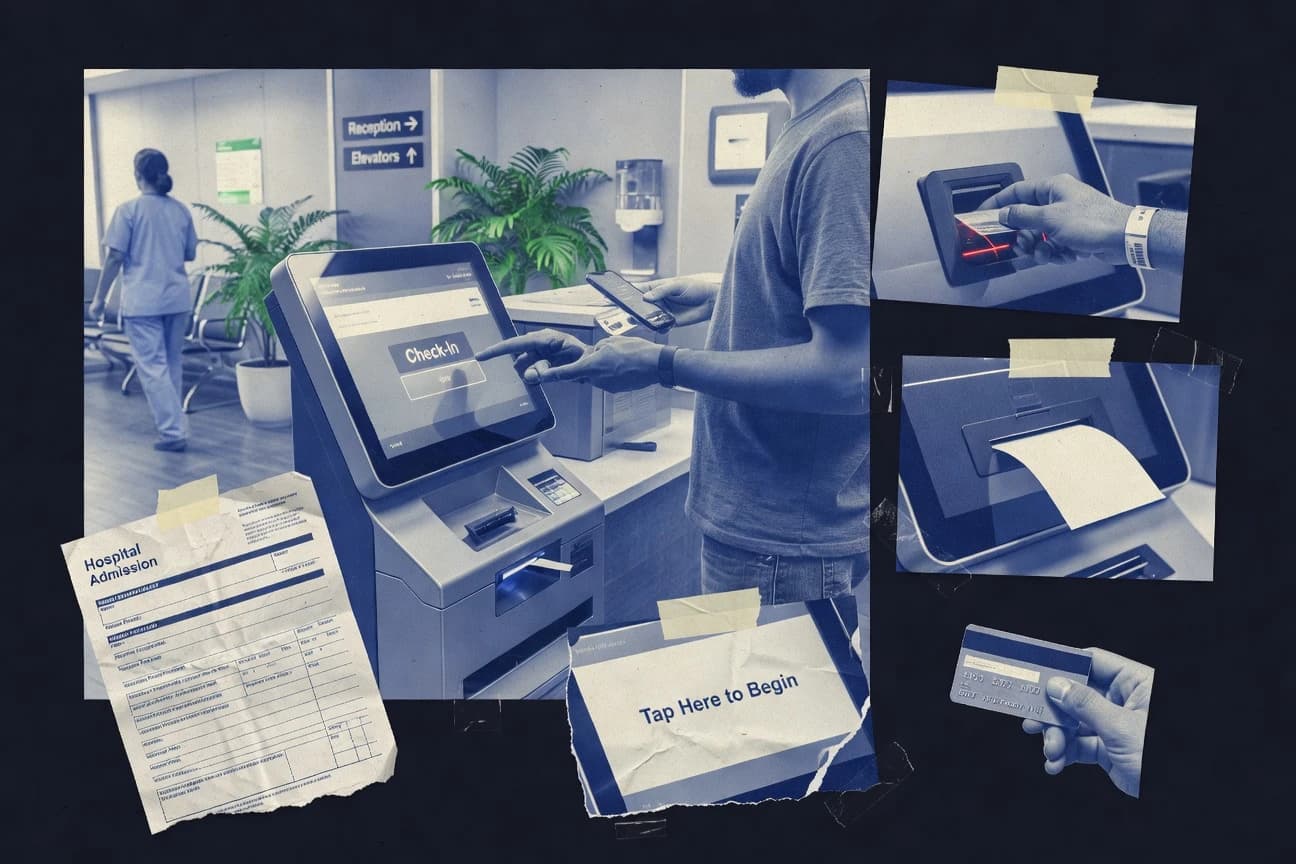
Healthcare MedicineTop 10 Best Patient Check-In Kiosk Software of 2026
Ranked roundup of patient check in kiosk software for clinics, with evaluation notes and top picks like Yosi Health, Jotform, and Qless.

How we ranked these tools
Core product claims cross-referenced against official documentation, changelogs, and independent technical reviews.
Analyzed video reviews and hundreds of written evaluations to capture real-world user experiences with each tool.
AI persona simulations modeled how different user types would experience each tool across common use cases and workflows.
Final rankings reviewed and approved by our editorial team with authority to override AI-generated scores based on domain expertise.
Score: Features 40% · Ease 30% · Value 30%
Gitnux may earn a commission through links on this page — this does not influence rankings. Editorial policy
Yosi Health is the right best fit for healthcare practices that want kiosk-led check-in with document capture and a tight handoff to the EHR, whereas Jotform works well as a lower-cost entry if you need configurable intake screens and API-driven routing across systems.
Editor’s top 3 picks
Three quick recommendations before you dive into the full comparison below — each one leads on a different dimension.
Yosi Health
Identity photo capture paired with document scanning feeds staff review within the same check-in session.
Built for fits when clinics want kiosk-led check-in with document capture and tight EHR handoff..
Jotform
Editor pickAPI access plus automation rules lets intake outcomes be pushed into custom backend workflows.
Built for fits when clinics need configurable intake screens and API-driven submission routing across systems..
Qless
Editor pickReal-time queue status updates with ticket-based calling reduces front-desk manual coordination.
Built for fits when clinics need queue ticketing and staff calling automation for walk-ins and appointment arrivals..
Comparison Table
Yosi Health
vertical specialistDigital patient intake and check-in software for healthcare practices.
Identity photo capture paired with document scanning feeds staff review within the same check-in session.
Yosi Health targets walk-in registration and scheduled check-ins using a kiosk mode that guides patients through a multi-step intake flow. Identity capture and scanned documents are designed to feed downstream registration steps instead of creating separate paper backlogs. EHR and practice management integration connect kiosk completion to clinical records and administrative tasks.
A key tradeoff is dependency on the clinic to standardize intake forms and acceptance rules so kiosk completion maps cleanly into the EHR. Yosi Health works best when appointment data, provider mapping, and consent requirements are already consistent in the connected systems.
- +Kiosk flow reduces front-desk rekeying using guided intake steps
- +Identity photo capture and document scanning support verification and faster review
- +EHR and practice management integration moves completion into staff workflows
- +Operational audit trail supports governance during daily patient surges
- –Form configuration needs disciplined mapping to EHR fields
- –Complex cases still require staff intervention when documents fail validation
- –Queue outcomes can be limited when appointment data is incomplete
Front desk operations teams
Walk-in registration with identity capture
Lower manual typing, faster approvals
Practice managers
High-volume waiting-room check-ins
Higher completion rate under load
Show 1 more scenario
Health IT teams
EHR-driven workflow integration
Less duplicate data entry
Integration routes kiosk completion into EHR-linked administrative tasks and staff queues.
Best for: Fits when clinics want kiosk-led check-in with document capture and tight EHR handoff.
Jotform
SMBForm software with kiosk mode for patient registration and intake workflows.
API access plus automation rules lets intake outcomes be pushed into custom backend workflows.
Jotform supports kiosk-style intake by letting teams design touchscreen-friendly forms, add photo capture and file upload fields, and use conditional logic to route patients through different paths. Automation can move completed submissions to connected systems and trigger notifications based on field values, which helps reduce manual charting work. The product’s integration depth is strongest when intake outcomes can be handled through its API-based workflows and connected apps.
A practical tradeoff is that kiosk hardware workflow often requires extra configuration effort to keep routing screens, timeouts, and print steps consistent across devices. Jotform fits best when a clinic can standardize its intake questions in form logic and then integrate submissions into EHR or practice management workflows through connectors or API.
- +Form builder supports branching screens for different patient scenarios
- +Automation rules can route completed intake to connected systems
- +API access enables custom kiosk-to-backend data flows
- +Embedded and display options support a kiosk-style experience
- –Kiosk device behavior and print steps need careful orchestration
- –Complex intake workflows can become hard to maintain inside one form
- –Many patient check-in actions depend on external integrations
Clinic ops teams
Standardize walk-in intake questionnaires
Higher registration completion rate
Health IT integration teams
Send kiosk submissions to practice systems
Fewer manual data re-entry steps
Show 2 more scenarios
Compliance-focused clinics
Capture consent and approvals
Consistent consent documentation
Consent fields and signature capture are collected inside structured form responses.
Multisite administrators
Reuse kiosk templates across locations
Faster rollout for new sites
Teams clone and configure forms while keeping submission handling consistent across sites.
Best for: Fits when clinics need configurable intake screens and API-driven submission routing across systems.
Qless
enterpriseQueue management software with healthcare check-in kiosks and virtual waiting rooms.
Real-time queue status updates with ticket-based calling reduces front-desk manual coordination.
Qless centers patient flow around a queue lifecycle, where each patient receives a ticket, can be called, and can see status changes without rework at the desk. Kiosk interactions route patients into the correct queue or appointment flow, then drive staff call logic tied to the same queue state. Integration support is a key strength because appointment lookup and queue outcomes need to stay consistent with scheduling and documentation processes.
A tradeoff is that Qless focuses on queue orchestration more than on rich digital intake forms inside the kiosk experience. It fits well when a clinic wants to reduce wait-time churn and front-desk calling overhead for high-throughput walk-in registration or appointment arrivals. It is less suitable for clinics that require kiosk-based document scanning, insurance eligibility verification, and identity proofing in a single embedded intake flow.
- +Queue ticketing handles real-time call and waitlist state changes
- +Kiosk mode routes patients into appointment or walk-in queues
- +Integration support keeps queue status aligned with scheduling workflows
- +Operational configuration supports multiple locations and kiosk rules
- –Digital intake depth inside kiosk workflows is limited
- –Identity verification and scan-heavy intake require external components
- –Workflow complexity increases when many queues and priorities are used
Front desk managers
Automate patient calling during busy hours
Shorter lines and fewer interruptions
Clinic operations teams
Manage multi-location queue rules
Consistent patient flow
Show 2 more scenarios
Scheduling coordinators
Coordinate arrivals with appointment queues
More predictable throughput
Queue state can align arrival handling with scheduled encounters and throughput goals.
Patient access teams
Handle walk-in registration efficiently
Lower desk workload
Patients join the correct queue at kiosk entry and track wait status.
Best for: Fits when clinics need queue ticketing and staff calling automation for walk-ins and appointment arrivals.
ClinicSense
SMBClinic management software with self-check-in kiosk functionality for patient intake.
ClinicSense provides a configurable, step-driven kiosk workflow that tracks completion states for staff to manage exceptions quickly.
ClinicSense is a patient self-service check-in kiosk product built for waiting-room registration and digital patient intake flows. It supports a touchscreen workflow that captures key check-in inputs, routes patients to the next step, and records completion for staff follow-up.
ClinicSense also focuses on identity and form capture steps that reduce manual re-entry. ClinicSense is typically evaluated for EHR integration depth and automation options that determine how much of the check-in process runs end to end.
- +Kiosk flow design supports fast waiting-room registration and reduced staff typing
- +Digital intake collection supports structured staff handoff after kiosk completion
- +Identity verification steps help reduce mismatched patient records
- +Clear kiosk mode workflow reduces variance across stations
- –EHR and practice management integration depth can require a concrete integration plan
- –Advanced automation depends on how forms and steps map to downstream systems
- –Multistation scaling needs disciplined device management and configuration
- –Kiosk hardware placement can affect photo capture and document scan reliability
Best for: Fits when clinics need touchscreen check-in with consistent kiosk workflows and measurable completion for staff follow-up.
NexHealth
SMBPatient experience software with digital forms, check-in, scheduling, and payments.
Role-based kiosk and staff handoff controls that let clinics separate what patients complete from what staff verifies.
NexHealth powers patient self-service check-in with appointment lookup, digital intake, and kiosk-style completion flows for waiting-room registration. It supports consent capture and electronic signature collection, plus identity and demographic verification inputs used to finalize registration before staff handoff.
The product emphasizes clinic workflow integration through practice management system connections and HL7 style messaging to keep appointment status aligned with the registration step. Device management and operational controls help clinics run kiosk throughput without relying on manual form printing and re-keying.
- +Kiosk-ready intake flows that reduce manual check-in data entry
- +Digital consent capture and electronic signature collection during registration
- +Appointment lookup that ties check-in to the correct visit record
- +Clinic integration supports appointment status sync with registration step
- –Kiosk workflows require careful configuration to match each clinic's data rules
- –Limited visibility into device-level issues without a dedicated operations workflow
- –Eligibility verification coverage depends on connected systems and configuration
- –Multistep intake can lengthen the session for complex patient cases
Best for: Fits when clinics want touchscreen check-in that completes intake and signatures before staff intervention.
ModMed
vertical specialistSpecialty medical practice software with digital patient registration and check-in options.
Guided intake designed to align completed patient responses with downstream clinical documentation workflows.
ModMed is a patient check-in kiosk and digital intake solution built for clinical workflows that combine registration, consent collection, and post-registration routing. The system supports touchscreen kiosk mode and office device deployments that guide patients through intake steps before staff handoff.
ModMed’s differentiation centers on how its digital intake content aligns with clinical documentation needs and returns completed intake to downstream systems used by the practice. For clinics, ModMed focuses on driving completion at the point of care while keeping the kiosk experience consistent across locations.
- +Kiosk workflow supports guided intake steps that reduce staff transcription
- +Intake content is designed to map into downstream clinical documentation needs
- +Touchscreen kiosk mode fits waiting-room registration with clear step sequencing
- +Completion-focused routing helps staff focus on review and exceptions
- –Walk-in registration coverage can depend on how appointment lookup is configured
- –Multichannel setups require careful device and kiosk configuration discipline
- –Complex edge cases can require staff intervention when patients cannot finish intake
- –Deep EHR integration needs validation for each target practice management and EHR
Best for: Fits when clinics need kiosk-guided intake that aligns with clinical documentation workflows and reduces front-desk rework.
Luma Health
enterprisePatient engagement software supporting digital intake, registration, and arrival workflows.
Kiosk flow configuration that couples identity capture steps with downstream registration completion status updates.
Luma Health delivers patient self-service kiosk workflows that focus on digital intake and identity capture for real-world clinic throughput. The product supports configurable check-in screens that route users through demographics, appointment lookup, consent capture, and capture of required documents for registration completion.
Luma Health also emphasizes integration with existing clinical and practice systems through a defined API surface for downstream intake status updates. Device-facing kiosk mode and operational controls help administrators keep kiosk behavior consistent across waiting rooms.
- +Configurable touchscreen flows for demographics intake and consent capture
- +Identity capture steps designed for patient verification during check-in
- +API-oriented integrations for pushing completed intake status to connected systems
- +Kiosk mode controls reduce screen drift during peak waiting-room volume
- –Fulfilling document scanning and printing needs depends on setup details
- –Walk-in edge cases can require flow tuning to match local registration rules
- –Multilingual intake requires careful screen-level configuration to avoid dead ends
- –Identity and document capture quality is sensitive to kiosk camera and lighting
Best for: Fits when clinics need configurable kiosk check-in workflows tied to identity capture and appointment lookup.
IntakeQ
SMBHealthcare intake software with forms, electronic signatures, and kiosk-style workflows.
Appointment-aware kiosk routing that selects the intake flow based on lookup results.
IntakeQ is a patient check-in kiosk workflow tool focused on digital patient intake with on-screen guidance and completion tracking. It supports appointment lookup and forms collection designed for waiting-room throughput, including document capture steps in the check-in flow.
The product is built around configurable form logic, identity verification steps, and downstream status handoff for staff follow-up. Strong fit shows up when clinics need consistent kiosk experiences tied into existing registration and scheduling workflows rather than a standalone form link.
- +Configurable kiosk intake flows with step-by-step completion states
- +Supports appointment lookup to route patients into the right intake set
- +Document capture steps reduce desk rework for bring-in paperwork
- +Kiosk mode keeps staff focused on exception handling
- –Limited transparency into identity and consent outputs from kiosk to backend
- –HL7 v2 and FHIR depth is narrower than systems with full interface stacks
- –Device management capabilities are not as granular as enterprise kiosk fleets
- –Complex workflows need careful configuration to avoid dead-end steps
Best for: Fits when clinics need guided kiosk intake linked to appointment lookup and staff exception review.
Waitwhile
SMBQueue management and virtual check-in platform used in clinics and retail healthcare.
Queue-driven check-in workflow that coordinates kiosk steps with SMS-style status updates for each patient.
Waitwhile powers patient self-service check-in in a browser-based kiosk and SMS flow, including appointment lookup and queue management. It focuses on guiding patients through a touchscreen workflow, then returning them to a waiting-room process with status updates.
Clinics can configure form steps and capture consent and demographics without custom app development. Waitwhile also provides integrations and an API surface that support syncing with practice systems for registration context and completion tracking.
- +Kiosk-friendly queue flow with patient status messaging
- +Configurable check-in steps for intake and consent capture
- +Automation options for appointment-based routing and completion updates
- +Integration and API support for pulling context and pushing outcomes
- –Identity capture and verification coverage can require setup with integrators
- –Advanced workflows may need careful kiosk and step configuration
- –Device management features depend on the clinic kiosk environment
- –Document scanning and label printing are limited versus specialized hardware ecosystems
Best for: Fits when clinics want browser kiosk check-in plus queue status messaging tied to scheduling context.
CERTIFY Health
vertical specialistPatient check-in kiosk software for registration, intake, insurance capture, eligibility, consent, and payments.
Waiting-room kiosk workflow designed to carry patients from appointment lookup through consent capture to staff handoff.
CERTIFY Health targets patient self-service check-in workflows with kiosk mode intended for waiting-room registration and digital patient intake. The core capabilities center on appointment lookup, identity capture workflows, and consent collection suitable for high-volume check-in periods.
It also supports downstream handoff by integrating check-in results into clinical operations used by practice staff. Governance and device control are positioned to keep kiosk sessions consistent across sites and shifts.
- +Kiosk-first workflow that reduces staff touchpoints during waiting-room check-in
- +Consistent session flow for appointment lookup through completion and handoff
- +Identity capture flow supports demographic verification with photo capture steps
- +Device and session controls support predictable kiosk behavior across shifts
- –Operational setup requires careful coordination across devices and site configuration
- –Fewer workflow customization options than products built for complex branching intake
- –EHR integration depth can become limiting without specific practice system mappings
- –Document scanning and label printing coverage may depend on enabled modules
Best for: Fits when clinics need kiosk check-in that drives appointment lookup, capture, and completion with controlled sessions.
Conclusion
After evaluating 10 healthcare medicine, Yosi Health stands out as our overall top pick — it scored highest across our combined criteria of features, ease of use, and value, which is why it sits at #1 in the rankings above.
Use the comparison table and detailed reviews above to validate the fit against your own requirements before committing to a tool.
How to Choose the Right patient check in kiosk software
Patient check in kiosk software manages waiting-room self-service workflows for appointment lookup, intake steps, consent capture, and staff handoff. This guide covers Yosi Health, Jotform, Qless, ClinicSense, NexHealth, ModMed, Luma Health, IntakeQ, Waitwhile, and CERTIFY Health so clinics can compare kiosk-led data capture, routing behavior, and operational governance.
Tools like Yosi Health combine identity photo capture with document scanning inside a single kiosk session. Jotform emphasizes API access with automation rules that route completed intake outcomes into custom backend workflows, while Qless focuses on queue ticketing with real-time call and waitlist state changes.
Patient check-in kiosk software for touchscreen intake, identity capture, and staff handoff
Patient check in kiosk software runs touchscreen and kiosk mode workflows that take patients from appointment lookup or walk-in registration into structured intake steps, then transfers completion to staff for exception handling. Many systems also support consent capture and electronic signatures during the kiosk session to reduce front-desk rekeying after verification.
Different vendors emphasize different workflow control points. Yosi Health pairs identity photo capture with document scanning that feeds staff review within the same check-in session, while ClinicSense uses step-driven completion states so staff can manage exceptions quickly after kiosk completion.
Kiosk workflow design, routing automation, and staff handoff controls
Patient check in kiosk software lives or dies by what it does before a staff member touches the case, because the kiosk session determines whether data arrives structured or needs rekeying. Vendors that pair kiosk capture with explicit completion states reduce front-desk copying and shorten the path to verification.
The next differentiator is how completion routes into the clinic backend, because automation behavior and API access decide whether kiosk submissions trigger queue updates, intake routing, or downstream workflow steps. Systems with identity capture and scanning inside the same flow also change staff workload by moving validation earlier in the process.
Integrated identity capture and scan-to-review session
Yosi Health pairs identity photo capture with document scanning that feeds staff review within the same check-in session. This design reduces staff back-and-forth when documents fail validation because staff see the scanned inputs tied to the kiosk outcome.
API-driven automation rules for routing intake outcomes
Jotform provides API access plus automation rules that push completed intake outcomes into custom backend workflows. This supports kiosk-led intake that routes by scenario using branching screens and then hands off to connected systems via the automation layer.
Queue ticketing with real-time call and waitlist state
Qless focuses on queue ticketing with real-time queue status updates that reduce front-desk manual coordination. Its kiosk mode routes patients into appointment or walk-in queues so staff calling and waiting-room movement stay synchronized.
Step-driven kiosk completion states for exception management
ClinicSense provides a step-driven kiosk workflow that tracks completion states for staff to manage exceptions quickly. This approach reduces waiting-room registration typing by making the completion state explicit after touchscreen check-in.
Role-separated kiosk and staff handoff with consent and signature capture
NexHealth emphasizes role-based kiosk and staff handoff controls that separate what patients complete from what staff verifies. Its kiosk-ready intake supports digital consent capture and electronic signature collection before staff intervention.
Appointment-aware kiosk routing with lookup-driven flow selection
:
Choose based on routing architecture, identity handling, and governance needs
Patient check in kiosk software should be selected by where the workflow intelligence runs, because some products drive routing through queue state while others push outcomes through form automation or staff completion states. This choice determines whether exceptions stay in the kiosk session or move into a back-office review loop.
The selection also hinges on identity and document handling depth, because scan-heavy verification and identity photo capture affect failure modes and staff time. Vendors also differ in how much kiosk mode behavior and print steps require clinic-specific orchestration.
Match kiosk routing to clinic operations: queue state vs backend automation
If clinic operations depend on real-time waiting-room movement and staff calling, Qless uses ticket-based queue state so kiosk patients enter the correct appointment or walk-in queue. If clinic operations depend on routing intake results into custom backend processes, Jotform pushes completed outcomes via API-backed automation rules after branching screen completion.
Require staff-visible exception handling, then verify completion-state semantics
If staff need clear completion checkpoints after kiosk completion, ClinicSense tracks step completion states so exceptions can be managed quickly. If staff review needs identity and document inputs tied together during the same session, Yosi Health feeds staff review from identity photo capture plus document scanning inside the check-in session.
Separate patient completion from staff verification when signatures and consent are mandatory
If the clinic requires kiosk workflows that complete consent capture and electronic signatures before staff verification, NexHealth uses role-based kiosk and staff handoff controls. This separation reduces staff rework by ensuring the verification step starts with a consistent patient-completed record.
Use kiosk flows that align to downstream documentation needs, not just data entry
If clinical documentation workflows drive how answers must be structured, ModMed provides guided intake designed to align completed patient responses with downstream clinical documentation workflows. This reduces front-desk transcription by mapping intake content to documentation needs after kiosk guidance.
Select identity and scan coverage by how often document validation fails
If document scanning and identity verification failures must be handled inside the same kiosk session, Yosi Health is built for identity photo capture paired with document scanning feeding staff review. If scan-heavy workflows rely on external components or setup, Qless can be limited in kiosk digital intake depth for identity verification and scan-heavy steps.
Assess governance and maintainability for complex branching intake screens
If clinic intake scenarios require extensive branching, Jotform supports branching screens but complex workflows can become hard to maintain inside one form. If clinic needs consistent kiosk steps with measurable completion tracking, ClinicSense workflow design focuses on step-by-step completion rather than large branching forms.
Which clinics should use which kiosk approach
Kiosk adoption succeeds when the product matches the clinic’s bottleneck, like front-desk rekeying, waiting-room calling coordination, or exception review timing. The strongest fit is determined by whether the clinic wants queue orchestration, API-driven routing, or identity and scan capture tied to staff review.
Front-desk teams with high rekey workload during patient check in
Yosi Health reduces front-desk rekeying by using guided intake steps supported by identity photo capture and document scanning that feeds staff review in-session.
Clinics that build custom backend workflows around check-in outcomes
Jotform supports configurable intake screens and pushes completed outcomes into connected systems using API access plus automation rules.
Operations teams running walk-in and appointment flow with staff calling automation
Qless coordinates waiting-room state using real-time queue ticket updates and kiosk mode routing into appointment or walk-in queues.
Clinics that want structured completion states for staff exception management
ClinicSense tracks kiosk step completion states so staff can manage exceptions after touchscreen check-in without guessing what the kiosk captured.
Practices that require consent capture and electronic signature before staff verification
NexHealth provides kiosk-ready intake flows that separate what patients complete from what staff verifies using role-based kiosk and staff handoff controls.
Common buyer pitfalls in patient check in kiosk software
Selection errors usually show up during onboarding because kiosk behavior depends on workflow mapping and device orchestration. Buyers also miss the impact of identity and document handling choices on how often staff intervene after kiosk completion.
Choosing a kiosk platform without planning the form-to-EHR mapping discipline for captured fields
Yosi Health needs disciplined mapping to EHR fields for its identity photo capture and document scanning workflow, and complex cases still require staff intervention when documents fail validation.
Overpacking a single kiosk form with complex branching logic and then expecting easy long-term maintenance
Jotform can route intake outcomes with API-backed automation rules, but complex intake workflows can become hard to maintain inside one form when branching grows.
Treating kiosk mode as a full identity and scan verification replacement for complex document workflows
Qless has limited digital intake depth inside kiosk workflows, so identity verification and scan-heavy intake can require external components beyond kiosk capture.
Assuming integration depth will be automatic across EHR and practice management systems without an integration plan
ClinicSense can require a concrete integration plan for EHR and practice management system integration depth, and advanced automation depends on how forms and steps map to downstream systems.
Ignoring kiosk configuration discipline when device behavior includes printing and exception paths
Jotform kiosk device behavior and print steps need careful orchestration, and Waitwhile advanced workflows can require careful kiosk and step configuration to keep identity capture consistent.
How We Selected and Ranked These Tools
We evaluated patient check in kiosk software on feature coverage at the kiosk level, including identity capture, scan handling, intake steps, and staff handoff behavior. Features accounted for 40% of the score, while ease and value each accounted for 30% based on how directly kiosk workflows support clinic usage without excessive coordination.
Yosi Health ranked highest because it pairs identity photo capture with document scanning that feeds staff review inside the same check-in session. Yosi Health also earned the strongest combined scores for features, ease, and value, which reduced the operational risk of shifting verification work from the front desk into the kiosk workflow.
Frequently Asked Questions About patient check in kiosk software
Which kiosk software handles identity photo capture and document scanning within the same session for faster staff review?
How do integration options differ across API-led routing products like Jotform versus queue-first systems like Qless?
When does kiosk mode support staff separation between patient-completed steps and staff-verified steps?
What breaks if a clinic needs appointment-aware intake routing and the system only supports static intake forms?
How do configurable kiosk workflows handle completion tracking and exception management?
Which tools are better suited for browser-based kiosk experiences that also use SMS-style status updates?
How is EHR or practice management handoff handled during registration completion for high-throughput arrivals?
Which system supports queue ticketing and real-time status updates for walk-in and appointment arrivals?
What tradeoff appears when a clinic needs multilingual intake plus identity steps but also wants minimal back-office configuration?
Tools reviewed
Primary sources checked during evaluation.
Referenced in the comparison table and product reviews above.
- Healthcare MedicineTop 10 Best Patient Check-In Software of 2026
- Consumer RetailTop 10 Best Kiosk Management Software of 2026
- Tourism HospitalityTop 10 Best Front Desk Check In Software of 2026
- Facilities Property ServicesTop 10 Best Lobby Check In Software of 2026
- Healthcare MedicineTop 10 Best Medical Patient Scheduling Software of 2026
Keep exploring
Comparing two specific tools?
Software Alternatives
See head-to-head software comparisons with feature breakdowns, pricing, and our recommendation for each use case.
Explore software alternatives→In this category
Healthcare Medicine alternatives
See side-by-side comparisons of healthcare medicine tools and pick the right one for your stack.
Compare healthcare medicine tools→