
GITNUXSOFTWARE ADVICE
Education LearningTop 10 Best Online Exam Proctoring Software of 2026
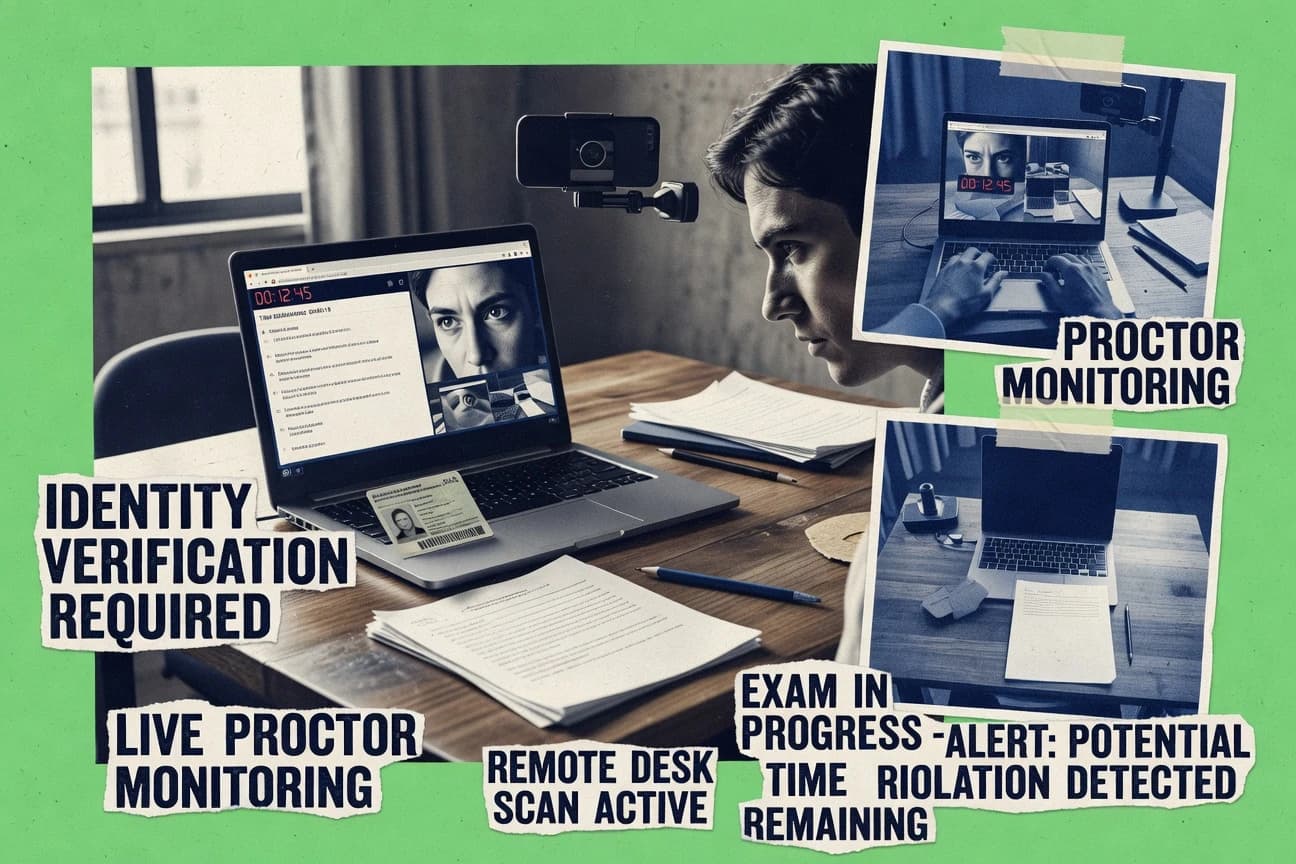
Ranked roundup of top online exam proctoring software options, with feature and tradeoff comparisons for schools and testing teams.

How we ranked these tools
Core product claims cross-referenced against official documentation, changelogs, and independent technical reviews.
Analyzed video reviews and hundreds of written evaluations to capture real-world user experiences with each tool.
AI persona simulations modeled how different user types would experience each tool across common use cases and workflows.
Final rankings reviewed and approved by our editorial team with authority to override AI-generated scores based on domain expertise.
Score: Features 40% · Ease 30% · Value 30%
Gitnux may earn a commission through links on this page — this does not influence rankings. Editorial policy
Mercer Mettl is the strongest fit for enterprises running recurring high-stakes exams that need consistent incident reporting for live or recorded review, whereas Integrity Advocate works better for exam teams handling evidence and identity checks across many cohorts.
Editor’s top 3 picks
Three quick recommendations before you dive into the full comparison below — each one leads on a different dimension.
Mercer Mettl
Exam integrity reports that consolidate proctoring signals and human adjudication outcomes per attempt.
Built for fits when enterprises run recurring high-stakes exams and need consistent incident reporting with live or recorded review..
Integrity Advocate
Editor pickIncident-to-report workflow that turns automated flags into review decisions and a structured exam integrity report.
Built for fits when exam teams need consistent incident handling and evidence reporting across many cohorts..
Respondus Monitor
Editor pickAutomated incident detection creates an exam integrity report that connects recorded evidence to instructor triage workflows.
Built for fits when institutions already standardize exams with Respondus tools and want automated incident reporting for proctor review..
Comparison Table
Mercer Mettl
enterpriseRemote proctoring and assessment software for academic, hiring, and certification exams.
Exam integrity reports that consolidate proctoring signals and human adjudication outcomes per attempt.
Mercer Mettl’s proctoring approach combines candidate authentication with continuous monitoring signals, then routes flagged events into an exam integrity report that exam owners can review and share. Live proctoring supports real-time oversight for higher-risk sessions, while recorded proctoring supports scalable review after the attempt. Exam administration is organized around test templates, proctoring rules, and attempt-level audit trails that help governance teams trace what happened and why.
A tradeoff appears in operational overhead when custom monitoring and escalation rules are required, because exam teams must tune thresholds and review workflows for each program. Mercer Mettl fits best when an enterprise has repeated hiring or certification cycles and needs automation that links exam setup, proctoring enforcement, and post-exam reporting for multiple candidate cohorts.
- +Attempt-level incident flagging with structured exam integrity reporting
- +Supports both live and recorded proctoring for different risk profiles
- +Rules-based proctoring configuration tied to exam templates
- +Enterprise testing workflows integrate with identity and access controls
- –Custom monitoring tuning adds setup time for each exam program
- –Human review queues require clear adjudication ownership
- –Browser and device controls can increase candidate troubleshooting load
- –Complex proctoring governance depends on disciplined configuration
Enterprise assessment teams
High-stakes hiring assessments at scale
Faster review and clearer decisions
Compliance and governance teams
Audit-friendly proctoring governance
Stronger incident traceability
Show 2 more scenarios
L&D certification program owners
Mixed cohorts using recorded review
Lower operational review effort
Uses recorded monitoring to scale adjudication while preserving standardized reporting artifacts.
Recruiting ops teams
Live proctoring for targeted roles
Reduced cheating risk
Enables real-time oversight for specific roles that need tighter supervision.
Best for: Fits when enterprises run recurring high-stakes exams and need consistent incident reporting with live or recorded review.
Integrity Advocate
SMBOnline assessment integrity software with identity checks and exam monitoring.
Incident-to-report workflow that turns automated flags into review decisions and a structured exam integrity report.
Integrity Advocate targets teams that run repeated assessments and need the same proctoring configuration applied across cohorts. It combines automated detection triggers with an escalation path for human review so review queues reflect real incidents rather than raw video feeds. Evidence capture and reporting are used to produce an exam integrity report that can be referenced by exam administrators and review boards.
A key tradeoff is that incident adjudication workflows require operational governance so staff can interpret flags consistently across different exam types. It fits best when an organization already has a repeatable exam setup process and wants proctoring outputs to flow into existing LMS and identity-controlled user journeys.
- +Configurable exam-session workflow for consistent evidence capture
- +Incident escalation supports human review on flagged events
- +Exam integrity report provides structured outputs for decisioning
- +Admin controls support auditability of proctoring actions
- –Operational governance is needed to standardize reviewer decisions
- –Higher setup effort for complex identity and workflow mappings
- –Human review capacity can limit throughput during exam peaks
- –Some incident interpretations depend on reviewer procedures
Testing operations teams
Run the same integrity workflow
More consistent integrity decisions
Higher education assessment offices
Support high-stakes remote exams
Faster decisioning
Show 2 more scenarios
Corporate compliance training
Document proctoring outcomes
Better audit readiness
Maintain review records and structured reporting tied to each exam attempt.
LMS integration teams
Connect exam lifecycle to identity
Reduced manual reconciliation
Map exam sessions to controlled user access and downstream reporting needs.
Best for: Fits when exam teams need consistent incident handling and evidence reporting across many cohorts.
Respondus Monitor
enterpriseAutomated proctoring integrated with learning management systems and Respondus LockDown Browser.
Automated incident detection creates an exam integrity report that connects recorded evidence to instructor triage workflows.
Respondus Monitor supports automated proctoring workflows that produce an exam integrity report for each attempt, which helps teams triage incidents without rewatching raw media from scratch. It can run within common LMS-driven exam delivery processes where the institution already uses Respondus tooling for course assessment publishing. The administration side centers on centrally configuring how exams use monitoring and how review evidence is packaged for graders and academic staff. This makes it a strong fit for schools that manage proctoring as part of their exam production pipeline rather than as a standalone add-on.
A key tradeoff is that Respondus Monitor is most effective when the institution standardizes its exam creation and delivery around the Respondus workflow, since the tight coupling limits how teams can integrate proctoring into highly customized assessment flows. It suits scenarios with frequent, recurring online exams where incident triage throughput matters and where standardized reporting is more valuable than bespoke review dashboards. The model tends to work best for courses that can enforce consistent candidate authentication steps and browser behavior expectations across sections.
- +Incident reports package recorded evidence for instructor triage
- +Automated signals reduce manual review time on flagged attempts
- +Fits institutions already using Respondus exam publishing workflows
- +Standardized monitoring configuration supports consistent exam delivery
- –Best results depend on standardizing assessment workflows in the Respondus ecosystem
- –Less suited to bespoke proctoring requirements that need custom evidence pipelines
- –Browser behavior enforcement can increase operational friction for some cohorts
- –Advanced governance needs require careful institutional process design
Instructional operations teams
Standardized remote exam monitoring across sections
Faster incident triage
LMS assessment coordinators
Repeatable exam delivery workflow
More consistent outcomes
Show 2 more scenarios
Faculty exam reviewers
Evidence-first review of flagged attempts
Reduced rewatching
The integrity report helps reviewers focus on attempts with potential integrity events.
Academic integrity governance leads
Documented review trail for attempts
Clear review records
Report outputs support audit-style handling of proctoring evidence within course records.
Best for: Fits when institutions already standardize exams with Respondus tools and want automated incident reporting for proctor review.
SMOWL
SMBAutomated online proctoring solution with identity verification and behavior monitoring.
Session evidence is organized to support both real-time proctor handling and post-exam incident review.
SMOWL is an online exam proctoring solution focused on delivering controlled candidate sessions with multiple proctoring modes. It supports live and recorded workflows so incidents can be handled during delivery or reviewed afterward for an exam integrity report.
Admin tools center on exam session configuration, candidate authentication, and evidence capture for human review when automation flags issues. Integration capability is geared toward standard exam delivery stacks through configurable session links and SSO-ready identity flows.
- +Supports both live and recorded proctoring workflows for different incident handling
- +Evidence capture is built around reviewable session artifacts for proctor workflows
- +Session configuration covers multiple control points for exam delivery integrity
- +Human review can be routed from automated incident detection signals
- –Operational success depends on consistent browser and candidate environment readiness
- –SSO and LMS integration depth can be limited compared with enterprise-first competitors
- –Incident coverage can require careful threshold tuning to reduce false flags
- –Advanced governance controls are less granular than platforms built for large RBAC structures
Best for: Fits when assessment teams need configurable session controls plus evidence for review.
Synap
SMBOnline exam platform with secure proctoring and AI-powered invigilation features.
Exam integrity reporting ties incident flags to a structured review workflow for faster adjudication.
Synap is an online exam proctoring system that combines assessment session control with incident detection workflows. It supports identity checks and candidate authentication steps so proctoring can start before live monitoring begins.
The core workflow produces an exam integrity report that admin teams can review and act on. For governance needs, Synap focuses on configurable session behavior and auditable handling of flagged events.
- +Incident handling workflow generates consistent integrity reporting for review
- +Configurable session behavior supports different exam policies across cohorts
- +Identity verification and candidate authentication are built into the session flow
- +Administrative review path reduces time spent correlating flags to sessions
- –Browser lockdown coverage can require careful browser and device compatibility testing
- –Advanced configuration needs disciplined admin governance across exams
- –Human review queue tuning can lag behind high-flag exam campaigns
- –Custom integrations need more engineering effort than basic SSO setups
Best for: Fits when exam programs need consistent flag-to-report workflows and admin review governance at scale.
eSkill
SMBSkills assessment platform with online proctoring and secure exam delivery.
Exam integrity reporting that packages monitoring outcomes for consistent reviewer decisioning.
eSkill targets organizations that need remote exam proctoring with an exam workflow designed around test programs, candidate identity checks, and continuous monitoring. The solution supports live and recorded proctoring formats and produces an exam integrity report for downstream review and decisioning. Admin configuration centers on exam settings, proctoring rules, and incident handling so teams can manage integrity across repeated test runs.
- +Live and recorded proctoring options cover different exam delivery models
- +Incident flagged evidence supports structured human review workflows
- +Exam integrity reporting streamlines post-exam decisioning for reviewers
- +Exam configuration options fit recurring assessments with controlled settings
- –Operational setup requires careful alignment between exam rules and monitoring goals
- –Automation depth for external identity and LMS handoffs can be limited
- –Advanced browser lockdown tuning is not always straightforward for custom environments
- –High-volume sessions can stress review throughput when incident rates spike
Best for: Fits when testing teams need configurable remote proctoring plus human review artifacts for repeated assessments.
Meazure Learning
enterpriseFormerly ProctorU, provides AI-automated and live human proctoring for academic and certification exams.
Human review is organized around flagged proctoring evidence, with exam integrity reporting tied to incidents for adjudication.
Meazure Learning focuses on exam integrity workflows that pair human review with automated collection of proctoring signals during remote and onsite assessments. The product is built around exam event management, incident flagging, and an end-to-end review flow that supports audit trails for follow-up.
Its core capabilities center on controlling access for candidates, capturing evidence like video and screen activity, and generating an exam integrity report for stakeholders. Integration depth tends to matter most when Meazure Learning must fit into existing testing operations and administrative governance.
- +Incident flagging workflow routes evidence to targeted human review
- +Exam integrity reports consolidate proctoring signals for consistent adjudication
- +Event-based exam management supports controlled candidate sessions
- +Evidence capture supports faster review of flagged moments
- –Best results require careful exam-by-exam configuration of proctoring rules
- –Administration UX can feel heavy when managing many parallel exams
- –Integration paths depend on specific LMS or identity setup details
- –Signal granularity can increase reviewer workload during high-variance sessions
Best for: Fits when testing programs need controlled sessions, evidence-led incident review, and repeatable reporting.
Inspera
enterpriseDigital assessment platform with Smarter Proctoring for secure online exams.
Integrity reporting that ties proctoring evidence to a review workflow for consistent incident handling.
Inspera is an exam proctoring solution built around assessment workflows and integrity reporting, rather than browser-only locking. It supports online delivery with candidate identity checks, recorded session evidence, and staff review queues for incident handling.
Administrators can configure exam rules and integrate with common education systems to control login and exam setup. Reporting is organized for audit-ready exam integrity summaries that can be used by governance teams.
- +Assessment workflow controls that connect exam setup to integrity evidence
- +Human review queues for incident flag triage and consistent follow-up
- +Recorded session evidence supports repeatable review without re-running proctoring
- +Integration with identity and education workflows reduces manual candidate handling
- –Proctoring configuration requires more upfront governance than exam authoring
- –Advanced controls can be limited by the identity method selected
- –Incident review workflows can feel slower during high-throughput exam windows
- –Browser restrictions depend on consistent student device and browser behavior
Best for: Fits when institutions need managed assessment workflows plus reviewable proctoring evidence for governance.
YuJa Verity
SMBAI-powered and live proctoring platform integrated with major LMS systems for higher education.
Incident-driven exam integrity reports link flagged proctoring evidence to reviewer-ready session timelines.
YuJa Verity runs remote exam proctoring with recorded and incident-driven review workflows for secure assessments. It integrates with learning and assessment systems through configurable identity, session start, and evidence export flows.
The system produces an exam integrity report tied to proctoring events, so review teams can focus on flagged moments. Administrator controls cover session governance, audit-ready logging, and permissioned access for human review.
- +Incident-first review workflow prioritizes evidence for human proctors
- +Exam integrity report ties proctoring signals to session outcomes
- +Configurable session controls support consistent exam execution
- +Audit log records proctoring activity for governance and review
- –Strong governance requires careful administrator configuration and role setup
- –Browser lockdown coverage depends on the exam delivery environment
- –Evidence review tooling can feel review-centric over candidate UX
- –Integration depth varies with the specific LMS or identity setup
Best for: Fits when assessment teams need governance-grade proctoring with review workflows and integrity reports.
Kryterion
enterpriseCloud-based testing and proctoring platform for certification and licensure exams.
Exam integrity reporting ties monitored incidents to a consistent review artifact for program-level decisioning.
Kryterion targets organizations that need exam integrity controls for high-stakes testing, with an emphasis on structured testing workflows. Core capabilities cover remote proctoring workflows plus recorded and live review paths that produce an exam integrity report for downstream decisioning.
Kryterion also supports identity and authentication steps that feed into incident flagging, with configurable proctoring behaviors per exam program. Administration is built around managing exam sessions, candidate experience controls, and review handling for exceptions.
- +Exam integrity reports centralize incident outcomes for review and retention.
- +Remote proctoring workflows support both live and recorded review handling.
- +Identity and authentication controls feed directly into monitoring outcomes.
- +Operational controls for exam sessions reduce ad hoc handling.
- –Operational setup requires tight coordination between exam configuration and review.
- –Browser lockdown coverage depends on supported client environments and settings.
- –Advanced monitoring behaviors may need careful tuning per exam format.
- –Governance features are less granular than systems built for multi-tenant orchestration.
Best for: Fits when compliance-heavy programs need consistent remote proctoring workflow and structured integrity reporting.
Conclusion
After evaluating 10 education learning, Mercer Mettl stands out as our overall top pick — it scored highest across our combined criteria of features, ease of use, and value, which is why it sits at #1 in the rankings above.
Use the comparison table and detailed reviews above to validate the fit against your own requirements before committing to a tool.
How to Choose the Right online exam proctoring software
Online exam proctoring software coordinates candidate authentication, monitored delivery, and incident review so assessment teams can produce exam integrity reports from live and recorded proctoring evidence. This buyer’s guide covers Mercer Mettl, Integrity Advocate, Respondus Monitor, SMOWL, Synap, eSkill, Meazure Learning, Inspera, YuJa Verity, and Kryterion based on how each tool packages monitoring outcomes into review-ready workflows.
Across the lineup, the biggest differences show up in incident-to-report mechanics and how review queues map to exam programs. Mercer Mettl emphasizes attempt-level incident flagging inside consolidated exam integrity reporting, while Integrity Advocate focuses on an incident-to-report workflow that turns automated flags into review decisions.
Online exam proctoring software for monitored testing with incident reporting and review governance
Online exam proctoring software enables remote proctoring workflows that collect monitoring signals, generate incident flags, and package review evidence into structured exam integrity reports for human adjudication. The tools in this guide vary most in how they connect evidence capture to review workflows for incident triage across cohorts.
Mercer Mettl is built around exam integrity reports that consolidate proctoring signals and human adjudication outcomes per attempt, with support for both live and recorded proctoring to match risk profiles. Respondus Monitor emphasizes automated incident detection that packages recorded evidence for instructor triage, with incident reports designed to reduce manual review time on flagged attempts.
Incident-to-report mechanics and governance controls
Online exam proctoring software has to turn monitoring signals into an exam integrity report that a reviewer can act on. The category’s biggest differences show up in how incident flags get packaged, routed, and retained across live and recorded workflows.
Attempt-level exam integrity reporting with human adjudication linkage
Mercer Mettl consolidates proctoring signals and human adjudication outcomes per attempt into exam integrity reports. Meazure Learning also ties flagged evidence to incident-led review and consolidates proctoring signals for consistent adjudication.
Incident-to-report workflow that converts automated flags into reviewer decisions
Integrity Advocate turns automated flags into review decisions using an incident-to-report workflow and a structured integrity report. Synap provides a similar flag-to-report workflow with consistent integrity reporting designed for admin review governance at scale.
Evidence packaging for instructor triage with automated incident detection
Respondus Monitor generates incident reports that package recorded evidence for instructor triage, reducing manual review time on flagged attempts. Kryterion centralizes monitored incident outcomes into consistent review artifacts for program-level decisioning and retention.
Session evidence organization that supports both real-time handling and post-exam incident review
SMOWL organizes session evidence to support real-time proctor handling and post-exam incident review. eSkill packages live and recorded monitoring outcomes into structured reviewer artifacts for repeated assessments.
Exam-program workflow controls that connect exam setup to integrity evidence
Inspera ties assessment workflow controls to integrity evidence so incident triage stays connected to exam setup. Inspera also includes human review queues for incident flag triage and consistent follow-up.
Reviewer-ready timelines that connect incident evidence to session outcomes
YuJa Verity builds incident-driven integrity reports that link flagged proctoring evidence to reviewer-ready session timelines. Mercer Mettl also emphasizes per-attempt reporting that aligns monitoring outcomes with adjudication results.
Choose by incident workflow depth and the governance model the tool enforces
The right online exam proctoring software depends on how the incident workflow is structured from detection to adjudication. The decision hinges on whether the platform produces attempt-level integrity reports that match how reviewers work or whether it expects exam teams to standardize assessment workflows first.
Map incident handling to the reviewer decision you need
If the requirement is a per-attempt exam integrity report that consolidates proctoring signals and human adjudication outcomes, Mercer Mettl matches that workflow. If the requirement is a structured incident-to-report workflow that turns automated flags into explicit review decisions, Integrity Advocate and Synap fit that routing pattern.
Decide whether the organization can standardize assessment workflows inside the proctoring ecosystem
If assessment workflows already run through the Respondus ecosystem, Respondus Monitor reduces manual review time by packaging recorded evidence into instructor triage incident reports. If the program needs bespoke proctoring requirements with custom evidence pipelines, Mercer Mettl and Integrity Advocate align better because their evidence-to-report mechanics are built for consistent adjudication across programs.
Evaluate how the platform structures evidence for both live handling and post-exam review
If the proctoring operation needs a single evidence organization that supports real-time handling and then post-exam incident review, SMOWL is built around that session evidence structure. If the program relies on repeated assessment delivery with standardized reviewer artifacts, eSkill and Meazure Learning emphasize evidence-led incident review and structured reporting.
Check governance effort for reviewer ownership and rule configuration
For organizations that can define adjudication ownership and standardize reviewer decisions, Integrity Advocate and Synap offer structured workflows that require operational governance. For organizations that want consistent incident reporting tied to exam program outcomes with less review-queue ambiguity, Mercer Mettl and Inspera emphasize reporting and review queues tied back to exam setup.
Confirm browser lockdown suitability for the delivery environment
If browser lockdown coverage must work across a range of exam delivery environments, note that Kryterion and Synap flag dependence on careful browser and device compatibility testing. If browser lockdown coverage is not the primary risk because delivery is controlled, YuJa Verity still requires careful administrator configuration and role setup to keep governance-grade review workflows consistent.
Who should use which incident workflow model
Organizations that run repeated assessments need stable incident reporting that reviewers can interpret consistently across cohorts. The decision is usually driven by how exam policies map to proctoring rules and how quickly incidents must move from automated flags to human review decisions.
Enterprise exam programs running high-stakes repeated tests
Mercer Mettl is designed for recurring high-stakes exams and provides attempt-level incident flagging inside consolidated exam integrity reporting with live or recorded support.
Assessment teams with defined incident adjudication owners
Integrity Advocate and Synap both emphasize structured incident-to-report workflow and require governance to standardize reviewer decisions and escalation.
Institutions standardizing exams in the Respondus ecosystem
Respondus Monitor is best when teams already standardize assessments with Respondus tools because incident reports package recorded evidence for instructor triage.
Organizations managing both live proctor handling and post-exam evidence review
SMOWL supports both live and recorded proctoring workflows and organizes session evidence to support real-time handling plus post-exam incident review.
Governance-focused programs that require reviewer-ready evidence timelines
YuJa Verity uses incident-first reporting and links flagged evidence to reviewer-ready session timelines, which supports governance-grade review workflows.
Common ways proctoring workflows fail in practice
Most implementation failures come from mismatches between exam policies, evidence packaging, and reviewer decision ownership. The result is incident flags that do not translate into consistent integrity decisions.
Assuming incident detection automatically produces reviewer-ready outcomes without workflow configuration
Integrity Advocate and Synap both require operational governance to standardize reviewer decisions, so the review workflow must be defined before expecting consistent incident outcomes.
Choosing a tool that requires standardized assessment workflows without actually standardizing those workflows
Respondus Monitor works best when assessment workflows are standardized in the Respondus ecosystem, so bespoke proctoring requirements can lead to evidence pipelines that do not match triage expectations.
Underestimating exam-by-exam configuration needed to keep proctoring rules aligned to exam rules
Meazure Learning and Mercer Mettl both depend on aligning proctoring rules to exam programs, so configuration drift across parallel exams can produce inconsistent incident flagging.
Skipping browser and device compatibility testing when browser lockdown coverage is a gating requirement
Synap and Kryterion both note that browser lockdown coverage depends on supported client environments and settings, so coverage gaps can appear if device compatibility testing is not run.
Treating post-exam review evidence as an afterthought to live handling
SMOWL is built around session evidence organized for both real-time handling and post-exam incident review, so teams without a unified evidence organization often end up with incomplete reviewer artifacts.
How We Selected and Ranked These Tools
We evaluated Mercer Mettl, Integrity Advocate, Respondus Monitor, SMOWL, Synap, eSkill, Meazure Learning, Inspera, YuJa Verity, and Kryterion by weighting features at 40% and weighting ease and value at 30% each. Features were judged by how consistently each product packages monitoring signals into incident-to-report mechanics that reviewers can use.
Ease and value were judged by how much setup and governance discipline is required to keep evidence capture and review workflows aligned across exams. Mercer Mettl ranked highest because its exam integrity reports consolidate proctoring signals and human adjudication outcomes per attempt and it supports both live and recorded proctoring within that same attempt-level reporting model.
Frequently Asked Questions About online exam proctoring software
How does Mercer Mettl connect proctoring events to an exam integrity report per attempt?
What differs between Integrity Advocate and Synap in how incidents flow into review decisions?
Which platforms support both live and recorded proctoring, and what breaks if the use case requires one mode only?
How do Respondus Monitor and SMOWL handle evidence capture for post-exam incident review?
How does Synap start proctoring before live monitoring begins?
How do SSO and enterprise authentication controls show up across Mercer Mettl and YuJa Verity?
What data migration steps usually matter when moving exam integrity workflows to Inspera versus Kryterion?
How do admin controls differ between Meazure Learning and Synap for governance and audit trails?
When troubleshooting false incident flags, how do Mercer Mettl and eSkill support human review of flagged moments?
Tools reviewed
Primary sources checked during evaluation.
Referenced in the comparison table and product reviews above.
- Education LearningTop 10 Best Online Test Proctoring Software of 2026
- Education LearningTop 10 Best Exam Writing Software of 2026
- Education LearningTop 10 Best Remote Proctor Software of 2026
- Marketing AdvertisingTop 10 Best Online Survey Software of 2026
- Education LearningTop 10 Best Online Enrollment Software of 2026
Keep exploring
Comparing two specific tools?
Software Alternatives
See head-to-head software comparisons with feature breakdowns, pricing, and our recommendation for each use case.
Explore software alternatives→In this category
Education Learning alternatives
See side-by-side comparisons of education learning tools and pick the right one for your stack.
Compare education learning tools→