
GITNUXSOFTWARE ADVICE
Business FinanceTop 9 Best Maintenance Coordinator Software of 2026
Rank 10 maintenance coordinator software tools for work orders, assets, and scheduling. Includes Fiix, eMaint CMMS, MPulse, and tradeoffs.

How we ranked these tools
Core product claims cross-referenced against official documentation, changelogs, and independent technical reviews.
Analyzed video reviews and hundreds of written evaluations to capture real-world user experiences with each tool.
AI persona simulations modeled how different user types would experience each tool across common use cases and workflows.
Final rankings reviewed and approved by our editorial team with authority to override AI-generated scores based on domain expertise.
Score: Features 40% · Ease 30% · Value 30%
Gitnux may earn a commission through links on this page — this does not influence rankings. Editorial policy
Fiix is the top pick for maintenance teams coordinating scheduled and reactive work on shared assets with controlled workflows, whereas FMX fits facilities that need approval-gated recurring coordination and technician-ready execution when you want maintenance plus requests in one place.
Editor’s top 3 picks
Three quick recommendations before you dive into the full comparison below — each one leads on a different dimension.
Fiix
Asset-linked preventive triggers and checklists stay attached through the work order lifecycle.
Built for fits when maintenance teams coordinate scheduled and reactive work on shared assets with controlled workflows..
eMaint CMMS
Editor pickWork order checklists and structured fields enforce consistent task steps during field execution.
Built for fits when maintenance teams need configurable work order workflows tied to assets and scheduling..
MPulse
Editor pickConfigurable checklist templates on work orders enforce consistent inspection steps during execution.
Built for fits when maintenance teams need repeatable work order lifecycles with structured field checklists and predictable dispatch..
Comparison Table
Fiix
enterpriseCMMS platform for preventive maintenance, asset management, work orders, and integrations.
Asset-linked preventive triggers and checklists stay attached through the work order lifecycle.
Fiix’s core coordination workflow starts with creating work orders from planned schedules or incoming maintenance requests, then assigning tasks to technicians with status updates as work progresses. The asset register and equipment hierarchy link each work order to the correct location and asset context, which makes recurring maintenance and audit trails easier to follow. Inspection checklists can be attached to work execution so field findings land directly on the task record.
A key tradeoff appears in governance effort, because building reliable preventive schedules and consistent asset data requires disciplined configuration and ongoing hygiene. Fiix fits best when a maintenance team needs coordinated planned and corrective work on shared assets and wants technicians to update progress without creating parallel spreadsheets. A second fit signal is when organizations need automation and system handoffs around work orders rather than only asset tracking.
- +Work order lifecycle keeps scheduling, assignment, and completion in one flow
- +Asset hierarchy links tasks to locations for better traceability and reporting
- +Inspection checklists capture field results on the work record
- +API supports integrations that move work order data between systems
- –Strong preventive maintenance depends on consistent asset setup and naming
- –Advanced automation often requires careful workflow configuration
- –Reporting flexibility can demand deeper configuration than basic dashboards
- –Large installations may need role design to prevent task visibility issues
Maintenance managers
Coordinate planned and corrective work
Lower maintenance backlog
Facilities operations teams
Run inspections with technician updates
Better compliance evidence
Show 1 more scenario
IT and systems admins
Integrate work orders with other systems
Reduced manual data entry
Use the Fiix API and workflow automation to exchange work status, assets, and scheduling data.
Best for: Fits when maintenance teams coordinate scheduled and reactive work on shared assets with controlled workflows.
eMaint CMMS
enterpriseEnterprise CMMS software for asset management, preventive maintenance, work orders, and compliance.
Work order checklists and structured fields enforce consistent task steps during field execution.
eMaint CMMS fits organizations running planned and corrective work through repeatable processes, since the work order lifecycle supports requests, approvals, scheduling, and closeout fields. Asset records connect to maintenance planning so preventive work can be generated and tracked against the relevant equipment hierarchy. Admin features support governance through configurable roles and workflow states, which matters when multiple departments submit requests and route approvals.
A tradeoff is that deeper configuration of workflows, forms, and integrations requires maintenance admins who can manage change across request intake, scheduling logic, and reporting definitions. eMaint works well for facilities or multi-site maintenance operations that need standardized checklists and consistent labor capture across recurring work.
- +API supports custom integrations for work orders and asset updates
- +Configurable work order lifecycle supports approvals and routing control
- +Maintenance planning ties schedules to asset records and hierarchy
- +Inspection and checklist fields standardize technician execution
- –Workflow configuration needs ongoing admin ownership
- –Advanced reporting setup can require mapping operational fields carefully
- –Some coordination steps depend on how forms are configured
Facilities maintenance coordinators
Route requests into scheduled work
Fewer misrouted jobs
Enterprise maintenance managers
Standardize recurring planned work
Higher planned maintenance percentage
Show 2 more scenarios
Technician leads
Guide work with checklists
More complete job documentation
Leads use configurable checklist steps to keep work order execution consistent across shifts.
IT integration teams
Sync maintenance data to systems
Less manual rekeying
Integration teams use the eMaint API to push or pull work order and asset updates for reporting and operations.
Best for: Fits when maintenance teams need configurable work order workflows tied to assets and scheduling.
MPulse
enterpriseCMMS software for maintenance management across facilities and manufacturing.
Configurable checklist templates on work orders enforce consistent inspection steps during execution.
MPulse supports work order management with configurable statuses, task lists, and technician assignment to keep corrective maintenance and planned maintenance moving through the same lifecycle. Preventive maintenance scheduling can be set up as recurring triggers, which helps reduce ad hoc work intake. Maintenance checklists and supporting fields add structure to inspections and service documentation, which improves compliance evidence for maintenance compliance reviews. Administration centers on maintaining the configuration that technicians and planners see, rather than building custom logic for each site.
A key tradeoff is that deep enterprise branching often requires careful configuration of forms and workflow steps instead of code-level customization. MPulse fits organizations with standard maintenance procedures that need predictable technician dispatch and repeatable work order data capture across multiple teams. It is less ideal for organizations that require highly customized asset relationships or complex scheduling rules per asset class without a configuration-first approach.
- +Configurable work order workflow keeps intake-to-close-out consistent
- +Checklist-based documentation improves inspection and repair evidence
- +Mobile execution supports field task completion and updates
- +Preventive schedules reduce reactive backlog growth
- –Complex, per-asset scheduling logic needs configuration discipline
- –Extensibility depends on the available integration surface
- –Setup time increases when aligning workflows across sites
- –Advanced reporting may require tighter process standardization
Facilities maintenance coordinators
Dispatch preventive and corrective work orders
Lower maintenance backlog
EAM admins
Standardize documentation across sites
Consistent compliance evidence
Show 2 more scenarios
Maintenance supervisors
Route work based on procedure
Faster close-out cycles
Supervisors use configured workflow steps to route work to technicians with the right tasks.
Maintenance technicians
Complete mobile checklists in the field
Fewer data rework loops
Technicians complete tasks and inspection steps on mobile devices and return structured results.
Best for: Fits when maintenance teams need repeatable work order lifecycles with structured field checklists and predictable dispatch.
IBM Maximo Application Suite
enterpriseEnterprise asset management software for maintenance, inspections, reliability, and work management.
Cross-workflow governance for maintenance execution, where asset hierarchy, work orders, and planning stay consistent through configurable automation and APIs.
IBM Maximo Application Suite links work order management, asset maintenance workflows, and scheduling into a single governance framework built on IBM Maximo capabilities. Its automation and integration depth shows up in how it connects to enterprise systems through APIs and configurable workflows, supporting high-throughput maintenance operations with centralized controls.
The equipment hierarchy and preventive planning support planned maintenance execution across corrective and preventive work streams. Admin control options include role-based access and auditability for operational changes and user activity.
- +Work order workflows align with enterprise asset hierarchies for coordinated execution
- +API-driven integration supports bidirectional automation with other enterprise applications
- +Role-based access controls and audit trails support governance across maintenance teams
- +Configurable preventive planning supports meter and calendar style triggers
- –Deep configuration requires governance discipline to avoid inconsistent workflow behavior
- –Mobile and field execution can lag behind purpose-built CMMS UX patterns
Best for: Fits when maintenance orgs need enterprise-grade control, automation, and system integration across assets and work orders.
FMX
vertical specialistFacility management software for maintenance requests, preventive schedules, assets, and spaces.
Built-in approval and dispatch workflow ties work orders to technician assignment before field execution.
FMX is used to coordinate maintenance work by managing work orders, requests, assets, and recurring maintenance workflows in one operational queue. The system supports approval paths and technician assignment flows, plus inspection-style task steps attached to work so field execution stays structured.
FMX also ties tasks to asset records and supports preventive maintenance cycles that generate work based on scheduling rules. Admin controls center on roles, site-style organization, and auditability around changes to work and asset data.
- +Work order workflow supports approvals before dispatching field labor
- +Asset-linked recurring maintenance creates repeatable preventive schedules
- +Structured task steps help standardize inspections and maintenance checklists
- +Role-based access restricts who can edit work, assets, and templates
- –Preventive maintenance configuration requires careful setup to match real schedules
- –Advanced integrations depend on external systems for CMMS-adjacent processes
- –Reporting depth can lag specialized EAM and enterprise planning tools
- –High-volume scheduling needs governance to keep queues and templates tidy
Best for: Fits when facilities teams need work coordination with recurring schedules and approval gates across multiple assets.
Infraspeak
vertical specialistSmart maintenance management software for work orders, preventive plans, assets, and facilities.
Inspection checklist capture that turns observations into trackable work items with auditable maintenance execution.
Infraspeak is a maintenance coordinator software built around field-centric workflows for inspections, work orders, and asset maintenance execution. It supports a structured asset register and inspection checklists that feed corrective and planned work, with mobile capture designed for on-site teams.
Automation includes preventive maintenance scheduling triggers and request-to-work routing, and the system is built for coordination across multiple locations. Integration and extensibility are handled through an API surface and configuration options that support governance over who can create, approve, and complete maintenance records.
- +Mobile inspection checklists drive work creation with less manual re-entry
- +Asset register plus equipment hierarchy supports structured maintenance responsibility
- +Preventive maintenance schedules can be driven by triggers tied to usage or time
- +API and integration options support connecting work, assets, and reporting
- –Multi-location governance requires deliberate role and process design
- –Advanced dispatch and scheduling controls can feel lighter than pure dispatch-first tools
Best for: Fits when maintenance teams need mobile inspections that convert into coordinated work across multiple sites.
Asset Panda
API-firstConfigurable asset management software with maintenance, work orders, inspections, and mobile workflows.
Barcode scanning workflow that maps field actions directly to asset records and their related work orders.
Asset Panda centers maintenance coordination around mobile-first asset workflows, with barcode scanning designed to connect field findings to the asset register. Work order management supports checklists, scheduled maintenance triggers, and technician assignments tied to specific equipment or locations.
The solution also provides automation through configurable rules and an integration surface that connects maintenance activity to other enterprise systems. Admin controls focus on standardization of requests, routing, and operational visibility rather than deep customization of core scheduling logic.
- +Mobile barcode scanning ties现场 findings to the correct asset record
- +Configurable checklists support repeatable inspections on work orders
- +Scheduling links to asset maintenance routines for planned and reactive flows
- +API and integrations support pulling maintenance data into enterprise systems
- –Complex governance and approval chains require deliberate configuration
- –Advanced dispatch optimization is limited compared to scheduling-first work management tools
Best for: Fits when field teams need fast asset lookup and checklist-driven work orders with integration to existing systems.
Coast
SMBMaintenance coordination software for work requests, checklists, schedules, and team messaging.
Checklist-driven work execution tied to each work order reduces missed steps during corrective and planned work.
Coast is a maintenance coordinator software designed to manage work intake, work orders, and follow-up across assets and schedules.
Its distinct focus is fast internal coordination with configurable request and approval workflows, plus field-ready checklists attached to each job.
Coast also supports technician task execution with status updates that feed back into planning and backlog visibility.
Admin controls center on user roles and change history so maintenance coordinators can track who adjusted work and when.
- +Configurable intake and approval workflows reduce ad hoc coordination
- +Field checklists attach to work orders for consistent execution
- +Status updates keep coordinators aligned with technician progress
- +User roles limit access to work planning and sensitive records
- –Deeper asset hierarchy and complex planning rules require careful setup
- –Advanced integrations are limited for accounting and enterprise systems
Best for: Fits when maintenance coordinators need guided work intake and technician execution with strong internal control.
ServiceChannel
enterpriseWork order management supports maintenance coordination with vendor workflows and property or site requirements.
Approval-driven service workflow that ties completion records to compliance documentation across work orders.
ServiceChannel is used to manage service work orders for facilities, property operations, and field teams with a workflow centered on intake, assignment, and completion. Work order management covers preventive and corrective work through standardized tasks, documented histories, and structured approvals that keep service work aligned with operational processes.
The system also supports maintenance compliance workflows through audit-ready records and configurable review steps tied to service events. Integration is handled through service-oriented connectivity for operational systems, including technician-facing communications and back-office coordination.
- +Configurable work order workflows with approvals and structured steps
- +Audit-ready service history that supports maintenance compliance reviews
- +Field-friendly request and assignment flow for distributed maintenance teams
- +Strong integration paths for operational systems and technician coordination
- –Setup and governance discipline are required to keep workflows consistent
- –Some advanced scheduling and dispatch tuning depends on admin configuration
Best for: Fits when facilities and property ops teams need governed service work orders with compliance-ready records and approvals.
Conclusion
After evaluating 9 business finance, Fiix stands out as our overall top pick — it scored highest across our combined criteria of features, ease of use, and value, which is why it sits at #1 in the rankings above.
Use the comparison table and detailed reviews above to validate the fit against your own requirements before committing to a tool.
How to Choose the Right maintenance coordinator software
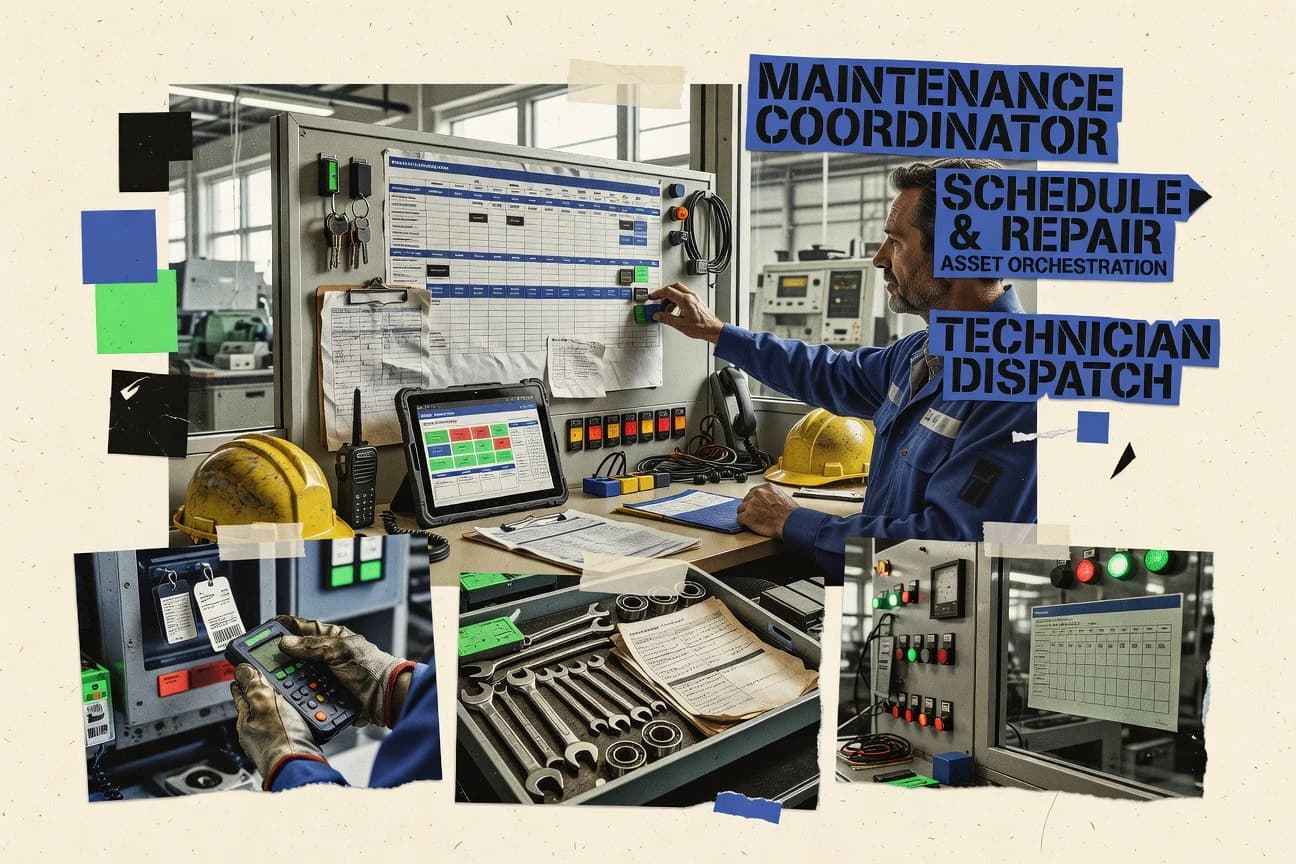
Maintenance coordinator software organizes work orders around asset records and technician execution so coordinators can coordinate planned and reactive maintenance without losing audit trails. This buyer's guide covers Fiix, eMaint CMMS, MPulse, IBM Maximo Application Suite, FMX, Infraspeak, Asset Panda, Coast, and ServiceChannel based on how each tool handles workflow control and field execution.
Fiix is the top-ranked tool in this set because asset-linked preventive triggers and checklists stay attached through the work order lifecycle, keeping scheduling, assignment, and completion connected. eMaint CMMS and IBM Maximo Application Suite are positioned for teams that need governed work order workflows with API-driven integration, while Asset Panda and Infraspeak lead with field-capture workflows that convert observations into work items tied back to assets.
Maintenance coordinator software for work order workflows, scheduling control, and asset-linked execution
Maintenance coordinator software routes maintenance intake into work order workflows tied to an asset register and a scheduling plan, then tracks execution through completion and approvals. The strongest tools keep checklist state connected to the work order lifecycle so field steps, evidence, and outcomes remain consistent from dispatch through closeout, as Fiix does with asset-linked preventive triggers and checklists.
This category also hinges on integration and automation depth because coordinators need to connect asset updates and work order events to other systems through an API surface. eMaint CMMS provides API support for custom integrations for work orders and asset updates, while IBM Maximo Application Suite uses configurable automation and bidirectional API-driven integration to maintain consistency across asset hierarchy, planning, and execution. Tools like Asset Panda and Infraspeak focus on mobile capture, where barcode scanning or inspection checklists map field actions back to the correct asset and associated work orders.
Workflow control, field execution, and asset traceability
Maintenance coordinator software succeeds when work order workflows keep scheduling, assignment, approvals, and closeout aligned to the same asset record. Tools that preserve checklist state across the work order lifecycle reduce missed steps and keep maintenance evidence consistent.
Asset-linked preventive triggers and checklist continuity
Fiix keeps asset-linked preventive triggers and checklists attached through the work order lifecycle, so scheduling, assignment, and completion stay connected. MPulse also enforces checklist templates on work orders, but Fiix anchors the preventive trigger to the asset through execution rather than only the checklist step set.
Configurable work order workflows with approvals and routing
eMaint CMMS uses configurable work order lifecycle with approvals and routing control tied to assets and scheduling. FMX adds a built-in approval and dispatch workflow that ties technician assignment to work order execution before field labor starts.
API surface for custom integrations and bidirectional automation
eMaint CMMS provides API support for custom integrations for work orders and asset updates. IBM Maximo Application Suite supports configurable automation with API-driven bidirectional integration across asset hierarchy, planning, and execution.
Mobile inspection capture that converts observations into work items
Infraspeak turns inspection checklist observations into trackable work items with auditable maintenance execution. Asset Panda maps barcode scanning field actions directly to asset records and related work orders, which speeds correct asset lookup during field execution.
Governance depth for enterprise maintenance execution
IBM Maximo Application Suite targets cross-workflow governance with consistent alignment between asset hierarchy, work orders, and planning through configurable automation and APIs. ServiceChannel targets approval-driven service workflows that tie completion records to compliance documentation for governed service work orders.
Choose by workflow starting point and governance control
The decision starts by selecting where coordination begins in the workflow. Some platforms begin with asset-linked preventive triggers and keep the work order lifecycle as the central state, while others begin with mobile capture that generates work items after inspections or scans.
Start from preventive planning or start from field capture
Pick Fiix when preventive maintenance needs asset-linked triggers and checklist state that stays attached through scheduling, assignment, completion, and closeout. Pick Infraspeak or Asset Panda when field teams need mobile inspections or barcode scanning to create trackable work items tied back to the correct asset record.
Match governance to admin capacity for workflow configuration
Pick eMaint CMMS or Coast when configurable work order workflows and checklists require an admin owner to maintain approval and routing behavior over time. Pick IBM Maximo Application Suite when enterprise-grade control across asset hierarchy and planning is needed, but governance discipline is available to prevent inconsistent workflow behavior.
Select the approval gate that fits dispatch timing
Pick FMX when approvals must occur before dispatching field labor and technician assignment must be tied to the work order workflow before execution starts. Pick ServiceChannel when the core requirement is approval-driven service work with completion records that support compliance documentation and maintenance compliance reviews.
Evaluate automation integration based on direction of data flow
Pick eMaint CMMS when custom integrations must push work order events and asset updates between systems via API support. Pick IBM Maximo Application Suite when bidirectional automation across enterprise applications must keep asset hierarchy, planning, and execution consistent through API-driven integration.
Validate scheduling logic complexity against setup discipline
Pick Fiix or FMX when asset-linked recurring maintenance must stay consistent across scheduling and execution without requiring complex per-asset scheduling logic changes. Pick MPulse when configurable checklist templates and workflow consistency matter, but plan for configuration discipline for complex per-asset scheduling logic.
Who should use maintenance coordinator software
Maintenance coordinator software fits roles that coordinate work order intake, technician execution, and asset traceability across planned and corrective maintenance. The strongest fit depends on whether coordination is centered on preventive triggers, approvals, or mobile inspection capture.
Maintenance coordinators running both planned and reactive work on shared assets
Fiix supports asset hierarchy links that keep scheduling, assignment, and completion in one flow while preserving checklist continuity through the work order lifecycle.
Facilities teams that need approvals before technician dispatch
FMX ties approvals to the work order workflow before dispatching field labor, which aligns technician assignment timing with controlled execution.
Enterprise maintenance orgs integrating with other business systems
IBM Maximo Application Suite provides API-driven bidirectional automation across asset hierarchy, planning, and execution, which supports coordinated enterprise data flow.
Multi-site maintenance teams running inspections and turning observations into work items
Infraspeak captures inspection checklists on mobile and creates trackable work items tied to auditable maintenance execution for coordinated follow-up work.
Field teams that need fast asset lookup during work
Asset Panda uses barcode scanning to map field actions directly to asset records and their related work orders, reducing time lost to manual asset identification.
Common buying and rollout pitfalls
Mistakes usually come from mismatching workflow governance to the organization’s admin capacity or from underestimating asset setup consistency. These tools enforce structure through checklists, workflows, and approval chains, so inconsistent asset data or weak configuration ownership can break traceability.
Treating preventive maintenance success as a scheduling feature only
Fiix depends on consistent asset setup and naming for strong preventive maintenance, so governance must cover asset hierarchy accuracy before relying on asset-linked preventive triggers.
Underestimating ongoing admin ownership for configurable workflows
eMaint CMMS requires workflow configuration ownership, so teams without a named admin process for approvals and routing should plan for ongoing configuration support.
Buying an enterprise governance tool without planning governance discipline
IBM Maximo Application Suite can require governance discipline to avoid inconsistent workflow behavior, so the rollout must assign accountability for workflow configuration changes.
Expecting mobile inspections to automatically solve coordination across sites
Infraspeak multi-location governance requires deliberate role and process design, so teams should model cross-site responsibilities before enabling inspection-to-work-item conversion.
Relying on barcode or checklist capture without defining approval chains
Asset Panda barcode scanning and checklist-driven work orders still need deliberate configuration for complex governance and approval chains, so approval routing should be defined before field rollout.
How We Selected and Ranked These Tools
We evaluated Fiix, eMaint CMMS, MPulse, IBM Maximo Application Suite, FMX, Infraspeak, Asset Panda, Coast, and ServiceChannel on workflow control, field execution fit, and how well each tool keeps work order evidence connected to asset records. Features received 40% of the weight, ease received 30%, and value received 30%.
Fiix ranked highest because asset-linked preventive triggers and checklist continuity stay attached through the full work order lifecycle, which ties scheduling, assignment, and completion into one controlled flow. The scoring also reflected how API-driven integration and approval gates map to actual coordinator workflows in eMaint CMMS and IBM Maximo Application Suite, and how mobile inspection and barcode capture translate into coordinated work items in Infraspeak and Asset Panda.
Frequently Asked Questions About maintenance coordinator software
How do Fiix and eMaint CMMS handle work orders tied to an asset hierarchy during preventive maintenance triggers?
Which tool best fits teams that need configurable approval gates before technician dispatch?
How does Infraspeak convert inspection checklist capture into coordinated planned or corrective work?
What breaks if a maintenance coordinator relies only on mobile updates without an audit trail?
How do Asset Panda and ServiceChannel differ in asset identification and completion documentation?
Which integration approach is most practical for connecting work order data to other systems through an API surface?
How do admin controls and RBAC differ between IBM Maximo Application Suite and FMX?
When should teams choose eMaint CMMS over MPulse for standardized field execution steps?
What is a common data migration risk when moving asset registers and work histories into Infraspeak or Coast?
How does ServiceChannel support maintenance compliance workflows compared with Coast’s internal coordination model?
Tools reviewed
Primary sources checked during evaluation.
Referenced in the comparison table and product reviews above.
- Business FinanceTop 10 Best Scheduling Maintenance Software of 2026
- Entertainment EventsTop 10 Best Event Coordinator Software of 2026
- Data Science AnalyticsTop 10 Best Maintenance Database Software of 2026
- Facilities Property ServicesTop 10 Best Maintenance Work Order Tracking Software of 2026
- Aerospace Aviation SpaceTop 10 Best Airline Maintenance Software of 2026
Keep exploring
Comparing two specific tools?
Software Alternatives
See head-to-head software comparisons with feature breakdowns, pricing, and our recommendation for each use case.
Explore software alternatives→In this category
Business Finance alternatives
See side-by-side comparisons of business finance tools and pick the right one for your stack.
Compare business finance tools→