
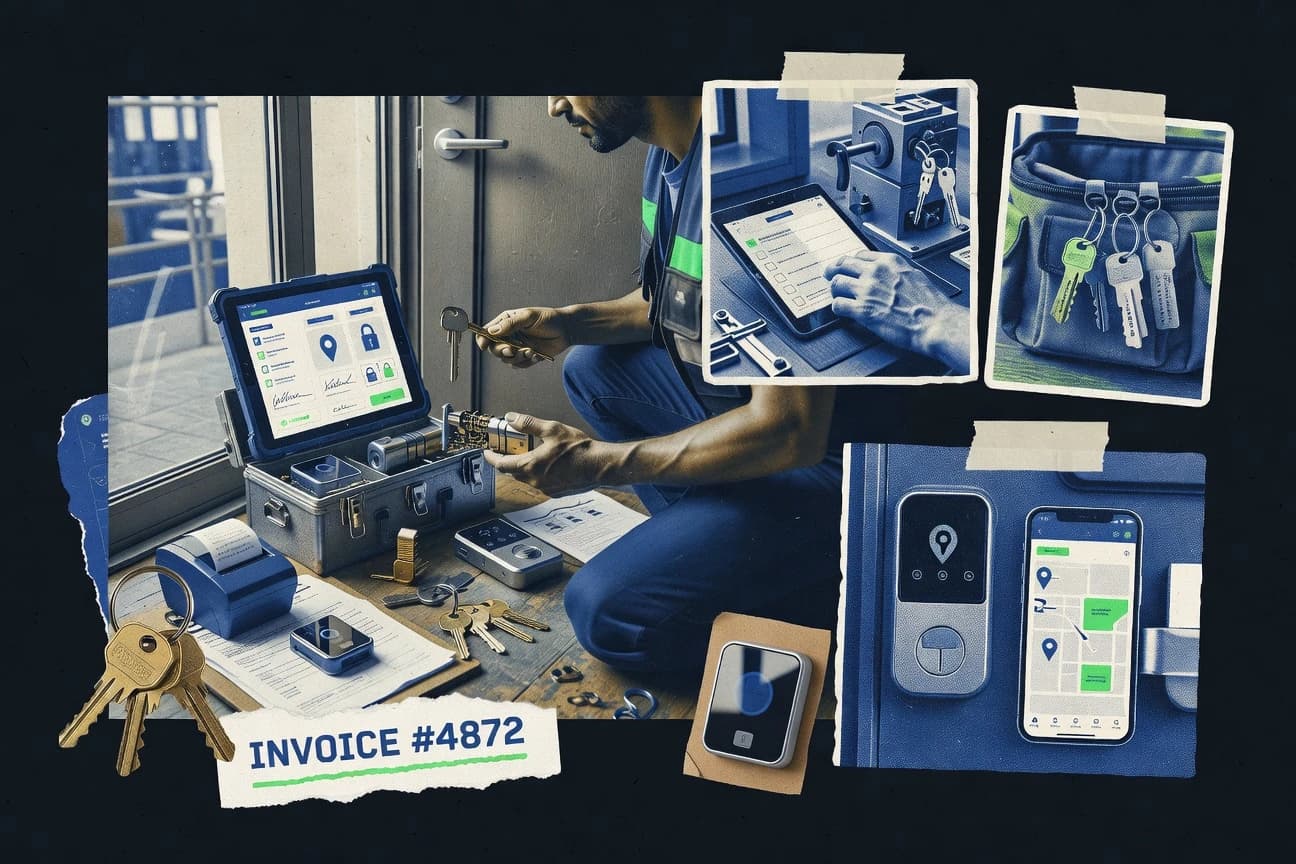
GITNUXSOFTWARE ADVICE
Personal Care ServicesTop 10 Best Locksmith Work Order Software of 2026
Explore top locksmith work order software to streamline your business.

How we ranked these tools
Core product claims cross-referenced against official documentation, changelogs, and independent technical reviews.
Analyzed video reviews and hundreds of written evaluations to capture real-world user experiences with each tool.
AI persona simulations modeled how different user types would experience each tool across common use cases and workflows.
Final rankings reviewed and approved by our editorial team with authority to override AI-generated scores based on domain expertise.
Score: Features 40% · Ease 30% · Value 30%
Gitnux may earn a commission through links on this page — this does not influence rankings. Editorial policy
Editor picks
Three quick recommendations before you dive into the full comparison below — each one leads on a different dimension.
ServiceTitan
Mobile technician app with real-time job status updates and field documentation
Built for growing locksmith franchises needing dispatch, mobile work orders, and profitability reporting.
Jobber
Runner UpAutomated client reminders and status updates tied to scheduled jobs
Built for locksmith teams needing simple scheduling, customer communication, and invoicing..
Housecall Pro
Also GreatMobile work order capture with photo attachments inside the technician workflow
Built for locksmith teams that need mobile work orders, scheduling, and customer communication.
Comparison Table
ServiceTitan
enterprise-field-serviceServiceTitan manages field service work orders, dispatch, job checklists, invoicing, and customer records for trade businesses including locksmith operations.
Mobile technician app with real-time job status updates and field documentation
ServiceTitan stands out with end-to-end field service operations built around scheduling, dispatch, and technician job workflows. It supports locksmith-focused work orders with job details, customer and site records, task checklists, and bid or estimate to invoice flows.
The platform includes mobile technician execution tools and back-office reporting for margins, labor, and service performance. It can be more complex than lighter locksmith-only systems because it is designed for broader home and commercial service businesses.
- +Robust dispatching with technician scheduling tied directly to work orders
- +Mobile job execution captures job notes, photos, and status updates in the field
- +Strong estimates to invoices workflow with line items and pricing rules
- +Detailed reporting for labor, job profitability, and operational KPIs
- –Setup and configuration for locksmith workflows can be heavy for small teams
- –Advanced automation and integrations can raise total implementation effort
- –Costs can be high compared with basic work order tools
Best for: Growing locksmith franchises needing dispatch, mobile work orders, and profitability reporting
Jobber
work-order-schedulingJobber creates and schedules work orders, tracks job details, sends invoices, and organizes customer and job information for small service businesses.
Automated client reminders and status updates tied to scheduled jobs
Jobber is distinct for turning quote-to-invoice workflows into a route-friendly job management system for small service businesses. It supports work order creation, scheduling, client communications, and invoicing in one place, which reduces manual status updates.
Locksmith teams can track job details, attach notes to customers and jobs, and manage recurring services like rekeys or inspections. Its core strength is operational visibility across dispatch, customer touchpoints, and billing from a single workspace.
- +End-to-end job workflow covers quoting, scheduling, work details, and invoicing
- +Mobile-friendly dispatcher view helps manage daily assignments and priorities
- +Client messaging and job status updates reduce phone and text follow-ups
- –Locksmith-specific workflows like rekey steps are not purpose-built
- –Inventory and parts tracking are limited compared with dedicated field tools
- –Advanced automation needs higher-tier features or additional configuration
Best for: Locksmith teams needing simple scheduling, customer communication, and invoicing.
Housecall Pro
field-dispatchHousecall Pro runs job scheduling and work order workflows with customer management, dispatch tools, and built-in invoicing for home service providers.
Mobile work order capture with photo attachments inside the technician workflow
Housecall Pro stands out for field-service dispatch workflows that translate well to locksmith job scheduling and customer visit tracking. It supports branded work orders, job status updates, photo attachments, and customer communication inside a single operational flow.
It also includes routing and calendar-based scheduling so technicians can see what to do next with less back-and-forth. For locksmith teams needing deeper inventory control or specialized compliance workflows, the out-of-the-box tooling is not as focused as dedicated locksmith platforms.
- +Dispatch and scheduling workflows reduce calls for job status updates
- +Work orders support photos and job notes tied to specific service visits
- +Built-in customer communication helps keep quotes and updates in one place
- +Technician app supports mobile capture during on-site work
- –Locksmith-specific workflows like master key tracking require extra configuration
- –Inventory and procurement features are not as robust as dedicated locksmith systems
- –Reporting and billing customization can feel limited for complex operations
Best for: Locksmith teams that need mobile work orders, scheduling, and customer communication
simPRO
field-service-operationssimPRO supports job costing, work order management, quoting, and scheduling for field service operations that handle repeatable service tasks.
Service invoicing tied directly to work order job status and time capture
simPRO stands out for managing trade operations across jobs, dispatch, and invoicing in a single workflow built for field service businesses. It supports work orders with scheduling, job status tracking, technician time capture, and automated invoicing for completing locksmith-style service jobs.
The platform connects customer records, service history, and documentation to reduce rework and speed up repeat visits. Reporting and permissions help supervisors enforce consistent quoting and job completion standards across teams.
- +Field service workflow links work orders to scheduling, dispatch, and invoicing
- +Customer and service history supports faster quotes and repeat job context
- +Role-based permissions help control quoting, approvals, and job edits
- +Job costing and reporting support supervisor visibility on margins
- –Setup and configuration take time to match locksmith quoting and triggers
- –Locksmith-specific details like keys and parts catalogs require extra configuration
- –Mobile job entry can feel heavy without a tightly defined process
- –Licensing cost can be high for very small teams needing only basic dispatch
Best for: Locksmith teams needing end-to-end job management, quoting, and invoicing
Kickserv
job-trackingKickserv provides a job tracking system with quotes, work orders, crew assignment, and invoicing features for service companies.
Technician-ready work orders with job checklists and status updates
Kickserv focuses on locksmith work order management with job dispatch, customer tracking, and field-ready checklists. It supports quoting and job status updates so teams can move work from request to completion.
The system centers on technician workflows and accountability through structured job records. Core capabilities emphasize operational throughput rather than deep custom automation or extensive marketing features.
- +Designed specifically for locksmith work orders and technician execution
- +Job status tracking supports clearer handoffs from dispatch to completion
- +Structured job records improve consistency across multiple technicians
- –Reporting depth is limited for operations teams needing advanced analytics
- –Customization options for complex dispatch rules appear constrained
- –Setup and workflow tuning take time for larger multi-branch operations
Best for: Locksmith teams needing structured job orders and technician-focused workflow tracking
Workiz
dispatch-invoicingWorkiz manages work orders, booking, dispatch, and invoicing while keeping technician notes and customer history organized.
Locksmith work order and dispatch workflow that links job statuses to technician execution
Workiz stands out for its locksmith-focused dispatch and job management workflow built around field operations. It covers customer intake, work orders, scheduling, technician assignment, and job status tracking with mobile-friendly execution.
The platform also supports messaging, call notes, and basic automation so crews can update jobs in real time without manual paperwork. Integrations and reporting exist, but locksmith-specific customization is more limited than general-purpose field service platforms.
- +Locksmith-oriented work order flow with dispatch-ready job statuses
- +Technicians can update jobs from mobile to reduce back-office calls
- +Scheduling and assignment tools support day planning across technicians
- +Built-in customer communication helps keep job context in one place
- –Setup and customization take time to match a real locksmith workflow
- –Advanced routing and optimization are limited compared with dispatch specialists
- –Reporting depth can feel basic for complex multi-location operations
- –Adding niche locksmith services often requires workarounds
Best for: Locksmith teams needing structured work orders, scheduling, and dispatch in one system
mHelpDesk
service-requestmHelpDesk tracks service requests into work orders, assigns technicians, and manages scheduling, invoicing, and communication for service teams.
Inventory and parts tracking connected to work orders and technician labor time
mHelpDesk stands out for combining ticket-style work orders with built-in time tracking, inventory, and customer management in one workflow. For locksmith teams, it supports creating work orders, assigning technicians, recording labor time, and tracking service details tied to specific jobs.
It also covers parts usage via inventory and can document recurring or multi-step service work with job notes and status updates. The solution is best when you want dispatch-ready work orders plus operational tracking, not just a simple quote-and-invoice form.
- +Work orders support tech assignment, job notes, and clear status changes.
- +Integrated time tracking ties labor logging directly to each work order.
- +Inventory and parts usage help track consumables and job-related materials.
- –Setup requires careful configuration for fields, workflows, and technician data.
- –Reporting depth can feel complex for teams that only need basic job summaries.
- –Locksmith-specific workflows like dispatch routing need extra configuration.
Best for: Locksmith teams needing work orders with time tracking and parts tracking
UpKeep
work-order-mobileUpKeep digitizes maintenance work orders with inspection checklists, asset-based tracking, and mobile job execution.
Mobile work order execution with checklists and photo documentation
UpKeep stands out with its mobile-first maintenance and work order workflow that many locksmith teams can adapt to job tracking. The system supports creating work orders, assigning technicians, setting schedules, and capturing job status updates from the field.
It also emphasizes asset and checklist style execution through templates, repeatable tasks, and photo-friendly job documentation. Integrations and automation help reduce manual dispatch work, but locksmith-specific features like job types and invoicing are not as purpose-built as dedicated locksmith systems.
- +Mobile work order capture supports dispatching and field execution without spreadsheets.
- +Asset and checklist templates help standardize common locksmith service workflows.
- +Assignment and status tracking keeps jobs visible across managers and technicians.
- –Locksmith-specific workflows like call reason taxonomy and dispatch rules need setup work.
- –Billing, invoicing, and pricing logic are not designed as a locksmith-first feature set.
- –Advanced customization can require admin effort to match local operating procedures.
Best for: Locksmith teams needing mobile work orders with standardized checklists
ServiceBridge
dispatch-platformServiceBridge automates work order management with dispatch, scheduling, digital job photos, and invoicing for service firms.
Mobile work order updates that keep dispatch, technician status, and customer records aligned
ServiceBridge focuses on locksmith service operations with job dispatch, work order tracking, and customer communication built into one workflow. It supports scheduling, technician assignments, and mobile-friendly execution so teams can update job status from the field.
The system also covers invoicing and payment-related workflows for completing and documenting each work order. Its value is strongest for dispatch-driven locksmith businesses that need consistent job records and repeatable processes.
- +Dispatch and work order status updates for locksmith crews
- +Job scheduling supports clear technician assignment and tracking
- +Customer communication tied to each work order record
- –Advanced configuration can take time to set up correctly
- –Reporting depth for large multi-branch operations feels limited
- –Some workflows require process discipline to keep records clean
Best for: Dispatch-focused locksmith teams needing mobile work orders and scheduling
Airtable
custom-workflowAirtable builds customizable locksmith work order databases with workflows, records, attachments, and automations for job tracking.
Relational base builder with connected records and customizable views for each job stage
Airtable stands out for turning work orders into structured records with flexible views, templates, and automation. You can model locksmith workflows using tables for jobs, customers, tech assignments, parts, and inventory, then connect records for quick traceability.
Built-in automations can notify teams, update statuses, and synchronize changes across linked records without custom code. It does not provide locksmith-specific dispatching, field-tech routing, or compliant ticketing workflows out of the box.
- +Relational tables link jobs, customers, inventory, and assignments
- +Flexible views support kanban, calendar, grid, and form-based intake
- +Automation rules update statuses and send notifications across workflows
- –No built-in locksmith dispatch, routing, or job scheduling optimization
- –Complex setups can require ongoing spreadsheet-style administration
- –Field updates in mobile use depend on configuration and discipline
Best for: Locksmith teams building customizable work-order workflows and inventory tracking
Conclusion
After evaluating 10 personal care services, ServiceTitan stands out as our overall top pick — it scored highest across our combined criteria of features, ease of use, and value, which is why it sits at #1 in the rankings above.
Use the comparison table and detailed reviews above to validate the fit against your own requirements before committing to a tool.
How to Choose the Right Locksmith Work Order Software
This buyer’s guide helps you choose Locksmith Work Order Software that matches real locksmith workflows for dispatch, field execution, documentation, and invoicing. It covers ServiceTitan, Jobber, Housecall Pro, simPRO, Kickserv, Workiz, mHelpDesk, UpKeep, ServiceBridge, and Airtable based on the distinct strengths and limitations of each tool.
What Is Locksmith Work Order Software?
Locksmith Work Order Software digitizes the full job lifecycle from lead or service request to scheduled work, technician execution, documentation, and invoicing. It replaces phone and spreadsheet updates with job records that track customer details, site information, service steps, and job status changes. It also centralizes technician time logging and parts consumption where those features are supported. Tools like Workiz and ServiceBridge focus on linking work order statuses to technician field updates so dispatch and customer records stay aligned.
Key Features to Look For
The right feature set determines whether your dispatch team can coordinate jobs, whether technicians can capture evidence in the field, and whether managers can quantify labor and job outcomes.
Mobile technician execution with real-time job status updates
ServiceTitan provides a mobile technician app that captures job notes, photos, and status updates directly from the field. Workiz also ties locksmith work order and dispatch workflows to job statuses that technicians update on mobile.
Work order photos and job documentation inside the technician workflow
Housecall Pro supports mobile work order capture with photo attachments inside the technician workflow so dispatch sees what happened on-site. UpKeep uses photo-friendly mobile job execution alongside checklist templates to standardize captured evidence.
Dispatch-ready scheduling and technician assignment
ServiceTitan connects scheduling and dispatch to work orders and technician job workflows for coordinated field execution. ServiceBridge supports job scheduling and technician assignment so dispatch can track who is working each work order.
Job checklists and structured multi-step work execution
Kickserv emphasizes technician-ready work orders with job checklists and job status updates for consistent handoffs from dispatch to completion. UpKeep uses asset and checklist templates to standardize repeatable locksmith steps across technicians.
Quote-to-invoice or job status-based invoicing
simPRO ties service invoicing to work order job status and time capture so billing reflects completion and labor. ServiceTitan supports estimates to invoices workflow with line items and pricing rules.
Parts and inventory tracking connected to work orders and labor time
mHelpDesk connects inventory and parts usage to work orders and technician labor time for traceable consumable tracking. Housecall Pro and Workiz provide inventory-related capabilities, but mHelpDesk delivers the most explicit parts usage linkage tied to each job record.
How to Choose the Right Locksmith Work Order Software
Pick the tool that matches your operating model for dispatch, technician documentation, and billing so you do not overbuild workflows during setup.
Map your field workflow to mobile job execution
If your technicians need to capture notes and photos and push status changes immediately, start with ServiceTitan because its mobile technician app is built for real-time job status updates and field documentation. If standardized checklists matter more than complex dispatch, UpKeep and Kickserv provide checklist-first job execution that technicians can complete consistently.
Match your dispatch complexity to the platform
If you run a growing locksmith operation with scheduling, dispatch, and performance reporting tied to job profitability, ServiceTitan supports technician scheduling tied directly to work orders. If you need simpler scheduling plus customer touchpoints, Jobber focuses on turning quotes into route-friendly job management with automated status updates tied to scheduled jobs.
Decide how you want invoicing to be triggered
If you want invoicing tied directly to work order completion and time capture, simPRO connects service invoicing to work order job status and time capture. If you want an estimates to invoices flow with line items and pricing rules, ServiceTitan supports estimates-to-invoice workflows designed for trade businesses.
Validate inventory and parts tracking requirements early
If parts usage must be recorded per job and tied to technician labor, mHelpDesk connects inventory and parts tracking to each work order. If your operation is more focused on job status and customer communication than procurement control, Workiz and Jobber can reduce administrative overhead while still organizing work orders and technician updates.
Confirm whether you need a flexible workflow builder or locksmith-first workflows
If your team wants a prebuilt dispatch and execution workflow, Workiz and ServiceBridge provide locksmith-focused work order flows that link status updates to technicians and customer records. If you need highly customized job stages and record relationships, Airtable lets you build a connected work order database with jobs, customers, technicians, parts, and inventory using relational tables and automations.
Who Needs Locksmith Work Order Software?
Different locksmith teams need different levels of workflow depth, so the best fit depends on whether you prioritize dispatch scale, technician execution, parts tracking, or customizable process design.
Growing locksmith franchises that need dispatch plus profitability reporting
ServiceTitan fits because it manages dispatch and technician job workflows with mobile job execution and detailed reporting for labor, job profitability, and operational KPIs. It is also the strongest match when you need estimates to invoices with line items and pricing rules.
Small locksmith teams that need scheduling, customer communication, and simple quote-to-invoice execution
Jobber is a strong match for simple scheduling and end-to-end job workflow that covers quoting, scheduling, job details, and invoicing in one system. Its automated client reminders and status updates reduce phone and text follow-ups tied to scheduled jobs.
Locksmith teams that want mobile work orders with photo evidence embedded in technician flow
Housecall Pro is designed around branded work orders with photos and job notes tied to specific service visits and built-in customer communication. UpKeep also supports mobile-first work order execution with checklists and photo documentation when standardization matters.
Locksmith teams that need time capture and parts usage tied to each job record
mHelpDesk is built for this because it combines work orders with time tracking and connects inventory and parts usage to technician labor time. That pairing is especially useful when you must audit consumables and labor by job.
Common Mistakes to Avoid
These mistakes show up when teams choose tools that do not align with locksmith workflow specificity, documentation needs, or operational reporting expectations.
Picking a generic workflow tool and underestimating the work to build dispatch and scheduling
Airtable can model jobs, customers, tech assignments, and parts with connected records and automations, but it does not provide locksmith dispatch or job scheduling optimization out of the box. Workiz and ServiceBridge deliver dispatch-linked work order status updates without forcing you to build routing behavior from scratch.
Ignoring checklist and documentation requirements for technician execution
Kickserv and UpKeep both include technician execution support through job checklists and photo-friendly documentation, which reduces variability across technicians. If you skip this requirement, technicians may capture insufficient evidence even when the tool records basic status changes.
Assuming parts tracking is covered without confirming inventory and labor linkage
mHelpDesk connects inventory and parts tracking to each work order and technician labor time, which supports per-job consumable accountability. Tools focused on scheduling and communication like Jobber may not provide the same depth of parts usage linkage for every job.
Overbuilding complex locksmith quoting and invoicing workflows before validating your processes
ServiceTitan and simPRO offer robust invoicing flows tied to estimates or work order status and time capture, but they require workflow alignment to match locksmith quoting triggers. simPRO and ServiceTitan also involve configuration effort for locksmith-specific details like keys and parts catalogs compared with locksmith-only execution tools.
How We Selected and Ranked These Tools
We evaluated ServiceTitan, Jobber, Housecall Pro, simPRO, Kickserv, Workiz, mHelpDesk, UpKeep, ServiceBridge, and Airtable using four dimensions: overall capability, feature depth, ease of use, and value fit. We separated stronger field-operations systems from lighter work order tools by checking whether mobile technician execution supports real-time job status updates and whether photos and documentation are captured inside the technician workflow. ServiceTitan stood out for end-to-end dispatch plus work order execution and profitability reporting because it links technician job workflows to mobile updates and supports estimates to invoices with line items and pricing rules. We also penalized mismatches where locksmith-specific workflows like dispatch routing, inventory control, or locksmith workflow steps require extra configuration for tools that are more general field service or customizable database builders.
Frequently Asked Questions About Locksmith Work Order Software
Which locksmith work order software best supports mobile technician execution with real-time job status updates?
What tool is strongest for quote-to-invoice workflows without manual status chasing?
Which platform is most suitable for structured, technician-centered checklists and throughput?
How do dispatch and routing workflows differ between locksmith-focused systems and general field service platforms?
Which tool connects labor time capture and inventory or parts usage to the same work order?
What option works best if you need customizable workflows without relying on locksmith-specific software features?
Which platform is better for managing multi-step or repeatable locksmith services across visits?
How do photo attachments and field documentation capabilities show up in locksmith work order execution?
What is the most practical software choice when you need job status alignment between dispatch, technicians, and customer records?
Tools reviewed
Primary sources checked during evaluation.
Referenced in the comparison table and product reviews above.
- Personal Care ServicesTop 10 Best Locksmith Scheduling Software of 2026
- Automotive ServicesTop 10 Best Repair Work Order Software of 2026
- Business FinanceTop 10 Best Web Based Work Order Software of 2026
- Technology Digital MediaTop 10 Best It Work Order Software of 2026
- Non Profit Public SectorTop 10 Best Public Works Work Order Software of 2026
Keep exploring
Comparing two specific tools?
Software Alternatives
See head-to-head software comparisons with feature breakdowns, pricing, and our recommendation for each use case.
Explore software alternatives→In this category
Personal Care Services alternatives
See side-by-side comparisons of personal care services tools and pick the right one for your stack.
Compare personal care services tools→