
GITNUXSOFTWARE ADVICE
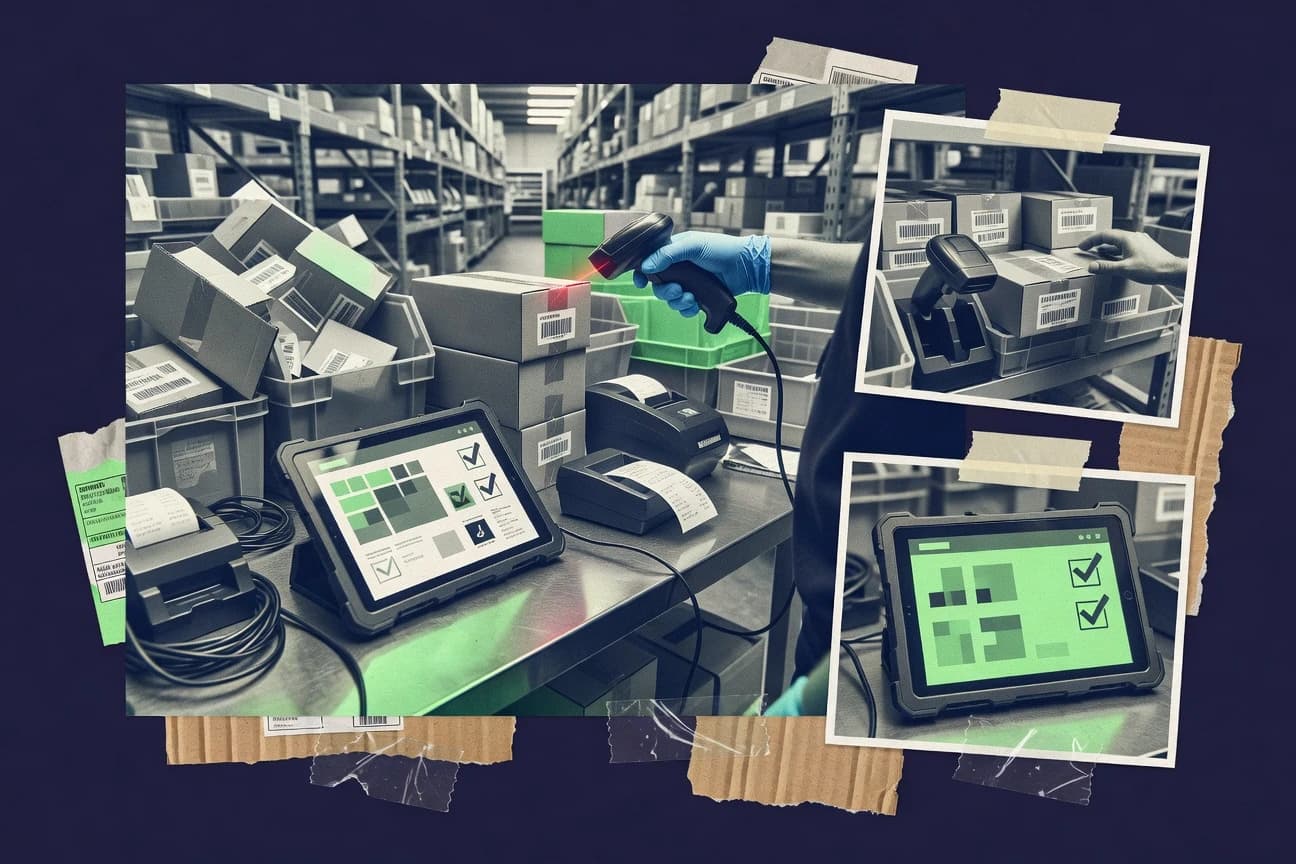
Business FinanceTop 10 Best Inventory Scanners And Software of 2026
Ranked review of inventory scanners and software tools with criteria and tradeoffs, covering SOS Inventory, Veeqo, and Zoho Inventory for teams.

How we ranked these tools
Core product claims cross-referenced against official documentation, changelogs, and independent technical reviews.
Analyzed video reviews and hundreds of written evaluations to capture real-world user experiences with each tool.
AI persona simulations modeled how different user types would experience each tool across common use cases and workflows.
Final rankings reviewed and approved by our editorial team with authority to override AI-generated scores based on domain expertise.
Score: Features 40% · Ease 30% · Value 30%
Gitnux may earn a commission through links on this page — this does not influence rankings. Editorial policy
SOS Inventory is the strongest pick for retail or warehouse teams that need scan-led execution tied to location-level stock accuracy, while Veeqo fits best as a budget-friendly entry when you must close gaps between scans and fulfillment across multiple channels, and Cin7 works if you’re multi-channel and want barcode control through receiving, transfers, and counting.
Editor’s top 3 picks
Three quick recommendations before you dive into the full comparison below — each one leads on a different dimension.
SOS Inventory
Cycle count workflows that turn scan events into structured stocktaking and discrepancy handling by location.
Built for fits when retail or warehouse teams need scan-led inventory execution tied to location-level stock accuracy..
Veeqo
Editor pickUnified inventory changes that propagate into pick, pack, and shipping workflows, minimizing time between scan events and fulfillment.
Built for fits when warehouse teams must reduce stock-accuracy gaps between scanning events and fulfillment across multiple channels..
Zoho Inventory
Editor pickInventory journals and transaction-linked stock changes keep lot and serial traceability consistent across receiving, shipments, and adjustments.
Built for fits when mid-size teams need barcode-driven stock control with Zoho-connected order workflows..
Comparison Table
SOS Inventory
SMBInventory and order management with barcode scanning integration.
Cycle count workflows that turn scan events into structured stocktaking and discrepancy handling by location.
SOS Inventory is a strong fit for operations teams that need handheld scanning to drive perpetual inventory accuracy and repeatable stocktaking routines. The system supports batch workflows for inventory receiving, putaway, and stock transfers, so scan events become structured inventory movements. Integrations focus on keeping on-hand quantities aligned with connected sales channels and upstream purchase activity. That alignment reduces mismatch work after counts.
A key tradeoff is that higher control over storage bins and transfer logic depends on disciplined configuration of warehouse locations and SKU mappings. Inventory programs that rarely scan outside of periodic counts may not use its workflow depth effectively. The best usage situation is ongoing cycle counting plus continuous receiving and adjustment capture in one operational process.
- +Scan workflows translate directly into receiving, putaway, and adjustments
- +Location-level counting supports tighter inventory accuracy tracking
- +Integrations reduce manual stock rekeying after physical activity
- +Batch-friendly scan tasks improve throughput during cycle counts
- –Bin and transfer logic requires careful warehouse configuration
- –Advanced scan workflows can add operational training overhead
- –Coverage for complex serial processes depends on how SKUs are modeled
- –Workflow customization depth can slow initial rollout
Warehouse operations managers
Cycle counting across multiple bins
Fewer post-count corrections
Retail inventory teams
Receiving and putaway driven by scans
Lower stock-out and misplacement risk
Show 2 more scenarios
Inventory analysts
Ongoing adjustments from physical counts
Faster inventory reconciliation
Captured scan data supports rapid inventory adjustments after targeted stocktaking.
IT system integrators
Sync stock changes to connected systems
Reduced data mismatch work
Integration updates keep connected channels aligned with system-of-record on-hand changes.
Best for: Fits when retail or warehouse teams need scan-led inventory execution tied to location-level stock accuracy.
Veeqo
SMBFree multi-channel inventory software with built-in barcode scanning.
Unified inventory changes that propagate into pick, pack, and shipping workflows, minimizing time between scan events and fulfillment.
Veeqo supports handheld scanning workflows for inventory receiving, stocktaking, and operational adjustments, with status updates that flow into fulfillment tasks. Inventory changes can be tied to specific locations and processes so cycle counting and stocktaking can reflect warehouse reality rather than only accounting totals. Automation covers order status updates and fulfillment steps, while integration depth helps keep SKU and stock quantities aligned with sales channels.
A common tradeoff is that teams typically need deliberate setup of warehouse locations, SKU mappings, and scanning rules before throughput improves. Veeqo fits best when ongoing cycle counting and receiving volume are high enough that scan-driven updates prevent downstream order errors.
- +Scan-driven receiving and stock changes link directly to fulfillment workflows.
- +Channel and warehouse integrations keep inventory and order status synchronized.
- +Location-aware operations reduce stock adjustment ambiguity.
- +Automated order and fulfillment steps cut manual status chasing.
- –Setup time for warehouse locations and SKU mapping can slow initial rollout.
- –Advanced governance like fine-grained RBAC may require careful configuration.
- –Some workflows depend on external integrations to complete end-to-end operations.
E-commerce ops teams
Multi-channel fulfillment with scan updates
Lower fulfillment cancellations
Warehouse managers
Cycle counting with location checks
More accurate on-hand
Show 2 more scenarios
Inventory control teams
Batch stocktaking after inbound receipts
Fewer adjustment errors
Post-receiving stocktaking ties inventory changes to the operational timeline.
3PL fulfillment teams
Pick and pack workflow standardization
Consistent throughput
Order workflows consume current inventory states after each scan-driven update.
Best for: Fits when warehouse teams must reduce stock-accuracy gaps between scanning events and fulfillment across multiple channels.
Zoho Inventory
SMBInventory management software with barcode generation and scanning features.
Inventory journals and transaction-linked stock changes keep lot and serial traceability consistent across receiving, shipments, and adjustments.
Zoho Inventory handles the day-to-day stock control needs that many warehouse teams cover with a mix of spreadsheets and separate systems, then adds automation through order-driven inventory movements. Barcode-based tasks work inside mobile-friendly flows for warehouse staff, and the system keeps stock levels aligned to posted transactions. Lot and serial tracking supports items that require traceability during receiving, shipments, and adjustments.
A practical tradeoff is that it does not replace a full warehouse management system with advanced slotting, pick wave optimization, and complex putaway logic. It fits best when operations require reliable perpetual inventory and scan-driven tasks across a small number of warehouses or locations.
- +Barcode-driven receiving and picking ties directly to inventory postings
- +Lot and serial tracking with transaction-level traceability
- +Order-to-stock execution reduces manual stock reconciliation work
- +Zoho ecosystem connections support broader ops automation
- –Limited warehouse slotting and wave planning compared with WMS tools
- –Advanced governance for large multi-warehouse teams can require tighter process discipline
- –Mobile scanning coverage depends on workflow configuration
- –Complex multi-leg fulfillment orchestration may need external tools
Warehouse supervisors
Scan receiving and validate lot quantities
Fewer receiving discrepancies
Ecommerce ops teams
Sync orders to perpetual inventory
Lower stockout risk
Show 2 more scenarios
Inventory planners
Manage reorder points by item
More consistent replenishment
Planners track reorder points and review inventory movements to plan replenishment by location.
Quality and compliance teams
Trace serials during adjustments
Clear audit trail
Quality teams record serial-level changes so audits can follow the lifecycle across transactions.
Best for: Fits when mid-size teams need barcode-driven stock control with Zoho-connected order workflows.
Wasp Barcode
SMBBarcode scanner hardware bundled with inventory tracking software for SMBs.
Bin and location aware scanning workflows that tie physical storage to each inventory transaction.
Wasp Barcode combines handheld barcode scanning workflows with inventory control software for warehouse and retail stock operations. The system supports practical receiving, stock movement, and stocktaking flows tied to scanned items, which reduces manual transcription during inventory adjustments.
It also focuses on configuration-driven operations such as bin and location handling to match how goods are physically stored. Wasp Barcode is geared toward teams that need fast scan-to-record throughput while keeping inventory changes traceable.
- +Scan-to-record workflows reduce transcription errors during receiving and adjustments
- +Location and bin handling supports real-world warehouse storage patterns
- +Stocktaking and cycle-friendly processes fit recurring inventory accuracy work
- +Configured workflows keep inventory changes tied to operational steps
- –Advanced governance like RBAC and audit log depth may need careful admin setup
- –Integrations with external WMS or POS systems can require custom mapping
- –Offline scanning and later sync behavior may be limited by deployment choices
- –Setup effort rises when item variants and lot or serial rules are complex
Best for: Fits when mid-size warehouses need scan-driven inventory control with location-aware workflows.
inFlow Inventory
SMBInventory management software with integrated barcode scanning for SMBs.
Scan-driven cycle counting that ties handheld entries directly into item history and inventory balance updates.
inFlow Inventory provides a desktop-first inventory management system built around barcode scanning workflows for receiving, stock counts, and transaction logging.
It connects those scans to ongoing stock levels with support for item tracking by lot or serial fields and bin-style organization for warehouse location work.
The solution also includes purchasing and sales inventory movements so scanned transactions update quantities without manual re-entry.
Administrators configure scan formats and reporting views to match a warehouse’s operational process rather than forcing a single counting method.
- +Fast barcode scanning workflow for receiving, counts, and adjustments
- +Lot and serial tracking supports audit-friendly traceability
- +Location and bin-oriented tracking supports structured storage work
- +Item history and transaction logs improve inventory reconciliation
- –Multi-warehouse governance can require careful configuration
- –Integrations and API surface are less central than barcode workflows
- –RFID and mobile app support are not the primary scanner path
- –Advanced WMS-style putaway and picking logic is limited
Best for: Fits when warehouse teams need scan-driven stock control with lot or serial traceability.
Fishbowl
SMBInventory control and warehouse management with barcode scanning modules.
Strong integration between inventory transactions and warehouse execution screens built for scanner and handheld capture.
Fishbowl pairs inventory management with warehouse workflows that map to real operations like receiving, shipping, and stock moves. It is distinct for how closely it ties inventory transactions to item records, units, and traceability behavior instead of treating scanning as a bolt-on feature.
Fishbowl supports barcode label printing and cycle counting workflows, and it can integrate with common point-of-sale and enterprise systems. The result is a transaction-driven inventory process with scanner-friendly screens for handheld use and warehouse execution.
- +Transaction-driven inventory updates tied to warehouse receipts and shipments
- +Barcode label printing supports consistent scan-to-ship execution
- +Cycle counting workflows support recurring inventory accuracy processes
- +Integrations cover common POS and business system connectivity needs
- –WMS-like setup takes more configuration than basic inventory scanners
- –Handheld scanning workflows can feel limited without disciplined bin usage
- –Advanced traceability requires careful item and process configuration
- –Reporting depth depends on how transactions are entered and categorized
Best for: Fits when a growing warehouse needs barcode scanning tied to receiving, shipping, and controlled stock moves.
Cin7
enterpriseCloud inventory and order management with integrated barcode scanning.
Workflow-driven stock state control that keeps inventory changes tied to specific operational events across channels.
Cin7 pairs inventory management with warehouse and order execution workflows for multi-channel operations where stock accuracy matters. It supports scanning-led stock control through mobile-friendly capture and barcode-driven processes tied to receiving, transfers, and adjustments.
The system is built for operational governance with configurable workflows that control when inventory is created, moved, or reconciled. For teams that rely on integrations, Cin7 connects inventory movements to external sales channels and back-office systems so stock stays aligned across them.
- +Barcode-based inventory capture that ties scans to receiving, transfers, and adjustments
- +Configurable fulfillment workflows that reduce manual stock reconciliation
- +Integration coverage that syncs inventory movements across sales channels and operations
- +Cycle counting support for ongoing stock accuracy targets
- –Richer warehouse governance workflows can require setup time for each operational edge case
- –RFID workflows and tag encoding are not a primary focus compared with scan-led processes
- –Mobile scanning workflows can depend on device and network stability for throughput
- –Advanced stock transfer rules may need careful configuration to match existing warehouse logic
Best for: Fits when multi-channel inventory teams need barcode-driven stock control tied to receiving, transfers, and counting.
GroovePacker
vertical specialistBarcode scanning software for inventory receiving and order verification.
Configurable scan-to-inventory action rules that convert batch scan outcomes into receiving and adjustment records.
GroovePacker focuses on scanning workflows that turn captured item data into actionable inventory updates for stock control use cases. It is built around mobile-friendly capture flows that support batch-style scanning and structured reconciliation for receiving and stocktaking.
The solution also emphasizes operational repeatability through configurable rules that map scanned results to inventory actions and adjustment records. Automation depth is centered on linking scan sessions to warehouse processes rather than only exporting raw scan logs.
- +Batch scanning sessions reduce time spent on repeated manual counts
- +Scan-to-action mapping supports receiving and stocktaking reconciliation
- +Configurable capture rules help standardize item matching behavior
- +Workflows stay usable on mobile hardware for in-aisle operations
- –Audit trails for every inventory adjustment step are not clearly surfaced
- –Offline support details for field scanning are limited in documentation
- –Integration depth with warehouse management systems is harder to validate
- –Role-based access controls for scan sessions are not described in detail
Best for: Fits when teams need mobile scan capture tied to inventory adjustments and cycle counting workflows.
Finale Inventory
SMBCloud-based inventory management with barcode scanning and mobile app support.
Bin-aware cycle counting workflows that drive scanner updates into discrepancy follow-up and inventory adjustments.
Finale Inventory drives stock control using barcode scanning on handheld devices and a centralized inventory system for updates. It supports warehouse workflows like receiving, stock transfers, bin-level counts, and adjustments tied to item locations.
Finale Inventory also focuses on cycle counting workflows with configurable count processes to keep inventory accuracy aligned to operational cadence. Reporting covers inventory status, movement history, and discrepancy visibility for periodic stocktaking and follow-up.
- +Bin-aware stock counts reduce mismatches during cycle counting
- +Scanning-driven receiving and transfers keep item quantities aligned to locations
- +Inventory adjustments support traceable changes tied to workflows
- +Movement history helps isolate causes of stock discrepancies
- –Advanced WMS behaviors like guided putaway are limited compared with full WMS suites
- –Role separation and governance controls need careful configuration discipline
- –External integrations depend on available connections rather than deep native mapping
- –Complex item structures such as multi-level lots may require extra workflow handling
Best for: Fits when teams need scanning-based stock control with location and count workflows, without replacing a full WMS.
CodeREADr
vertical specialistCloud-based barcode scanning app for inventory and asset tracking.
Validation-first scanning workflow that blocks or flags discrepancies before posting inventory adjustments.
CodeREADr focuses on handheld barcode capture linked to inventory actions, with workflow-driven scanning for stocktaking, receiving, and transfers. It emphasizes operational control around what gets scanned, how it is validated, and how results roll into inventory adjustments.
The system fits organizations that want repeatable scanning steps rather than ad hoc spreadsheets. CodeREADr also supports integrations and automation hooks to move scan outcomes into existing inventory management processes.
- +Workflow-guided scanning reduces missed steps during cycle counting
- +Validation rules catch mismatches before inventory adjustments post
- +Integration options support pushing scan results into existing systems
- +Support for handheld use supports warehouse floor speed and consistency
- –Complex workflows can require more admin configuration than simple mobile apps
- –Advanced warehouse management scenarios may need additional setup to match bin logic
- –Offline capture and reconciliation behavior can add operational edge cases
- –Reporting depth for long-term inventory accuracy tracking may lag WMS-focused tools
Best for: Fits when teams need repeatable scan workflows for stocktaking and stock transfers with validation gates.
Conclusion
After evaluating 10 business finance, SOS Inventory stands out as our overall top pick — it scored highest across our combined criteria of features, ease of use, and value, which is why it sits at #1 in the rankings above.
Use the comparison table and detailed reviews above to validate the fit against your own requirements before committing to a tool.
How to Choose the Right inventory scanners and software
Inventory scanners and software connect handheld barcode scanning to inventory control so scan events can directly create receiving records, inventory adjustments, and count results. This guide covers SOS Inventory, Veeqo, Zoho Inventory, Wasp Barcode, inFlow Inventory, Fishbowl, Cin7, GroovePacker, Finale Inventory, and CodeREADr.
The strongest implementations reduce time between scanning and execution while preserving location detail, lot and serial traceability, and transaction-linked audit paths. Tools like SOS Inventory convert cycle count scan events into location-level stocktaking workflows, while Veeqo propagates inventory changes into pick, pack, and shipping execution.
Inventory scanners and software that convert handheld captures into controlled stock records
Inventory scanners and software capture barcode scan events from mobile devices or handheld computers and turn them into inventory management software transactions like receiving, putaway, cycle counting, stock transfers, and inventory adjustments. These systems also maintain traceability so scan outcomes map to items, locations, and batches instead of landing as free-form notes.
SOS Inventory is built around cycle count workflows that transform scan events into structured stocktaking and discrepancy handling by location. Wasp Barcode focuses on bin and location aware scan-to-record workflows that tie physical storage directly to inventory transactions during receiving and adjustments.
Inventory scanner and software capabilities that control scan-led stock records
The strongest inventory scanners and software turn handheld capture into controlled transactions like receiving, putaway, cycle counting, stock transfers, and inventory adjustments. That control matters because scan events are otherwise easy to treat as notes instead of posting events tied to items and locations.
This guide prioritizes tools that keep scan outcomes structured through location detail and discrepancy handling, plus tools that preserve traceability from receiving to shipment and adjustments. SOS Inventory is the category reference for cycle count workflows that convert scan events into location-level stocktaking and discrepancy handling, while Wasp Barcode focuses on bin and location aware scan-to-record workflows.
Cycle counting that converts scans into location-level discrepancy workflows
SOS Inventory turns scan events into structured stocktaking and discrepancy handling by location so counts land as follow-up actions instead of untracked variance. Finale Inventory delivers bin-aware cycle counting that pushes scanner updates into discrepancy follow-up and inventory adjustments.
Receiving and fulfillment linkage that propagates inventory changes into execution
Veeqo links scan-driven receiving and stock changes into pick, pack, and shipping workflows to reduce the time gap between scanning and fulfillment. Fishbowl connects inventory transaction updates to warehouse execution screens for scanner and handheld capture during receiving and shipping.
Lot and serial traceability carried through inventory postings
Zoho Inventory keeps lot and serial tracking consistent with inventory journals and transaction-linked stock changes across receiving, shipments, and adjustments. inFlow Inventory ties scan-driven cycle counting entries into item history and inventory balance updates while maintaining lot or serial traceability.
Bin and location aware scan-to-record capture for real storage patterns
Wasp Barcode runs bin and location aware scanning workflows that tie physical storage to each inventory transaction. Wasp Barcode and Finale Inventory both emphasize bin-aware workflows, but Finale Inventory steers scans into cycle counting and discrepancy follow-up while Wasp Barcode emphasizes receiving and adjustment record capture.
Workflow-driven stock state control across operational events
Cin7 ties barcode capture into receiving, transfers, and counting through configurable operational event workflows. GroovePacker uses configurable scan-to-inventory action rules that convert batch scan outcomes into receiving and adjustment records.
How to choose inventory scanners and software for scan-to-posting control
The selection process should start with where scan events must become decisions. SOS Inventory and Finale Inventory treat scan sessions as inventory execution for counts and variance follow-up, while Veeqo and Fishbowl treat scan sessions as a bridge to fulfillment and warehouse execution.
The next step is to match inventory posting depth to warehouse complexity. Wasp Barcode and Finale Inventory prioritize bin-aware workflows, while Zoho Inventory prioritizes lot and serial traceability consistency across transaction postings and inventory journals.
Choose count-first execution or fulfillment-first propagation
If scan outcomes must immediately drive cycle counting and discrepancy follow-up by location, SOS Inventory and Finale Inventory align with scan-led stocktaking workflows. If scan outcomes must update order status and move directly into pick, pack, and shipping, Veeqo and Fishbowl align with scan-to-fulfillment execution.
Confirm bin and storage mapping depth before buying
If warehouse execution depends on bin locations during receiving and adjustments, Wasp Barcode and Finale Inventory provide bin and location aware scanning workflows. If bin usage is minimal or optional in current operations, tools that emphasize transaction linkage can still work, but bin logic still needs disciplined configuration to avoid mismatches.
Match traceability needs to transaction posting behavior
If lot and serial traceability must stay consistent from receiving through shipments and adjustments, Zoho Inventory supports inventory journals and transaction-linked stock changes with lot and serial tracking. If traceability must be carried through scan-driven cycle counting entries tied to item history and balance updates, inFlow Inventory provides that scan-to-history linkage.
Select governance based on how many operational edge cases exist
If the warehouse has many receiving, transfer, and counting edge cases that require operational event workflows, Cin7 uses workflow-driven stock state control that ties changes to specific events across channels. If operations rely on rule-based scan-to-action mapping for batch scan sessions, GroovePacker focuses on scan-to-inventory action rules that convert batch outcomes into receiving and adjustment records.
Prefer validation gates when errors must be blocked before posting
If the process requires scan workflow validation gates that block or flag mismatches before inventory adjustments post, CodeREADr is built around validation-first scanning workflows. If validation can happen after posting through discrepancy handling, SOS Inventory’s location discrepancy handling can cover that path without pre-post blocking.
Evaluate integration surface by transaction touchpoints
If the software must synchronize inventory and order status across sales channels, Veeqo centers on channel and warehouse integrations that keep inventory aligned with fulfillment. If the organization needs scanner-friendly execution screens tied to receiving, shipping, and controlled stock moves, Fishbowl emphasizes transaction-driven inventory updates tied to warehouse receipts and shipments.
Who inventory scanners and software are built for
Inventory scanners and software fit teams that need scan-led inventory control with traceability and transaction-linked posting, not manual spreadsheets. The best fit depends on whether the core pain is count accuracy, receiving and fulfillment sync, or lot and serial traceability.
SOS Inventory and Wasp Barcode fit scan-led warehouses that treat physical storage detail as part of the posting logic, while Zoho Inventory fits teams that tie barcode capture to inventory journals with transaction-level traceability.
Retail and warehouse teams running frequent cycle counting
SOS Inventory converts cycle count scan events into structured stocktaking and discrepancy handling by location, and Finale Inventory drives bin-aware cycle counting that feeds discrepancy follow-up into adjustments.
Warehouses with scan-to-fulfillment timing gaps across multiple channels
Veeqo propagates inventory changes from scan-driven receiving into pick, pack, and shipping workflows while keeping inventory and order status synchronized through channel and warehouse integrations.
Operations with strict lot and serial traceability across receiving and shipments
Zoho Inventory ties barcode-driven receiving and picking directly to inventory postings and maintains lot and serial tracking with transaction-linked traceability across receiving, shipments, and adjustments.
Mid-size warehouses that need bin-aware control without a full WMS
Wasp Barcode and Finale Inventory both support bin and location aware scan workflows that tie physical storage to inventory transactions, while limiting the need to replicate full WMS slotting and wave planning.
Teams that need validation gates before adjustments are posted
CodeREADr focuses on validation-first scanning that flags or blocks discrepancies before inventory adjustments post, which reduces downstream rework in stock transfers and stocktaking.
Common pitfalls when buying inventory scanners and software
A frequent mistake is assuming any barcode scanning app automatically creates controlled inventory transactions. Tools only reduce inventory accuracy gaps when scan outcomes are tied to receiving, putaway, cycle counting, transfers, and adjustments with location and traceability preserved.
Another mistake is underestimating configuration work for bin logic and warehouse governance workflows. Wasp Barcode and SOS Inventory both rely on careful bin and transfer logic setup, and Cin7 needs setup time for operational edge cases in richer governance workflows.
Selecting based on scanning speed while ignoring how scans become discrepancies and adjustments by location
Tie the purchase decision to whether SOS Inventory or Finale Inventory can convert scan events into structured stocktaking with discrepancy handling at location granularity.
Assuming bin and location handling works without disciplined warehouse configuration
If bin and transfer logic drives receiving and adjustments, Wasp Barcode and SOS Inventory require careful warehouse configuration so scan results map to the right bins and storage areas.
Overlooking traceability behavior for lots and serials across postings
When lot and serial integrity must persist from receiving through shipments and inventory adjustments, Zoho Inventory’s transaction-linked stock changes are a fit, while inFlow Inventory emphasizes scan-driven cycle counting tied to item history and balance updates.
Choosing workflow depth that does not match the number of operational edge cases
If the organization needs workflow-driven stock state control across receiving, transfers, and counting, Cin7’s configurable workflows require setup time for each edge case rather than minimal configuration.
Skipping validation gates when the process needs to stop mismatches before inventory postings
If the workflow must block or flag discrepancies before posting inventory adjustments, CodeREADr’s validation-first scanning approach fits better than scan-led tools that rely primarily on post-scan discrepancy handling.
How We Selected and Ranked These Tools
We evaluated SOS Inventory, Veeqo, Zoho Inventory, Wasp Barcode, inFlow Inventory, Fishbowl, Cin7, GroovePacker, Finale Inventory, and CodeREADr using features at 40% weight, ease at 30% weight, and value at 30% weight. SOS Inventory set the ranking pace because cycle count scan workflows translate scan events into structured stocktaking and discrepancy handling by location, which tightens the scan to posting loop. Veeqo ranked next in part because scan-driven inventory changes propagate into pick, pack, and shipping workflows and keep inventory and order status synchronized.
Zoho Inventory and inFlow Inventory scored strongly where scan-led traceability and transaction-linked posting behavior reduced mismatch risk between scan capture and inventory balances. Wasp Barcode, Fishbowl, and Finale Inventory supported separate warehouse execution needs with bin-aware scanning depth and scanner-friendly transaction updates tied to receipts, shipments, and cycle counting.
Frequently Asked Questions About inventory scanners and software
Which tools are best for scan-led receiving and putaway workflows tied to locations?
How do scan sessions get converted into stock changes during cycle counting?
Which inventory systems maintain lot and serial traceability across inventory journals and shipments?
How should integrations and inventory state synchronization be evaluated across channels?
When do RFID readers outperform barcode scanners for inventory scanning workflows?
What breaks if scan-to-record validation is missing during stock transfers or stocktaking?
How do admin controls and RBAC-style governance typically show up in inventory scanning software?
Which tools support offline scanning or handheld-friendly capture for warehouses with spotty connectivity?
Where do inventory scanners fall short when warehouses need deep warehouse management system capabilities?
How does data migration and historical accuracy affect onboarding from spreadsheets or legacy systems?
Tools reviewed
Primary sources checked during evaluation.
Referenced in the comparison table and product reviews above.
- Business FinanceTop 10 Best Inventory Scanner And Software of 2026
- Business FinanceTop 10 Best Barcode Scanning Inventory Software of 2026
- Business FinanceTop 10 Best Scan And Organize Documents Software of 2026
- Technology Digital MediaTop 10 Best Inventory Computer Software of 2026
- Manufacturing EngineeringTop 10 Best Spare Parts Inventory Software of 2026
Keep exploring
Comparing two specific tools?
Software Alternatives
See head-to-head software comparisons with feature breakdowns, pricing, and our recommendation for each use case.
Explore software alternatives→In this category
Business Finance alternatives
See side-by-side comparisons of business finance tools and pick the right one for your stack.
Compare business finance tools→