
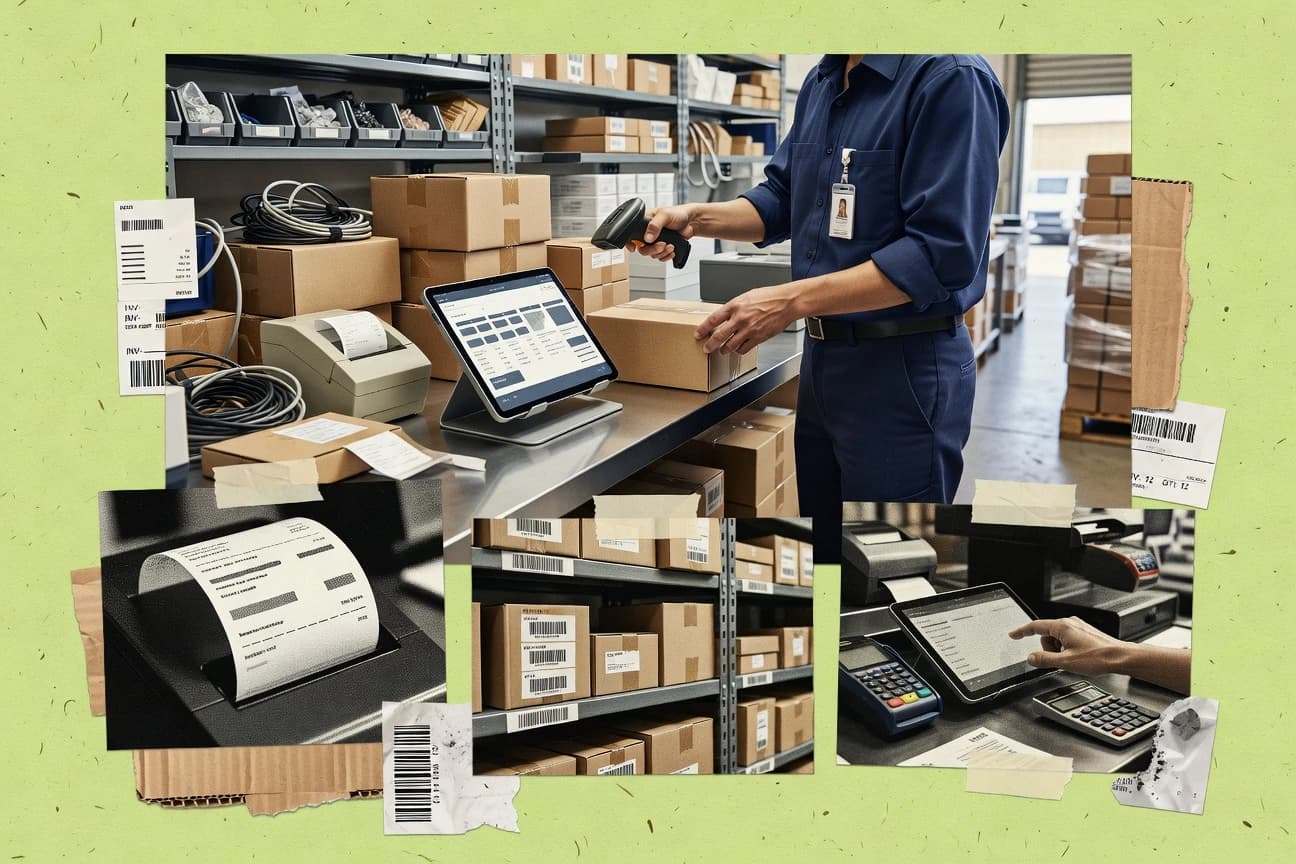
GITNUXSOFTWARE ADVICE
Business FinanceTop 10 Best Inventory Billing Software of 2026
Find the top 10 inventory billing software solutions to streamline operations.

How we ranked these tools
Core product claims cross-referenced against official documentation, changelogs, and independent technical reviews.
Analyzed video reviews and hundreds of written evaluations to capture real-world user experiences with each tool.
AI persona simulations modeled how different user types would experience each tool across common use cases and workflows.
Final rankings reviewed and approved by our editorial team with authority to override AI-generated scores based on domain expertise.
Score: Features 40% · Ease 30% · Value 30%
Gitnux may earn a commission through links on this page — this does not influence rankings. Editorial policy
Editor’s top 3 picks
Three quick recommendations before you dive into the full comparison below — each one leads on a different dimension.
NetSuite
Item and inventory costing tied to invoicing through NetSuite order management and financial posting
Built for mid-market and enterprise teams needing inventory-led billing with strong financial controls.
SAP Business One
Editor pickInventory and general ledger posting from sales invoices in one workflow
Built for mid-market manufacturers and distributors needing inventory-driven invoicing.
Odoo
Editor pickAutomated invoice creation from delivered stock quantities in the Sales workflow
Built for operations-led teams running stock, sales, and accounting in one system.
Comparison Table
NetSuite
enterprise ERPCloud ERP with inventory and billing workflows that cover order-to-cash, item costing, and accounting-ready invoices.
Item and inventory costing tied to invoicing through NetSuite order management and financial posting
NetSuite stands out for unifying inventory, order management, and billing inside one system with real-time financial posting. It supports item and warehouse tracking, multi-location fulfillment, and inventory costing that flows directly into invoices and accounts receivable. Advanced controls for pricing, tax, and revenue recognition help teams handle complex billing scenarios tied to stock movement.
- +Real-time inventory and billing linkage improves invoice accuracy
- +Multi-warehouse inventory tracking supports complex fulfillment models
- +Advanced billing rules handle discounts, taxes, and customer-specific pricing
- +Inventory cost methods post directly to financials
- –Implementation and configuration are heavy for small teams
- –User experience can feel complex without dedicated admin support
- –Customization for billing edge cases can require specialist effort
- –Reporting setup can take time for non-standard inventory scenarios
Best for: Mid-market and enterprise teams needing inventory-led billing with strong financial controls
SAP Business One
ERPERP for mid-market businesses with inventory management and invoice and billing processes tied to accounting.
Inventory and general ledger posting from sales invoices in one workflow
SAP Business One stands out for tightly integrated inventory, sales, and finance processes inside one ERP for billing workflows. It supports inventory management with item master data, warehouse and bin handling, and stock movements that drive billing accuracy.
It enables customer invoicing based on sales documents, with tax and payment details carried into the invoice and posting to the general ledger. It also provides reporting for delivery, invoicing, and inventory valuation to support order-to-cash visibility.
- +Inventory-led sales invoicing keeps stock and billing aligned
- +Warehouse and bin management supports complex fulfillment
- +Direct posting from invoices into financial ledgers
- +Strong inventory valuation and profitability reporting
- –Setup and master-data modeling require experienced administration
- –Billing customization can depend on consultants and add-ons
- –User experience can feel rigid for highly specialized workflows
- –Reporting and layout changes may require extra configuration
Best for: Mid-market manufacturers and distributors needing inventory-driven invoicing
Odoo
modular ERPModular business suite where Inventory and Invoicing apps manage stock moves and customer or vendor billing.
Automated invoice creation from delivered stock quantities in the Sales workflow
Odoo stands out by combining inventory management and invoicing in one unified ERP suite with shared item, stock, and customer data. It can generate invoices from delivered quantities, track stock moves by warehouse, and support multi-company operations.
The system also supports complex billing needs like recurring invoices, discounts, and taxes through configurable accounting workflows. Automation is strongest when you use Odoo’s purchase, manufacturing, and sales modules together.
- +Inventory-to-invoice flow links stock moves to billable quantities
- +Multi-warehouse and multi-company setups support complex operations
- +Configurable products, taxes, and discounts cover varied billing rules
- +Recurring invoicing supports subscription-like billing schedules
- –Inventory billing requires careful configuration of products and routes
- –ERP-wide setup adds complexity compared with dedicated billing tools
- –Advanced workflows can feel heavy without standard templates
- –Reporting depth depends on module configuration and naming consistency
Best for: Operations-led teams running stock, sales, and accounting in one system
Cin7 Core
inventory-to-billingRetail and wholesale inventory and order management that generates customer billing and supports stock and fulfillment controls.
End-to-end inventory workflow that feeds sales fulfillment and billing outcomes
Cin7 Core stands out for bringing inventory, purchasing, and order fulfillment into one connected workflow across channels. It supports inventory tracking with reorder points, purchase orders, and stock movements that feed billing and fulfillment processes.
The platform also connects to accounting and eCommerce so sales orders and inventory status stay synchronized for billing accuracy. It is designed more for operational inventory control tied to billing than for pure invoicing feature depth.
- +Inventory, purchasing, and fulfillment workflows support billing accuracy
- +Channel and order synchronization helps keep stock and invoices aligned
- +Reorder points and purchase order automation reduce manual stock planning
- +Accounting integrations support faster month-end reconciliation
- –Setup and data onboarding can take significant operational effort
- –Billing and invoicing features are less specialized than dedicated invoicing tools
- –Workflow complexity can slow adoption for smaller teams
- –Reporting customization for billing details may require process tuning
Best for: Retail and wholesale teams needing inventory-led billing across channels
DEAR Systems
inventory operationsInventory and operations platform that connects purchase and sales orders to invoicing with manufacturing-aware stock costing.
Inventory management that drives billed quantities directly from stock and location transactions
DEAR Systems stands out with inventory-first billing for organizations that manage stock across multiple locations and then bill based on that inventory position. It connects inventory, purchase, sales, and invoicing workflows so billed quantities can stay aligned with actual stock movements. Core capabilities include inventory management, sales orders and invoices, purchase management, and integrations that support syncing data with connected systems.
- +Inventory-to-invoice workflows reduce billing mismatches
- +Multi-location inventory tracking supports complex fulfillment
- +Sales orders and invoices stay connected to stock movements
- +Automation around purchasing and replenishment supports operational control
- –Setup and data modeling take time for accurate inventory valuation
- –Billing workflows can feel rigid without customization work
- –Advanced reporting requires more user configuration than simple dashboards
Best for: Companies managing inventory across locations that need billing tied to stock movements
Katana
manufacturing inventoryManufacturing-focused inventory management that supports sales orders and invoicing workflows tied to production and stock levels.
BOM-based manufacturing that updates inventory quantities used for sales orders and invoices
Katana focuses on turning inventory and sales demand into actionable production and shipping plans that connect inventory, sales orders, and fulfillment workflows. It supports multi-location inventory, purchase and production planning, and BOM-driven manufacturing so billed quantities match real stock movements.
Billing is tightly tied to order and fulfillment data, which reduces manual reconciliation between inventory status and invoices. The strongest fit is businesses that need inventory-controlled billing across manufacturing or assembly flows rather than simple reselling.
- +BOM-driven manufacturing ties inventory usage directly to billing quantities
- +Multi-location inventory supports distributed stock across warehouses
- +Production and purchase planning links orders to procurement actions
- +Order-to-invoice workflow reduces reconciliation between stock and invoices
- –Setup of products, BOMs, and workflows takes time for complex catalogs
- –Advanced inventory-to-billing alignment can feel rigid without custom process
- –Reporting depth for billing-only analysis is weaker than for operations users
Best for: Inventory-controlled manufacturing and distribution teams needing billing tied to stock moves
QuickBooks Commerce
retail inventoryInventory management for retail and wholesale operations that prepares customer invoicing from orders while syncing products and stock.
Inventory and order synchronization designed to keep stock counts aligned with billing in QuickBooks
QuickBooks Commerce stands out for combining inventory and order management with direct connections into QuickBooks accounting workflows. It supports product catalog management, multi-location inventory tracking, and sales order handling tied to billing outcomes.
The system is geared toward online and omnichannel selling, with merchandising features that help keep inventory status aligned with customer orders. Reporting and fulfillment visibility are strongest for commercial operations that need inventory accuracy feeding billing and accounting.
- +Multi-location inventory tracking ties stock to orders and billing workflows
- +QuickBooks accounting integration supports cleaner financial reconciliation
- +Product catalog and inventory visibility reduce overselling risk
- +Omnichannel order management keeps fulfillment status consistent
- –Advanced inventory workflows are less robust than dedicated inventory suites
- –Setup can feel complex for teams with custom fulfillment rules
- –Reporting depth for inventory cost and adjustments is limited
- –Costs rise quickly as user counts and storefronts increase
Best for: Retail and e-commerce teams needing inventory-controlled billing with QuickBooks
Zoho Inventory
SMB inventoryInventory management with sales order processing that feeds invoicing for product billing and stock control.
Multi-warehouse inventory with serial and lot tracking tied to sales and purchase workflows
Zoho Inventory stands out by tying inventory control directly to billing workflows with Zoho Books and broader Zoho CRM support. It covers item and warehouse management, purchase and sales order processing, and barcode-driven inventory tracking.
The system also supports serial and lot tracking, reordering rules, and multi-location stock visibility to keep billing quantities aligned with what you sell. Reporting focuses on stock movements, inventory valuation, and fulfillment performance for operational reconciliation.
- +Strong integration with Zoho Books for sales billing and accounting alignment
- +Multi-warehouse stock tracking helps keep invoices accurate across locations
- +Serial and lot tracking supports regulated products and precise stock reconciliation
- +Barcode and item scanning workflows speed receiving and fulfillment
- –Inventory-billing setup across modules can feel complex for multi-warehouse teams
- –Advanced reporting needs careful configuration to match billing reconciliation
- –Reporting exports and dashboard customization are less flexible than dedicated BI tools
Best for: Businesses using Zoho apps needing inventory-driven billing accuracy across warehouses
inFlow Inventory
budget-friendly inventoryInventory tracking and order billing system that manages stock levels and generates sales invoices from item movements.
Inventory-to-invoice linkage that keeps sales billing aligned with stock status
inFlow Inventory focuses on inventory and billing workflows with built-in purchase and sales tracking tied to items and stock levels. It supports invoicing and customer-facing billing processes using a catalog of products, tax settings, and line-item pricing. Reporting covers inventory movement, purchase history, and sales performance so you can reconcile billing against stock changes.
- +Strong inventory tracking tied directly to invoices and stock movements
- +Quick setup for item catalogs, pricing, and basic tax rules
- +Inventory movement and sales reporting supports reconciliation
- –Advanced billing automation needs configuration and add-ons
- –Limited support for complex multi-warehouse or manufacturing workflows
- –Customization options feel narrower than full ERP systems
Best for: Small to mid-size businesses billing customers based on inventory movements
Sortly
lightweight inventoryAsset and inventory tracking tool that supports basic billing-related item records and reorder workflows.
Barcode and image-based inventory item tracking for fast audits and accurate counts
Sortly centers on visual inventory management using barcode and image-based item records, which makes audits and counts faster to run than spreadsheets. It supports inventory tracking, location and quantity changes, and item fields that you can tailor for billing workflows.
It also connects inventory to orders and can help generate usage-based records that feed invoicing processes, but it is not a full billing platform with deep accounting automation. For inventory billing, it works best when you need strong item control and clear audit trails more than complex invoicing rules.
- +Visual item records with images speed up picking and inventory verification
- +Barcode support improves scan-to-item accuracy during audits
- +Flexible fields and locations help map inventory to billing contexts
- +Audit-friendly tracking reduces confusion around quantity changes
- –Billing logic is limited compared with dedicated invoicing and accounting suites
- –Automation for complex pricing rules is not a strong focus
- –Reporting is adequate but not built for deep financial reconciliation
- –Setup requires structuring items and fields to fit each billing workflow
Best for: Teams managing visual inventory who want simpler billing records
Conclusion
After evaluating 10 business finance, NetSuite stands out as our overall top pick — it scored highest across our combined criteria of features, ease of use, and value, which is why it sits at #1 in the rankings above.
Use the comparison table and detailed reviews above to validate the fit against your own requirements before committing to a tool.
How to Choose the Right Inventory Billing Software
This buyer's guide explains how to choose Inventory Billing Software that links stock movements to customer invoices and accounting posting across NetSuite, SAP Business One, Odoo, Cin7 Core, DEAR Systems, Katana, QuickBooks Commerce, Zoho Inventory, inFlow Inventory, and Sortly. You will get a feature checklist, a step-by-step selection workflow, and role-based recommendations mapped to the strengths and tradeoffs of each tool.
What Is Inventory Billing Software?
Inventory Billing Software connects item and warehouse activity to customer invoicing so billed quantities match what actually moved in inventory. It solves order-to-cash accuracy problems by automating invoice creation from deliveries, stock transactions, or fulfillment steps. Many teams also need invoice content that posts into finance with taxes, revenue recognition controls, and general ledger details tied to the same documents. NetSuite and SAP Business One illustrate the ERP style where inventory, sales invoicing, and financial posting run in one workflow, while inFlow Inventory and Sortly illustrate simpler inventory-to-invoice linkage for smaller operations.
Key Features to Look For
These capabilities matter because inventory-led billing fails when stock, fulfillment, and invoice generation are not tied to the same item, location, and quantity logic.
Inventory-to-invoice linkage from stock movements or deliveries
Choose tools that generate billed quantities from delivered quantities or inventory transactions instead of copying manual counts. Odoo creates invoices from delivered stock quantities in the Sales workflow, and DEAR Systems drives billed quantities directly from stock and location transactions.
Financial posting and accounting-ready invoice workflows
Prioritize systems that carry invoice fields into accounting ledgers without rebuilding mappings. NetSuite links item and inventory costing tied to invoicing through order management and financial posting, and SAP Business One posts sales invoices directly into the general ledger.
Multi-warehouse and bin or location tracking that stays aligned to billing
Look for warehouse-aware inventory that prevents invoices from drifting from which stock moved. NetSuite supports multi-warehouse inventory tracking, SAP Business One includes warehouse and bin handling, and Zoho Inventory provides multi-warehouse stock visibility.
Inventory costing methods that flow into invoices and profitability reporting
Billing accuracy depends on inventory valuation that matches the invoiced quantities. NetSuite posts inventory cost methods directly to financials, and SAP Business One supports inventory valuation and profitability reporting tied to delivery and invoicing.
Advanced billing rules for taxes, discounts, and customer pricing
Complex billing requires rule coverage inside the inventory-led workflow. NetSuite supports advanced billing rules for discounts, taxes, and customer-specific pricing, and Odoo supports configurable products plus taxes and discounts through accounting workflows.
Manufacturing-aware inventory consumption and billable quantity updates via BOMs
For make-to-stock or assembly workflows, require production and BOM logic that updates what gets billed. Katana ties BOM-driven manufacturing to inventory quantities used for sales orders and invoices, and Odoo improves automation when you use purchase, manufacturing, and sales modules together.
How to Choose the Right Inventory Billing Software
Select a tool by matching how you move inventory to how you invoice, then validating that finance posting and reporting are driven from the same source records.
Map your billing trigger to the right inventory event
If your invoices must be created from delivered quantities, Odoo automates invoice creation from delivered stock in the Sales workflow, and inFlow Inventory generates sales invoices from item movements tied to stock levels. If your invoices must bill based on stock and location transactions, DEAR Systems drives billed quantities directly from stock and location transactions.
Confirm warehouse scope and picking accuracy inside the billing workflow
For operations that ship from multiple warehouses, require multi-warehouse stock visibility that stays linked to invoices. NetSuite and SAP Business One support multi-warehouse handling, and Zoho Inventory provides multi-warehouse tracking with serial and lot control that helps prevent incorrect billing across locations.
Verify accounting posting depth and governance for your approval needs
When you need inventory-led invoices to land in ledgers with strong controls, NetSuite offers role-based controls and approval workflows plus inventory cost posting into financials. SAP Business One also provides direct posting from invoices into general ledger, which supports order-to-cash visibility across delivery and invoicing.
Match complexity level to your administration capacity
If you can staff a dedicated admin for configuration, ERP platforms like NetSuite and SAP Business One handle complex billing edge cases but take heavier implementation and setup effort. If you need faster onboarding with simpler inventory-to-billing mapping, inFlow Inventory supports quick setup for item catalogs, pricing, and basic tax rules, while QuickBooks Commerce focuses on syncing inventory and orders to QuickBooks for cleaner reconciliation.
Choose specialized manufacturing or retail workflows only when they match your operation
For BOM-driven manufacturing and assembly, Katana updates inventory quantities used for sales orders and invoices through BOM-based production logic. For retail and wholesale across channels, Cin7 Core coordinates inventory, purchasing, and order fulfillment so billing outcomes follow channel stock status, and QuickBooks Commerce focuses on omnichannel order management tied to billing in QuickBooks.
Who Needs Inventory Billing Software?
Inventory Billing Software fits teams that can lose revenue or create audit risk when invoice quantities drift from stock movements, deliveries, or production consumption.
Mid-market and enterprise teams with inventory-led order-to-cash and strong financial controls
NetSuite fits teams that need item and inventory costing tied to invoicing through financial posting plus role-based controls and approval workflows. SAP Business One is also a fit when you want inventory and general ledger posting from sales invoices in one workflow.
Manufacturers and distributors that bill from deliveries and need inventory value and profitability visibility
SAP Business One supports inventory-led sales invoicing based on sales documents with inventory valuation and profitability reporting for order-to-cash visibility. Odoo is a strong fit for operations-led teams that run stock, sales, and accounting together and want invoices created from delivered quantities.
Operations-led teams running stock and invoicing in one system with automation from delivered quantities
Odoo automates invoice creation from delivered stock quantities and supports configurable taxes and discounts through accounting workflows. DEAR Systems also aligns billed quantities with actual stock and location transactions for inventory-driven billing.
Retail and wholesale businesses that need inventory-led billing across channels and replenishment controls
Cin7 Core is built for retail and wholesale workflows that connect inventory, purchasing, and order fulfillment so billing outcomes track channel stock. QuickBooks Commerce targets retail and e-commerce teams that sync inventory and orders so stock counts stay aligned with billing in QuickBooks.
Inventory-controlled manufacturing and assembly teams that bill based on BOM consumption
Katana is designed for inventory-controlled manufacturing where BOM-driven production updates inventory quantities used for sales orders and invoices. Odoo can also work well when you combine purchase, manufacturing, and sales modules to improve automation from stock and production steps.
Businesses using multiple warehouses and regulated inventory that needs serial and lot tracking
Zoho Inventory supports serial and lot tracking with multi-warehouse stock visibility tied to sales and purchase workflows for more precise reconciliation. NetSuite also supports multi-warehouse inventory tracking with financial posting controls for regulated scenarios that require auditability.
Small to mid-size businesses billing customers based on item movements and stock levels
inFlow Inventory focuses on inventory tracking tied directly to invoices and stock movements with built-in purchase and sales tracking. Sortly supports simpler visual inventory tracking with barcode and image-based item records that speed audits and can connect inventory to orders for basic billing records.
Common Mistakes to Avoid
These mistakes repeatedly break inventory-led billing accuracy because they separate stock reality from invoice generation or they underestimate configuration and reporting effort.
Choosing a tool that tracks inventory but does not generate invoices from the same stock event
Avoid relying on invoice entry that does not reference the delivery or stock transaction that changed quantities. Odoo generates invoices from delivered stock quantities, while DEAR Systems drives billed quantities from stock and location transactions to keep invoices aligned with inventory reality.
Ignoring multi-warehouse and location logic when your billing depends on which stock moved
Do not treat locations as a spreadsheet attribute if you must bill by warehouse and manage distributed fulfillment. NetSuite and SAP Business One support multi-warehouse and bin handling, and Zoho Inventory provides multi-warehouse stock tracking tied to sales and purchase workflows.
Underestimating the configuration effort needed for complex billing and inventory valuation
ERP-style systems like NetSuite and SAP Business One require heavier implementation and master-data modeling, and advanced billing customization can depend on consultants and add-ons. If you lack admin capacity, use tools like inFlow Inventory for quicker item catalog and basic tax setup or QuickBooks Commerce for tighter workflow around QuickBooks reconciliation.
Selecting a manufacturing tool for reselling workflows or skipping BOM logic for manufacturing workflows
Katana fits when BOM-based manufacturing updates inventory quantities used for sales orders and invoices, and it can feel rigid if your only workflow is simple inventory reselling. For non-manufacturing inventory-led billing, tools like inFlow Inventory and DEAR Systems better match inventory-to-invoice linkage without BOM catalog complexity.
How We Selected and Ranked These Tools
We evaluated inventory billing tools by overall fit for inventory-led billing, depth of inventory and billing features, ease of use for day-to-day operations, and value for the workflows the software targets. We prioritized systems that connect inventory events to invoices and that keep financial posting aligned with the same documents driving inventory quantities. NetSuite separated itself by tying item and inventory costing to invoicing through order management and financial posting plus advanced billing rules, role-based controls, and approval workflows. Lower-ranked tools in this set still support inventory-to-invoice linkage but place more emphasis on inventory tracking speed or operational workflow coverage than on deep accounting-ready invoice controls.
Frequently Asked Questions About Inventory Billing Software
Which inventory billing tool best ties billed quantities to actual stock movements?
What option is best when you need inventory-led billing with strong finance controls and general ledger posting?
Which system fits inventory invoicing driven by delivered quantities rather than manual invoice entry?
How do the top tools compare for multi-warehouse and bin-level inventory operations?
Which choice works best for manufacturing or assembly where stock is produced from BOMs before billing?
Which tool is strongest for omnichannel selling where inventory accuracy must stay synchronized to customer orders and accounting?
What should you use if you need barcode and serial or lot tracking to reduce inventory-to-invoice reconciliation issues?
Which platforms are better for integrating inventory workflows with e-commerce and accounting without duplicate item data?
Which tool is most appropriate when inventory control is the priority and billing needs are comparatively straightforward?
What are common implementation pitfalls when adopting inventory billing software, and how do these tools mitigate them?
Tools reviewed
Primary sources checked during evaluation.
Referenced in the comparison table and product reviews above.
- Business FinanceTop 10 Best Billing And Inventory Software of 2026
- Business FinanceTop 10 Best Barcode Scanning Inventory Software of 2026
- Business FinanceTop 10 Best Simple Inventory Tracking Software of 2026
- Business FinanceTop 10 Best Point Of Sale Inventory Management Software of 2026
- Business FinanceTop 10 Best Small Business Inventory Control Software of 2026
Keep exploring
Comparing two specific tools?
Software Alternatives
See head-to-head software comparisons with feature breakdowns, pricing, and our recommendation for each use case.
Explore software alternatives→In this category
Business Finance alternatives
See side-by-side comparisons of business finance tools and pick the right one for your stack.
Compare business finance tools→