
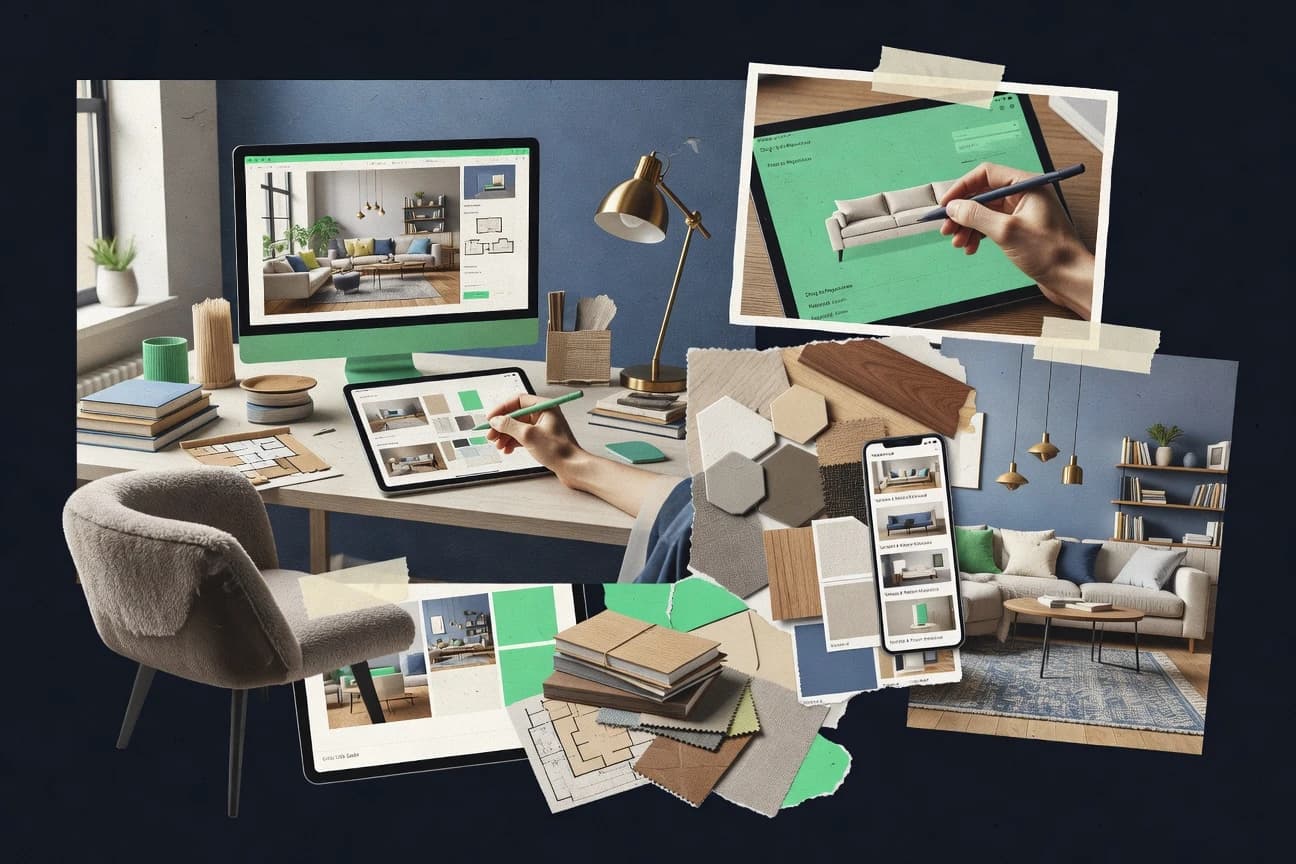
GITNUXSOFTWARE ADVICE
Art DesignTop 10 Best Interior Design AI Software of 2026
Compare interior design ai software tools by ranking, features, strengths, and tradeoffs for residential and professional design projects.

How we ranked these tools
An editor sets the topic, the inclusion criteria, and the evaluation framework before research starts.
AI search agents find sources, extract figures with provenance, and aggregate written reviews. They also transcribe video reviews and podcasts.
Framework: Features 40% · Ease 30% · Value 30%
Gitnux may earn a commission through links on this page — this does not influence rankings. Editorial policy
Collov AI is the strongest overall choice when designers, homeowners, or property marketers need rapid room concepts from existing photos, while Planner 5D is the better fit for homeowners and small teams that want editable layouts alongside quick visual ideas.
Editor’s top 3 picks
Three quick recommendations before you dive into the full comparison below — each one leads on a different dimension.
Collov AI
Guided AI room editing combines uploaded-photo redesign with targeted furniture and finish changes in one browser workflow.
Best for: Fits when designers, homeowners, and property marketers need rapid visual concepts from existing room photos.
PromeAI
Editor pickPromeAI's sketch-to-render workflow turns loose architectural drawings into styled interior concepts while preserving the source composition.
Best for: Fits when designers need rapid visual alternatives for client presentations and early-stage residential concepts.
Planner 5D
Editor pickAI Design Generator turns text prompts and room inputs into editable interior concepts inside the Planner 5D editor.
Best for: Fits when homeowners and small design teams need quick visual concepts and editable room layouts.
Comparison Table
Collov AI
vertical specialistAI interior design generator for room remodeling and furniture visualization.
Guided AI room editing combines uploaded-photo redesign with targeted furniture and finish changes in one browser workflow.
Collov AI accepts uploaded room images and produces redesigned scenes across styles such as modern, Scandinavian, farmhouse, and luxury. Its interface supports furniture replacement, wall and floor changes, color adjustments, and scene generation from written descriptions. Design teams can use generated images for early client presentations, property marketing, renovation ideation, and social content.
The workflow remains image-based, so dimension accuracy and construction feasibility require human review. Collov AI suits a homeowner testing several room directions or a real-estate marketer preparing staged listing imagery, but it is less suitable for documentation that depends on precise measurements, CAD interoperability, or build-ready specifications.
- +Generates multiple room concepts from uploaded photos
- +Supports targeted furniture, wall, floor, and color changes
- +Produces presentation-ready visualizations without CAD expertise
- +Includes workflows for property staging and renovation ideation
- –Generated layouts may ignore exact room dimensions
- –Construction drawings and BIM interoperability are not core workflows
- –Fine-grained object masking can require repeated prompting
- –Results depend heavily on source-image quality and camera angle
Interior design studios
Presenting early renovation concepts
Faster client alignment
Real-estate marketing teams
Virtually staging vacant rooms
More compelling listings
Show 2 more scenarios
Home renovation planners
Comparing style and finish options
Clearer design decisions
Homeowners test wall colors, flooring, furnishings, and decorative styles against their actual room images.
Furniture retailers
Showing products in room contexts
More contextual merchandising
Merchandising teams visualize furniture within styled interiors for campaign concepts and customer inspiration.
Best for: Fits when designers, homeowners, and property marketers need rapid visual concepts from existing room photos.
PromeAI
vertical specialistAI design platform offering interior and architectural rendering generation.
PromeAI's sketch-to-render workflow turns loose architectural drawings into styled interior concepts while preserving the source composition.
PromeAI combines sketch rendering, image-to-image redesign, and text-guided generation in one visual workspace. Users can upload interior photographs, line drawings, or rendered scenes, then apply materials, furniture styles, lighting directions, and architectural treatments. The platform also includes tools for object removal, background changes, image enhancement, and product-style visual generation.
The main tradeoff is limited precision for measured layouts and production documentation. Results can alter proportions, openings, or furniture geometry during regeneration. A residential designer can use PromeAI to present several living-room directions before committing to detailed CAD or BIM work.
- +Converts sketches, photographs, and rendered views into interior concepts
- +Supports targeted edits through generative fill and object removal
- +Offers dedicated workflows for architecture, interiors, and product visuals
- +Produces presentation-ready variations without complex modeling software
- –Regenerated images can change dimensions and architectural details
- –Limited control over exact furniture catalogs and product specifications
- –Not designed for construction documents or BIM coordination
- –Consistent multi-view scenes require manual review and iteration
Residential interior designers
Presenting alternate living-room concepts
Faster client concept reviews
Real estate marketers
Staging vacant property photographs
More persuasive listing visuals
Show 2 more scenarios
Architecture students
Visualizing early design studies
Clearer design communication
Students convert hand sketches and basic massing views into presentation images for critiques and portfolios.
Furniture retailers
Creating styled product scenes
Broader merchandising content
Retail teams generate room contexts that show furniture in different interior styles and settings.
Best for: Fits when designers need rapid visual alternatives for client presentations and early-stage residential concepts.
Planner 5D
SMBAI-assisted room planning combines floor plans, 3D visualization, and interior style generation.
AI Design Generator turns text prompts and room inputs into editable interior concepts inside the Planner 5D editor.
Planner 5D supports 2D planning, 3D visualization, furniture placement, material changes, and photorealistic scene rendering in one workspace. Its AI Design Generator can produce room concepts from text prompts, while the catalog provides ready-made furniture and decor assets for manual refinement. The editor keeps the workflow visual, reducing the need for separate drafting and rendering applications.
The main tradeoff is limited professional interoperability compared with dedicated CAD and BIM suites, especially for complex construction documentation. Planner 5D fits a homeowner testing several living-room layouts or a decorator presenting quick concepts before detailed specification work.
- +AI-generated room concepts accelerate early ideation
- +Simple 2D and 3D editing supports rapid layout changes
- +Large furniture and decor catalog supports realistic staging
- +Cross-device access keeps projects available during client discussions
- –Advanced construction documentation is thinner than dedicated CAD software
- –Complex projects can become cumbersome as object counts increase
- –AI outputs require manual correction for precise dimensions
- –Professional file exchange and automation options are limited
Home renovation planners
Testing alternative living-room arrangements
Faster layout decisions
Independent interior designers
Presenting early client concepts
Clearer client approvals
Show 2 more scenarios
Furniture retailers
Staging products in room scenes
More contextual product presentations
Retail teams place catalog items into styled interiors to demonstrate scale, composition, and coordination.
Property marketing teams
Visualizing vacant residential spaces
Stronger visual merchandising
Marketers furnish empty rooms digitally and produce presentation images for listings or development proposals.
Best for: Fits when homeowners and small design teams need quick visual concepts and editable room layouts.
Homestyler
vertical specialistBrowser-based interior planning software provides AI room design, floor plans, and rendered scenes.
Homestyler’s integrated AI design workflow turns uploaded room photos into editable visual concepts inside the same project environment.
Interior design software often separates quick visualization from detailed space planning, while Homestyler combines both in a browser-based workflow. Its drag-and-drop editor supports floor plans, furnished 3D scenes, material changes, and high-resolution renders without requiring desktop CAD software.
AI-assisted room restyling can generate alternative looks from uploaded images, while the catalog supports placement of branded furniture and decor. The workflow suits concept development, client presentations, and residential planning, but advanced BIM interoperability and enterprise administration remain limited.
- +Browser editor combines floor-plan creation, furniture placement, and 3D visualization.
- +AI room restyling produces fast visual alternatives from reference images.
- +Large furniture and decor catalog supports product-specific scene composition.
- +Cloud projects allow designs to be accessed across supported devices.
- –Advanced BIM interoperability is limited compared with professional architectural suites.
- –High-quality rendering can require substantial processing time for complex scenes.
- –AI outputs may distort architectural details or furniture proportions.
- –Enterprise governance features such as granular RBAC and audit logs are limited.
Best for: Fits when homeowners, designers, and property professionals need fast visual concepts with editable 3D room layouts.
Foyr Neo
professionalProfessional interior design software combines floor planning, 3D modeling, rendering, and AI-assisted workflows.
Floor-plan-to-3D conversion creates editable rooms that retain dimensions, furniture placement, materials, and presentation views.
Foyr Neo converts floor plans and room dimensions into editable 3D interiors with furniture, materials, lighting, and presentation views. Its browser-based workspace combines automated room creation with a large manufacturer-linked catalog and real-time rendering.
Users can produce floor plans, walkthroughs, design boards, and photorealistic images from one project. The main limitation is a narrower AI layer than specialist image-generation tools, with less emphasis on image-to-image redesign and API-driven automation.
- +Converts uploaded floor plans into editable 3D room layouts.
- +Large catalog supports real product-based furniture and finish selection.
- +Browser workflow reduces dependence on local workstation hardware.
- +Real-time rendering supports rapid client presentation revisions.
- –AI image restyling is less extensive than dedicated generative design tools.
- –Advanced customization can require substantial catalog and scene setup.
- –API and external automation options are limited for controlled enterprise workflows.
- –Large scenes may require careful asset and lighting management.
Best for: Fits when interior designers need browser-based floor-plan conversion, product sourcing, and client-ready 3D presentations.
Midjourney
specialistGenerative AI image tool widely used for interior design concept visualization.
Style Reference and Omni Reference controls guide generated rooms toward a chosen visual language or reference subject.
Interior designers needing fast visual concepts can use Midjourney to generate stylized room imagery from text prompts and reference images. Its strength lies in rapid concept iteration, distinctive aesthetics, and convincing material, lighting, and composition suggestions.
Image prompting supports room restyling, image variations, and style transfer, while the web editor enables localized changes through erase and inpainting tools. Midjourney does not provide CAD import, BIM interoperability, dimension-aware layouts, or a documented public API for production automation.
- +Generates distinctive interior concepts from concise text prompts.
- +Reference-image controls help preserve visual direction across iterations.
- +Web editor supports localized erasing, inpainting, and canvas expansion.
- +Strong image quality for mood boards and client-facing concept presentations.
- –Outputs lack reliable dimensions for furniture placement or construction documents.
- –No documented public API supports automated design revision workflows.
- –Text rendering and exact product reproduction remain inconsistent.
- –Prompt iteration can consume substantial time for precise room changes.
Best for: Fits when designers need visually distinctive room concepts before committing to measured layouts or specification documents.
Spacely AI
vertical specialistAI interior visualization generates styled room images, material concepts, and design variations.
Photo-based room restyling combines prompt edits with selectable interior styles in a single browser workflow.
Spacely AI differentiates itself with a browser-based workflow that turns reference images and text prompts into interior concepts without requiring CAD files. Users can restyle rooms, change furnishings, adjust finishes, and generate multiple visual directions from an uploaded image.
The service also supports presentation-oriented outputs for mood boards and client discussions. Its feature depth is narrower than systems built around floor plans, 3D assets, or professional design-file interoperability.
- +Image-to-image restyling produces quick room variations from existing photographs.
- +Text prompts support targeted changes to furniture, colors, materials, and decorative style.
- +Browser workflow reduces the need for specialized rendering or drafting software.
- +Generated concepts support early client presentations and design direction reviews.
- –Outputs can alter architectural details or room geometry in ways that require manual review.
- –No documented public API supports automated generation pipelines or batch provisioning.
- –Professional CAD and BIM interoperability is limited or absent.
- –Fine control over exact furniture dimensions and product placement remains constrained.
Best for: Fits when designers need fast visual concepts from room photos before committing to detailed plans.
Decorilla
SMBOnline interior design platform integrating AI room visualization with designer matching.
Designer-backed AI workflow that turns a client brief into room concepts, renderings, and coordinated shopping recommendations.
Interior design software often combines AI visualization with professional review, and Decorilla centers its workflow on that human-in-the-loop model. Users submit room measurements, photos, preferences, and inspiration before receiving concept boards, layouts, renderings, and shoppable furniture selections.
Design packages support revisions and connect clients with assigned interior designers rather than relying only on automated image generation. The service has limited integration depth because public API access, CAD import, BIM interoperability, and administrative governance controls are not prominent parts of the offering.
- +Human designer review adds practical judgment to AI-assisted room concepts
- +Interactive 3D visualizations help compare furniture placement before purchasing
- +Shoppable designs connect selected products with the final room concept
- +Multiple revision rounds support feedback during the design workflow
- –Public API and third-party integration options are limited
- –Results depend on accurate room photos, measurements, and project briefs
- –Professional review makes output less immediate than fully automated generators
- –Advanced CAD, BIM, and technical documentation workflows receive limited coverage
Best for: Fits when homeowners want AI-assisted concepts combined with designer feedback and purchasable room recommendations.
REimagineHome
vertical specialistAI-generated room redesigns support virtual staging, remodeling concepts, and interior style changes.
Photo-to-redesign generation that creates multiple styled room concepts from a single uploaded image.
REimagineHome converts uploaded room photos into AI-generated redesigns, with controls for room type, style, color, and furnishing direction. Its browser workflow supports room restyling, exterior concepts, landscaping ideas, and targeted edits without requiring CAD files or 3D modeling skills.
Users can generate multiple visual concepts quickly, but outputs remain presentation images rather than dimension-aware construction plans. The product suits homeowners, real estate professionals, and designers needing fast concept imagery rather than integrated production documentation.
- +Generates room redesigns from ordinary smartphone photos.
- +Supports targeted changes to furniture, finishes, colors, and decorative styles.
- +Produces fast visual alternatives for property marketing and client presentations.
- +Works in a browser without specialized modeling software.
- –Image outputs can alter room geometry, windows, and architectural details.
- –No dependable dimension-aware layouts for construction or purchasing decisions.
- –Limited control over exact furniture products and catalog matching.
- –No documented API, team administration, or approval workflow for larger operations.
Best for: Fits when homeowners, agents, and designers need rapid visual concepts from existing room photographs.
Interior AI
vertical specialistAI image generation converts room photographs into redesigned interiors across multiple styles.
Interior AI’s Sketch2Image workflow turns rough room drawings into rendered interior concepts.
Homeowners, real estate professionals, and designers needing fast visual concepts can use Interior AI for image-based room redesign. Its browser workflow converts uploaded room photos into styled alternatives and supports virtual staging for property marketing.
Users can test furniture arrangements, finishes, and decorative directions without creating a detailed 3D model. Results remain concept imagery rather than dimension-accurate documentation for construction or procurement.
- +Photo uploads produce rapid room restyling concepts
- +Multiple visual styles support early design ideation
- +Virtual staging addresses common real estate marketing workflows
- +Browser-based generation requires no CAD installation
- –Generated layouts can alter doors, windows, and room proportions
- –No reliable dimension-aware planning for construction decisions
- –Limited control over exact furniture products and specifications
- –Results may require repeated generations for consistent room details
Best for: Fits when property marketers and homeowners need quick visual concepts from existing room photographs.
Conclusion
After evaluating 10 interior design ai software, Collov AI stands out as our overall top pick — it scored highest across our combined criteria of features, ease of use, and value, which is why it sits at #1 in the rankings above.
Use the comparison table and detailed reviews above to validate the fit against your own requirements before committing to a tool.
How to Choose the Right Interior Design Ai Software
Interior design AI software spans photo-based room restyling, sketch-to-render workflows, editable floor-plan conversion, and 3D room planning. Collov AI leads this group with guided edits for furniture, finishes, walls, floors, and colors from uploaded room photos. PromeAI, Planner 5D, Homestyler, Foyr Neo, Midjourney, Spacely AI, Decorilla, REimagineHome, and Interior AI serve different points between visual ideation, measured layouts, product selection, and designer review.
The main separation is workflow control. Collov AI, Spacely AI, REimagineHome, and Interior AI prioritize rapid image revisions, while Foyr Neo and Planner 5D retain editable spatial structures. Midjourney favors visual direction through Style Reference and Omni Reference controls, and Decorilla adds human designer feedback and shopping recommendations.
What Interior Design AI Software Handles
Interior design AI software uses generative models and spatial editing tools to create room concepts from photographs, text prompts, sketches, or floor plans. Common outputs include restyled images, furniture variations, material changes, and editable 2D or 3D layouts. The level of dimensional control differs sharply between products.
Collov AI focuses on targeted photo editing for rapid room concepts. PromeAI converts loose architectural drawings into styled interiors while preserving the source composition. Foyr Neo takes a different approach by converting floor plans into editable 3D rooms with dimensions, furniture placement, materials, and presentation views.
Interior Design AI Software Evaluation Criteria
Image editing, spatial structure, and revision control determine how far a concept can move toward a usable design. Collov AI and Spacely AI prioritize rapid changes to photographed rooms, while Foyr Neo and Planner 5D preserve editable layouts.
Source and edit control
Collov AI applies targeted changes to furniture, walls, floors, finishes, and colors from an uploaded room photo. PromeAI adds generative fill and object removal to sketches, photographs, and rendered views.
Dimensional layout retention
Foyr Neo converts uploaded floor plans into editable 3D rooms that retain dimensions and furniture placement. Planner 5D supports editable 2D and 3D layouts, but complex projects can become cumbersome as object counts increase.
Visual direction consistency
Midjourney uses Style Reference and Omni Reference controls to guide rooms toward a selected visual language or reference subject. Spacely AI combines prompt edits with selectable interior styles for photo-based variations.
Product and purchasing context
Foyr Neo connects editable room scenes with a large catalog of real furniture and finish products. Decorilla combines interactive 3D visualizations with coordinated shopping recommendations and designer review.
Human review and revision workflow
Decorilla inserts designer feedback between the client brief, generated concepts, renderings, and shopping recommendations. Collov AI keeps guided photo edits in one browser workflow for rapid concept iteration.
Integration and automation surface
Midjourney and Spacely AI have no documented public API for automated design revision workflows or batch provisioning. Decorilla also offers limited public API and third-party integration options.
Choose by Spatial Control, Visual Iteration, and Review Workflow
The first decision is whether the primary output is a convincing image or an editable room structure. Photo-first tools such as Collov AI and REimagineHome produce fast redesign concepts, while Foyr Neo retains dimensions, materials, and presentation views inside a structured scene.
Select image-first or layout-first production
Choose Collov AI, REimagineHome, or Interior AI when existing room photographs are the main input. Choose Foyr Neo or Planner 5D when editable spatial layouts matter after the initial concept.
Match the input format to the project archive
Choose PromeAI for loose architectural drawings, rendered views, or photographs that need styled alternatives. Choose Interior AI for rough room drawings through Sketch2Image, and choose Collov AI for targeted revisions to uploaded photos.
Decide how much product specificity is required
Choose Foyr Neo when real catalog furniture and finishes must appear in the scene. Choose Midjourney when visual character matters more than exact product identity, dimensions, or specification documents.
Set the required approval model
Choose Decorilla when a human designer should review AI-assisted concepts and coordinate shopping recommendations. Choose Collov AI when the team needs direct browser editing without a designer-review service.
Check automation and integration boundaries
Treat Midjourney and Spacely AI as manual creative tools because neither has a documented public API for automated generation pipelines. Keep third-party integration expectations limited for Decorilla because its public API options are also narrow.
Audience Fit by Interior Design Workflow
The strongest choice depends on the handoff after concept generation. Property marketers and homeowners often need fast photo variations, while interior designers and small teams may need editable layouts, product catalogs, or human review.
Property marketers
Collov AI, REimagineHome, and Interior AI create rapid styled alternatives from room photographs. These tools support listing concepts without requiring a complete construction documentation workflow.
Homeowners planning room changes
Planner 5D provides text-driven concepts inside an editable 2D and 3D editor. Decorilla adds designer feedback and coordinated shopping recommendations for homeowners who need guidance beyond image generation.
Interior designers developing client presentations
PromeAI turns loose drawings into styled alternatives while preserving source composition. Midjourney supports distinctive visual direction through Style Reference and Omni Reference controls.
Small design teams managing measured rooms
Foyr Neo converts floor plans into editable 3D rooms with dimensions, furniture placement, materials, and presentation views. Planner 5D provides a simpler editable layout workflow for smaller projects.
Common Interior Design AI Software Selection Mistakes
Generated images can appear convincing while changing doors, windows, proportions, or furniture scale. A buyer guide must separate visual ideation from dimension-aware planning and construction documentation.
Treating a photorealistic redesign as a measured layout
Collov AI, REimagineHome, and Interior AI can alter room geometry or architectural details during generation. Foyr Neo or Planner 5D is more suitable when editable spatial structure is required.
Expecting exact furniture specifications from image generators
PromeAI offers limited control over exact furniture catalogs and product specifications. Foyr Neo provides a real product catalog for furniture and finish selection.
Ignoring the source material needed by the selected workflow
PromeAI works from sketches, photographs, and rendered views, while Interior AI supports rough room drawings through Sketch2Image. Poor room photos, missing measurements, and incomplete briefs can reduce the usefulness of Decorilla results.
Assuming every tool supports automated production
Midjourney and Spacely AI have no documented public API for automated generation pipelines or design revision workflows. Manual review and export planning are required before adopting either tool for batch operations.
Overlooking scene complexity in browser editors
Planner 5D can become cumbersome as object counts increase, and Homestyler can require substantial processing time for complex scenes. Smaller scene structures and staged revisions reduce these limits.
How We Selected and Ranked These Tools
We evaluated ten interior design AI software products across feature coverage, ease of use, and value. Features accounted for 40% of the score, while ease of use and value each accounted for 30%.
Collov AI set itself apart through guided photo editing with targeted furniture, wall, floor, finish, and color changes in one browser workflow. Its balanced feature coverage, ease score, and value score produced the highest overall ranking.
Frequently Asked Questions About Interior Design Ai Software
Which interior design AI software is best for turning room photos into redesign concepts?
How do interior design AI tools handle measured layouts and floor plans?
When should designers choose PromeAI instead of Midjourney?
What integrations and export workflows are available across these interior design AI tools?
Do these tools provide public APIs, SSO, RBAC, or audit logs for team administration?
What data should teams prepare before importing a project?
Where do image-first interior design AI tools fall short?
Which tool best supports human review before a design reaches the client?
What breaks when a team needs automated production at scale?
Tools reviewed
Primary sources checked during evaluation.
Referenced in the comparison table and product reviews above.
- Art DesignTop 10 Best AI Interior Design Software of 2026
- Art DesignTop 10 Best Interior Design Project Software of 2026
- Art DesignTop 10 Best Professional Interior Design Software of 2026
- Art DesignTop 10 Best Commercial Interior Design Software of 2026
- Art DesignTop 10 Best Interior Design Rendering Software of 2026
Keep exploring
Comparing two specific tools?
Software Alternatives
See head-to-head software comparisons with feature breakdowns, pricing, and our recommendation for each use case.
Explore software alternatives→In this category
Art Design alternatives
See side-by-side comparisons of art design tools and pick the right one for your stack.
Compare art design tools→