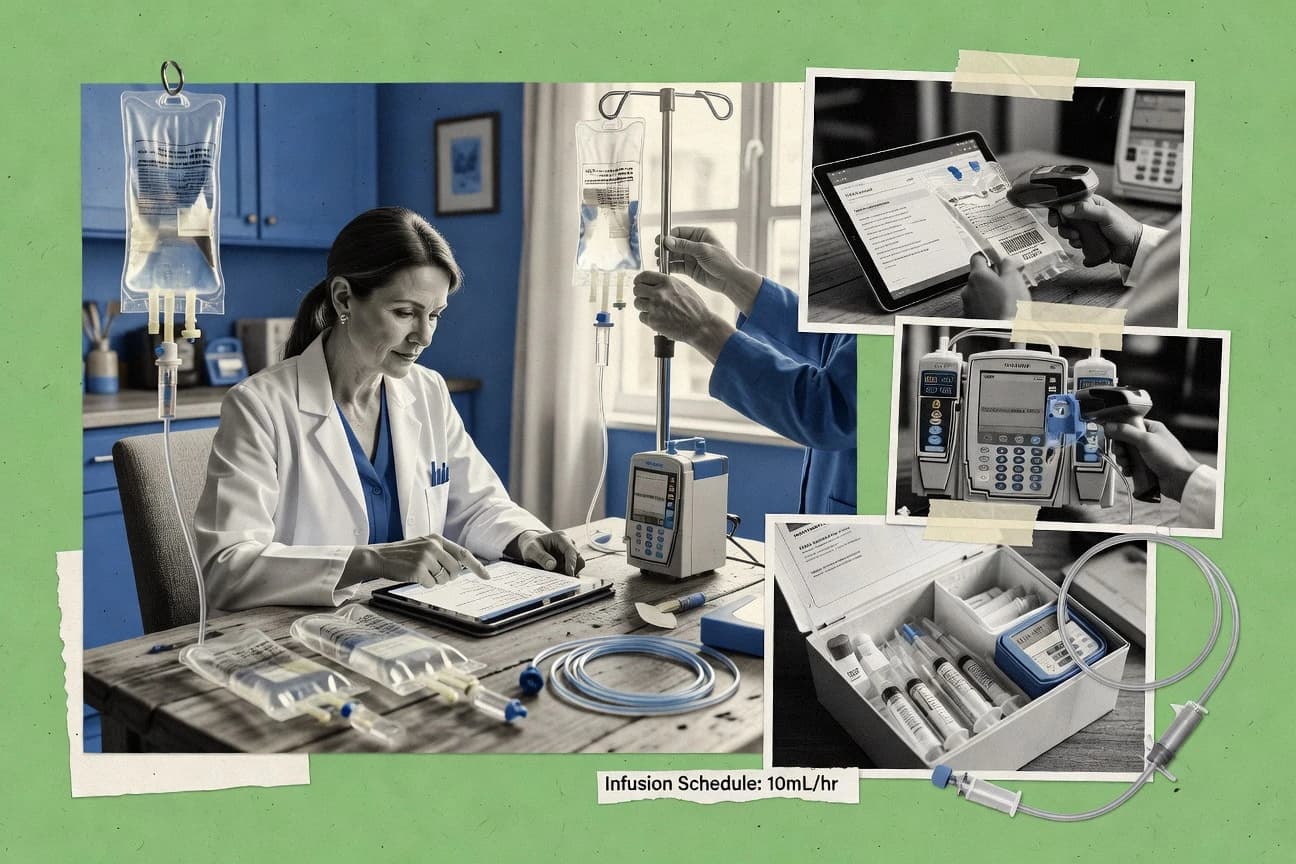
GITNUXSOFTWARE REVIEW
Healthcare & MedicineTop 9 Best Home Infusion Pharmacy Software of 2026
Home infusion pharmacy software roundup comparing top options for pharmacy teams, including features and fit. Review tradeoffs before choosing.

How we ranked these tools
Vendors set the topic, but our editors set the inclusion criteria and the evaluation framework before research starts.
Search agents gather the source set and the review record, including transcriptions of video reviews and podcasts.
Framework: Features 40% · Ease 30% · Value 30%
Gitnux may earn a commission through links on this page. This does not influence our reviews. Editorial policy
BestRx is the best overall pick for pharmacy teams running end-to-end home infusion workflows because its preparation documentation carries into labeling and delivery handoffs, while MedKeeper fits sterile compounding-focused mid-sized pharmacies since guided recipe steps include compliance checks and keep inventory deductions up to date.
Editor’s top 3 picks
Three quick recommendations before you dive into the full comparison below — each one leads on a different dimension.
BestRx
Preparation documentation workflows that carry forward into labeling and delivery coordination handoffs.
Best for: Fits when pharmacy teams need end-to-end home infusion workflow control without overhauling clinical systems.
MedKeeper
Editor pickGuided compounding workflows that provide step-by-step recipe instructions with built-in compliance checks and real-time inventory deductions
Best for: Mid-sized home infusion pharmacies focused on sterile compounding that prioritize workflow efficiency and regulatory compliance over extensive billing integrations.
DocuTrack
Editor pickVoice-activated, real-time point-of-care documentation with AI-driven compliance checks
Best for: Mid-to-large home infusion pharmacies prioritizing regulatory compliance, point-of-care efficiency, and scalable documentation.
Comparison Table
BestRx
SMBPharmacy management system with features for home infusion and compounding.
Preparation documentation workflows that carry forward into labeling and delivery coordination handoffs.
BestRx fits teams that need a pharmacy-centric home infusion workflow where order entry, pharmacist verification, and preparation documentation stay connected through to labeling and delivery handoff. The platform’s integration approach centers on operational data movement so nursing visit coordination and patient scheduling processes receive timely medication and delivery inputs.
One tradeoff appears when requirements demand deep, modular integration for payer eligibility verification and EHR-native clinical charting rather than pharmacy workflow data handoffs. BestRx works best when the organization’s primary risk is internal process drift during preparation and labeling, not when the organization needs heavy EHR automation as the system of record.
- +Medication preparation documentation stays tied to dispensing outputs
- +Pharmacist verification workflow aligns with home infusion order processing
- +Labeling and delivery handoff workflows reduce manual reentry
- +Audit-friendly process controls for sterile preparation steps
- –EHR-native workflows may require external processes for full coverage
- –Workflow configuration needs governance discipline across sites
Home infusion pharmacy operations
Reduce reentry between preparation and labeling
Fewer transcription errors
Clinical pharmacy leads
Standardize pharmacist verification steps
More consistent signoff flow
Show 1 more scenario
Nursing scheduling coordinators
Coordinate visits with confirmed delivery details
Tighter nurse dispatch timing
Coordinators receive pharmacy-ready medication and delivery handoff inputs for visit scheduling.
Best for: Fits when pharmacy teams need end-to-end home infusion workflow control without overhauling clinical systems.
MedKeeper
enterpriseCloud-based pharmacy workflow platform supporting dispensing, inventory, and compliance for home infusion pharmacies.
Guided compounding workflows that provide step-by-step recipe instructions with built-in compliance checks and real-time inventory deductions
MedKeeper is a cloud pharmacy management platform built for compounding and home infusion workflows from prescription receipt through dispensing and delivery coordination. The system supports sterile compounding with recipe management, batch records, and barcode-based inventory tracking to reduce manual data entry errors. Regulatory compliance for USP <797> is supported through auditable documentation and labeling workflows tied to each batch and process step.
A common tradeoff is that MedKeeper is specialized for compounding and home infusion operations, so broader retail or non-sterile pharmacy workflows may require external processes. It fits best when patient dosing orders must be translated into controlled compounding steps with traceable batch documentation and consistent inventory reconciliation, especially when multiple technicians work on shared supplies.
- +Powerful compounding module with guided workflows and recipe builder
- +Strong compliance tools including digital batch records and 21 CFR Part 11 support
- +Accurate inventory management with barcode scanning and lot tracking
- –Pricing is opaque and custom, potentially high for smaller pharmacies
- –Limited native integrations with broader EHR or payer systems
- –Reporting and analytics are functional but not as advanced as enterprise competitors
Sterile compounding pharmacy managers
Run compliant batch documentation
Faster audits and fewer gaps
Home infusion pharmacists
Convert prescriptions into dosing workflows
More consistent dose preparation
Show 2 more scenarios
Inventory control supervisors
Track supply usage across batches
Reduced stockouts and waste
Supervisors reconcile real-time inventory changes against scanned consumption tied to batch records.
Dispensing and delivery coordinators
Coordinate patient fulfillment steps
Fewer fulfillment errors
Coordinators align dispensing actions with patient records to support accurate delivery sequencing and handoffs.
Best for: Mid-sized home infusion pharmacies focused on sterile compounding that prioritize workflow efficiency and regulatory compliance over extensive billing integrations.
DocuTrack
specializedProvides comprehensive pharmacy management for home infusion including sterile compounding, inventory tracking, regulatory compliance, and billing.
Voice-activated, real-time point-of-care documentation with AI-driven compliance checks
DocuTrack from FrameworkLTC is a home infusion pharmacy documentation platform built for point-of-care capture from mobile devices. It supports real-time documentation of infusion data, medication administration, and patient vitals as clinicians complete care, which reduces delays between visits and record updates. Automated workflows, audit trails, and electronic signatures are designed to support compliance expectations tied to USP <797> and USP <800> documentation requirements.
The platform connects to pharmacy management systems so infusion documentation aligns with ordering, inventory records, and downstream billing. This reduces manual rekeying when procurement and dispensing teams need consistent order and stock context across the care lifecycle. A tradeoff is that coordination depends on the integration and workflow setup available between DocuTrack and the connected pharmacy management system.
DocuTrack is a strong fit for multi-site home infusion operations that need consistent documentation structure across locations and facilities. It also supports operational and census reporting workflows that help pharmacy managers track dispensing, billing, and facility-level activity. Usage works best when teams can standardize packaging, delivery batches, and care-setting fulfillment steps to match the documentation workflow.
- +Exceptional real-time documentation and compliance tools tailored for infusion therapy
- +Seamless integration with EHRs, billing systems, and inventory management
- +Mobile-first design supports field nurses with offline capabilities and voice dictation
- –Initial setup and customization can require IT support
- –Advanced reporting features may have a learning curve for new users
- –Pricing is quote-based, potentially higher for smaller pharmacies
Multi-site home infusion operators
Standardize documentation across pharmacy locations
More consistent site control
Pharmacy purchasing and warehouse teams
Reduce stock reconciliation gaps
Less manual reconciliation
Show 2 more scenarios
Operations managers and leaders
Run facility visibility reporting
Greater fulfillment visibility
Managers use reporting workflows to review dispensing, billing, census-related activity, inventory, and facility operations.
Production and delivery coordinators
Track packaging to delivery batches
Clearer delivery handoff
Production teams coordinate packaging tasks and delivery batches while maintaining visibility from dispensing through facility delivery.
Best for: Mid-to-large home infusion pharmacies prioritizing regulatory compliance, point-of-care efficiency, and scalable documentation.
Liberty Software
SMBPharmacy management system with home infusion and specialty pharmacy support.
Centralized order history with pharmacy activity tracking supports audit-friendly documentation across dispense, labeling, and ongoing patient orders.
Liberty Software handles home infusion pharmacy operations by tying order entry, dispensing workflow, and regulatory documentation into one system for day-to-day use. The software supports IV and parenteral nutrition preparation documentation flows, plus patient and order record management that nurses and pharmacists rely on during visits and refills.
- +Operational workflow supports pharmacy and infusion documentation continuity
- +Order and patient records reduce re-entry during refills
- +Compliance-oriented documentation helps standardize labeling steps
- +Structured configuration supports repeatable pharmacy processes
- –Interface coverage varies by integration pack and external systems
- –Role design can be rigid without careful governance setup
- –Some reporting workflows require more manual steps than expected
- –Sterile compounding depth may lag dedicated compounding specialists
Specialty pharmacy teams
Run structured dispensing workflows
More organized processing
Community and independent pharmacies
Centralize billing with dispensing
More centralized transactions
Show 2 more scenarios
Pharmacy inventory managers
Reconcile stock across locations
Better stock record alignment
Inventory teams track receipts, item movements, on-hand quantities, counts, and adjustments across locations.
Pharmacies handling controlled meds
Audit controlled-substance events
More traceable records
Teams record controlled-substance events, pharmacist actions, overrides, and reconciliation activity for traceability.
Best for: Fits when mid-size home infusion pharmacies need consistent order-to-dispense documentation without heavy workflow rewrites.
PioneerRx
enterprisePharmacy management system with compounding tools and workflows adaptable for home infusion operations.
RxCompounder for precise sterile compounding calculations, labeling, and USP <797> compliance
PioneerRx is a cloud-based pharmacy management software primarily designed for independent retail and compounding pharmacies, offering workflow automation, inventory management, and prescription processing. It includes a robust RxCompounder module for sterile compounding workflows, which supports home infusion pharmacies in managing IV preparations, recipes, and labeling. While adaptable for home infusion billing and compliance, it lacks deep specialization in patient monitoring, delivery scheduling, or infusion-specific clinical tools compared to dedicated solutions.
- +Strong RxCompounder module for sterile IV compounding and recipe management
- +Integrated e-prescribing, billing, and inventory tracking
- +User-friendly interface with mobile app support
- –Limited native support for home delivery scheduling and nursing documentation
- –Not fully optimized for complex infusion billing like J-codes or home health claims
- –Customization often needed for full home infusion workflows
Specialty and long-term care orgs
Centralize specialized prescription workflows
Centralized dispensing support
Pharmacy counter staff
Handle prescription sales and pickup
Connected counter workflow
Show 2 more scenarios
Community and retail pharmacy teams
Track high-volume prescription status
More consistent tracking
Teams move prescriptions through step-based queues for verification, fulfillment, and pickup with consistent status tracking.
Pharmacy billing and adjudication
Route payer exceptions during claims
More structured claim handling
Billing staff submit claims, handle rejections, and route issues for resolution during insured prescription processing.
Best for: Independent compounding pharmacies transitioning into or handling moderate home infusion volumes.
DoseEdge
specializedAutomates and verifies sterile IV compounding workflows to ensure accuracy, safety, and compliance for home infusion preparations.
Real-time image-based compounding verification with AI analysis and gravimetrics for unmatched accuracy in dose preparation
DoseEdge by Omnicell is an advanced IV pharmacy workflow management system tailored for sterile compounding, including applications in home infusion pharmacies. It streamlines the process from prescription receipt to final dose verification using barcode scanning, gravimetric weighing, and high-resolution imaging to ensure accuracy and compliance with USP <797> standards. The platform provides auditable documentation, error reduction, and integration with EHRs and pharmacy information systems for efficient home infusion operations.
- +Advanced dual-camera imaging and gravimetric verification minimize compounding errors by up to 99%
- +Seamless workflow automation from order entry to labeling and dispensing
- +Robust compliance reporting and audit trails for regulatory adherence
- –Steep learning curve and extensive training required for staff
- –High upfront costs for hardware integration and implementation
- –Less optimized for very small-scale home infusion operations
Home infusion pharmacy operations
Manage sterile compounding from order to verification
Fewer documentation and compounding errors
Clinical pharmacists and supervisors
Perform final dose verification with audit trails
Faster review of prepared doses
Show 2 more scenarios
EHR and integration teams
Connect pharmacy systems with patient records
Reduced manual data entry
Enables workflow integration with EHRs and pharmacy information systems for consistent data.
QA and compliance staff
Monitor process adherence for sterile standards
Clear audit readiness evidence
Produces traceable documentation to support regulatory readiness for sterile compounding workflows.
Best for: Mid-to-large home infusion pharmacies handling high-volume sterile IV compounding that prioritize precision, compliance, and workflow efficiency.
Millensys
enterpriseEnd-to-end pharmacy software with modules for IV order processing, inventory, and home infusion delivery.
Advanced cycle fill and infusion therapy management with built-in pump programming and delivery routing
Millensys Enterprise Pharmacy System (EPS) is a comprehensive software solution designed specifically for home infusion and specialty pharmacies, automating workflows from patient intake to delivery and billing. It includes modules for order processing, inventory management, compounding, clinical documentation, and 340B compliance. The platform supports real-time tracking of infusion therapies, pump programming integration, and regulatory reporting to streamline operations for home infusion providers.
- +Robust infusion-specific tools like cycle fill planning and pump integration
- +Strong 340B compliance and inventory management for cost savings
- +Scalable for mid-sized pharmacies with customizable workflows
- –Outdated user interface requiring training
- –Limited mobile accessibility compared to modern competitors
- –Opaque pricing with no public tiers
Home infusion operations managers
Coordinating intake to delivery workflows
Faster delivery coordination
Pharmacists and clinical coordinators
Documenting clinical and compounding records
More complete patient documentation
Show 2 more scenarios
Inventory control staff
Managing inventory for infusion supplies
Fewer inventory stockouts
Keeps inventory and orders aligned so infusion materials are available when therapies are prepared.
Compliance and reporting teams
Running 340B compliant reporting
Reduced compliance reporting burden
Supports regulatory reporting and 340B compliance workflows to reduce audit preparation effort.
Best for: Mid-sized home infusion pharmacies focused on compliance-heavy operations and 340B programs.
CPR+
SMBCPR+ provides pharmacy management software for independent, specialty, and infusion pharmacy workflows.
Sterile compounding workflow execution that keeps medication preparation records connected to operational tracking for home delivery continuity.
CPR+ supports core home infusion pharmacy workflows by connecting sterile compounding documentation, medication preparation steps, and operational tracking for ambulatory deliveries. The tool is positioned to manage order intake through pharmacist review and dosing preparation, with labeling and workflow outputs geared to home settings. CPR+ also focuses on coordination touchpoints that matter for infusion delivery execution, like timing, assignment readiness, and record continuity across visits.
- +Sterile compounding workflow coverage from worksheet steps to downstream documentation
- +Order-to-execution traceability for home infusion pharmacy operations
- +Label and preparation outputs designed for medication handling in home delivery contexts
- +Operational tracking that supports continuity across nursing visit cycles
- –Requires disciplined setup to keep workflow steps consistent across sites
- –Automation depth for delivery coordination depends on how dispatch and visit systems are integrated
- –Advanced payer and claims orchestration is not the center of the CPR+ workflow
- –Role separation controls can require extra configuration for multi-department governance
Home infusion pharmacists
Review orders and prepare dosing steps
Faster verification for each dose
Sterile compounding technicians
Document sterile compounding actions
Complete traceable compounding records
Show 2 more scenarios
Home delivery operations coordinators
Schedule timing and readiness handoffs
Fewer missed delivery windows
Operations teams track assignment readiness and timing touchpoints to align preparation with ambulatory delivery execution.
Infusion program managers
Maintain records across patient visits
More consistent visit documentation
Managers use CPR+ to preserve record continuity across visits for consistent operational tracking and documentation.
Best for: Fits when a home infusion pharmacy needs tight sterile compounding documentation and operational traceability for home deliveries.
PrimeRx
enterpriseRobust dispensing and management software supporting specialty medications and home infusion workflows.
WorkflowRx module for streamlined prescription queuing and fulfillment optimization
PrimeRx by QS/1 is a robust pharmacy management platform primarily tailored for independent retail pharmacies, providing comprehensive tools for prescription processing, inventory management, billing, and patient records. For home infusion pharmacy needs, it offers adaptable features like electronic prescribing, inventory tracking for supplies, and basic billing integration, but falls short on specialized infusion workflows such as sterile compounding, TPN calculations, or infusion pump interfacing. Overall, it's a reliable system for pharmacies blending retail dispensing with entry-level home infusion services.
- +User-friendly interface with customizable workflows suitable for daily pharmacy operations
- +Strong integrations with e-prescribing networks and payment processors
- +Excellent customer support and regular updates from QS/1
- –Lacks dedicated modules for advanced home infusion tasks like compounding documentation and therapy monitoring
- –Infusion-specific billing and compliance reporting require workarounds or add-ons
- –Scalability challenges for high-volume infusion-only operations
Independent pharmacy owners
Run mixed retail and home infusion
Fewer manual steps
Pharmacy technicians
Track infusion supplies and expiration dates
Lower supply waste
Show 2 more scenarios
Billing and claims staff
Process home infusion claims
More consistent submissions
Supports billing workflows needed for home infusion claims using existing prescription and patient data.
Clinical coordinators
Maintain patient medication and history
Better care continuity
Stores patient records tied to prescriptions to support follow-ups across home infusion encounters.
Best for: Small to mid-sized retail pharmacies expanding into basic home infusion services alongside traditional dispensing.
Conclusion
After evaluating 9 home infusion pharmacy software, BestRx stands out as our overall top pick — it scored highest across our combined criteria of features, ease of use, and value, which is why it sits at #1 in the rankings above.
Use the comparison table and detailed reviews above to validate the fit against your own requirements before committing to a tool.
Frequently Asked Questions About Home Infusion Pharmacy Software
Which tools provide order entry through pharmacist review and then drive dispensing and delivery handoffs for home infusion?
How do home infusion pharmacy systems handle sterile compounding documentation and auditable step records?
What integration and API capabilities matter most when connecting pharmacy management systems with EHR data for patient care?
When teams need RBAC and audit log visibility, which products fit tighter admin control requirements?
How should data migration be planned when moving prescription history, patient records, and compounding documentation into a new system?
What tradeoff appears when a pharmacy uses a general compounding-focused system instead of an infusion-specific workflow platform?
Which systems support point-of-care capture during nursing visits, including infusion data and patient vitals?
Where does the need for pump programming and infusion therapy management change tool selection?
How can teams validate labeling and delivery readiness data before medications leave the pharmacy?
Tools reviewed
Primary sources checked during evaluation.
Referenced in the comparison table and product reviews above.
How to Choose the Right Home Infusion Pharmacy Software
In home infusion pharmacy software, the real differences show up in how well the platform manages orders through delivery and documentation, and how deeply it connects to your existing systems. We look for strong control and traceability across order flow using integrationDepth and audit log coverage, not just front-end features.
Integration depth with EHR and payer tools
Why it matters
Integration depth with EHR and payer tools reduces duplicate entry and keeps clinical context consistent from order through delivery. It also limits mismatches when orders change mid-stream.
How to check
Ask for a demo where an order is created from an EHR-triggered intake, then verify what automatically populates back and what still requires manual work. In addition, request to see how the system handles a status change (e.g., order revision) without breaking linkages to the original record.
Automation for order status and tasks
Why it matters
Automation for order status and tasks prevents missed handoffs between pharmacy, delivery, and documentation. In this category, automation matters more than generic reminders because throughput depends on predictable state changes.
How to check
On the demo, walk through an order that moves from intake to processing to dispatch, and observe which steps are triggered automatically. Ask whether rules can be configured by site (timing, required fields, task assignment) and whether exceptions create a clear audit trail.
Audit log for changes and overrides
Why it matters
A clear audit log for changes and overrides is essential when clinicians and pharmacists adjust orders or labels. It helps you answer “who changed what and when” during case reviews.
How to check
Request a sample order, then have the demo user perform a workflow action that requires an override. Verify that the audit log captures the before/after details, user identity, timestamp, and reason field (if applicable).
RBAC and role-based workflow permissions
Why it matters
RBAC and role-based workflow permissions limit the risk of inappropriate edits and ensure each role can act only within its scope. For home infusion, mis-permission can create downstream documentation gaps.
How to check
Ask to see the permission matrix for at least three roles (e.g., pharmacy user, clinician reviewer, admin). Then try changing permissions in a test environment to confirm the UI and actions are blocked or allowed as expected, not just hidden.
Configurable data model for infusion types
Why it matters
A configurable data model for infusion types matters because home infusion uses varied regimens, schedules, and documentation requirements. If configuration is limited, staff end up using workarounds that weaken traceability.
How to check
Request a scenario with two different therapy types or administration schedules. Ask how the system represents required fields, references, and documentation per type, and whether you can add or map fields through configuration without custom code.
Red flags
- Order status changes are manual and depend on staff remembering steps.
- Audit logs show only high-level events without before/after or reasons.
- RBAC is mostly cosmetic, with restricted actions still possible via forms or workflows.
Fit by situation
- If you frequently revise orders after intake, prioritize audit log coverage to track overrides clearly.
- If your intake originates in an EHR or payer workflow, prioritize integration depth with EHR and payer tools for consistent status sync.
- If you run multiple therapy types with different documentation requirements, prioritize configurable data model for infusion types.
Funding and competing interests
This study was co-funded by several of the vendors assessed in it. No single vendor funded it. Funders could propose the market studied.
They had no role in selecting vendors, setting or weighting criteria, analysing data or drawing conclusions, and they received the same factual-accuracy check as every other vendor assessed.
Market definition, inclusion rules and criteria weights were fixed by an editor before research began and did not change afterwards. Editorial process →
Keep exploring
Comparing two specific tools?
Software Alternatives
See head-to-head software comparisons with feature breakdowns, pricing, and our recommendation for each use case.
Explore software alternatives→In this category
Healthcare & Medicine alternatives
See side-by-side comparisons of healthcare & medicine tools and pick the right one for your stack.
Compare healthcare & medicine tools→