
GITNUXSOFTWARE ADVICE
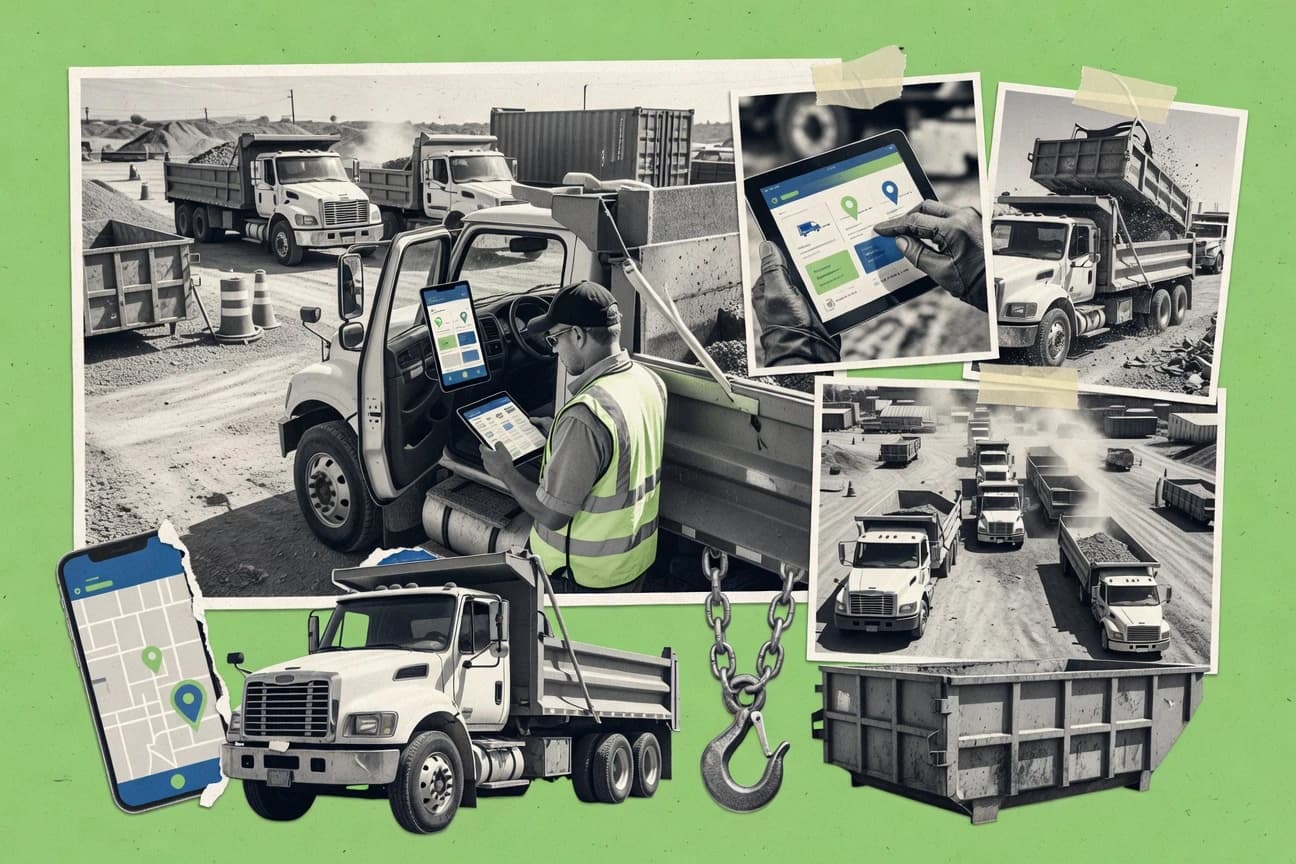
Transportation LogisticsTop 10 Best Hauling Software of 2026
Ranked roundup of top hauling software for logistics teams, with a comparison of Motive, AscendTMS, and ITS Dispatch by features and pricing.

How we ranked these tools
Core product claims cross-referenced against official documentation, changelogs, and independent technical reviews.
Analyzed video reviews and hundreds of written evaluations to capture real-world user experiences with each tool.
AI persona simulations modeled how different user types would experience each tool across common use cases and workflows.
Final rankings reviewed and approved by our editorial team with authority to override AI-generated scores based on domain expertise.
Score: Features 40% · Ease 30% · Value 30%
Gitnux may earn a commission through links on this page — this does not influence rankings. Editorial policy
Motive is the best fit if hauling teams need dispatch-to-driver execution with clear electronic proof records, while AscendTMS works for SMBs that want job-ticket traceability without enterprise complexity, and Dossier Fleet Maintenance is the budget-lean choice when you mainly need disciplined maintenance tied to vehicle availability.
Editor’s top 3 picks
Three quick recommendations before you dive into the full comparison below — each one leads on a different dimension.
Motive
Driver mobile job execution with electronic proof of delivery tied to pickup and delivery tracking events.
Built for fits when hauling teams need dispatch-to-driver execution visibility and electronic proof records..
AscendTMS
Editor pickJob execution history keeps POD and delivery outcomes linked to each dispatched job record for audit-grade traceability.
Built for fits when hauling teams need dispatch-driven execution with job-ticket traceability and documented delivery outcomes..
ITS Dispatch
Editor pickDirect Truckstop load-board import connects freight sourcing with load assignment, document capture, billing, and settlement workflows.
Built for fits when trucking companies need Truckstop freight intake and office-to-driver workflow control..
Comparison Table
Motive
enterpriseMotive provides fleet telematics, electronic logging, dispatch visibility, safety, and maintenance tools.
Driver mobile job execution with electronic proof of delivery tied to pickup and delivery tracking events.
Motive’s dispatch-to-driver workflow centers on structured job tickets that travel to the driver mobile app and return completion signals for the office team. The platform pairs pickup and delivery tracking with GPS fleet tracking so dispatchers can correlate where a vehicle was with what work was attempted. Proof-of-delivery features and related electronic signature capture create a field record that can be attached to the underlying job context. Governance is addressed through role-based access patterns for office and operations users, which helps separate dispatch control from driver activity review.
A key tradeoff is that deeper site-to-site control and vertical workflows often require more configuration of job templates, status rules, and integrations with surrounding systems. Motive fits best when a hauling operation needs consistent job execution visibility across multiple drivers and routes while also maintaining defensible completion records for customers and internal reporting. It is a stronger fit for teams that already run dispatch through structured work orders and want field confirmations to drive status, rather than teams starting from manual notes.
- +Job tickets flow from dispatch to the driver mobile app with field completion signals
- +Pickup and delivery tracking ties field events to job status and exception handling
- +GPS fleet tracking supports operational visibility for dispatch and compliance review
- +Electronic proof of delivery records reduce manual paperwork handoffs
- –Configuring status rules and job templates takes operational discipline
- –Advanced workflow branching can feel heavy for one-off customers
- –Some integration depth depends on the chosen surrounding systems and connectors
Dispatch operations teams
Convert call-in requests to routed job execution
Fewer status calls
Hauling compliance teams
Document completion for customer disputes
Faster dispute resolution
Show 2 more scenarios
Fleet managers
Monitor vehicle movement against scheduled work
Lower detention impact
GPS fleet tracking provides location context for delays and route deviations tied to jobs.
Operations supervisors
Triage exceptions during active hauls
Improved on-time recovery
Office users review job ticket states and field events to reassign or update work quickly.
Best for: Fits when hauling teams need dispatch-to-driver execution visibility and electronic proof records.
AscendTMS
SMBAscendTMS provides transportation management, dispatch, freight documents, billing, and carrier operations tools.
Job execution history keeps POD and delivery outcomes linked to each dispatched job record for audit-grade traceability.
AscendTMS fits hauling operators managing repeated work across multiple customers and yards, where each load needs a controlled job record from dispatch to invoicing handoff. Truck dispatch is tied to execution milestones, and the system can standardize work orders so dispatchers follow the same pickup and delivery steps for every job. For documentation-heavy operations, AscendTMS focuses on POD workflows and recorded shipment outcomes so changes stay traceable by move and event.
The main tradeoff is integration depth, because teams that rely on custom scale integrations, facility event feeds, or nonstandard EDI document flows may need careful implementation to match their current data model. AscendTMS works best when pickup and delivery updates originate from a predictable set of systems, like a GPS fleet feed and a consistent customer order process.
- +Dispatch workflow ties job tickets to execution milestones
- +POD capture keeps delivery outcomes attached to the originating move
- +Customer-facing status updates reduce dispatcher rework
- +Operational controls support consistent work order execution
- –Integration coverage can require implementation planning for facility feeds
- –Advanced automation often depends on clean source data
- –Complex carrier onboarding can slow early rollout without governance
Dispatch operations managers
Coordinate multi-stop loads across trucks
Fewer missed handoffs
Safety and compliance teams
Maintain delivery evidence on every move
Cleaner claims defense
Show 2 more scenarios
Customer service teams
Reduce status calls after dispatch
Lower inquiry volume
Customer visibility reflects pickup to delivery progress without manual status updates.
Operations analysts
Audit execution performance by lane
Faster operational tuning
Analysts measure outcomes and timing by job and event sequence across dispatched loads.
Best for: Fits when hauling teams need dispatch-driven execution with job-ticket traceability and documented delivery outcomes.
ITS Dispatch
SMBITS Dispatch supports load management, dispatch, invoicing, document handling, and carrier operations.
Direct Truckstop load-board import connects freight sourcing with load assignment, document capture, billing, and settlement workflows.
ITS Dispatch covers core trucking administration through load entry, assignment, status tracking, document capture, customer records, billing, and carrier settlements. The driver mobile app gives field users access to load details, status updates, and document submission. QuickBooks integration supports accounting teams that already use Intuit's desktop or online workflows.
The general-freight design is less specialized for waste hauling, municipal service contracts, or highly complex multi-terminal operations. A regional carrier sourcing most freight through Truckstop can reduce duplicate entry by importing loads directly, while a fleet using several external marketplaces may gain less from the central workflow.
- +Direct Truckstop load-board import reduces manual load re-entry.
- +QuickBooks integration supports established accounting workflows.
- +Document storage keeps rate confirmations and delivery records with loads.
- +Settlement tools support carrier and driver pay processing.
- –General freight orientation leaves waste-specific workflows less specialized.
- –Truckstop load-board dependence may limit value for fleets sourcing elsewhere.
- –Advanced analytics receive less emphasis than dispatch and billing workflows.
- –QuickBooks configuration affects accounting handoff consistency.
Small carrier operations teams
Importing Truckstop loads into dispatch
Less duplicate data entry
Owner-operators and small fleets
Managing driver documents remotely
Faster paperwork collection
Show 1 more scenario
Carrier accounting departments
Connecting operations with QuickBooks
Fewer manual transfers
Completed load and billing records support an established QuickBooks accounting process.
Best for: Fits when trucking companies need Truckstop freight intake and office-to-driver workflow control.
Routeware
vertical specialistRouteware provides route planning, dispatch, customer management, and billing software for waste haulers.
Routeware’s field execution tracking ties job ticket status, proof artifacts, and dispatch decisions into one operational timeline.
Routeware is a hauling dispatch management tool built around route planning, job execution, and yard-to-job visibility for field operations. It supports truck dispatch workflows with mobile-ready job instructions and pickup and delivery status updates, plus document capture for proof of delivery.
Routeware also fits organizations that need operational governance around assignment rules, escalation paths, and field audit trails across work orders. Integration capabilities center on connecting dispatch decisions to upstream and downstream systems such as scale or accounting workflows.
- +Dispatch workflows map cleanly to haul job tickets and truck assignments.
- +Field updates keep pickup and delivery execution aligned to work orders.
- +Audit-ready operational history supports troubleshooting across job lifecycle.
- +Automation rules help standardize assignment decisions and escalation.
- –Heavier configuration is required to align routing logic with local operations.
- –Some edge workflows need custom process mapping rather than built-in templates.
- –Admin changes can take time to roll out safely across multiple dispatch users.
- –Third-party integrations can require deliberate data mapping work.
Best for: Fits when hauling teams need route planning execution with mobile job updates and governance controls.
AMCS Platform
enterpriseAMCS Platform supports waste collection, recycling, transportation, fleet, and billing operations.
Event and API integration that turns operational milestones into system-wide updates for dispatch, tracking, and downstream back-office processes.
AMCS Platform runs hauling operations by tying together dispatch execution, job work orders, and tracking from pickup to disposal. The system supports truck dispatch workflows plus proof of delivery capture, and it is designed to connect field execution with back-office planning and billing processes.
It also includes route and schedule management capabilities used to coordinate truck assignments and recurring job runs across service areas. Integration depth shows up through API and event-driven connectivity used to sync customer, asset, and measurement data into operational workflows.
- +Dispatch-to-execution workflow covers work orders through pickup and delivery steps
- +Proof of delivery capture supports consistent document handling across jobs
- +API-first integration supports syncing customer, asset, and tracking data
- +Planning controls support recurring scheduling across defined service areas
- –Configuration complexity rises when many customer, site, and asset rules must align
- –Driver mobile experience depends on correct workflow mapping to each job type
- –Advanced reporting needs data and event feeds aligned to operational events
- –Some hauling integrations require additional mapping effort to match local identifiers
Best for: Fits when mid to large haulers need dispatch control and API-driven integrations across pickup, delivery, and disposal steps.
Samsara
enterpriseSamsara provides connected operations software for fleet tracking, compliance, safety, maintenance, and routing.
Geofenced alerts tied to operational events with driver-facing tracking and backend event history for dispute reduction.
Samsara fits hauling operations that need driver-facing tracking plus field-to-back-office workflows driven by vehicle telematics. The core capability set covers GPS fleet tracking, geofencing, and pickup and delivery tracking with proof-of-work signals for job completion.
Samsara also supports automation via configuration of alerts, event triggers, and integration points that feed dispatch, operations, and reporting systems. Admin controls include organization setup, role-based access, and audit logging for operational accountability across devices and users.
- +GPS fleet tracking with event history tied to real geospatial activity
- +Geofencing rules for yard, job site, and service-area boundary alerts
- +Proof-of-work signals reduce disputes about pickup and delivery completion
- +Integrations support operational handoff between operations systems and telematics
- –Dispatch management workflows can require tighter configuration than pure job-ticket tools
- –Some hauling-specific document flows depend on external integrations
- –Geofencing accuracy needs ongoing mapping discipline for moving facilities
- –Mobile usability depends on driver role configuration and device setup
Best for: Fits when hauling teams need GPS-driven execution with geofenced alerts feeding dispatch and job completion workflows.
TruckLogics
SMBTruckLogics combines trucking dispatch, accounting, maintenance, IFTA, and driver management tools.
Job ticket driven execution that ties dispatch changes to pickup and delivery status and proof records per job.
TruckLogics is a hauling dispatch and execution system that centers truck dispatch workflows around job tickets and driver execution. It focuses on practical field operations like pickup and delivery tracking, proof of delivery capture, and document handling tied to each work order.
The system supports operational reporting for load planning and daily throughput across dispatch schedules. Administration tools cover routing configuration and permissions for back-office versus driver activities.
- +Job-ticket workflow links dispatch decisions to driver tasks
- +Pickup and delivery tracking keeps job progress visible in execution
- +Proof of delivery capture reduces manual document chasing
- +Operational reporting supports daily workload and dispatch review
- –Route planning depth can feel limited for highly complex scheduling rules
- –Automations need setup work before recurring dispatch patterns run reliably
- –Integration options may require custom configuration for uncommon document flows
- –Admin permissioning granularity takes attention for larger permission models
Best for: Fits when mid-size hauling teams need dispatch-to-driver execution with job tickets and proof collection.
TruckingOffice
SMBTruckingOffice provides dispatch, invoicing, expense, maintenance, and compliance management for carriers.
Status-driven job execution with integrated proof-of-delivery and electronic signature capture for field completion.
TruckingOffice targets hauling operations with dispatch and job workflows that connect customers, drivers, and work orders in one place. It supports route and load planning activities alongside pickup and delivery tracking so dispatchers can see each job from assignment through completion.
The system also covers essential documents for field execution, including proof-of-delivery capture and electronically signed artifacts when required by the job. Configuration focuses on operational throughput, with templates and status-driven job progress designed for day-to-day dispatch operations.
- +Job and status workflow keeps dispatch, driver updates, and completion aligned
- +Pickup and delivery tracking supports day-to-day operational visibility
- +Proof-of-delivery and electronic signature capture reduce paperwork handling
- +Dispatch screens are organized for fast job assignment and changes
- –API and automation surface is limited compared with higher-ranked integration-focused tools
- –Advanced route optimization depth is less extensive than specialized routing vendors
- –Scale or weigh-ticket integrations are not part of the core workflow
- –Customer portal capabilities do not cover complex multi-entity billing models
Best for: Fits when regional haulers need dispatch workflow control, proof-of-delivery capture, and tracked job status without deep platform integrations.
Dossier Fleet Maintenance
enterpriseDossier Fleet Maintenance manages vehicle maintenance, inspections, parts, work orders, and fleet costs.
Recurring maintenance planning tied to vehicle readiness and maintenance history used for operational handoffs.
Dossier Fleet Maintenance manages hauling fleet maintenance workflows by tracking service schedules, inspections, parts, and completed work tied to vehicles and assets. It connects maintenance events to operational job activity so dispatch staff can see what is available or down before assigning truck dispatch and routes.
The system supports recurring maintenance planning and maintenance history that can be used during audits of vehicle condition and readiness. Dossier Fleet Maintenance works best when maintenance execution and reporting stay tightly aligned with day-to-day dispatch operations.
- +Ties maintenance work to fleet assets so readiness stays visible during dispatch
- +Supports recurring service planning with a maintenance history trail
- +Captures inspection and job completion details for follow-up planning
- +Helps coordinate maintenance timing with operational scheduling needs
- –Maintenance module depth does not replace full dispatch and route optimization
- –Limited automation coverage beyond maintenance scheduling and basic updates
- –Operational analytics focus is narrower than general hauling workflow tools
- –Integration options for external scale, ELD, or weigh ticket systems are not central
Best for: Fits when hauling operators need disciplined fleet maintenance records that stay tied to daily availability.
Haulvana
vertical specialistAll-in-one waste management software for haulers covering dispatch, driver communication, container tracking, job verification, and billing.
End-to-end job ticket execution that ties delivery proof capture to the same record used for dispatch.
Haulvana targets hauling and dispatch teams that need job ticket handling, route and scheduling workflows, and day-of operational tracking in one workspace. It supports customer-facing work visibility through a portal-style experience and closes the loop with proof of delivery documentation.
Core operations center on managing haul jobs from assignment through delivery confirmation and related paperwork capture. Admin tooling focuses on controlling access and organizing operational data so dispatch and drivers work from the same set of job records.
- +Job ticket workflows keep dispatch, documentation, and delivery confirmation connected
- +Customer portal style visibility reduces status calls and duplicate updates
- +Proof of delivery capture supports audit-friendly delivery records
- +Operational data organization supports multi-driver day-to-day coordination
- –Automation depth for complex scheduling rules can require manual process design
- –API coverage for integrations like scale tickets and weigh stations appears limited
- –Advanced governance tools for large org role policies may not match enterprise standards
- –Container and bin-level tracking workflows are not built for every hauling subtype
Best for: Fits when hauling ops need job-ticket execution with delivery proof and light customer visibility.
Conclusion
After evaluating 10 transportation logistics, Motive stands out as our overall top pick — it scored highest across our combined criteria of features, ease of use, and value, which is why it sits at #1 in the rankings above.
Use the comparison table and detailed reviews above to validate the fit against your own requirements before committing to a tool.
How to Choose the Right hauling software
Hauling software is reviewed here across Motive, AscendTMS, ITS Dispatch, Routeware, AMCS Platform, Samsara, TruckLogics, TruckingOffice, Dossier Fleet Maintenance, and Haulvana.
The tools are assessed by how dispatch workflows connect to job tickets, driver mobile job execution, and pickup and delivery tracking events that attach proof-of-delivery records to the originating move. Where integration and automation surfaces exist, the guide focuses on how milestone events and API-driven updates flow into dispatch status and downstream operations.
Hauling software for dispatch-to-driver execution, job tickets, and pickup-to-POD traceability
Hauling software manages dispatch work so each job ticket stays connected to truck assignments, driver task execution, and pickup and delivery tracking through to proof of delivery. It also supports operational governance by recording execution history and status transitions tied to dispatched jobs, which Motive reflects through driver mobile job execution linked to pickup and delivery tracking events.
Some platforms extend beyond execution into freight intake and office-to-driver workflows, which ITS Dispatch reflects with direct Truckstop load-board import that reduces manual re-entry. Other tools shift emphasis toward route planning execution, field execution timelines, or geospatial event triggers, which Routeware and Samsara handle through mobile updates with operational timelines and geofenced alerts tied to event history.
Dispatch-to-driver execution, POD traceability, and automation surfaces
Hauling teams need dispatch status to survive the trip from office to driver so each job ticket stays connected to pickup and delivery tracking events. That linkage is what turns proof of delivery into an auditable record instead of a late document upload.
The strongest tools go further by adding event-driven automation and a documented integration path. When milestone events flow through an API or predefined integration, dispatch decisions propagate into execution timelines and downstream back-office workflows.
Driver execution that writes back into pickup and delivery tracking
Motive ties driver mobile job execution to pickup and delivery tracking events so POD records attach to the originating move. TruckLogics similarly ties pickup and delivery status changes and proof records back to the job ticket that dispatch created.
Execution history that keeps POD tied to the dispatched job record
AscendTMS stores job execution history so POD and delivery outcomes remain attached to the dispatched job record for traceability. Routeware also connects field execution tracking to job ticket status and dispatch decisions inside a single operational timeline.
Freight intake automation via direct load-board import and document flow
ITS Dispatch uses a direct Truckstop load-board import so load assignment connects to document capture, billing, and settlement workflows. This shifts office-to-driver workflow control toward freight intake instead of manual re-entry.
Field governance controls and workflow configuration for status and templates
Routeware emphasizes governance controls that map dispatch workflows to haul job tickets and truck assignments. Motive provides job templates and status rules that determine how execution branches based on field events.
Event and API integration that turns operational milestones into system-wide updates
AMCS Platform focuses on event and API integration so pickup, delivery, and disposal steps can update dispatch and downstream processes. This helps when multiple systems must react to operational milestones with consistent timing.
Geofenced alerts tied to operational events and backend event history
Samsara adds geofenced alerts tied to operational events and driver-facing tracking with backend event history. This supports dispute reduction by showing real geospatial activity and yard or job site boundary alerts.
Choose by integration depth and how the workflow model handles execution
Start with the workflow model and then check where it connects to external systems. Motive, AscendTMS, TruckLogics, and TruckingOffice center job-ticket execution with varying depth in configuration and integration surfaces.
Then validate event flow. Tools like AMCS Platform and ITS Dispatch prioritize milestone updates into other workflows or freight intake automation, while Routeware and Samsara emphasize execution timelines and geospatial triggers that feed dispatch decisions.
Map office milestones to driver actions and back to job status
Select Motive or TruckLogics when dispatch-to-driver execution must update pickup and delivery status and keep proof records tied to the same job ticket. Require field completion signals to write back into dispatch status so exceptions and job outcomes remain traceable.
Decide whether the workflow needs audit-grade execution history by dispatched job record
Choose AscendTMS when execution history must keep POD and delivery outcomes attached to each dispatched job record. Choose Routeware when field execution tracking must remain visible as a single operational timeline that includes both proof artifacts and dispatch decisions.
Pick the integration style that matches the hauling intake and back-office footprint
Choose ITS Dispatch when freight sourcing depends on direct Truckstop load-board import and must connect to document capture, billing, and settlement. Choose AMCS Platform when event-driven updates through API integrations must propagate across pickup, delivery, and disposal steps.
Confirm how much workflow configuration governance the team can sustain
Choose Routeware when routing logic alignment and custom process mapping for edge workflows are part of the deployment plan. Choose Motive when operational teams can enforce status rules and job templates so advanced workflow branching stays predictable for one-off customers.
If disputes and boundary events matter, validate geofenced alerts and event history
Choose Samsara when geofenced alerts tied to yard, job site, and service-area boundaries must trigger dispatch responses. Require backend event history that shows geospatial activity so disputes can be supported with actual movement evidence.
Set scope limits based on where deep route optimization and automation are expected
Choose Routeware when route planning execution needs heavier configuration tied to local operations. Choose TruckingOffice when dispatch workflow control and proof capture matter more than a deep automation and API surface.
Which hauling teams get the best operational fit
Hauling software works best when the chosen tool matches the team’s dispatch workflow maturity and its need to connect driver field work to job-ticket outcomes. The biggest fit differences appear in driver execution traceability, integration automation, and event-triggered execution.
The profiles below map those differences to who benefits most from each product’s emphasis in the reviewed set.
Line-haul and last-mile operators that require dispatch-to-driver execution with POD traceability
Motive and TruckLogics connect job-ticket workflow to pickup and delivery tracking events so POD records attach to the job dispatch created. This reduces status calls because field events map directly to job status transitions.
Haulers that need execution audit trails tied to dispatched jobs for deliveries and outcomes
AscendTMS keeps POD and delivery outcomes linked to each dispatched job record through job execution history. Routeware provides a field execution tracking timeline that ties proof artifacts and dispatch decisions to job ticket status.
Fleets sourcing freight through Truckstop load-board workflows and needing controlled office-to-driver handoffs
ITS Dispatch uses direct Truckstop load-board import to connect freight intake to load assignment, document capture, billing, and settlement. This fits teams that want fewer manual re-entry steps between sourcing and dispatch.
Operators that rely on milestone-driven automation across pickup, delivery, and disposal steps
AMCS Platform is built around event and API integration so operational milestones update dispatch and downstream back-office processes. This fits environments where multiple systems must react consistently to each step change.
Yard-focused teams that manage boundary events and dispute handling with geospatial evidence
Samsara ties geofenced alerts to operational events and keeps backend event history for dispute reduction. This supports dispatch actions based on real geospatial activity rather than manual driver reports.
Common buying and implementation pitfalls in hauling software
Most failures in hauling deployments come from mismatched workflow models or unclear responsibilities between office dispatch and driver execution. The recurring issues below show up as configuration overload, integration gaps, or scope assumptions about route optimization and automation depth.
Each pitfall includes a mitigation tied to the behaviors highlighted in the reviewed tools.
Overlooking workflow governance needs when status rules and job templates drive branching logic
Motive requires operational discipline to configure status rules and job templates so advanced branching stays reliable for each job type.
Expecting routing depth and edge-workflow coverage without custom process mapping
Routeware can require heavier configuration to align routing logic with local operations, and some edge workflows may need custom process mapping beyond built-in templates.
Assuming freight intake integrations will work everywhere without planning for facility feeds or sourcing dependence
AscendTMS can require integration planning for facility feeds, and ITS Dispatch can limit value if freight sourcing moves away from Truckstop load-board workflows.
Treating geofencing as a standalone tracking feature without verifying alert triggers and event history usage
Samsara’s geofenced alerts depend on correctly configured geofence rules so they trigger the right dispatch and job completion outcomes with backend event history.
Under-scoping automation and API surface when downstream systems must be updated consistently from milestones
TruckingOffice has a limited API and automation surface compared with higher-ranked integration-focused tools, so it can fall short when dispatch needs system-wide milestone updates.
How We Selected and Ranked These Tools
We evaluated Motive as the top-ranked tool for dispatch-to-driver execution and traceability, focusing on job tickets flowing into the driver mobile app with electronic proof of delivery tied to pickup and delivery tracking events. We also evaluated how AscendTMS and Routeware keep POD attached to dispatched job records through execution history and field execution timelines.
Features made up 40% of the scoring, and ease of use and value each made up 30% of the scoring. The rankings prioritized integration depth and automation surfaces that move milestone events into dispatch status and downstream workflows, with Motive scoring highest on end-to-end execution linkage.
Frequently Asked Questions About hauling software
How do Motive and Routeware handle dispatch-to-driver job execution in the field?
Which tools support integrations and APIs for syncing operational data across dispatch and back-office systems?
What does auditability look like for proof of delivery in AscendTMS and Routeware?
How does Samsara use geofencing and GPS fleet tracking in hauling workflows?
When do TruckLogics and TruckingOffice fit different dispatch operating models?
What breaks if customer-facing visibility requirements are higher than the core job workflow needs?
How do admin controls and RBAC show up in Samsara compared with Dossier Fleet Maintenance?
Which tool best matches a load-board-first workflow from intake to completed paperwork?
How should teams plan data migration when moving dispatch records and job histories to a new platform?
Tools reviewed
Primary sources checked during evaluation.
Referenced in the comparison table and product reviews above.
- Waste Management RecyclingTop 10 Best Waste Hauling Software of 2026
- Transportation LogisticsTop 10 Best Haulage Software of 2026
- Transportation LogisticsTop 10 Best Hauler Software of 2026
- Transportation LogisticsTop 10 Best Multi Carrier Shipping Software of 2026
- Transportation LogisticsTop 10 Best Truck Logging Software of 2026
Keep exploring
Comparing two specific tools?
Software Alternatives
See head-to-head software comparisons with feature breakdowns, pricing, and our recommendation for each use case.
Explore software alternatives→In this category
Transportation Logistics alternatives
See side-by-side comparisons of transportation logistics tools and pick the right one for your stack.
Compare transportation logistics tools→