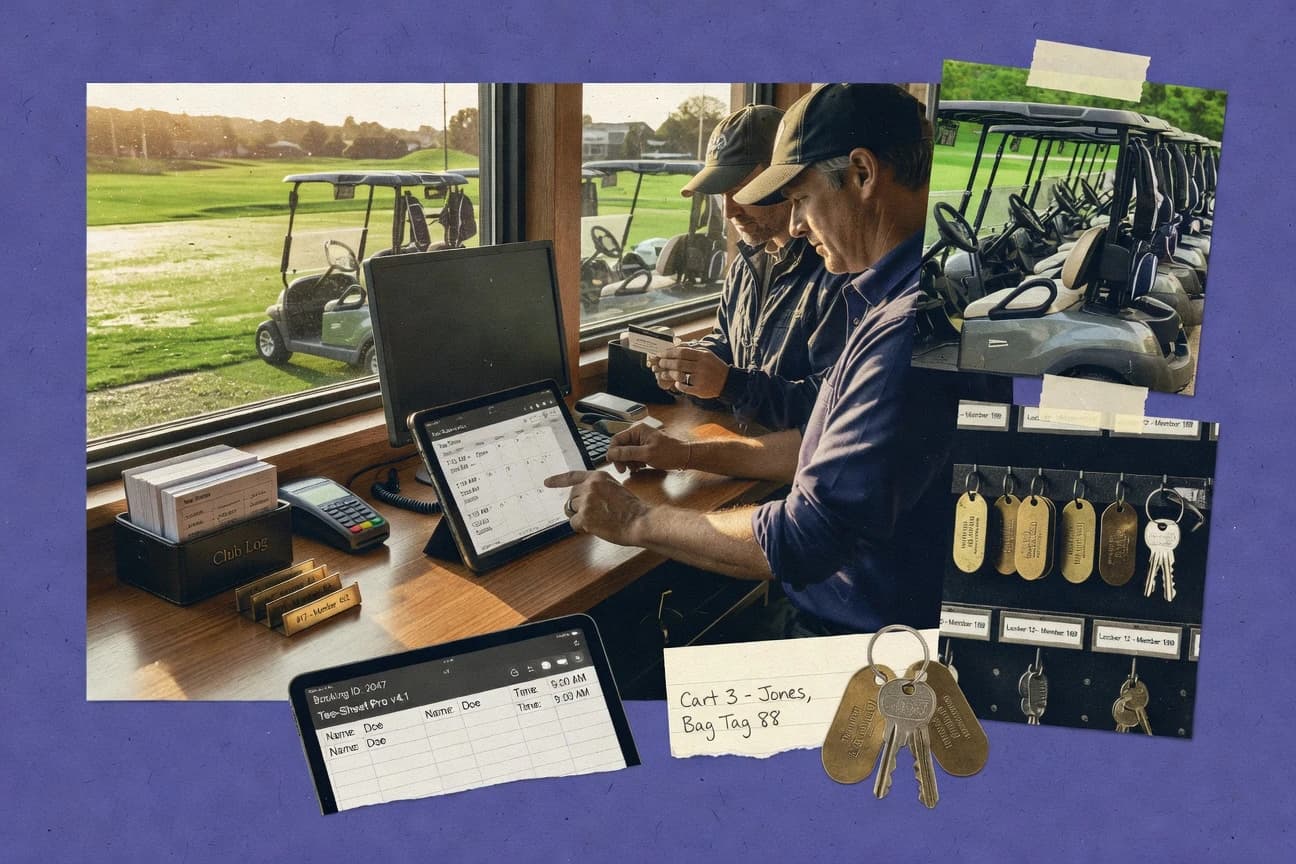
GITNUXSOFTWARE ADVICE
Sports RecreationTop 10 Best Golf Club Management Software of 2026
Ranked roundup of golf club management software for facilities, with feature comparisons of ForeUP, BRS Golf, and Golf Genius, plus tradeoffs.

How we ranked these tools
Vendors set the topic, but our editors set the inclusion criteria and the evaluation framework before research starts.
Agents extract product evidence with provenance, then collect written reviews and transcribe video reviews and podcasts.
Framework: Features 40% · Ease 30% · Value 30%
Gitnux may earn a commission through links on this page — this does not influence rankings. Editorial policy
ForeUP is the safest overall pick for clubs that want one operational scheduling backbone with controlled staff access, while Chronogolf fits best if you need guided tee time and event workflows with fewer custom integrations, and Golf Genius is the better choice when tournament execution and participant coordination are your priority.
Editor’s top 3 picks
Three quick recommendations before you dive into the full comparison below — each one leads on a different dimension.
ForeUP
Event-linked reservation coordination that keeps outing schedules aligned to tee sheet changes.
Best for: Fits when clubs need one operational scheduling backbone with controlled staff access.
BRS Golf
Editor pickWorkflow-first administration that links tee sheet tasks to member and event records during the same staff session.
Best for: Fits when clubs want tee sheet, member admin, and event scheduling in one operational workflow.
Golf Genius
Editor pickTournament manager workflow connects check-in, pairings, and scoring so staff can process results with fewer manual steps.
Best for: Fits when clubs prioritize tournament execution and participant coordination across tee sheets and events.
Comparison Table
ForeUP
SMBCloud-based golf course management software covering tee sheets, POS, food and beverage, and member billing.
Event-linked reservation coordination that keeps outing schedules aligned to tee sheet changes.
ForeUP is built around a central tee sheet workflow that drives reservations, schedule changes, and event-linked bookings. The operations area supports member-facing and staff-facing tasks such as managing bookings, handling guest activity, and coordinating staff execution for scheduled rounds and outings. Integration coverage includes external tee time distribution and connectivity to club operational systems used for check-in, retail, or other back-office processes.
A tradeoff appears in its dependency on clean operational rules and consistent data entry for accurate downstream automation and reporting. ForeUP fits best when a club wants one scheduling backbone for daily tee sheet work and event planning, and when staff roles and booking rules must stay consistent across the week.
- +Central tee sheet workflow reduces duplicate reservation tracking
- +Operational automation helps staff apply booking rules consistently
- +Role-based access limits who can change reservations and events
- +Integrations support external tee time distribution workflows
- –Accurate automation depends on disciplined data entry and rule setup
- –Some workflows require multiple screens instead of a single guided flow
- –Event and outing configuration can be time-consuming for small staff
Club operations managers
Run daily tee sheet updates
Faster edits, fewer booking errors
Tournament directors
Schedule outings and group events
Less rescheduling work
Show 2 more scenarios
Front desk staff
Manage guest and member reservations
Quicker check-in coordination
A guided reservation workflow helps staff keep guest activity and member bookings aligned.
Club administrators
Standardize booking permissions
Fewer unauthorized schedule changes
Role controls restrict reservation and event modifications to authorized staff members.
Best for: Fits when clubs need one operational scheduling backbone with controlled staff access.
BRS Golf
SMBOnline booking and competition management system widely used across UK and Irish golf clubs.
Workflow-first administration that links tee sheet tasks to member and event records during the same staff session.
BRS Golf provides tools for managing members, tee times, and common club operations in a consistent workflow model. It supports event calendar planning and execution alongside day-level booking so staff can move from scheduled play to organized activities without rekeying details. For clubs that rely on frequent changes, the system’s operational screens are built around staff tasks instead of ticket-based support flows.
A tradeoff is that deeper automation depends on correct staff configuration because tee-time and member workflows interact across multiple screens. It fits best when the same team manages tee sheet operations, membership administration, and event scheduling on a daily cadence, and when process ownership is kept in one place.
- +Operational workflow coverage for tee sheets and staff scheduling
- +Event planning stays connected to day-to-day member operations
- +Member administration processes reduce duplicate data entry
- +Configuration supports repeatable club procedures across seasons
- –Workflow setup needs disciplined ownership across staff roles
- –Some advanced integrations depend on external systems and custom mapping
Club operations managers
Run daily tee sheet and member workflows
Fewer handoffs between roles
Membership coordinators
Handle renewals and guest rules
Lower administrative rework
Show 2 more scenarios
Tournament directors
Schedule events alongside regular play
Cleaner event execution
Event setup can live in the same operational context as tee sheet activity.
Pro shop operations teams
Coordinate member activity across events
More consistent member records
Event and member data reduces repeated entry across staff who support on-course activity.
Best for: Fits when clubs want tee sheet, member admin, and event scheduling in one operational workflow.
Golf Genius
vertical specialistTournament and league management software with scoring, pairing, and live results capabilities.
Tournament manager workflow connects check-in, pairings, and scoring so staff can process results with fewer manual steps.
Golf Genius is built around competition operations, with tournament management that drives check-in, round assignments, and scoring movement across events. Tee-sheet and outing workflows align with typical club usage, while member-facing surfaces help staff keep schedules and participation in sync. The integration surface is strongest around scoring and event data movement, which matters when multiple systems must agree on participants and results.
A tradeoff appears in day-to-day operations that depend heavily on retail and F and B ordering, because Golf Genius emphasizes club and golf activity workflows more than point-of-sale depth. Golf Genius fits best when staff need consistent event execution and participant coordination and when results or schedules must remain clean across tournaments and scheduled tee time play.
- +Tournament workflows keep scoring, pairings, and results tightly connected
- +Member and staff roles reduce manual handoffs during events
- +Event scheduling tools support repeatable outing and league operations
- +Operational configuration keeps forms consistent across staff shifts
- –POS and retail workflows are not the core strength
- –Complex governance across multiple locations needs disciplined role design
- –Some club-only reporting depends on event workflow setup choices
- –Integrations outside scoring and scheduling can require extra project work
Tournament operations staff
Run outings with consistent scoring workflow
Fewer data entry errors
Club administrators
Control staff access across workflows
Lower operational risk
Show 2 more scenarios
Handicap and scoring coordinators
Maintain clean competition scoring output
More consistent outcomes
Scoring data flows support competition operations where results must stay aligned with participant records.
Membership engagement teams
Coordinate member participation and schedules
Better participation tracking
Member-facing interaction supports participation visibility tied to the club event calendar and tee-sheet activity.
Best for: Fits when clubs prioritize tournament execution and participant coordination across tee sheets and events.
Lightspeed Golf
SMBCloud-based POS and course management platform built for daily-fee and semi-private golf operations.
Operational workflow automation that links reservations and member actions to downstream retail and event processes.
Lightspeed Golf is a club management system that pairs tee sheet and member operations with pro shop and event workflows. The tool is built around automation for member communications, reservations, and operational handoffs that reduce manual rekeying.
- +Configurable reservation and operations workflows that connect tee sheet actions to follow-on tasks
- +Member and customer records used across retail, reservations, and reporting to reduce duplicate entry
- +Event and scheduling tools support recurring group logistics and calendar-driven operations
- +Role-based access controls that help separate admin duties from front-desk and retail staff
- –Automation depth can require careful configuration to avoid inconsistent workflow outcomes
- –Reporting customization is less granular than teams that expect field-level exports for every workflow
Best for: Fits when facilities need connected tee sheet, member ops, and pro shop workflows with controlled admin permissions.
ClubCaddie
SMBGolf course management software offering tee sheet, POS, and member management for smaller operations.
Rules-based reservation handling that ties tee sheet permissions to member and guest constraints in day-to-day operations.
ClubCaddie supports golf club operations with membership and tee sheet workflows, including guest and member scheduling rules. It handles day-to-day club administration such as pro shop ticketing and reporting views for front-line staff.
- +Centralized scheduling workflows for member and guest tee time handling
- +Configurable business rules for reservations, limits, and authorization paths
- +Operational reporting views designed for daily management staff
- +Straightforward member administration workflows tied to club operations
- –Advanced automation depends on configuration discipline across departments
- –Limited depth for specialized event workflows compared with higher-ranked suites
Best for: Fits when a mid-size club needs coordinated tee sheet and member administration with practical daily reporting.
GolfNow
SMBTee time marketplace paired with course management software including tee sheet and POS tools.
Channel-first tee time booking that routes availability changes from the club into external reservation demand systems.
GolfNow is primarily built for tee time distribution and booking workflows rather than club back-office operations. For golf club management, it can support reservation handling and connect the club’s availability into the public booking channel while reducing manual coordination.
- +Tee time booking workflows are designed for fast availability updates
- +Guest booking and reservation capture aligns with high external demand
- +Operational reporting supports day-to-day booking visibility
- +Integrates into distribution so tee sheet changes reach customers
- –Member CRM and dues automation require separate systems
- –Handicap tracking and GHIN sync depend on external data flows
- –Limited governance controls compared with dedicated club management suites
- –Tournament and event workflows are not the core center of the product
Best for: Fits when clubs prioritize tee sheet distribution and guest booking capture, while relying on other tools for member and back-office ops.
Tagmarshal
vertical specialistOn-course pace-of-play and turf management intelligence platform using GPS tracking data.
Tag-based activity tracking that logs round lifecycle events for audit-ready operational reporting.
Tagmarshal focuses on tag-based golf course operations with RFID-style workflow tracking for rounds, staffing, and activity logs. Core capabilities center on check-in and round lifecycle management, guest and member workflow records, and operational reporting tied to the tagged activities.
- +Tag-driven round tracking creates auditable activity history by round
- +Operational workflows adapt to staff handoffs without manual spreadsheets
- +Reporting ties operational events to outcomes for specific time windows
- +Configurable tracking rules reduce repeated data entry across shifts
- –Deep tee sheet and POS coverage depends on external integrations
- –Advanced tournament workflows require careful configuration of tracking rules
- –Custom automation needs add-on development or scripted exports
- –Admin setup discipline is required to keep tags and rules consistent
Best for: Fits when facilities want tag-based operational tracking across rounds and staff handoffs, not only booking.
TeeQuest
SMBGolf course management software offering tee time reservations, member billing, and tournament scheduling.
Operational propagation from reservation changes into related club workflows reduces rework for staff.
TeeQuest is a golf club management software focused on running tee sheet operations and member-facing workflows with fewer manual steps. The system covers member records, reservations, and event scheduling workflows that connect daily operations to back-office administration.
- +Tee sheet workflows reduce manual updates between reservations and admin tasks
- +Event scheduling supports consistent calendars for group outings and internal events
- +Member records centralize booking context for staff and member-facing actions
- +Operational changes can drive downstream updates across club processes
- –Advanced reporting for cross-department operations needs more configuration effort
- –Deep integrations with external systems depend on available connectors and setup
Best for: Fits when a club needs reservation-driven workflows with controlled member and event administration.
Chronogolf
SMBTee time management and online booking platform for golf courses with dynamic pricing and POS integration.
Unified event scheduling and tee sheet operations workflow for staff day-to-day handling.
Chronogolf manages golf club operations with modules for tee sheet workflows, member and guest reservations, and day-to-day administration. It centers on event scheduling and course-facing operations so staff can process outings and recurring member activity from the same system.
- +Tee sheet workflows cover both member and guest reservation handling
- +Event calendar scheduling supports outing operations from one workspace
- +Operational status updates reduce manual handoffs between departments
- +Membership and communications workflows keep member records aligned with operations
- –API breadth is limited for deep POS and third-party integrations versus top competitors
- –Automation coverage depends on configuration discipline across recurring events
Best for: Fits when a club needs guided reservation and event workflows with fewer custom integrations.
MiClub
vertical specialistGolf club management software for tee sheets, competitions, handicaps, memberships, and communications.
Member-facing scheduling and administration flow built around club operations rather than retail-centric modules
MiClub is a golf club management software focused on day-to-day operations for golf-first facilities that need member-facing administration plus staff workflow tools. It supports tee sheet management, membership processes, and event-style scheduling so clubs can coordinate bookings, members, and guest activity from one place.
- +Operational workflow around tee sheet and membership processes
- +Member and staff screens for recurring booking and administration tasks
- +Event and calendar scheduling designed around golf club usage
- +Integration-ready design for member and handicap-related workflows
- –Limited evidence of broad POS and F and B depth compared with top facilities
- –Automation coverage appears narrower for cross-department workflows
- –Admin configuration can require discipline to keep rules consistent
- –Extensibility and API surface are not prominent in public materials
Best for: Fits when a golf-first club needs consistent tee sheet and membership workflows with limited complexity.
Conclusion
After evaluating 10 golf club management software, ForeUP stands out as our overall top pick — it scored highest across our combined criteria of features, ease of use, and value, which is why it sits at #1 in the rankings above.
Use the comparison table and detailed reviews above to validate the fit against your own requirements before committing to a tool.
How to Choose the Right Golf Club Management Software
Golf club management software centralizes tee sheet execution, member administration, and event operations so staff can reduce duplicate reservation tracking and manual updates across departments. This buyer's guide covers ForeUP, BRS Golf, Golf Genius, Lightspeed Golf, ClubCaddie, GolfNow, Tagmarshal, TeeQuest, Chronogolf, and MiClub.
Across the covered tools, the practical differences show up in how reservation changes propagate into downstream workflows and how event execution ties check-in, pairings, and results to the same operational session. The strongest implementations align staff screens, booking rules, and automation logic so day-to-day scheduling stays consistent during outing and tournament weeks.
Golf Club Management Software for tee sheet, member ops, and event workflows
Golf club management software is the workflow layer that coordinates tee sheet scheduling with member and guest rules, then pushes those outcomes into related admin tasks like event calendars and staff handoffs. ForeUP focuses on event-linked reservation coordination that keeps outing schedules aligned to tee sheet changes, which reduces rework when schedules shift.
BRS Golf adds a workflow-first administration approach that links tee sheet tasks to member and event records within the same staff session. In day-to-day use, the key evaluation factors are automation depth, the degree to which tee sheet actions drive downstream processes, and the configuration discipline required to keep rules consistent across staff roles.
Golf Club Management Software features that determine automation quality and control
Reservation changes only help when they propagate into member admin, event calendars, and staff handoffs without rework. These tools differ most on how a tee sheet action triggers downstream workflows and how consistently staff can apply booking rules in the same session.
Event-linked reservation coordination versus workflow separation
ForeUP keeps outing schedules aligned when tee sheet changes occur, which reduces duplicate reservation tracking during schedule shifts. TeeQuest also propagates reservation-driven changes into related club workflows, but ForeUP focuses on keeping event-linked scheduling coordinated around the tee sheet workflow.
Single-session workflow linking tee sheets to member and event records
BRS Golf connects tee sheet tasks to member and event records in the same staff session, which keeps day-to-day administration tied to scheduling. Lightspeed Golf links reservations and member actions to downstream retail and event processes, but BRS Golf is more centered on workflow-first admin rather than follow-on retail connection.
Tournament execution coupling for check-in, pairings, and results
Golf Genius ties check-in, pairings, and scoring to tournament manager workflows so staff can process results with fewer manual steps. ForeUP remains strong for event-linked reservation coordination, but Golf Genius concentrates on the event execution loop rather than reservation-to-ops propagation.
Rules-based reservation authorization for member and guest constraints
ClubCaddie ties tee sheet permissions to member and guest constraints using configurable business rules for reservations, limits, and authorization paths. Tagmarshal focuses on tag-based round lifecycle tracking for auditable operational history, so it supports governance via tracking rather than reservation authorization logic.
Integration depth for cross-department operations and external systems
Lightspeed Golf uses member and customer records across retail, reservations, and reporting, which reduces duplicate entry when departments share the same customer context. GolfNow routes availability changes into external reservation demand systems, so member CRM and dues automation require separate systems and deeper coordination across vendors.
How to choose Golf Club Management Software by automation flow and operational control
The fastest path to the right selection starts with the operational loop staff must complete without rework. The key split is whether the product stays tee sheet-centered and event-linked, or whether it emphasizes tournament workflows, tag-based round tracking, or external channel booking distribution.
Pick the primary operational loop that must stay consistent
If outings must stay synchronized when tee sheet schedules shift, choose ForeUP for event-linked reservation coordination. If day-to-day staff work must link tee sheet tasks to both member admin and event planning in one session, choose BRS Golf for workflow-first administration.
Match tournament workload to workflow coupling depth
If tournament execution requires tight coupling from check-in through pairings and scoring, choose Golf Genius for its tournament manager workflow. If event scheduling and tee sheet operations should be guided in one workspace with fewer custom integration expectations, choose Chronogolf for unified event scheduling and tee sheet operations.
Choose the governance model behind reservation authorization and automation
If reservation authorization must enforce member and guest constraints through business rules, choose ClubCaddie for rules-based reservation handling tied to tee sheet permissions. If reservation and member actions must drive follow-on operational tasks across reservations, retail, and reporting, choose Lightspeed Golf for connected reservation-to-ops automation.
Validate integration assumptions against the system that will own member and dues workflows
If tee time distribution must prioritize external demand capture and availability updates into channel systems, choose GolfNow for channel-first tee time booking. If member and customer records must be reused across retail, reservations, and reporting to reduce duplicate entry, choose Lightspeed Golf for cross-workflow record usage.
Decide whether tag-based round audit history is a core reporting requirement
If round lifecycle audit history across staff handoffs matters, choose Tagmarshal for tag-driven round tracking that logs auditable activity by round. If the club needs reservation-driven propagation into admin tasks and group outings with a reservation-first workflow, choose TeeQuest for operational propagation from reservation changes.
Who Golf Club Management Software buyers should evaluate these tools for
Clubs with frequent tee sheet changes around outings need products that keep schedules aligned and avoid manual duplication across departments. Clubs with recurring tournaments need workflow coupling that reduces handoffs between check-in, scoring, and results processing.
Club operators running frequent outing schedule changes
ForeUP fits when outing schedules must stay aligned to tee sheet changes so staff avoid rework from schedule drift. TeeQuest also reduces rework by propagating reservation changes into related workflows, but ForeUP focuses more tightly on event-linked coordination.
Staff teams that manage member admin and tee sheets in the same session
BRS Golf fits when workflow-first administration must keep tee sheet tasks connected to member and event records. Lightspeed Golf also connects member actions to downstream processes, but it centers on connected reservation and operations automation tied to member and customer records.
Golf operations teams focused on tournament execution workflows
Golf Genius fits clubs prioritizing tournament execution where check-in, pairings, and scoring must stay tightly connected. Chronogolf fits clubs that want guided day-to-day handling for tee sheet and event scheduling from one workspace.
Clubs that need reservation permissions and authorization constraints enforced by rules
ClubCaddie fits when tee sheet permissions must follow member and guest constraints using configurable business rules. MiClub fits golf-first clubs that want member-facing scheduling and administration flows around club operations rather than retail-centric depth.
Facilities that treat round lifecycle tracking as an audit requirement
Tagmarshal fits when tag-based activity tracking must create auditable round lifecycle histories across staff handoffs. Other tools in this set may support operational reporting, but Tagmarshal is explicitly built around tag-driven round tracking.
Common mistakes in Golf Club Management Software selection and rollout
Buyers often select based on feature lists rather than the specific propagation path that staff needs during peak event weeks. The failure shows up as duplicate updates, rule conflicts, or manual handoffs between departments.
Choosing an external-channel tee time booking tool when member admin and dues workflows must remain centralized
GolfNow focuses on channel-first tee time booking and external demand system routing, so member CRM and dues automation require separate systems. Pair GolfNow with the member and dues systems it cannot replace, or choose BRS Golf or Lightspeed Golf when tee sheets and member operations must stay in one operational workflow.
Underestimating configuration discipline needed for deep reservation automation and authorization rules
ForeUP and ClubCaddie both rely on disciplined rule setup to produce consistent automation and authorization outcomes. When staff ownership across roles is unclear, tee sheet outcomes can become inconsistent even with strong workflow coverage.
Expecting POS and retail depth as a primary differentiator from a tool built around tee sheets and events
Golf Genius explicitly flags POS and retail workflows as not its core strength, so pairing it with dedicated retail or POS systems becomes part of the operational design. If retail follow-on tasks must follow tee sheet actions with shared records, Lightspeed Golf is the closer match.
Assuming a tag-based operational log replaces tee sheet workflow governance
Tagmarshal provides tag-driven round tracking for audit-ready operational reporting, but deep tee sheet and POS coverage depends on external integrations. If tee sheet reservation authorization and daily scheduling are the primary workflow, choose ClubCaddie or BRS Golf over tag-first tracking.
Selecting a unified calendar workflow while ignoring integration breadth requirements for deep third-party connections
Chronogolf has limited API breadth for deep POS and third-party integrations versus top competitors. If the club depends on extensive third-party automation beyond event scheduling and tee sheet operations, prioritize tools with stronger integration and automation surfaces such as Lightspeed Golf or ForeUP.
How We Selected and Ranked These Tools
We evaluated ForeUP, BRS Golf, Golf Genius, Lightspeed Golf, ClubCaddie, GolfNow, Tagmarshal, TeeQuest, Chronogolf, and MiClub on feature coverage for tee sheet operations, member workflows, and event execution. Features carried 40% of the weighting because propagation quality shows up in day-to-day staff work during outings and tournaments.
Ease and value each carried 30% because staff adoption and operational outcomes depend on how workflow setup is owned across roles. ForeUP earned the top rank by combining event-linked reservation coordination with tee sheet workflow control so outing schedules stay aligned when reservation changes occur.
Frequently Asked Questions About Golf Club Management Software
How do ForeUP and BRS Golf keep tee sheet updates consistent with member and event records during daily operations?
Which tools connect tee sheet operations to external booking channels through an integration-first approach?
How do Lightspeed Golf and TeeQuest handle reservation-driven automation across multiple club workflows?
How does Golf Genius support tournament execution compared with Chronogolf’s outing and event scheduling flow?
What security and admin controls are built into golf club management platforms for staff role separation?
How do these systems support data migration when moving member and reservation data from spreadsheets or legacy tools?
What happens when a golf club needs guest limits and reservation rules that vary by member permissions?
Which tool is better suited for audit-ready operational tracking across round lifecycle events using tag data?
When does a club need tag-based staffing and activity logs instead of member-facing scheduling, as a workflow decision?
Tools reviewed
Primary sources checked during evaluation.
Referenced in the comparison table and product reviews above.
Funding and competing interests
This study was co-funded by several of the vendors assessed in it. No single vendor funded it. Funders could propose the market studied.
They had no role in selecting vendors, setting or weighting criteria, analysing data or drawing conclusions, and they received the same factual-accuracy check as every other vendor assessed.
Market definition, inclusion rules and criteria weights were fixed by an editor before research began and did not change afterwards. Editorial process →
- Sports RecreationTop 10 Best Private Club Management Software of 2026
- Sports RecreationTop 10 Best Golf Course Tee Time Software of 2026
- Finance Financial ServicesTop 10 Best Golf Club Accounting Software of 2026
- Sports RecreationTop 10 Best Martial Arts Club Software of 2026
- Sports RecreationTop 10 Best Golf Simulator Software of 2026
Keep exploring
Comparing two specific tools?
Software Alternatives
See head-to-head software comparisons with feature breakdowns, pricing, and our recommendation for each use case.
Explore software alternatives→In this category
Sports Recreation alternatives
See side-by-side comparisons of sports recreation tools and pick the right one for your stack.
Compare sports recreation tools→