GITNUXSOFTWARE ADVICE
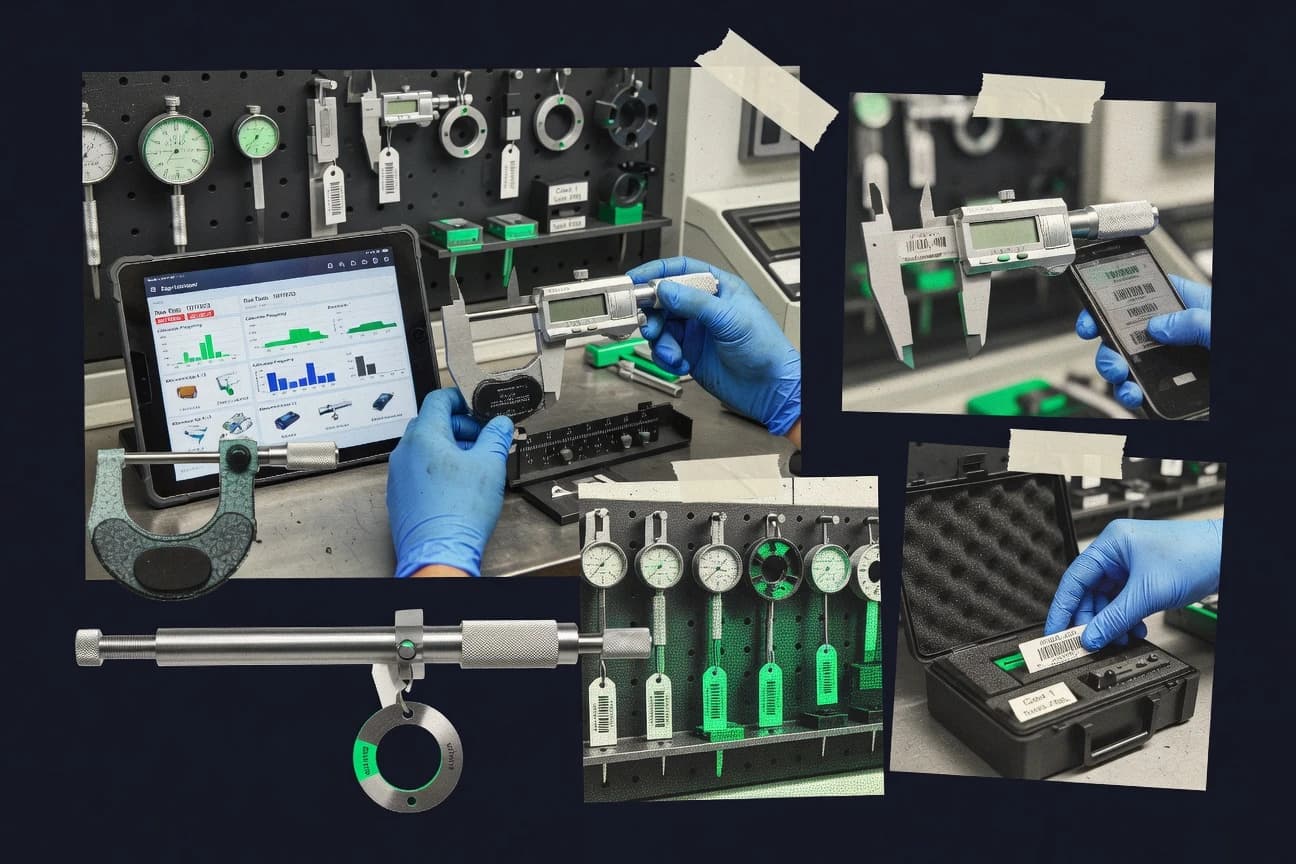
Manufacturing EngineeringTop 10 Best Gage Management Software of 2026
Top 10 comparison of gage management software tools for metrology teams, with use cases and tradeoffs to help shortlist options.

How we ranked these tools
Vendors set the topic, but our editors set the inclusion criteria and the evaluation framework before research starts.
Search agents gather the source set and the review record, including transcriptions of video reviews and podcasts.
Framework: Features 40% · Ease 30% · Value 30%
Gitnux may earn a commission through links on this page — this does not influence rankings. Editorial policy
IndySoft is the best pick for regulated teams that need tightly governed gage tracking because its workflow keeps out-of-tolerance investigation linked inside the same calibration record set for auditable traceability, whereas eMaint CMMS fits teams that want calibration certificates anchored within broader maintenance work orders and schedules.
Editor’s top 3 picks
Three quick recommendations before you dive into the full comparison below — each one leads on a different dimension.
IndySoft
Investigation documentation for out-of-tolerance results is stored and linked within the same gage calibration workflow record set.
Best for: Fits when regulated teams need tightly governed gage tracking with attached calibration evidence and auditable status changes.
Beamex CMX
Editor pickCalibration decision rules that drive controlled actions based on out-of-tolerance outcomes.
Best for: Fits when regulated calibration teams need governed calibration execution and traceable evidence.
eMaint CMMS
Editor pickCalibration certificates can be attached directly to calibration history entries so audits trace instrument results to stored documents.
Best for: Fits when calibration data must live inside CMMS maintenance workflows and integrate with other enterprise systems.
Comparison Table
IndySoft
enterpriseIndySoft provides calibration management for laboratory, manufacturing, and regulated operations.
Investigation documentation for out-of-tolerance results is stored and linked within the same gage calibration workflow record set.
IndySoft provides gage tracking and calibration records with a workflow centered on gage identification, status, and history. The system supports calibration scheduling and recall flows tied to each gage so teams can manage due dates, certificate attachments, and ongoing calibration status.
IndySoft focuses on operational control across gage maintenance events, including tracking of calibration decisions and out-of-tolerance investigation documentation. Governance features emphasize role-based access, change visibility, and audit trail capture for regulated environments.
- +Calibration scheduling and recall links to individual gage records
- +Documented change history supports traceability across calibration events
- +Certificate attachments keep calibration evidence with the calibration record
- +Out-of-tolerance workflow supports investigation documentation tied to results
- –Advanced reporting and configuration require admin setup discipline
- –API depth for external workflow automation may be limited versus enterprise competitors
- –Complex multi-site setups can require careful gage identification conventions
- –Workflow customization options can feel restrictive without partner support
Best for: Fits when regulated teams need tightly governed gage tracking with attached calibration evidence and auditable status changes.
Beamex CMX
enterpriseBeamex CMX manages calibration data, instruments, procedures, certificates, and mobile work.
Calibration decision rules that drive controlled actions based on out-of-tolerance outcomes.
Beamex CMX targets calibration work where gage records must stay connected to calibration procedures, calibration intervals, and certificate evidence. The product’s workflow focus shows up in how calibration results can be recorded with supporting attachments and retained as an electronic record tied to the gage identity. For teams running both scheduled maintenance and ad hoc calibration events, CMX helps keep calibration history and current calibration status in one place.
A tradeoff is that CMX’s strength in workflow governance depends on consistent gage identification and disciplined setup of gage master data. CMX fits situations where calibration labs or maintenance groups need controlled execution and traceable outcomes for internal audits and ISO/IEC 17025 style documentation.
- +Workflow-driven calibration records with certificate attachments
- +Calibration status and history stay tied to gage identification
- +Scheduling supports planned maintenance and recall-style visibility
- +Audit trail style traceability for calibration outcomes
- –Requires careful setup of gage master data and IDs
- –Out-of-tolerance investigations may need tailored procedure design
- –Advanced automation relies on administrators to maintain configuration
- –Barcode and device workflows can add operational overhead
Calibration laboratory managers
Maintain electronic calibration records
Faster compliance-ready record retrieval
Quality assurance teams
Control calibration status and recalls
Lower risk of using expired gages
Show 2 more scenarios
Maintenance operations leads
Track gage identification and intervals
More predictable calibration throughput
Centralizes gage master records so interval-based calibration planning stays consistent across sites.
Metrology engineering teams
Manage calibration procedures execution
Clearer out-of-tolerance review
Connects calibration procedures to recorded outcomes for a consistent audit trail.
Best for: Fits when regulated calibration teams need governed calibration execution and traceable evidence.
eMaint CMMS
SMBeMaint manages preventive maintenance, calibration schedules, equipment records, and work orders.
Calibration certificates can be attached directly to calibration history entries so audits trace instrument results to stored documents.
eMaint CMMS manages gage calibration workflows inside an asset and work order system, with calibration scheduling tied to specific instruments and their maintenance history. Gage records support calibration certificates as attachments and track calibration status over time, including what changed each cycle.
The tool also fits recall and follow-up work through configurable maintenance procedures and inspection steps that reference calibration results. For teams that need integration, eMaint provides an API for exchanging asset, work order, and calibration-related data with external LIMS, ERP, and spreadsheet-based processes.
- +Calibration scheduling is linked to gage assets and work orders
- +Calibration certificates attach to specific calibration history entries
- +Repeatable procedures support consistent calibration execution steps
- +API supports asset and work order data exchange for system integration
- –Out-of-tolerance investigation workflows require deliberate procedure configuration
- –Gage identification setup depends on consistent asset tagging practices
- –Barcode scanning features may require separate device workflow design
- –Reporting depth for gage-specific KPIs depends on admin-built views
Best for: Fits when calibration data must live inside CMMS maintenance workflows and integrate with other enterprise systems.
GAGEtrak
vertical specialistGagetrak manages gauge inventories, calibration schedules, certificates, and maintenance records.
Calibration recall workflow uses gage-linked due scheduling to drive consistent certificate-backed history.
GAGEtrak manages gage inventory records with serial number and asset tag style identifiers so calibration events link back to the exact unit. Calibration scheduling and recall workflows connect intervals and due dates to actionable work lists. Electronic calibration records and certificate attachments preserve calibration history for audits and internal reviews. It fits teams that need standardized gage identification and consistent record linkage across repeat calibration cycles.
- +Calibration scheduling ties due dates directly to gage identity records
- +Electronic calibration history keeps certificate attachments connected to the right gage
- +Inventory fields support repeatable identification using serial and asset tags
- +Workflow control reduces accidental edits to completed calibration records
- –Automation depth depends on upfront configuration of identifiers and intervals
- –Out-of-tolerance investigation steps may require external SOP alignment
- –Reporting flexibility can be limited when organizations need highly custom metrics
- –Bulk operations require careful change control to avoid workflow inconsistencies
Quality management teams
Maintain certificate-backed calibration history
Faster audit evidence retrieval
Calibration lab coordinators
Run scheduled calibration recall work
Reduced missed due dates
Show 2 more scenarios
Manufacturing reliability teams
Track gage usage by asset tag
More reliable calibration traceability
Maintain asset tag and serial-based gage identity so maintenance history stays accurate.
Multi-site operations managers
Govern gage record updates
Lower risk of data drift
Use role-based control to keep calibration history consistent across sites and operators.
Best for: Fits when calibration recall and document-linked history matter more than custom decision logic.
GageManager
SMBGage management and calibration tracking software for manufacturing quality departments.
Certificate attachments stay linked to each calibration event, so electronic records remain audit-ready per gage identification.
GageManager organizes gage inventory and calibration history around gage identification fields and event-based records, which makes status rollups practical for shop floor and quality teams. Calibration scheduling connects due dates to each gage record, and certificate attachments keep electronic calibration records together with the calibration event. Barcode or QR workflows for gage identification help reduce manual keying when gages are moved between locations.
- +Event-based calibration history ties certificates to each calibration record
- +Calibration status reporting highlights due gages and recent calibration outcomes
- +Barcode or QR scanning reduces errors during gage identification
- +Audit trail tracking supports review of lifecycle changes
- –Accurate scheduling depends on clean gage identification data
- –Out-of-tolerance investigation workflows need disciplined internal configuration
- –Limited visibility into measurement uncertainty unless implemented in records
- –Automation coverage is thinner for custom decision rules
Quality management teams
Track calibration events and certificates
Faster document retrieval for reviews
Maintenance planners
Schedule due calibrations by asset
Fewer missed calibration dates
Show 2 more scenarios
Calibration technicians
Scan gages for accurate history
Lower transcription and lookup time
Scan barcodes or QR codes to select the correct gage identification and append results.
Metrology admins
Govern gage lifecycle and audit trails
Clear accountability for changes
Control gage assignments and track changes through audit trail records across the lifecycle.
Best for: Fits when quality teams need calibration certificates, status reporting, and scan-based gage tracking.
Calibration Control
SMBCalibration Control tracks gauges, instruments, calibration events, certificates, and due dates.
Calibration records link scheduling, calibration history, and certificate attachments under a single gage lifecycle workflow.
Calibration Control targets gage calibration management with workflows for item identification, calibration scheduling, and certificate handling. The system organizes gage inventory records with calibration history and status tracking so teams can see when instruments are due and what happened last.
- +Interval-based calibration scheduling tied to each gage record
- +Calibration history and status fields support quick recall of instrument state
- +Certificate attachment handling keeps electronic records together
- +Audit trail visibility supports traceability across calibration events
- –Workflow automation depends on correct setup of gage identifiers and intervals
- –API and integration tooling are less transparent than in automation-first competitors
- –Complex organizations may need more governance effort for consistent item mapping
- –Reporting depth can require manual field mapping for specialized views
Best for: Fits when a calibration team needs scheduling, history, and certificate attachments tied to gage identification.
Metquay
vertical specialistMetquay provides cloud software for calibration, asset tracking, and laboratory operations.
Out-of-tolerance investigation workflow ties investigation outcomes back to the originating gage activity for continuous history.
Metquay targets gage inventory and gage calibration management with workflows that link gage records to calibration activity and compliance artifacts. The system emphasizes gage identification and traceable histories so calibration status and certificate attachments stay tied to the right asset throughout its lifecycle.
- +Strong linkage between gage identification and calibration history records
- +Clear calibration scheduling workflow that updates calibration status over time
- +Certificate attachment handling keeps electronic calibration records with asset context
- +Out-of-tolerance workflow supports investigation follow-through
- –Automation and integration depth can require development for advanced routing
- –Complex gage hierarchies need careful configuration to avoid duplicate records
- –Reporting coverage may lag specialized audit views without custom outputs
- –Barcode and scanning workflows depend on device and process alignment
Best for: Fits when mid-size teams need controlled calibration scheduling with gage-linked history and certificate records.
MSA Gage Pro
SMBCloud-based gage management platform for calibration tracking, MSA studies, and audit-ready compliance reporting.
Calibration events store certificate attachments per gage, preserving document history in the calibration timeline.
MSA Gage Pro manages gage inventory, gage identification, and calibration tracking in one workflow from asset record creation to certificate document capture. It supports calibration scheduling, tracks calibration history and status, and records out-of-tolerance outcomes tied to each gage.
- +Ties calibration status and history directly to each gage record
- +Captures calibration certificate attachments and keeps them linked to events
- +Supports calibration scheduling based on gage calibration intervals
- +Provides audit trail visibility across gage and calibration record changes
- –Workflow configuration takes discipline to keep identification and intervals consistent
- –Barcode scanning and QR intake need additional operational setup
- –API surface and integration paths are narrower than general asset suites
- –Advanced out-of-tolerance investigation fields are limited for complex investigations
Best for: Fits when a QA team needs controlled gage tracking with certificate attachments and scheduled calibration events.
Blue Mountain RAM
enterpriseBlue Mountain RAM manages calibration, maintenance, reliability, and regulated asset records.
Built-in out-of-tolerance workflow ties failure handling steps to the same gage record used for scheduling and certification tracking.
Blue Mountain RAM targets organizations that need gage inventory and calibration scheduling workflows tied to physical gage records, plus the downstream document attachments that auditors expect. It provides calibration history views, certification record handling, and status tracking that link each gage identifier to the latest calibration outcome and planned next due date.
- +Calibration records connect directly to gage identifiers and status
- +Document attachment workflow supports storing certificate files with records
- +Out-of-tolerance workflow keeps nonconforming gage results traceable
- +Operational administration supports consistent gage records across sites
- –API depth for custom workflow automation is not clearly exposed for complex integrations
- –Barcode and mobile capture coverage is limited compared with apps focused on scan-first field work
- –Advanced configuration for multi-lab processes can require careful setup
- –Extensibility for nonstandard calibration decision rules is narrower than some peers
Best for: Fits when teams need controlled calibration scheduling and record traceability with light customization and admin-led governance.
Calispec
API-firstAI-driven SaaS platform for full gauge lifecycle management with predictive calibration insights and MSA studies.
Event-linked audit trail that ties calibration status changes and certificate attachments to the same gage history timeline.
Calispec is a gage management application focused on tracking gage details, calibration records, and compliance workflows in one place. It centers on gage identification and serial or asset-style tracking so teams can link measurements to the correct instrument over time.
- +Clear gage identification and history linkage by serial or asset identifier
- +Calibration scheduling and recall workflows tied to calibration events
- +Calibration certificate attachment support for maintaining documentation context
- +Audit trail coverage around calibration status changes and recorded events
- –Automation depth is limited when processes require multi-step custom decision rules
- –API extensibility and integration breadth are not a primary documented strength
- –Barcode or QR scanning workflows require deliberate setup to stay consistent
- –Role governance controls like RBAC and granular approvals are less detailed than leaders
Best for: Fits when mid-size teams need consistent gage tracking with structured calibration history and recall flows.
Conclusion
After evaluating 10 gage management software, IndySoft stands out as our overall top pick — it scored highest across our combined criteria of features, ease of use, and value, which is why it sits at #1 in the rankings above.
Use the comparison table and detailed reviews above to validate the fit against your own requirements before committing to a tool.
How to Choose the Right Gage Management Software
Gage management software organizes gage inventory and calibration execution so calibration status, calibration history, and certificate attachments stay tied to gage identification. This guide covers Beamex CMX, GageManager, GAGEtrak, IndySoft, eMaint CMMS, Blue Mountain RAM, Calibration Control, Metquay, MSA Gage Pro, and Calispec.
Tool selection turns on how calibration records are created and governed, especially when out-of-tolerance outcomes require controlled actions. Beamex CMX uses calibration decision rules to drive governed execution, while GageManager keeps event-based calibration history and certificate attachments linked to each calibration record.
Gage Management Software for calibration scheduling, recall, and certificate-linked history
Gage management software records gage identification, runs calibration scheduling and calibration recall, and stores electronic calibration records with certificate attachments tied to each calibration event. The core goal is to keep calibration status current while maintaining an auditable calibration history timeline that maps each certificate to the originating gage.
Beamex CMX emphasizes governed calibration execution by using calibration decision rules based on out-of-tolerance outcomes, which then update the record chain for traceability. GAGEtrak and GageManager focus on linking due scheduling and calibration certificate attachments directly to gage identity so calibration status reporting and recall stay consistent across maintenance cycles.
Evaluation criteria for Gage Management Software
Calibration records stay defensible only when gage identification, certificate attachments, and calibration status updates remain linked to the same calibration event. This category depends on consistent identifier handling so recall schedules and audit timelines do not drift.
The standout capability differences show up in how the system executes out-of-tolerance outcomes, how it ties certificates to each event, and how much automation surface supports controlled workflows. The sections below score those mechanics across Beamex CMX, GageManager, GAGEtrak, IndySoft, eMaint CMMS, Blue Mountain RAM, Calibration Control, Metquay, MSA Gage Pro, and Calispec.
Calibration decision rules for out-of-tolerance outcomes
Beamex CMX drives controlled actions from out-of-tolerance outcomes using calibration decision rules. Blue Mountain RAM keeps failure handling tied to the same gage record used for scheduling and certification tracking.
Certificate attachments linked to each calibration event
GageManager keeps certificate attachments linked to each calibration event so electronic records stay audit-ready per gage identification. MSA Gage Pro stores certificate attachments per gage in the calibration timeline so document history follows each event.
Due scheduling and recall based on gage identity
GAGEtrak ties calibration scheduling to due dates directly on gage identity records to drive consistent certificate-backed history. Calibration Control uses interval-based calibration scheduling tied to each gage record so status fields support quick recall of instrument state.
Out-of-tolerance investigation documentation inside the gage workflow record
IndySoft stores out-of-tolerance investigation documentation and links it within the same gage calibration workflow record set. Metquay ties out-of-tolerance investigation outcomes back to the originating gage activity so continuous history stays connected.
Audit timeline for calibration status changes and record chain continuity
Calispec provides an event-linked audit trail that ties calibration status changes and certificate attachments to the same gage history timeline. Blue Mountain RAM also connects calibration records directly to gage identifiers so status and certification tracking stay traceable.
Workflow lifecycle linkage across scheduling, history, and certificates
Calibration Control links scheduling, calibration history, and certificate attachments under a single gage lifecycle workflow. eMaint CMMS keeps calibration certificates attached directly to calibration history entries so audits trace instrument results to stored documents.
Automation and integration depth for external workflow orchestration
IndySoft can require admin setup discipline for advanced reporting and configuration, and it may limit API depth versus enterprise automation-first approaches. Calispec limits automation depth for multi-step custom decision rules and does not position API extensibility and integration breadth as a primary documented strength.
How to choose Gage Management Software for controlled calibration workflows
Start by mapping which part of the calibration workflow must be governed by the system rather than handled in spreadsheets or local documents. Then pick the tool whose event linkage and automation surface match that control requirement.
Different teams follow different philosophies. Some systems center on decision rules that drive actions from out-of-tolerance outcomes, while others center on recall consistency with certificate-backed history tied to due scheduling and gage identity records.
Choose governed execution using out-of-tolerance decision rules
Select Beamex CMX if controlled calibration actions must be driven by calibration decision rules based on out-of-tolerance outcomes. This fits regulated calibration teams because calibration status and history stay tied to gage identification while actions follow a defined rules path.
Choose recall-first consistency when due scheduling must drive audit history
Select GAGEtrak when calibration recall workflows must schedule due dates based on gage-linked due scheduling. This approach keeps electronic calibration history and certificate attachments connected to the right gage across maintenance cycles.
Choose event-linked certificate recordkeeping as the primary audit requirement
Select GageManager when certificate attachments must stay linked to each calibration event so electronic records remain audit-ready per gage identification. Select Calibration Control when interval-based scheduling must keep calibration history and status fields aligned for quick instrument state recall.
Choose where investigation evidence must live for out-of-tolerance cases
Select IndySoft when investigation documentation must be stored and linked inside the same gage calibration workflow record set. Select Metquay when investigation outcomes must be tied back to the originating gage activity to preserve continuous history.
Choose deployment fit when calibration lives inside a CMMS work order flow
Select eMaint CMMS when calibration certificates must attach directly to calibration history entries and align with maintenance workflows. This also fits teams that want calibration scheduling linked to gage assets and work orders rather than running a standalone calibration process.
Stress-test integration depth and identifier setup constraints early
If external workflow automation or advanced integrations are a core requirement, validate how automation depth and integration tooling are exposed before committing. IndySoft flags API depth as less transparent than enterprise automation-first competitors, and Blue Mountain RAM flags API depth for custom workflow automation as not clearly exposed.
Who Gage Management Software fits best
Gage management software fits teams that must keep calibration status, history, and certificate attachments aligned to the same gage identifiers. It also fits organizations where out-of-tolerance results require controlled investigation documentation and traceable evidence.
The best fit depends on whether the main operational pressure is governed execution, certificate linkage, or recall consistency. The segments below map those pressures to specific tools in this shortlist.
Regulated calibration teams that must execute controlled actions from out-of-tolerance outcomes
Beamex CMX supports calibration decision rules that drive controlled actions from out-of-tolerance outcomes while keeping calibration status and history tied to gage identification. IndySoft also supports tightly governed gage tracking with attached calibration evidence and auditable status changes.
Quality teams that must keep scan-based gage tracking and certificate recordkeeping aligned per calibration event
GageManager keeps event-based calibration history tied to each calibration record with certificate attachments linked for audit-ready electronic records. MSA Gage Pro ties calibration status and history directly to each gage record while storing certificate attachments on the calibration timeline.
Calibration recall owners who must drive due scheduling from gage identity and preserve certificate-backed history
GAGEtrak schedules due dates directly on gage identity records and preserves electronic calibration history with certificate attachments connected to the right gage. Calibration Control supports interval-based scheduling tied to each gage record with status and history fields that support quick recall.
Maintenance organizations that want calibration records inside CMMS work order workflows
eMaint CMMS links calibration scheduling to gage assets and work orders while attaching calibration certificates directly to calibration history entries for audit traceability. Blue Mountain RAM supports controlled calibration scheduling and record traceability with light customization and admin-led governance.
Mid-size teams that need out-of-tolerance investigation evidence tied back to originating gage activity
Metquay ties out-of-tolerance investigation outcomes back to the originating gage activity so continuous history stays connected. Calispec keeps structured calibration history and recall flows tied to calibration events with an event-linked audit trail.
Common pitfalls when buying and rolling out Gage Management Software
Most failures come from treating gage identifiers and intervals as a setup task rather than a governance requirement. Several tools explicitly connect scheduling, status, and certificates to gage identification, so inconsistent IDs break the audit chain.
Automation choices can also backfire when teams assume the system can implement complex decision logic without disciplined configuration. The pitfalls below map to specific constraints surfaced across the shortlist.
Launching with inconsistent gage master data so scheduling and certificate linkage attach to the wrong identity
Beamex CMX requires careful setup of gage master data and IDs so calibration status and history remain tied to gage identification. GAGEtrak and GageManager both depend on clean gage identification data so scheduling and certificate attachments do not drift.
Under-scoping out-of-tolerance investigation workflows so evidence is captured outside the system timeline
IndySoft and Metquay keep investigation evidence linked within the same gage workflow record set or originating gage activity. Blue Mountain RAM requires procedure design for tailored investigations, and eMaint CMMS requires deliberate procedure configuration for out-of-tolerance investigation workflows.
Assuming deep automation and integration are available without validating API and orchestration surfaces
Blue Mountain RAM flags that API depth for custom workflow automation is not clearly exposed, which can limit complex integrations. Calispec also limits automation depth for multi-step custom decision rules and does not position API extensibility and integration breadth as a primary strength.
Overloading custom decision rules without accounting for configuration discipline
Beamex CMX emphasizes calibration decision rules, but tailored procedure design is still needed for out-of-tolerance investigations. GAGEtrak and GageManager flag that automation depth and investigation workflows depend on upfront configuration of identifiers, intervals, and internal setup.
Expecting scan-first field capture to be strong when the rollout relies on barcode intake workflows not built into the core product
MSA Gage Pro notes barcode scanning and QR intake need additional operational setup, so field data capture needs planning. Blue Mountain RAM also flags limited barcode and mobile capture coverage compared with scan-first apps focused on field work.
How We Selected and Ranked These Tools
We evaluated each tool on calibration record linkage strength so gage identification, calibration status history, and certificate attachments stay tied to the same event. Features accounted for forty percent of the score to favor calibration scheduling and recall workflows that preserve document-linked history, including event-based certificate attachments in GageManager and due scheduling tied to gage identity in GAGEtrak.
Ease and value each accounted for thirty percent of the score to reflect operational setup friction such as gage master data discipline in Beamex CMX and identifier configuration requirements in Calibration Control. Beamex CMX earned the top position because calibration decision rules drive governed controlled actions from out-of-tolerance outcomes while calibration status and history remain tied to gage identification.
Frequently Asked Questions About Gage Management Software
Which tools keep calibration certificates linked to the exact gage event?
How do gage management systems handle out-of-tolerance decisions without breaking traceability?
When does calibration recall scheduling trigger follow-up work based on gage status?
What breaks if gage master data and calibration history get updated inconsistently across sites?
Which tools support integration so calibration events can flow into ERP or LIMS workflows?
How do admins control who can create, update, and approve gage records?
What is the main difference between treating calibration as a standalone record versus embedding it in maintenance work orders?
Where does electronic calibration record handling matter most for regulated calibration labs?
How do teams get started when their existing spreadsheet or document practices already track serial numbers and references?
Tools reviewed
Primary sources checked during evaluation.
Referenced in the comparison table and product reviews above.
Funding and competing interests
This study was co-funded by several of the vendors assessed in it. No single vendor funded it. Funders could propose the market studied.
They had no role in selecting vendors, setting or weighting criteria, analysing data or drawing conclusions, and they received the same factual-accuracy check as every other vendor assessed.
Market definition, inclusion rules and criteria weights were fixed by an editor before research began and did not change afterwards. Editorial process →
- Manufacturing EngineeringTop 10 Best Gage Tracking Software of 2026
- Manufacturing EngineeringTop 10 Best Gauge Management Software of 2026
- Manufacturing EngineeringTop 10 Best Measurement System Analysis Software of 2026
- Sports RecreationTop 10 Best Golf Management Software of 2026
- Automotive ServicesTop 10 Best Garage Management Software of 2026
Keep exploring
Comparing two specific tools?
Software Alternatives
See head-to-head software comparisons with feature breakdowns, pricing, and our recommendation for each use case.
Explore software alternatives→In this category
Manufacturing Engineering alternatives
See side-by-side comparisons of manufacturing engineering tools and pick the right one for your stack.
Compare manufacturing engineering tools→