
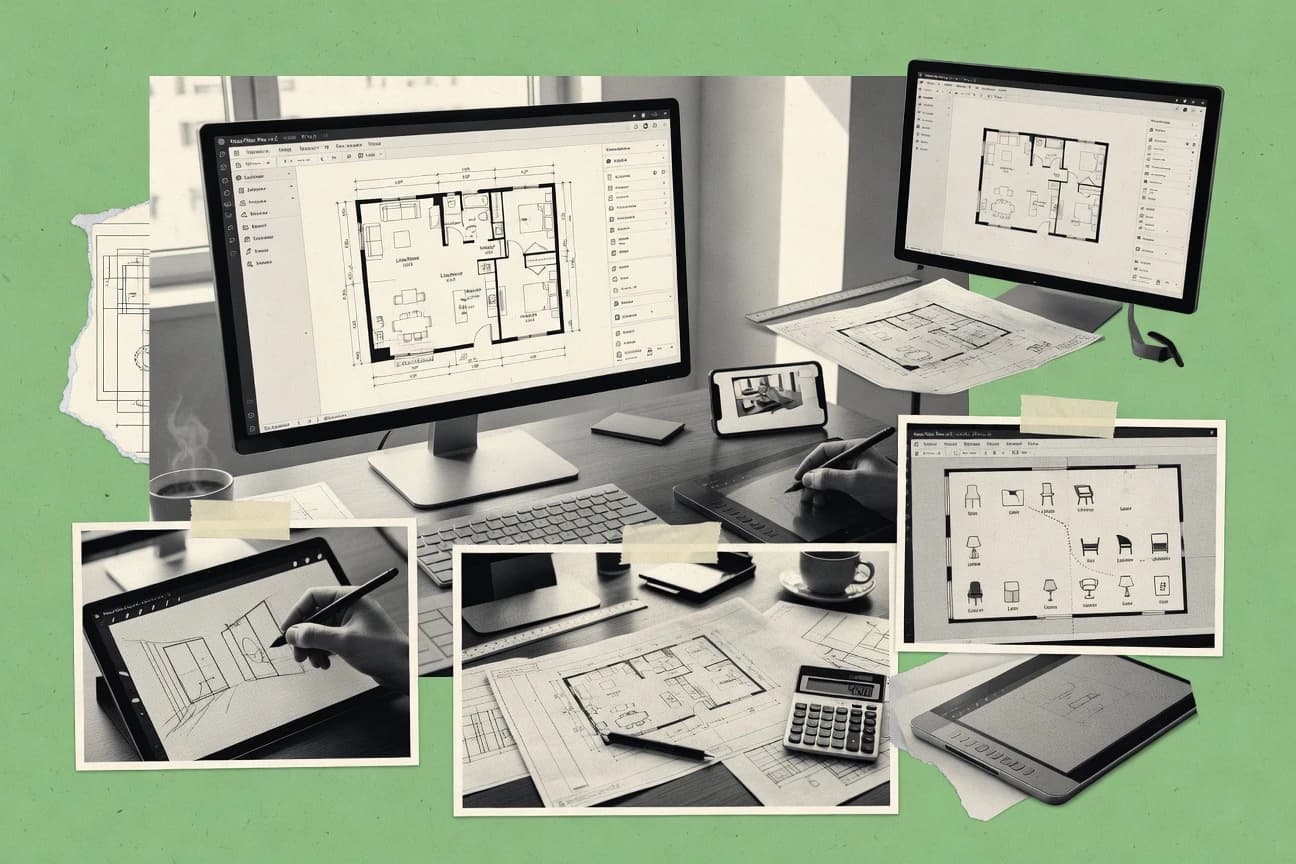
GITNUXSOFTWARE ADVICE
Business FinanceTop 10 Best Floor Plan Designer Software of 2026
Top 10 ranking of floor plan designer software for home layouts and diagrams, comparing Cedreo, Live Home 3D, AutoCAD, Chief Architect, and SmartDraw.

How we ranked these tools
Core product claims cross-referenced against official documentation, changelogs, and independent technical reviews.
Analyzed video reviews and hundreds of written evaluations to capture real-world user experiences with each tool.
AI persona simulations modeled how different user types would experience each tool across common use cases and workflows.
Final rankings reviewed and approved by our editorial team with authority to override AI-generated scores based on domain expertise.
Score: Features 40% · Ease 30% · Value 30%
Gitnux may earn a commission through links on this page — this does not influence rankings. Editorial policy
Chief Architect is the best pick if you’re a design team that needs dependable residential drafting plus solid 3D models and export outputs, whereas AutoCAD fits when you need CAD exchange and automation without giving up drafting control.
Editor’s top 3 picks
Three quick recommendations before you dive into the full comparison below — each one leads on a different dimension.
Chief Architect
Automated stair and roof generation that updates with footprint and level changes.
Built for fits when design teams need automated residential drafting and dependable export outputs..
AutoCAD
Editor pickDWG-first authoring with extensibility for standards automation across templates and block libraries.
Built for fits when teams need CAD exchange and automation without losing drafting control..
SmartDraw
Editor pickDiagram-first floor plan editing using built-in templates and symbol libraries for fast layout iteration.
Built for fits when teams need repeatable home layouts as editable diagrams with drafting-format handoffs..
Comparison Table
Chief Architect
SMBResidential design software for drafting detailed floor plans and 3D models.
Automated stair and roof generation that updates with footprint and level changes.
Chief Architect supports iterative drafting and design refinement with object-level edits that propagate through dependent geometry. The program’s plan-to-view workflow makes it practical to keep elevations, sections, and schedules aligned with a single model. Library-based components for doors, windows, and furnishings speed up common layouts without relying on external assets. Compared with general purpose drawing apps, it offers more automation around common residential and light commercial drafting tasks.
A tradeoff appears when clients expect strict CAD fidelity for every third-party linework detail, because imported geometry can behave like reference content rather than fully parametric building elements. Chief Architect fits best when design intent remains within the model for later view generation, and when downstream CAD use focuses on exporting clean outputs rather than preserving every imported construct.
- +Automatic building logic for walls, stairs, and roofs reduces repetitive rework
- +Consistent plan-to-view updates for elevations and cross-section style views
- +DWG export and DXF round-trip for common interoperability workflows
- +Library-driven furniture and materials speed up early spatial planning
- –Third-party CAD imports may not convert into fully editable parametric elements
- –Advanced custom detailing can take time compared with pure CAD drafting
- –Library coverage may not match niche regional product selections
- –Large projects can slow down during heavy view regeneration
Residential design firms
Rapid floor plan revisions and view output
Fewer revision cycles
Architectural drafters
CAD exchange with downstream consultants
Cleaner handoffs
Show 1 more scenario
Remodeling project coordinators
Faster furniture and finishes planning
Quicker client-ready diagrams
Places library-based furnishings and materials while keeping plan edits consistent across views.
Best for: Fits when design teams need automated residential drafting and dependable export outputs.
AutoCAD
enterpriseIndustry-standard 2D and 3D CAD software used by architects for detailed floor plans.
DWG-first authoring with extensibility for standards automation across templates and block libraries.
AutoCAD fits floor plan work where DWG export becomes the primary interchange format and where teams must control wall join behavior, annotation styles, and measurement scale. Strong layer management and symbol library workflows support repeatable drawings such as room layouts, elevations, and cross-sections. The object snap toolchain reduces alignment mistakes during furniture and fixture placement.
A key tradeoff is higher training and configuration effort than specialized floor plan tools. Teams use it when they must deliver cross-platform CAD files for contractors or coordinate HVAC routing and electrical plans within a shared DWG workflow. Single-user usability can lag when the process depends on custom blocks, templates, and organization standards.
- +DWG export and DXF round-trip maintain drawing fidelity
- +Object snap and dimension tooling supports construction-ready annotation
- +Layer management enables controlled documentation sets
- +API and automation support repeatable symbol and title block setup
- –Steeper learning curve for wall and annotation standards
- –3D walkthrough and architectural automation require extra workflow effort
- –Template and block governance is necessary to keep drawings consistent
- –Furniture catalog depth depends on third-party content
Architectural CAD teams
Produce contractor-ready plan sets
Fewer rework cycles on handoff
Renovation design coordinators
Edit existing DXF and DWG
Faster revisions on site-ready plans
Show 2 more scenarios
BIM coordination specialists
Coordinate OpenBIM exchange
Lower friction across design tools
AutoCAD workflows support OpenBIM interoperability paths for cross-tool coordination tasks.
CAD workflow automation teams
Automate repetitive plan drafting
Higher throughput on repetitive sets
Scripting and API access reduce manual steps for blocks, sheets, and drawing standards.
Best for: Fits when teams need CAD exchange and automation without losing drafting control.
SmartDraw
SMBDiagramming software with templates for floor plans and office layouts.
Diagram-first floor plan editing using built-in templates and symbol libraries for fast layout iteration.
SmartDraw is strongest for diagram-driven floor planning where symbols and layout blocks matter more than CAD-grade model behavior. Built-in shapes and libraries support quick placement of walls, doors, furniture, and other planning objects without building custom geometry. DWG and DXF import and export can help when other tools own the source model and SmartDraw is used for edits or documentation views.
A tradeoff is that SmartDraw does not act like a full BIM or construction-document modeling system, so workflows that depend on parametric building components and construction sets usually need CAD or BIM tools. SmartDraw fits best when a team needs rapid, repeatable home layout diagrams, a consistent symbol language, and quick handoff to other diagram or drafting steps.
- +Template-driven room and layout creation reduces drawing time
- +DWG and DXF import and export supports diagram handoffs
- +Symbol libraries speed furniture and fixture placement
- +Multi-user collaboration enables iterative editing
- –CAD-grade wall joins and parametric building logic are limited
- –Construction-document set workflows require external tooling
- –3D walkthroughs are not the focus versus dedicated 3D tools
- –Advanced layer and sheet organization needs manual discipline
Interior design teams
Create quick room layout diagrams
Fewer revisions per concept
Architectural consultants
Edit imported DWG floor outlines
Faster markups for review
Show 2 more scenarios
Real estate marketers
Produce consistent floor plan visuals
More standardized assets
Marketing teams generate consistent diagram-style plans for listings and internal walkthroughs.
Small project teams
Collaborate on layout changes
Quicker agreement on layouts
Teams co-edit floor plan diagrams so stakeholders can comment and iterate quickly.
Best for: Fits when teams need repeatable home layouts as editable diagrams with drafting-format handoffs.
Homestyler
SMBCloud-based 3D floor plan and interior design platform.
Real-time 3D walkthrough tied directly to 2D layout edits, making spatial checks part of the editing loop.
Homestyler centers on browser-based home design with a fast wall-to-layout workflow and a large furniture library for room staging. It supports both 2D plan editing and 3D walkthrough views so layout changes can be reviewed in spatial context.
The tool focuses on interactive interior layouts rather than construction-document grade drafting. Export paths are oriented around sharing rendered results and exchanging basic geometry, which limits its fit for strict CAD round-trips.
- +Browser workflow makes room layout iterations quick
- +Furniture library speeds up staging without separate modeling
- +3D walkthrough updates reflect layout edits immediately
- +Guided snapping and measurement helps keep dimensions consistent
- –DWG and DXF round-trip fidelity is not suited for CAD redlines
- –Less control over construction-document conventions and annotations
- –Layer management is limited compared with CAD drafting workflows
- –Multi-user collaboration lacks admin-grade RBAC and audit logging controls
Best for: Fits when visual home layouts need frequent updates with staging and quick 2D to 3D review.
Cedreo
SMBOnline home and floor plan design software for builders and real estate.
Guided project configuration that keeps object selections and presentation views synchronized across a single design session.
Cedreo turns rough room concepts into detailed home layouts using guided wall, door, and window placement plus a built-in object and material library. The workflow supports 2D plan output for client diagrams and 3D walkthrough views for spatial review.
Cedreo also focuses on construction-ready presentation assets such as dimensioned drawings, cross-section view style outputs, and exporting deliverables for downstream use. Automation is centered on configuration-driven project setup rather than freeform CAD operations.
- +Guided layout tools reduce rework when placing openings and walls
- +3D walkthrough feedback helps catch scale and circulation issues early
- +Furniture and finish selections stay consistent across plan views
- +Exported deliverables support client-ready presentation workflows
- –CAD import fidelity is limited for complex DWG-heavy deliverables
- –Layer management controls are not as granular as CAD tools
- –Stair and roof modeling can feel restrictive versus manual drafting
- –Advanced construction documentation workflows need careful planning
Best for: Fits when home design teams need fast, configuration-driven layouts with client-ready 2D and 3D outputs.
Concept3D
enterpriseInteractive mapping and virtual tour platform for campus and facility floor plans.
Tight coupling between 2D floor plan edits and instant 3D walkthrough updates for live client reviews.
Concept3D targets floor plan designers who need both 2D layout work and a 3D walkthrough for client-ready reviews. It provides room, wall, and object placement tools that translate directly into a 3D view for visual validation.
The workflow supports common diagram outputs like dimensioned drawings and printable presentations, which helps teams iterate on spatial planning without switching tools. Concept3D also supports exporting drawings for downstream drafting when clients or contractors require file-based deliverables.
- +2D-to-3D updates support fast layout review cycles
- +Dimensioning tools make printed floor plans easier to review
- +Furniture and fixture placement works well for room staging visuals
- +Export options support file handoff to external drafting workflows
- –Advanced CAD workflows depend on round-tripping for precision edits
- –BIM interoperability is limited compared with CAD-first toolchains
- –Layer and annotation controls are less granular than dedicated drafting tools
- –Large projects can feel slower when many objects are present
Best for: Fits when project teams need quick 3D walkthrough feedback and presentation-ready drawings for residential layouts.
Planner 5D
SMBWeb and mobile app for creating 2D and 3D home floor plans.
Drag-and-drop furniture staging tied to room scale updates, producing consistent interior render views in the same project.
Planner 5D mixes a tile-like 2D layout workflow with photo-style 3D room rendering, which differentiates it from pure CAD tools and 2D-only sketchers. Room and interior objects come from a furniture catalog with drag-and-drop placement and adjustable measurements for walls, windows, and doors.
The tool supports architectural overlays like dimension lines and elevation views, then exports plans for sharing and downstream use. Collaborative work is available for multi-user diagram sessions, but governance and audit controls are less explicit than in enterprise CAD ecosystems.
- +Fast room layout workflow with quick 2D to 3D updates
- +Furniture catalog objects support practical interior planning and staging
- +Exportable drawings help share layouts with clients and contractors
- +Multi-user collaboration supports joint editing on the same plan
- –DWG export fidelity lags CAD-grade workflows for construction sets
- –HVAC routing and complex MEP annotations are not a first-class workflow
- –Layer management is limited compared with CAD-style control for drawings
- –More advanced governance controls for larger organizations are unclear
Best for: Fits when small teams need fast interior layouts plus 3D walkthrough visuals for client-ready reviews.
Space Designer 3D
SMBWeb-based software for drawing floor plans and converting them into furnished 3D interior views.
Interactive 3D walkthrough updates from the same layout used in the 2D plan during edits.
Space Designer 3D targets home floor plan creation with a workflow that blends 2D layout editing and 3D walkthrough preview. The app supports furnishing and object placement inside rooms, then ties those placements back to the floor plan view for iteration.
Tooling includes wall and room drawing with dimensioning support and export options intended for sharing designs. Design iteration is geared toward quick revisions rather than CAD-grade drafting controls.
- +Fast 2D to 3D iteration for home layout review
- +Furniture catalog and object placement for room planning
- +Straightforward measurement scale workflow for basic diagrams
- +Export outputs suited for internal sharing and client previews
- –CAD import and edit fidelity for detailed drawings is limited
- –Advanced architectural documentation tools are thinner than CAD alternatives
- –Layer management and drafting precision controls feel basic
- –Multi-user collaboration depends on external coordination, not built-in governance
Best for: Fits when home designers need quick floor plan and walkthrough previews without CAD-level documentation depth.
Roomtodo
SMBOnline room planning software for creating floor plans, arranging furnishings, and viewing interiors in 3D.
One-click furniture and object placement workflow optimized for rapid spatial planning diagrams.
Roomtodo is a floor plan designer focused on laying out rooms and furniture with a guided diagram workflow. The editor supports wall and room shapes, symbol placement, and measurement scale so diagrams stay consistent while iterating.
Export options focus on sharing and documentation via image and file outputs rather than full CAD round-trip. Collaborative work is handled through project sharing instead of deep admin governance.
- +Guided placement flow keeps room layouts consistent during edits
- +Furniture and symbol library covers common residential planning needs
- +Dimension tools help maintain a readable measurement scale
- +Project sharing supports multi-user diagram review workflows
- –CAD export support is limited compared with DWG-centric tools
- –Advanced drafting behaviors like wall joins are less configurable
- –Automation and integration options are thin for pipeline-driven teams
- –Large construction-document sets require manual cleanup after exports
Best for: Fits when small teams need fast residential layouts and client-ready diagrams without CAD-grade interoperability.
Floor Plan Creator
SMBBrowser and mobile software for drawing scaled floor plans with rooms, dimensions, doors, and furnishings.
Wall and room drafting with a quick furniture placement workflow optimized for layout visualization.
Floor Plan Creator targets home layout diagrams that need quick wall and room drafting without heavy CAD workflows. It supports common drafting tasks like room shapes, placement of furniture and fixtures, and exporting finished layouts for sharing.
The tool also offers basic dimensional control via measurements and grid-based drawing for consistent placement. For teams comparing workflows against Cedreo, Live Home 3D, and AutoCAD, its main trade-off is limited automation depth and limited interoperability surface for construction-grade deliverables.
- +Fast 2D room drawing using grid-aligned placement tools
- +Simple furniture and layout placement workflow for home planning
- +Clear measurement scale controls for readable diagrams
- +Export-focused output for sharing floor layouts
- –CAD interoperability is limited for DWG or DXF round-trip workflows
- –Advanced BIM-style construction document workflows are not a primary focus
- –Multi-user collaboration controls are minimal for distributed teams
- –Layer and annotation tooling stays basic for dense drawings
Best for: Fits when early-stage home layout diagrams need quick 2D drafting and straightforward sharing.
Conclusion
After evaluating 10 business finance, Chief Architect stands out as our overall top pick — it scored highest across our combined criteria of features, ease of use, and value, which is why it sits at #1 in the rankings above.
Use the comparison table and detailed reviews above to validate the fit against your own requirements before committing to a tool.
How to Choose the Right floor plan designer software
Floor plan designer software spans automated residential drafting in Chief Architect, CAD exchange workflows in AutoCAD, and browser-first layout iteration in Homestyler and Cedreo. This buyer’s guide narrows the choices to the top 10 tools for home layout diagrams and client-ready drawings, then grounds the selection differences in how each tool handles wall behavior, view updates, and file handoffs.
Cedreo and Concept3D emphasize guided configuration and tightly coupled 2D-to-3D walkthrough loops, while SmartDraw and Planner 5D focus on fast diagram editing and furniture staging. Rounding out the list, Roomtodo and Floor Plan Creator prioritize rapid residential layout workflows with lighter construction-document depth than CAD-first tools.
Floor plan designer software for home layouts and diagram-ready drawings
Floor plan designer software is used to draft room layouts in 2D, generate view output for clients in 3D, and manage how furniture and fixtures stay aligned with the plan during edits. Tools differ most in whether they follow CAD-style drafting rules and exchange formats or whether they center on configuration workflows that keep visuals synchronized within a project session. Chief Architect is built around automated residential logic that updates with footprint and level changes, which reduces repetitive drafting when plan geometry evolves.
AutoCAD is DWG-first authoring aimed at retaining drafting control through extensibility and annotation tooling, with DWG export and DXF round-trip supporting construction-oriented handoffs. Homestyler and Cedreo take a different approach by keeping 2D layout edits tied to real-time or guided walkthrough feedback, which favors quick spatial checks over CAD-grade redline fidelity.
Floor plan software capabilities that change real deliverables
Wall logic automation affects how often edits force downstream rework in elevations, roof shapes, and view outputs. File exchange and drafting fidelity decide whether handoffs survive into CAD redlines or break into manual fixes.
Automated residential drafting logic
Chief Architect generates stairs and roof geometry from footprint and level changes so updated plans stay consistent across views. This automation reduces repetitive reconstruction compared with diagram-first tools like SmartDraw.
CAD exchange fidelity and annotation tooling
AutoCAD exports DWG and supports DXF round-trip workflows that maintain drawing fidelity and construction-ready annotation. SmartDraw can import and export DWG and DXF for diagram handoffs, but CAD-grade wall joins and parametric building logic are limited.
Synchronized 2D-to-3D walkthrough updates
Cedreo keeps object selections and presentation views synchronized during guided configuration so changes stay aligned inside one design session. Homestyler and Concept3D also tie 2D edits to real-time walkthrough updates for spatial checks, with Concept3D emphasizing instant 3D walkthrough refresh.
Diagram iteration speed with furniture staging
SmartDraw speeds repeatable home layout creation through templates and symbol libraries so diagram edits land quickly. Planner 5D and Roomtodo provide drag-and-drop furniture placement that stays tied to room scale for consistent interior render views without CAD-grade interoperability.
Construction-document readiness
AutoCAD supports construction-document set workflows through CAD-grade drafting control and annotation tooling. Cedreo and Concept3D can deliver client-ready drawings, but Consistent construction-document conventions and advanced BIM interoperability are weaker than CAD-first toolchains.
Choose by the workflow philosophy behind 2D plans and 3D outputs
Some tools draft like CAD and prioritize exchange fidelity, while others configure like a design assistant and prioritize synchronized visuals. The right choice follows the deliverable format and the change frequency of walls, openings, and level geometry.
Pick the source of truth for changes
If the team expects automated residential logic to rebuild geometry, start with Chief Architect because stairs and roof generation update with footprint and level changes. If the team expects guided configuration to keep views aligned, use Cedreo because guided layout tools synchronize placement and presentation outputs within a single session.
Match handoff needs to exchange fidelity
If DWG-first handoffs and annotation standards drive delivery, use AutoCAD because DWG export and DXF round-trip maintain drawing fidelity with object snap and dimension tools. If the handoff is diagram-level rather than construction-grade, use SmartDraw because DWG and DXF imports and exports support diagram editing and symbol-based layouts.
Use real-time walkthrough coupling for frequent spatial review
If walkthrough feedback must refresh immediately after layout edits, use Homestyler or Concept3D because both keep 2D plan edits tied to real-time 3D walkthrough updates. Concept3D adds dimensioning for printed plan review, while Homestyler emphasizes browser-first iteration for room layout changes.
Decide between furnishing-led planning and drafting-led documentation
If staging and consistent interior render views matter more than CAD-grade drafting, use Planner 5D or Roomtodo because drag-and-drop furniture placement stays tied to room scale and a placement workflow. If early-stage wall and room diagrams are the goal, use Floor Plan Creator because it focuses on grid-aligned 2D drawing and straightforward furniture placement for layout visualization.
Verify the workflow gap for CAD redlines and complex deliverables
If CAD redlines are expected from imported drawings, validate whether third-party CAD imports become fully editable parametric elements in Chief Architect. If complex DWG-heavy deliverables are required, expect limited CAD import fidelity in Cedreo and avoid relying on Planner 5D or Space Designer 3D for high-precision construction-level edits.
Set expectations for documentation depth beyond visuals
If HVAC routing and complex MEP annotations are needed, prioritize AutoCAD because it is built for CAD-grade workflows rather than residential presentation alone. If the deliverable is client-ready visuals with quicker iteration, Cedreo, Concept3D, or Homestyler fit the loop even when CAD interoperability is not the centerpiece.
Who each floor plan designer software approach fits best
Floor plan software choices break along how teams expect to iterate walls, openings, and views. The right fit depends on whether the team must hand off into CAD standards or only needs client-ready visuals with rapid 2D-to-3D feedback.
Residential design teams that need automated stairs and roof rebuilds
Chief Architect fits teams that revise footprints and levels because automated stair and roof generation updates with geometry changes. This reduces rework compared with tools focused on diagram templates or furniture staging.
CAD-driven teams that must preserve DWG fidelity and annotation conventions
AutoCAD fits teams that require DWG export and DXF round-trip fidelity through CAD exchange workflows. Its object snap and dimension tooling support construction-oriented annotation in the same drafting environment.
Client-facing teams that prioritize frequent walkthrough feedback
Cedreo fits teams that run guided configuration and need synchronized presentation views during a session. Homestyler and Concept3D also support frequent spatial review because 2D edits tie directly to real-time 3D walkthrough updates.
Small teams that plan interiors through furniture staging
Planner 5D and Roomtodo fit small teams that need fast interior layout diagrams and furniture placement tied to room scale. These tools produce consistent interior render views without relying on construction-grade interoperability.
Teams that create early-stage layout diagrams and share quickly
Floor Plan Creator fits early-stage diagramming because it focuses on wall and room drafting with grid-aligned placement and simple sharing. SmartDraw fits diagram-level editing when templates and symbol libraries are the main iteration mechanism.
Common pitfalls when choosing floor plan designer software
Many failures come from mismatching CAD exchange expectations with tools that prioritize visual synchronization or diagram editing. Other failures come from assuming advanced construction workflows exist where the product focuses on residential layout staging.
Assuming diagram-first DWG and DXF handoffs behave like CAD redlines
SmartDraw supports DWG and DXF import and export for diagram handoffs, but CAD-grade wall joins and parametric building logic are limited. AutoCAD is the safer choice when DWG export and DXF round-trip fidelity must survive into detailed construction annotation.
Expecting construction-document depth and complex MEP workflows from presentation-first tools
Planner 5D does not treat HVAC routing and complex MEP annotations as a first-class workflow, so construction documentation work will require other tooling. AutoCAD better matches construction set needs through CAD-grade drafting control and annotation tools.
Relying on high-precision DWG-heavy imports in guided configuration workflows
Cedreo limits CAD import fidelity for complex DWG-heavy deliverables and provides less granular layer management than CAD tools. Chief Architect and AutoCAD better match workflows that require editable CAD elements after import.
Over-optimizing for real-time walkthroughs while ignoring interoperability requirements
Homestyler and Concept3D keep walkthrough updates tightly coupled to 2D edits, but DWG and DXF round-trip fidelity is not suited for CAD redlines. Use them for client-ready reviews, then hand off to AutoCAD if construction redlines are required.
Choosing a tool that speeds styling but does not support the drafting behaviors needed
Roomtodo focuses on one-click furniture and object placement and offers less configurable advanced drafting behaviors like wall joins. For wall and annotation control, AutoCAD or Chief Architect align better with drafting-led workflow expectations.
How We Selected and Ranked These Tools
We evaluated floor plan designer software on features that affect drafting output quality, including automated residential logic in Chief Architect and DWG export plus DXF round-trip fidelity in AutoCAD. Features accounted for 40% of the overall score, and ease and value each accounted for 30% to balance workflow speed with practical usefulness.
Chief Architect separated itself by pairing automatic building logic for walls, stairs, and roofs with plan-to-view updates for elevations and cross-section style views, which reduces repetitive rework during iterative edits. AutoCAD scored high by keeping CAD exchange fidelity with DWG export and DXF round-trip and by combining annotation tooling with object snap that supports construction-ready drawings.
Frequently Asked Questions About floor plan designer software
How do Cedreo and Chief Architect differ in how wall and level changes propagate through the model?
When is AutoCAD the better choice than Cedreo or Concept3D for CAD export workflows?
Which tools support extensibility through an API or scripting to standardize symbols, title blocks, and repeated tasks?
What breaks if a project needs tight CAD round-trip with DXF and DWG files?
How do 2D to 3D review loops differ between Homestyler and Concept3D?
Where does multi-user collaboration fit in SmartDraw compared with Planner 5D and Roomtodo?
Which tool is better suited for generating construction-document style views like elevations and cross-section outputs?
How should data migration be planned when moving layouts between Planner 5D and AutoCAD for production drafting?
What tradeoff exists when choosing a browser-first interior layout tool like Homestyler over a CAD-first editor like AutoCAD?
Tools reviewed
Primary sources checked during evaluation.
Referenced in the comparison table and product reviews above.
- Wedding Event PlanningTop 10 Best Wedding Floor Plan Software of 2026
- Art DesignTop 10 Best Home Designer Software of 2026
- Business FinanceTop 10 Best Business Plan Creator Software of 2026
- Storage Moving RelocationTop 10 Best Warehouse Layout Design Software of 2026
- Consumer RetailTop 10 Best Flooring Store Software of 2026
Keep exploring
Comparing two specific tools?
Software Alternatives
See head-to-head software comparisons with feature breakdowns, pricing, and our recommendation for each use case.
Explore software alternatives→In this category
Business Finance alternatives
See side-by-side comparisons of business finance tools and pick the right one for your stack.
Compare business finance tools→