
GITNUXSOFTWARE ADVICE
Emergency DisasterTop 10 Best Fire Response Software of 2026
Ranking roundup of fire response software for emergency dispatch and incident management, with criteria and tradeoffs for teams like Zetron.

How we ranked these tools
Core product claims cross-referenced against official documentation, changelogs, and independent technical reviews.
Analyzed video reviews and hundreds of written evaluations to capture real-world user experiences with each tool.
AI persona simulations modeled how different user types would experience each tool across common use cases and workflows.
Final rankings reviewed and approved by our editorial team with authority to override AI-generated scores based on domain expertise.
Score: Features 40% · Ease 30% · Value 30%
Gitnux may earn a commission through links on this page — this does not influence rankings. Editorial policy
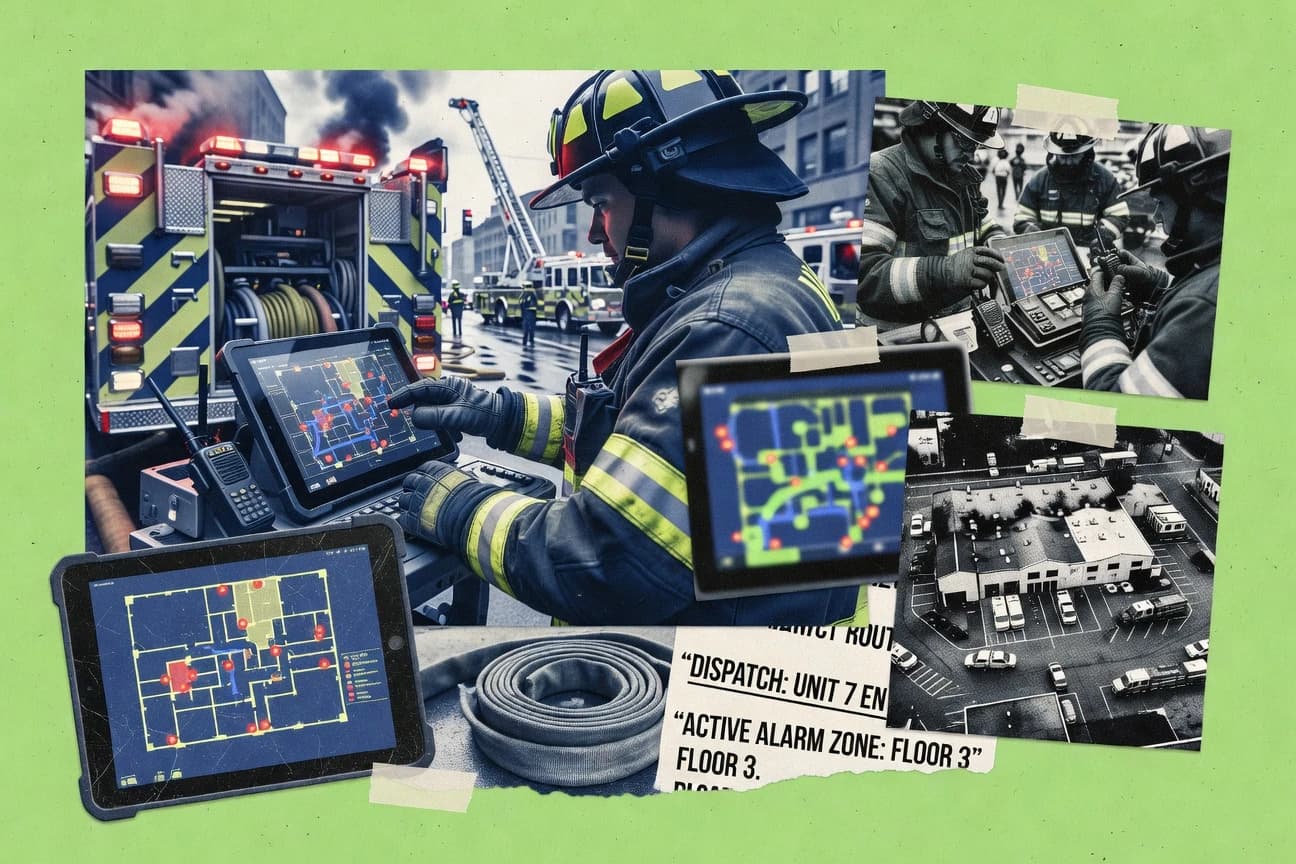
Tablet Command is the best fit for fire response teams that want tablet-driven incident workflows with automation that keeps dispatch state synchronized, whereas Veoci suits agencies needing map-driven coordination that links field tasking to dispatch-linked context.
Editor’s top 3 picks
Three quick recommendations before you dive into the full comparison below — each one leads on a different dimension.
Tablet Command
Tablet-driven incident handling that turns configurable command steps into repeatable mobile workflow screens for field updates.
Built for fits when fire response teams need tablet-driven incident workflows with automation that keeps dispatch state synchronized..
Intterra
Editor pickState-machine workflow configuration that keeps incident documentation synchronized with dispatch and unit activity changes.
Built for fits when dispatch and incident teams need governed workflow automation with API integration to surrounding systems..
Technosylva Wildfire Analyst
Editor pickGIS-driven wildfire scenario evaluation links pre-incident planning layers to incident reporting and response-time analytics.
Built for fits when wildfire teams need GIS-driven planning records and incident response analytics in one workflow..
Comparison Table
Tablet Command
vertical specialistTablet Command gives responders mobile incident command, accountability, and operational mapping tools.
Tablet-driven incident handling that turns configurable command steps into repeatable mobile workflow screens for field updates.
Tablet Command is built around mobile execution for fire response operations, where station and field teams need fast updates without switching tools mid-incident. The system supports configurable workflows for incident progress, unit availability, and notification steps so different response plans can be executed through shared screens and rules. Tablet Command’s integration and automation focus centers on keeping incident state synchronized across dispatch and mobile use cases.
A key tradeoff is that deeper governance depends on disciplined configuration of roles, workflow states, and operational mappings, which increases setup effort for complex multi-station environments. Tablet Command works best when a department wants standardized tablet workflows for incident handling and unit status updates rather than a general purpose mobile ticketing approach.
- +Tablet-first incident workflows reduce time between status updates and dispatch actions
- +Configurable call handling keeps command steps consistent across shifts
- +Integration-oriented automation supports incident-state synchronization across systems
- +Operational configuration lets teams map response routines without custom development
- –Complex multi-station deployments require careful configuration of states and mappings
- –Some advanced integrations may depend on engineering effort for edge case mapping
- –Workflow tuning can be slower when changes need end-to-end validation
- –Field-side usage patterns may require training to avoid incorrect status transitions
Fire department dispatch supervisors
Coordinate unit status during active alarms
Faster, consistent status updates
Company officers
Run standardized command actions in-field
Repeatable command workflow
Show 1 more scenario
Fire administration leadership
Control operational process across stations
More consistent incident handling
Administrators maintain shared workflow configuration so stations follow uniform steps during incidents.
Best for: Fits when fire response teams need tablet-driven incident workflows with automation that keeps dispatch state synchronized.
Intterra
vertical specialistIntterra combines wildfire intelligence, geospatial data, and incident information for emergency response teams.
State-machine workflow configuration that keeps incident documentation synchronized with dispatch and unit activity changes.
Intterra’s core value shows up in workflow configuration that ties together alarm handling, unit activity, and incident documentation so dispatch and field actions stay aligned. The system is built for integration into existing emergency operations by supporting API-based connectivity and automated data exchange patterns. It also supports recurring operational needs like training of response processes through repeatable templates and structured incident records. This makes it a fit for organizations that already run multiple mission systems and need one operational workflow spine.
A tradeoff is that deep operational automation depends on disciplined configuration ownership so alerts, status updates, and record states do not drift across teams. Intterra works best when there is a clear governance model for workflow versions and integration mapping before live firehouse rollout. Usage is strongest when dispatch centers need consistent incident documentation without relying on manual re-entry.
- +Automation-first incident workflow ties station alerts to structured outcomes
- +API-driven integration supports bidirectional data exchange with other systems
- +Operational configuration enables repeatable response and documentation patterns
- +Governance controls support consistent workflow state management across teams
- –Deep workflow automation requires careful configuration ownership
- –Some integration work can shift effort to internal systems mapping
- –Advanced automation depends on disciplined incident data standards
- –Role separation and approvals can feel heavy without clear policies
Fire dispatch management teams
Automate incident states from alerts
Fewer manual updates during calls
Fire department operations staff
Coordinate pre-incident readiness records
More consistent incident reporting
Show 2 more scenarios
Technology and integration teams
Connect CAD-adjacent mission systems
Reduced duplicate data entry
Integration teams can exchange incident and operational data through API patterns and automation workflows.
Multi-station command leadership
Maintain governance over templates
Higher operational consistency
Leadership can enforce consistent workflow configurations across stations using controlled provisioning and approvals.
Best for: Fits when dispatch and incident teams need governed workflow automation with API integration to surrounding systems.
Technosylva Wildfire Analyst
vertical specialistWildfire Analyst models wildfire behavior, risk, and potential impacts for planning and response.
GIS-driven wildfire scenario evaluation links pre-incident planning layers to incident reporting and response-time analytics.
Wildfire Analyst centers on wildfire operations, with GIS-oriented inputs that connect planning data to operational decisions during incidents. The workflow automation supports creating and updating planning records, running incident data collection, and producing response-time analytics used after action review. Integration depth is oriented toward dispatch-adjacent operations like apparatus and status visibility workflows rather than broad CAD replacement.
A key tradeoff is that wildfire-oriented configuration can require disciplined setup to keep geospatial layers, planning records, and reporting fields consistent. The best usage situation is a fire authority team that already runs repeatable pre-incident planning and wants incident reporting and response-time analytics aligned to those planning artifacts.
- +Wildfire-focused GIS scenario workflows tie planning records to incident analytics
- +Response-time reporting supports after-action review with measurable metrics
- +Automated operational data capture reduces manual incident form work
- +Configuration controls support repeatable planning and reporting across shifts
- –Wildfire geospatial setup requires careful configuration to avoid data drift
- –CAD-centric dispatch workflows are not the core strength of the product
- –Extensibility choices can be restrictive when workflows need frequent custom UI changes
- –Complex datasets can increase time-to-train for incident command staff
Fire authority operations staff
Wildfire incident reporting with response analytics
Faster after-action learning
Pre-incident planning analysts
Planning record updates by hazard layer
More consistent planning data
Show 1 more scenario
Incident command leadership
Operational decision support during wildfires
Better decision traceability
Uses wildfire scenario outputs to guide operational priorities and resource implications during incidents.
Best for: Fits when wildfire teams need GIS-driven planning records and incident response analytics in one workflow.
First Due
vertical specialistFirst Due combines fire response, pre-incident planning, inspections, reporting, and resource management.
Incident record continuity that carries configuration-driven tasking and response progress into after-action and reporting outputs.
First Due ties fire dispatch workflows to incident records with configurable station alerting, unit status, and tasking tied to each call. The system supports operational tracking for response progress and post-incident documentation, including after-action and reporting outputs aligned to fire agency needs.
Admin controls focus on roles, workflow configuration, and auditability for changes across incident operations. Integration options center on connecting dispatch, radio, and mapping data so field updates and call context stay consistent during an event.
- +Configurable incident workflows that keep dispatch, response, and reporting in one record
- +Operational unit tracking supports apparatus status changes during an event
- +Roles and permissions help limit who can alter incident workflow states
- +Integration pathways help align call context with mapping and dispatch data
- –Complex workflow configuration can require governance to stay consistent across stations
- –Mutual-aid and cross-agency edge cases may need careful integration planning
- –Advanced automation depends on the available API surface for third-party systems
- –Some reporting depth relies on mapping incident data into the correct templates
Best for: Fits when fire dispatch centers need incident record continuity across station alerting, response tracking, and documentation.
Veoci
enterpriseVeoci manages emergency operations, incident coordination, communications, and response procedures.
Incident workflow records carry a full action trail across dispatch, field execution, and after-action reporting tied to one configurable case.
Veoci centers incident and pre-incident workflows through configurable, map- and form-driven tasking for fire response teams. The system ties together alarm intake, operational checklists, and field execution so responders can capture actions and outcomes without switching tools.
Veoci also supports automated routing of work items to roles, plus reporting for incident history and after-action review tied to the same workflow record. Integrations cover common emergency operations systems and mobile workflows, with an API-oriented approach for connecting dispatch, GIS, and reporting surfaces.
- +Configurable incident workflows with task ownership and role-based assignment
- +Workflow records keep operational actions and incident outcomes together
- +Map and field forms reduce context switching during multi-unit incidents
- +Integration-oriented design for dispatch and GIS-connected operations
- –Complex workflow configuration can require disciplined governance to stay consistent
- –Some specialized fire inspection or code workflows may need additional build effort
- –Reporting depth depends on how incidents and tasks are modeled during setup
- –External system integration timelines can affect project delivery sequencing
Best for: Fits when fire agencies need map-driven incident workflows that coordinate field tasks with dispatch-linked context.
Emergency Reporting
vertical specialistCloud-based fire and EMS records management with incident reporting and reporting compliance.
Configurable incident lifecycle workflows that convert narrative entry into structured, reusable records for review and reporting.
Emergency Reporting supports fire-focused incident reporting with configurable workflows for field data capture, follow-up tasks, and after-action documentation. Its core strength is turning incident narratives into structured records that teams can reuse for internal review and NFIRS-ready reporting processes.
The system also covers station-level operational inputs such as apparatus status, turnout-time tracking, and response-time visibility. Administration centers on user roles, configuration controls, and audit-friendly change tracking across incident lifecycle steps.
- +Incident workflows map to field capture, follow-ups, and after-action steps
- +Structured outputs reduce rework when consolidating incident narratives into reports
- +Operational inputs include apparatus status and turnout-time tracking
- +RBAC supports role separation for dispatch, investigators, and supervisors
- –Radio dispatch integration depth depends on external system fit and configuration
- –Some advanced automation requires careful governance of workflow settings
Best for: Fits when fire departments need structured incident reporting plus operational tracking without replacing CAD.
Zetron
enterpriseCritical communications and dispatch console systems for emergency response centers.
Radio dispatch oriented workflow configuration that keeps call handling and unit assignment aligned with communications operations.
Zetron brings dispatch and response operations together with a workflow design that matches how communications centers manage calls and radio assignments.
Its configuration supports alerting, unit recommendation style decisions, and event tracking so the operational record stays consistent from call intake through field updates.
GIS display and related geography handling support operational context for dispatchers and planning activities.
Integration pathways target adjacent emergency operations systems, which reduces manual rekeying when surrounding systems already exist.
- +Dispatch workflow design aligns with communications operations and radio-centric handling.
- +Event lifecycle tracking supports handoff from dispatch to field status updates.
- +Geography support helps planners and dispatchers reason about location context.
- +Integration options target common adjacent emergency systems used in response operations.
- –Automation depth can require careful configuration to match local dispatch procedures.
- –Advanced governance controls may be harder to standardize across agencies without governance discipline.
Best for: Fits when fire agencies need dispatch-to-field coordination tied to communications operations and local workflows.
AssetWorks FleetFocus
vertical specialistFleet management software for fire apparatus and emergency vehicle maintenance tracking.
Readiness and apparatus status tracking designed around fleet operational data used during incident preparation and follow-up.
AssetWorks FleetFocus focuses on fire apparatus and fleet administration tied to operational readiness, not just dispatch records.
It supports apparatus status tracking and readiness workflows that feed response operations and station-level planning.
The system is built around operational data capture for vehicle history, service, and deployment readiness to support after-incident review.
FleetFocus integrates into incident operations through APIs and configuration options that let agencies align unit behavior with their procedures.
- +Apparatus readiness workflows reduce ambiguity in unit status and availability
- +Operational data capture supports consistent turnout-time and response readiness review
- +Configuration options support agency-specific operational procedures
- +API and integration hooks support connecting dispatch, GIS, and notification systems
- –Setup requires disciplined configuration of unit attributes and status logic
- –Some response workflow steps depend on integration with CAD and incident systems
- –Reporting depth depends on how agencies structure captured fleet fields
- –UI navigation can feel administrative when used for day-of-incident tasks
Best for: Fits when fire departments need apparatus readiness tracking that stays consistent across operations and after-incident review.
StationSmarts
SMBStationSmarts manages fire station staffing, scheduling, apparatus assignments, and daily operations.
GIS-linked incident and unit context that ties spatial location to station alerting and response analytics.
StationSmarts manages fire-station alerting and incident workflows from capture through dispatch handoff, with station staffing and apparatus status inputs tied to response operations. The system tracks response actions and outcomes to support after-incident reporting and response-time analysis for command teams.
StationSmarts also supports GIS-driven situational context for locating units and operational constraints. Automation and integration features focus on keeping unit availability and dispatch decisions consistent across daily operations.
- +Incident workflow tracking links station actions to dispatch outcomes
- +GIS context helps ground unit location and spatial constraints
- +Response-time analytics support performance review and trend tracking
- +Operational status inputs reduce manual unit availability updates
- –Integration depth depends on external CAD and alerting patterns
- –Automation requires configuration discipline to match local workflows
Best for: Fits when fire agencies need station alerting and incident tracking with GIS context and response-time reporting.
Active911
SMBActive911 delivers emergency dispatch alerts, mapping, messaging, and incident information to responders.
Response event documentation flows from field actions into after-incident reporting within the same workflow.
Active911 centralizes fire response communications, incident workflows, and readiness records for organizations that need consistent deployment across stations. The product supports mobile and web incident workflows tied to unit status, which helps dispatchers and officers maintain a shared operational picture.
Active911 also covers call and reporting workflows used after the incident, including documentation that connects back to the response event. Teams that already run CAD and GIS workflows usually use Active911 to standardize field steps and response-related records rather than replace the dispatch core.
- +Incident workflows connect response activity to follow-up documentation
- +Unit status and readiness data support operational consistency across crews
- +Mobile workflows reduce dispatcher dependence during on-scene updates
- +After-action reporting ties back to the originating response event
- –Meaningful gains depend on disciplined configuration of workflows
- –Depth in CAD and radio integrations can require careful interface mapping
- –Some compliance workflows rely on structured inputs that teams must maintain
- –Advanced automation often needs admin time to model per-agency rules
Best for: Fits when fire departments need standardized mobile incident steps and response records tied to unit status.
Conclusion
After evaluating 10 emergency disaster, Tablet Command stands out as our overall top pick — it scored highest across our combined criteria of features, ease of use, and value, which is why it sits at #1 in the rankings above.
Use the comparison table and detailed reviews above to validate the fit against your own requirements before committing to a tool.
How to Choose the Right fire response software
Fire response software coordinates dispatch call handling, unit assignment, incident tracking, and after-action reporting across dispatch and field teams using configurable workflows.
This guide covers Tablet Command, Intterra, Technosylva Wildfire Analyst, First Due, Veoci, Emergency Reporting, Zetron, AssetWorks FleetFocus, StationSmarts, and Active911. Each tool review focuses on how incident records stay synchronized across operational steps and how automation and integrations affect dispatch throughput.
Teams like Zetron-operating environments typically need strong governance of workflow state changes, plus an automation and API surface that reduces manual handoffs between communications and incident documentation.
Fire response software for CAD-adjacent dispatch, mobile command, and incident lifecycle reporting
Fire response software manages incident lifecycles that start at call handling and continue through station alerts, field updates, unit status changes, and structured reporting. Tools like Tablet Command emphasize tablet-driven incident handling that turns configurable command steps into repeatable mobile workflow screens while keeping dispatch state synchronized.
Intterra focuses on state-machine workflow configuration that synchronizes incident documentation with dispatch and unit activity changes using API-driven bidirectional data exchange.
Across the covered products, the differentiators are workflow continuity across after-action outputs, GIS-driven planning and analytics where wildfire is central, and the depth of dispatch-to-field coordination when radio-centric handling drives local operations. Selecting software comes down to how configuration governance, integration breadth, and automation reach match dispatch procedures and the incident data footprint needed for reporting.
Fire response software capabilities that control workflow state and reporting quality
Fire response software becomes reliable when incident records stay continuous from call handling through dispatch, field updates, and after-action outputs. This guide prioritizes automation surfaces that keep dispatch state synchronized and that prevent narrative drift when incident documentation is reorganized into structured records.
Teams also need governance controls that limit who can change workflow states and how those changes affect unit assignment and reporting progress. The strongest tools in this set pair configurable workflows with an integration and API surface that matches communications and operational systems without turning every edge case into manual rework.
Tablet-driven incident workflows with synchronized dispatch state
Tablet Command turns configurable command steps into repeatable mobile workflow screens for field updates while reducing delay between status updates and dispatch actions. It keeps incident handling aligned with dispatch state when crews must act quickly and update consistently.
State-machine workflow configuration with bidirectional API integration
Intterra uses state-machine workflow configuration to synchronize incident documentation with dispatch and unit activity changes using API-driven bidirectional data exchange. It targets governed workflow automation when dispatch and incident teams need structured outcomes rather than free-form notes.
GIS scenario evaluation that links planning layers to response-time analytics
Technosylva Wildfire Analyst ties wildfire-focused pre-incident planning layers to incident reporting and response-time analytics in one GIS-driven workflow. It supports after-action review with measurable metrics while keeping planning records connected to operational outcomes.
Incident record continuity that carries tasking into after-action outputs
First Due carries configuration-driven tasking and response progress into after-action and reporting outputs from one incident record. It also supports operational unit tracking through apparatus status changes during an event.
Map-driven incident workflow records with role-based task ownership
Veoci maintains incident workflow records across dispatch, field execution, and after-action reporting tied to one configurable case. It includes configurable workflow task ownership and role-based assignment so action trails remain consistent across teams.
Choose fire response workflows by control depth, integration shape, and governance fit
Start by deciding where workflow control should live. Tablet Command centers incident handling on tablet-driven screens that keep dispatch actions synchronized with field updates, while Intterra centers workflow automation on state-machine configuration tied to API-driven data exchange.
Then select based on what must stay continuous through reporting. First Due prioritizes incident record continuity from station alerting and response tracking into after-action outputs, while Technosylva Wildfire Analyst prioritizes GIS scenario evaluation that links planning layers to response-time analytics.
Map the core handoff points to the tool’s workflow control model
If the dispatch-to-field handoff requires repeatable mobile workflow steps tied to dispatch actions, pick Tablet Command because its tablet-first incident workflow reduces time between status updates and dispatch actions. If dispatch and incident teams need governed workflow automation with integration-driven bidirectional exchanges, pick Intterra because its state-machine configuration ties station alerts to structured outcomes.
Decide whether reporting depends on incident record continuity or structured narrative conversion
If after-action reporting must inherit configuration-driven tasking and response progress from the incident record, pick First Due because it keeps dispatch, response, and reporting in one record. If reporting must convert narrative capture into structured reusable records without replacing CAD, pick Emergency Reporting because its incident lifecycle workflows convert narrative entry into structured outcomes and review outputs.
Use GIS as a selection gate for wildfire planning and response-time analytics
If wildfire scenario planning requires GIS-driven planning records that stay linked to incident reporting and response-time analytics, pick Technosylva Wildfire Analyst because its wildfire scenario workflows connect planning layers to measurable metrics. If the agency’s GIS needs focus on station alerting with spatial context, evaluate StationSmarts because it provides GIS-linked incident and unit context for station alerting and response analytics.
Validate communications-first workflow alignment for radio-centric operations
If radio-centric call handling and unit assignment alignment are the dominant workflow drivers, pick Zetron because it uses radio dispatch oriented workflow configuration to keep call handling aligned with communications operations. If documentation flows should originate from field execution and then carry into after-incident reporting tied to unit status, pick Active911 because it connects response activity to follow-up documentation within one workflow.
Confirm how apparatus readiness data and unit status logic integrate into incident workflows
If incident preparation and follow-up depends on apparatus readiness tracking and unit availability clarity, evaluate AssetWorks FleetFocus because it is designed around fleet operational readiness workflows used during incident preparation and after-incident review. If the organization needs incident workflows that connect operational actions and incident outcomes in one configurable case across dispatch and field, evaluate Veoci for its full action trail and role-based task ownership.
Fire response teams that need dispatch-state synchronization and governed incident workflows
Dispatch centers and incident management teams need workflow automation that reduces manual handoffs between communications and incident documentation. The right tools in this set depend on whether the organization prioritizes tablet-driven execution, API-driven workflow governance, GIS-driven planning, or incident record continuity into after-action reporting.
Organizations like Zetron-operating environments typically require configuration discipline so workflow state changes match local dispatch procedures and do not diverge across stations or agencies.
Fire dispatch centers coordinating communications-driven unit assignment
Zetron aligns call handling and unit assignment with radio dispatch operations, and it keeps event lifecycle tracking tied to handoff from dispatch to field status updates.
Agencies standardizing incident documentation and after-action reporting continuity
First Due carries dispatch, response progress, and reporting outputs through one incident record, which reduces discontinuity when teams consolidate after-action narratives.
Wildfire-focused teams that require GIS-linked planning and measurable response-time analytics
Technosylva Wildfire Analyst connects pre-incident planning layers to incident reporting and response-time analytics, which supports after-action review with measurable metrics.
Agencies that want map-driven case workflows with role-based task ownership
Veoci stores incident workflow records across dispatch, field execution, and after-action reporting in one configurable case, with workflow task ownership and role-based assignment.
Departments that need structured incident capture workflows without replacing CAD
Emergency Reporting focuses on configurable incident lifecycle workflows that convert narrative entry into structured records for review and reporting while not positioning itself as a CAD replacement.
Common selection and implementation mistakes in fire response software
Fire response deployments fail when workflow state changes are configured without governance ownership or when integration depth does not match local dispatch and communications operations. Many issues appear as inconsistent status mapping across stations, thin handling of edge cases, or reliance on configuration work that is not resourced.
Choosing a configurable workflow tool without assigning configuration ownership for state logic
Intterra requires deep workflow automation configuration ownership, and Veoci requires disciplined governance to keep workflows consistent across teams. Without named ownership, state transitions and action trails diverge across shifts.
Assuming GIS setup is plug-and-play for wildfire planning and response-time analytics
Technosylva Wildfire Analyst requires careful wildfire geospatial setup to avoid data drift between planning layers and incident reporting. StationSmarts also depends on external CAD and alerting patterns, which can distort spatial constraints if integration is not aligned.
Underestimating the governance burden of multi-station workflows with complex state and mapping
Tablet Command can require careful configuration of states and mappings in complex multi-station deployments. First Due also needs governance to stay consistent across stations when configuration becomes intricate.
Overestimating radio dispatch or CAD integration depth without validating integration fit
Zetron workflow design aligns with communications operations but automation depth can require careful configuration to match local dispatch procedures. Active911 and Emergency Reporting both depend on external system fit and configuration for deeper CAD and radio interface mapping.
Buying readiness-focused incident workflows without confirming CAD and incident system dependencies
AssetWorks FleetFocus setup requires disciplined configuration of unit attributes and status logic, and some response workflow steps depend on integration with CAD and incident systems. If those dependencies are not planned, apparatus readiness data will not stay aligned with incident workflow actions.
How We Selected and Ranked These Tools
We evaluated each fire response software against features, ease, and value while also checking how tightly dispatch-state synchronization holds across incident lifecycle steps. Features account for 40% of the score, and ease and value each account for 30% of the score.
Tablet Command earned the highest overall placement by combining tablet-first incident workflows with configurable call handling and reduced delay between field status updates and dispatch actions. The ranking also reflects that Tablet Command’s tablet-driven workflow screens focus on repeatable command steps that stay synchronized with dispatch operations.
Frequently Asked Questions About fire response software
How do fire response tools keep dispatch call state synchronized with field updates?
Which platforms use an API-first approach for connecting surrounding public safety systems?
How does workflow governance work when multiple dispatch roles must follow the same documentation steps?
When does a GIS-driven workflow design become a requirement instead of a convenience?
What breaks if teams try to manage NFIRS-ready reporting with free-form narratives only?
How do radio dispatch and call-taking workflows integrate with unit assignment and event tracking?
Which tool types handle pre-incident planning artifacts and bind them to incidents for measurement later?
What is the tradeoff between standard incident documentation and focusing on apparatus readiness data?
How should organizations plan data migration when moving from existing incident records and unit status systems?
Tools reviewed
Primary sources checked during evaluation.
Referenced in the comparison table and product reviews above.
- Emergency DisasterTop 10 Best Emergency Response Management Software of 2026
- Emergency DisasterTop 10 Best Fire Pre-Planning Software of 2026
- Emergency DisasterTop 10 Best Fire Department Fleet Maintenance Software of 2026
- Emergency DisasterTop 10 Best Fire Alarm Inspection Software of 2026
- Emergency DisasterTop 10 Best Fire Dept Software of 2026
Keep exploring
Comparing two specific tools?
Software Alternatives
See head-to-head software comparisons with feature breakdowns, pricing, and our recommendation for each use case.
Explore software alternatives→In this category
Emergency Disaster alternatives
See side-by-side comparisons of emergency disaster tools and pick the right one for your stack.
Compare emergency disaster tools→