GITNUXSOFTWARE ADVICE
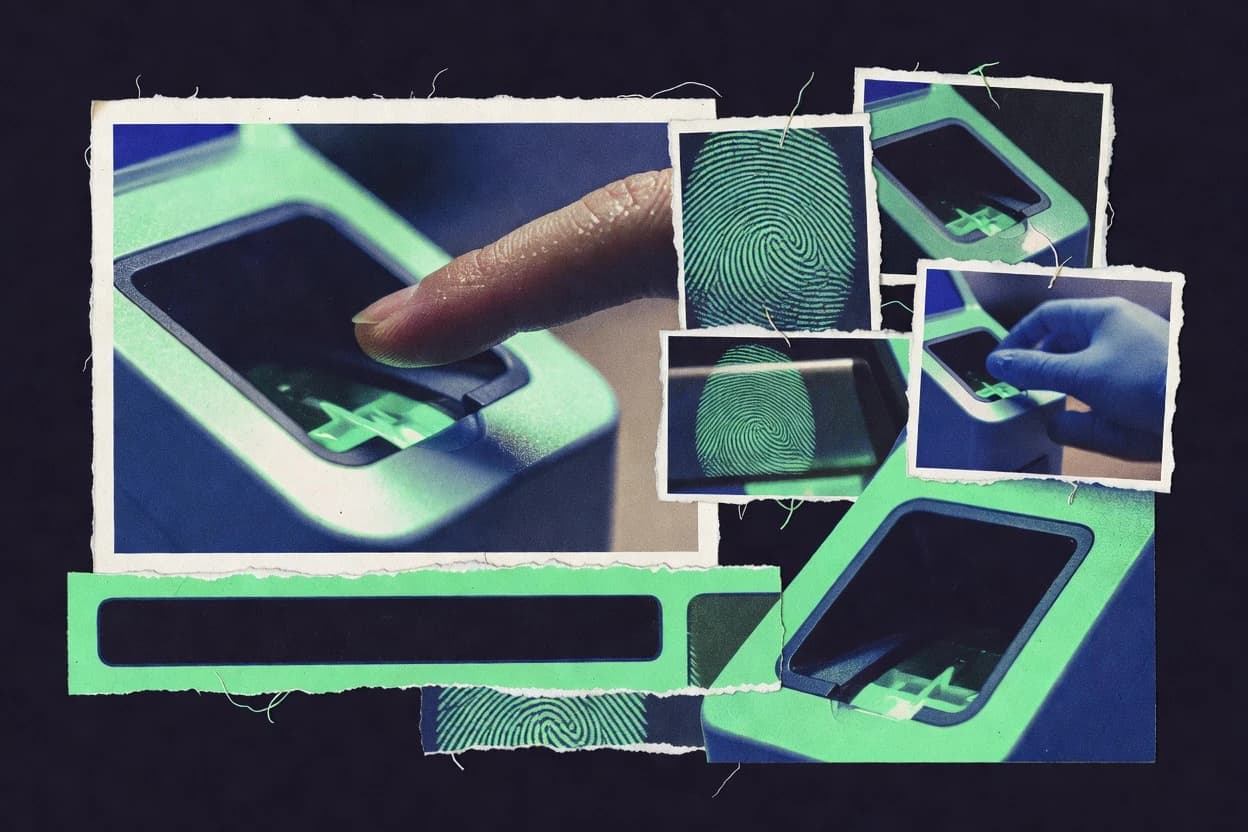
Cybersecurity Information SecurityTop 10 Best Fingerprint Capture Software of 2026
Top 10 ranking of fingerprint capture software options for biometric projects, with criteria and tradeoffs to help teams compare tools like Suprema BioStar 2.

How we ranked these tools
Vendors set the topic, but our editors set the inclusion criteria and the evaluation framework before research starts.
AI search agents find sources, extract figures with provenance, and aggregate written reviews. They also transcribe video reviews and podcasts.
Framework: Features 40% · Ease 30% · Value 30%
Gitnux may earn a commission through links on this page — this does not influence rankings. Editorial policy
Suprema BioStar 2 is the best fit if you’re scaling fingerprint enrollment with Suprema devices and need governed admin workflows, whereas SecuGen suits teams building more predictable, sensor-aligned capture and station automation through its API-first tools.
Editor’s top 3 picks
Three quick recommendations before you dive into the full comparison below — each one leads on a different dimension.
suprema BioStar 2
Admin-side orchestration of enrollment and device capture configuration for Suprema biometric endpoints with governed operator access.
Best for: Fits when Suprema capture devices run enrollment at scale and identity admins need governed workflows.
SecuGen
Editor pickEnd-to-end capture-to-template workflow that stays tightly aligned with SecuGen sensor operation.
Best for: Fits when enrollment teams need sensor-aligned capture, consistent minutiae output, and predictable station automation.
HID Global
Editor pickDevice-to-enrollment engineering that standardizes fingerprint capture behavior for predictable template outputs across sites.
Best for: Fits when enterprises enroll users at scale using HID devices and need consistent template creation for AFIS processing.
Comparison Table
suprema BioStar 2
SMBAccess control and identity platform supports fingerprint enrollment and capture through Suprema biometric devices.
Admin-side orchestration of enrollment and device capture configuration for Suprema biometric endpoints with governed operator access.
BioStar 2 centralizes biometric enrollment and card or credential associations alongside reader and capture settings for Suprema hardware used for live-scan finger capture. The admin console supports role-based access control and configuration management for multiple devices, which helps governance in multi-site deployments. Template storage and management follow the software’s internal biometric data handling rather than requiring third-party template preprocessing for each capture event.
A key tradeoff is that deep capture and device integration is most efficient when Suprema readers are the capture endpoints, while mixed-vendor hardware often reduces workflow control. BioStar 2 fits organizations that run high volumes of enrollments or periodic recertifications and need consistent device configuration, quality gating, and centralized operator oversight during onboarding.
- +Reader-focused integration with configuration controls for Suprema capture devices
- +Role-based admin access for enrollment and device management workflows
- +Centralized event handling for enrollment and device operational state
- +End-to-end management from capture ingest to template association
- –Mixed hardware deployments can limit capture workflow consistency
- –Automation requires careful API and integration planning to avoid duplicate events
Identity and access admins
Manage finger enrollment across multiple sites
Consistent enrollment operations
Security operations teams
Support periodic recertification cycles
Faster recertification turnover
Show 1 more scenario
System integration engineers
Sync enrollments with identity systems
Lower manual reconciliation
API-driven integration can map BioStar-managed identities into external records.
Best for: Fits when Suprema capture devices run enrollment at scale and identity admins need governed workflows.
SecuGen
API-firstOptical fingerprint recognition devices and developer SDKs.
End-to-end capture-to-template workflow that stays tightly aligned with SecuGen sensor operation.
SecuGen fits biometric teams running live-scan capture for enrollment and verification systems, where the software must produce templates reliably and repeatably. It supports standard fingerprint template concepts and common downstream processing paths used in ten-print and enrollment stacks. Integration depth is strongest when capture devices and the software stack are aligned to the same vendor sensor interface.
A tradeoff is that deeper capture-to-template control and best results come from using supported sensors and the vendor workflow, not from treating the software as a generic image capture layer. SecuGen is a strong fit for operational enrollment stations that need consistent capture quality handling and a predictable automation path into the next enrollment step. A weaker fit appears when procurement constraints force a sensor mix and the team needs capture software that can normalize everything from third-party hardware without device-specific adaptation.
- +Sensor-aligned capture workflow improves repeatable enrollment output
- +Template extraction is integrated into the capture pipeline
- +Quality controls support operator decisions during enrollment
- +Automation-friendly enrollment flow for batch capture stations
- –Best performance depends on using supported SecuGen sensors
- –Extensibility for nonstandard capture hardware can require extra integration work
- –Advanced automation may require careful workflow configuration
- –Less suitable as a standalone image capture tool
Biometric enrollment operations
High-volume live-scan enrollment stations
Faster enrollment processing
Integration engineers
Capture-to-identity system handoff
Lower enrollment integration effort
Show 1 more scenario
Government casework teams
Ten-print enrollment workflow
More consistent enrollment results
Templates generated during capture support standard enrollment pipelines for case processing.
Best for: Fits when enrollment teams need sensor-aligned capture, consistent minutiae output, and predictable station automation.
HID Global
EnterpriseIdentity and biometric solutions including fingerprint readers and software.
Device-to-enrollment engineering that standardizes fingerprint capture behavior for predictable template outputs across sites.
HID Global is strongest when fingerprint capture is part of a broader identity program that already uses HID hardware and adjacent enrollment tooling. The capture workflow emphasizes repeatable image quality control and template generation that can be exported into existing biometric back ends for matching. Integration depth is typically higher than standalone capture apps because sensor interfacing and enrollment behavior are engineered together rather than bolted on.
A practical tradeoff is that HID-focused deployments can require more upfront alignment on capture configuration across sites and devices. HID Global fits organizations enrolling staff or customers in environments where templates must feed an existing AFIS process with consistent quality and audit trails around enrollment activity.
- +Sensor-integrated capture workflow reduces mismatch between device and template outputs
- +Enrollment process supports consistent template generation across deployments
- +AFIS handoff alignment supports integration into existing biometric matching systems
- –Site rollout depends on careful capture configuration standardization
- –Custom automation and API access can be limited outside HID-centric enrollment paths
Identity program teams
Centralized onboarding with HID sensors
Fewer enrollment re-captures
Biometric engineering teams
AFIS integration from live capture
Stable template handoff
Show 1 more scenario
Facility access admins
Staff updates across branches
More consistent verification
Controls enrollment behavior so branch captures yield uniform template quality.
Best for: Fits when enterprises enroll users at scale using HID devices and need consistent template creation for AFIS processing.
Innovatrics
API-firstBiometric identity solutions including fingerprint matching algorithms.
Capture-side quality scoring that gates template extraction so low-quality images produce fewer downstream enrollment failures.
Innovatrics pairs fingerprint capture software with capture-side quality and template processing that can feed enrollment and AFIS workflows. The software family centers on live-scan capture pipelines, minutiae extraction, and format handling used for biometric enrollment at scale. Integration focus shows up through SDK-style integration options and automation hooks for consistent device capture behavior across deployments.
- +Strong capture-to-template workflow with consistent quality handling for enrollment feeds
- +Integration support geared for biometric pipelines needing automated capture and processing steps
- +Coverage of template processing needs tied to ten-print enrollment workflows
- +Quality scoring and filtering help reduce poor prints reaching downstream systems
- –Setup complexity rises when aligning capture behavior with multiple device models
- –Automation and configuration depth can require specialist implementation effort
- –Best results depend on correct sensor tuning and controlled capture conditions
- –Advanced workflow options may be driven by integration choices rather than UI-only settings
Best for: Fits when biometric teams need capture quality controls and automation hooks to feed enrollment and AFIS searches.
BioID
API-firstBiometric authentication service with face and fingerprint recognition APIs.
Deduplication gating during enrollment helps prevent near-duplicate templates from entering downstream matching systems.
BioID captures fingerprints and turns live-scan images into enrollment-ready biometric templates for downstream verification and identification workflows. It focuses on capture-side processing such as image conditioning and minutiae extraction that keeps enrollment consistent across flat and rolled acquisition paths.
- +Enrollment flow supports automated deduplication checks before template acceptance
- +Capture-side conditioning improves consistency between acquisition devices
- +Integration layer supports template handoff to external identification or verification stacks
- +Operational traceability covers capture and enrollment event history
- –Requires careful configuration to keep capture settings consistent across sites
- –Advanced workflow customization needs integration work rather than UI-only rules
Best for: Fits when biometric teams need capture-side processing plus controlled template handoff to an existing identity system.
Aratek TrustFinger
API-firstFingerprint SDK and biometric software support capture, quality control, enrollment, and verification on mobile and desktop systems.
Managed capture-to-template processing that keeps live-scan sessions aligned with downstream enrollment expectations.
Aratek TrustFinger targets fingerprint capture and enrollment workflows for biometric programs that need consistent image-to-template handling across devices. It focuses on live-scan capture quality controls and fingerprint processing steps that feed enrollment records for AFIS use.
- +Capture pipeline supports consistent enrollment inputs for downstream AFIS workflows
- +Quality controls help teams manage repeat captures during live-scan sessions
- +Template generation behavior supports predictable enrollment records for later deduplication
- +Integration-oriented deployment fits controlled environments with scripted enrollment processes
- –Advanced automation depends on integration work rather than built-in administrative tooling
- –Workflow coverage can narrow when deployments require highly custom ten-print card layouts
Best for: Fits when biometric teams need controlled live-scan capture quality and repeatable template outputs for enrollment and AFIS handoff.
Fingerprint Cards Identity
API-firstBiometric software and device stack supports fingerprint capture and matching for identity and access use cases.
Capture-side quality checks that drive enrollment consistency before template handling in the identity workflow.
Fingerprint Cards Identity is a fingerprint capture and enrollment software stack built around Fingerprint Cards devices and identity workflows. It focuses on consistent template extraction and data handling for biometric enrollment, including image quality checks and capture guidance for live-scan style operations.
- +Tight device-to-capture alignment for consistent enrollment output
- +Image quality gating supports predictable minutiae extraction
- +Workflow configuration favors deployments that standardize capture steps
- +Designed for integration into existing identity and verification stacks
- –Workflow depth depends on the connected sensor software bundle
- –Limited visibility into capture analytics versus standalone QA tools
- –Requires configuration discipline to keep enrollment outcomes consistent
- –Less suited for teams needing broad multi-vendor sensor support
Best for: Fits when biometric programs standardize on Fingerprint Cards hardware and need controlled enrollment workflows.
Dermalog
EnterpriseBiometric systems including fingerprint recognition and border control solutions.
Enrollment quality review that drives capture acceptance decisions during the session to lower repeat capture rates.
Dermalog delivers fingerprint capture software built around image acquisition, minutiae capture, and enrollment workflows that fit biometric deployments with strict format expectations. The software focus is on turning live-scan inputs into consistent templates for downstream AFIS use, with quality checks and capture guidance during acquisition. Dermalog also supports operational integration patterns used by biometric programs, including configuration for capture devices, template handling, and automation hooks for enrollment pipelines.
- +Tight capture-to-template workflow that reduces enrollment rework
- +Quality guidance supports consistent live-scan acquisition sessions
- +Extensible integration options for enrollment pipeline automation
- +Device-focused configuration supports consistent sensor handling
- –Integration depth depends on the specific deployment stack
- –Workflow customization requires disciplined configuration governance
- –Limited evidence of broad admin controls compared with some peers
- –Automation coverage can vary across enrollment stages
Best for: Fits when biometric programs need consistent live-capture to template conversion with controlled enrollment configuration and predictable downstream compatibility.
Precise Biometrics
Vertical specialistBiometric fingerprint software for mobile and smart card platforms.
Configurable capture rules that standardize live image handling during enrollment to reduce quality drift.
Precise Biometrics provides fingerprint capture software that supports live acquisition from connected sensors and outputs biometric-ready images and templates. The software emphasizes controlled enrollment workflows, including image handling steps that keep capture quality consistent for downstream matching systems.
- +Configurable capture rules reduce operator variance during live acquisition
- +Enrollment workflow support aligns capture output with downstream processing needs
- +Sensor-focused acquisition setup supports predictable live-scan capture operations
- +Output readiness supports repeatable ingestion by biometric enrollment systems
- –Integration depth depends on the available SDK hooks for each sensor stack
- –Requires disciplined configuration management to keep capture settings consistent
- –Template handling coverage can be workflow-specific rather than universal
- –Governance tooling for multi-site operations is less mature than large biometric suites
Best for: Fits when biometric teams need controlled live capture workflows with consistent enrollment output across operators.
Thales Cogent Automated Biometric Identification System
enterpriseEnterprise biometric identification software supports fingerprint capture, enrollment, matching, and case workflows for civil and law enforcement programs.
Quality-aware enrollment workflow coordination that maintains consistent capture and template outcomes for identification pipelines.
Thales Cogent Automated Biometric Identification System is a Thales Cogent fingerprint capture and identification stack aimed at organizations that need consistent biometric enrollment through defined capture, quality handling, and template workflows. The solution centers on automated fingerprint image acquisition support and downstream biometric processing designed to feed identification and matching pipelines. Thales Cogent Automated Biometric Identification System is built for deployments that require integration with existing biometric ecosystems and operational controls around enrollment and identity data flows.
- +Enterprise-oriented biometric workflows designed for enrollment and downstream identification
- +Consistent capture-to-template processing reduces variability across operators
- +Integration designed around established biometric operational patterns
- +Operational handling focuses on quality-aware biometric processing steps
- –Admin setup and workflow tuning require biometric process discipline
- –Fingerprint capture fit can depend on specific sensor and deployment configurations
Best for: Fits when biometric programs need controlled enrollment-to-identification workflows across multiple capture points.
Conclusion
After evaluating 10 fingerprint capture software, suprema BioStar 2 stands out as our overall top pick — it scored highest across our combined criteria of features, ease of use, and value, which is why it sits at #1 in the rankings above.
Use the comparison table and detailed reviews above to validate the fit against your own requirements before committing to a tool.
How to Choose the Right Fingerprint Capture Software
Fingerprint capture software governs the live-scan and device capture pipeline that turns images into enrollable fingerprint templates. This guide covers Suprema BioStar 2, SecuGen, HID Global, Innovatrics, BioID, Aratek TrustFinger, Fingerprint Cards Identity, Dermalog, Precise Biometrics, and Thales Cogent Automated Biometric Identification System.
The differences show up in capture-to-template alignment, capture quality control, and how admin-side configuration and workflow governance are handled. Suprema BioStar 2 is evaluated for admin-side orchestration of enrollment and device capture configuration. Other tools such as SecuGen and HID Global are evaluated for sensor-integrated behavior that standardizes template outputs across deployments.
Fingerprint Capture Software for converting live scans into governed enrollment templates
Fingerprint capture software coordinates how finger images are acquired at stations and how capture results are converted into minutiae templates that downstream systems can accept. It also governs when capture quality checks gate template extraction, so enrollment inputs remain consistent across operators and sites.
Suprema BioStar 2 emphasizes admin-side orchestration for Suprema biometric endpoints, including governed operator access for enrollment and device management workflows. SecuGen emphasizes an end-to-end capture-to-template workflow that stays tightly aligned with SecuGen sensor operation, including integrated template extraction in the capture pipeline.
Fingerprint Capture Software capabilities that affect enrollment outcomes
Fingerprint capture software drives the capture-to-template pipeline at stations, so software choices determine whether enrollments stay consistent when operators change sensors, device drivers, or capture settings.
The most predictive differences show up in admin orchestration, capture quality gating, and workflow consistency from live scan through minutiae templates and into downstream matching systems.
Admin-side orchestration of capture and enrollment workflows
Suprema BioStar 2 provides governed operator access for enrollment and device management, which supports controlled station setup when Suprema endpoints are deployed at scale. This category also rewards HID-centric standardization, where HID Global standardizes device-to-enrollment behavior to keep template outputs predictable across sites.
Sensor-aligned capture-to-template pipeline behavior
SecuGen keeps capture and template extraction tightly aligned with SecuGen sensor operation, which supports predictable station automation for enrollment. HID Global also ties capture behavior to device outputs, but its automation and API access tends to be narrower outside HID-centric enrollment paths.
Capture quality scoring and template-extraction gating
Innovatrics gates template extraction using capture-side quality scoring, which reduces downstream enrollment failures caused by low-quality images. Dermalog focuses on enrollment quality review during the session, which lowers repeat capture rates by steering acceptance decisions on the spot.
Enrollment-side deduplication and acceptance controls
BioID uses deduplication gating during enrollment so near-duplicate templates do not enter downstream matching systems. Aratek TrustFinger manages capture-to-template processing so live-scan sessions stay aligned with downstream enrollment expectations, which reduces rework when repeat captures happen.
Governed consistency for multi-operator live capture
Precise Biometrics uses configurable capture rules to reduce operator variance during live acquisition and keep enrollment output consistent across users. Fingerprint Cards Identity similarly applies capture-side quality checks to drive enrollment consistency before template handling in the identity workflow.
Choose Fingerprint Capture Software by workflow control depth and integration surface
Fingerprint capture software selection works best when the decision starts from how enrollment teams need to govern station behavior and how much automation must be driven through an integration surface.
Some products concentrate on capture quality and acceptance gating, while others concentrate on admin orchestration for specific capture hardware ecosystems.
Map governance needs to admin orchestration coverage
If Suprema endpoints are already in place and enrollment administrators must govern operator access and device capture configuration, Suprema BioStar 2 aligns enrollment and device management workflows under admin controls. If the rollout must standardize device-to-template behavior across sites using HID devices, HID Global focuses on capture configuration standardization to keep template generation consistent.
Pick the capture-to-template alignment strategy that matches the sensor stack
When sensor operation must stay tightly aligned with the template pipeline, SecuGen provides a capture-to-template workflow with integrated template extraction for predictable outputs. When deployments depend on device-integrated capture behavior to reduce mismatch between device output and template outputs, HID Global emphasizes sensor-integrated behavior for predictable AFIS processing.
Decide whether quality gating belongs in capture or in the enrollment session
If low-quality images should be prevented from producing downstream templates, Innovatrics gates template extraction using capture-side quality scoring. If the program must control capture acceptance decisions during the live session to reduce repeat capture rates, Dermalog drives enrollment quality review to steer acceptance in real time.
Match workflow controls to downstream handoff risks
If the risk is near-duplicate enrollment records entering matching workflows, BioID adds deduplication gating before template acceptance. If the risk is repeat captures that break alignment with downstream AFIS handoff expectations, Aratek TrustFinger keeps live-scan sessions aligned with downstream enrollment expectations through its capture pipeline quality controls.
Choose configuration philosophy for multi-operator consistency
When the main failure mode is operator variance during live capture, Precise Biometrics standardizes live image handling via configurable capture rules. When the program standardizes on Fingerprint Cards hardware and needs controlled enrollment workflows, Fingerprint Cards Identity emphasizes tight device-to-capture alignment and image quality gating to support predictable minutiae extraction.
Validate integration depth against deployment complexity
If capture stations use mixed hardware or require automation that spans beyond a single vendor ecosystem, Suprema BioStar 2 can introduce workflow consistency constraints that depend on capture configuration planning. If deployments require highly customized ten-print card layouts or advanced workflow automation, Aratek TrustFinger may require integration work because advanced automation depends more on integration than built-in administrative tooling.
Teams that should prioritize Fingerprint Capture Software governance and capture consistency
Fingerprint capture software fits teams that need repeatable station capture behavior, controlled enrollment acceptance, and dependable template outputs that downstream identification systems can process without rework.
Selection should prioritize the team’s biggest operational bottleneck, which is often station configuration drift, inconsistent capture quality, or enrollment handoff errors between capture and matching.
Biometric program administrators managing enrollment at scale
Suprema BioStar 2 supports governed operator access for enrollment and device management workflows, which fits teams that must control station configuration and reduce admin-driven variability across sites.
Enrollment operators and station owners with sensor-aligned automation requirements
SecuGen keeps capture and template extraction aligned with SecuGen sensor operation, which helps station teams produce consistent enrollments with predictable station automation.
Biometric engineers building capture pipelines with quality gating
Innovatrics gates template extraction using capture quality scoring, which supports pipeline designs where low-quality images must be blocked before templates are generated for downstream matching.
Identity teams focused on preventing near-duplicate enrollments
BioID introduces deduplication gating during enrollment so near-duplicate templates do not enter downstream matching systems.
Programs standardizing on specific capture hardware vendors
Fingerprint Cards Identity emphasizes tight device-to-capture alignment and image quality gating for consistent enrollment output, which fits deployments standardized on Fingerprint Cards hardware.
Common buying pitfalls in Fingerprint Capture Software
Fingerprint capture software buyers often fail when they treat capture and enrollment as interchangeable station steps instead of as a governed pipeline with quality and acceptance controls.
Another frequent issue is assuming admin workflow depth and configuration depth scale automatically when deployments include multiple device types or custom enrollment layouts.
Choosing software based only on template output quality without validating capture-side gating behavior
Innovatrics gates template extraction with capture quality scoring, while Dermalog drives session-time enrollment quality review, so capture acceptance logic must match the organization’s repeat capture tolerance.
Assuming cross-vendor hardware mixing will behave consistently without configuration discipline
Suprema BioStar 2 can limit capture workflow consistency in mixed hardware deployments, so governance and capture configuration planning must be evaluated against the actual station hardware mix.
Buying for deduplication without checking where deduplication occurs in the enrollment flow
BioID performs deduplication gating during enrollment before template acceptance, so teams that need deduplication at a different pipeline stage should validate the enrollment handoff model against their existing identity system.
Underestimating integration work for automation beyond built-in admin workflows
Aratek TrustFinger can require integration work for advanced automation and customization, so teams with customized ten-print card layouts should confirm workflow coverage against real station layouts.
Overlooking operator variance controls when live capture staff change
Precise Biometrics reduces operator variance using configurable capture rules, so teams should verify configuration governance and capture rule consistency for every operator group and station setup.
How We Selected and Ranked These Tools
We evaluated each fingerprint capture software tool on feature coverage that supports capture-to-template workflows and enrollment acceptance controls, and on ease of deployment for station setup and day-to-day configuration. Features counted for 40% of the score, and ease and value each counted for 30% of the score.
We also weighted integration depth and workflow governance where the supplied tool cards described admin-side orchestration, sensor-aligned capture pipelines, quality gating, and deduplication behavior. suprema BioStar 2 ranked highest because its admin-side orchestration of enrollment and device capture configuration included governed operator access for Suprema biometric endpoints, which directly addresses station configuration drift and controlled enrollment execution.
Frequently Asked Questions About Fingerprint Capture Software
How do Suprema BioStar 2 and HID Global handle device onboarding and site consistency for fingerprint capture?
Which tool is better for capture-to-template automation when sensors must stay aligned to the enrollment pipeline?
What breaks if capture-side quality gating is missing when using Innovatrics or Aratek TrustFinger?
How does BioID support deduplication during enrollment, and where does it stop short of replacing an AFIS?
Which integration path suits identity platforms that need APIs for provisioning and enrollment event handling?
When must admin controls and operator permissions be enforced for live capture operations, and how do the tools differ?
How do capture-quality controls affect throughput during live-scan enrollment in SecuGen versus Fingerprint Cards Identity?
What should teams verify about AFIS interoperability expectations when switching between HID Global and Dermalog?
Where does Thales Cogent Automated Biometric Identification System fit relative to capture-only enrollment workflows?
Tools reviewed
Primary sources checked during evaluation.
Referenced in the comparison table and product reviews above.
Funding and competing interests
This study was co-funded by several of the vendors assessed in it. No single vendor funded it. Funders could propose the market studied.
They had no role in selecting vendors, setting or weighting criteria, analysing data or drawing conclusions, and they received the same factual-accuracy check as every other vendor assessed.
Market definition, inclusion rules and criteria weights were fixed by an editor before research began and did not change afterwards. Editorial process →
- Cybersecurity Information SecurityTop 10 Best Fingerprint Analysis Software of 2026
- SecurityTop 10 Best Biometric Data Capture Software of 2026
- SecurityTop 10 Best Biometric Reader Fingerprint Software of 2026
- Cybersecurity Information SecurityTop 10 Best Computer Forensic Services of 2026
- Cybersecurity Information SecurityTop 10 Best Computer Forensics Services of 2026
Keep exploring
Comparing two specific tools?
Software Alternatives
See head-to-head software comparisons with feature breakdowns, pricing, and our recommendation for each use case.
Explore software alternatives→In this category
Cybersecurity Information Security alternatives
See side-by-side comparisons of cybersecurity information security tools and pick the right one for your stack.
Compare cybersecurity information security tools→