
GITNUXSOFTWARE ADVICE
Cybersecurity Information SecurityTop 10 Best Face Tagging Software of 2026
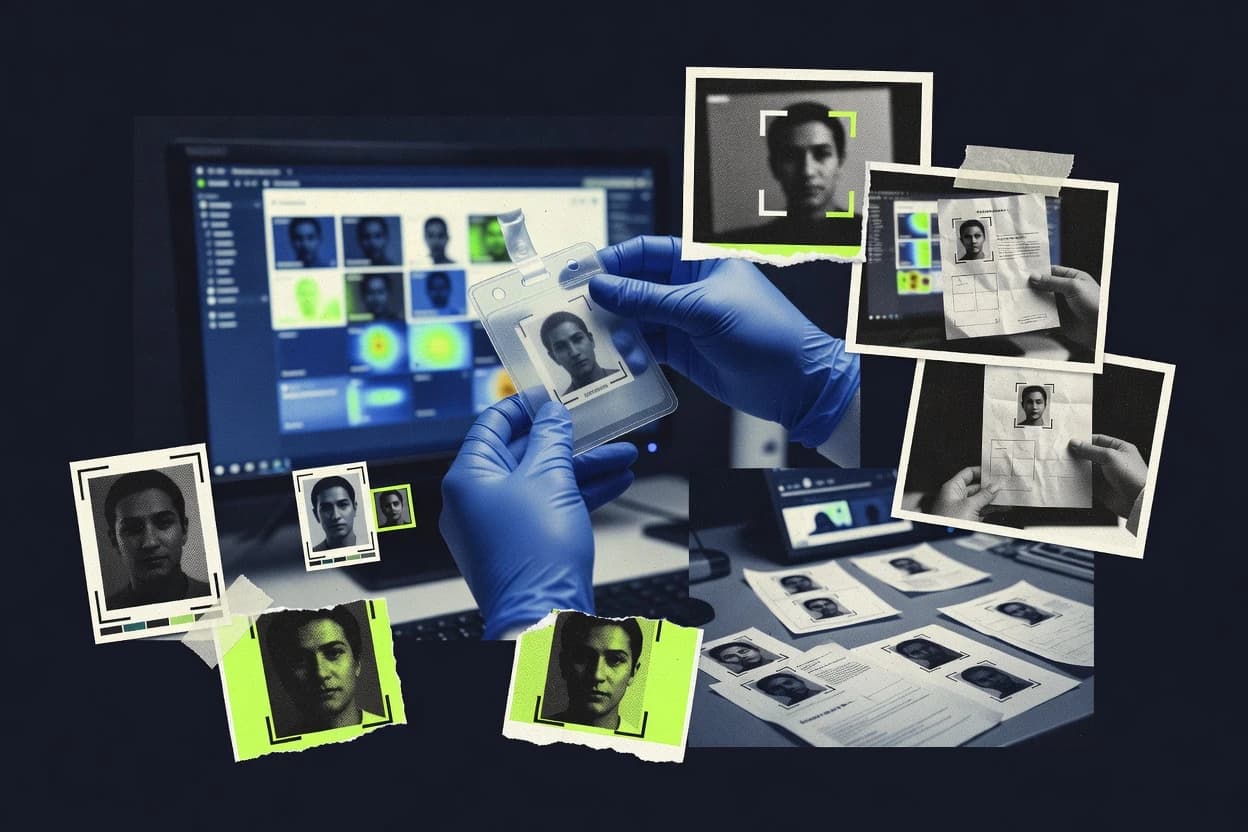
Ranking of top face tagging software with clear criteria and tradeoffs for teams evaluating tools like Clarifai. Shortlists and comparisons.

How we ranked these tools
Core product claims cross-referenced against official documentation, changelogs, and independent technical reviews.
Analyzed video reviews and hundreds of written evaluations to capture real-world user experiences with each tool.
AI persona simulations modeled how different user types would experience each tool across common use cases and workflows.
Final rankings reviewed and approved by our editorial team with authority to override AI-generated scores based on domain expertise.
Score: Features 40% · Ease 30% · Value 30%
Gitnux may earn a commission through links on this page — this does not influence rankings. Editorial policy
Clarifai is the best fit for teams that need automated face tagging plus embedding-based matching pipelines via API, whereas Face++ is the stronger alternative when you want API-driven enrichment across large media batches with face set management.
Editor’s top 3 picks
Three quick recommendations before you dive into the full comparison below — each one leads on a different dimension.
Clarifai
Project-scoped RBAC with audit logs tied to ingestion and inference runs.
Built for fits when teams need automated face tagging plus embedding-based matching via API..
Face++
Editor pickFacial landmark localization outputs are delivered alongside tagging results for alignment-ready downstream steps.
Built for fits when teams need automated facial tagging via API-driven enrichment across large media batches..

Amazon Rekognition
Editor pickManaged face search that supports 1:N identification using stored face embeddings.
Built for fits when AWS-centric teams need automated face tagging with programmable verification and identification..
Comparison Table
Clarifai
enterpriseAI platform for computer vision workflows with face detection and custom image recognition pipelines.
Project-scoped RBAC with audit logs tied to ingestion and inference runs.
Clarifai’s face pipeline starts with detection and landmark localization and then produces face embedding vectors for matching and tagging. The API surface includes batch ingestion for offline enrichment and REST endpoints for synchronous tagging and verification-style workflows. Clarifai’s project and access controls support RBAC and audit log visibility across ingestion runs and model usage. Extensibility comes from webhooks and configurable pipelines that write computed face metadata back as structured outputs.
A tradeoff is that face tagging quality depends on preprocessing and threshold configuration for match behavior, so teams must tune similarity thresholds and gallery rules for each dataset. This fit works best for teams that need high-throughput batch ingestion with consistent metadata output and want to automate retraining-free tagging at scale.
- +REST inference supports synchronous tagging for production workflows
- +Batch ingestion automates offline face metadata enrichment
- +RBAC plus audit logs support controlled multi-team operations
- +Embeddings enable configurable similarity matching across galleries
- –Similarity thresholds require dataset-specific tuning for stable matches
- –Face tagging pipelines need careful data labeling discipline
- –Integration effort rises when routing outputs across multiple downstream systems
- –On-device inference is not the default face tagging path
Media operations teams
Batch tag people across large photo libraries
Faster search and consistent metadata
Fraud and compliance engineers
Run watchlist-style face screening workflows
Lower manual review load
Show 2 more scenarios
Retail identity analytics
Maintain person profiles for in-store imagery
More reliable person re-identification
Landmark-aware detection and embeddings support repeatable tagging across varied camera conditions.
System integrators
Integrate face tagging into existing pipelines
Consistent enrichment across systems
REST endpoints and SDK tooling wire face outputs into custom metadata stores and UI flows.
Best for: Fits when teams need automated face tagging plus embedding-based matching via API.
Face++
API-firstFace recognition API platform focused on detection, comparison, search, and face set management.
Facial landmark localization outputs are delivered alongside tagging results for alignment-ready downstream steps.
Face++ covers the core mechanics behind face tagging, including face detection outputs with coordinates and facial landmark localization outputs for downstream enrichment. The service also provides face representation outputs that support similarity comparisons for pairing faces across images or against a stored gallery. Automation is driven by REST inference endpoints that can be called from ingestion jobs and web services. This shape makes it a fit when tagging must run at throughput and the results must be returned in a machine-usable format.
A key tradeoff is dependency on external inference endpoints for production tagging, which can be a governance blocker for air-gapped environments. Face++ works well when media pipelines already support API-based enrichment steps, such as DAM ingestion and photo curation queues. It is less suitable when labeling must run fully on-device or inside a customer-managed VPC without any external calls.
- +API returns structured tagging data for direct metadata ingestion
- +Landmark localization outputs support pose and alignment workflows
- +Face representation outputs support matching and watchlist-style comparisons
- +Batch-friendly design fits media enrichment pipelines
- –Cloud inference dependency complicates strict air-gapped deployments
- –Workflow quality depends on thresholding and preprocessing choices
- –More engineering is needed for governance, audit trails, and retention
- –Complex identity graphs require custom orchestration outside the API
Media operations teams
Bulk tagging during photo ingestion
Faster curation at scale
Security engineering teams
Watchlist screening on new uploads
Lower manual review effort
Show 2 more scenarios
Computer vision integrators
Face enrichment for identity workflows
More consistent matching inputs
Combines detections and landmarks to feed pose normalization and downstream identity matching.
Compliance and governance leads
Automated tagging with controlled retention
Tighter operational control
Centralizes tagging into an API step that can be wrapped with logging and retention policies.
Best for: Fits when teams need automated facial tagging via API-driven enrichment across large media batches.
Amazon Rekognition
API-firstCloud image analysis API with face detection, face comparison, and face collection search for tagging workflows.
Managed face search that supports 1:N identification using stored face embeddings.
Rekognition’s face pipeline centers on detect, then compare or identify, using embeddings produced from the same API family as image and video analysis. For face tagging, it returns structured results that map directly to your media records, including face bounding boxes and landmarks for downstream overlay or review tooling. For automation, AWS batch ingestion patterns and event-driven processing can call the face APIs consistently across large backlogs.
A key tradeoff is that Rekognition’s out-of-the-box face tagging does not replace a full gallery management layer for clustering, deduping, and re-labeling cycles. Teams usually add their own datastore for identity mapping and threshold tuning, then feed those decisions back into face search or verification flows.
Common usage fits metadata enrichment, where image uploads trigger Rekognition detection and store face coordinates for later UI display. Another fit is verification for access events, where a controlled reference image or managed watchlist is compared against new captures.
- +Consistent face detection outputs with bounding boxes and confidence scores
- +Embedding generation enables verification and identification workflows
- +AWS SDK and REST APIs support batch and near-real-time automation
- +Landmark localization helps downstream alignment and review tooling
- –Identity mapping and gallery governance require custom storage and logic
- –Tuning similarity thresholds needs iterative calibration for each camera domain
Identity engineering teams
Automate account verification from user photos
Faster verification workflow
Media operations teams
Tag faces in uploaded photo libraries
Reduced manual tagging
Show 2 more scenarios
Security operations teams
Screen new captures against a watchlist
Quicker incident review
1:N identification supports linking new faces to pre-indexed identities for triage.
Fraud analytics teams
Detect duplicate identities across submissions
Lower duplicate onboarding
Embedding-based similarity checks support cross-event matching and dedupe rules.
Best for: Fits when AWS-centric teams need automated face tagging with programmable verification and identification.
Trueface
enterpriseComputer vision platform for face recognition and video-based identity analysis.
Structured face tagging exports that keep detected face regions tied to label metadata for downstream review and indexing.
Trueface provides face tagging for turning video or image inputs into structured labels tied to detected faces. Its core workflow focuses on face crops, tag assignment, and exporting results in formats that can be merged back into downstream indexing and review processes.
The strongest use case centers on repeatable batch ingestion and consistent face region outputs that reduce manual relabeling. Trueface also fits teams that need human review handoffs around tagged face metadata rather than raw inference only.
- +Batch-oriented tagging workflow for consistent face crop outputs
- +Exports tagged face metadata for downstream indexing and review
- +Clear separation between detected face regions and tag assignments
- +Human review handoff flow fits labeling operations
- –Limited visibility into embedding and similarity tuning controls
- –Face clustering and probe-style identification workflows are not the core emphasis
- –Governance and audit log controls need process discipline
- –Customization for complex tagging taxonomies can increase workflow overhead
Best for: Fits when teams need repeatable face tagging outputs plus review handoff metadata, not full identification pipelines.
Google Cloud Vision AI
API-firstImage analysis platform with face detection features that support metadata enrichment and media processing workflows.
Confidence-scored face detection bounding boxes delivered through REST and SDKs for pipeline routing.
Google Cloud Vision AI can label faces in images and support downstream face identification workflows by combining Vision outputs with separate embedding models and search logic. The core capability centers on face detection and facial landmark localization, with confidence-scored results delivered through REST and client SDKs.
Operations scale through batch processing and asynchronous requests via Google Cloud APIs. Integration depth is strongest when Vision results feed a controlled pipeline that writes metadata and runs vector similarity matching for 1:1 verification or 1:N identification.
- +REST and SDK surface for consistent face-related outputs in production
- +Face detection returns bounding boxes and confidence scores for routing logic
- +Batch ingestion and async request patterns support throughput control
- +Vision output can be used as a metadata input for later matching
- –No built-in 1:N gallery indexing and vector search from Vision outputs alone
- –Higher accuracy often requires preprocessing for pose and illumination variance
- –Liveness detection is not part of the Vision face annotation workflow
- –Face-related results need a custom governance layer to manage identity data
Best for: Fits when teams need standardized face detection outputs inside a custom identification pipeline.
Luxand FaceSDK
API-firstFace recognition SDK and API suite with detection, identification, and facial attribute analysis.
Face embedding outputs designed for gallery probe comparison, letting teams run L2 distance thresholding and cosine similarity matching outside the service.
Luxand FaceSDK from luxand.cloud targets face tagging and matching workflows with an inference-first SDK and cloud API options. It includes face detection plus face embedding generation so downstream systems can run vector similarity search for gallery probe comparison and watchlist screening.
The SDK packaging supports on-prem style integration patterns, while the REST surface targets batch ingestion and real-time labeling needs. For teams that need controllable thresholds and predictable preprocessing, FaceSDK’s pipeline fits applications that attach tags to stored images and return match candidates.
- +SDK-focused workflow fits custom face embedding and tagging pipelines
- +Embedding outputs integrate cleanly with cosine similarity matching logic
- +Both local SDK usage and cloud REST inference patterns are supported
- +Threshold tuning for match acceptance and rejection is straightforward in design
- –Face tagging outcomes depend on application-side postprocessing and labeling rules
- –Production governance requires extra work around audit logging and role separation
- –Batch throughput is constrained by client implementation rather than managed pipelines
- –Advanced workflow automation requires stitching multiple API calls and storage logic
Best for: Fits when teams need face embedding-based tagging with custom matching thresholds.

Cloudinary AI Vision
SMBDigital asset management platform with AI tagging and media analysis that can support face-aware asset workflows.
Asset-level face tagging that stays coupled to Cloudinary upload, transformation, and tagging workflows.
Cloudinary AI Vision supports face tagging outputs via Cloudinary’s API, which keeps annotations linked to each media asset rather than requiring separate asset mapping.
The result payload is designed for integration into existing media operations such as tagging and downstream indexing that already rely on Cloudinary identifiers.
Teams that want face verification or 1:N identification typically need additional logic beyond basic tagging outputs, because the API focus is closer to labeling than identity management.
- +Face tagging runs through the same media ingestion and transformation workflow
- +REST API returns face-related outputs tied to Cloudinary asset identifiers
- +Metadata and tag outputs integrate with existing asset management operations
- +Batch ingestion style workflows fit common media-library operations
- –Face identification and watchlist screening workflows are not the center of the API
- –Fine-grained control over embedding generation and matching thresholds is limited
- –Governance tooling like audit logs and RBAC for inference actions is not a primary surface
- –Throughput controls often require architectural work outside the face API
Best for: Fits when Cloudinary is the system of record for media and face tags must stay aligned with assets.
Microsoft Azure AI Face
enterpriseCloud face analysis service for face detection, verification, identification, and person group matching.
Face lists and person groups provide a built-in gallery model for managing face-to-identity matching workflows.
Microsoft Azure AI Face delivers face detection with facial landmark localization and face embedding vectors inside Azure AI services. It supports face verification workflows like 1:1 matching by comparing embeddings with configurable similarity thresholds.
It also supports identification-style matching against a managed gallery via face lists and person groups, with batch-oriented labeling options through Azure storage integration and SDK calls. Compared with general vision APIs, the Face service centers on face-specific models and embedding-based retrieval rather than only image-level tags.
- +Embedding-based matching supports 1:1 verification with tunable thresholds
- +Landmark localization helps downstream alignment and pose normalization preprocessing
- +Face lists and person groups model galleries for 1:N identification workflows
- +REST API and SDK calls support batch processing patterns
- –Face identification flows require managing gallery state and re-indexing
- –Throughput can bottleneck on high-volume embedding generation workloads
Best for: Fits when teams need embedding-based verification or gallery matching via Azure AI APIs.
PimEyes
vertical specialistFace search platform that matches uploaded faces against indexed public images.
Ongoing face watch monitoring that surfaces new web matches for a previously submitted face.
PimEyes performs reverse image search for faces and returns visually matched people across the web. The core workflow centers on watchlist style queries where an uploaded or selected face drives vector similarity matching against an indexed gallery.
Results include bounding boxes over faces and allow narrowing to likely matches with confidence filtering. PimEyes also supports ongoing monitoring so newly surfaced instances can be reviewed in a single place.
- +Reverse image face search with clear face bounding boxes
- +Watchlist monitoring for repeated queries across time
- +Result filters for narrowing matches without manual browsing
- +Simple upload workflow for non-technical investigators
- –No documented automation API for batch ingestion or external systems
- –No administrator RBAC or audit log controls for teams
- –Limited evidence export of match metadata beyond the UI view
- –Matching outcomes can vary for occluded or low-resolution faces
Best for: Fits when investigators need recurring visual face tracking with a UI-driven review workflow.
Kairos
vertical specialistFace recognition platform with identity matching and gallery-based facial search capabilities.
Consistent face-tag output that can drive both identification and verification queries from the same tagging metadata.
Kairos focuses on generating usable face metadata, then reusing it for matching tasks instead of treating detection and search as separate products.
The workflow supports embedding-based similarity matching for gallery probe comparison and direct 1:1 verification use cases.
Integration centers on REST inference endpoints and bulk patterns for batch ingestion that fit annotation backfills and scheduled screening.
Operational control is anchored in configurable match behavior, which helps teams tune thresholds for different risk tolerances.
- +Embeddings-based matching supports both 1:1 verification and 1:N identification flows
- +REST inference endpoints fit batch tagging and app-side integration
- +Face metadata outputs help downstream search and review workflows
- +Supports configuration of thresholds and match behavior for different operational tolerances
- –Face clustering pipeline support is limited compared with dedicated analytics workflows
- –Onboarding requires careful data normalization to avoid embedding drift across sources
Best for: Fits when teams need repeatable face tagging with REST integration and match-threshold control.
Conclusion
After evaluating 10 cybersecurity information security, Clarifai stands out as our overall top pick — it scored highest across our combined criteria of features, ease of use, and value, which is why it sits at #1 in the rankings above.
Use the comparison table and detailed reviews above to validate the fit against your own requirements before committing to a tool.
How to Choose the Right face tagging software
Face tagging software turns detected face regions into label-linked outputs that downstream systems can index, review, and match. This roundup covers Clarifai, Face++, Amazon Rekognition, Trueface, Google Cloud Vision AI, Luxand FaceSDK, Cloudinary AI Vision, Microsoft Azure AI Face, PimEyes, and Kairos.
The tools differ most in integration depth and the operational surface around tagging runs. Clarifai pairs project-scoped RBAC with audit logs tied to ingestion and inference runs, while Amazon Rekognition adds managed face search for 1:N identification from stored embeddings.
Face tagging software for labeling face regions with automation and API-driven workflows
Face tagging software extracts face detection bounding boxes and then links each detected face region to structured metadata outputs that teams can ingest into media pipelines or review queues. Many deployments also generate face embedding vectors so later steps can run similarity matching for 1:1 verification or 1:N identification.
Clarifai supports REST inference for synchronous face tagging and batch ingestion to enrich offline media with face metadata, with RBAC and audit logging tied to ingestion and inference runs. Face++ returns tagging plus facial landmark localization outputs, which supports alignment-ready downstream workflows when pose and face geometry matter.
Face tagging integration, governance, and embedding outputs that teams can operationalize
Face tagging software must turn face detection bounding boxes into structured outputs that downstream systems can ingest without manual reformatting. This matters because media pipelines often require consistent coordinates, confidence scores, and label-linked metadata across synchronous REST inference and offline batch ingestion runs.
Project-scoped RBAC plus ingestion-linked audit logs
Clarifai is built around project-scoped RBAC with audit logs tied to ingestion and inference runs. This pairing is designed for teams that need governance over who can trigger tagging and who can access run outputs.
Embedding and similarity workflows with clear matching controls
Luxand FaceSDK provides embedding outputs intended for gallery probe comparison where teams run L2 distance thresholding and cosine similarity matching outside the service. Kairos also supports embeddings-based matching for both 1:1 verification and 1:N identification through REST inference endpoints.
Landmark localization outputs for alignment-ready metadata
Face++ delivers facial landmark localization outputs alongside tagging results. Those landmarks support downstream pose and alignment workflows when bounding boxes alone are insufficient for consistent face cropping.
Managed face search for 1:N identification from stored embeddings
Amazon Rekognition supports managed face search using stored face embeddings for 1:N identification. This reduces custom gallery and vector search work that teams otherwise build around tagging outputs.
Gallery models that separate identity state from verification requests
Microsoft Azure AI Face includes face lists and person groups as a built-in gallery model for matching workflows. This structure supports embedding-based verification flows while keeping gallery state managed through Azure APIs.
Asset-coupled tagging tied to a media system of record
Cloudinary AI Vision routes face tagging through Cloudinary upload, transformation, and tagging workflows. This keeps face tags coupled to Cloudinary asset identifiers so teams can propagate tags alongside media operations.
Decide by operational surface and downstream matching expectations
The fastest path to a correct selection starts with how face tagging outputs must connect to the rest of the system. Tools differ most in whether they offer tagging-only outputs, embeddings you must match externally, or managed gallery indexing for 1:N identification.
Choose the embedding responsibility model
If the application side should own thresholding and similarity logic, pick Luxand FaceSDK for embedding outputs intended for cosine similarity matching and L2 distance thresholding. If the platform should provide managed face search and 1:N workflows, pick Amazon Rekognition for stored embeddings and face search.
Map your tagging workflow to synchronous vs batch execution
For synchronous tagging inside production media workflows, Clarifai offers REST inference suitable for immediate tagging outputs. For offline enrichment that needs consistent tagging artifacts at scale, Clarifai’s batch ingestion automates face metadata enrichment, while Trueface emphasizes batch-oriented tagging exports for downstream review and indexing.
Verify whether alignment metadata is required beyond bounding boxes
If downstream steps need face geometry alignment support, pick Face++ because its API returns landmark localization outputs alongside tagging results. If bounding box routing is sufficient and face detection confidence scores are the primary routing signal, pick Google Cloud Vision AI for REST and SDK face detection bounding boxes and confidence scores.
Select by gallery and identity state management depth
If identity state must be represented as built-in gallery objects with person groups and face lists, pick Microsoft Azure AI Face. If the use case centers on recurring watchlist-style monitoring rather than gallery state, pick PimEyes for watchlist monitoring that surfaces new web matches.
Match your system of record for media and tags
If the tagging lifecycle must stay coupled to media ingestion, transformations, and asset identifiers, pick Cloudinary AI Vision so face tags remain tied to Cloudinary assets. If the platform should support consistent face tagging metadata that can drive both identification and verification queries, pick Kairos for REST inference with match-threshold control.
Who benefits from face tagging software with different tagging and matching surfaces
Teams that build automated media enrichment need tagging outputs that map face regions to structured label metadata with consistent bounding box coordinates. Those teams also need a clear line between detection, embedding generation, and the matching logic that runs later.
Computer vision teams building API-driven enrichment for large media batches
Face++ and Clarifai return structured tagging data for direct metadata ingestion, with Face++ adding landmark localization outputs for alignment-ready steps.
AWS-centric engineering teams that want managed 1:N identification from stored embeddings
Amazon Rekognition provides consistent face detection outputs with bounding boxes and confidence scores and supports 1:N face search from stored face embeddings.
Identity and gallery workflow owners who need built-in identity state objects
Microsoft Azure AI Face offers face lists and person groups so teams can manage gallery state for embedding-based verification and matching workflows.
Investigations and investigations-adjacent teams running recurring face watch monitoring
PimEyes is designed around ongoing face watch monitoring that surfaces new web matches for a previously submitted face with bounding boxes for review.
Media operations teams standardizing tags inside an existing asset platform
Cloudinary AI Vision routes tagging through Cloudinary upload and transformation workflows so face tags stay aligned with Cloudinary asset identifiers.
Common face tagging selection and rollout pitfalls
Many rollout failures come from mismatched assumptions about what the platform does versus what the application must do. Some tools produce embeddings that require external similarity logic, while others provide managed gallery indexing and 1:N search.
Treating tagging-only outputs as sufficient for 1:N identification
Google Cloud Vision AI delivers face detection bounding boxes and confidence scores for routing logic but does not provide built-in 1:N gallery indexing and vector search from Vision outputs alone.
Skipping dataset-specific tuning for stable face match behavior
Clarifai and Amazon Rekognition both depend on similarity threshold calibration for stable matches, and those thresholds need iterative calibration per camera domain or dataset rather than one-time defaults.
Building an air-gapped workflow on a cloud-only dependency
Face++ relies on cloud inference, which complicates strict air-gapped deployments where inference must run without external service calls.
Assuming landmark alignment metadata is available when pose variance matters
If pose and alignment workflows depend on facial geometry cues, Face++ provides facial landmark localization outputs, while other tools may focus on bounding boxes and confidence scores only.
How We Selected and Ranked These Tools
We evaluated Clarifai, Face++, Amazon Rekognition, Trueface, Google Cloud Vision AI, Luxand FaceSDK, Cloudinary AI Vision, Microsoft Azure AI Face, PimEyes, and Kairos using a weighting of 40% feature coverage, 30% ease of integration, and 30% value for end-to-end face tagging workflows. Clarifai ranked highest because it combines project-scoped RBAC with audit logs tied directly to ingestion and inference runs, which supports governance over labeling and run provenance.
We also prioritized tools that expose a clear API and automation surface for synchronous face tagging and offline batch ingestion, with Clarifai explicitly supporting REST inference and batch ingestion for consistent metadata enrichment. We scored tools lower when managed 1:N gallery indexing was missing, when embedding matching required more application-side governance work, or when cloud inference constraints conflicted with strict deployment requirements.
Frequently Asked Questions About face tagging software
How do face tagging APIs differ between Clarifai, Amazon Rekognition, and Azure AI Face?
Which tools provide an explicit gallery model for 1:N identification without building the data model from scratch?
What breaks if an integration assumes face embedding vectors are available, but the workflow only uses facial landmarks and bounding boxes?
How should teams migrate existing face tag metadata when moving to Clarifai, Cloudinary AI Vision, or Trueface?
Where does admin control differ most between Clarifai and Kairos for multi-operator tagging pipelines?
How does on-prem or air-gapped deployment fit Luxand FaceSDK compared with cloud inference services like Google Cloud Vision AI?
Which tool is best suited for custom thresholding based on L2 distance or cosine similarity matching, and where does the tradeoff show up?
When do landmark localization outputs matter more than face embedding vectors in Face++ and Google Cloud Vision AI workflows?
What is the common failure mode when users build watchlist screening with reverse image search tools like PimEyes versus embedding-centric platforms?
Tools reviewed
Primary sources checked during evaluation.
aws.amazon.comcloudinary.comReferenced in the comparison table and product reviews above.
- Cybersecurity Information SecurityTop 10 Best Face Finder Software of 2026
- Technology Digital MediaTop 10 Best Automatic Image Tagging Software of 2026
- Cybersecurity Information SecurityTop 10 Best Advanced Face Recognition Software of 2026
- Cybersecurity Information SecurityTop 10 Best AI Facial Recognition Services of 2026
- Cybersecurity Information SecurityTop 10 Best AI Video Analytics Services of 2026
Keep exploring
Comparing two specific tools?
Software Alternatives
See head-to-head software comparisons with feature breakdowns, pricing, and our recommendation for each use case.
Explore software alternatives→In this category
Cybersecurity Information Security alternatives
See side-by-side comparisons of cybersecurity information security tools and pick the right one for your stack.
Compare cybersecurity information security tools→