GITNUXSOFTWARE ADVICE
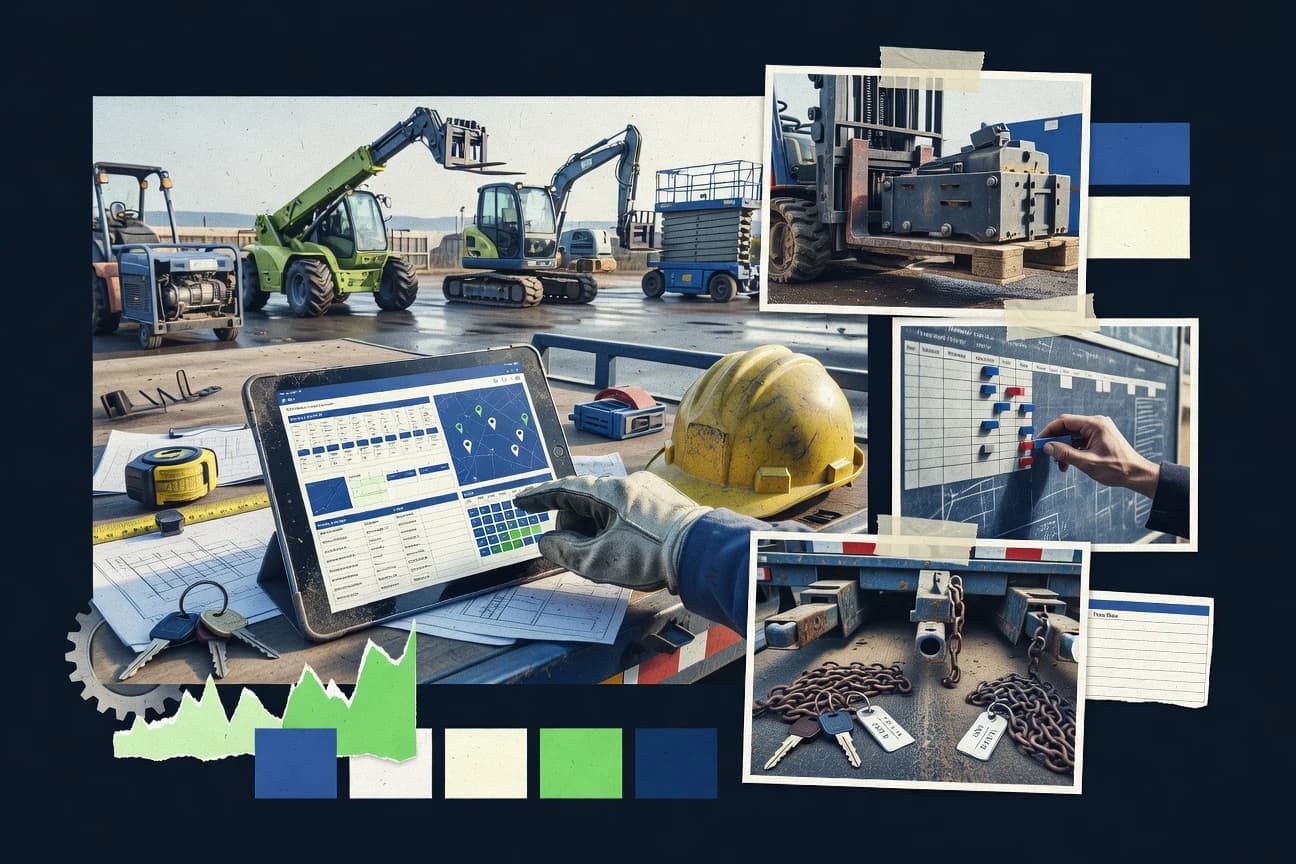
Equipment Rental LeasingTop 10 Best Equipment Planning Software of 2026
Equipment planning software tool roundup comparing Procore, Rentman, and SAVIOM for facilities and project teams planning assets, staffing, and maintenance.

How we ranked these tools
Vendors set the topic, but our editors set the inclusion criteria and the evaluation framework before research starts.
AI search agents find sources, extract figures with provenance, and aggregate written reviews. They also transcribe video reviews and podcasts.
Framework: Features 40% · Ease 30% · Value 30%
Gitnux may earn a commission through links on this page — this does not influence rankings. Editorial policy
Procore is the best choice for construction teams that need equipment planning tied to how work actually executes because its work-order and documentation workflows keep usage decisions connected to project change and permissioned history, while Rentman fits rental-centric operators that plan around availability since its reservation calendar helps prevent booking conflicts across locations and maintenance.
Editor’s top 3 picks
Three quick recommendations before you dive into the full comparison below — each one leads on a different dimension.
Procore
Work order and documentation workflows that keep equipment usage decisions attached to project change and execution history.
Best for: Fits when construction teams need equipment planning tied to job execution records and permissions.
Rentman
Editor pickReservation-driven availability with calendar conflict prevention tied to asset locations and maintenance workflows.
Best for: Fits when rental-centric teams need an availability-driven plan that ties assets, specs, and maintenance into one workflow.
SAVIOM
Editor pickAsset hierarchy modeling lets work and planning roll up through multi-level equipment relationships for reporting.
Best for: Fits when equipment-based operations need asset hierarchy, reservations, and maintenance execution tracing.
Comparison Table
Procore
enterpriseConstruction management platform with dedicated equipment management module for tracking, scheduling, and forecasting fleet needs.
Work order and documentation workflows that keep equipment usage decisions attached to project change and execution history.
Procore pairs project-centric construction workflows with equipment planning signals, which differentiates it from fleet-first systems. It can manage equipment-related information through project schedules, resource planning inputs, and standardized work processes that connect to field execution records.
The automation surface centers on role-based work coordination and cross-module linking inside active projects rather than a standalone equipment register workflow. For equipment planning teams, the main value is connecting reservations and maintenance activities to job progress and documentation.
- +Project-first workflows link equipment use to field documentation
- +Role-based permissions support controlled access to planning and records
- +Automation reduces manual rework when work changes mid-project
- +Integrations connect equipment planning data to enterprise systems
- –Equipment register depth is less specialized than dedicated fleet tools
- –Complex setups can require admin discipline across project structures
- –Cross-project utilization reporting needs careful configuration
- –Advanced telematics and meter ingestion depend on external integrations
Best for: Fits when construction teams need equipment planning tied to job execution records and permissions.
Rentman
vertical specialistResource management software for scheduling equipment, crews, projects, and transport.
Reservation-driven availability with calendar conflict prevention tied to asset locations and maintenance workflows.
Rentman is an equipment planning software built around rental operations, including equipment availability, reservations, and return handling. It models an equipment register with specifications and locations so planning can follow real-world asset structures.
Scheduling works through an availability calendar tied to reservations, which supports day-by-day planning and conflict prevention. Maintenance can be tracked alongside planned usage to support both preventive maintenance execution and work order capture within the rental flow.
- +Availability calendar drives conflict-free reservations across locations
- +Equipment hierarchy links specs, categories, and assets to planning
- +Maintenance and work order tracking stays attached to usage events
- +Operational workflow maps reservation to dispatch and return status
- –Complex site hierarchies take careful setup to avoid planning errors
- –Advanced workforce and crew scheduling needs external process alignment
- –Deep reporting for complex fleet replacement analysis is limited
- –API-based automation requires defined mapping for reservations and assets
Best for: Fits when rental-centric teams need an availability-driven plan that ties assets, specs, and maintenance into one workflow.
SAVIOM
enterpriseEnterprise equipment scheduling and coordination software for multi-project resource allocation.
Asset hierarchy modeling lets work and planning roll up through multi-level equipment relationships for reporting.
SAVIOM targets equipment-heavy operations that need planning around asset hierarchy, specifications, and field execution. Core capabilities include maintaining an equipment register, building structured asset relationships, and coordinating work order and maintenance processes tied to specific assets.
The system also supports fleet planning workflows for availability and reservation across time windows, with reporting that traces asset activity to operational outcomes. Governance features focus on role-based access to records and processes so planning teams can control who can modify equipment, assignments, and schedules.
- +Equipment register supports structured asset hierarchy and spec-level detail
- +Planning workflows can connect reservations and assignments to assets
- +Work order and maintenance records tie execution back to specific assets
- +Role-based access controls restrict who can change equipment and schedules
- –Setup requires deliberate configuration of asset relationships and planning rules
- –Advanced planning reporting needs careful field mapping for consistent outputs
- –Complex multi-department scheduling can require workflow design to avoid duplication
- –Telematics and GIS integration are not the default planning path for every use case
Best for: Fits when equipment-based operations need asset hierarchy, reservations, and maintenance execution tracing.
Asset Panda
enterpriseAsset management software for equipment inventories, assignments, inspections, and lifecycle records.
Asset Panda links inspection records directly to individual assets while preserving hierarchy context for operational follow up.
Asset Panda manages equipment information in a structured register and keeps records aligned to an asset hierarchy. It supports equipment specifications, assignment and reservation workflows, and maintenance data capture through inspection and work order related activity.
- +Central equipment register with hierarchical grouping for consistent fleet context
- +Inspection record capture tied to specific assets instead of generic checklists
- +Reservation and assignment workflows reduce ad hoc equipment handoffs
- +API support for integrating equipment events into external planning and reporting
- –Automation depends on external workflow design rather than built in multi step orchestration
- –Maintenance scheduling depth can feel limited for teams needing complex service intervals
- –Reporting breadth relies on data being modeled cleanly during setup
- –Advanced governance controls can require careful role design across sites
Best for: Fits when operations need asset hierarchy, inspections, and assignments with API driven reporting.
Tenna
vertical specialistConstruction fleet management software for equipment tracking, utilization, maintenance, and allocation.
Field-capture driven updates that keep planning decisions aligned with verified equipment conditions.
Tenna’s core planning strength is tying equipment details to what teams see and record in the field, so planning decisions can reference verified attributes instead of stale lists. The system organizes assets with hierarchy and attributes, then surfaces that information inside planning and work flows that require equipment context. It is a strong fit when equipment records change during operations and those updates must reach planners without manual re-entry.
- +Field verification updates planning inputs to reduce equipment list drift
- +Asset hierarchy and equipment attributes support consistent selection logic
- +Planning workflows stay anchored to inspection and equipment context
- +Integration capabilities support moving equipment and operational data across systems
- –Planning outcomes rely on integration coverage across the operational toolchain
- –Complex hierarchies need disciplined configuration to avoid inconsistent tagging
- –Advanced scheduling scenarios may require external tooling for full dispatch control
- –Reporting depth can lag specialized maintenance and dispatch workflows
Fleet ops planners
Coordinate reservations using verified equipment details
Fewer allocation errors
Maintenance managers
Plan work around equipment attributes and inspections
More accurate work readiness
Show 2 more scenarios
Site operations leads
Assign equipment by location and hierarchy
Faster equipment selection
Operations teams select equipment using structured attributes tied to site and asset grouping.
Asset management analysts
Maintain an up-to-date equipment register
Cleaner equipment register
Analysts keep asset lists current by syncing validated field information into planning records.
Best for: Fits when field teams need to validate equipment attributes that directly influence allocations and work planning.
HCSS Equipment
enterpriseConstruction equipment management software for utilization, maintenance, costs, and assignments.
Preventive maintenance service interval logic that drives work orders from the same equipment records used for scheduling.
HCSS Equipment is a strong fit for teams that need to coordinate equipment availability against active job demands, then feed that information into maintenance and work execution workflows. The system’s equipment hierarchy and specifications support structured asset setup, while its reservation and scheduling processes help reduce ad hoc dispatch decisions. Work order management supports preventive and corrective maintenance cycles using service interval logic tied to equipment records.
- +Equipment hierarchy setup ties specs, availability, and maintenance to the same assets
- +Reservation and scheduling flows reduce last-minute equipment changes between jobs
- +Work order management links preventive and corrective maintenance to equipment records
- +Mobile field capture keeps inspections and maintenance updates near real-time
- –Asset coding and service interval configuration require ongoing governance discipline
- –Planning reporting takes multiple configuration steps to match contractor-specific views
- –Integration with external accounting or ERP systems can require custom mapping
- –Some workflows feel form-heavy compared with simpler scheduling tools
Fleet and maintenance managers
Schedule equipment while driving PM work orders
Fewer missed PM tasks
Project operations teams
Reserve assets across job sites
More predictable equipment turnout
Show 2 more scenarios
Maintenance supervisors
Manage corrective repairs with field records
Faster repair follow-through
Work order management centralizes corrective maintenance activity by equipment and history.
Dispatch planners
Plan availability around job demand
Lower disruption to operations
Availability scheduling reduces reactive reassignments when jobs shift dates.
Best for: Fits when contractors need equipment scheduling plus maintenance execution in one operational record.
Assignar
vertical specialistConstruction operations software for scheduling people, equipment, jobs, and field activities.
Linking equipment specifications to both planning and maintenance history within one asset register reduces mismatched decisions.
Assignar is an equipment planning and fleet inventory tool designed for day-to-day planning, handoffs, and recordkeeping tied to real assets. It supports an equipment register workflow that connects equipment specifications to maintenance and booking decisions.
- +Equipment register workflow keeps asset specs aligned with planning decisions
- +Scheduling views support reservations and day-to-day assignment planning
- +Maintenance workflows keep service history tied to individual assets
- +Admin setup supports consistent equipment and operational master data
- –Automation coverage depends heavily on how planning workflows are configured
- –Complex multi-site governance can require careful role and ownership setup
- –Advanced reporting needs structure from administrators to stay usable
- –Integration options may not cover specialized systems without custom work
Best for: Fits when teams need consistent asset records tied to scheduling, maintenance history, and internal reservations.
Clue
vertical specialistConnected platform for construction heavy equipment management covering maintenance, dispatch, rentals, and fleet costs.
Asset-linked work planning ties execution status directly back to specific equipment items.
Clue centers equipment planning around a web-based work planning experience that pairs equipment records with scheduling and field execution. It emphasizes an equipment-centric workflow where teams can track tasks tied to specific assets and locations.
- +Asset-linked task planning keeps work tied to the equipment register
- +Calendar-style scheduling supports day-to-day operational visibility
- +Mobile-friendly field workflows reduce capture lag after dispatch
- +Reporting helps convert completed work into planning feedback
- –Maintenance scheduling depth is limited versus enterprise work order suites
- –Complex asset hierarchies and bulk synchronization require careful process design
- –Integration and automation coverage is less extensive than API-first competitors
- –Governance tooling like fine-grained permissions and audit trails is not a standout
Best for: Fits when field teams need asset-linked scheduling and lightweight reporting without deep enterprise governance.
IVOSystems
vertical specialistConstruction equipment planning software with Gantt-style long-term scheduling for heavy civil contractors.
Asset-tied maintenance workflow that links preventive schedules, corrective events, and inspection evidence in one planning record.
IVOSystems provides equipment planning workflows around an equipment register, so teams can manage equipment specifications and current assignments. The system supports maintenance scheduling with preventive and corrective work orders, plus inspection record capture tied to the asset lifecycle.
- +Maintenance work orders attach cleanly to tracked equipment records
- +Equipment register captures specifications used for planning and execution
- +Availability and reservation workflows reduce manual rebooking
- +API supports integration for equipment and work order synchronization
- –Setup needs careful governance of asset hierarchy and fields
- –Complex planning views require more admin configuration than dispatch-first tools
- –Inventory and parts usage support can be shallow for deep material costing
- –Extensibility depends on integration development effort
Best for: Fits when mid-size operators need asset-tied maintenance planning and equipment assignment with integration control.
Visual Planning
enterpriseScheduling software with construction equipment coordination, multi-site visibility, and crew allocation.
A plan-first planning board that keeps equipment bookings and maintenance schedules aligned in one interactive view.
Visual Planning is used to run equipment planning sessions that map assets to sites or projects and then enforce booking rules through the planning views. It supports maintenance planning workflows that create time-based schedules and keep those schedules visible alongside reservations. Automation includes reuse of planning patterns and batch updates, which reduces manual edits when fleets or sites change frequently. Integration support is geared toward connecting planning artifacts to external systems where teams already record work, usage, and asset status.
- +Visual planning canvas makes reservations and constraints readable
- +Maintenance planning stays in the same timeline as bookings
- +Batch edits reduce repeated manual changes across many assets
- +RBAC-style permissions support multi-planner coordination
- –Advanced workflow automation can depend on configuration work
- –Meter-reading based scheduling and telementry-driven use cases are limited
- –Deep accounting-style reporting needs external export or add-ons
- –Very large asset counts can slow interactive planning views
Operations dispatch teams
Coordinate reservations across multiple sites
Fewer scheduling errors
Maintenance planners
Schedule preventive maintenance around bookings
Clear maintenance timing
Show 2 more scenarios
Fleet coordinators
Maintain an equipment register for planning
Cleaner asset utilization
Assets are organized and updated so planners book the correct equipment variants and statuses.
Project coordinators
Plan mobilization and demobilization
On-time mobilization
Equipment reservations are timed to project dates so handoffs reflect real availability.
Best for: Fits when planning teams need calendar-based reservations with visible maintenance windows.
Conclusion
After evaluating 10 equipment planning software, Procore stands out as our overall top pick — it scored highest across our combined criteria of features, ease of use, and value, which is why it sits at #1 in the rankings above.
Use the comparison table and detailed reviews above to validate the fit against your own requirements before committing to a tool.
How to Choose the Right Equipment Planning Software
Equipment planning software coordinates how equipment is reserved, scheduled, and maintained against the equipment register used by operations teams. This guide covers Visual Planning, HCSS Equipment, Tenna, Rentman, Asset Panda, Assignar, Procore, Clue, IVOSystems, and SAVIOM.
These tools differ most in how planning views connect bookings to maintenance workflows, how field updates flow back into planning, and how asset hierarchy and specifications stay consistent across teams. The evaluation thread follows those differences from the individual tool cards through integration depth and control for multi-site governance.
Equipment Planning Software for asset hierarchies, reservations, and maintenance execution
Equipment planning software manages equipment bookings and availability by linking reservations to specific assets, specs, and constraints inside the equipment register. It also connects maintenance execution to those same assets so preventive and corrective work stays aligned with what planning says is available.
Visual Planning emphasizes a plan-first planning board that keeps equipment bookings and maintenance schedules aligned in one interactive view. HCSS Equipment differentiates with preventive maintenance service interval logic that drives work orders from the same equipment records used for scheduling, with scheduling and maintenance tied to equipment hierarchy setup.
Equipment planning capabilities that tie reservations to asset-ready maintenance
Equipment planning software succeeds when the planning board shows availability and maintenance windows as one connected schedule, not as separate calendars that can drift. Visual Planning is built around a plan-first interactive view that keeps equipment bookings and maintenance schedules aligned in the same timeline.
Plan-to-work alignment on the same timeline
Visual Planning keeps reservations and maintenance planning in one interactive view, which reduces planning drift between booking and work scheduling. Procore links equipment usage decisions to project change and execution history so maintenance and documentation stay attached to the field record.
Preventive interval logic sourced from equipment records
HCSS Equipment uses preventive maintenance service interval logic tied to the equipment records that also power scheduling. IVOSystems links preventive schedules, corrective events, and inspection evidence into one asset-tied maintenance workflow record.
Asset hierarchy continuity across planning and execution
Rentman ties reservations and conflicts to asset locations while equipment hierarchy links specs, categories, and assets to planning. SAVIOM provides multi-level equipment relationships so reservations and maintenance execution roll up through the hierarchy for reporting.
Field verification feedback into planning inputs
Tenna updates planning decisions using field-capture driven updates that keep equipment attributes aligned with verified conditions. Asset Panda connects inspection record capture directly to individual assets so the equipment register reflects what inspection found for downstream planning.
Inspection and evidence attached at the equipment item level
Asset Panda preserves hierarchy context while linking inspection records to individual assets. Clue ties execution status back to specific equipment items through asset-linked work planning and calendar-style scheduling.
Planning governance across multi-site and project structures
Procore uses role-based permissions to control access to planning and project execution records for construction teams. Rentman requires careful setup for complex site hierarchies so calendar conflict prevention stays correct across locations.
Decision framework for choosing Equipment Planning Software by workflow control
Equipment planning software selection should start with which system owns the planning view of record. Teams that need a single timeline for reservations and maintenance windows typically align with Visual Planning’s plan-first board, while teams that need operational work orders generated from the same equipment records typically align with HCSS Equipment.
Pick the workflow owner for the availability story
If availability must show reservations and maintenance windows in one interactive view, Visual Planning keeps bookings and maintenance in the same timeline. If availability must be driven by preventive interval service logic that generates work orders from scheduling equipment records, HCSS Equipment aligns the same equipment record to both planning and maintenance execution.
Choose the direction of data flow between field inputs and planning
If field teams verify equipment attributes that directly change allocations and work planning, Tenna ties field verification updates to planning inputs to reduce equipment list drift. If inspections and evidence must attach per asset for operational follow up, Asset Panda connects inspection records directly to individual assets while preserving hierarchy context.
Decide how the tool should model equipment hierarchy
If the planning workflow needs hierarchy roll-ups for reporting across multi-level equipment relationships, SAVIOM models asset hierarchy so work and planning roll up through equipment relationships. If the planning workflow needs hierarchy tied to specs, categories, and assets with calendar conflict prevention by location, Rentman links equipment hierarchy to locations and reservations.
Map governance requirements to setup complexity
If planning requires role-based control tied to job execution history, Procore ties equipment usage decisions to project execution records and uses role-based permissions for controlled access. If the organization expects maintenance interval configuration and asset coding to be governed continuously, HCSS Equipment requires asset coding and service interval configuration governance discipline.
Validate integration and automation coverage against the operational toolchain
If planning outcomes depend on how planning systems integrate with operational processes, Tenna notes integration coverage limits for meter-reading and telementry-driven use cases. If the organization needs deeper built-in multi-step orchestration, Asset Panda routes automation through external workflow design rather than built-in orchestration.
Who benefits from Equipment Planning Software shaped around asset-linked scheduling and maintenance
The best fit depends on whether planning teams prioritize a single reservation-and-maintenance timeline, preventive interval driven work order generation, or asset-linked execution traceability. Visual Planning suits teams that manage calendar-based reservations with visible maintenance windows, while HCSS Equipment suits contractors that need maintenance execution driven from the same equipment records used for scheduling.
Planning teams that manage reservations by calendar and maintenance windows
Visual Planning keeps reservations and constraints readable on a planning canvas while keeping maintenance planning in the same timeline as bookings.
Contractors that run preventive maintenance from equipment records
HCSS Equipment drives work orders from preventive maintenance service intervals stored on the same equipment records used for scheduling, so maintenance stays synchronized with reservations.
Operators that rely on field verification to correct equipment attributes before allocation
Tenna uses field-capture driven updates that keep planning decisions aligned with verified equipment conditions and reduces equipment list drift.
Operations teams that need inspection evidence tied to specific assets
Asset Panda links inspection record capture directly to individual assets rather than generic checklists, preserving hierarchy context for follow up.
Construction teams that attach equipment planning to project execution history
Procore supports project-first workflows where equipment usage decisions link to field documentation and the system uses role-based permissions for controlled access.
Pitfalls that derail equipment planning projects even with strong software
A frequent failure mode is creating an equipment hierarchy that cannot be governed consistently across sites and roles. HCSS Equipment requires ongoing governance discipline for asset coding and service interval configuration, and Rentman requires careful setup for complex site hierarchies to avoid planning errors.
Modeling site or asset hierarchies without a governance plan
Rentman requires careful site hierarchy setup so reservation conflict prevention tied to asset locations stays correct. SAVIOM requires deliberate configuration of asset relationships and planning rules so hierarchy roll-ups match reporting needs.
Assuming maintenance automation will work without setup for interval logic and fields
HCSS Equipment ties preventive service intervals to work order generation, so asset coding and service interval configuration need consistent governance discipline. IVOSystems requires careful governance of asset hierarchy and fields so maintenance workflows attach correctly to tracked equipment records.
Letting field updates drift from planning inputs
Tenna highlights that planning outcomes rely on integration coverage across the operational toolchain, so field verification data must flow into planning inputs. Tenna and Clue both tie planning to asset-linked status, so bulk synchronization and hierarchy mapping need a defined process.
Overloading the tool with reporting views that need configuration mapping
HCSS Equipment planning reporting can take multiple configuration steps to match contractor-specific views. SAVIOM notes that advanced planning reporting needs careful field mapping for consistent outputs.
How We Selected and Ranked These Tools
We evaluated Visual Planning as the top-ranked tool because its plan-first planning board keeps equipment bookings and maintenance schedules aligned in one interactive timeline view. Features weighted 40% in the scoring because each tool needed clear alignment between reservations and maintenance workflows like preventive intervals and asset-linked work orders.
Ease and value each weighted 30% in the scoring because teams need to configure asset hierarchies and scheduling workflows without creating repetitive admin work. We weighted Visual Planning higher than HCSS Equipment and Rentman because its canvas makes reservations and constraints readable while keeping maintenance planning in the same timeline as bookings.
Frequently Asked Questions About Equipment Planning Software
How does Visual Planning connect equipment register data to reservations and maintenance windows in one planning view?
Which tool turns preventive service intervals into scheduled work orders from the same equipment records used for planning?
How do Tenna and Asset Panda keep changes from field verification from drifting away from planning artifacts?
When rental teams need day-by-day conflict prevention, which approach works best for availability calendar reservations and return handling?
What breaks if integration relies on manual file imports instead of an API surface for equipment planning automation?
How do Procore and SAVIOM handle equipment planning permissions when multiple stakeholders coordinate edits across projects?
Which tool fits asset-linked work planning when field execution status must remain tied to a specific equipment item?
How does Assignar reduce mismatched decisions when specifications, maintenance history, and reservations must stay consistent?
What tradeoff appears when Procore emphasizes project-centric workflows over a standalone equipment register workflow?
How does SAVIOM support planning and reporting across multi-level asset relationships for maintenance and work rollups?
Tools reviewed
Primary sources checked during evaluation.
Referenced in the comparison table and product reviews above.
Funding and competing interests
This study was co-funded by several of the vendors assessed in it. No single vendor funded it. Funders could propose the market studied.
They had no role in selecting vendors, setting or weighting criteria, analysing data or drawing conclusions, and they received the same factual-accuracy check as every other vendor assessed.
Market definition, inclusion rules and criteria weights were fixed by an editor before research began and did not change afterwards. Editorial process →
- Equipment Rental LeasingTop 10 Best Equipment Rental Software of 2026
- Healthcare MedicineTop 10 Best Medical Equipment Planning Software of 2026
- Equipment Rental LeasingTop 10 Best Equipment Check In Check Out Software of 2026
- Equipment Rental LeasingTop 10 Best Web Based Equipment Rental Software of 2026
- Equipment Rental LeasingTop 10 Best Equipment Work Order Software of 2026
Keep exploring
Comparing two specific tools?
Software Alternatives
See head-to-head software comparisons with feature breakdowns, pricing, and our recommendation for each use case.
Explore software alternatives→In this category
Equipment Rental Leasing alternatives
See side-by-side comparisons of equipment rental leasing tools and pick the right one for your stack.
Compare equipment rental leasing tools→