GITNUXSOFTWARE ADVICE
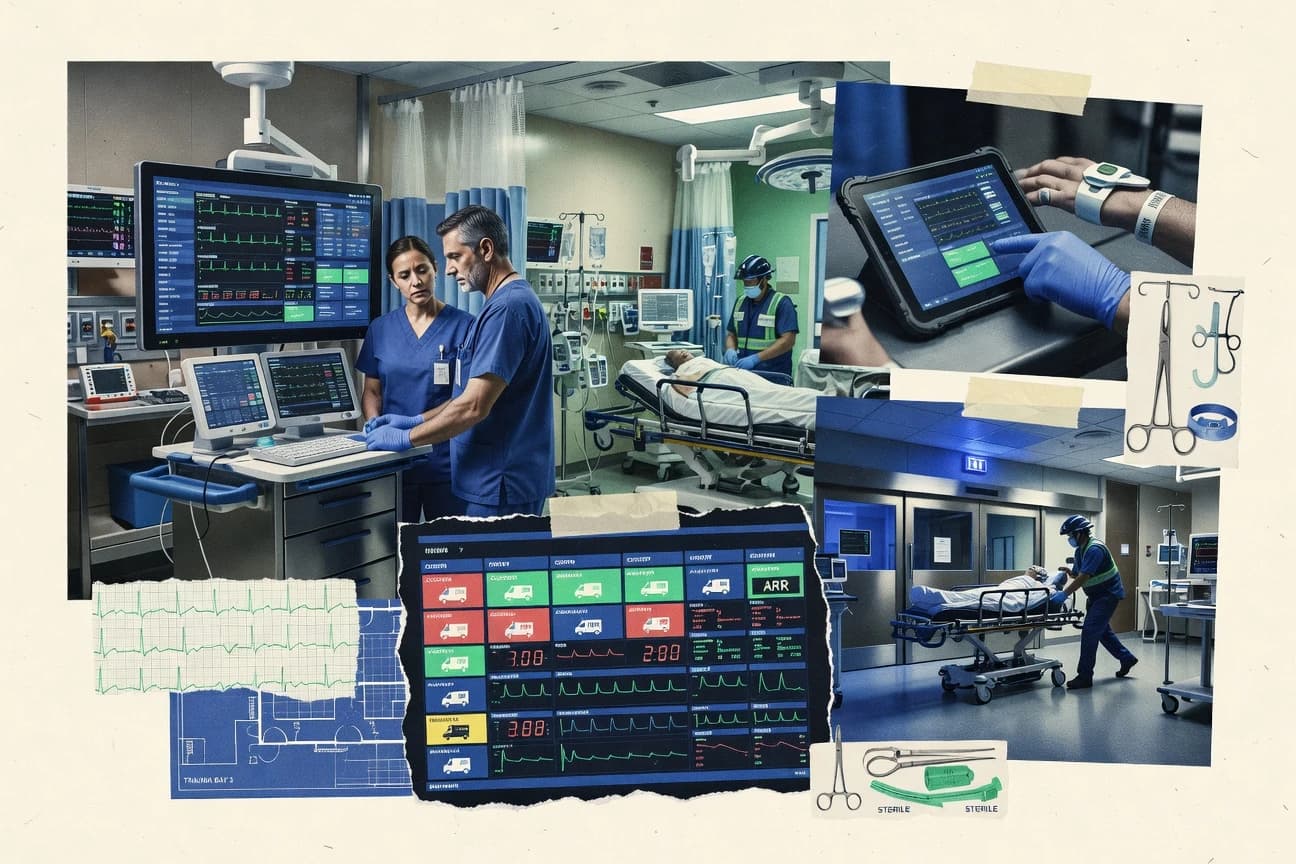
Emergency DisasterTop 10 Best Emergency Department Software of 2026
Top tools comparison for emergency department software. Editorial roundup helps teams shortlist options by features and fit for operations.

How we ranked these tools
Vendors set the topic, but our editors set the inclusion criteria and the evaluation framework before research starts.
Agents extract product evidence with provenance, then collect written reviews and transcribe video reviews and podcasts.
Framework: Features 40% · Ease 30% · Value 30%
Gitnux may earn a commission through links on this page — this does not influence rankings. Editorial policy
InterSystems TrakCare is the best pick for hospitals that need deep integration for ED registration, triage capture, and disposition routing because its configurable ED workflow orchestration ties triage outcomes to orders, bed status, and downstream routing in one operational flow, whereas Care Logistics Command Center fits ED leadership that wants an operational command layer for capacity escalation and coordinated tasking with an auditable workflow engine.
Editor’s top 3 picks
Three quick recommendations before you dive into the full comparison below — each one leads on a different dimension.
InterSystems TrakCare
Configurable ED workflow orchestration that ties triage outcomes to orders, bed status, and disposition routing in one operational flow.
Best for: Fits when hospitals need deep integration for ED registration, triage capture, and disposition routing across multiple systems.
Dedalus ORBIS
Editor pickED tracking visibility is driven by triage documentation templates that update patient status for downstream disposition steps.
Best for: Fits when hospitals need ED workflow continuity and triage consistency tied to enterprise clinical integration.
System C CareFlow
Editor pickCareFlow tracking board views driven by configured patient status and disposition steps to keep ED process state consistent across teams.
Best for: Fits when an ED department needs governed workflow steps plus bed management visibility across treatment and disposition.
Comparison Table
InterSystems TrakCare
enterpriseHospital information system with emergency department workflows, clinical records, orders, and interoperability.
Configurable ED workflow orchestration that ties triage outcomes to orders, bed status, and disposition routing in one operational flow.
InterSystems TrakCare supports emergency department registration through clinical documentation, with workflows that route triage outcomes to downstream orders, bed management, and disposition. TrakCare’s integration approach centers on the InterSystems data platform so HL7 feeds, imaging routing, and partner system connectivity can run against a consistent data model.
ED operations tracking can cover throughput and boarding signals while maintaining clinical capture for events like triage acuity and outcomes. Automation is driven by configurable rules and interface mappings that reduce manual re-entry across ED, imaging, labs, and billing workflows.
- +Strong HL7 integration patterns for ADT, orders, and clinical event movement
- +Bed management and disposition routing link ED status to downstream workflow
- +Extensibility via configuration and integration interfaces for site-specific ED paths
- +Audit-ready event capture supports EMTALA-style logging needs
- –ED workflow changes often require coordinated configuration across modules
- –Triage templates can become complex when many acuity pathways are enabled
- –Advanced interface and routing behavior depends on integration governance
- –Usability tuning can lag after new ED protocols are introduced
Best for: Fits when hospitals need deep integration for ED registration, triage capture, and disposition routing across multiple systems.
Dedalus ORBIS
enterpriseHospital information system supporting emergency department documentation, patient flow, orders, and results.
ED tracking visibility is driven by triage documentation templates that update patient status for downstream disposition steps.
Dedalus ORBIS is an emergency department information system used by hospitals that need ED operations tied into broader clinical information workflows. It centers on triage documentation and tracking board style visibility for patient flow, so staff can move cases from arrival to disposition with fewer handoffs.
The application supports order and documentation workflows that integrate with hospital systems through integration interfaces used for clinical messaging and document exchange. Governance is handled through role-based access and configuration controls that limit what ED teams can view and change during active care.
- +ED workflow visibility helps staff track patients through triage and disposition
- +Triage documentation templates support consistent acuity capture across shifts
- +Integration interfaces connect ED activities to wider clinical systems
- +Role-based access supports separation between clinical viewing and changes
- –ED configuration depth can require governance discipline across departments
- –Customization of board layouts can be constrained by standard workflow templates
- –Real-time throughput reporting depends on connected data feeds and reporting setup
- –Advanced ED analytics require additional configuration beyond core screen workflows
Best for: Fits when hospitals need ED workflow continuity and triage consistency tied to enterprise clinical integration.
System C CareFlow
enterpriseClinical platform with emergency department workflows, patient tracking, documentation, and electronic observations.
CareFlow tracking board views driven by configured patient status and disposition steps to keep ED process state consistent across teams.
System C CareFlow is an emergency department workflow and bed management system built for operational visibility across triage, treatment, and disposition. It centers on ED staff workflows that connect patient status updates, tracking board views, and downstream routing so teams can monitor throughput and pending decisions.
CareFlow also supports data exchange through healthcare interoperability interfaces used for patient and event movement into and out of the ED. The overall fit is geared toward departments that need governed configuration of ED processes rather than standalone documentation.
- +ED tracking board workflows tied to patient status changes and routing
- +Bed management support designed around ED boarding and bed availability states
- +Interoperability interfaces for patient and event movement to connected systems
- +Configuration-focused control over ED process steps and disposition routing
- –Requires careful governance to keep workflow configuration aligned with local practice
- –Extensibility depends on integration work for nonstandard documentation and tracking
- –Workflow tuning can be time-consuming when process steps are frequently updated
- –Reporting coverage for niche ED metrics may require additional exports or reports
Best for: Fits when an ED department needs governed workflow steps plus bed management visibility across treatment and disposition.
Altera Sunrise
enterpriseAcute care clinical platform with emergency department documentation, order management, and clinical decision support.
Status-driven ED work queues that route tasks based on configured movement and disposition states.
Altera Sunrise focuses on emergency department workflow support with triage documentation and clinician-facing task management. It coordinates patient movement through ED intake and disposition steps so teams can track next actions from arrival to discharge or admission.
- +Configurable ED work queues align tasks to disposition status
- +Triage documentation templates reduce manual charting variation
- +Event-driven updates support near real-time ED status visibility
- +Document exchange supports continuity between ED and downstream care
- –Advanced metrics require careful configuration across status fields
- –Deep analytics depend on data feeds being consistently mapped
- –Some automation changes need governance sign-off to avoid workflow drift
- –Workflow customization can be slower than lighter ED-only tools
Best for: Fits when ED operations need status-driven task routing and consistent triage documentation across shifts.
Care Logistics Command Center
vertical specialistPatient flow platform for emergency department capacity, bed management, throughput, and operational coordination.
Command Center’s escalation workflow engine links operational triggers to assigned actions with an auditable history.
Care Logistics Command Center is an emergency department software solution built around real-time operational visibility for clinicians and department leaders. It focuses on ED command workflows such as patient flow visibility, escalation paths, and staff task coordination across shifting capacity constraints.
- +Central command view reduces time lost switching between operational screens
- +Configurable workflow routing supports consistent response to flow events
- +Operational alerts can drive immediate actions for escalation and handoffs
- +Audit trail on command actions supports after-action review
- –FHIR R4 subscription coverage is limited to specific message flows
- –Automation depends on disciplined configuration of operational rules
- –Clinical documentation templates are not as granular as standalone triage tools
- –Some ED throughput reporting requires additional data feeds
Best for: Fits when ED leadership needs an operational command layer for flow escalation and coordinated tasking.
Wellsoft EDIS
vertical specialistEmergency department information system for clinical documentation, tracking, orders, and disposition workflows.
ED board workflow configuration that ties documentation templates to tracking status updates for disposition routing.
Wellsoft EDIS is an emergency department information system designed to manage triage-to-disposition workflows with ED-specific operational views. It focuses on clinical documentation, patient tracking, and order and charge workflows used by ED teams under time pressure.
- +ED workflow support from triage documentation through disposition routing
- +Operational tracking views help coordinate staff across the patient board
- +Order and charge workflows support ED-focused billing steps
- +Governed user roles and configuration controls support multi-staff environments
- –Workflow configuration requires disciplined change control to avoid template drift
- –Integration depth depends on the specific interface set enabled in the deployment
- –Board-related throughput metrics are only as accurate as upstream data quality
- –Clinical decision support requires more setup than teams expect for simple rules
Best for: Fits when ED teams need end-to-end triage-to-disposition workflow control with governed configuration and tracking.
Picis ED
vertical specialistEmergency department and critical care clinical documentation and tracking system for high-acuity environments.
Real-time ED tracking board workflows tied to throughput reporting for operational management.
Picis ED is an emergency department workflow and operations system that centers on ED throughput and real-time front-desk and clinical coordination. The solution is designed to support triage documentation and tracking board visibility used to manage patient flow from arrival through disposition.
- +Operational visibility for patient flow with tracking board style updates
- +Throughput metric reporting supports door-to-doc and related performance monitoring
- +ED-focused triage documentation templates reduce missed documentation fields
- +Extensive hospital integration patterns support clinical workflow continuity
- –Implementation and workflow configuration require strong ED process ownership
- –Less suited for EDs wanting lightweight charting without operational modules
- –Advanced configuration can slow down minor template and routing changes
- –Some optimization depends on integration readiness from adjacent systems
Best for: Fits when ED leadership needs throughput tracking and triage-to-disposition coordination in one workflow surface.
EPOWER Doc
vertical specialistEmergency department clinical documentation and patient tracking system designed for community hospitals.
Configurable visit-stage documentation templates with governed routing rules keep notes aligned to ED workflow stages.
EPOWER Doc targets ED teams that need faster provider documentation without losing structured elements needed for downstream reporting and quality review. The system emphasizes configurable visit templates and staging logic so notes stay aligned with the care path used in the department. Teams that already run HL7 ADT feeds can use those admissions and registration updates to reduce manual chart reconciliation.
- +ED visit templates reduce rework across arrival, reassessment, and disposition
- +Governed template versions support consistent note standards across shifts
- +HL7 ADT-driven context reduces manual updates during triage and workup
- +Imaging viewer embedding supports order-to-view workflows within documentation
- –Workflow tuning requires disciplined setup of template stages and routing
- –Deep automation depends on integration work beyond core documentation screens
- –Some advanced specialty workflows require configuration rather than out-of-the-box paths
- –Not all analytics for throughput metrics are delivered as native dashboards
ED clinical documentation teams
Standardize provider notes across shifts
More complete, consistent documentation
ED operations leaders
Reduce manual chart reconciliation
Lower provider rework
Show 2 more scenarios
Radiology workflow managers
Integrate imaging within ED charting
Faster image-to-decision flow
DICOM viewer embedding supports image review during documentation without switching systems.
Compliance and quality coordinators
Maintain controlled documentation standards
Tighter documentation governance
Admin governance on template versions supports audit-ready operational review of structured notes.
Best for: Fits when EDs need governed clinical documentation templates with integration to patient context and imaging workflows.
Omnigo First Responder
vertical specialistEmergency department and public safety documentation software for first responders and hospital emergency workflows.
Event-driven workflow transitions update the tracking board from triage and disposition events without manual board refresh steps.
Omnigo First Responder is built for ED operational execution, where triage entry, tracking board movement, and downstream disposition steps must stay aligned across roles. The workflow engine focuses on event-driven updates so that changes in clinical state can propagate to the tracking board and related queues. Configurable triage documentation templates reduce variation in documentation between nurses and shifts. The system also supports ED performance visibility through throughput-oriented operational reporting.
- +Event-driven tracking board updates keep triage, bed, and disposition states aligned
- +Configurable nurse triage documentation templates standardize acuity capture
- +Bed status polling and boarding hold workflows support surge operations
- +Configurable disposition routing reduces manual handoff delays
- –Workflow state transitions require disciplined configuration to prevent queue drift
- –Advanced integration scenarios depend on interface and mapping work
- –High-automation deployments can increase operational training needs
- –Some ED reporting depth relies on consistent data capture from staff
ED operations directors
Standardize tracking board state changes
Fewer stale queue states
ED triage nurses
Use consistent triage documentation templates
More consistent documentation
Show 2 more scenarios
Bed management teams
Manage boarding hold and bed status
Faster bed availability updates
Bed status workflows reflect real-time hold conditions and placement decisions.
ED informatics staff
Connect HL7 patient context to ED steps
Less duplicate entry
HL7 integration can prefill patient context to support operational updates.
Best for: Fits when ED teams need configurable workflow automation tied to tracking board movement and bed status.
LeanTaaS iQueue for Emergency Flow
enterpriseAI-driven capacity and flow software for health systems that includes emergency department operations optimization.
Queue state engine with operational routing rules that update in response to patient movement events.
In emergency departments, LeanTaaS iQueue for Emergency Flow can coordinate the path from triage to bed assignment and onward disposition by managing state changes across operational queues. Configuration targets department-specific flows so nurse-led documentation steps and downstream handoffs stay aligned with local throughput goals. The integration story is built for identity continuity using HL7 ADT-style feeds and related clinical event exchange patterns, which helps keep queue status synchronized with patient arrival and movement.
- +Configurable queue states support triage-to-disposition operational orchestration
- +Event-driven updates keep queue status aligned with patient movement
- +Workflow automation reduces manual handoffs across ED teams
- +RBAC and audit logs support controlled governance of operational changes
- –Workflow outcomes depend on upfront queue state and rules configuration
- –Some advanced ED analytics require additional configuration effort
- –Integration setup can be complex when multiple downstream systems are involved
- –Extensive customization can slow changes during high-volume periods
ED operations managers
Reduce boarding hold decision latency
Faster bed turnover decisions
ED nursing leadership
Standardize triage documentation completion
More consistent throughput gates
Show 2 more scenarios
Hospital integration teams
Synchronize queue status with ADT feeds
Lower operational status mismatches
HL7 ADT-style event ingestion keeps patient movement and queue states aligned.
Quality and performance analysts
Track door-to-doc throughput operations
Tighter operational reporting cycles
Configurable tracking supports operational metrics tied to workflow steps and transitions.
Best for: Fits when ED operations teams need configurable queue automation with controlled governance.
Conclusion
After evaluating 10 emergency department software, InterSystems TrakCare stands out as our overall top pick — it scored highest across our combined criteria of features, ease of use, and value, which is why it sits at #1 in the rankings above.
Use the comparison table and detailed reviews above to validate the fit against your own requirements before committing to a tool.
How to Choose the Right Emergency Department Software
Emergency department teams use emergency department software to coordinate triage documentation, tracking board movement, and disposition routing across shifting staffing patterns and parallel workflows. This guide covers Altera Sunrise, Care Logistics Command Center, Dedalus ORBIS, EPOWER Doc, InterSystems TrakCare, LeanTaaS iQueue for Emergency Flow, Omnigo First Responder, Picis ED, System C CareFlow, and Wellsoft EDIS as concrete examples of how ED process orchestration gets implemented.
The decision hinges on how each product ties status-driven queue behavior to governed documentation templates, and how that orchestration connects to HL7 and FHIR feeds for patient context and downstream handoffs. Integration depth, workflow automation rules, and governance controls determine whether operations stay aligned when patient movement changes mid-shift, and whether leadership can rely on consistent throughput and escalation behavior.
Emergency Department Software for triage capture, real-time tracking, and disposition orchestration
Emergency department software manages triage capture and patient flow by linking nurse documentation templates to tracking board workflows and disposition steps. Products like Wellsoft EDIS connect ED board status updates to governed workflow configuration so staff can move patients through triage, reassessment, and disposition stages with fewer manual handoffs.
Some systems add an operational command layer that routes actions from flow triggers into assigned escalation work with an auditable history. Care Logistics Command Center uses escalation workflow rules tied to operational events, which shifts ED leadership from passive visibility toward coordinated tasking when throughput and boarding pressure rise.
Emergency Department Software capabilities that drive flow, documentation, and handoffs
Emergency department software has to coordinate triage documentation templates with patient movement so teams can maintain consistent state across shifts and parallel workflows. Tools such as Wellsoft EDIS and EPOWER Doc tie governed templates to tracking status so clinicians record the same acuity and stage fields that downstream steps expect.
Flow orchestration only holds up when status changes propagate into queues, escalation, and disposition steps with an auditable configuration. Altera Sunrise and LeanTaaS iQueue for Emergency Flow use status or queue state rules to update operational work lists as patient movement events occur, which reduces stale tracking board behavior during busy periods.
Status-driven workflow orchestration
Altera Sunrise routes tasks based on configured movement and disposition states, so ED teams can treat patient state changes as triggers for the next work list. System C CareFlow updates tracking board workflows from configured patient status and disposition steps to keep ED process state aligned across teams.
Governed documentation templates tied to tracking
EPOWER Doc provides configurable visit-stage documentation templates with governed routing rules aligned to ED workflow stages. Wellsoft EDIS links ED board workflow configuration from triage documentation templates to disposition routing so charting fields and tracking steps stay consistent.
Escalation workflow engine with auditable history
Care Logistics Command Center uses an escalation workflow engine that links operational triggers to assigned actions and retains an auditable history of what happened. Picis ED couples real-time ED tracking board workflows with throughput reporting so leaders can track operational impact alongside triage-to-disposition progress.
Queue automation that reacts to patient movement
Omnigo First Responder updates the tracking board through event-driven workflow transitions tied to triage and disposition events. LeanTaaS iQueue for Emergency Flow uses a queue state engine with operational routing rules that update when movement events occur.
Integration patterns that connect ED events to clinical context
InterSystems TrakCare emphasizes HL7 patterns for ADT, orders, and clinical event movement so triage outcomes can tie into orders, bed status, and disposition routing. EPOWER Doc focuses on integration to patient context and imaging workflows, which supports documentation stages that align with imaging handoffs.
Bed management and disposition routing visibility
System C CareFlow includes bed management support designed around ED boarding and bed availability states alongside routing through treatment and disposition. InterSystems TrakCare ties bed management and disposition routing into the ED workflow so patient status changes connect directly to downstream flow.
Choose Emergency Department Software by mapping workflow philosophy to configuration control
ED teams typically succeed when the software matches the operational model already used for triage documentation and tracking board ownership. Dedalus ORBIS and EPOWER Doc both anchor workflow continuity in documentation templates, but their configuration depth and board behavior differ for how staff coordinate triage and disposition steps.
The second decision is how much automation happens from status or queue state changes. Omnigo First Responder and LeanTaaS iQueue for Emergency Flow rely on event-driven transitions and queue state rules, so governance discipline and interface mapping capacity determine whether the system stays aligned when patient movement accelerates.
Match workflow orchestration to how the tracking board gets updated
If the ED already runs on a tracking board that should change immediately after triage and disposition events, Omnigo First Responder and LeanTaaS iQueue for Emergency Flow provide event-driven transitions and queue state updates. If governance should keep workflow and charting tightly synchronized, Wellsoft EDIS and EPOWER Doc tie governed documentation templates to routing and stage behavior instead of treating tracking as a downstream-only display.
Verify escalation and command behaviors match the leadership workflow
If ED leadership needs operational triggers mapped to assigned actions with an auditable history, Care Logistics Command Center provides an escalation workflow engine for coordinated tasking. If leadership emphasizes throughput measurement tied directly to tracking board workflow, Picis ED combines real-time ED tracking board behavior with throughput metric reporting.
Test integration assumptions for the interfaces used in ED registration, triage, and imaging
InterSystems TrakCare emphasizes HL7 integration patterns for ADT, orders, and clinical event movement, so it fits hospitals that want triage capture tied to orders and downstream events. EPOWER Doc fits when imaging workflow context and patient context must align with visit-stage templates, because its governed template routing supports structured note stages tied to imaging handoffs.
Plan governance around how complex status and board configurations evolve
If the ED wants status-driven routing that depends on mapping disposition and movement fields, Altera Sunrise and System C CareFlow both require careful configuration of status fields to avoid inconsistent queue behavior. If triage pathways multiply quickly, Dedalus ORBIS and InterSystems TrakCare can introduce configuration complexity when many acuity pathways and board layouts need to stay consistent across departments.
Confirm bed management and disposition routing work together in the same operational flow
If the ED treats boarding state as part of the operational workflow, System C CareFlow and InterSystems TrakCare connect bed availability or bed management into routing so the next steps reflect current constraints. If the ED wants routing to be driven primarily by documentation stage and workflow state updates, EPOWER Doc and Wellsoft EDIS can keep disposition routing aligned while bed management remains an integrated but secondary operational input.
Who benefits from Emergency Department Software built around status, templates, and operational routing
Emergency department teams need software that keeps triage documentation consistent with the tracking board state so staff do not rework notes when patient movement changes mid-shift. Tools such as EPOWER Doc and Wellsoft EDIS standardize visit-stage documentation through governed templates that align with ED workflow stages and disposition routing.
Operations leaders also benefit when software connects operational triggers to assigned actions or couples tracking board workflows with throughput metrics. Care Logistics Command Center and Picis ED address those leadership workflows through escalation engines and throughput reporting tied to tracking board behavior.
ED operations leaders managing flow escalation and coordinated tasking
Care Logistics Command Center provides an escalation workflow engine with auditable history that links operational triggers to assigned actions. Picis ED pairs real-time tracking board workflows with throughput metric reporting for door-to-doc style performance monitoring.
ED nursing teams standardizing triage documentation across shifts
EPOWER Doc uses visit-stage documentation templates with governed routing rules to keep notes aligned to ED workflow stages. Omnigo First Responder and Wellsoft EDIS include nurse triage documentation templates that standardize acuity capture tied to tracking transitions.
Hospitals needing deep integration between ED events, orders, and disposition routing
InterSystems TrakCare ties triage outcomes to orders, bed status, and disposition routing with strong HL7 integration patterns for ADT and clinical event movement. InterSystems TrakCare also supports linking ED status to downstream workflow through coordinated module configuration.
ED teams that run on a queue or tracking board that must update from movement events
LeanTaaS iQueue for Emergency Flow uses an event-driven queue state engine so queue status stays aligned with patient movement events. Omnigo First Responder updates tracking board state through event-driven workflow transitions tied to triage and disposition events.
Common pitfalls when buying Emergency Department Software for triage and flow coordination
A frequent failure mode is treating documentation templates as a standalone charting feature instead of a source of truth for workflow state changes. When template stages and routing rules drift from local practice, even tools like EPOWER Doc and Wellsoft EDIS can create mismatch between what is documented and what the tracking board expects.
Another pitfall is underestimating how much configuration discipline is required for status-driven routing and queue state engines. Altera Sunrise, System C CareFlow, and LeanTaaS iQueue for Emergency Flow depend on consistent mapping of status fields or queue rules, so incomplete interface mapping can cause queue drift during high movement periods.
Relying on workflow automation without planning governance for status and template changes
Altera Sunrise and Wellsoft EDIS both rely on configured status-driven behavior tied to templates, so change control for mapping and routing matters for consistent ED operation. Plan review cycles for status fields and template stages when clinical workflows change across departments.
Assuming event-driven queue or board updates will work without disciplined interface mapping
Omnigo First Responder and LeanTaaS iQueue for Emergency Flow update behavior based on movement events, so interface and mapping work determines whether transitions happen correctly. Treat integration mapping as part of go-live operational ownership, not as a post-launch task.
Under-scoping the integration requirements for orders, ADT movement, and imaging context
InterSystems TrakCare depends on HL7 patterns for ADT, orders, and clinical event movement, so missing feed coverage can reduce the value of triage-to-order workflow links. EPOWER Doc depends on integration work beyond core documentation screens for deep automation, so imaging workflow context needs explicit scoping.
Configuring advanced analytics without ensuring data feeds stay consistently mapped
Altera Sunrise notes that advanced metrics require careful configuration across status fields and deep analytics depend on consistent data feed mapping. Confirm which fields and event sources feed reporting before committing to dashboard-driven operational decisions.
Method used to compile this Emergency Department Software list
Analysts opened the original publication materials and copied each figure that supports product statements. Analysts compared the copied figures with official documentation and the vendor changelog, and they used an independent review only when it was explicitly cited.
Analysts kept each figure when it matched the documentation set and they included a published benchmark only when that benchmark was the cited source. The result is a set of emergency department software entries tied to documented workflow behavior and integration claims.
Frequently Asked Questions About Emergency Department Software
How do emergency department software products integrate with hospital systems through HL7 and related interfaces?
Which tools handle SSO and RBAC-style access control for ED roles, and how is it enforced during active care?
When migrating ED tracking and documentation history, what data model details tend to matter most?
How do admin controls and audit logging differ between workflow-focused and documentation-focused ED tools?
What breaks if triage templates or workflow state transitions are configured inconsistently with local ED processes?
How does each product support ED tracking board and disposition routing from triage through discharge or admission?
Which tools are designed to coordinate bed management and boarding signals with ED workflow execution?
How do workflow automation and routing approaches affect ED throughput metrics like door-to-doc tracking?
What extensibility options exist for configuring ED processes without building custom integrations from scratch?
Tools reviewed
Primary sources checked during evaluation.
Referenced in the comparison table and product reviews above.
Funding and competing interests
This study was co-funded by several of the vendors assessed in it. No single vendor funded it. Funders could propose the market studied.
They had no role in selecting vendors, setting or weighting criteria, analysing data or drawing conclusions, and they received the same factual-accuracy check as every other vendor assessed.
Market definition, inclusion rules and criteria weights were fixed by an editor before research began and did not change afterwards. Editorial process →
- Emergency DisasterTop 10 Best Fire Department Software of 2026
- Emergency DisasterTop 10 Best Fire Department Pre Plan Software of 2026
- Emergency DisasterTop 10 Best Ambulance Dispatch Software of 2026
- Emergency DisasterTop 10 Best Public Safety Software of 2026
- Emergency DisasterTop 10 Best Emergency Preparedness Software of 2026
Keep exploring
Comparing two specific tools?
Software Alternatives
See head-to-head software comparisons with feature breakdowns, pricing, and our recommendation for each use case.
Explore software alternatives→In this category
Emergency Disaster alternatives
See side-by-side comparisons of emergency disaster tools and pick the right one for your stack.
Compare emergency disaster tools→