
GITNUXSOFTWARE ADVICE
Marketing AdvertisingTop 10 Best Drip Email Software of 2026
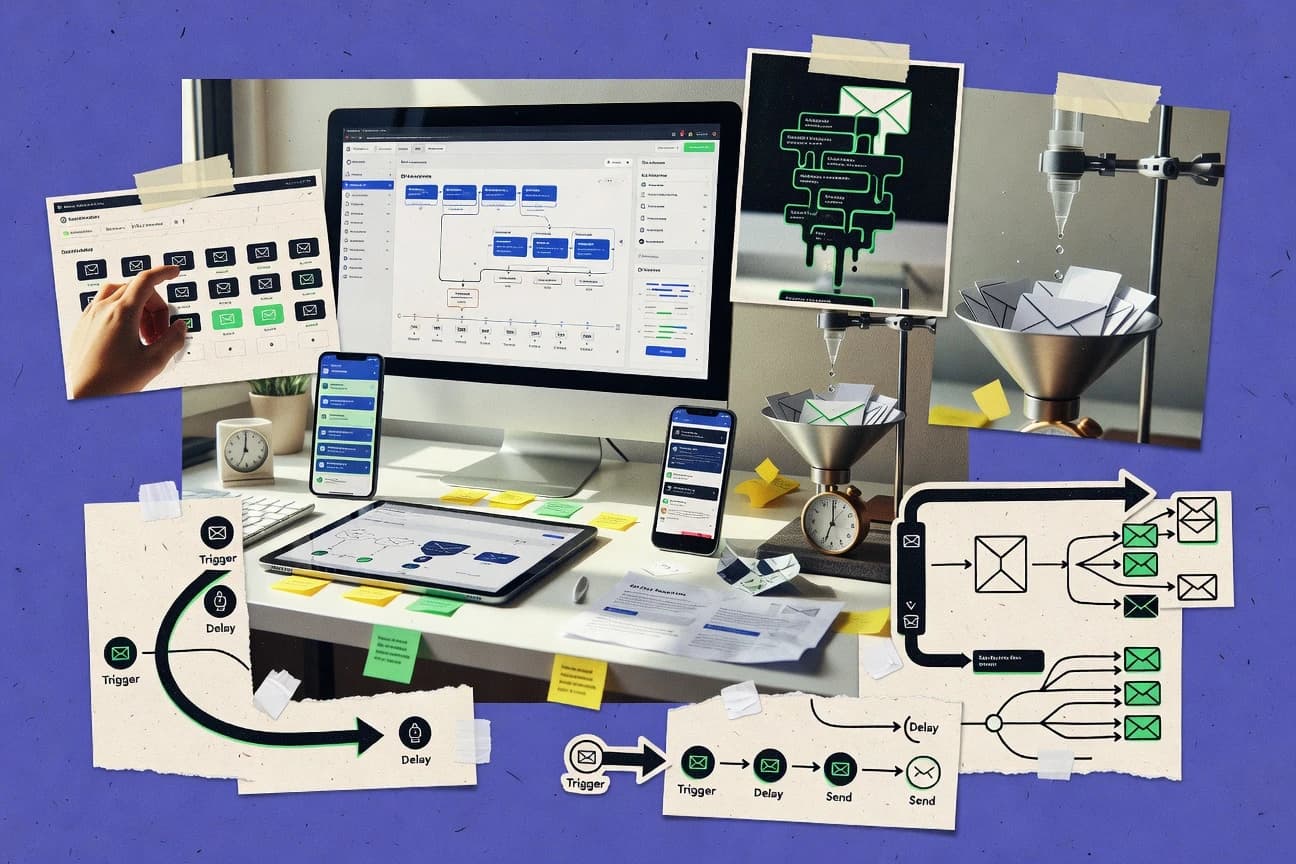
Ranking of the top 10 drip email software tools by features and pricing, with tradeoffs for teams using platforms like Moosend, Lemlist, and Salesloft.

How we ranked these tools
Core product claims cross-referenced against official documentation, changelogs, and independent technical reviews.
Analyzed video reviews and hundreds of written evaluations to capture real-world user experiences with each tool.
AI persona simulations modeled how different user types would experience each tool across common use cases and workflows.
Final rankings reviewed and approved by our editorial team with authority to override AI-generated scores based on domain expertise.
Score: Features 40% · Ease 30% · Value 30%
Gitnux may earn a commission through links on this page — this does not influence rankings. Editorial policy
Salesloft is the best choice when your sales team needs CRM-aware, cadence-based drip sequences with conditional next steps and admin governance, whereas Moosend fits growth or lifecycle teams that want event-driven visual drips backed by API inputs.
Editor’s top 3 picks
Three quick recommendations before you dive into the full comparison below — each one leads on a different dimension.
Salesloft
Conditional workflow branching that routes contacts by reply and engagement outcomes inside the same sequence build.
Built for fits when sales teams need CRM-aware drip sequences with conditional next steps and strong admin governance..
Moosend
Editor pickVisual workflow builder that turns contact behavior events into conditional drip steps with scheduled delays.
Built for fits when growth and lifecycle teams need event-driven drip workflows with API-backed event inputs..
Lemlist
Editor pickPer-step personalization variables let each recipient receive tailored subjects and message variants inside one sequence.
Built for fits outbound teams running personalized multi-touch sequences that need per-step control and tracking..
Comparison Table
Salesloft
enterpriseSales engagement platform with cadence-based drip email automation.
Conditional workflow branching that routes contacts by reply and engagement outcomes inside the same sequence build.
Salesloft’s core strength is orchestrating multi-step outreach where email timing, content, and next actions depend on CRM context and behavioral signals. The workflow builder supports conditional steps so a contact can be routed into different paths based on outcomes like reply status and link engagement. Sequence configuration can reuse templates and personalization tokens so cadence stays consistent across teams.
A tradeoff is that advanced automation depends on clean CRM data and consistent activity logging, because campaign branching and reporting follow those inputs. It fits best for sales orgs that already run account-based processes in a CRM and need sequence logic that reacts to contact events without building custom code.
Operationally, manageability improves when teams separate sequence ownership by role and keep shared templates tightly versioned so updates do not break ongoing campaigns.
- +CRM-synced outreach steps change based on real contact and activity signals
- +Workflow builder supports conditional branching beyond linear email cadences
- +Template and token-based personalization keeps sequence content consistent
- +Team-level sequence management supports repeatable governance across reps
- –Effective branching requires reliable CRM activity capture and list hygiene
- –Complex sequences take time to configure and QA for edge cases
- –Reporting depth depends on disciplined event tracking across integrations
Sales development teams
Route leads after replies
Faster handoffs to sales
Account executives
Coordinate multi-touch re-engagement
Higher meeting conversion
Show 2 more scenarios
Revenue operations teams
Standardize outreach governance
Lower operational drift
Manage sequence ownership and shared templates across teams to keep execution consistent.
Sales managers
Monitor sequence performance by cohort
Better coaching inputs
Review engagement-driven outcomes tied to sequence logic and CRM attributes.
Best for: Fits when sales teams need CRM-aware drip sequences with conditional next steps and strong admin governance.
Moosend
SMBEmail marketing and automation platform with visual drip campaign builders.
Visual workflow builder that turns contact behavior events into conditional drip steps with scheduled delays.
Moosend is a strong fit for teams that want a clear automation workflow builder with behavioral trigger logic, plus segmentation rules that drive which contacts receive which steps. Campaign execution supports recurring email cadence and multi-touch sequences with engagement timeline control through scheduled delays. Deliverability controls like double opt-in and an unsubscribe mechanism help meet common compliance expectations for email operations.
A tradeoff is that advanced routing across multiple systems depends on either API integration work or webhook-based event ingestion, so complex cross-system governance takes extra engineering or process discipline. Moosend fits best when a team can model key events and fields in advance, then translate them into automation configuration for consistent follow-up journeys.
- +Behavior-triggered automation supports conditional branching per contact event
- +Dynamic segmentation rules keep drip audiences aligned to event criteria
- +API integration and webhooks support external event ingestion
- +Clear unsubscribe mechanism and double opt-in support email compliance work
- –Complex multi-system workflows require API or webhook implementation effort
- –Deep workflow governance can be harder without strict naming and versioning
- –List hygiene tooling relies more on process than built-in cleanup controls
- –Attribution across multi-channel journeys is limited to email context
Lifecycle marketing teams
Abandoned checkout nurture with event timing
Higher recovery from drop-offs
Revenue operations teams
CRM synced segmentation for lead nurturing
Cleaner routing to campaigns
Show 2 more scenarios
Product analytics teams
In-app events mapped to drip triggers
Faster responses to usage
Feeds behavioral trigger events from external systems into automation for timely outreach.
Customer marketing teams
Onboarding multi-touch email journeys
Better activation through onboarding
Builds multi-step nurture sequences that adapt based on engagement milestones.
Best for: Fits when growth and lifecycle teams need event-driven drip workflows with API-backed event inputs.
Lemlist
SMBPersonalized cold email platform with automated drip campaign sequences.
Per-step personalization variables let each recipient receive tailored subjects and message variants inside one sequence.
Lemlist’s core workflow centers on building email sequences with step-level targeting, variable personalization tokens, and scheduling rules that determine who gets which follow-up. The system is designed for high-volume outbound where each recipient can receive a distinct message body and subject line while still staying inside one managed cadence. Engagement tracking ties back to the sequence so campaign managers can observe opens and clicks and adjust future steps through updated content variants.
A key tradeoff is that complex governance requires active admin discipline since segmentation, list hygiene, and send-time rules are configured at the campaign and audience level rather than enforced through strict role-based workflow constraints. Lemlist fits teams that run outbound multi-touch sequences for specific job functions and want message-level personalization without building custom automation logic.
- +Step-level message personalization supports distinct subjects and bodies per recipient
- +Campaign scheduling enables consistent email cadence across multi-touch sequences
- +Engagement tracking remains attached to each sequence step for reporting
- +CRM syncing supports keeping contact status aligned with outreach activity
- –Advanced routing logic needs careful setup when audiences overlap across sequences
- –Deliverability controls rely on user-maintained list hygiene discipline
- –Complex approval and audit workflows are limited for larger governance models
- –Dynamic content rules are less granular than template-heavy email tools
Sales development teams
Personalized follow-ups for cold prospects
Higher reply rate from tailored outreach
Recruiting coordinators
Nurture candidates by interest signals
More candidate engagement
Show 1 more scenario
Partnership managers
Multi-touch outreach to niche partner roles
More qualified partner conversations
Use segmentation rules to route prospects into role-specific sequence tracks with personalized messaging.
Best for: Fits outbound teams running personalized multi-touch sequences that need per-step control and tracking.
GetResponse
SMBEmail marketing platform with visual marketing automation for drip campaigns.
Marketing automation workflows can branch on engagement and timing to route contacts into different nurture sequences.
GetResponse combines drip campaign automation with marketing site features and built-in list management. The workflow builder supports behavioral trigger events, email cadence control, and multi-step nurture sequences.
It also includes marketing automations that can branch based on subscriber activity and segmentation rules. GetResponse pairs contact lifecycle controls with email personalization tools and deliverability-focused list hygiene features.
- +Workflow builder supports branching drip logic from behavioral triggers
- +Segmentation rules can drive different nurture paths by engagement
- +Dynamic content support helps personalize messages per subscriber fields
- +Built-in list hygiene tools reduce bounce and stale contact exposure
- –API surface coverage is thinner for complex event routing than some competitors
- –Advanced lead scoring requires careful workflow design to avoid overlap
- –Custom data synchronization can require more setup than basic CRM sync
- –Deliverability controls need ongoing list management discipline
Best for: Fits when teams need trigger-based drip sequences with segmentation and personalization, plus operational controls for contact quality.
Keap
SMBSales and marketing automation platform with drip email campaign builders.
Native CRM-linked workflow triggers that update contact records while running scheduled nurture steps.
Keap builds drip campaign workflows that trigger on CRM and form events, then schedule email cadence through nurture sequences. It pairs those sequences with contact management and sales pipeline automation, so leads can move from signup to follow-up without exporting data.
Keap also supports segmentation and personalization tokens inside campaign content. Admin controls focus on user access to automations and marketing assets, with activity records tied to key workflow actions.
- +CRM event triggers run nurture sequences with automatic contact updates
- +Workflow builder covers multi-step branching for email cadence
- +Dynamic personalization tokens fill subject lines and email bodies
- +Segmentation rules reuse contact attributes across campaigns
- –Complex branching increases testing time before production sends
- –API coverage and webhook behavior require careful validation for edge events
- –List hygiene and bounce handling need ongoing operational monitoring
- –Deliverability tuning depends on disciplined sender setup
Best for: Fits when sales-led teams want drip follow-ups tied to CRM activity.
Zoho Campaigns
SMBEmail marketing automation tool with journey builders for drip campaigns.
Zoho Campaigns can start and branch nurture sequences using contact and CRM event context synced from Zoho apps.
Zoho Campaigns fits teams already using the Zoho CRM ecosystem and want drip email sequences driven by customer and lead behavior inside Zoho. It supports nurture workflows built from segmentation rules, scheduled email cadence, and multi-step campaign stages with personalization tokens.
Zoho Campaigns adds automation around contact lists with event-based triggers and tools for deliverability hygiene like bounce handling and unsubscribe management. Reporting focuses on engagement metrics such as open and click-through rate to track sequence performance over time.
- +Tight Zoho CRM and Zoho Contacts syncing for lead targeting
- +Visual workflow builder for multi-step nurture sequence logic
- +Dynamic content fields for tailoring messages by contact attributes
- +Deliverability controls include bounce tracking and unsubscribe handling
- –Drip triggers are strongest inside Zoho data, not external event streams
- –Advanced automation requires more setup than rule-based drip tools
- –Reporting is less granular on per-step attribution than CRM-native journeys
- –Workflow changes can be slow when rebuilding complex sequences
Best for: Fits when Zoho CRM users need drip sequences with strong CRM sync and manageable automation.
Benchmark Email
SMBEmail marketing software with drag-and-drop drip campaign automation.
Sequence-level reporting that maps open and click results back to specific drip steps and variations.
Benchmark Email focuses on building drip campaign content and scheduling with a workflow builder that supports multi-step nurture sequences. Behavioral trigger rules can move contacts through email cadence with dynamic content blocks inside templates. Segmentation controls and A/B testing cover common nurture optimization points, while unsubscribe handling supports required opt-out behavior. Send reporting ties performance back to campaign and step outcomes so teams can adjust content and timing.
- +Workflow builder for multi-step nurture sequences without heavy technical setup
- +Segmentation rules support targeted drip paths by contact attributes
- +Built-in A/B testing for subject lines and email variants
- +Detailed send reporting that breaks performance down by campaign
- –Advanced routing logic needs careful configuration when sequences get complex
- –Automation depth is limited for multi-system workflows without external integration
- –Template reuse across many sequences can feel manual at scale
- –Deliverability tooling is less granular than specialized email systems
Best for: Fits when teams need manageable drip automation with segmentation and testing, without engineering support.
Autoklose
SMBEmail automation platform with drip campaign sequences for sales outreach.
Timed wait nodes plus conditional routing inside a single visual workflow for multi-touch drip paths.
Autoklose focuses on building drip campaign email flows with a workflow builder that supports triggers, waits, and step-by-step sequencing. It also supports segmentation rules so contacts can be routed into different nurture paths based on list, event, or lifecycle conditions.
For operational control, it includes deliverability-oriented sending controls and contact hygiene features such as bounce handling and unsubscribe compliance mechanisms. Autoklose differentiates most when marketers need repeatable automation that connects nurture steps to practical campaign operations.
- +Workflow builder supports timed waits and branching nurture sequences
- +Segmentation rules enable conditional routing into different campaign paths
- +Bounce handling and unsubscribe mechanisms reduce list hygiene risk
- +Campaign step design supports multi-touch email cadences
- –Advanced personalization needs careful token mapping across steps
- –Deliverability controls are present but not as granular as some competitors
- –API automation depth is limited for complex custom routing logic
- –Debugging multi-step trigger behavior can be slow without visibility tools
Best for: Fits when teams need trigger-based drip sequences with conditional branching and disciplined list hygiene.
Woodpecker.co
SMBCold email software with automated drip sequence and follow-up logic.
Sequence builder with step-level conditional logic that enrolls contacts based on prior engagement.
Woodpecker.co automates multi-step drip email campaigns with event-based sends and configurable follow-ups tied to engagement. It pairs a workflow builder for nurture sequences with contact management tools for segmentation, list hygiene, and deliverability control through sending settings.
Built-in analytics track opens and clicks across the engagement timeline to support iteration of subject lines and cadence. The product also exposes integration and automation options so CRM data and behavioral actions can drive routing and campaign enrollment.
- +Workflow builder supports multi-touch sequences with conditional branching
- +Engagement reporting ties opens and clicks back to specific campaign steps
- +Segmentation and list hygiene features reduce sending friction over time
- +API and automation hooks help CRM sync and trigger-driven routing
- –Automation rules can become complex to maintain across long sequences
- –Dynamic personalization depends on configured token fields and data mapping
- –Deliverability controls require careful setup to protect sender reputation
Best for: Fits when sales and marketing teams need conditional drip sequences tied to CRM and engagement signals.
Drip
SMBE-commerce revenue optimization platform with advanced drip automations.
Behavioral drip automation that triggers sequences from product and site events, then routes contacts through conditional steps.
Drip centers behavioral triggered email marketing for ecommerce teams that need event-based drip sequences and tight audience control. Its workflow builder connects segmentation rules to campaign logic, including dynamic content blocks and multi-step nurture flows.
Drip also supports lead capture patterns like tags and custom fields, which feed routing decisions and personalization tokens. For teams that want integration control, Drip offers an API surface plus webhooks for syncing events and status changes with external systems.
- +Behavior-driven automation links events to multi-step drip sequences
- +Strong segmentation using tags, custom fields, and saved audiences
- +Dynamic content blocks adapt messages to contact attributes
- +API and webhooks support bidirectional event and data syncing
- –Workflow complexity rises quickly with many branches and conditions
- –Advanced attribution and reporting require careful campaign design
- –List hygiene and engagement tracking depend on consistent event ingestion
- –Governance across multiple campaign owners can require extra process discipline
Best for: Fits when ecommerce teams need event-based nurture and segmentation with API-driven integration control.
Conclusion
After evaluating 10 marketing advertising, Salesloft stands out as our overall top pick — it scored highest across our combined criteria of features, ease of use, and value, which is why it sits at #1 in the rankings above.
Use the comparison table and detailed reviews above to validate the fit against your own requirements before committing to a tool.
How to Choose the Right drip email software
This buyer’s guide covers Salesloft, Moosend, Lemlist, GetResponse, Keap, Zoho Campaigns, Benchmark Email, Autoklose, Woodpecker.co, and Drip for drip email software workflows that route contacts based on engagement and timing.
Each tool review focuses on how conditional branching is built, how contact context is synced for enrollment, and how far the automation logic can go before setup and testing become the bottleneck.
Salesloft leads the set with reply and engagement outcome branching inside the same sequence build, while Moosend emphasizes a visual event-driven workflow builder for behavioral trigger inputs.
The rest of the lineup is assessed for workflow configuration control, integration depth, and the operational discipline required to keep routing accurate as audiences and sequences scale.
Drip email software for trigger-based sequences, conditional routing, and controlled automation
Drip email software automates multi-touch drip campaigns by enrolling contacts when trigger events fire, then applying scheduled delays, segmentation rules, and step-by-step routing decisions.
Workflow builders turn triggers and engagement outcomes into different nurture paths, which is handled through conditional branching inside Salesloft sequences and through behavior-triggered workflow steps in Moosend.
Tools in this set also differ in how they connect contact signals to actions, including how CRM activity updates flow into subsequent steps in Keap and how Zoho Campaigns starts and branches nurture sequences using Zoho CRM and Zoho app context.
Across the category, deliverability, unsubscribe handling, and list hygiene still matter because many conditional paths depend on consistent event capture and clean audience membership for accurate engagement timeline decisions.
Drip automation controls that determine routing accuracy and operational control
Drip email software wins or fails based on how workflow builders turn triggers and engagement signals into deterministic routing decisions. Conditional branching matters because delayed steps and multi-touch sequences can diverge quickly, which makes contact state capture and routing rules the real risk area.
Conditional workflow branching inside the same sequence builder
Salesloft routes contacts by reply and engagement outcomes using conditional workflow branching in the same sequence build. GetResponse and Autoklose also branch nurture paths based on engagement and timing signals.
Behavior-triggered enrollment with event-driven inputs
Moosend turns contact behavior events into conditional drip steps using a visual workflow builder with scheduled delays. Drip links product and site events to multi-step drip sequences and then routes contacts through conditional steps.
CRM-aware context updates during nurture execution
Keap runs native CRM-linked workflow triggers that update contact records while scheduled nurture steps run. Zoho Campaigns starts and branches sequences using contact and CRM event context synced from Zoho apps.
Step-level message control and per-recipient personalization variables
Lemlist provides per-step personalization variables that let each recipient receive tailored subjects and message variants inside one sequence. Benchmark Email maps open and click results back to specific drip steps and variations at the sequence level.
Reporting tied back to specific drip steps and variations
Benchmark Email includes sequence-level reporting that maps open and click outcomes to specific drip steps and variations. Woodpecker.co ties engagement reporting back to specific campaign steps for conditional sequences.
Extensibility for multi-system workflows beyond a single app
Moosend supports event-driven workflows but can require API or webhook work for complex multi-system routing. Salesloft branches effectively, but requires reliable CRM activity capture and list hygiene to keep branches accurate.
Choose drip software by the trigger-to-route pipeline it can run without breaking
A good selection starts by mapping the trigger event source to the routing logic that must use it. The key split is whether the product assumes CRM-native context or requires external event streams and integrations. The next decision is whether administrators can manage complexity as sequences grow, because complex branching increases setup and QA time before production sends.
Match the trigger source to how enrollment events are ingested
If enrollment must originate from product and site events, Drip and Moosend align with event-driven drip entry points. If enrollment is anchored in CRM-linked activity, Keap and Zoho Campaigns keep the trigger context native to CRM records.
Pick the branching model that fits how routing decisions must be maintained
If reply and engagement outcomes must drive conditional next steps inside one sequence, Salesloft’s branching design fits sales outreach flows. If routing needs visual, behavior-driven branching with scheduled delays, Moosend’s workflow builder model matches those requirements.
Confirm step-level message variability and experimentability needs
If each touch requires tailored subjects and distinct message variants per recipient, Lemlist supports per-step personalization variables. If step-level measurement back to specific variations drives optimization cycles, Benchmark Email and Woodpecker.co provide step-mapped reporting.
Evaluate how the platform behaves when audiences overlap across sequences
If the operating model uses overlapping audiences and many concurrent sequences, Lemlist routing and routing logic need careful setup to avoid overlap issues. If the workflow model is narrower and CRM-linked, Keap and Zoho Campaigns reduce overlap risk by rooting triggers in the CRM record lifecycle.
Test multi-system routing depth against real integration effort
For workflows spanning multiple systems, Moosend can require API or webhook implementation effort for complex event routing. For longer sequence trees, Salesloft branching requires CRM activity capture quality and list hygiene to prevent routing drift.
Plan QA time for edge cases created by branching complexity
If branching depends on reliable contact and activity signals, Salesloft and GetResponse need edge-case QA before production sends. If routing logic is managed by timed waits and conditional routes, Autoklose supports those nodes but needs careful configuration when personalization and token mapping span steps.
Who benefits from this category’s routing-heavy drip workflows
Drip software with conditional branching is a fit when nurture decisions must change based on engagement timing, replies, or event signals instead of only static segmentation. Teams also need governance discipline when workflows grow long and branching increases QA requirements. The right tool depends on whether CRM activity updates are part of the routing logic or whether external events drive enrollment into the sequence.
Sales teams running CRM-aware follow-ups with reply- and engagement-based next steps
Salesloft routes by reply and engagement outcomes inside the same sequence build and requires reliable CRM activity capture. Keap also links CRM event triggers to nurture steps with automatic contact updates.
Growth and lifecycle teams that want event-driven drip enrollment from behavioral activity
Moosend converts behavior events into conditional drip steps using a visual workflow builder with scheduled delays. Drip triggers sequences from product and site events and then routes through conditional steps.
Outbound teams that need per-touch message tailoring and controlled multi-touch sequences
Lemlist supports per-step personalization variables so subjects and message variants can change inside one sequence. Woodpecker.co supports conditional logic that enrolls contacts based on prior engagement with engagement reporting mapped to steps.
Zoho CRM operators who want drip workflows grounded in Zoho data context
Zoho Campaigns uses contact and CRM event context synced from Zoho apps to start and branch nurture sequences. This reduces reliance on external event streams for trigger context.
Teams that need step-level performance attribution for drip optimization
Benchmark Email provides sequence-level reporting that maps open and click results to specific drip steps and variations. Woodpecker.co also ties engagement outcomes back to specific campaign steps.
Common mistakes that break conditional drip logic
Most failure cases come from routing decisions that depend on signals that are incomplete, mis-mapped, or delivered inconsistently across steps. Conditional workflows also create maintenance risk when edge cases accumulate without test coverage. Fixing the mistakes requires configuration discipline and careful QA across branch outcomes, not just adding more triggers.
Building branching workflows without verifying CRM activity capture quality
Salesloft branching depends on reliable CRM activity capture, so list hygiene and signal completeness must be validated before production sends. Keap also requires careful validation of webhook and API behavior for edge events.
Using overlapping audiences across multiple sequences without controlling routing logic
Lemlist advanced routing needs careful setup when audiences overlap across sequences. Test overlap scenarios with a small cohort so enrollment and routing stay deterministic.
Assuming multi-system workflows work out of the box without integration effort
Moosend complex multi-system workflows can require API or webhook implementation effort for event inputs. Benchmark Email can cover multi-step nurture sequences without heavy technical setup, but automation depth can be limited without external integration.
Treating step-level personalization as a freeform configuration task
Autoklose advanced personalization needs careful token mapping across steps. Lemlist supports per-step personalization variables, but advanced routing logic still needs careful setup for correctness.
Skipping QA for edge cases created by complex conditional timing trees
GetResponse branching can route contacts into different nurture paths based on engagement and timing, which increases design risk if lead scoring overlaps. Salesloft and other branching-first tools require time to configure and QA for edge cases.
How We Selected and Ranked These Tools
We evaluated conditional branching depth, event-driven enrollment behavior, and how workflow builders route contacts based on engagement and timing, because routing accuracy drives outcomes in Drip email software. Features received 40% weight based on how each product handles branching, personalization per step, and reporting mapped back to specific Drip steps and variations.
Ease and value each received 30% weight based on configuration complexity, testing burden, and the operational effort needed to keep routing accurate when sequences get complex. Salesloft ranked highest because conditional workflow branching routes contacts by reply and engagement outcomes inside the same sequence build with CRM-synced outreach steps that change based on real contact and activity signals.
Frequently Asked Questions About drip email software
How do Salesloft and Moosend differ in handling CRM-driven drip triggers?
Which tool provides a workflow builder with per-step message variation for a multi-touch sequence?
When should teams pick GetResponse over Zoho Campaigns for segmentation-driven nurture branching?
What breaks if email automation relies on waiting and routing logic but the tool has limited wait nodes?
How do Drip and Autoklose handle behavioral triggers from external systems?
Which platform gives the clearest sequence-level performance mapping back to specific drip steps?
How do Keap and Salesloft support admin controls for automation governance?
What tradeoff appears when a tool ties workflow triggers to CRM fields versus event inputs from external sources?
How should teams approach data migration and contact state continuity before turning on a behavioral drip workflow?
Tools reviewed
Primary sources checked during evaluation.
Referenced in the comparison table and product reviews above.
- Marketing AdvertisingTop 10 Best Email Drip Campaign Software of 2026
- Marketing AdvertisingTop 10 Best Email Template Builder Software of 2026
- Marketing AdvertisingTop 10 Best Email Scraper Software of 2026
- Communication MediaTop 10 Best Email Newsletters Software of 2026
- Marketing AdvertisingTop 10 Best Automated Email Software of 2026
Keep exploring
Comparing two specific tools?
Software Alternatives
See head-to-head software comparisons with feature breakdowns, pricing, and our recommendation for each use case.
Explore software alternatives→In this category
Marketing Advertising alternatives
See side-by-side comparisons of marketing advertising tools and pick the right one for your stack.
Compare marketing advertising tools→