
GITNUXSOFTWARE ADVICE
Consumer RetailTop 10 Best Dispensary Pos Software of 2026
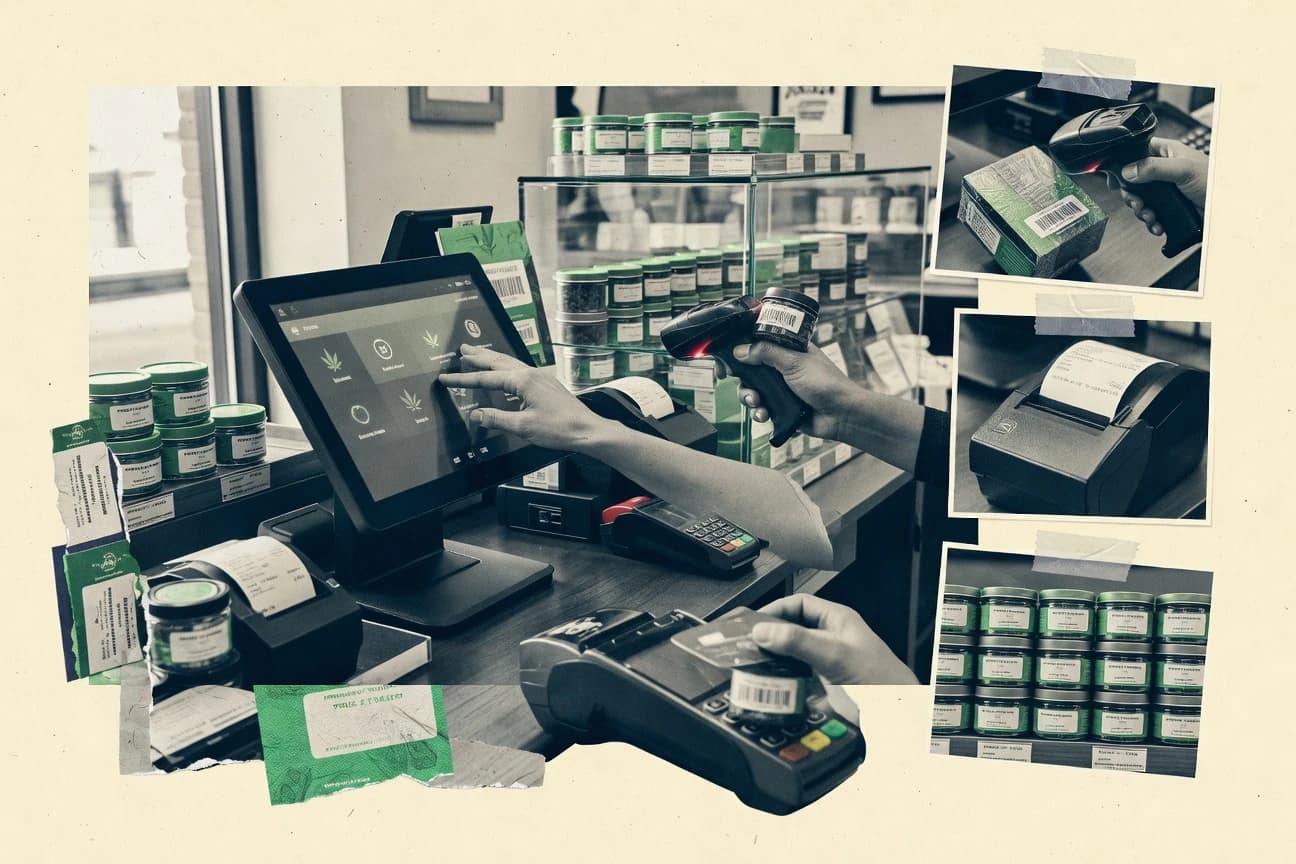
Top 10 dispensary pos software ranked for inventory, sales tracking, and compliance, with tradeoffs for Meadow, IndicaOnline, Alleaves.

How we ranked these tools
Core product claims cross-referenced against official documentation, changelogs, and independent technical reviews.
Analyzed video reviews and hundreds of written evaluations to capture real-world user experiences with each tool.
AI persona simulations modeled how different user types would experience each tool across common use cases and workflows.
Final rankings reviewed and approved by our editorial team with authority to override AI-generated scores based on domain expertise.
Score: Features 40% · Ease 30% · Value 30%
Gitnux may earn a commission through links on this page — this does not influence rankings. Editorial policy
Meadow is the best fit if you run multi-location dispensaries and need POS-to-system sync with tight admin control, while IndicaOnline works well for teams that want controlled POS workflows plus state-aligned reconciliation and tighter day-to-day coordination.
Editor’s top 3 picks
Three quick recommendations before you dive into the full comparison below — each one leads on a different dimension.
Meadow
API-driven integration jobs coordinate external inventory and compliance synchronization with POS transactions.
Built for fits when multi-location dispensaries need POS-to-synchronization automation with strong admin control..
IndicaOnline
Editor pickBarcode label and receiving workflow design that keeps store operations consistent across budtenders and shifts.
Built for fits when dispensary teams need controlled POS workflows plus reconciliation that stays aligned to state systems..
Alleaves
Editor pickInventory and catalog logic designed for barcode scanning and repeatable product mapping across shifts.
Built for fits when multi-budtender dispensaries need controlled workflows and strong daily reconciliation..
Comparison Table
Meadow
vertical specialistCannabis retail software with POS, ecommerce, inventory, and customer relationship features.
API-driven integration jobs coordinate external inventory and compliance synchronization with POS transactions.
Meadow’s core POS flow covers barcode-driven sales entry, menu and product catalog management, tax and pricing calculations, and receipt-level audit trails for each transaction. Inventory control is handled through dispensary-grade item and movement tracking so reconciliation can be performed against recorded sales and adjustments. Meadow’s differentiator is its integration surface for automated data exchanges rather than manual exports, including connectivity for state track-and-trace feeds and related inventory synchronization needs.
A key tradeoff is that deeper compliance and integration coverage can require careful configuration of tax rules, product mappings, and item identifiers before the first operational run. Meadow fits best for teams that want to reduce reconciliation effort by routing sales, inventory movements, and external system updates through consistent automation. It is also a stronger fit when multiple stores share governance standards like RBAC and reporting structure rather than each location operating with independent process variance.
- +Integration-first POS flow reduces manual inventory reconciliation work
- +Centralized multi-location configuration supports consistent menus and tax rules
- +Transaction audit trail supports governance reviews by manager role
- +Extensibility through API-based data exchanges supports automation
- –Product and identifier mapping must be correct to prevent sync drift
- –Advanced compliance workflows require structured admin governance discipline
- –Some reporting layouts need configuration effort for each location
- –Operational changes may depend on integration job timing windows
Ops managers
Standardize sales and reconciliation across stores
Lower variance in month-end close
Compliance leads
Route regulated data to reporting
Fewer manual exception entries
Show 2 more scenarios
Inventory controllers
Automate inventory movements and adjustments
Faster discrepancy resolution
Inventory controllers use synchronized data to keep stock counts aligned with sales.
Retail managers
Control access and audit transaction history
More reliable internal accountability
Managers use role-based access and audit trails to monitor operator actions.
Best for: Fits when multi-location dispensaries need POS-to-synchronization automation with strong admin control.
IndicaOnline
SMBCannabis POS software for sales, inventory, compliance, delivery, and customer management.
Barcode label and receiving workflow design that keeps store operations consistent across budtenders and shifts.
IndicaOnline covers core dispensary POS workflows including product catalog management, POS tendering, and inventory reconciliation routines tied to sales and adjustments. Operational control features include role-based access for staff, configuration of store policies, and reporting views for supervisors and owners. The integration layer matters for dispensaries that require state track-and-trace synchronization, because it determines whether inventory and package status can be kept aligned automatically.
A practical tradeoff is that deeper automation and reconciliation quality depend on correct item setup, barcode conventions, and disciplined receiving and transfers. IndicaOnline fits best when a store has stable SKU and strain definitions and wants consistent cashier workflows with fewer manual inventory corrections. It is also a fit when leadership wants governance through staff permissions and repeatable daily closing processes.
- +Role-based staff permissions for sales, receiving, and admin screens
- +Barcode-driven receiving and label workflows to reduce manual entry
- +Inventory reconciliation tied to sales and adjustments for daily control
- +Reporting screens that support supervisor review and day-end closure
- –Track-and-trace automation quality depends on state integration configuration
- –Some advanced workflows require careful catalog and barcode setup
- –Multi-location operations increase admin overhead for shared items
- –Complex tax and limit rules can require more configuration effort
Dispensary operations managers
Standardize daily closing and reconciliation
Fewer inventory surprises
Inventory and compliance teams
Reduce manual package and lot handling
Cleaner compliance records
Show 2 more scenarios
Multi-location retail leads
Keep catalog and access consistent
More uniform execution
Use staff permissions and shared product setup to reduce inconsistent store processes.
Cashiers and budtenders
Speed up sales and returns
Faster checkout
Use menu and POS screens to complete transactions with fewer search steps.
Best for: Fits when dispensary teams need controlled POS workflows plus reconciliation that stays aligned to state systems.
Alleaves
vertical specialistCannabis business software providing POS, inventory, compliance, and retail management functions.
Inventory and catalog logic designed for barcode scanning and repeatable product mapping across shifts.
Alleaves supports dispensary retail operations with day-to-day POS functions like fast menu item entry, barcode scanning, and order-level transaction recording. Inventory handling centers on SKU and product readiness so teams can reconcile what was sold against what was stocked. Reporting covers sales and operational outputs that map to compliance narratives such as product movement and shift-level activity.
A practical tradeoff appears in rollout effort because deeper automation and sync patterns depend on careful setup of product catalogs and operational rules before training starts. Alleaves fits best when a dispensary needs tight control over order entry and inventory outcomes across a shift, then uses reporting to validate daily operations.
- +Configurable budtender workflows reduce manual edits during peak rushes
- +Barcode-first item entry speeds catalog selection at the POS
- +Role-based access limits who can change inventory and price rules
- +Shift reporting supports transaction review and operational reconciliation
- –Catalog setup effort is high before consistent sales and inventory results
- –Advanced governance requires disciplined configuration across locations
- –Some compliance edge cases may need manual procedures outside core reports
- –Integration testing can add time when synchronizing external systems
Dispenser operations managers
Daily shift reconciliation and approvals
Fewer end-of-day surprises
Budtender teams
Fast order capture under time pressure
Quicker checkout flow
Show 2 more scenarios
Compliance officers
Operational reporting for audits
Cleaner audit prep
Teams generate sales and activity reports that support product movement narratives and internal reviews.
IT and systems admin
Controlled access across locations
Reduced change risk
Administrators enforce role permissions so only approved users can adjust sensitive inventory settings.
Best for: Fits when multi-budtender dispensaries need controlled workflows and strong daily reconciliation.
Flowhub
vertical specialistCannabis dispensary POS software with compliance, inventory, reporting, and customer tools.
Flowhub ties ecommerce menu publishing to the POS product catalog so online orders follow the same item configuration.
Flowhub brings dispensary POS workflows plus online ordering and menu publishing into one operating layer. It focuses on automation around inventory and sales execution, including daily reconciliation hooks for retail staff and managers.
The integration surface centers on state track-and-trace syncing and catalog alignment so product and package states stay consistent across systems. Admin control is oriented around store configuration, operator permissions, and reporting for regulatory-facing operations.
- +Workflow automation reduces manual steps between menu, orders, and POS entries
- +State track-and-trace synchronization keeps package state aligned with sales
- +Online ordering and menu publishing support reduces catalog drift across channels
- +Operational reporting supports audit-friendly reconciliation of daily transactions
- –Configuration for taxes, limits, and catalog rules can be time-intensive
- –Some advanced governance needs depend on disciplined role setup by managers
Best for: Fits when multi-location teams need tighter catalog and ordering alignment with compliance-grade inventory syncing.
BioTrack
enterpriseCannabis seed-to-sale software with dispensary POS, inventory, compliance, and reporting tools.
Package and lot-aware retail inventory reconciliation tied directly into POS line selection and sales correction workflows.
BioTrack runs cannabis dispensary POS workflows for order capture, line-item sales entry, and receipt-level transaction handling tied to product and package identifiers. The system focuses on inventory reconciliation with seed-to-sale compliance expectations, including lot and batch visibility at the retail level.
BioTrack also supports pharmacy-style customer profile tracking for medical and adult-use contexts, and it includes menu and catalog management to keep store displays aligned with registered products. Admin tools cover multi-location operations, user access control, and audit-oriented reporting for regulated sales and adjustments.
- +Inventory reconciliation uses lot and batch context for fewer guessing steps
- +Customer profile handling supports medical and adult-use flows in one POS
- +Barcode-driven product selection reduces mis-ring risk during rush periods
- +Multi-location workflows support consistent handling of store-level sales limits
- –State track-and-trace integration depends on correct external mapping
- –Advanced automation requires disciplined configuration across menus and packaging rules
Best for: Fits when dispensaries need tight package-level inventory control with governed retail workflows across multiple locations.
Dutchie POS
enterpriseCannabis retail POS software with inventory, compliance, payments, and ecommerce integrations.
Tight linkage between checkout transactions and customer ordering flows to keep menu availability and POS sales aligned.
Dutchie POS is built for dispensary retail operations with a focus on integrating menus, ordering flows, and day-to-day POS transactions in one system. It supports cannabis retail workflows like product catalog management, barcode-led selling, and order management for in-store and pickup use cases.
For compliance-minded teams, it offers reporting that ties sales activity back to tracked products and supports operational controls around what can be sold. Dutchie POS is distinct in how it centers customer-facing ordering experiences alongside POS processes rather than treating e-commerce as a separate tool.
- +Order and POS workflows share product and pricing context to reduce duplicate entry.
- +Barcode-driven selling shortens staff steps during peak rush periods.
- +Operational reports connect sales outcomes to the catalog used at checkout.
- +Configuration supports multi-location workflows without forcing separate catalogs.
- –State-specific compliance behaviors require careful configuration discipline.
- –Some advanced inventory reconciliation steps may need supplemental operational process.
Best for: Fits when teams want POS and customer ordering workflows integrated for faster fulfillment across locations.
Treez
enterpriseCannabis retail software covering POS, inventory, analytics, and customer engagement.
Barcode-driven dispensing workflow with lot-aware transaction mapping that keeps corrections traceable to specific packages.
Treez differentiates by centering retail dispensing workflows on rapid gun-to-counter operations plus structured compliance reporting. The solution supports dispensary POS functions like menu browsing, barcode-based product selection, and sales transaction logging tied to required identity and purchase rules.
Treez also focuses on inventory reconciliation and lot-aware handling so stores can keep on-hand quantities aligned with regulatory expectations. For teams that need consistent operations across locations, Treez provides admin configuration tools and controlled access to keep sales and inventory actions governed.
- +Budtender workflows keep the checkout flow tight with barcode-first item selection
- +Inventory reconciliation supports lot and package level operations for traceable adjustments
- +Compliance reporting ties sales transactions to regulatory outputs used for audits
- +Admin controls cover user permissions across dispensary shifts and locations
- –Advanced setups for state-specific rules require careful configuration discipline
- –Integration depth with external ordering systems can require additional project work
- –Ecommerce menu synchronization is limited if the store maintains multiple catalogs
- –Some reconciliation edge cases need manual handling instead of guided automation
Best for: Fits when multi-location dispensaries need fast POS workflows, controlled permissions, and lot-aware inventory reconciliation.
Cova
enterpriseCannabis POS and retail management software for dispensaries and multi-store operators.
Barcode-driven item selection that preserves lot and batch context through receiving and sales so reconciliation stays aligned.
Cova provides dispensary cannabis point-of-sale workflows that focus on daily retail execution rather than a generic retail model. Its core capabilities center on barcode-driven product selection, sales transactions tied to customer records, and inventory movement that supports lot and batch tracking during receiving and sales.
Cova also supports compliance-oriented outputs used by retail teams for ongoing reporting and audit workflows. Admin controls and configuration features target multi-role dispensary operations where cash handling, menu changes, and reconciliation steps must stay consistent.
- +Barcode-first selling reduces mis-keying during budtender transactions.
- +Lot and batch handling stays attached to receiving and sales movements.
- +Customer profile linkage supports compliant sales workflows at checkout.
- +Role-based controls help separate cashier, manager, and inventory tasks.
- –Advanced compliance reporting requires deliberate configuration work.
- –Third-party ecommerce and delivery syncs may need extra integration steps.
- –Multi-location inventory behaviors depend on consistent setup across sites.
- –Some workflow steps lack configurable automation at the store level.
Best for: Fits when dispensary teams need barcode speed, lot-aware inventory movement, and role separation for daily retail execution.
BLAZE
vertical specialistCannabis POS software with inventory, delivery, online ordering, and retail management features.
Configured menu and product catalog drive POS sales capture with consistent inventory movement throughout the transaction workflow.
BLAZE supports cannabis dispensary POS workflows with menu-driven sales, item scanning, and receipt-ready order capture for day-to-day retail transactions. Its core strength is coordinating retail operations tasks around the product catalog and SKU data so staff can sell without re-keying.
The system also targets compliance-ready workflows through inventory and sales recordkeeping tied to regulated reporting needs. Where BLAZE wins in practice is reducing manual reconciliation by keeping sales and on-hand movements consistent across the POS transaction flow.
- +Menu and SKU sales capture that reduces duplicate data entry
- +Transaction flow supports barcode-style scanning for faster budtender checkout
- +Inventory-facing recordkeeping helps reduce post-shift discrepancy work
- +Role-restricted staff usage supports daily operational separation
- –Automation depends on integrations, not on built-in merchandising intelligence
- –Advanced compliance reporting still requires disciplined operator workflows
- –Some retail edge cases can require manual adjustments to reconcile inventory movements
- –Multi-location governance needs careful permission and configuration planning
Best for: Fits when dispensaries need fast POS checkout tied to consistent SKU inventory movement and straightforward compliance documentation.
POSaBIT
vertical specialistCannabis retail technology combining POS, payments, compliance, and business management tools.
Inventory is driven by POS sales and counter actions, keeping reconciliation aligned to each ticket’s item movements.
POSaBIT targets dispensary retail teams that need POS workflows tied to inventory movement and regulatory reporting. Core capabilities include item and menu management for daily sales, barcode-friendly scanning at the counter, and purchasing and receiving workflows that support inventory reconciliation.
Operational controls focus on user permissions for day-to-day roles, plus reporting views for sales and inventory status. Automation strength is concentrated around sales capture, inventory updates, and system-to-system data exchange for compliance and operational visibility.
- +Counter workflows use barcode scanning to reduce manual item entry
- +Sales capture updates inventory state for day-to-day reconciliation
- +Role-based permissions support separation between selling and receiving tasks
- +Reporting covers sales and inventory status needed for shift reviews
- –Advanced compliance mappings can require careful configuration
- –Some integrations depend on partner data formats and timing
- –Menu and item setup is front-loaded during initial catalog build
- –Multi-location coordination can add process overhead for shared items
Best for: Fits when single or multi-location dispensaries need POS sales capture tied to inventory updates and standard reporting.
Conclusion
After evaluating 10 consumer retail, Meadow stands out as our overall top pick — it scored highest across our combined criteria of features, ease of use, and value, which is why it sits at #1 in the rankings above.
Use the comparison table and detailed reviews above to validate the fit against your own requirements before committing to a tool.
How to Choose the Right dispensary pos software
Dispensary pos software ties checkout to regulated inventory workflows, including lot and batch behavior, package state movement, and sales capture that supports compliance reporting needs. This guide covers Meadow, IndicaOnline, Alleaves, plus Flowhub, BioTrack, Dutchie POS, Treez, Cova, BLAZE, and POSaBIT so readers can compare inventory accuracy paths, sales tracking mechanics, and compliance synchronization depth.
The practical differences show up in integration behavior, barcode-driven workflow design, and how each product handles mapping between POS items and state systems. Meadow is evaluated for API-driven integration jobs that coordinate external inventory and compliance synchronization with POS transactions. IndicaOnline and Alleaves are evaluated for barcode-first execution that keeps receiving and budtender workflows consistent across shifts.
Dispensary POS software for regulated sales tracking, inventory reconciliation, and compliance sync
Dispensary pos software is a cannabis retail checkout system that records transactions tied to item and identifier mapping, then uses that ticket history to update inventory and support reconciliation. It typically includes barcode label printing, controlled budtender workflows, and lot or batch-aware handling so sales corrections remain traceable to specific packages.
A key differentiator is how deeply the POS connects to state track-and-trace systems and external ordering or menu flows. Meadow focuses on API-driven integration jobs that coordinate external inventory and compliance synchronization with POS transactions. Flowhub ties ecommerce menu publishing to the POS product catalog so online orders follow the same item configuration, reducing catalog drift between channels.
Dispensary POS evaluation criteria for compliance, inventory, and identifier mapping
The core feature set separates dispensary POS software that records sales from software that keeps inventory, lot and batch context, and package state aligned to regulatory systems. Measuring integration depth, barcode-first workflow behavior, and reconciliation mechanics shows which products reduce manual corrections when daily volume spikes.
API-driven integration and transaction-linked synchronization
Meadow coordinates external inventory and compliance synchronization with POS transactions through API-driven integration jobs. This reduces drift risk when multiple systems need consistent timing between ticket capture and regulated data updates.
Barcode-first workflows for receiving, labels, and budtender execution
IndicaOnline designs barcode label and receiving workflows to keep store operations consistent across budtenders and shifts. Alleaves also emphasizes barcode-first item entry that maps repeatably across shifts for controlled daily execution.
Lot and package aware reconciliation tied to POS line selection
BioTrack links package and lot aware retail inventory reconciliation to POS line selection and sales correction workflows. Treez extends lot-aware transaction mapping so corrections remain traceable to specific packages.
Menu and catalog alignment across POS and online ordering
Flowhub ties ecommerce menu publishing to the POS product catalog so online orders follow the same item configuration. Dutchie POS also keeps checkout and customer ordering workflows sharing product and pricing context to reduce duplicate catalog entry.
Admin governance for role separation and consistent multi-location configuration
IndicaOnline uses role-based staff permissions for sales, receiving, and admin screens to constrain workflow access. Meadow supports centralized multi-location configuration so menus and tax rules stay consistent while administrators govern advanced compliance workflows.
How to choose dispensary POS software by integration behavior and workflow governance
Selection depends on where reconciliation errors originate. Errors can come from external system mapping, from barcode and label setup, or from tax and limit configuration that differs between menu and POS catalog. The right choice follows the workflow model the dispensary can actually govern, because multiple products shift effort into different setup areas like catalog rules, barcode labels, and state integration configuration.
Choose the synchronization model that matches current state integration responsibility
If integration work should be coordinated automatically around POS transactions, Meadow fits because it runs API-driven integration jobs that synchronize external inventory and compliance. If the operating model centers on controlled in-store processes with consistent receiving and labels, IndicaOnline can align reconciliation with state systems while keeping store execution standardized.
Pick the workflow engine based on whether labels drive execution or menus drive execution
If barcode scanning and label production should be the primary speed and accuracy mechanism, IndicaOnline and Alleaves both prioritize barcode-first receiving or item entry. If ecommerce catalog configuration must mirror POS configuration to reduce channel drift, Flowhub ties menu publishing to the POS product catalog for aligned ordering.
Validate that lot and package context survives the full correction loop
If corrections must be grounded in package and lot context during retail inventory reconciliation, BioTrack applies package-level inventory reconciliation tied to POS line selection. If traceable corrections at the transaction mapping layer are the priority, Treez maps dispensing workflows with lot-aware transaction mapping so adjustments remain tied to specific packages.
Test multi-location consistency through configuration centralization and role boundaries
If multi-location consistency is managed centrally, Meadow supports centralized multi-location configuration so menus and tax rules can remain consistent across locations. If workflow access needs clear operational boundaries between budtenders and administrators, IndicaOnline includes role-based permissions for sales, receiving, and admin screens.
Stress-test setup workload against the team that will own it
If the team can invest time in catalog and barcode setup to prevent sync drift, Alleaves and IndicaOnline both make barcode and identifier mapping central to daily accuracy. If the business expects heavier tax, limits, and catalog-rule configuration time, Flowhub can demand time-intensive setup for taxes, limits, and catalog rules before governance becomes stable.
Who dispensary POS software fits best
Dispensary teams should match software choice to how their retail floor and back office handle identifiers, packaging, and corrections. The strongest matches are usually determined by whether the dispensary relies on automation-driven synchronization or on barcode-driven execution during peak rushes. Multi-location operators also need to decide whether centralized configuration or per-location discipline will carry the compliance burden.
Multi-location dispensaries that need POS-to-synchronization automation
Meadow is a fit when POS transactions must trigger coordinated inventory and compliance synchronization through API-driven integration jobs. Centralized multi-location configuration also supports consistent menus and tax rules across stores.
Teams that standardize receiving and labels to reduce manual entry
IndicaOnline fits when barcode label and receiving workflow design must stay consistent across budtenders and shifts. Role-based staff permissions also control access across sales, receiving, and admin screens.
Operations that require package-level traceability during corrections
BioTrack fits when package and lot context must drive retail inventory reconciliation tied to POS line selection and sales correction workflows. Treez fits when lot-aware transaction mapping must keep corrections traceable to specific packages.
Dispensaries running POS plus ecommerce ordering under one catalog
Flowhub fits when ecommerce menu publishing must map directly to the POS product catalog so online orders follow the same configuration. Dutchie POS fits when checkout transactions and customer ordering workflows share product and pricing context to reduce duplicate entry.
Budtender-heavy stores that depend on barcode-first checkout speed
Alleaves fits when barcode-first item entry and configurable budtender workflows reduce manual edits during rush periods. Treez also fits when barcode-driven dispensing workflows keep checkout tight with lot-aware transaction mapping.
Common dispensary POS software pitfalls that cause reconciliation drift
Most failures come from mapping gaps between what the POS records and what state systems expect. Another common failure is treating barcode and catalog setup as a one-time task when governance discipline actually determines day-to-day accuracy. These pitfalls show up as sales captured under one configuration but reconciled under another configuration.
Allowing product and identifier mapping inconsistencies that break sync over time
Meadow depends on correct product and identifier mapping to prevent sync drift between POS transactions and external synchronization jobs. Barcode and catalog rules should be validated with a repeatable test flow before go-live.
Underestimating the setup depth required for tax, limits, and catalog rules
Flowhub can require time-intensive configuration for taxes, limits, and catalog rules before ecommerce and POS alignment stays stable. A governance plan for who owns those rules is needed because managers must set role expectations for configuration work.
Treating lot and package context as optional during corrections
BioTrack ties reconciliation and corrections to lot and package context through POS line selection, so bypassing lot-aware steps can increase guessing during corrections. Treez also keeps corrections traceable through lot-aware transaction mapping, which requires consistent barcode-driven workflows to maintain traceability.
Shipping barcode-first workflows without enforcing disciplined barcode and catalog setup
IndicaOnline and Alleaves both rely on correct barcode setup to keep receiving and item selection aligned to the right identifiers. Advanced workflow accuracy depends on careful catalog and barcode setup, so training and validation should be part of the operational rollout.
How We Selected and Ranked These Tools
We evaluated Meadow, IndicaOnline, Alleaves, Flowhub, BioTrack, Dutchie POS, Treez, Cova, BLAZE, and POSaBIT against inventory reconciliation behavior, sales capture mechanics, and compliance synchronization depth. Features carried 40% weight, and ease and value each carried 30% weight. Meadow led the ranking because API-driven integration jobs coordinate external inventory and compliance synchronization with POS transactions while centralized multi-location configuration supports consistent menus and tax rules.
Frequently Asked Questions About dispensary pos software
How does Meadow coordinate POS transactions with external compliance synchronization?
Which tool provides the most controlled barcode label workflow for budtender receiving and selling?
What breaks if a multi-location rollout lacks standardized admin configuration in Alleaves?
How does Flowhub keep ecommerce menu publishing aligned with the POS product catalog?
When does BioTrack’s package and lot-aware reconciliation change the way staff correct sales?
What user-access model differences matter for security and audit trails between Treez and Cova?
How do Dutchie POS and BLAZE differ in how checkout ties back to customer-facing ordering flows?
Which tool is better suited for rapid gun-to-counter dispensing with lot-aware transaction mapping?
How does POSaBIT handle inventory updates when counter actions drive sales capture?
Tools reviewed
Primary sources checked during evaluation.
Referenced in the comparison table and product reviews above.
- Consumer RetailTop 10 Best Cloud Retail Pos Software of 2026
- Regulated Controlled IndustriesTop 10 Best Dispensary Software of 2026
- Consumer RetailTop 10 Best Grocery Store Pos & Inventory Management Software of 2026
- Consumer RetailTop 10 Best Gas Station Pos Software of 2026
- Consumer RetailTop 10 Best Flower Shop Pos Software of 2026
Keep exploring
Comparing two specific tools?
Software Alternatives
See head-to-head software comparisons with feature breakdowns, pricing, and our recommendation for each use case.
Explore software alternatives→In this category
Consumer Retail alternatives
See side-by-side comparisons of consumer retail tools and pick the right one for your stack.
Compare consumer retail tools→