
GITNUXSOFTWARE ADVICE
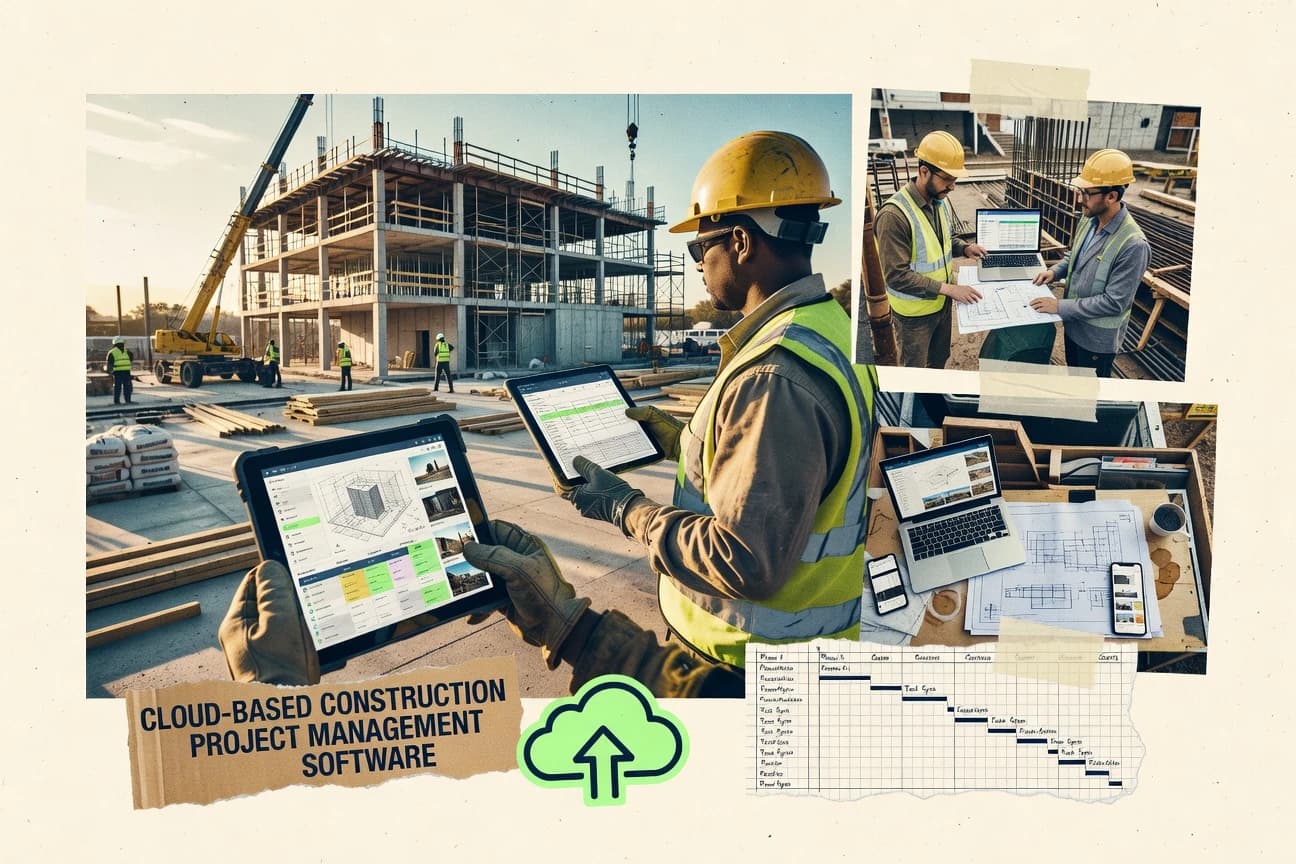
Construction InfrastructureTop 10 Best Cloud Based Construction Project Management Software of 2026
Ranking roundup of cloud based construction project management software, covering Autodesks Construction Cloud, STACK, and Oracle Primavera Cloud for teams.

How we ranked these tools
Core product claims cross-referenced against official documentation, changelogs, and independent technical reviews.
Analyzed video reviews and hundreds of written evaluations to capture real-world user experiences with each tool.
AI persona simulations modeled how different user types would experience each tool across common use cases and workflows.
Final rankings reviewed and approved by our editorial team with authority to override AI-generated scores based on domain expertise.
Score: Features 40% · Ease 30% · Value 30%
Gitnux may earn a commission through links on this page — this does not influence rankings. Editorial policy
Autodesk Construction Cloud is the best fit for large teams that need connected design, field, document, and quantity workflows end to end, while STACK is the smarter alternative if you want takeoff, estimating, and bid-to-field coordination in one place.
Editor’s top 3 picks
Three quick recommendations before you dive into the full comparison below — each one leads on a different dimension.
Autodesk Construction Cloud
Unified Autodesk project data connects Docs, Build, BIM Collaborate, and Takeoff across design and delivery workflows.
Built for fits when large construction teams need connected design, field, document, and quantity workflows..
STACK
Editor pickIntegrated takeoff-to-project workflow carries quantities and estimate context from preconstruction into active project management.
Built for fits when contractors need takeoff, estimating, bidding, and field coordination in one connected workspace..
Oracle Primavera Cloud
Editor pickIntegrated risk analysis connects Monte Carlo simulations to schedule activities and forecast completion confidence.
Built for fits when project controls teams need integrated schedule, resource, cost, and risk governance across programs..
Comparison Table
Autodesk Construction Cloud
enterpriseAutodesk Construction Cloud connects project management, document control, design coordination, and field execution.
Unified Autodesk project data connects Docs, Build, BIM Collaborate, and Takeoff across design and delivery workflows.
Autodesk Construction Cloud covers document control, RFIs, submittals, observations, quality checks, safety records, and progress reporting across connected modules. BIM Collaborate adds model coordination, clash workflows, and design issue tracking, while Takeoff connects quantities with project documentation. Granular permissions, activity histories, and configurable approval workflows support governance across owners, general contractors, designers, and subcontractors.
The breadth creates a steeper implementation burden than narrower project management products. Teams managing a large hospital project can use Build for field records, Docs for controlled drawings, BIM Collaborate for coordination, and Takeoff for quantity review within one project environment.
- +Connects Docs, Build, BIM Collaborate, and Takeoff through shared project records
- +Autodesk Platform Services APIs support custom integrations and data extraction
- +Granular permissions and activity histories support multi-company governance
- +Native model coordination links design issues with project documentation
- –Cross-module configuration requires deliberate permission and workflow planning
- –Some advanced workflows depend on separate Autodesk modules
- –Reporting across modules can require data preparation and custom dashboards
- –Mobile field access depends on reliable synchronization for remote sites
General contractors
Coordinate multi-trade commercial projects
Fewer disconnected project records
Design coordination teams
Review federated building models
Earlier coordination decisions
Show 2 more scenarios
Estimating departments
Link quantities to documents
Traceable quantity revisions
Takeoff associates measured quantities with drawing revisions and project files for coordinated estimate updates.
Owner project teams
Govern multi-project documentation
Controlled project information
Docs applies permission structures, version histories, and approval workflows across portfolios and external contributors.
Best for: Fits when large construction teams need connected design, field, document, and quantity workflows.
STACK
vertical specialistSTACK combines cloud takeoff, estimating, bid management, and construction project information.
Integrated takeoff-to-project workflow carries quantities and estimate context from preconstruction into active project management.
STACK combines digital plan takeoff with estimate assembly and subcontractor outreach, reducing transfers between preconstruction and operations. The platform supports centralized construction document management, project templates, permission controls, file versioning, daily reporting, punch tracking, and field documentation. Its web-based deployment suits contractors managing multiple active projects across offices and jobsites.
The tradeoff is narrower coverage for advanced scheduling, cost-loaded planning, and construction accounting than larger enterprise suites. STACK fits a general contractor preparing bids from uploaded drawings, inviting trades, converting awarded work into an active project, and tracking field progress from mobile devices.
- +Connects digital takeoff quantities with estimate development and bid preparation
- +Centralizes drawings, specifications, files, forms, and field records
- +Supports subcontractor invitations, bid comparisons, and bid package management
- +Offers reusable templates for recurring project and field workflows
- –Advanced critical-path scheduling is less developed than in dedicated scheduling systems
- –Accounting workflows depend on integrations rather than a native ledger
- –Large organizations may need careful permission and template administration
- –Complex enterprise reporting can require exports or connected systems
General contracting firms
Convert awarded bids into active projects
Fewer preconstruction handoffs
Preconstruction managers
Prepare multi-trade bid packages
More consistent bid comparisons
Show 2 more scenarios
Field project managers
Capture daily site activity
Faster project documentation
Supervisors record progress, issues, photos, tasks, and completion items from mobile field access.
Specialty subcontractors
Estimate work from digital plans
Reduced manual measurement
Estimators measure scope directly from uploaded drawings and organize quantities for bid submission.
Best for: Fits when contractors need takeoff, estimating, bidding, and field coordination in one connected workspace.
Oracle Primavera Cloud
enterpriseOracle Primavera Cloud combines construction scheduling, cost control, risk management, and portfolio planning.
Integrated risk analysis connects Monte Carlo simulations to schedule activities and forecast completion confidence.
Oracle Primavera Cloud supports construction scheduling with activity relationships, constraints, calendars, resource assignments, progress updates, and critical path method analysis. Portfolio dashboards aggregate schedule, cost, risk, and resource information for program-level reporting. Permission controls and configurable workflows help standardize planning practices across project teams.
The tradeoff is a steeper learning curve than task-focused construction applications because the interface exposes enterprise scheduling concepts and extensive configuration options. Capital program teams can use probabilistic risk analysis to compare completion forecasts before approving recovery actions or reallocating resources.
- +Integrated P6 scheduling concepts support complex activity networks.
- +Monte Carlo risk analysis links uncertainty to completion forecasts.
- +REST APIs support integrations with external systems and Oracle applications.
- +Baseline schedule comparisons clarify variance and forecast movement.
- –Advanced scheduling concepts increase onboarding time for task-centric teams.
- –Document control and request workflows are less central than planning functions.
- –Some integrations require Oracle products or implementation work.
- –Field capture is less extensive than dedicated site collaboration products.
Capital program controls teams
Cross-project schedule risk reviews
Earlier contingency decisions
General contractors
Integrated master schedule governance
Controlled completion forecasts
Show 1 more scenario
Owner project controls offices
Resource demand planning
Fewer staffing conflicts
Resource assignments expose capacity conflicts across programs before mobilization decisions.
Best for: Fits when project controls teams need integrated schedule, resource, cost, and risk governance across programs.
Houzz Pro
SMBHouzz Pro combines construction project management with lead management, proposals, estimates, and client selections.
Job records connect client communication and shared project files, so drawings, photos, and messages stay in the same thread.
Houzz Pro pairs customer-facing marketing tools with job management for remodelers and small contractors, which is uncommon in construction project management software. It centralizes leads, estimates, scheduling, and document sharing so teams can move from inquiry to field delivery inside one workflow.
The system organizes drawings and files with versioning-style updates and provides mobile access for daily communication and progress photos. Houzz Pro also supports subcontractor and client communication threads tied to a job record, which reduces context switching between email and field notes.
- +Job-centered workflow connects leads, estimates, scheduling, and file sharing
- +Mobile access supports progress photos and quick field updates
- +Client and subcontractor communication stays tied to the same job record
- +Document sharing reduces manual transfer of drawings and project files
- –CPM planning and cost-loaded scheduling are not the focus of core scheduling tools
- –Deep change order and RFIs workflows require more discipline than project-first systems
- –Less extensible automation than tools built around documented integrations
- –Governance controls for multi-role permissions feel lighter than enterprise PM suites
Best for: Fits when a contractor needs one place for leads, job docs, and day-to-day field updates without heavy scheduling depth.
Procore
enterpriseProcore manages construction projects, documents, budgets, resources, and field workflows in one cloud platform.
Workflow-native RFIs and submittals with approval trails that attach decisions back to the project record set.
Procore manages daily construction workflows in one place, including documents, RFIs and submittals, and project reporting for the field. The system connects project records to role-based workstreams like approvals, change orders, and commitments so teams can track status from request to completion.
Procore also supports construction scheduling and cost controls through schedule baselines and commitment tracking tied to project activities. Extensibility comes through an integration ecosystem and an API surface used to sync project data with external accounting, ERP, and project tools.
- +Tight workflow coverage for RFIs, submittals, transmittals, and change orders
- +Document management supports drawing and spec control with revision-linked records
- +Commitment tracking ties scope commitments to progress and reporting
- +API and integrations support data sync with accounting and project tooling
- –Governance across many projects needs disciplined administration to avoid data sprawl
- –Some scheduling views require configuration to match specific baseline processes
- –Advanced automation often depends on integration setup rather than in-app rules
- –Large file histories can make document browsing slow on low-bandwidth connections
Best for: Fits when general contractors and subcontractor teams need governed workflows across documents, requests, approvals, and change tracking.
Buildxact
SMBBuildxact supports residential construction estimating, takeoffs, project scheduling, purchase orders, and budgets.
Bid package and tender outcomes tie directly into the project plan record, so changes propagate through delivery documentation.
Buildxact is a cloud-based construction project management system built around estimating, tendering, and project delivery workflows in one place. It supports document control for drawings and specifications, coordination of RFIs, submittals, and transmittals, and change order tracking tied to project records.
Scheduling and progress tracking are structured to support construction reporting from field updates through commitment and cost visibility. The tool also connects construction accounting workflows through integration-ready project data exports and standard file handling.
- +Tightly connected estimating-to-project workflow reduces re-entry of bid data
- +Document control for drawings and specs keeps revisions centralized per project
- +RFIs, submittals, and transmittals stay linked to the originating communication
- +Progress and reporting flows support routine field-to-office updates
- –CPM-style critical path modeling requires careful setup and may be limited
- –Extending workflows beyond standard project records needs disciplined configuration
- –Some integrations depend on external accounting processes and mapping
- –Large multi-site rollups can feel heavy if teams run separate templates
Best for: Fits when mid-market builders need linked estimating, controlled documents, and everyday field reporting without building custom workflows.
Knowify
SMBKnowify manages construction jobs, estimates, contracts, budgets, labor, scheduling, and billing.
Template-driven project records that keep field observations, photos, and document revisions connected for audit-ready traceability.
Knowify ties construction project communication, document control, and field progress capture into a single cloud workspace instead of splitting work across separate apps. Teams can manage drawing and specification revisions, track commitments and work status, and collect daily field updates with photo attachments.
Change-related information can be organized so it stays linked to the project record rather than living in scattered emails and spreadsheets. The system centers on project templates and repeatable workflows to standardize how each project team records RFIs, submittals, and operational notes.
- +Centralized project record that connects field updates to documents and activities
- +Drawing and document revision handling supports traceable change histories
- +Project templates standardize daily reporting and workflow across multiple jobs
- +Mobile-ready daily field capture with photos reduces offline reporting friction
- –Limited visibility into schedule calculations compared with full CPM-focused tools
- –Automation depth depends on workflow setup rather than fine-grained event triggers
- –Extensibility options beyond the UI are less evident for complex integrations
- –Role controls need careful template governance to prevent inconsistent entry practices
Best for: Fits when mid-size builders need document-linked daily reporting and controlled revisions across active sites.
Contractor Foreman
SMBContractor Foreman provides construction scheduling, estimates, documents, tasks, inspections, and client communication.
Field-centric daily reporting with photo attachments that remain linked to project records for later review.
Contractor Foreman is a cloud-based construction project management system built around field-to-office coordination, including mobile capture for daily reporting and photo evidence. It supports project controls workflows such as RFIs, submittals, and change orders, with document management centered on revision tracking.
Scheduling features focus on baseline and look-ahead planning inputs, then tie activity updates to job progress evidence. Contractor Foreman also tracks subcontractor commitments and work packages so that reporting reflects who is doing what and when.
- +Mobile daily reports with photos reduce back-and-forth with the office
- +RFIs, submittals, and transmittals stay in a single request thread
- +Revision-aware document handling supports drawing and spec version control
- +Commitment tracking helps report subcontractor status against planned scope
- –APIs and automation hooks are not clearly positioned for high custom integration
- –Multi-project reporting can feel manual when consolidating many jobs at once
- –Workflow configuration depth is limited compared with construction ERP systems
- –Cost-loaded schedule inputs require careful planning to avoid duplicate fields
Best for: Fits when mid-size contractors need field-ready documentation plus change and request workflows in one system.
JobTread
SMBJobTread manages construction leads, estimates, contracts, schedules, budgets, selections, and client updates.
Daily reporting workflow that ties observations and attachments to actionable task follow-ups within each job.
JobTread is cloud-based construction project management software that organizes field work and project documents around job-centric workflows. The product focuses on daily reporting, submittal-style document handling, and change communication that connects observations to task follow-up.
JobTread also supports scheduling views that help teams track commitments against plans across phases. Admin configuration tools help manage users and permissions for project-based work.
- +Job-centric daily reports connect field observations to follow-up tasks
- +Document workflow reduces scatter across email and shared drives
- +Scheduling views support phase-level tracking without heavy customization
- +Project-specific permissions reduce accidental cross-job access
- –Limited depth for advanced scheduling methods like strict CPM control
- –Automation options depend on manual discipline for data completeness
- –API and integration surface area is not clearly positioned for bidirectional accounting sync
- –Deep construction accounting mappings require external configuration work
Best for: Fits when field teams need job workflows for daily reporting and document control.
BuildBook
SMBBuildBook organizes residential construction schedules, budgets, tasks, selections, documents, and client messages.
Mobile daily reports that attach progress photos and field observations to the same project objects used for RFI and submittal routing.
BuildBook is cloud-based construction project management software aimed at project teams that need daily field capture and schedule coordination in one workflow. The system supports field observations, progress photos, RFIs and submittals, and document control tied to project activities.
It also covers work planning with task structures and status tracking that roll up across job phases. BuildBook focuses on repeatable job routines and mobile-first usage for on-site updates.
- +Mobile field capture for daily reports with photos tied to specific locations
- +Integrated RFI and submittal workflow reduces handoff across project roles
- +Document versioning keeps drawing and specification uploads aligned to work
- +Task status rollups support look-ahead planning without spreadsheet syncing
- –Advanced change control needs disciplined mapping between field logs and orders
- –Limited visibility for deep critical-path methodology compared with CPM-first tools
- –Reporting is workable but not as customizable as database-driven PM suites
- –External system integrations depend on supported connectors and workflow patterns
Best for: Fits when field teams need mobile updates, document control, and RFI routing with consistent daily workflows.
Conclusion
After evaluating 10 construction infrastructure, Autodesk Construction Cloud stands out as our overall top pick — it scored highest across our combined criteria of features, ease of use, and value, which is why it sits at #1 in the rankings above.
Use the comparison table and detailed reviews above to validate the fit against your own requirements before committing to a tool.
How to Choose the Right cloud based construction project management software
This buyer’s guide covers cloud based construction project management software across Autodesk Construction Cloud, Oracle Primavera Cloud, and Procore, plus STACK, Buildxact, Houzz Pro, Knowify, Contractor Foreman, JobTread, and BuildBook. It emphasizes integration depth across documents, field records, requests, and planning outputs, with specific attention to API and automation surfaces where products connect modules.
Each included tool review maps day-to-day field workflows and governed documentation processes to how project controls teams track schedule, cost, and change outcomes. Autodesk Construction Cloud is the top-ranked tool, with unified project records connecting Docs, Build, BIM Collaborate, and Takeoff.
Cloud-based construction project management software for construction records, requests, and planning in one system
Cloud based construction project management software centralizes construction documentation and delivery workflows in a shared cloud environment so teams can coordinate drawing and specification control, daily field reporting, and managed requests tied to the same project records. Procore and Autodesk Construction Cloud both focus on governed workflows that attach RFIs, submittals, transmittals, and change order decisions back to project sets, so documentation stays auditable across teams. Tools in this category also differ in how deeply they support scheduling and risk governance, with Oracle Primavera Cloud emphasizing Monte Carlo risk analysis connected to schedule activities and completion confidence.
Other products prioritize connected preconstruction-to-delivery workflows, with STACK linking digital takeoff quantities and bid preparation context into active project management records. Across all tools, extensibility and automation are evaluated by how the system supports integrations and custom workflow behavior through documented APIs and configurable permission paths.
Integration and governance features that tie field work to project records
Cloud based construction project management succeeds when documentation, requests, and delivery outputs share the same project record so decisions stay traceable across roles. The tools below differ most in how far their integrations reach into drawings, specs, RFIs, submittals, change orders, and planning artifacts.
Unified project record across design, documents, and delivery modules
Autodesk Construction Cloud connects Docs, Build, BIM Collaborate, and Takeoff through shared project records across design and delivery workflows. Procore and Knowify also centralize document-linked records, but Autodesk Construction Cloud spans broader design-to-quantity connections across multiple Autodesk modules.
Workflow-native RFIs, submittals, transmittals, and change order trails
Procore provides workflow-native RFIs and submittals with approval trails that attach decisions back to the project record set. Contractor Foreman and BuildBook both keep request threads tied to project objects, but Procore’s governed coverage reaches deeper across approvals and routing.
Bid package and estimating outputs that propagate into delivery records
Buildxact ties bid package and tender outcomes directly into the project plan record so changes propagate through delivery documentation. STACK connects digital takeoff quantities and estimate development into bid preparation, while Buildxact emphasizes controlled documents and estimating-to-project linkage.
Schedule and risk governance with schedule-model integration depth
Oracle Primavera Cloud connects Monte Carlo simulations to schedule activities and forecast completion confidence with integrated schedule governance for complex activity networks. Autodesk Construction Cloud supports planning connected to unified project records, while Primavera Cloud is the more schedule-first option.
Field reporting and media capture linked to actionable follow-ups
JobTread ties daily reporting with observations and attachments to actionable task follow-ups within each job. Contractor Foreman and BuildBook also attach progress photos to project objects, but JobTread’s follow-up task linkage is the core differentiator for day-to-day field execution.
Extensibility and integration surface for custom automation
Autodesk Construction Cloud includes Autodesk Platform Services APIs for custom integrations and data extraction from connected modules. Autodesk Construction Cloud and STACK both support integrations, but Autodesk Construction Cloud’s cross-module permissions and shared records support more end-to-end automation patterns.
How to choose cloud based construction project management software by integration depth
Start by mapping the project’s primary workflow loop. Field documentation and governed requests must attach to the same project records as drawings and specifications to keep approvals auditable.
Pick a system where the project record is the anchor for documents and requests
If the requirement is a single shared project record that connects drawing and spec control outputs to RFIs and change decisions, Autodesk Construction Cloud and Procore match that anchor model. Procore focuses on governed request workflows, while Autodesk Construction Cloud extends the anchor across connected design and takeoff workflows.
Choose schedule depth based on whether the team runs CPM-style modeling
If advanced critical path method modeling and integrated schedule risk governance are central, Oracle Primavera Cloud is built around integrated P6 scheduling concepts and Monte Carlo risk analysis tied to schedule activities. If scheduling is secondary to document governance and field execution, Buildxact and BuildBook emphasize linked estimating, document control, and mobile daily workflows.
Decide whether preconstruction takeoff-to-bid context must flow into active delivery
If preconstruction quantities must carry estimate context into active project management, STACK’s takeoff-to-project workflow carries quantities and estimate context into bid preparation. Buildxact also connects estimating into project records, but it emphasizes bid package and tender outcomes that propagate through delivery documentation.
Test governance throughput across multi-project administration
If the portfolio includes many projects, Procore requires disciplined administration to avoid data sprawl across projects and governed workflows. Autodesk Construction Cloud can require deliberate cross-module permission and workflow planning, so an admin runbook and workflow mapping exercise should be part of the evaluation.
Confirm what automation hooks exist for custom field-to-office integration
If custom automation and integration breadth are required, Autodesk Construction Cloud’s Autodesk Platform Services APIs enable custom integrations and data extraction across connected modules. Contractor Foreman provides field-centric daily reporting, but its APIs and automation hooks are not clearly positioned for high custom integration needs.
Validate whether the product’s daily reporting model drives follow-up work
If daily logs must convert into job tasks with minimal manual translation, JobTread connects daily reports to actionable task follow-ups within each job. If the need is mainly mobile capture plus request routing to keep RFI and submittal workflows consistent, BuildBook emphasizes mobile field capture attached to project objects.
Who should buy each cloud based construction project management tool
Different teams prioritize different workflow centers. Document-first governed request workflows fit general contractors and subcontractor networks that need approvals across documents.
Large construction teams running connected design-to-delivery workflows
Autodesk Construction Cloud fits teams that want unified Autodesk project data connecting Docs, Build, BIM Collaborate, and Takeoff through shared project records across design and delivery workflows.
General contractors and subcontractor networks managing governed request lifecycles
Procore fits teams that need workflow-native RFIs and submittals with approval trails that attach decisions back to the project record set across documents and change tracking.
Project controls teams building schedule risk governance from activity networks
Oracle Primavera Cloud fits teams that want integrated risk analysis connecting Monte Carlo simulations to schedule activities and forecast completion confidence with integrated P6 scheduling concepts.
Mid-market builders that require estimating-linked documents and daily field reporting
Buildxact fits teams that need bid package and tender outcomes tied into the project plan record with document control for drawings and specs and everyday field reporting.
Field teams that need mobile photo capture and request routing tied to project objects
BuildBook and Contractor Foreman fit teams that need mobile daily reports with photos and a single request thread for RFIs, submittals, and transmittals tied to project records.
Common buying and rollout mistakes for cloud based construction project management
Mistakes usually come from choosing a tool that fits one workflow lane and then discovering the integration model does not meet cross-team governance needs. Another common failure comes from treating administration and permission mapping as an afterthought.
Selecting for daily reporting only and then discovering that governed request trails do not map cleanly back to project decisions
Procore and Autodesk Construction Cloud emphasize request coverage that attaches decisions back to the project record set, while JobTread and BuildBook focus on daily reporting with task or routing linkages that still need workflow mapping.
Assuming advanced scheduling exists at the same depth as schedule-first platforms
Oracle Primavera Cloud provides integrated P6 scheduling concepts and Monte Carlo risk analysis tied to schedule activities, while STACK and BuildBook have less developed CPM planning and deep critical-path visibility.
Underestimating admin and workflow planning when permission paths span multiple modules
Autodesk Construction Cloud requires deliberate cross-module configuration and workflow planning for shared project records, and Procore governance across many projects needs disciplined administration to avoid data sprawl.
Planning custom integrations without validating the automation surface needed for high custom event triggers
Autodesk Construction Cloud provides Autodesk Platform Services APIs and data extraction support, while Contractor Foreman does not clearly position APIs and automation hooks for high custom integration needs.
Buying without testing how bid package or takeoff changes propagate into delivery records
Buildxact ties bid package and tender outcomes directly into the project plan record, while STACK links takeoff and estimate development into bid preparation, so both require workflow testing to confirm change propagation expectations.
How We Selected and Ranked These Tools
We evaluated cloud based construction project management tools on integration depth across documents, field records, requests, and planning outputs. Features received 40 percent of the scoring, ease and value received 30 percent each, and remaining criteria supported integration and governance fit.
Autodesk Construction Cloud earned the top rank because unified Autodesk project data connects Docs, Build, BIM Collaborate, and Takeoff through shared project records, and Autodesk Platform Services APIs support custom integrations and data extraction across modules. The scoring also rewarded breadth of workflow coverage and the ability to keep decisions attached to the same project record set across design and delivery.
Frequently Asked Questions About cloud based construction project management software
How do integrations and APIs typically connect construction project management data to accounting systems?
Which tools support single sign-on and role-based access for project teams working across multiple sites?
How is data migration handled when moving documents, drawings, and project history into a new cloud platform?
When teams need configuration without code, what admin controls matter most for managing users and workflows?
What breaks if a construction team tries to run drawing and specification control in a tool that does not support governed document workflows?
Which platform is better suited for schedule-driven project controls that require critical path style planning and risk forecasting?
How do tools differ in connecting RFIs, submittals, and transmittals to downstream change order and status tracking?
Where does field progress capture fall short if teams need bid packages and preconstruction tender outcomes to drive execution?
What deployment and workflow differences show up for mobile field reporting across daily logs and inspection evidence?
Tools reviewed
Primary sources checked during evaluation.
Referenced in the comparison table and product reviews above.
- Construction InfrastructureTop 10 Best Cloud Based Construction Accounting Software of 2026
- Business FinanceTop 10 Best Cloud Based Project Management Software of 2026
- Construction InfrastructureTop 10 Best Construction Project Cost Tracking Software of 2026
- Construction InfrastructureTop 10 Best Cloud Based Electrical Estimating Software of 2026
- Manufacturing EngineeringTop 10 Best Cloud Based Production Management Software of 2026
Keep exploring
Comparing two specific tools?
Software Alternatives
See head-to-head software comparisons with feature breakdowns, pricing, and our recommendation for each use case.
Explore software alternatives→In this category
Construction Infrastructure alternatives
See side-by-side comparisons of construction infrastructure tools and pick the right one for your stack.
Compare construction infrastructure tools→