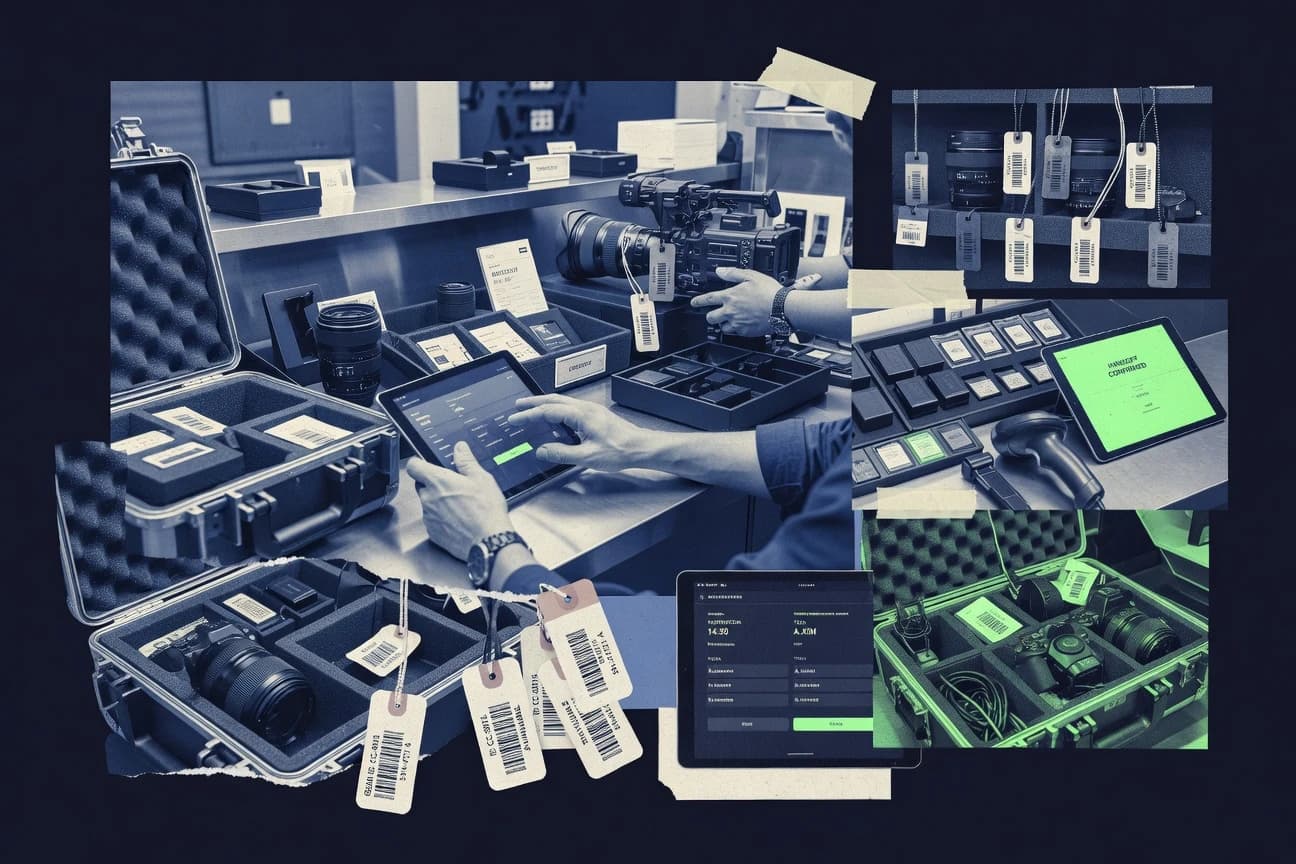
GITNUXSOFTWARE ADVICE
Equipment Rental LeasingTop 10 Best Camera Rental Software of 2026
Top 10 camera rental software ranked for inventory and booking management, including RentRabbit, RentWorks, and RentalPoint. Comparison included.

How we ranked these tools
Vendors set the topic, but our editors set the inclusion criteria and the evaluation framework before research starts.
AI search agents find sources, extract figures with provenance, and aggregate written reviews. They also transcribe video reviews and podcasts.
Framework: Features 40% · Ease 30% · Value 30%
Gitnux may earn a commission through links on this page — this does not influence rankings. Editorial policy
RentRabbit is the best fit for camera rental vendors where inventory accuracy and inspection traceability matter most, while RentWorks suits multi-staff camera operations that need controlled booking-to-signed-return workflows with fewer ad-hoc changes.
Editor’s top 3 picks
Three quick recommendations before you dive into the full comparison below — each one leads on a different dimension.
RentRabbit
Booking-linked check-out and check-in inspection capture ties condition notes to the same equipment records.
Best for: Fits when inventory accuracy and inspection traceability matter more than ad-hoc booking changes.
RentWorks
Editor pickDigital signature capture tied to rental agreement generation keeps paperwork and asset assignment synchronized.
Best for: Fits when multi-staff camera rental operations need controlled workflows from booking to signed return records.
RentalPoint
Editor pickBarcode and QR scanning that keeps serial number, condition, and paperwork aligned across the rental lifecycle.
Best for: Fits when camera rental teams need scanner-driven inspections with asset level traceability across bookings.
Comparison Table
RentRabbit
SMBOnline rental booking platform supporting niche equipment vendors including camera rentals.
Booking-linked check-out and check-in inspection capture ties condition notes to the same equipment records.
RentRabbit fits teams that need reservation workflow control tied to physical items, including serial-number-level item mapping and availability holds. Inspection steps during checkout and check-in connect condition reporting to future rental availability and reduce manual spreadsheet reconciliation. Inventory and booking states appear together, which helps prevent double-booking when returns are partially processed.
A key tradeoff is that the strongest accuracy depends on consistent barcode or asset label scanning and disciplined serial number assignment at intake. RentRabbit works best for operations that can enforce that scanning step at every handoff, like warehouse-driven teams or shops with a dedicated check desk. For teams that rarely scan assets or only track items at a category level, condition and chain-of-custody signals degrade quickly.
- +Inspection and condition steps attach to the exact booking record
- +Asset availability holds reduce overbooking risk during active rentals
- +Serial-level handling supports cameras, lenses, and accessories consistently
- +Reservation workflow ties directly into check-in and check-out operations
- –Accurate tracking depends on consistent scanning at every handoff
- –Advanced workflows require careful configuration of inventory and booking rules
Camera shop ops teams
Front desk checks and returns
Fewer mismatched returns
Rental inventory managers
Serial-controlled asset tracking
More reliable utilization reporting
Show 2 more scenarios
Studio equipment coordinators
Multi-item reservations for shoots
Reduced scheduling conflicts
Coordinator holds availability for camera bodies, lenses, and accessories on the same booking.
Warehouse fulfillment teams
Kitting and partial returns
Cleaner extension handling
Team tracks what ships and what returns so availability stays accurate.
Best for: Fits when inventory accuracy and inspection traceability matter more than ad-hoc booking changes.
RentWorks
enterpriseRental management software serving equipment and camera rental operations with inventory tracking and scheduling.
Digital signature capture tied to rental agreement generation keeps paperwork and asset assignment synchronized.
RentWorks is a good fit for camera rental teams that need tight coordination between bookings, item assignment, and check-in outcomes. The platform’s workflow coverage includes reservation management, rental agreement generation, and digital signature capture for customer paperwork. Asset identification and tracking help keep serial-level records tied to each rental cycle. Admin controls and operational visibility support ongoing governance across branches and staff roles.
A key tradeoff is that RentWorks configuration depth requires deliberate setup of catalog rules, asset attributes, and workflow steps before staff scale usage. Teams also need a process for scanning labels consistently at check-out and check-in to keep condition and chain-of-custody notes accurate. The tool fits best when rental volume makes manual coordination and spreadsheet handoffs error-prone.
- +Reservation-to-return workflow coverage reduces handoff gaps
- +Serial-level inventory tracking supports audit-ready asset history
- +Digital signature capture supports contract completion without paper delays
- +Operational notes and inspection steps align with check-in outcomes
- –Initial configuration requires time to model assets and workflows
- –Automation depends on correct event mapping between connected systems
Operations managers
Standardize booking and return processes
Fewer missing signatures
Inventory control leads
Maintain serial-level asset history
More reliable asset lineage
Show 2 more scenarios
Branch administrators
Control who can change records
Lower operational variance
Use staff role permissions and structured workflows to keep check-in updates consistent across locations.
Customer support teams
Reduce booking and contract delays
Faster paperwork turnaround
Route reservation outcomes directly into agreement steps so customers sign without email back-and-forth.
Best for: Fits when multi-staff camera rental operations need controlled workflows from booking to signed return records.
RentalPoint
vertical specialistRental software designed for audiovisual, camera, lighting, and broadcast equipment vendors.
Barcode and QR scanning that keeps serial number, condition, and paperwork aligned across the rental lifecycle.
RentalPoint manages camera body and lens inventory in one place while keeping asset-level identifiers available for scanning at key workflow steps. The booking workflow connects availability windows to reservation records, which reduces the gap between inventory updates and calendar accuracy. The platform also supports rental paperwork workflows, including rental agreement generation and digital signature capture during pickup and handoff.
A tradeoff appears in automation depth for highly custom operations, since complex multi-warehouse and split-shipment scenarios often need careful process mapping before they reflect in daily execution. RentalPoint fits best when a camera shop team wants scanner-driven check-out and check-in inspection with consistent serial number tracking for day-to-day throughput.
- +Barcode and QR asset labels reduce lookup time during checkout and return
- +Condition capture ties outcomes back to specific serial numbers
- +Rental agreement generation and digital signature fit pickup and handoff workflows
- +Availability calendar stays aligned with reservation records
- –Split-shipments and multi-location workflows take extra configuration to stay accurate
- –Advanced automation for edge-case exceptions can require manual process steps
- –Reporting depth depends on how consistently assets are scanned and labeled
- –Integration work may be needed to mirror existing accounting processes
Camera rental operations teams
Faster checkout with scanner driven steps
Lower mis-pick rates
Retail and warehouse managers
Condition reporting after each return
More consistent damage assessments
Show 1 more scenario
Equipment tracking coordinators
Repair status follow up by asset
Fewer orphaned maintenance tasks
Tracked identifiers support follow through from inspection outcomes into repair status and maintenance handling.
Best for: Fits when camera rental teams need scanner-driven inspections with asset level traceability across bookings.
Rentopian
SMBCloud-based rental management platform supporting camera, audio, and event equipment businesses.
Serial-focused check-out and check-in inspection capture updates asset condition directly against each reservation.
Rentopian pairs camera rental inventory management with a reservation workflow that connects availability, reservations, and fulfillment into one operational flow. The system tracks camera bodies, lenses, and accessories using item-level records built for serial number workflows and barcode scanning.
- +Item-level asset records support camera body tracking and lens tracking by serial
- +Reservation workflow ties availability holds to booking dates
- +Inspection and condition reporting workflows map to check-out and check-in steps
- +Extension and partial return handling reduces manual schedule edits
- –Barcode scanning workflows require consistent label setup across asset categories
- –Split shipment workflows can be harder to model for multi-location carriers
Best for: Fits when rental teams need serial-level camera tracking and inspection-driven condition updates across frequent reservations.
Booqable
SMBBooqable provides rental inventory, online booking, payments, orders, and customer management.
Serial or asset-level tracking tied directly to the reservation workflow so inspection and document outputs reference the exact unit.
Booqable handles camera and equipment rentals end to end, from catalog setup to booking and fulfillment. It supports an equipment catalog with serial or asset-level tracking, plus reservation workflow controls that manage availability and booking status. The system also generates customer-facing rental documents and keeps condition and check-in or check-out updates attached to each rental instance.
- +Asset-level catalog management supports serial-specific tracking and corrections
- +Rental documents can be generated from the reservation workflow
- +Availability behavior ties booking state to fulfillment readiness
- +Check-in and check-out updates stay connected to the rental instance
- –Complex inventory structures take more configuration effort to model correctly
- –Advanced automation typically needs structured setup of assets and statuses
- –UI navigation can feel slower during high-volume check-in and inspection entry
- –Some deeper integrations depend on external workflow tooling
Best for: Fits when camera teams need asset-level tracking tied to reservation states and inspection notes.
Point of Rental
enterprisePoint of Rental supports reservations, inventory, dispatch, contracts, billing, and business reporting.
Digital signature capture embedded in the rental agreement flow for faster check-out document completion.
Point of Rental is a camera rental software focused on managing equipment availability, reservations, and the paperwork loop from booking to return. The system covers the end-to-end reservation workflow, including quotes and rental agreements, and it supports digital signatures for closing out rental documents.
- +Reservation to agreement workflow reduces manual re-entry during rentals
- +Serial number and label oriented tracking supports camera and lens custody
- +Digital signature capture supports faster agreement completion
- +Availability controls help reduce accidental double-booking of specific assets
- –Setup effort is higher when the catalog includes many variant SKUs
- –Reporting depth can lag specialized utilization dashboards used by larger fleets
Best for: Fits when mid-size camera rental operations need end-to-end booking, agreements, and item-level tracking with fewer admin steps.
HireHop
vertical specialistHireHop handles rental inventory, quotations, scheduling, warehouse operations, and invoicing.
Inspection-driven rental lifecycle that records condition at check-out and check-in, keeping serial-level history tied to the reservation.
HireHop is camera rental software focused on end-to-end reservation handling tied to inventory status. It supports asset-level tracking for bodies, lenses, and accessories and uses workflow steps for check-out, inspection, and return.
- +Reservation workflow stays connected to live equipment availability
- +Asset-level tracking supports camera body, lens, and accessory granularity
- +Inspection steps capture condition signals during check-out and check-in
- +Chain-of-custody style status improves traceability across rental transitions
- –API depth for inventory and booking automation is not clearly documented
- –Split shipments and partial returns need careful process mapping
- –Extensibility for custom fields and approval rules can feel limited
- –Reports for utilization and damage assessment rely on consistent data entry
Best for: Fits when camera rental teams need tightly linked reservations and asset availability with inspection-driven check-in and check-out.
Goodshuffle Pro
SMBGoodshuffle Pro manages event rental inventory, proposals, contracts, payments, and delivery schedules.
QR-asset labeling tied to check-out and check-in execution for reliable camera body, lens, and accessory custody handoffs.
Goodshuffle Pro is a camera rental management tool focused on check-out and check-in workflows that map to physical production assets. It centers on a guided reservation process, asset assignment, and condition tracking so teams can move equipment through custody without manual spreadsheets.
- +Guided custody workflow reduces missed steps during check-out and check-in
- +QR-based asset labeling speeds up lookups during equipment handoffs
- +Reservation-to-asset assignment workflow helps prevent equipment mismatches
- +Role-based access supports multi-user inventory and scheduling administration
- –Inventory setup requires consistent item naming to keep lookups accurate
- –Limited support for complex split shipments can force workaround tracking
- –Condition reporting can become repetitive for high-frequency inspection cycles
- –Accounting and ecommerce integrations are not a core strength compared with specialized rental suites
Best for: Fits when camera rental teams need fast custody workflows and QR-driven handoffs with controlled team access.
Quipli
SMBQuipli provides rental storefronts, inventory management, reservations, payments, and customer accounts.
Reservation-linked check-in inspection captures condition details against the exact tracked asset.
Quipli manages camera rental inventory and the reservation workflow in one place, with focus on asset-level tracking rather than generic booking pages. The system supports check-out and check-in flows with condition reporting inputs, plus serial number and label workflows to reduce manual mismatch during handoffs.
- +Asset tracking and handoff flow reduce checkout and check-in mismatch
- +Serial number and labeled-asset workflows support faster scanning
- +Availability holds keep reservation intent aligned with inventory state
- +Condition reporting is captured inside the rental lifecycle
- –Reporting depth for utilization and utilization rollups is limited versus enterprise systems
- –Custom workflow adjustments require careful configuration to match real-world edge cases
Best for: Fits when camera rental teams need asset-level tracking with structured checkout, check-in, and availability holds.
Rentman
vertical specialistRentman coordinates equipment, crew, planning, transport, projects, and invoicing for production teams.
Inventory availability is driven by reservation status, keeping booking holds consistent with real stock across locations.
Rentman is camera rental software aimed at teams that need inventory control tied directly to bookings and pick-pack workflows. It supports centralized equipment availability and a reservation flow that maps from inquiry to rental and return handling.
- +Reservation workflow keeps inventory availability aligned with booking status
- +Item-level asset tracking supports serial-level operations for controlled equipment
- +Automation around returns and availability reduces manual calendar updates
- +Integration surface supports connecting reservations with external storefront and accounting
- –Advanced setup is required to model multi-location asset ownership correctly
- –Some inspection and condition steps can demand extra configuration for strict policies
Best for: Fits when camera rental teams need tight availability control and item-level tracking across branches.
Conclusion
After evaluating 10 camera rental software, RentRabbit stands out as our overall top pick — it scored highest across our combined criteria of features, ease of use, and value, which is why it sits at #1 in the rankings above.
Use the comparison table and detailed reviews above to validate the fit against your own requirements before committing to a tool.
How to Choose the Right Camera Rental Software
Camera rental software organizes reservation workflow and rental lifecycle events around tracked equipment so teams can assign the right camera body, lens, and accessories to the same booking record. This guide covers RentRabbit, RentWorks, RentalPoint, and the other top tools that connect booking states to inspection capture, agreement documents, and asset custody handoffs.
Across the reviewed tools, RentRabbit ties booking-linked check-out and check-in inspection capture to the same equipment records, while RentWorks connects digital signature capture to rental agreement generation. RentalPoint focuses on barcode and QR scanning that aligns serial number, condition, and paperwork across check-out and check-in.
Camera Rental Software for inventory, bookings, and inspection-led equipment custody
Camera rental software manages rental inventory with reservation workflow controls and serial-level equipment tracking so availability holds stay aligned with active rentals. These systems also link check-out and check-in execution to condition reporting so damage assessment and maintenance scheduling inputs attach to the correct tracked units and paperwork.
RentRabbit emphasizes inspection capture tied to the exact booking record, with inspection steps that follow the same equipment records during checkout and return. RentalPoint emphasizes barcode and QR scanning so serial number and condition capture stay aligned with asset labels and rental documents during the rental lifecycle.
Category-critical capabilities for camera rental operations
Camera rental software only earns trust when reservation workflow events update the same tracked equipment records used for checkout, check-in, and paperwork. Tools that bind inspections and documents to the active booking reduce mismatches between what staff hand out and what the system records.
In this category, the highest leverage features are inspection capture, scanning-driven asset identification, and agreement execution that stays synchronized with the exact reservation and serial. The top ranked cards show different strengths in inspection traceability, digital signatures, and barcode or QR scanning so teams can choose control depth over ad hoc workarounds.
Inspection capture tied to the active booking record
RentRabbit attaches check-out and check-in inspection capture to the same booking-linked equipment records, which keeps condition notes aligned with the unit that left and returned. HireHop and Quipli also link inspection capture to the exact tracked asset to prevent checkout and return mismatches.
Digital signature capture synchronized with rental agreement generation
RentWorks ties digital signature capture directly to rental agreement generation so the signed output stays consistent with asset assignment during the rental workflow. Point of Rental uses a digital signature capture embedded in the rental agreement flow to reduce manual re-entry during check-out.
Barcode and QR scanning that stays aligned to serial and paperwork
RentalPoint pairs barcode and QR scanning with serial number, condition, and paperwork alignment across checkout and check-in. Goodshuffle Pro uses QR-asset labeling tied to check-out and check-in execution for guided custody handoffs, while Rentopian emphasizes serial-focused inspection capture updates against each reservation.
Asset availability holds driven by reservation state and dates
RentRabbit uses asset availability holds to reduce overbooking risk during active rentals as inspection steps execute against the same booking. Rentman drives inventory availability from reservation status to keep booking holds consistent with real stock across locations.
Serial-level inventory tracking and audit-ready asset history
RentWorks supports serial-level inventory tracking so asset history remains tied to reservation events for audit-ready review trails. RentRabbit also connects inspection steps to booking records, which improves traceability when serial-level history must explain condition changes across rentals.
Execution support for multi-location and split shipments
RentalPoint flags split shipments and multi-location workflows as configuration-heavy so teams must validate routing logic for partial fulfillment. Point of Rental notes higher setup effort when the catalog includes many variant SKUs, which affects how cleanly split-shipments map to equipment and documents.
How to choose Camera Rental Software for inspection-led custody and scheduling
Camera rental teams typically choose between inspection-first control, signature-first document control, and scanning-first execution speed. The differences matter because each approach changes how staff moves from reservation to checkout to return while the system updates the correct tracked assets.
The decision framework below focuses on integration depth and automation surface where the category supports event mapping and workflow execution. It also forces a governance check because inspection capture and signature steps become unreliable when scanning, label naming, or workflow configuration is inconsistent.
Prioritize booking-linked inspection capture when condition traceability is the bottleneck
Choose RentRabbit when condition reporting must follow the same equipment records during checkout and return, because it ties inspection capture to the booking-linked assets. Choose HireHop or Quipli when serial-level history must stay connected to reservation events and inspection-driven check-in and check-out updates.
Select agreement-first workflow control when signatures and paperwork synchronization drive staff compliance
Choose RentWorks when digital signature capture must stay synchronized with rental agreement generation so rental documents and asset assignment do not drift. Choose Point of Rental when the agreement flow must embed signature capture to reduce manual re-entry for mid-size teams.
Choose scanning-first execution when label-driven handoffs cut lookup time
Choose RentalPoint when barcode and QR scanning must align serial number, condition, and paperwork across the rental lifecycle. Choose Goodshuffle Pro when QR-driven custody workflows should guide check-out and check-in steps while maintaining camera body, lens, and accessory handoffs.
Decide how multi-location split shipments will be modeled before implementation
Choose RentRabbit if active rental holds and booking-aligned inspection steps matter more than complex edge cases around split shipments. Choose RentalPoint or Rentopian only after validating how split shipments and multi-location carriers will map to reservation events and serial assignment.
Validate automation and API surface if reservations must trigger external actions
Prefer products with clearly usable automation pathways when connected systems must map events between inventory, booking, and document steps. HireHop explicitly flags that API depth for inventory and booking automation is not clearly documented, which increases risk for integration-led deployments.
Model inventory structures that match how catalog variants actually ship
Choose RentWorks or Booqable when asset-level catalog management and serial-specific tracking must support frequent corrections tied to reservation states. Choose Point of Rental when setup effort can be higher for many variant SKUs and reporting depth must stay aligned with the team’s utilization needs.
Who benefits from inspection-led, serial-level camera rental workflows
Camera rental companies benefit most when the software keeps condition reporting, serial tracking, and documentation synchronized to the same reservation record throughout checkout and check-in. The biggest payoffs show up when teams scan assets every handoff and when the workflow captures inspection outcomes against the exact unit that staff issued.
Different tools fit different operational philosophies. RentRabbit and RentWorks target traceability through booking-linked inspection or signature-to-agreement synchronization, while RentalPoint and Goodshuffle Pro emphasize scanning-driven execution that reduces lookup time during high-throughput rentals.
Inventory-accuracy focused teams running frequent rentals
RentRabbit fits when asset availability holds and booking-linked inspection capture reduce overbooking risk while tying condition notes to the exact equipment records during handoffs.
Multi-staff operations that require controlled document execution
RentWorks fits when teams need digital signature capture tied to rental agreement generation so workflows run with fewer gaps between reservation events and signed return records.
Operations that run barcode or QR label-driven custody handoffs
RentalPoint and Goodshuffle Pro fit when scanning and labeled asset execution must keep serial numbers, condition capture, and paperwork aligned across checkout and check-in.
Teams with serial-level camera body and lens tracking requirements
Rentopian and Booqable fit when item-level asset records need to support camera body tracking and lens tracking by serial and when reservation workflow ties availability holds to booking dates.
Branch-heavy teams that need reservation-status inventory control across locations
Rentman fits when inventory availability must be driven by reservation status to keep booking holds consistent with real stock across branches.
Common buying and rollout mistakes for Camera Rental Software
Camera rental software failures usually show up at the interfaces between staff execution and system state. The most expensive errors come from inspection steps that do not consistently attach to the right asset, scanning processes that rely on label setup discipline, and workflow mappings that ignore split shipment edge cases.
The mistakes below focus on how buyers can mis-specify the operational model before implementation, which creates rework when condition reporting or agreement documents must reconcile with serial-level inventory records.
Assuming inspection capture will stay correct without enforcing scan and handoff discipline
RentRabbit ties inspection steps to the exact booking records, so accurate tracking depends on consistent scanning at every handoff. Require standard scanning behavior before granting staff checkout and return execution rights.
Underestimating workflow configuration time for serial-level catalogs and agreement steps
RentWorks requires initial configuration time to model assets and workflows so reservation-to-return coverage reduces handoff gaps. Booqable also flags complex inventory structures as configuration-heavy, which affects time-to-go-live for variant SKUs.
Rolling out scanning workflows with inconsistent label naming and item setup
RentalPoint and Goodshuffle Pro rely on barcode or QR asset labels, and Goodshuffle Pro notes inventory setup requires consistent item naming to keep lookups accurate. Standardize label formats across camera bodies, lenses, and accessories before staff adoption.
Ignoring how split shipments and partial returns will map to reservation events
RentalPoint warns that split shipments and multi-location workflows take extra configuration to stay accurate. Rentopian also flags split shipment workflows as harder to model for multi-location carriers, so validate routing and partial return logic in a pilot.
Buying for integration needs without verifying the automation surface for inventory and booking events
HireHop flags that API depth for inventory and booking automation is not clearly documented, which increases integration risk for event-driven deployments. Confirm how connected systems map booking events to inventory and document steps before committing.
How We Selected and Ranked These Tools
We evaluated RentRabbit, RentWorks, RentalPoint, and the other listed tools on feature depth, operational ease, and value to camera rental inventory and booking teams. Features accounted for 40% of scoring because inspection capture, digital agreement execution, and scanning-driven custody workflows must attach to the same tracked equipment records throughout checkout and check-in.
Ease and value each accounted for 30% of scoring because inspection-led workflows only work when staff execution matches how the system models assets, labels, and reservation states. RentRabbit ranked highest because booking-linked check-out and check-in inspection capture stays tied to the same equipment records while asset availability holds reduce overbooking risk during active rentals.
Frequently Asked Questions About Camera Rental Software
How do RentRabbit and RentWorks keep condition notes tied to the same asset record?
Which tools provide barcode or QR scanning for faster camera lookup during reservation, checkout, and return?
What breaks if availability holds are missing or weak when bookings change during a busy day?
When teams run multi-staff operations, how do admin controls differ between Point of Rental and Goodshuffle Pro?
How does serial or asset tracking flow through the reservation workflow in RentalPoint and Booqable?
Which system best fits organizations that need inspection-driven condition history across repeated rentals of the same unit?
What is the practical difference between RentWorks and Rentman regarding how availability is driven?
How do RentRabbit and Quipli reduce mismatch risk when moving from inquiry to finalized rental?
How do integrations and automation typically fit into the workflow models of RentWorks and Rentman?
Tools reviewed
Primary sources checked during evaluation.
Referenced in the comparison table and product reviews above.
Funding and competing interests
This study was co-funded by several of the vendors assessed in it. No single vendor funded it. Funders could propose the market studied.
They had no role in selecting vendors, setting or weighting criteria, analysing data or drawing conclusions, and they received the same factual-accuracy check as every other vendor assessed.
Market definition, inclusion rules and criteria weights were fixed by an editor before research began and did not change afterwards. Editorial process →
- Equipment Rental LeasingTop 10 Best Equipment Rental Software of 2026
- SecurityTop 10 Best Camera Calibration Software of 2026
- Equipment Rental LeasingTop 10 Best Web Based Equipment Rental Software of 2026
- Healthcare MedicineTop 10 Best Medical Equipment Rental Software of 2026
- Equipment Rental LeasingTop 10 Best Party And Event Rental Software of 2026
Keep exploring
Comparing two specific tools?
Software Alternatives
See head-to-head software comparisons with feature breakdowns, pricing, and our recommendation for each use case.
Explore software alternatives→In this category
Equipment Rental Leasing alternatives
See side-by-side comparisons of equipment rental leasing tools and pick the right one for your stack.
Compare equipment rental leasing tools→